
Offline Budget Dashboard
Offline Budget Dashboard, HTML Budget Planner with Backup File, Bills, Savings Goals & Spending Tracker, Digital Download ZIP
$12.99
Buy on EtsyOpens the listing on Etsy in a new tab. Checkout happens on Etsy.
- Instant digital download
- Buy through Etsy checkout
- No subscription
- Made by Utility Forge Studio
- Questions? Email utilityforgestudio@gmail.com
See it in use
About this download
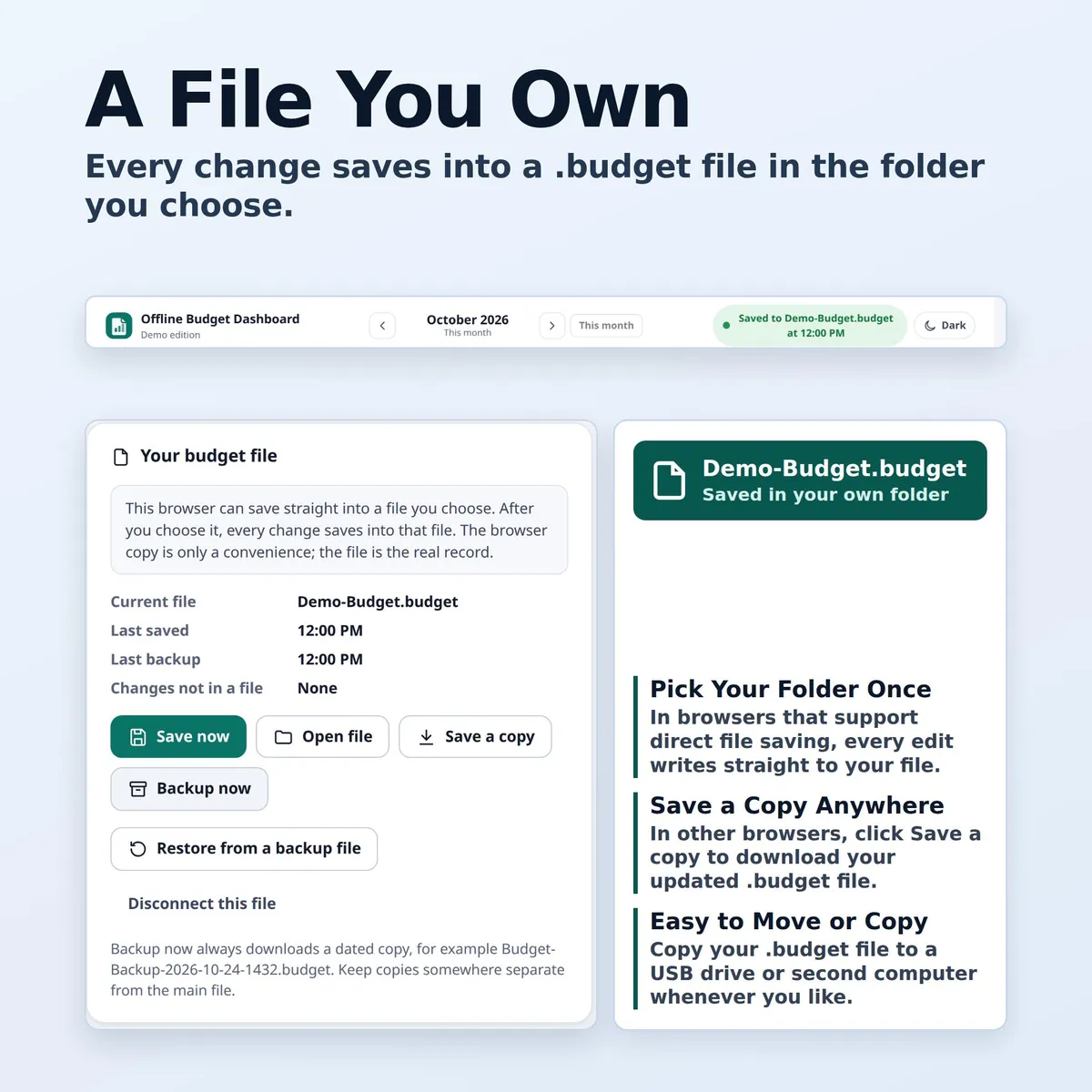
Your budget is a file you own, and it saves into it.
⭐ 𝗗𝗘𝗠𝗢
On the fence? Watch the short sample video in the listing gallery to see the app in use.
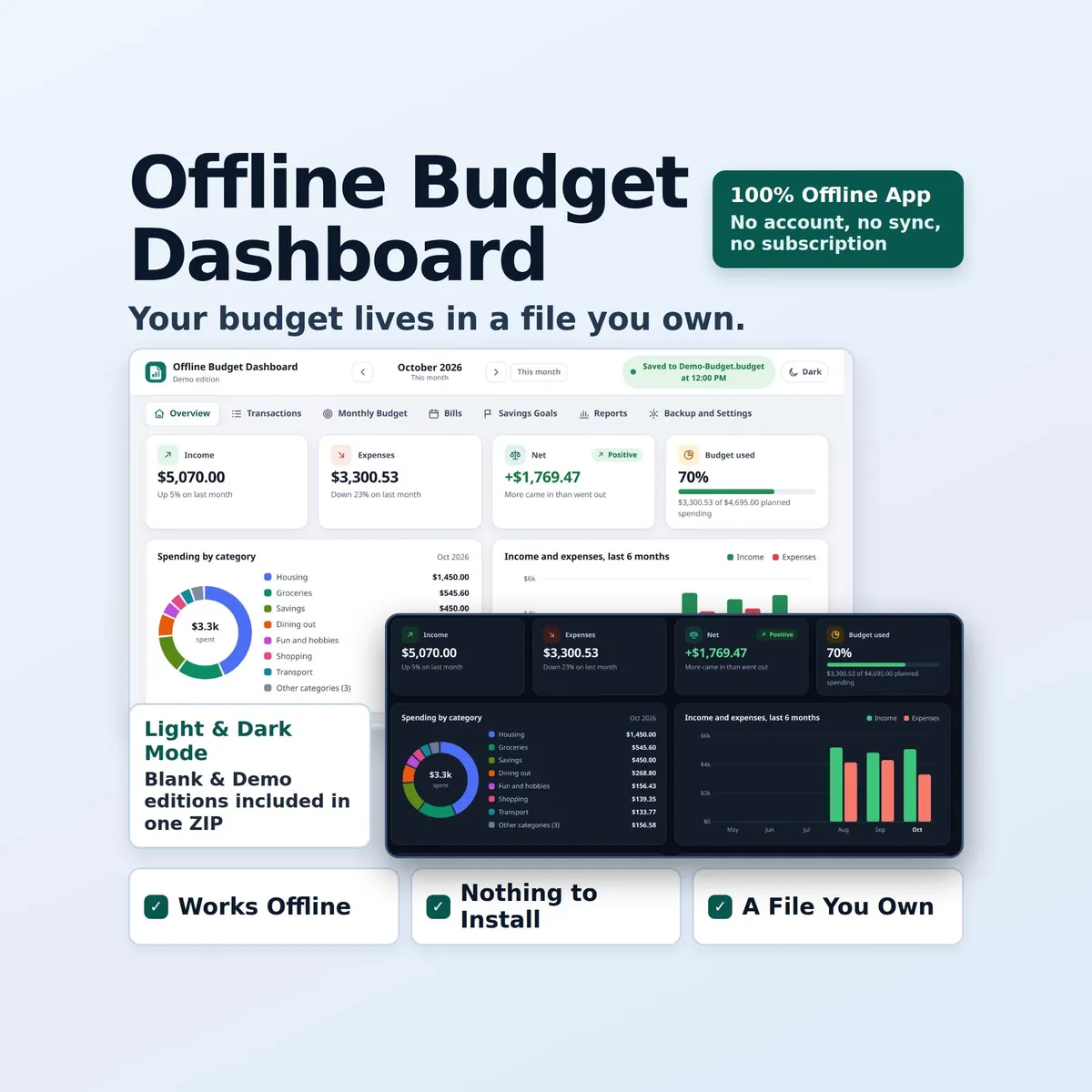
Offline Budget Dashboard is an HTML budget planner that opens in the web browser on your computer. Track income and expenses, plan each month by category, keep bills and due dates in view, and follow your savings goals. Your budget lives in a.budget file that you choose and keep.
𝗪𝗛𝗔𝗧 𝗬𝗢𝗨 𝗚𝗘𝗧
- A Blank copy for your own budget.
- A Sample copy filled with a sample household so you can look around first.
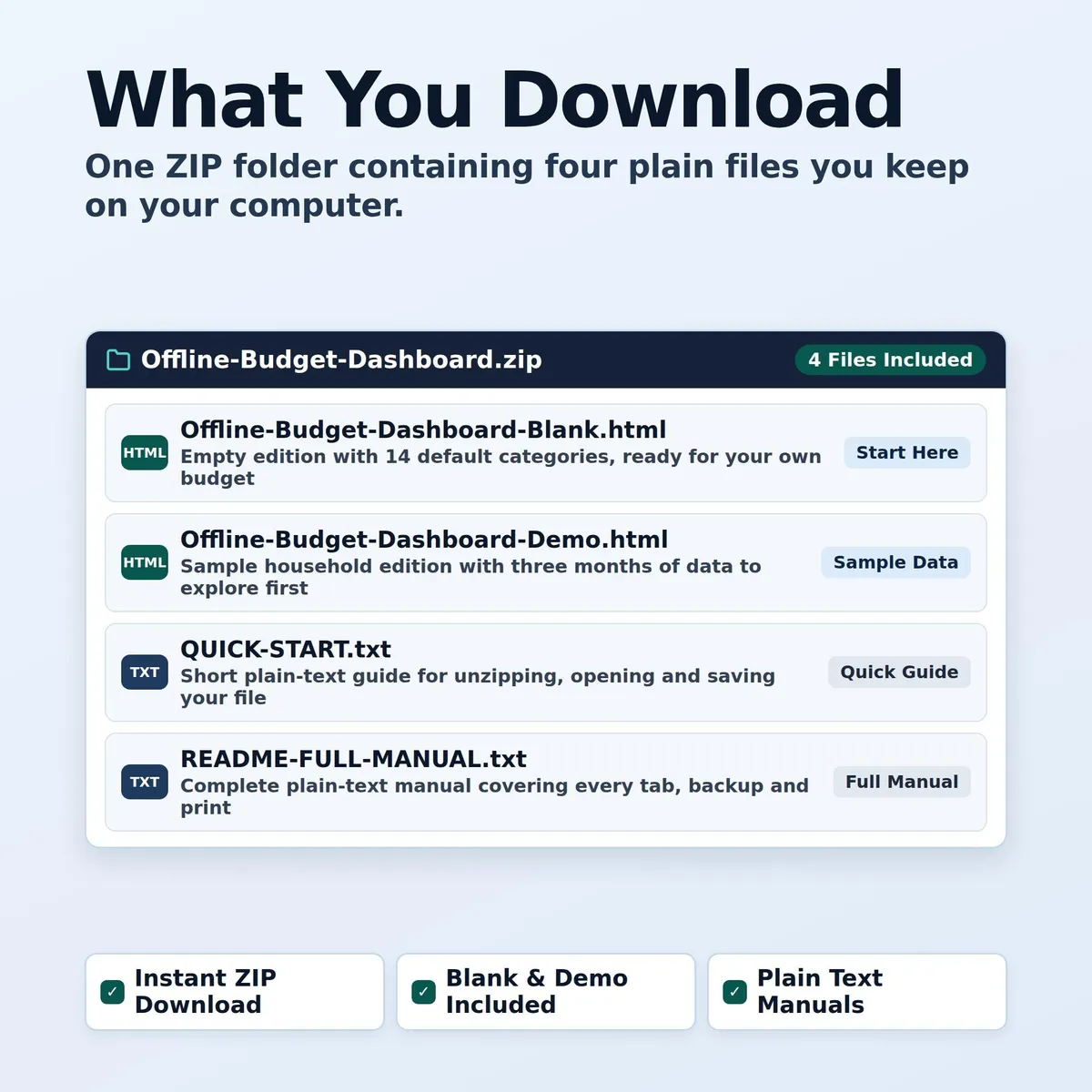
- A quick start guide and a full manual, all in one ZIP file.
𝗪𝗛𝗬 𝗔 𝗙𝗜𝗟𝗘
- Many browser tools keep your entries only inside the browser, and clearing browser data can erase them. This app can keep a browser copy for convenience, but the real record is a file on your computer.
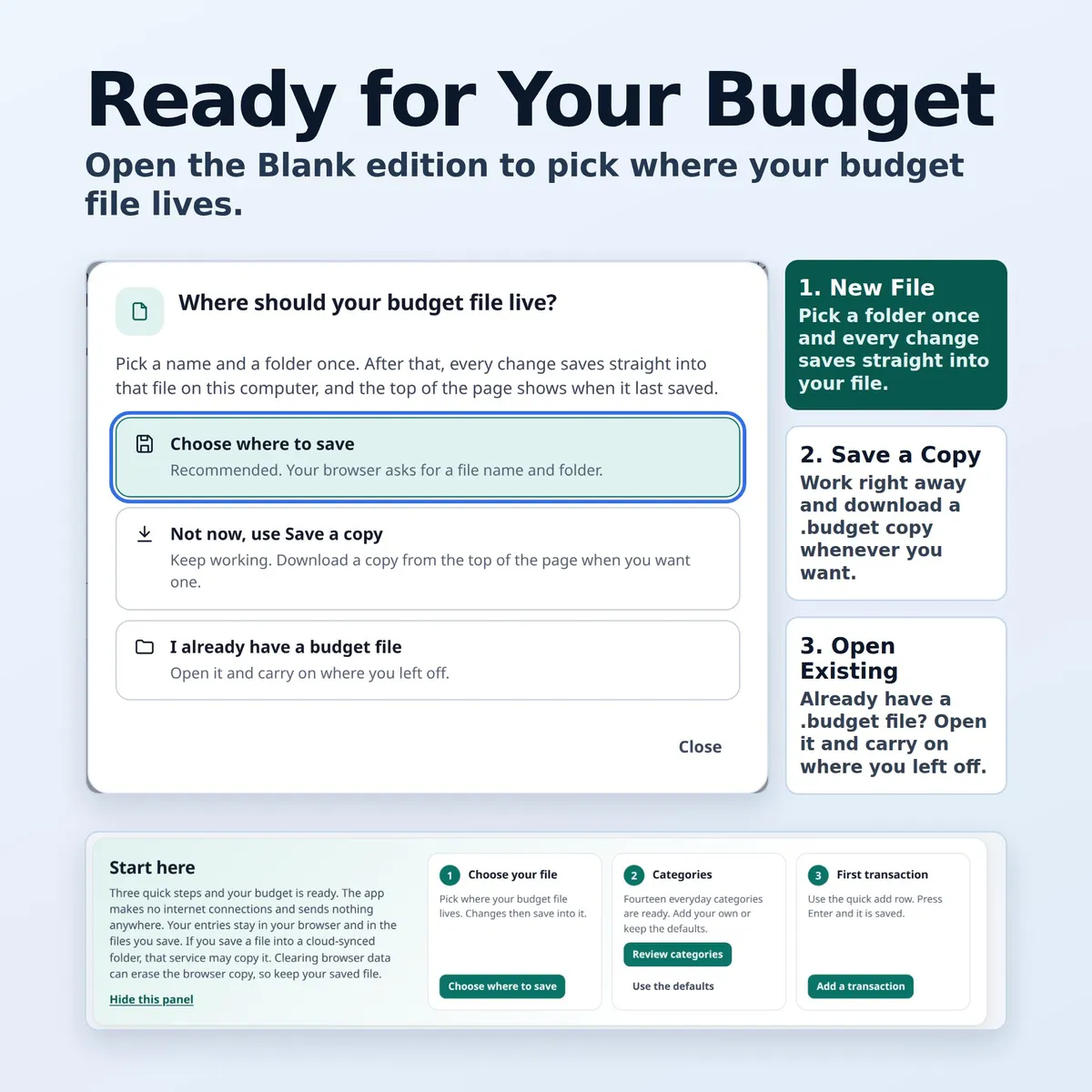
- In Chrome on a computer: choose your budget file with the file picker once, and every change saves into that file automatically. Edge uses the same file picker, but I tested only Chrome and Firefox.
- The top of the page shows when it last saved, for example "Saved to My-Budget.budget at 4:12 PM".
- In Firefox, and in any browser without that file picker: use Save a copy and Backup now to download your budget file whenever you like. The app shows when there are unsaved changes and reminds you after 25 changes or 7 days without a saved copy.
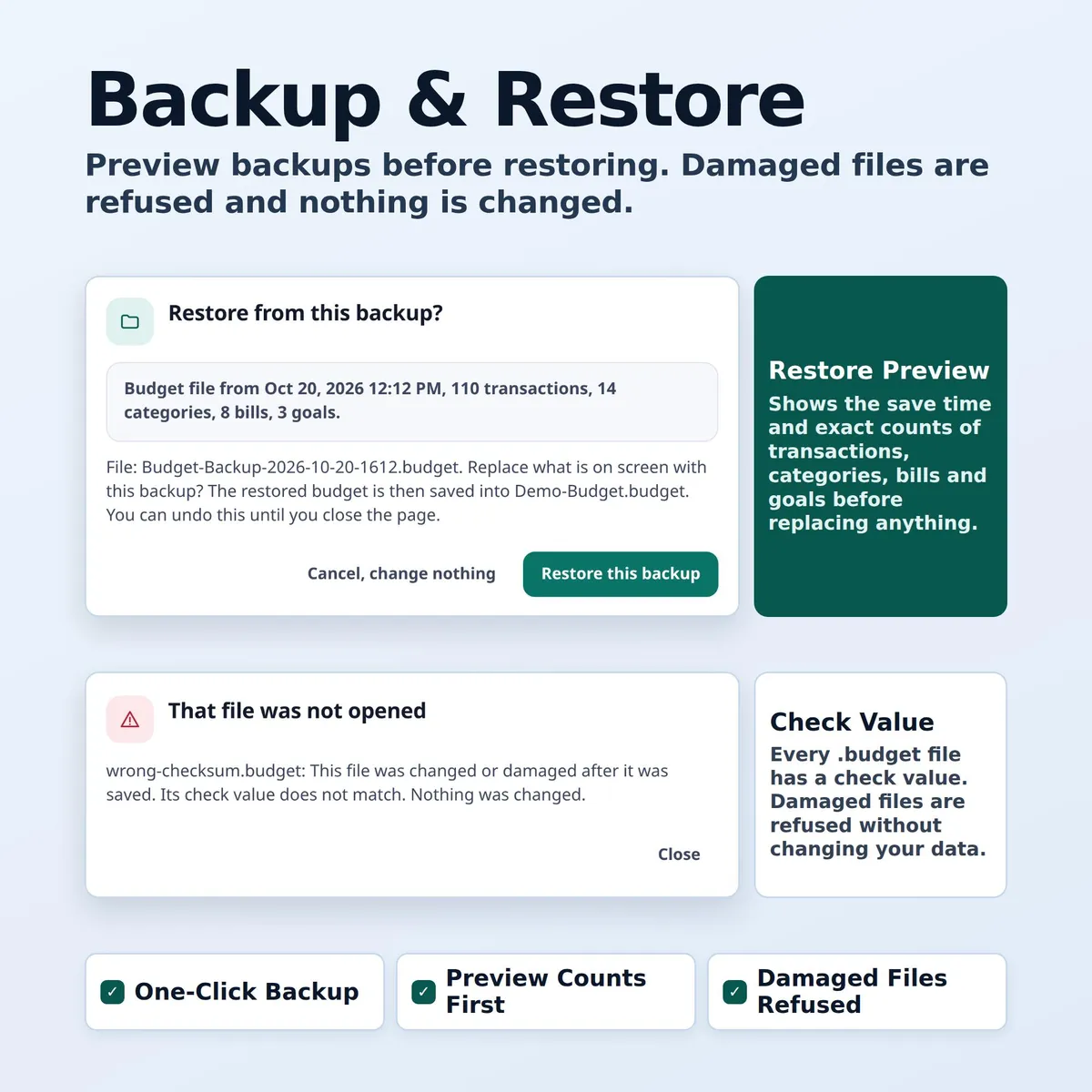
- Backup now downloads a dated copy at any time. Restore and Open file check the whole file first. A damaged file, or one made by a newer version of the app, is refused and nothing is changed.
𝗪𝗛𝗔𝗧 𝗜𝗦 𝗜𝗡𝗦𝗜𝗗𝗘
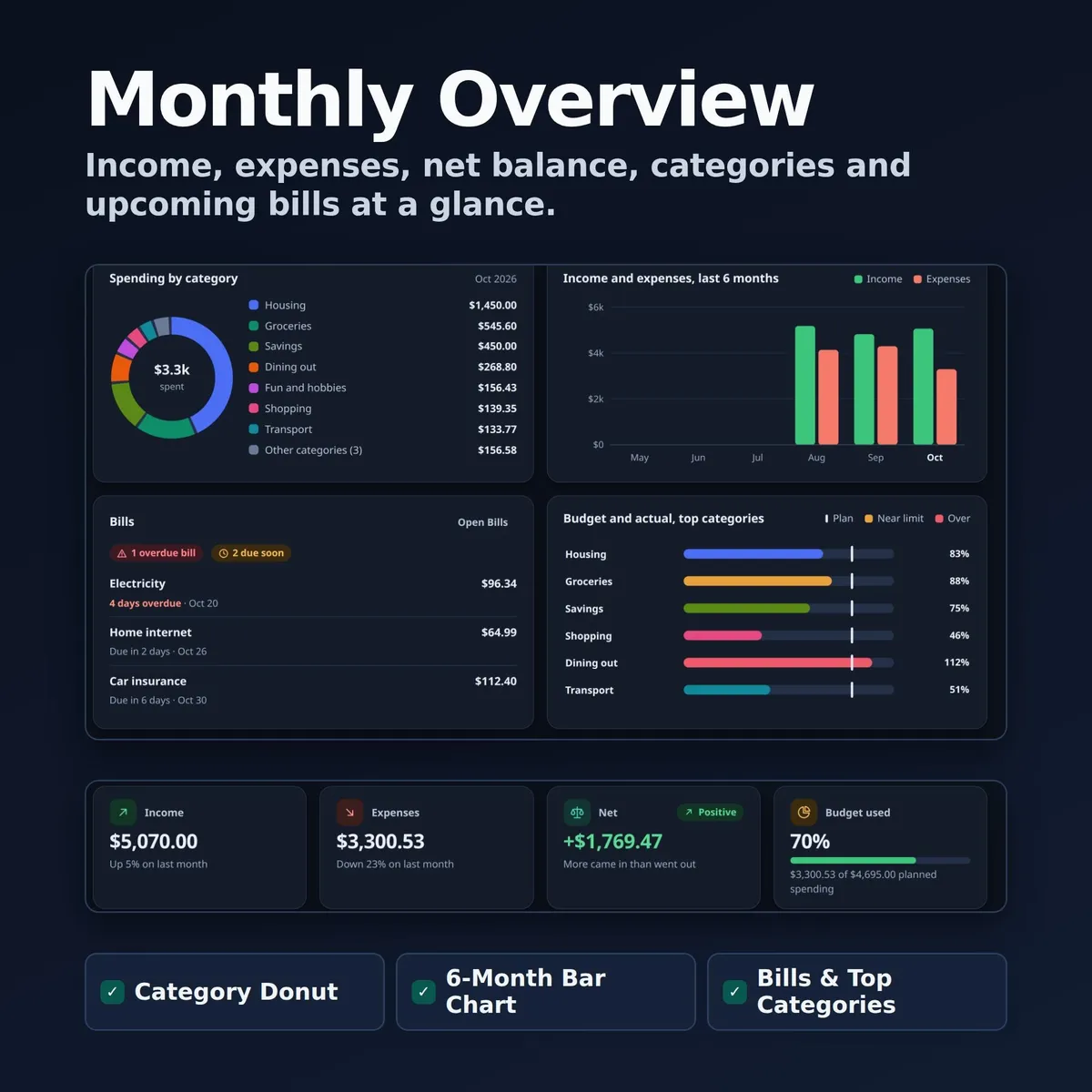
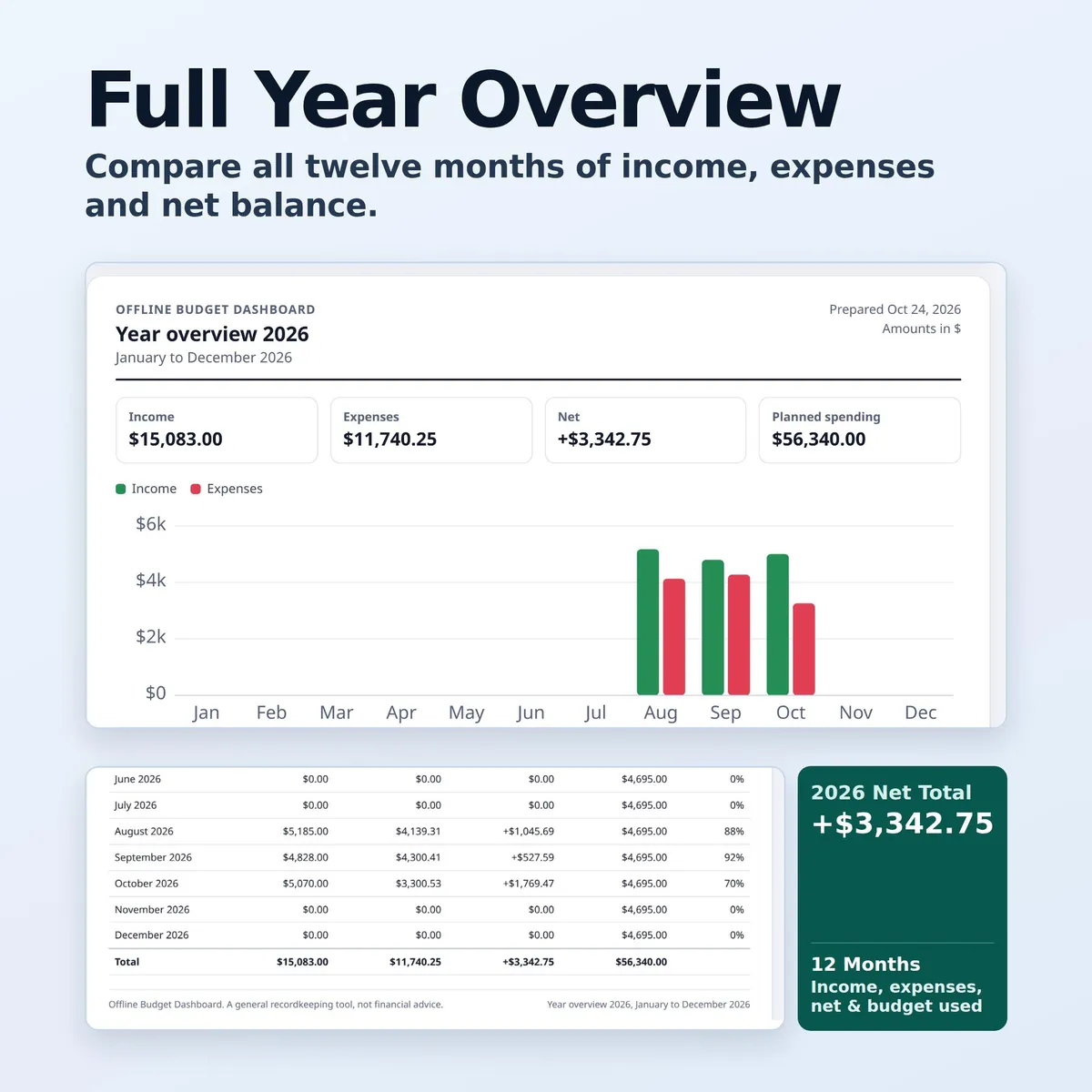
- Overview: income, expenses, net, budget used, bills due soon and savings progress, with a spending donut, six months of income and expenses, budget against actual bars and a running balance line.
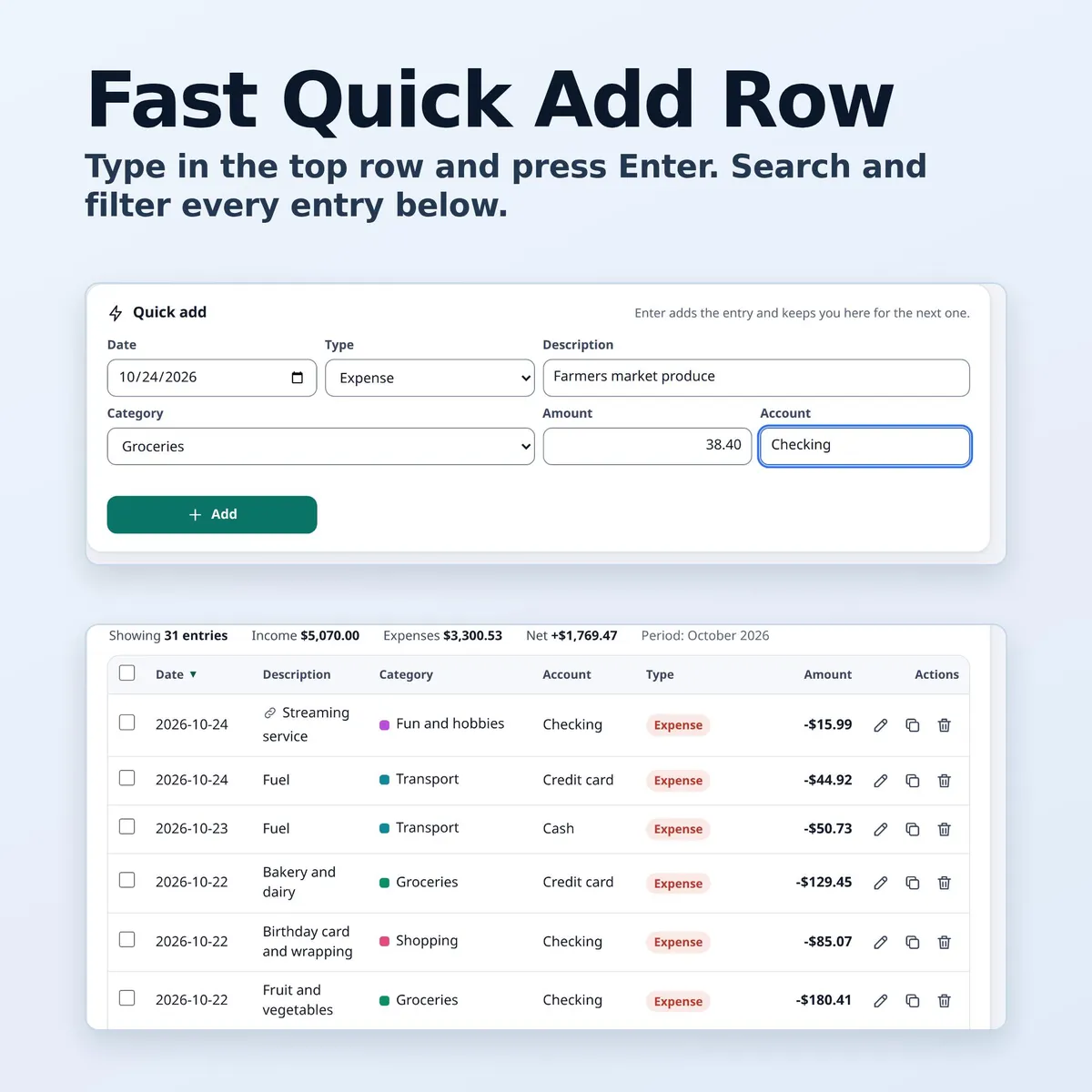
- Transactions: a quick add row (type and press Enter), search, filters, sorting, edit, duplicate, delete with undo, and optional notes and account labels.
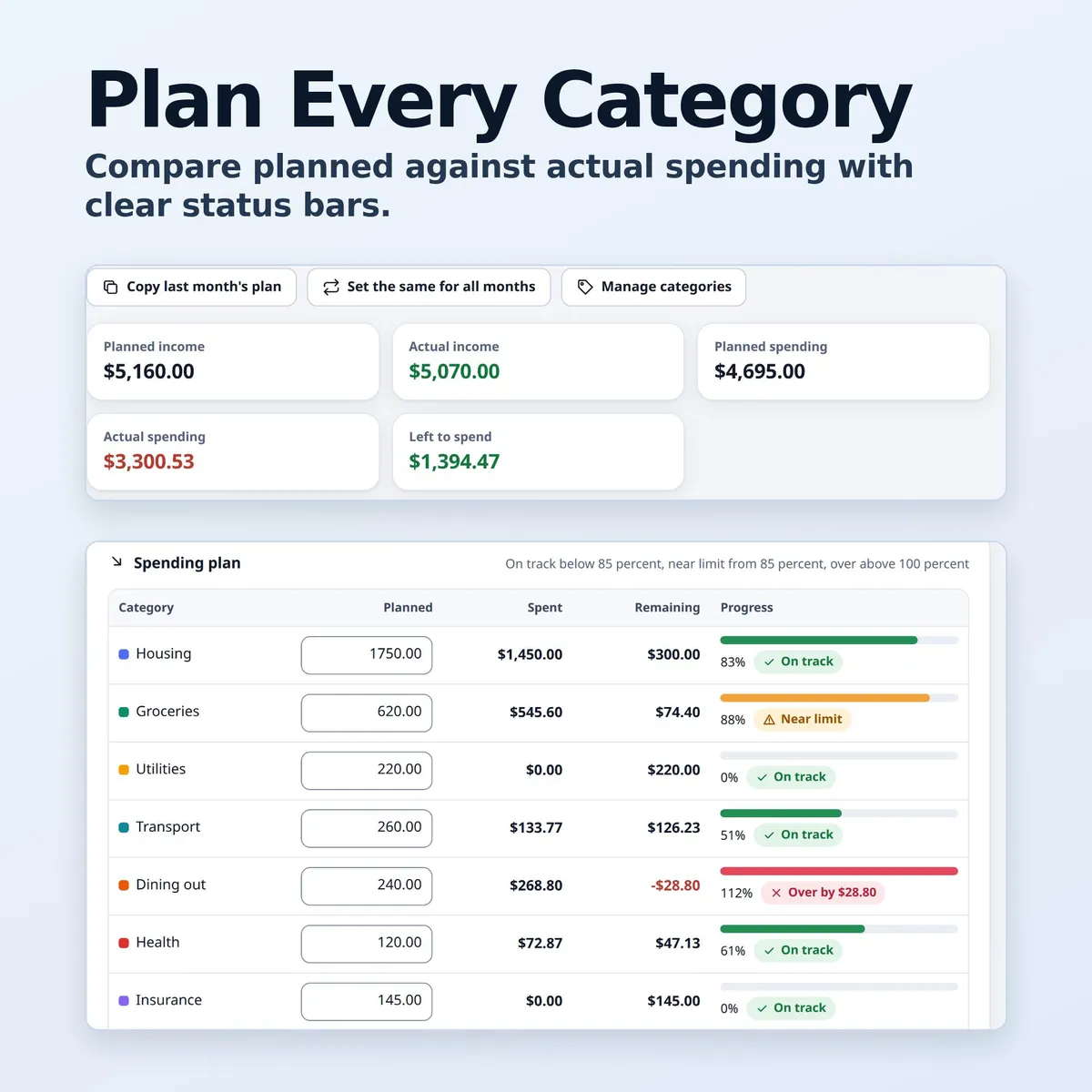
- Monthly Budget: planned against actual for every category, with on track, near limit and over states. Copy last month's plan or use one plan for every month. Add, rename, recolor, reorder and archive categories.
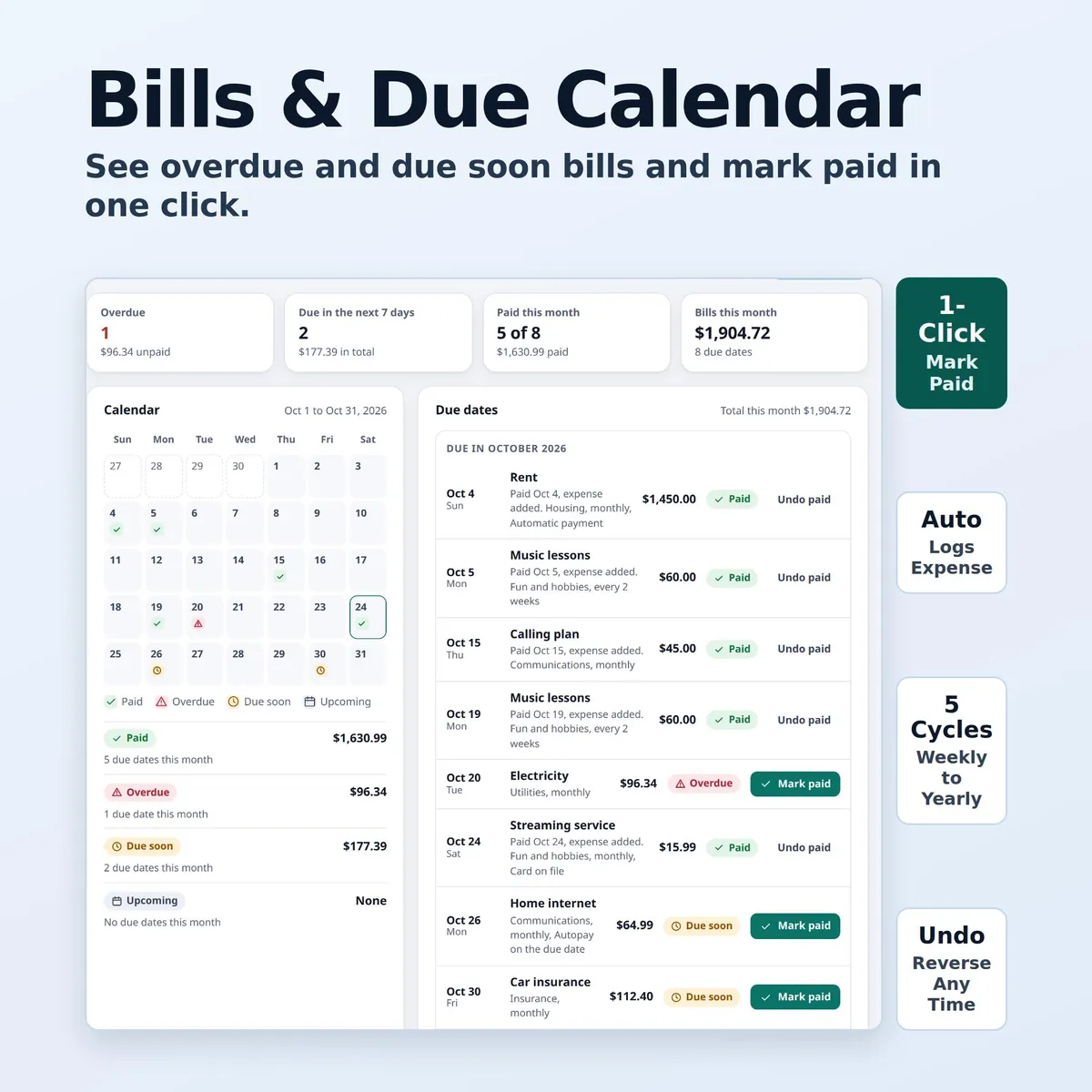
- Bills: weekly, every 2 weeks, monthly, every 3 months, yearly or one time. A calendar of the month, due soon and overdue lists, and Mark paid can add the matching expense for you.
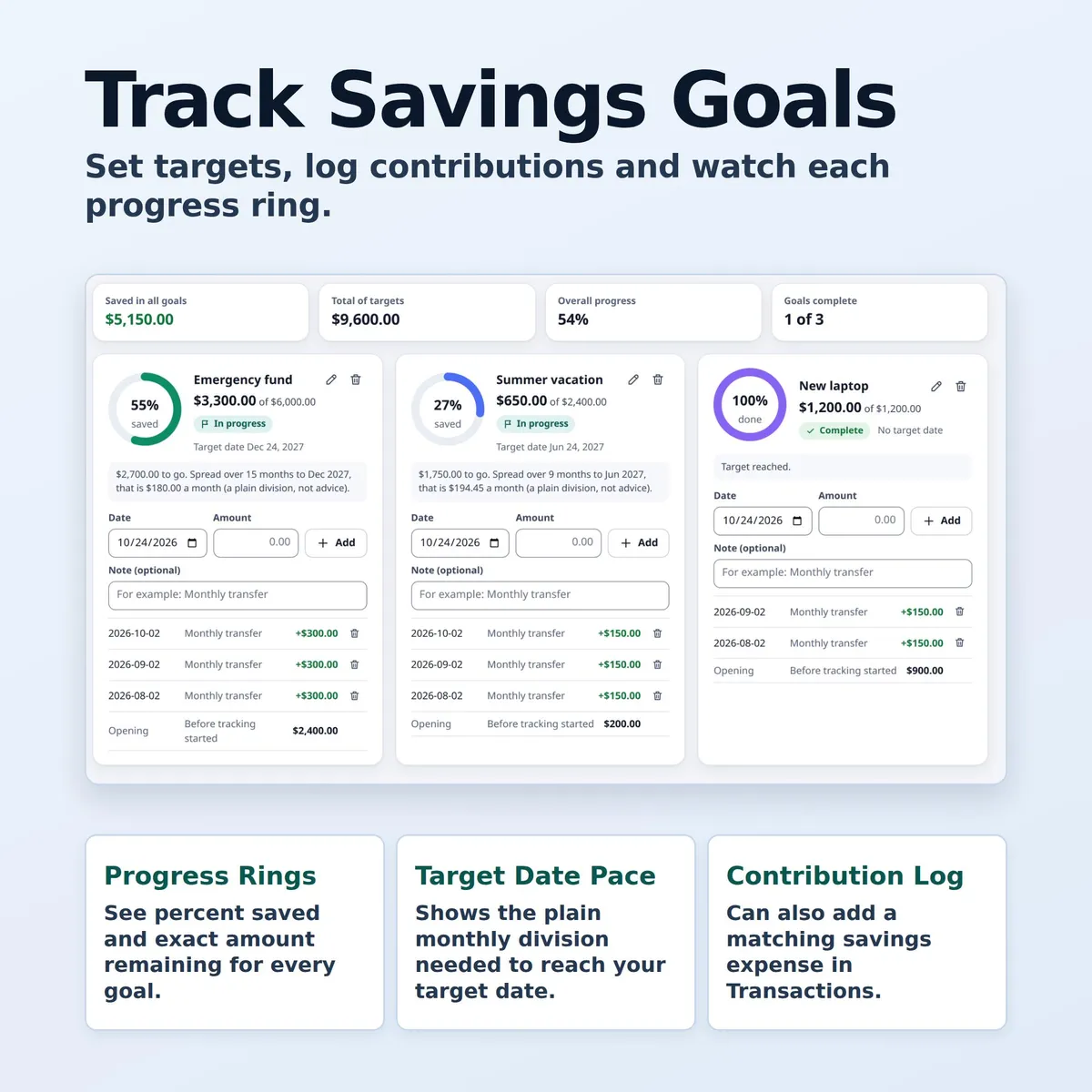
- Savings Goals: a target, an optional date, a log of contributions, a progress ring and the amount per month needed to reach the date.
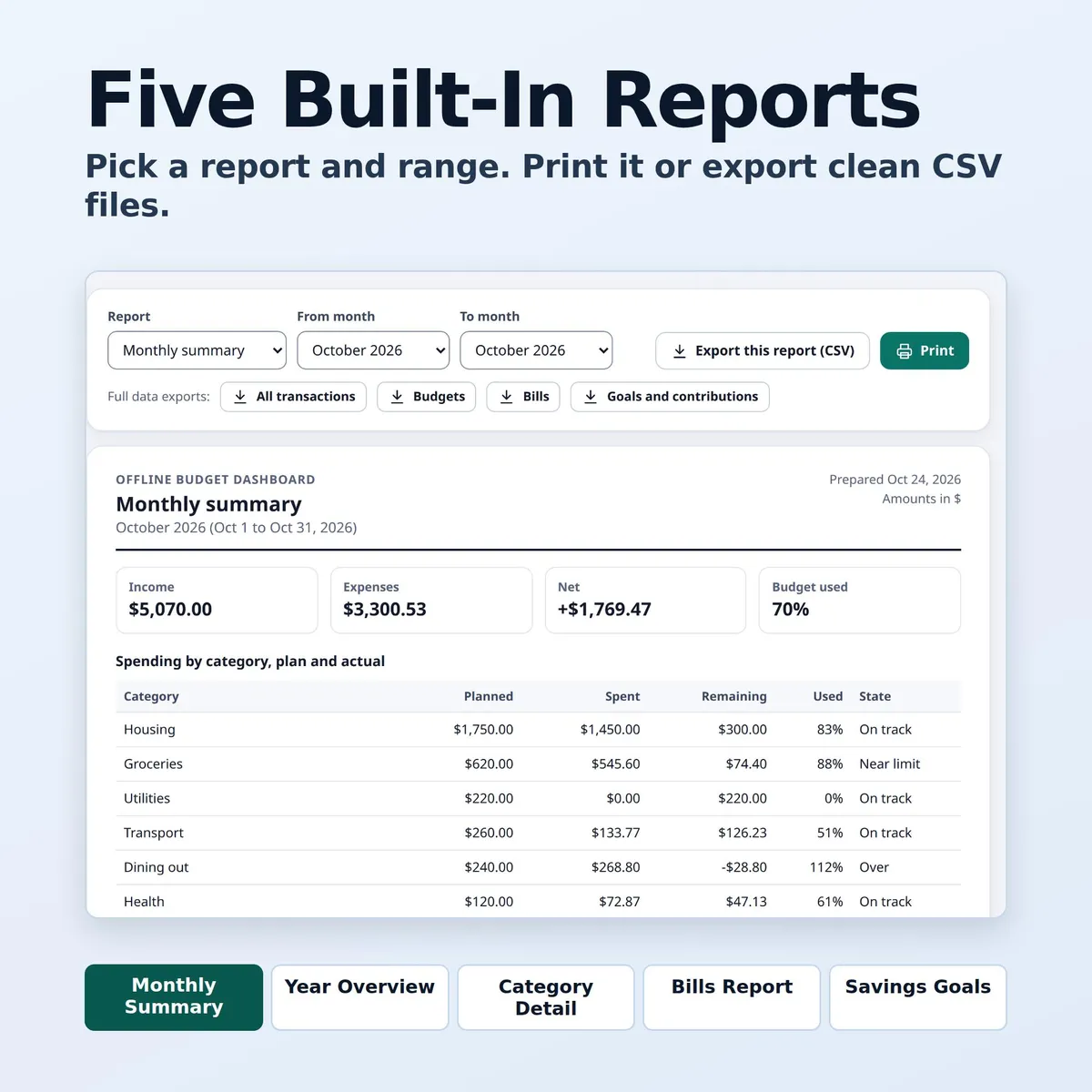
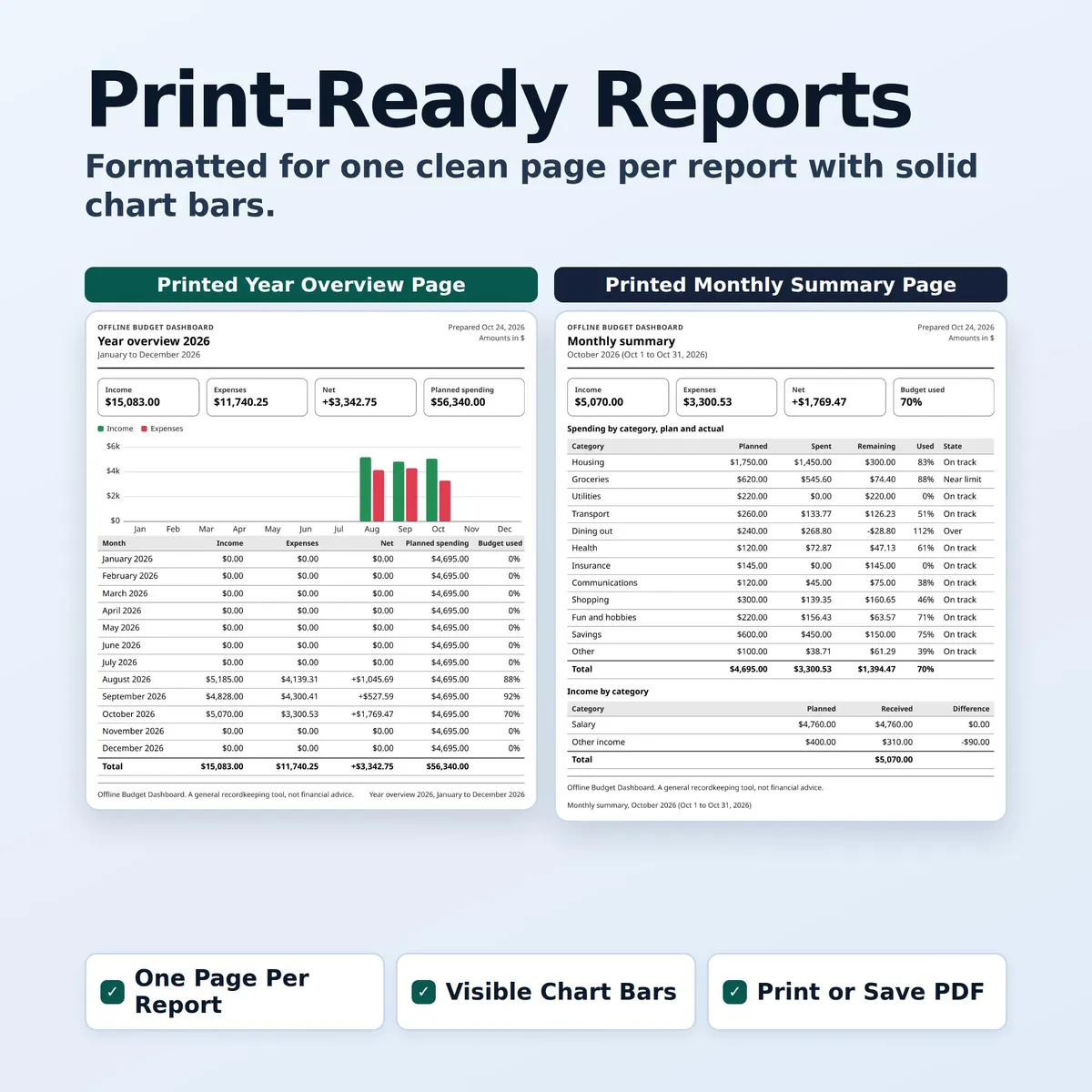
- Reports: monthly summary, year overview, category detail, bills report and savings goals report. Print them or export them as CSV.
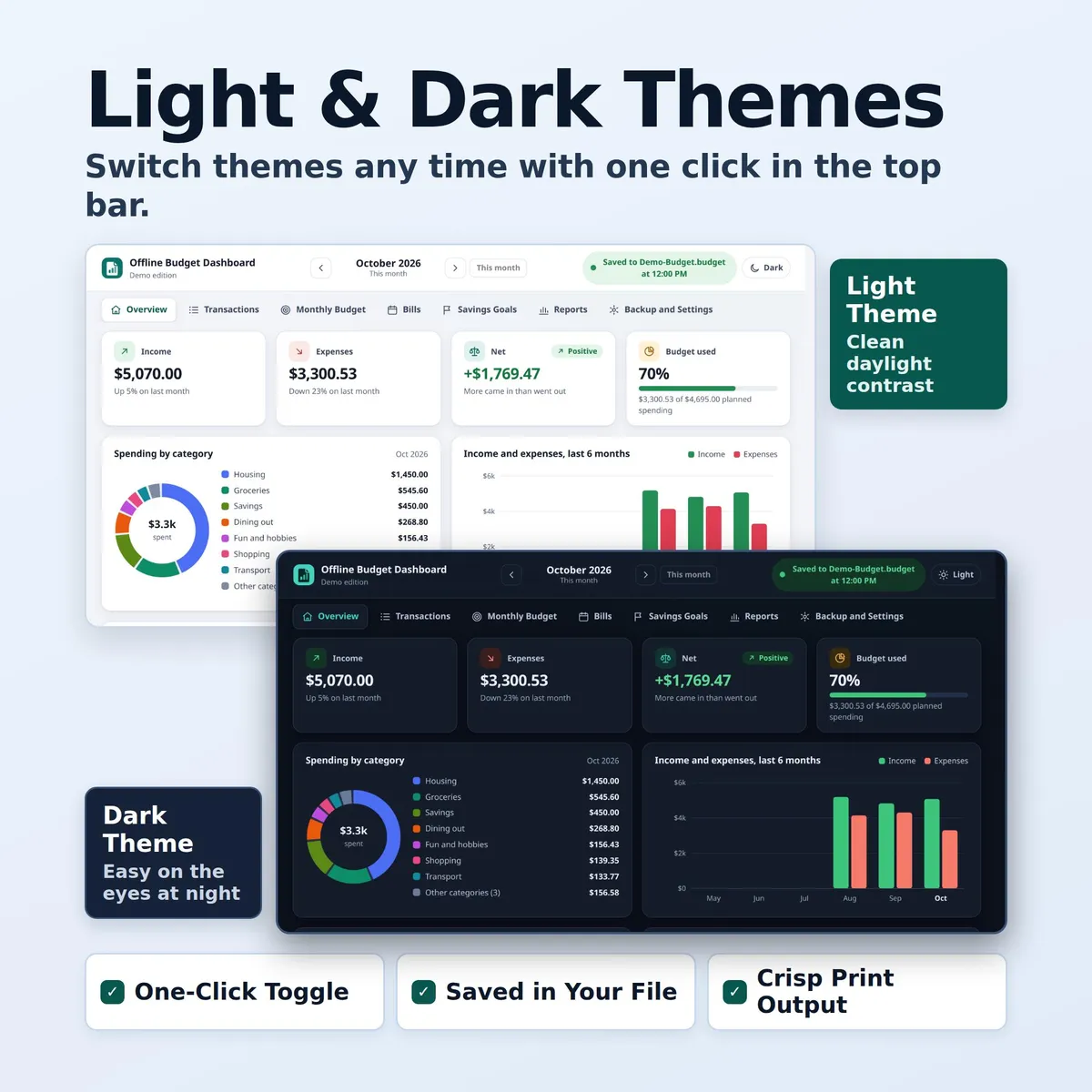
- Backup and Settings: Save to file, Open file, Save a copy, Backup now, Restore with undo, currency symbol, 0 or 2 decimals, month start day, week start, date format, and Light and Dark themes.
𝗛𝗢𝗪 𝗧𝗢 𝗦𝗧𝗔𝗥𝗧
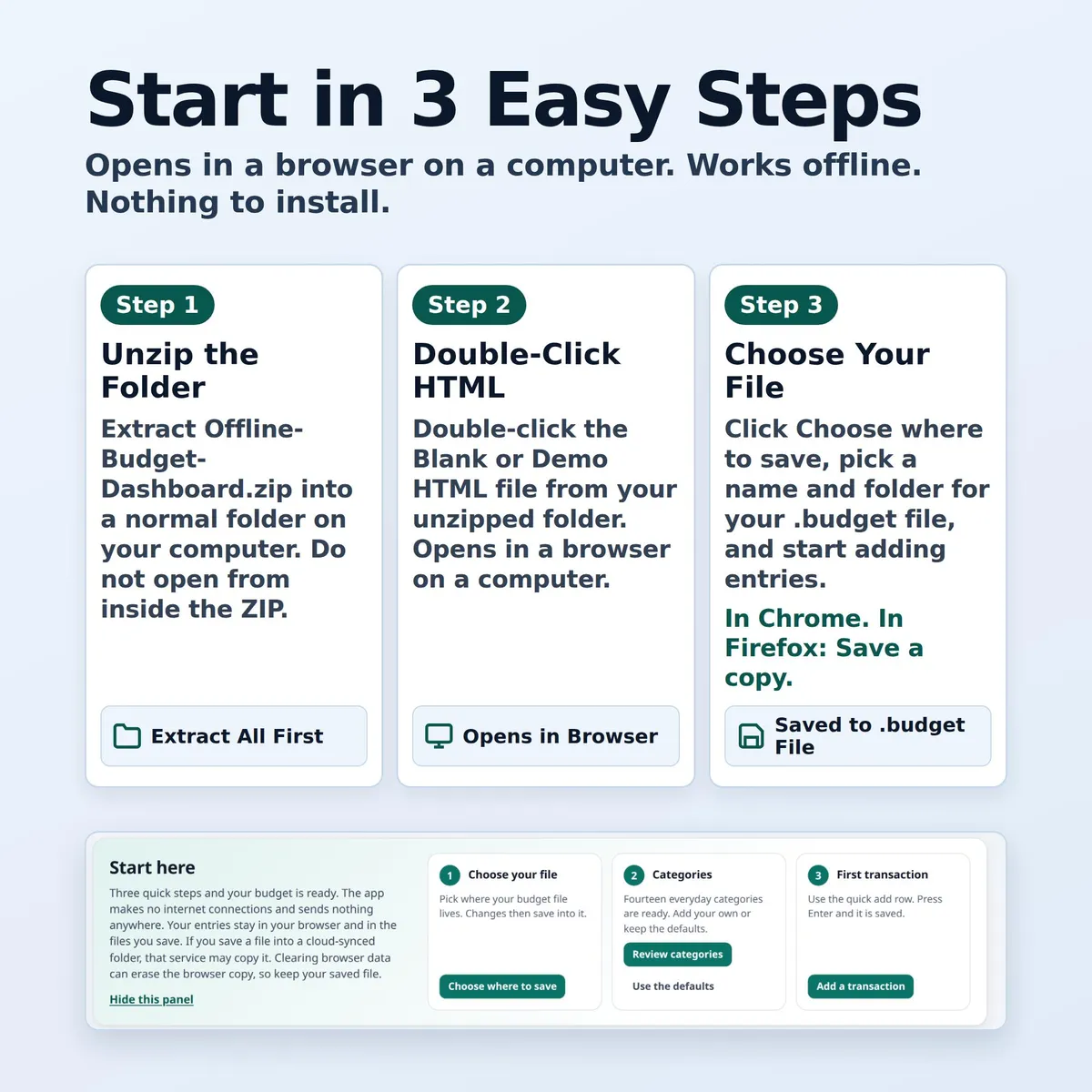
- Unzip the download first. Do not open the files from inside the ZIP. Extract them to a folder you will find again, such as Documents.
- Use a regular browser window, not a private one.
- In the Blank copy, click "Choose where to save", pick a folder, and keep the name My-Budget.budget or choose your own. That.budget file is your budget.
- Press "Backup now" in Backup and Settings now and then, and keep that copy somewhere separate from your main file.
Full details are in QUICK-START.txt and README-FULL-MANUAL.txt, both included in the ZIP.
𝗙𝗜𝗟𝗘𝗦
One ZIP file with 4 files:
- Offline-Budget-Dashboard-Blank.html
- QUICK-START.txt
- README-FULL-MANUAL.txt
𝗬𝗢𝗨 𝗪𝗜𝗟𝗟 𝗡𝗘𝗘𝗗
A computer with a web browser, and a way to unzip a ZIP file.
𝗜𝗠𝗣𝗢𝗥𝗧𝗔𝗡𝗧
This is an HTML app that opens in a web browser on a computer. It is not a spreadsheet. Delivery is a ZIP file: unzip it first, then open the HTML file from the unzipped folder. Tested in Chrome and Firefox on a computer.
ℹ 𝗚𝗢𝗢𝗗 𝗧𝗢 𝗞𝗡𝗢𝗪
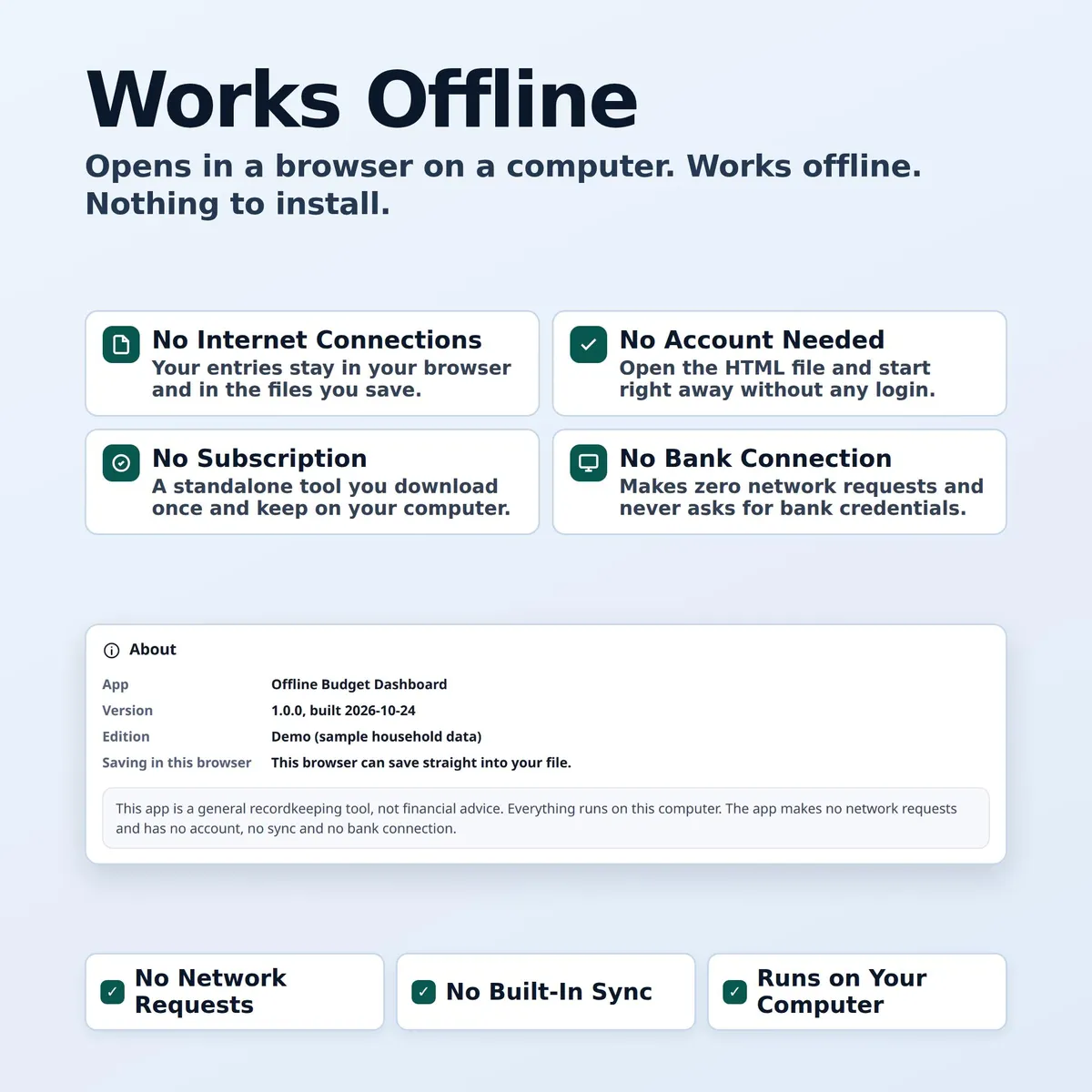
- The app makes no internet connections and sends nothing anywhere. Your entries stay in your browser and in the files you save. If you save a file into a cloud-synced folder, that service may copy it. Clearing browser data can erase the browser copy, so keep your saved file.
- Works offline after download. No account, no subscription, no bank connection, and no sync between devices.
- This is a general recordkeeping tool. It is not financial, tax, legal or accounting advice. Your totals depend on what you enter, and I cannot guarantee they are complete or free of errors. Check important figures yourself.
- Questions? Message me through the shop. Please tell me your browser and version and the exact words shown at the top right of the page. Please never send anyone your budget file or a screenshot that shows your numbers.
- Digital download only. No physical item will be shipped.
𝗦𝗘𝗘 𝗔𝗟𝗦𝗢
- Want budget, bills, debt payoff, savings and net worth in one app? Ultimate Personal Finance Dashboard: https://www.etsy.com/listing/4605028162
- Paying off debt? Offline Debt Payoff Planner: https://www.etsy.com/listing/4603282110
- Prefer a spreadsheet for bills? Bill Tracker Spreadsheet: https://www.etsy.com/listing/4594908014
Personal use only. Please do not resell, share or redistribute the files.
Designed by me, created using AI tools.
The Etsy listing is the final source for what is included. See it on Etsy.
More in Planners and calendars

Baby Milestone Book
Type your baby's first year instead of handwriting it, then print it, add your photos and keep…

Dog Training Log
Train your new puppy or rescue dog with one simple log the whole family can use.

Mahjong Tracker
Keep score at every mahjong night with a tracker your whole group can use, year after year.

Ultimate Personal Finance Dashboard
Our budget dashboard and debt payoff planner, together in one app, plus savings, net worth…