
Ultimate Personal Finance Dashboard
Ultimate Personal Finance Dashboard, HTML Budget Planner, Interactive Budget Planner, Expense Tracker App
$14.99
Buy on EtsyOpens the listing on Etsy in a new tab. Checkout happens on Etsy.
- Instant digital download
- Buy through Etsy checkout
- No subscription
- Made by Utility Forge Studio
- Questions? Email utilityforgestudio@gmail.com
See it in use
About this download
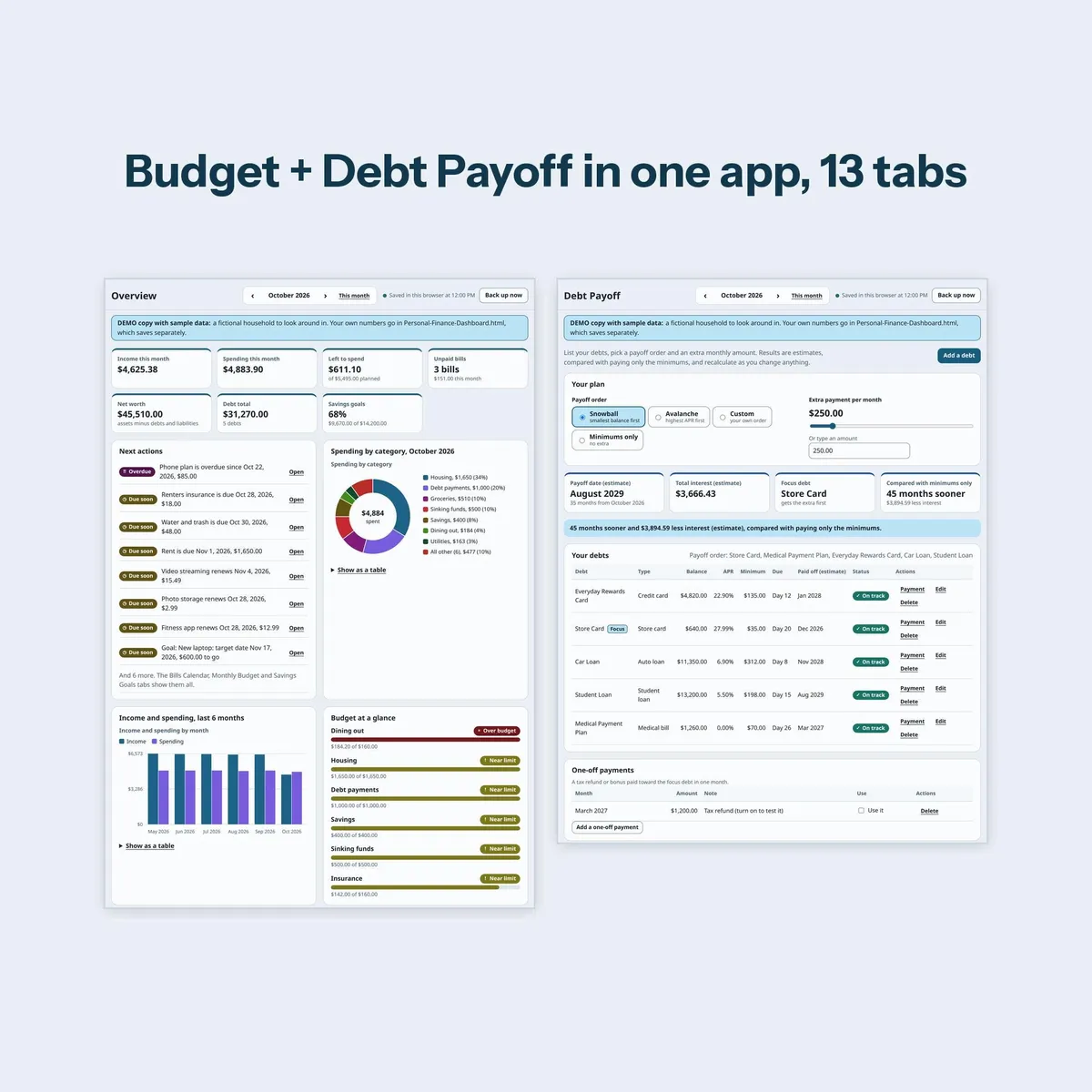
Our budget dashboard and debt payoff planner, together in one app, plus savings, net worth, bills and more. No switching between two apps.
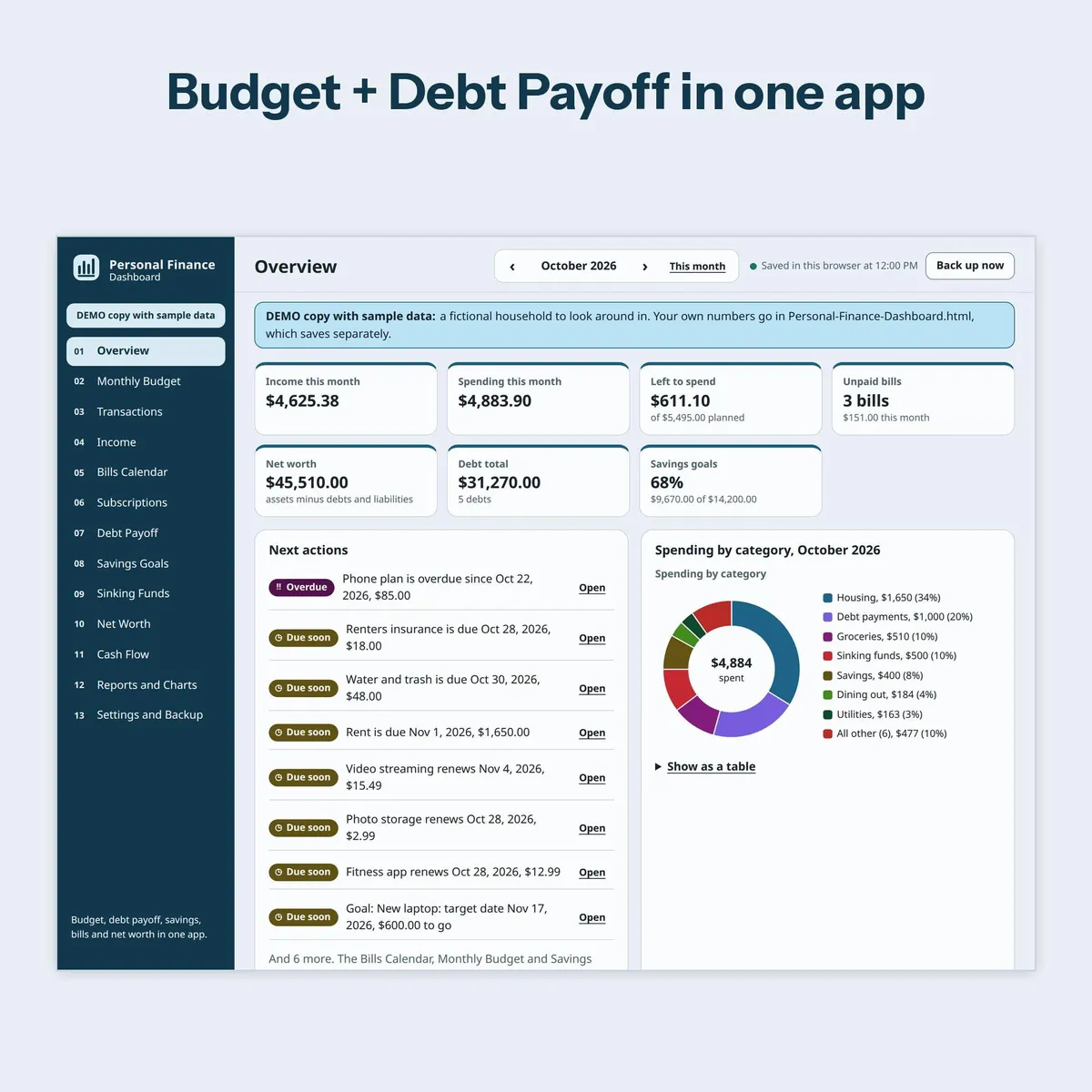
Ultimate Personal Finance Dashboard is an HTML budget planner you download once and keep. One app with 13 tabs: Overview, Monthly Budget, Transactions, Income, Bills Calendar, Subscriptions, Debt Payoff, Savings Goals, Sinking Funds, Net Worth, Cash Flow, Reports and Charts, and Settings and Backup. It opens in your web browser: no app store, no subscription, no account. Your data stays on your device.
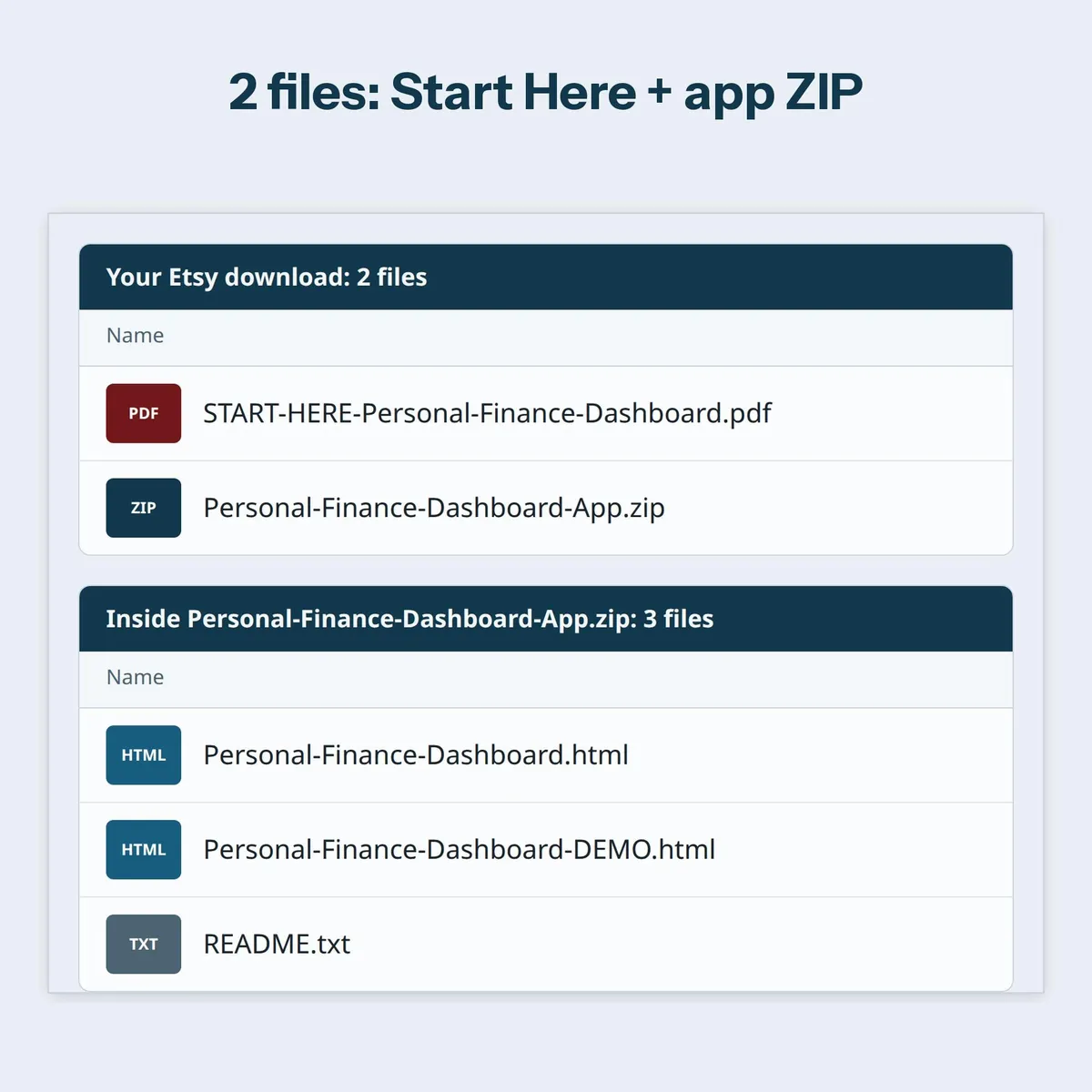
WHAT YOU GET (2 FILES)
- START-HERE-Personal-Finance-Dashboard.pdf: how to unzip, open and get started.
- Personal-Finance-Dashboard-App.zip, which holds 3 files:
Personal-Finance-Dashboard.html (your copy, starts empty)
README.txt (the full guide)
WHAT'S INSIDE (13 TABS)
Overview: this month's income, spending, left to spend, unpaid bills, net worth, debt total, savings progress and a Next actions list.
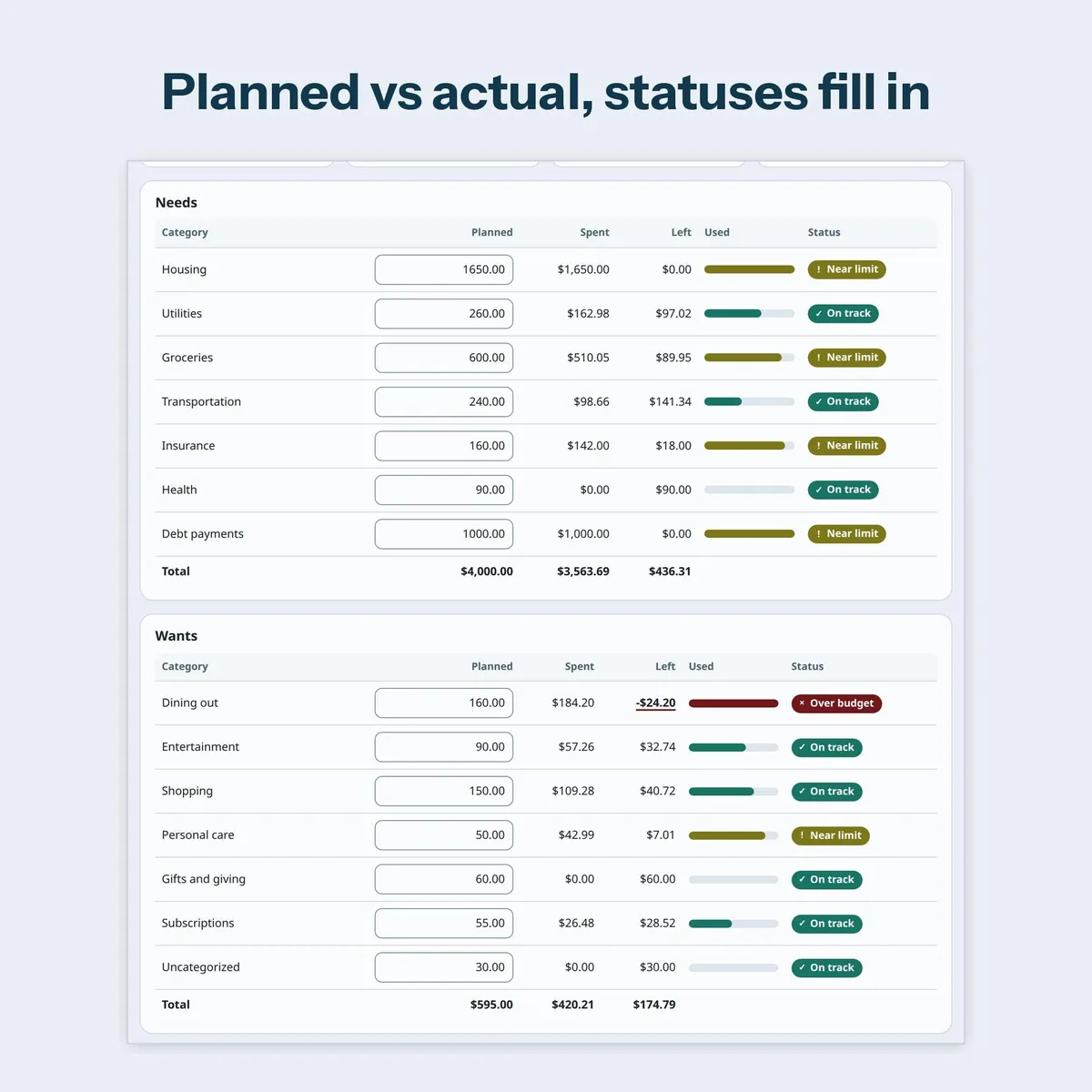
Monthly Budget: planned against actual by category, zero-based or 50/30/20 starting template, copy last month, optional rollover.
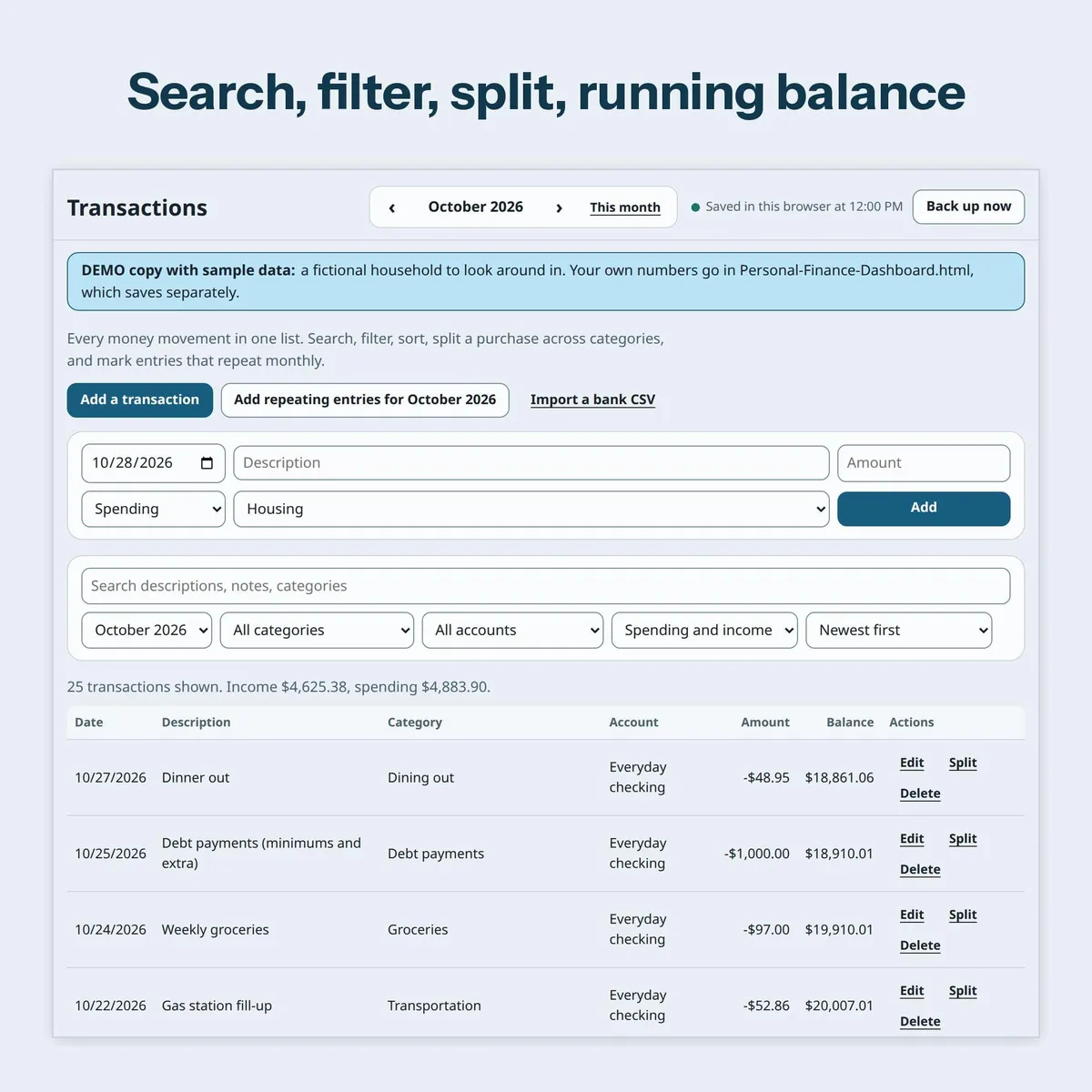
Transactions: quick add, search, filters, sorting, split a purchase across categories, monthly repeating entries and a running balance.
Income: paychecks and side income, expected against received.
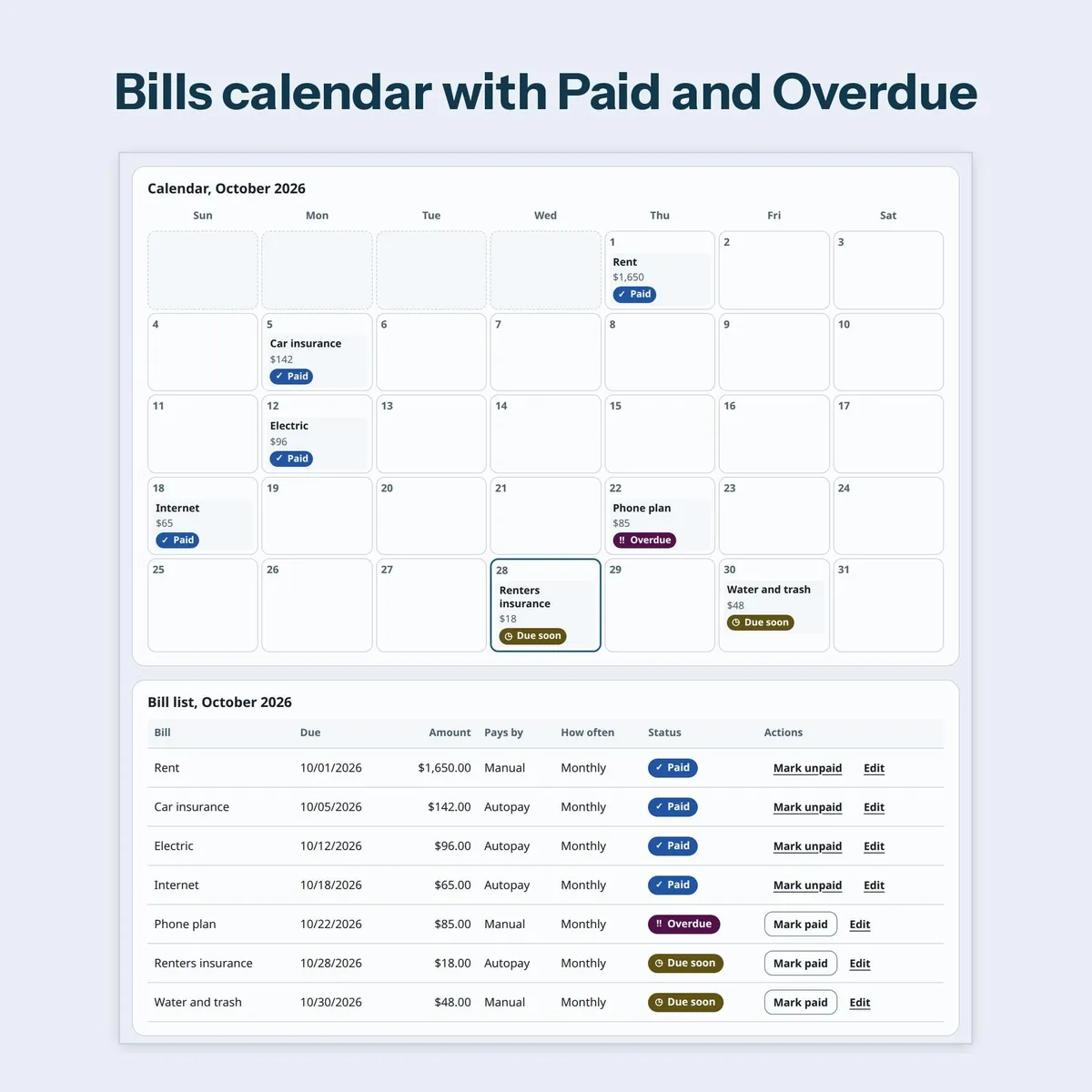
Bills Calendar: month grid and list, due dates, autopay flag, mark paid each month, Due soon and Overdue.
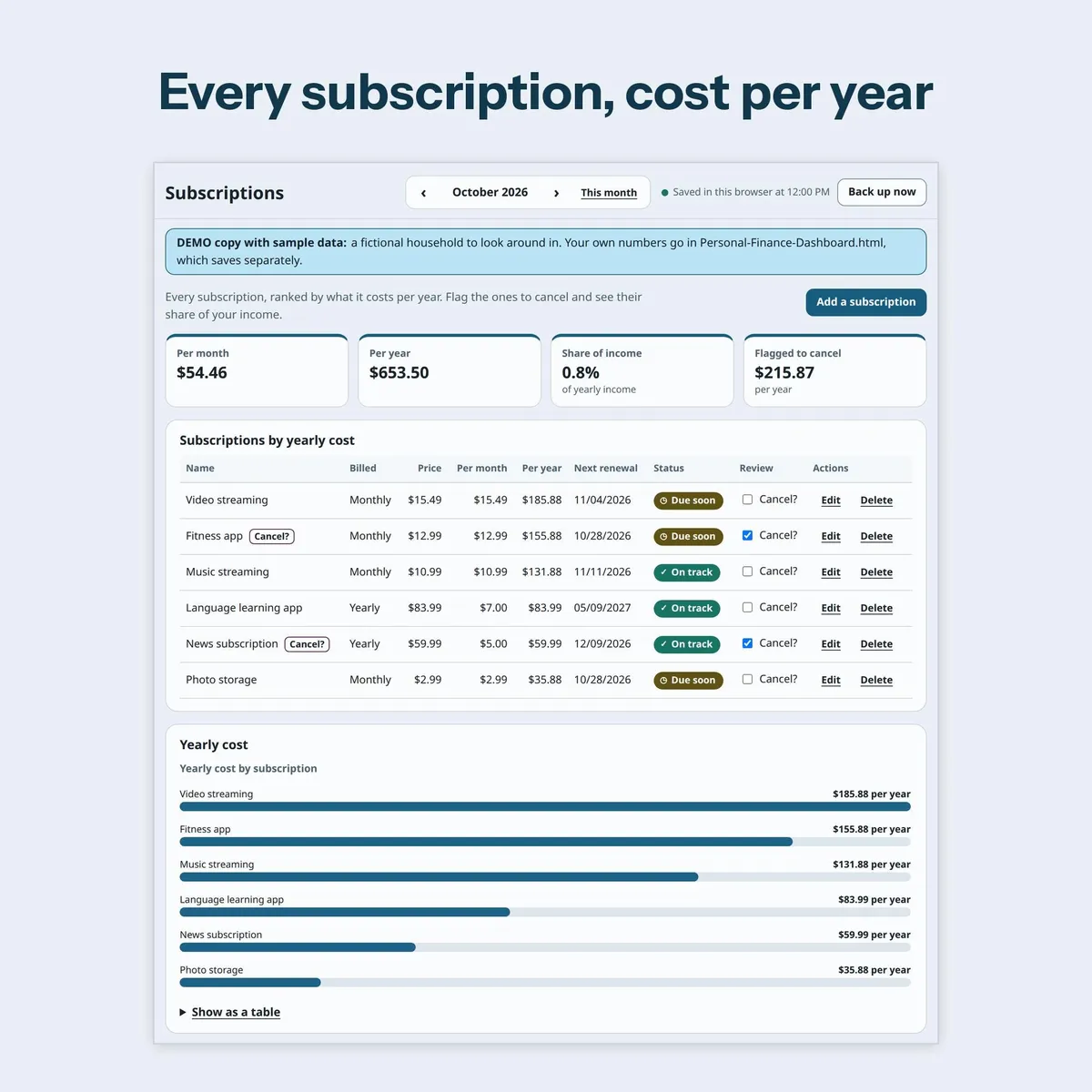
Subscriptions: cost per month and per year, renewal date, a "Cancel?" flag and the share of your income.
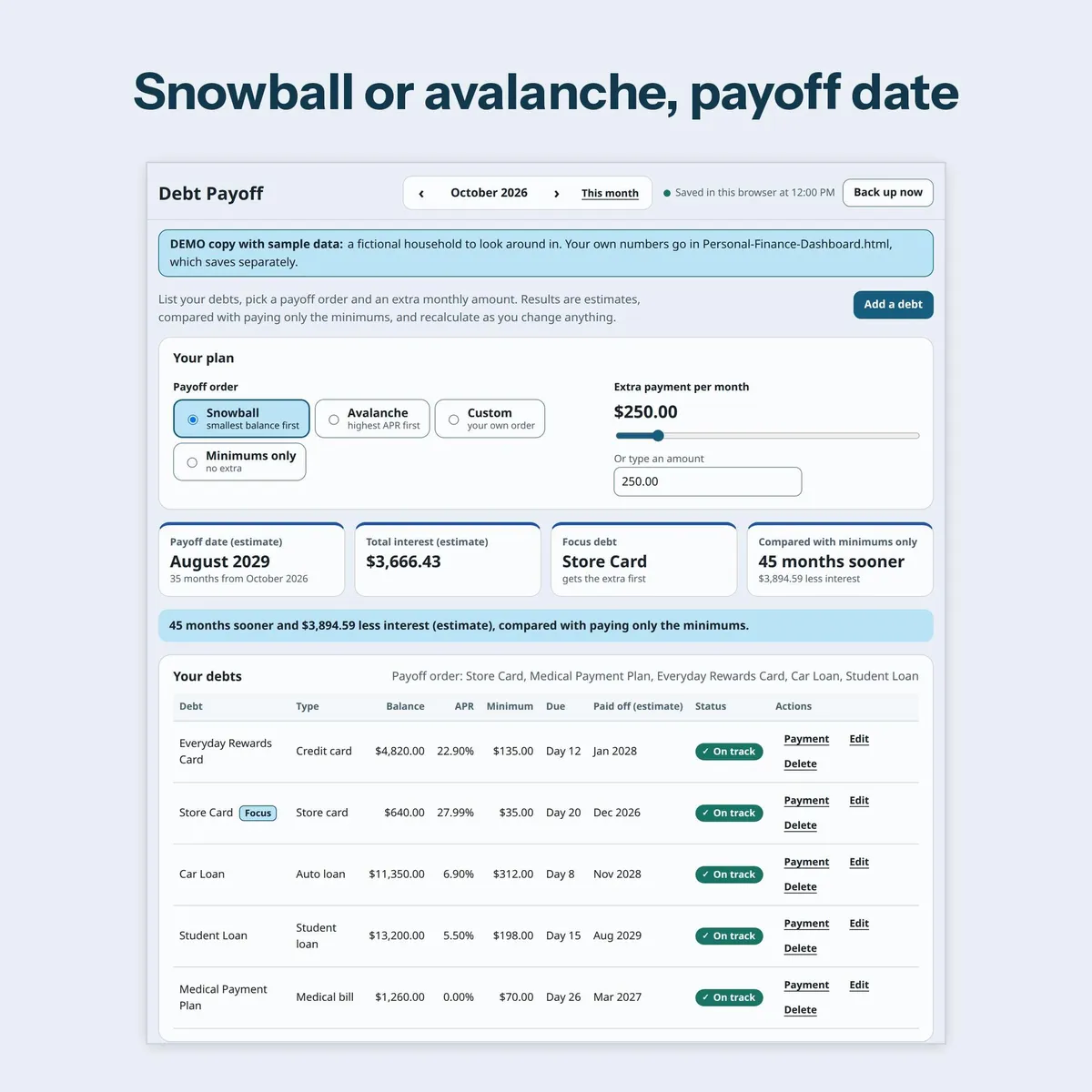
Debt Payoff: snowball, avalanche, custom order or minimums only, extra payment slider, one-off payments, payoff date, total interest and focus debt. Results are estimates, compared with paying only the minimums.
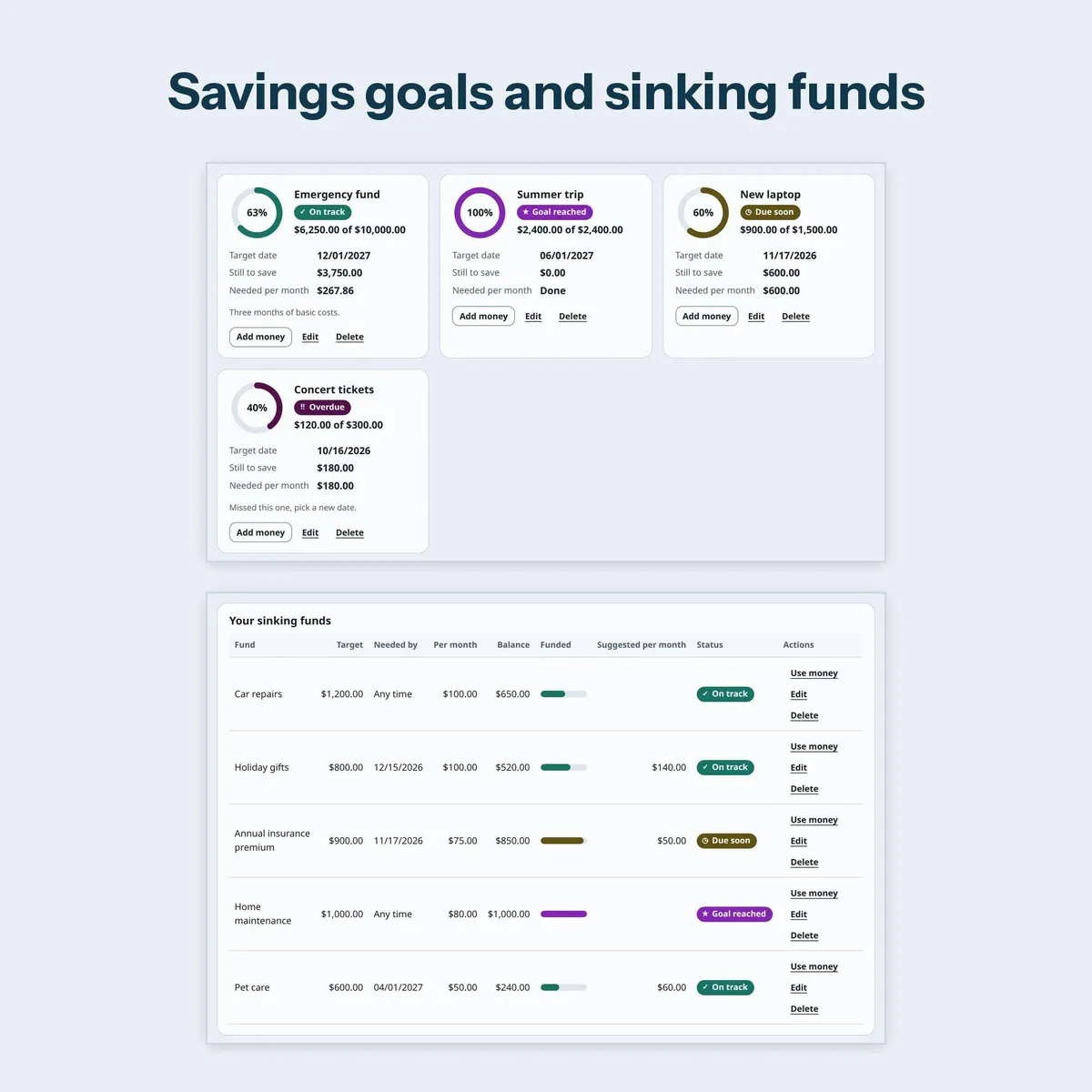
Savings Goals: target, date, progress ring and the monthly amount needed.
Sinking Funds: irregular costs such as car repairs, gifts and insurance, with a monthly set-aside and balance.
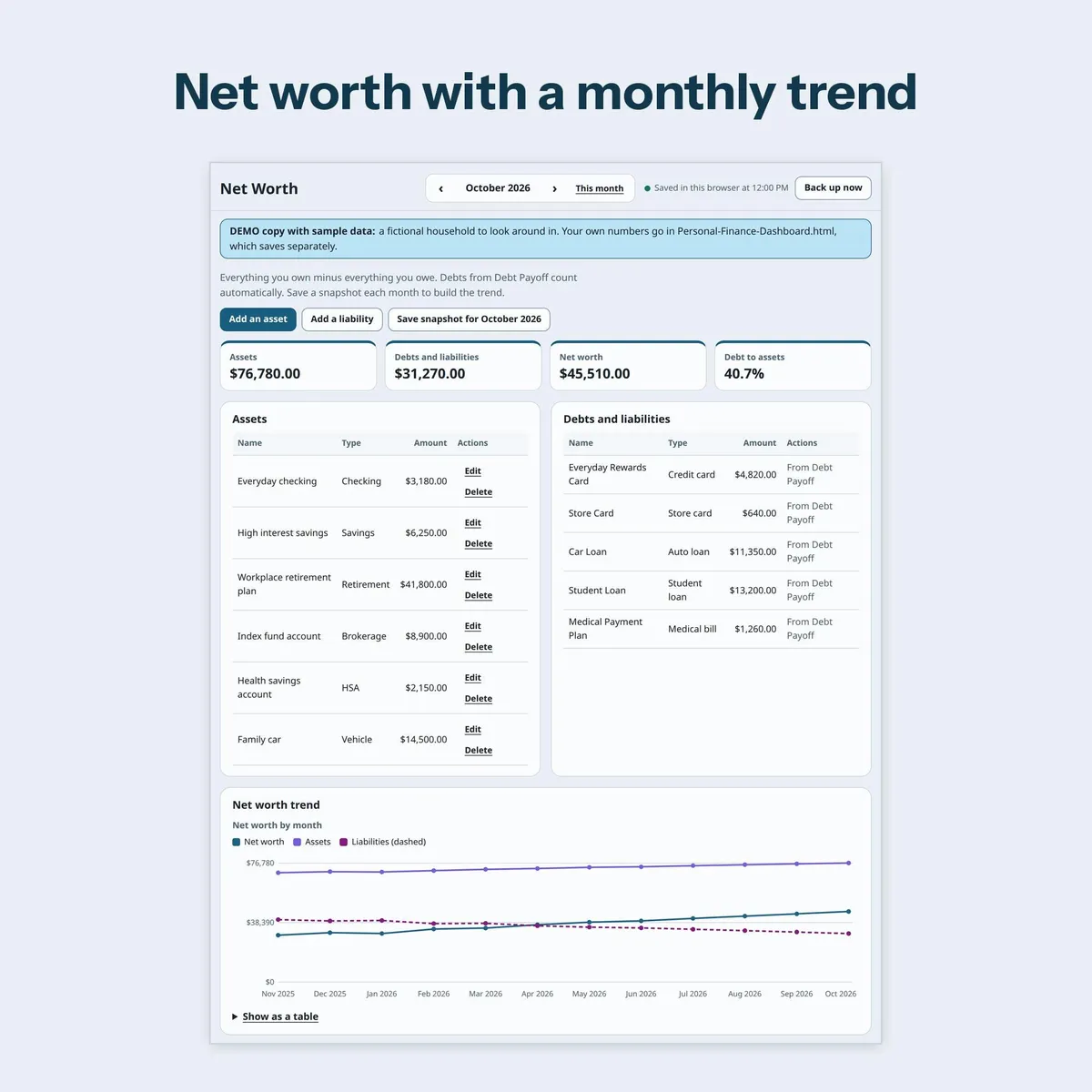
Net Worth: assets and liabilities by type, monthly snapshots and a trend chart.
Cash Flow: money in against money out by month, plus unpaid and expected items for the next 30 days.
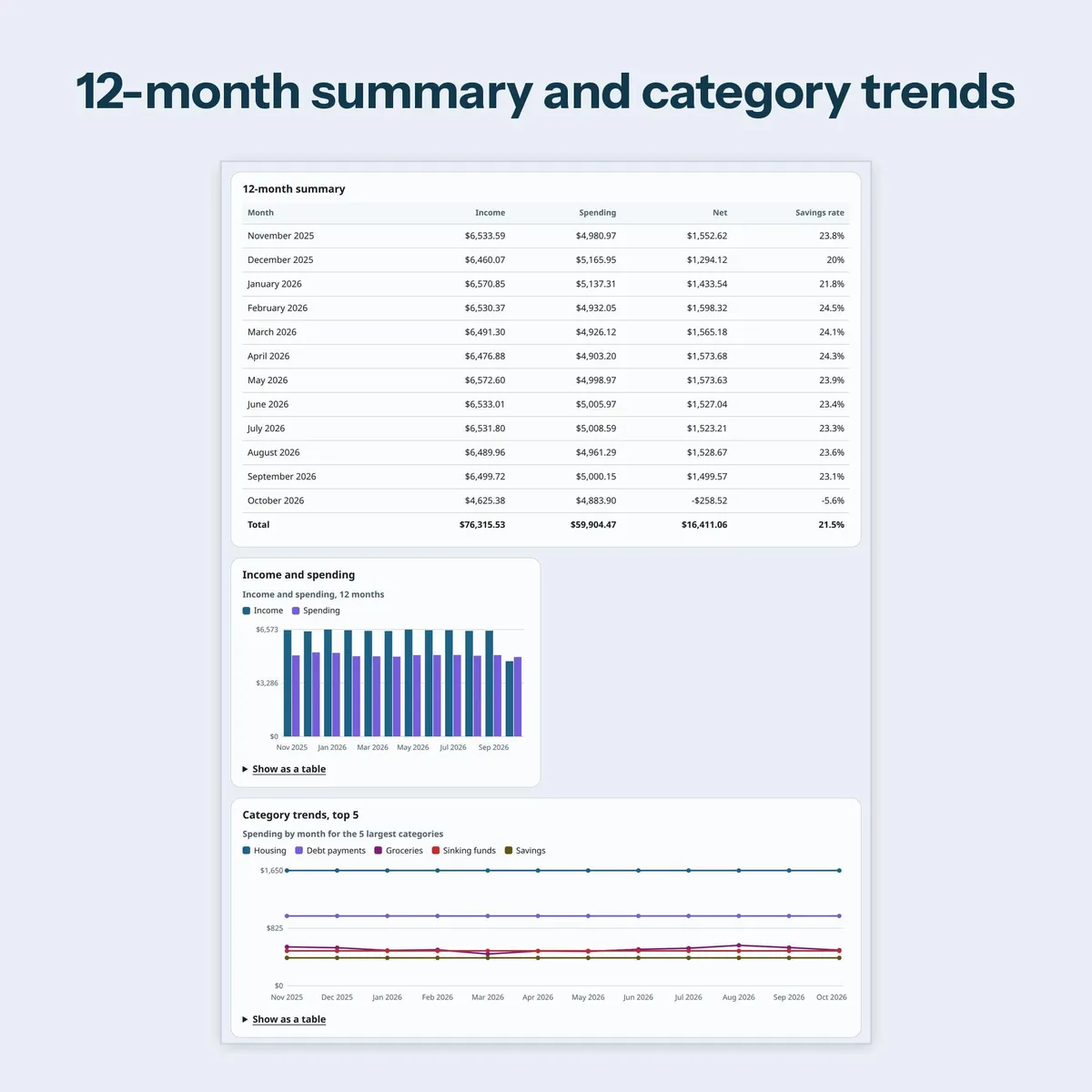
Reports and Charts: 12-month summary, category trends, savings rate, debt to assets, year in review and a printable monthly report.
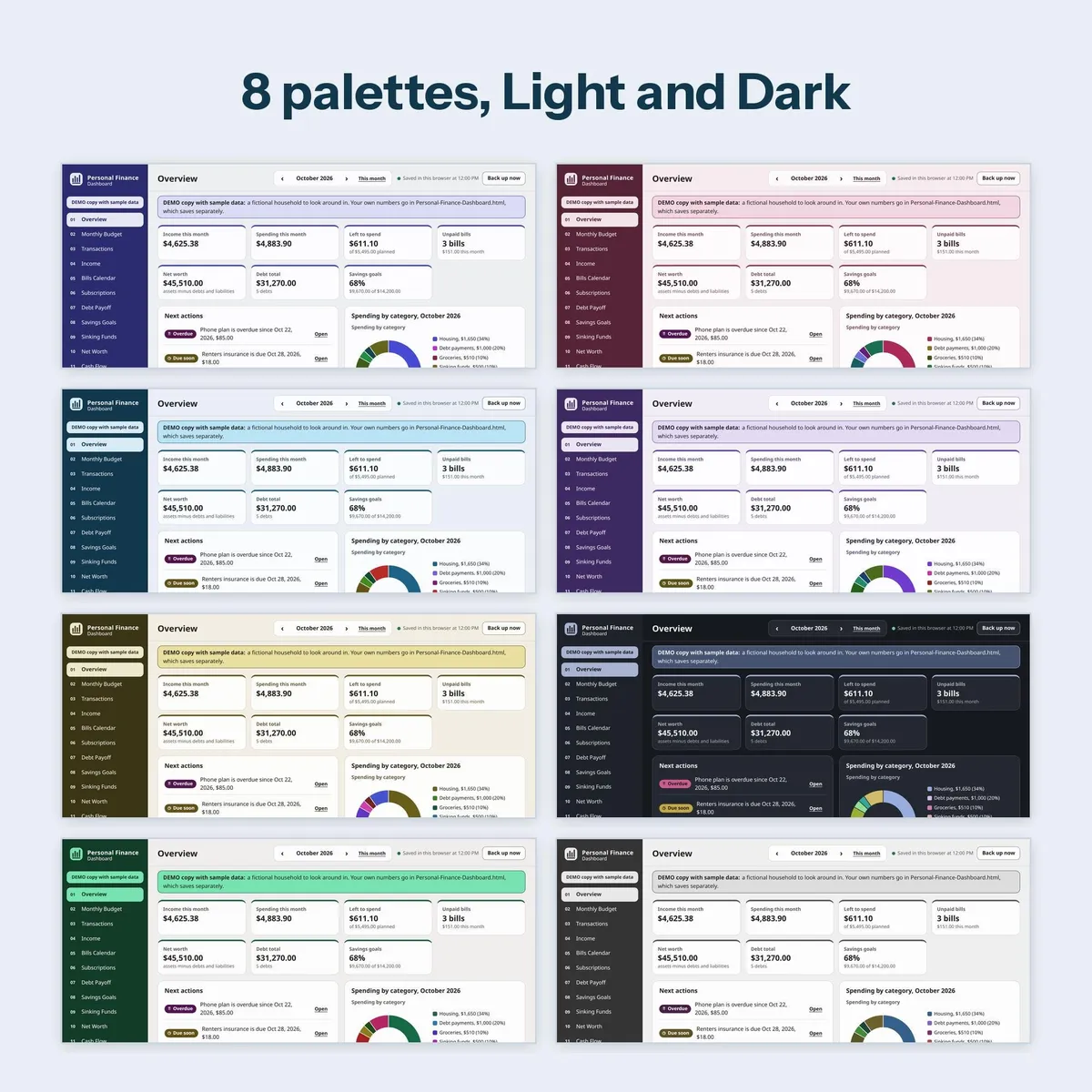
Settings and Backup: 8 color palettes, each in Light and Dark, currency symbol, first day of the week, categories, backup and restore, CSV export, bank CSV import and erase all data.
Status colors fill in by themselves from your numbers and always show a word next to the color: On track, Near limit, Over budget, Due soon, Overdue, Paid, Goal reached.
HOW IT WORKS
- Download and unzip the ZIP file. Do not open the files from inside the ZIP.
- Double-click Personal-Finance-Dashboard.html for your own numbers. Quick setup asks for your currency symbol, palette and budget style.
- Every change saves automatically in your browser. Press Back up now from time to time.
BACKUP AND PRIVACY
The app makes no internet connections and sends nothing anywhere. Your entries stay in the browser you open it in.
Your data is saved in the browser you open it in. Clearing browser data erases it, so use the Backup button.
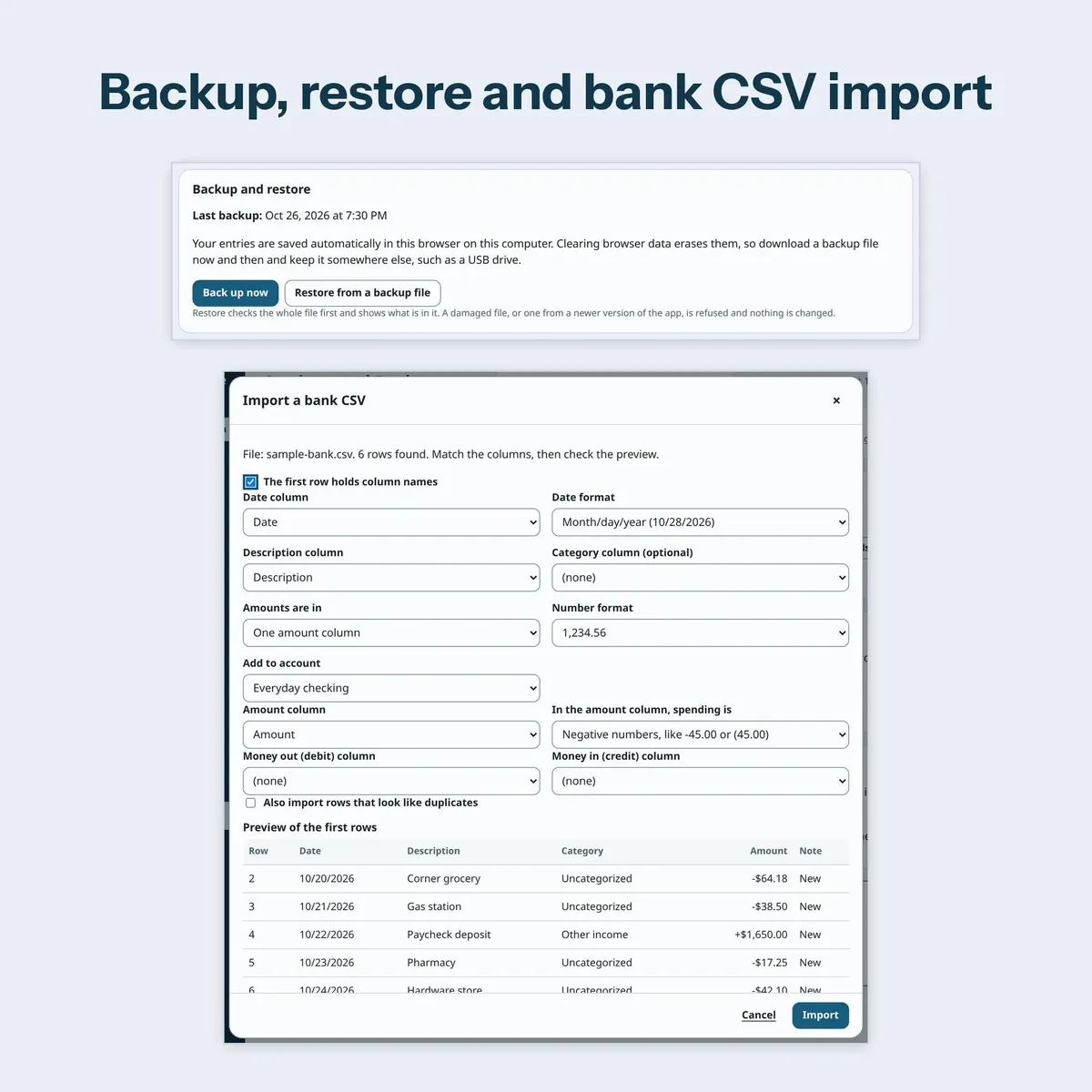
Back up now downloads one dated backup file. Restore checks the whole file first and shows a preview. A damaged file, or one from a newer version of the app, is refused and nothing is changed. Undo restore is there if you change your mind.
Bank CSV import: download a CSV from your bank's website, match the columns on screen, check the preview, and confirm. The file is read on your computer only. Possible duplicates are skipped and you can undo the import.
No account, no bank login, no bank connection and no sync between devices.
WORKS ON
Made for a desktop or laptop browser such as Chrome.
Chrome is a trademark of Google LLC; this shop is not affiliated with Google.
A computer is recommended.
Delivery is a ZIP file because Etsy does not accept HTML files. Unzip it first, then open the HTML file from the unzipped folder.
FAQ
Can I use it on my phone? A computer is recommended.
How do I move to a new computer? Press Back up now, copy the backup file and the HTML file across, open the HTML file and choose Restore from a backup file.
What if I clear my browser cache or browser data? That can erase your entries in the browser. Restore your latest backup file and everything comes back.
Does it work in a Private or Incognito window? It opens. Private or Incognito windows erase your entries when you close the window, so open the file in a normal browser window.
Does it connect to my bank? No. There is no bank sync. You can import a CSV file you download from your bank yourself.
Which currency? Any. Type your own currency symbol in Settings.
Is the SAMPLE copy a separate product? No. It is the same full app with sample data, saved separately so it never mixes with your own copy.
𝗦𝗘𝗘 𝗔𝗟𝗦𝗢
Only need the budget? Offline Budget Dashboard: https://www.etsy.com/listing/4604095053
Only need debt payoff? Offline Debt Payoff Planner: https://www.etsy.com/listing/4603282110
QUESTIONS
Message me through the shop. Please tell me your browser and version. Please never send anyone your backup file or a screenshot that shows your numbers.
This is a general recordkeeping tool. It is not financial, tax, legal or accounting advice. Your results are estimates that depend on what you enter. Check important figures yourself.
Digital download only. No physical item will be shipped.
Personal use only. Please do not resell, share or redistribute the files.
Designed by me, created using AI tools.
The Etsy listing is the final source for what is included. See it on Etsy.
More in Planners and calendars

Baby Milestone Book
Type your baby's first year instead of handwriting it, then print it, add your photos and keep…

Dog Training Log
Train your new puppy or rescue dog with one simple log the whole family can use.

Mahjong Tracker
Keep score at every mahjong night with a tracker your whole group can use, year after year.

Offline Budget Dashboard
On the fence?