
Home Renovation Planner Spreadsheet
Home Renovation Planner Spreadsheet, Renovation Budget Planner, Quote Compare, Payment Schedule, Google Sheets Excel
$14.99
Buy on EtsyOpens the listing on Etsy in a new tab. Checkout happens on Etsy.
Made for Google Sheets. An Excel file is included, and it works best with current Excel (Excel 2021 or newer).
- Instant digital download
- Buy through Etsy checkout
- No subscription
- Made by Utility Forge Studio
- Questions? Email utilityforgestudio@gmail.com
See it in use
About this download
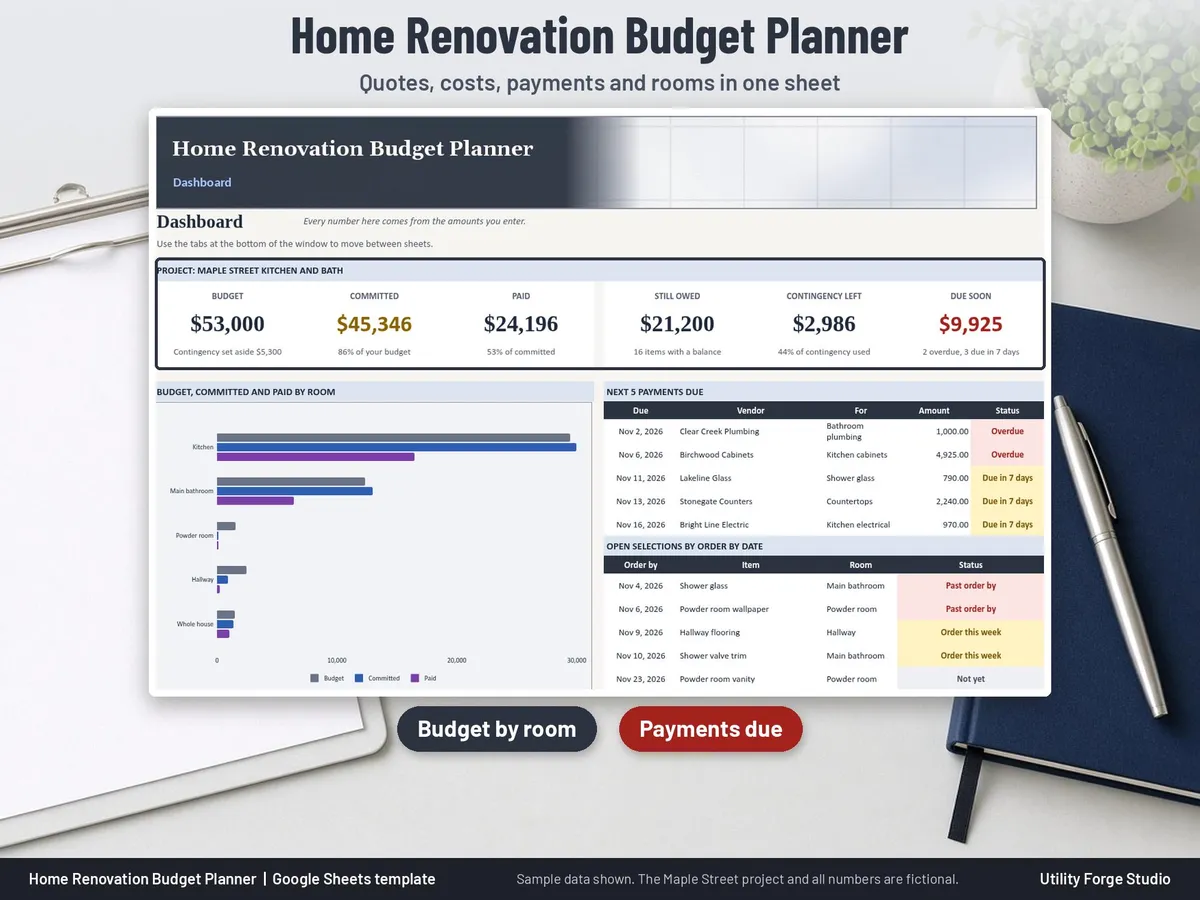
This is a digital spreadsheet for your own project. You type the numbers from your quotes, payments and receipts, and the shaded columns add them up for you: committed, paid, still owed, contingency left and budget by room and by category. Enter a cost once on the Costs tab and every rollup, tile and chart updates by formula.
⭐ 𝗗𝗘𝗠𝗢
On the fence? Watch our sample video in the listing photos above (it shows the real spreadsheet, tab by tab).
WHAT IT IS NOT
It does not estimate costs, it is not a tool for contractors to price or run jobs, and it is not legal, contract, or financial advice.
WHAT THE SPREADSHEET DOES
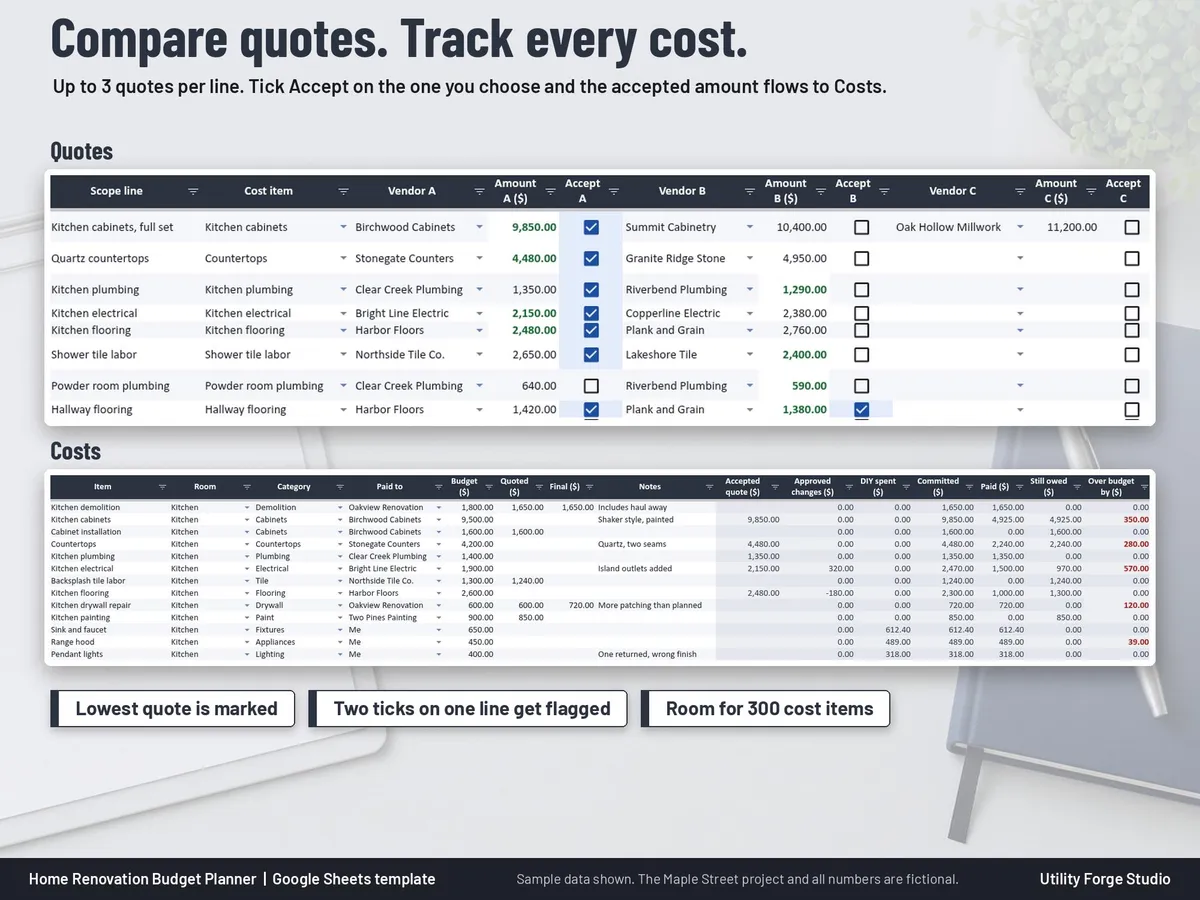
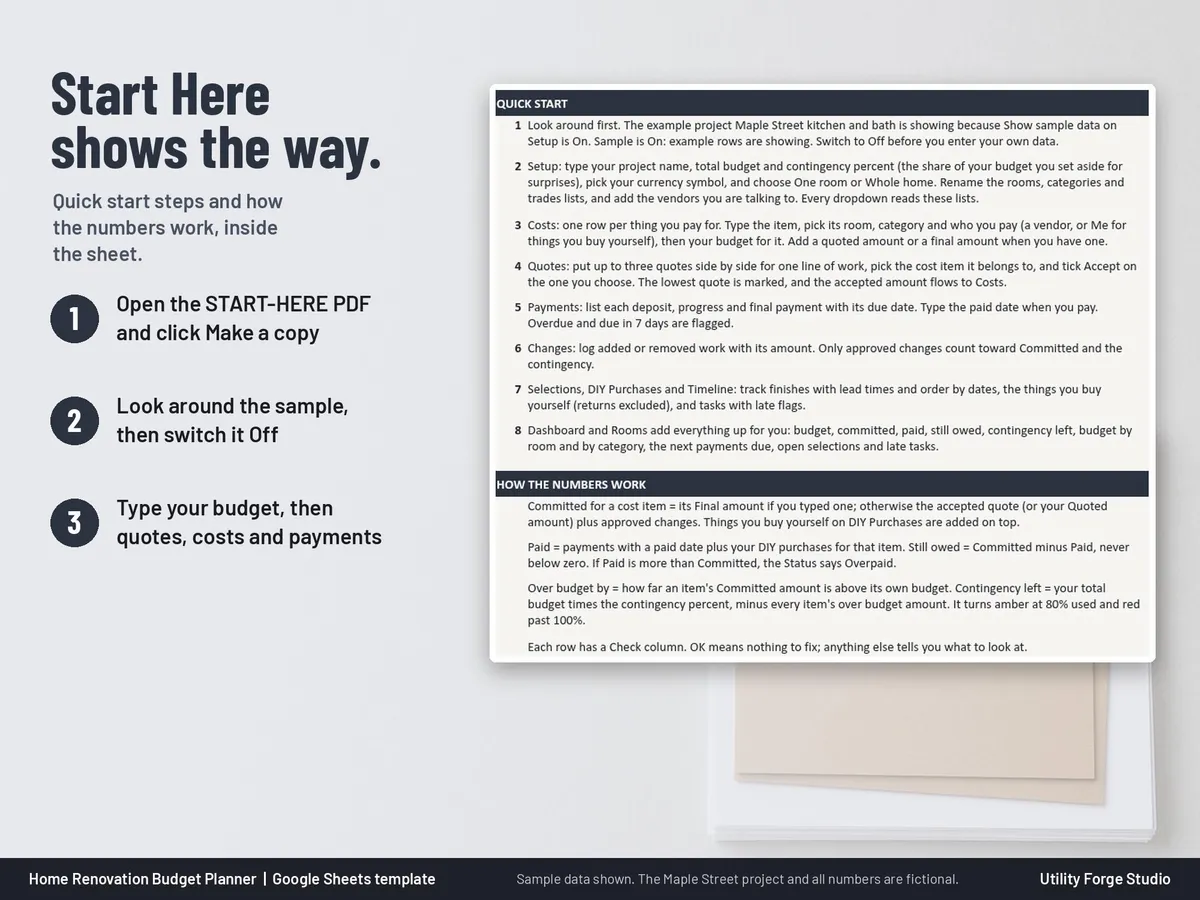
- Quotes: up to 3 quotes side by side for each line of work. The lowest quote is marked, you tick Accept on the one you choose, and the accepted amount flows to Costs automatically. A line with two ticks is flagged.
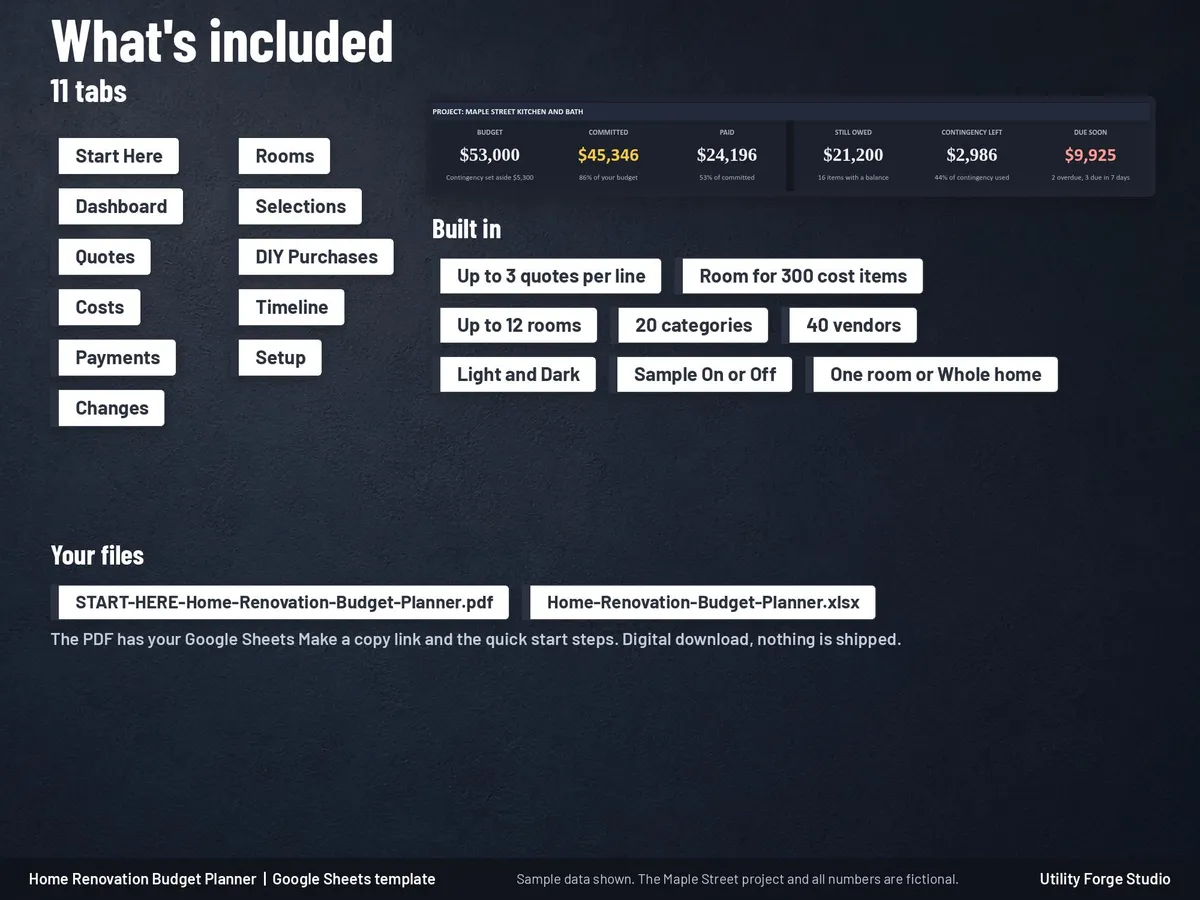
- Costs: one row per cost item with room, category, who you pay (a vendor or Me), your budget, a quoted or final amount, then calculated accepted quote, approved changes, DIY spent, Committed, Paid, Still owed, Over budget by, a status and a check column. Room for 300 cost items.
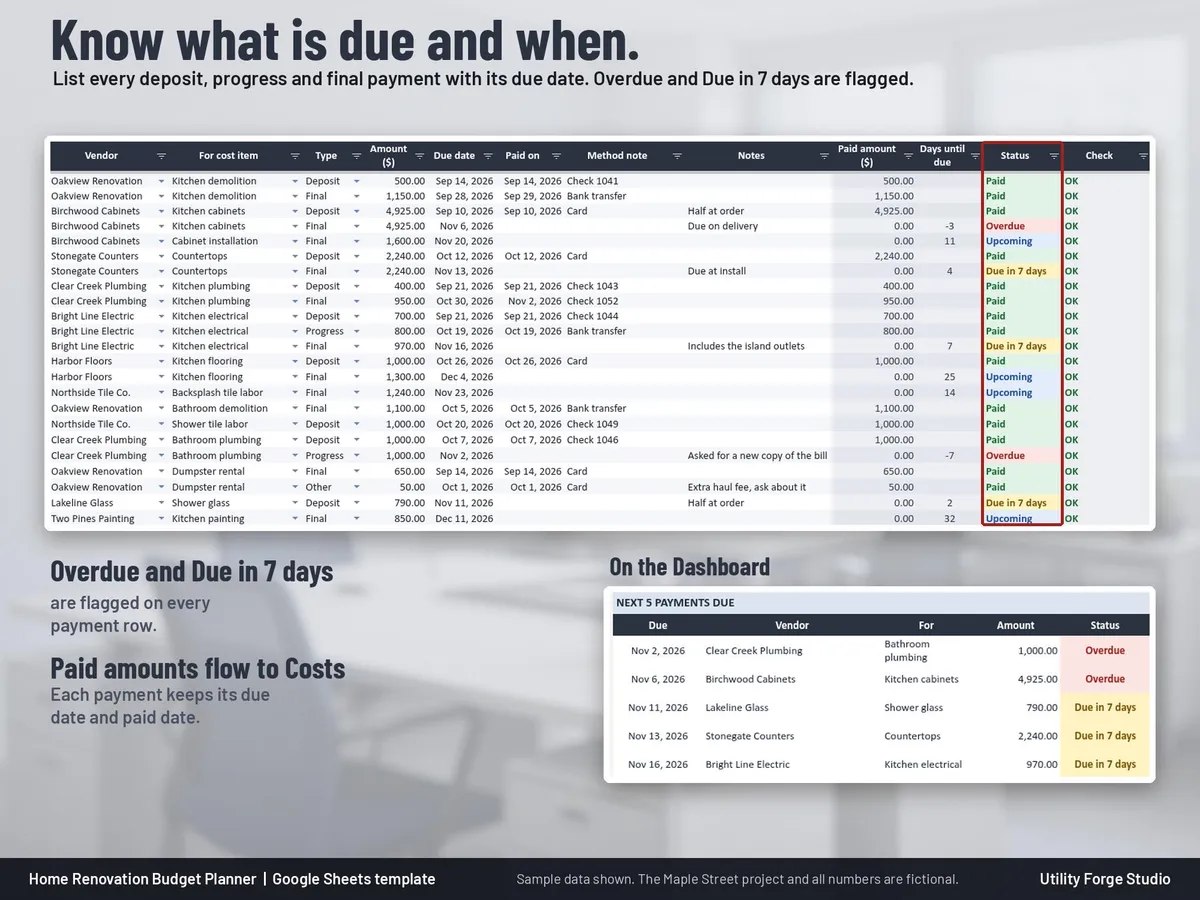
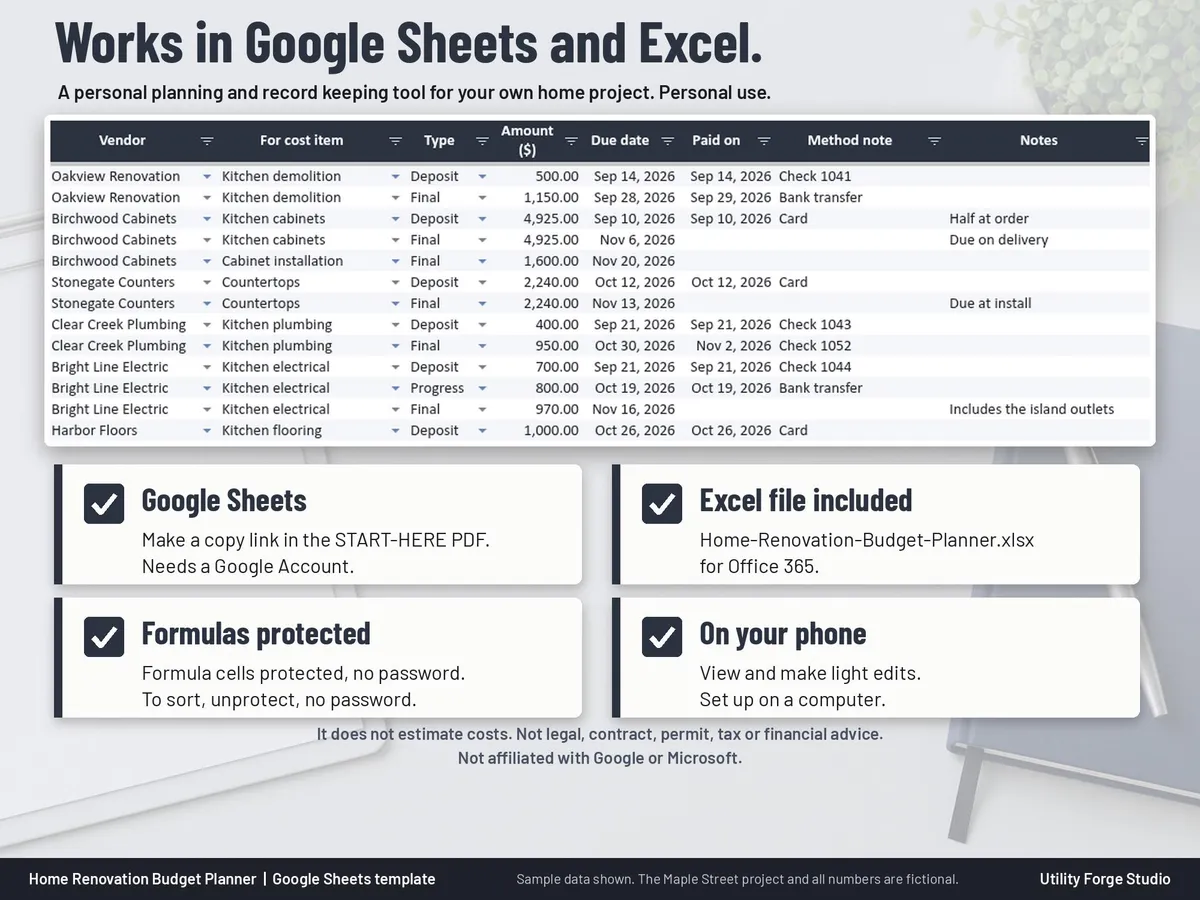
- Payments: deposit, progress and final payments with due dates and paid dates. Overdue and Due in 7 days are flagged, and paid amounts flow to Costs.
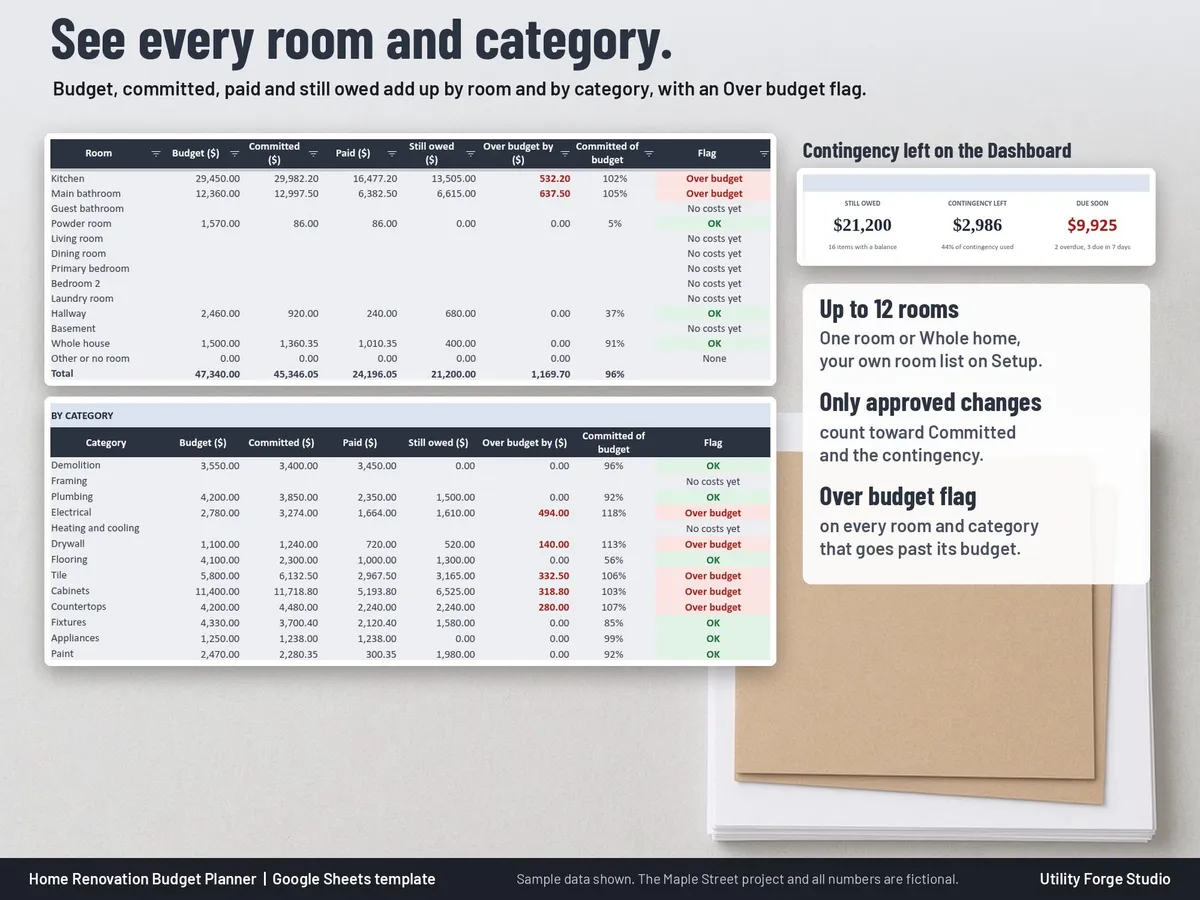
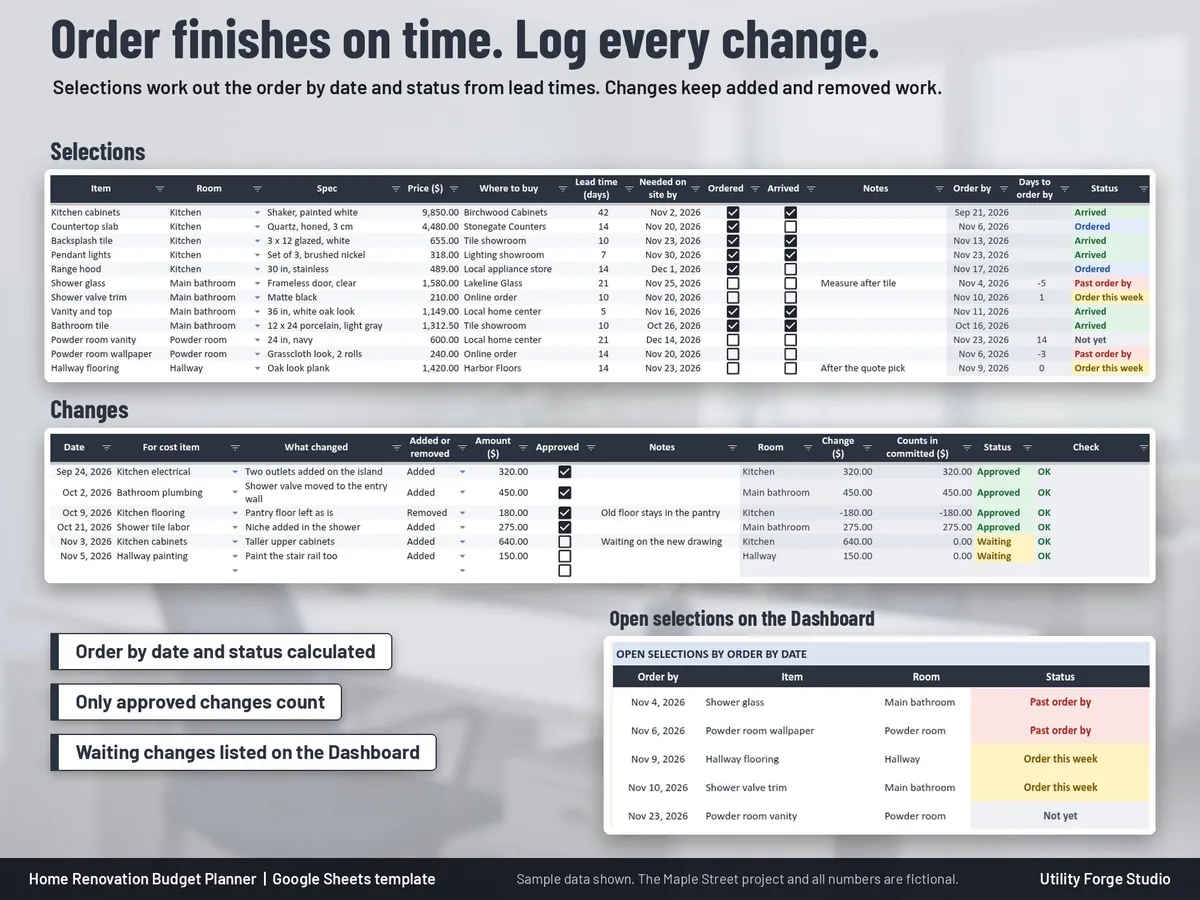
- Changes: added or removed work with its amount. Only approved changes count toward Committed and the contingency; waiting changes are listed on the Dashboard.
- Rooms: budget, committed, paid and still owed by room and by category, with an Over budget flag.
- Selections: finishes with spec, price, where to buy, lead time and the date you need them on site. The order by date and status are calculated.
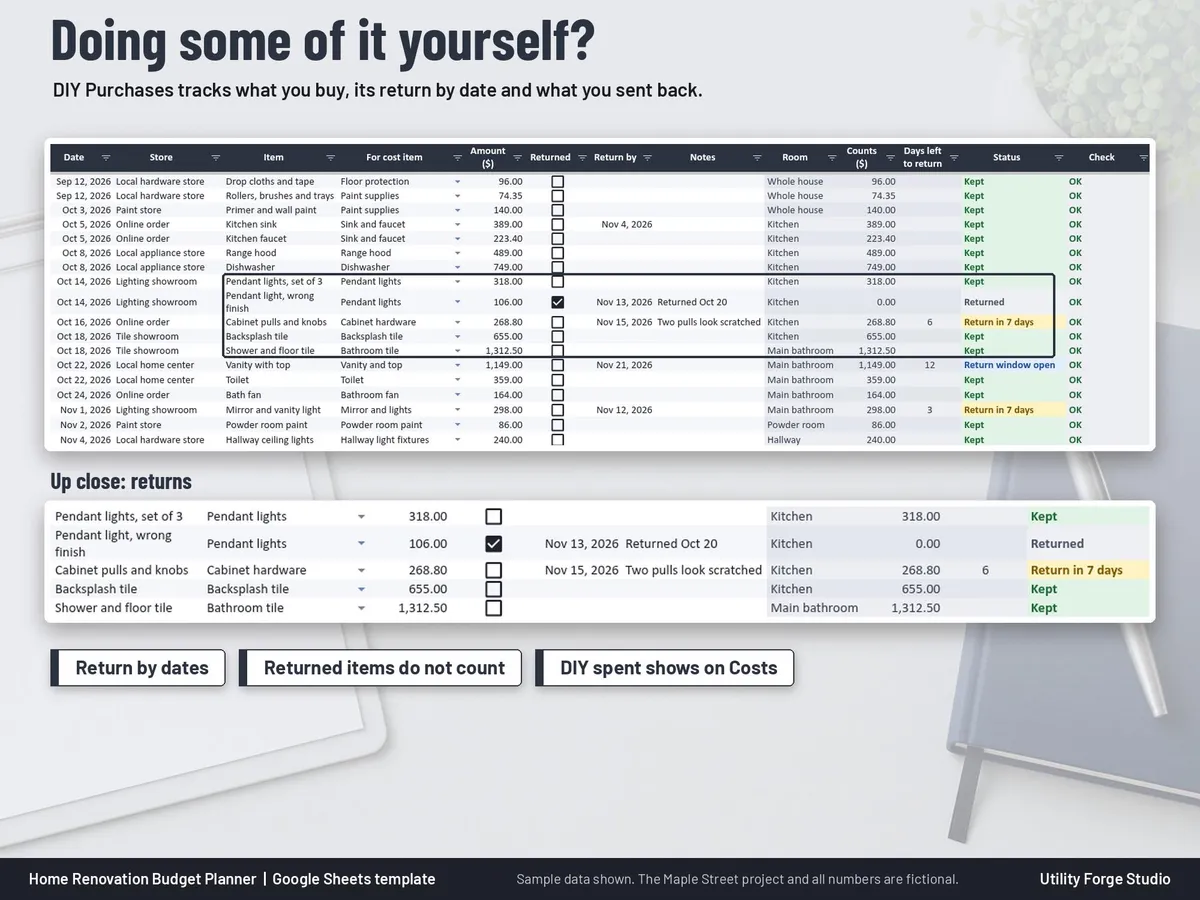
- DIY Purchases: the things you buy yourself, with return by dates. Returned items do not count.
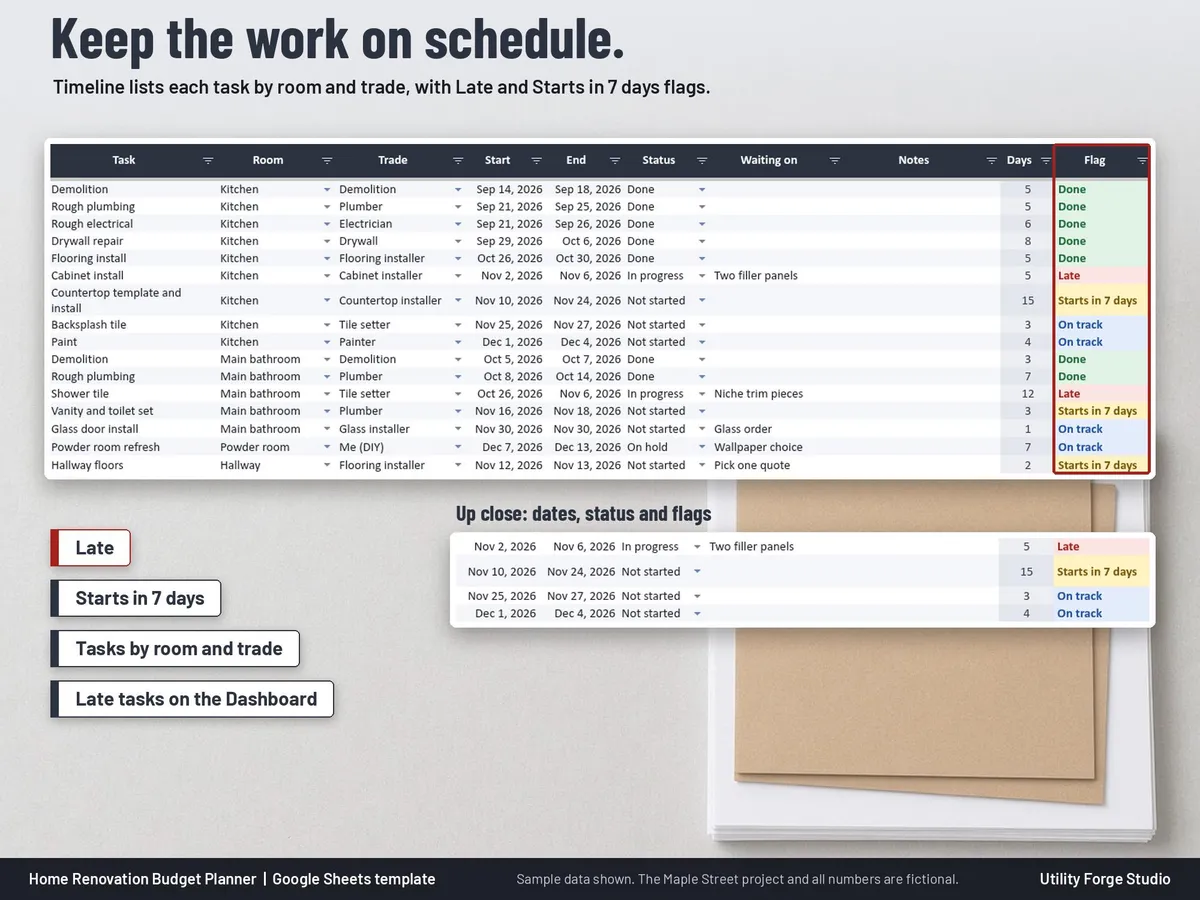
- Timeline: tasks by room and trade with Late and Starts in 7 days flags.
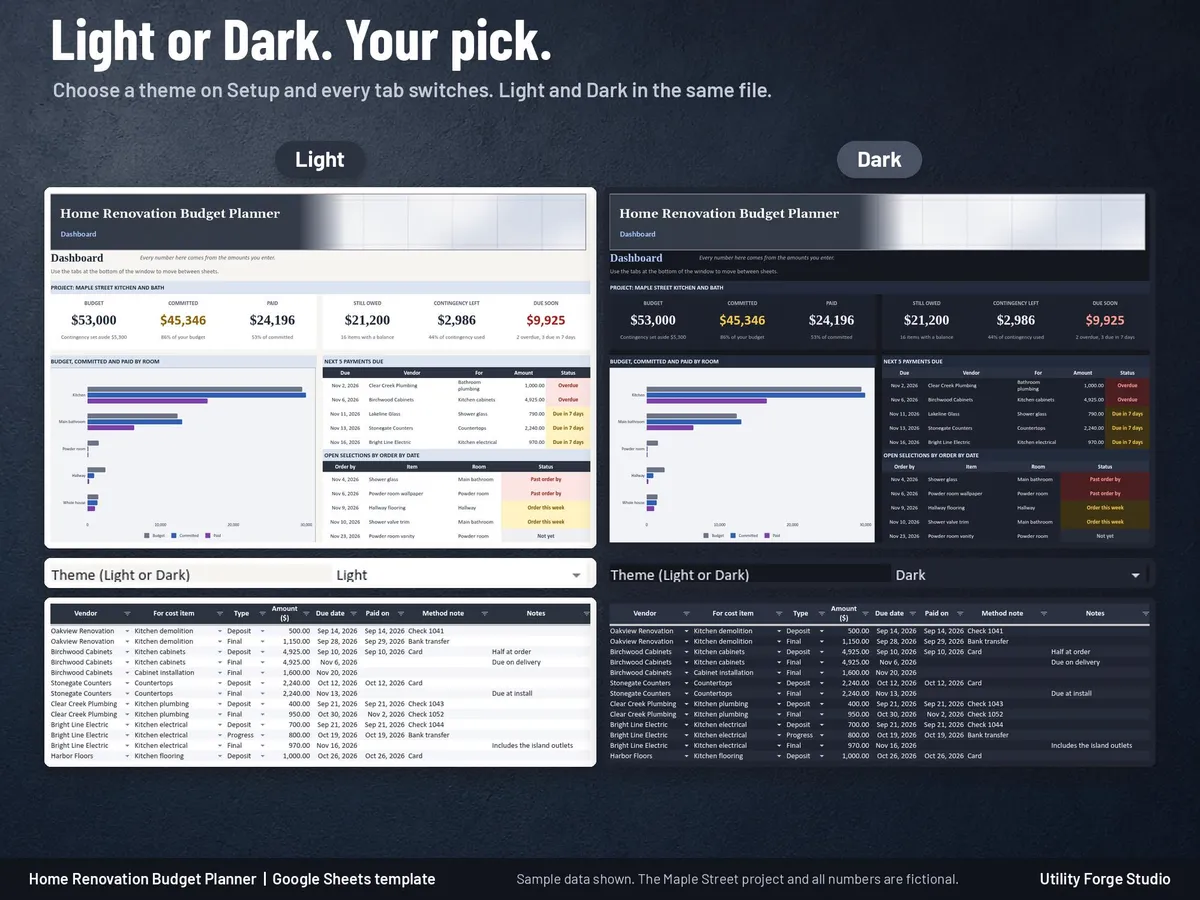
- Dashboard: Budget, Committed, Paid, Still owed, Contingency left and Due soon tiles, a budget, committed and paid chart by room, the next 5 payments due, open selections, late tasks and an at a glance list.
- Setup: total budget, contingency percent, currency symbol, One room or Whole home, and your own lists of up to 12 rooms, 20 categories, trades and 40 vendors.
- Light and Dark mode in the same file: choose a theme on Setup and every tab switches.
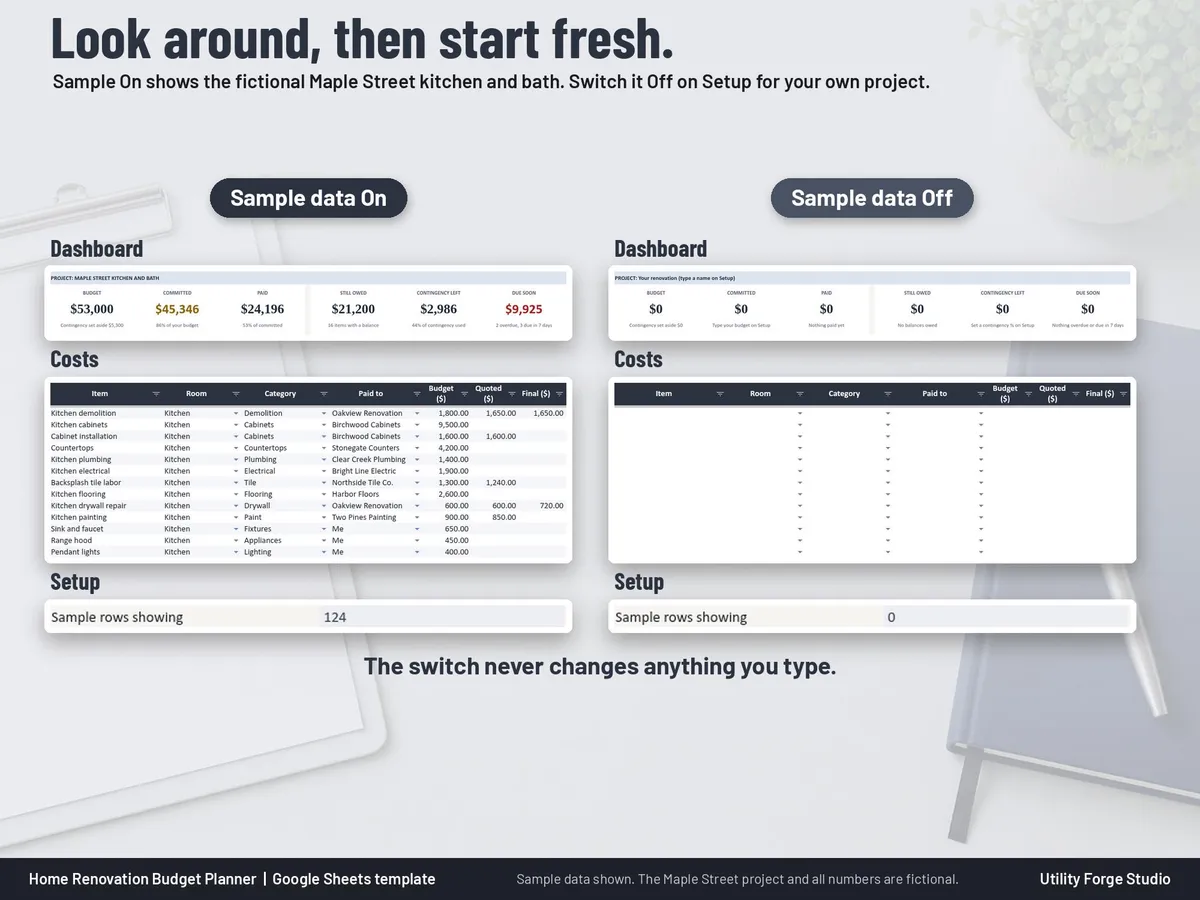
- Sample data switch: see the fictional Maple Street kitchen and bath project first, then switch it Off and start your own. The switch never changes anything you type.
ONE ROOM OR WHOLE HOME
Planning a bathroom refresh? Choose One room on Setup and the room column becomes optional, Rooms shows one line for the whole project and the Dashboard chart shows categories. Whole home tracks up to 12 rooms in the same file.
WHAT YOU GET
A one-time digital download with 2 files:
- START-HERE-Home-Renovation-Budget-Planner.pdf: your Google Sheets Make a copy link and the quick start steps.
Tabs: Start Here, Dashboard, Quotes, Costs, Payments, Changes, Rooms, Selections, DIY Purchases, Timeline, Setup.
GOOD TO KNOW
- Formula cells are protected without a password. To sort, unprotect the sheet (Review > Unprotect Sheet, no password), sort the whole table, then protect it again.
- On a phone you can view the Google Sheets copy and make light edits; do the setup on a computer.
- This is a personal planning and record keeping tool. It does not estimate what your project will cost; every amount is one you enter.
- It is not legal, contract, permit, tax, or financial advice. Check permits, contracts, and payment terms with your contractor and local building office.
Digital download only. No physical item will be shipped.
Utility Forge Studio is not affiliated with, sponsored by, or endorsed by Google or Microsoft.
Personal use only. Please do not resell, share or redistribute the files.
Designed by me, created using AI tools.
𝗜𝗠𝗣𝗢𝗥𝗧𝗔𝗡𝗧
Developed for Google Sheets. An Excel file is included for the latest Microsoft 365 (Office 365 Desktop App). Older Excel versions may not support all features.
The Etsy listing is the final source for what is included. See it on Etsy.
More in Budget and money

PTA Treasurer Spreadsheet
For volunteer treasurers of a PTA, PTO, booster club or parent group: enter each deposit and…

Savings Challenge Tracker 2027
Make saving a game in 2027.

2027 Budget Planner Spreadsheet
This 2027 budget planner spreadsheet helps you plan every month of the year: log what you…

Net Worth Tracker Spreadsheet
Net worth tracker spreadsheet for Google Sheets: log your balances once a month and watch your…