

PTA Treasurer Spreadsheet
PTA Treasurer Spreadsheet, PTO Treasurer Report Template, Budget vs Actuals, Bank Reconciliation, Fundraiser Tracker, Google Sheets Excel
$14.99
Buy on EtsyOpens the listing on Etsy in a new tab. Checkout happens on Etsy.
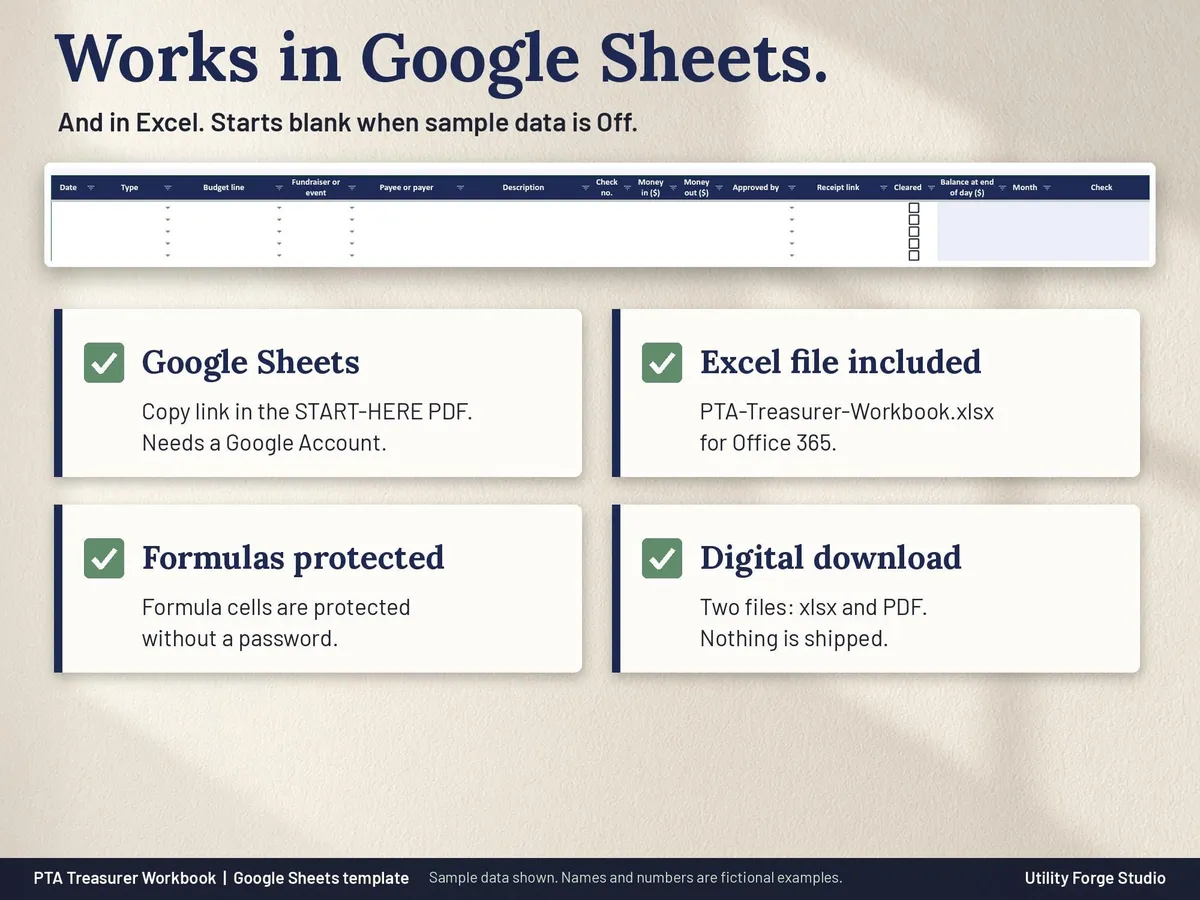
Made for Google Sheets. An Excel file is included, and it works best with current Excel (Excel 2021 or newer).
- Instant digital download
- Buy through Etsy checkout
- No subscription
- Made by Utility Forge Studio
- Questions? Email utilityforgestudio@gmail.com
See it in use
About this download
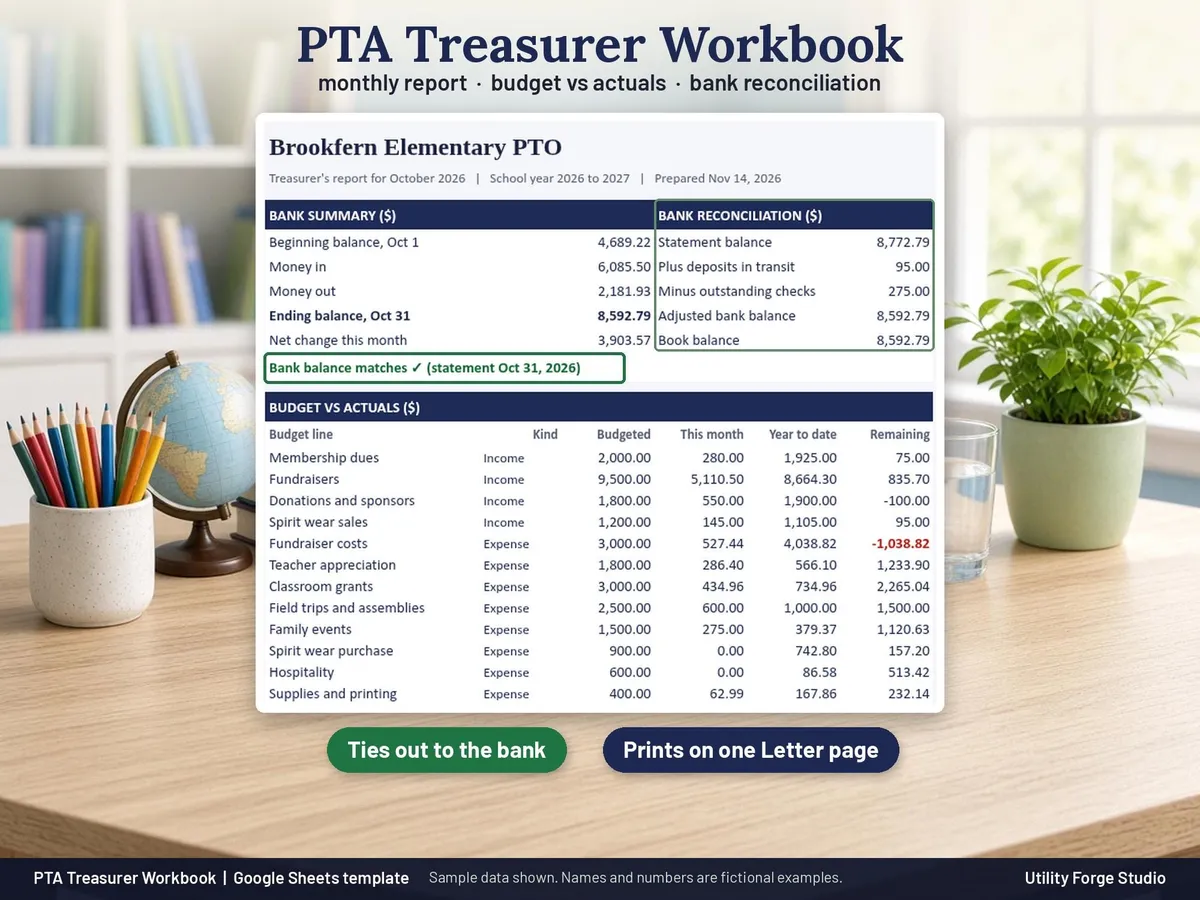
For volunteer treasurers of a PTA, PTO, booster club or parent group: enter each deposit and check once, and get a monthly report that ties to the bank, budget vs actuals, and clean books to hand to the next treasurer.
Type each transaction once on one log, and the other tabs add it up for you with formulas: the monthly treasurer's report, budget vs actuals for the school year, the bank reconciliation, fundraiser totals and a year end handoff.
WHAT THE SPREADSHEET DOES
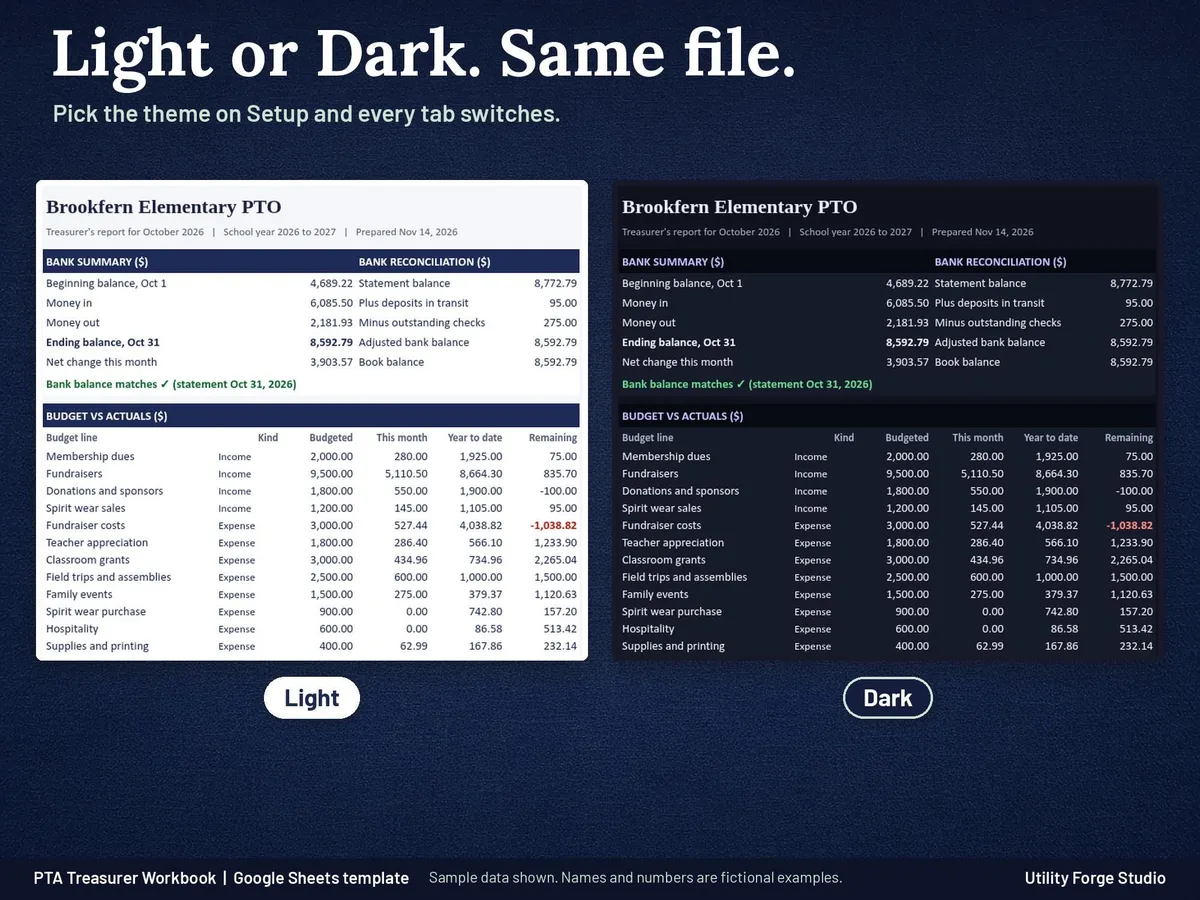
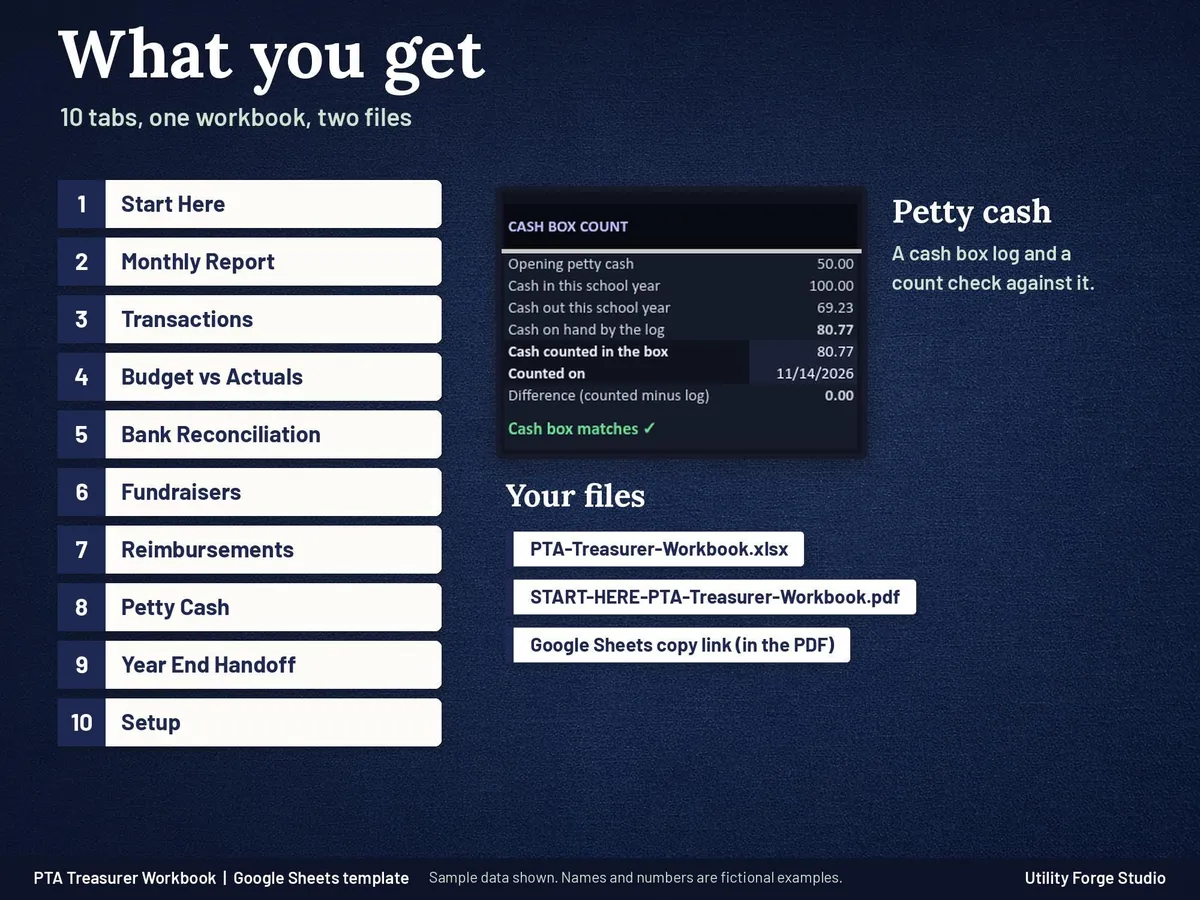
- Monthly Report: pick a month and print one Letter page for the meeting: beginning balance, money in, money out, ending balance, the bank reconciliation for that month, budget vs actuals by line and fundraiser results, with signature lines.
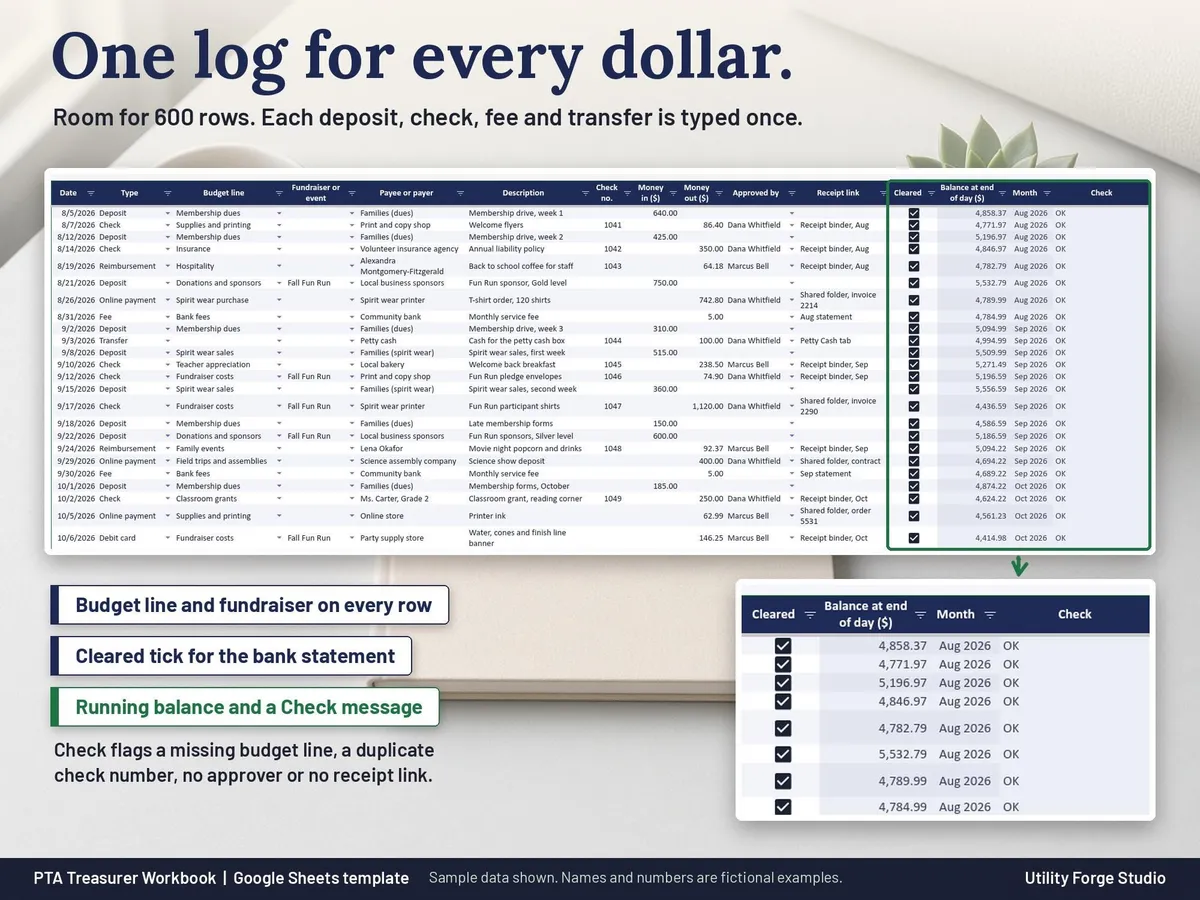
- Transactions: one log for the bank account with room for 600 rows: date, type (deposit, check, reimbursement, fee, transfer and more), budget line, fundraiser or event, payee or payer, check number, money in, money out, approved by, receipt link and a Cleared tick. Automatic columns show the balance at the end of each day and a Check message that flags a missing budget line, a duplicate check number, a check with no approver or a payment with no receipt link.
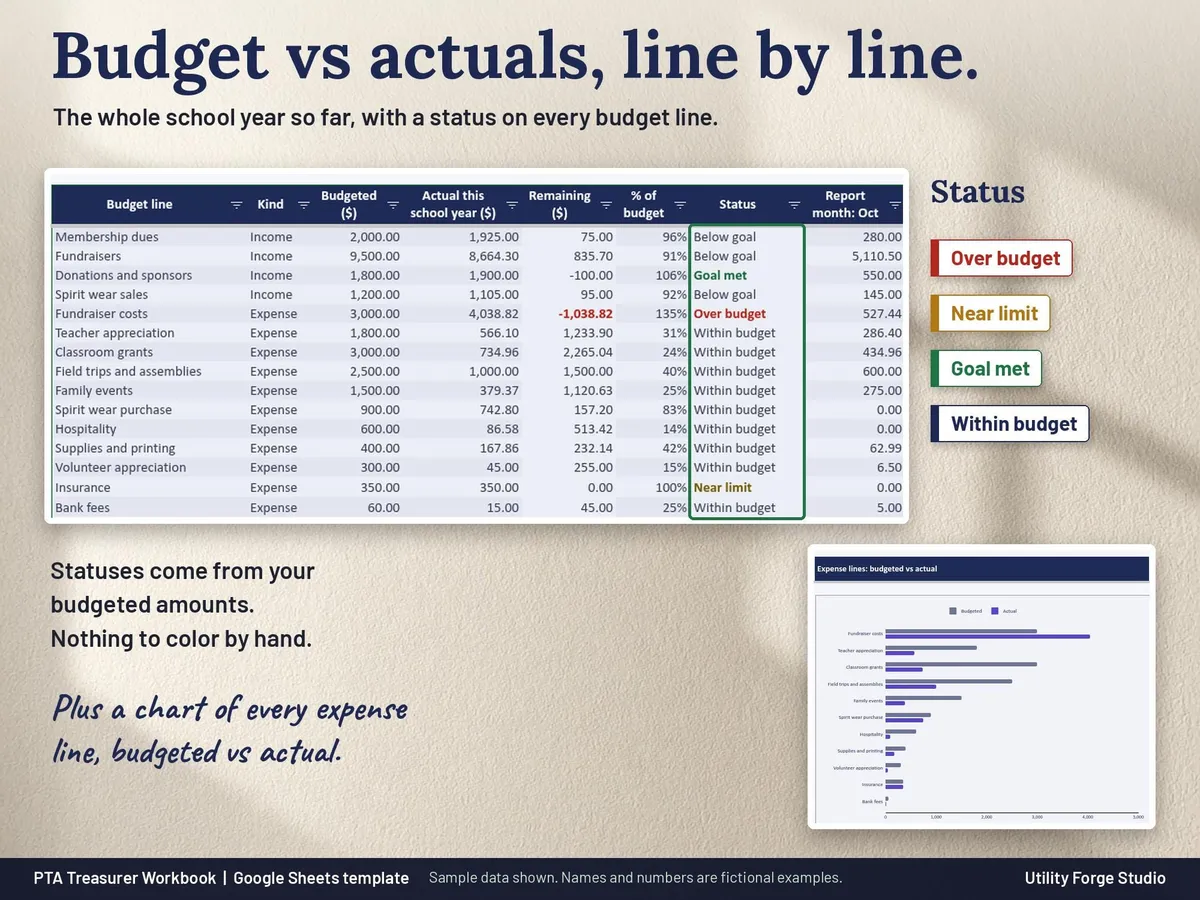
- Budget vs Actuals: every budget line for the school year to date with budgeted, actual, remaining, percent and a status (Over budget, Near limit, Goal met), plus totals and a chart of the expense lines.
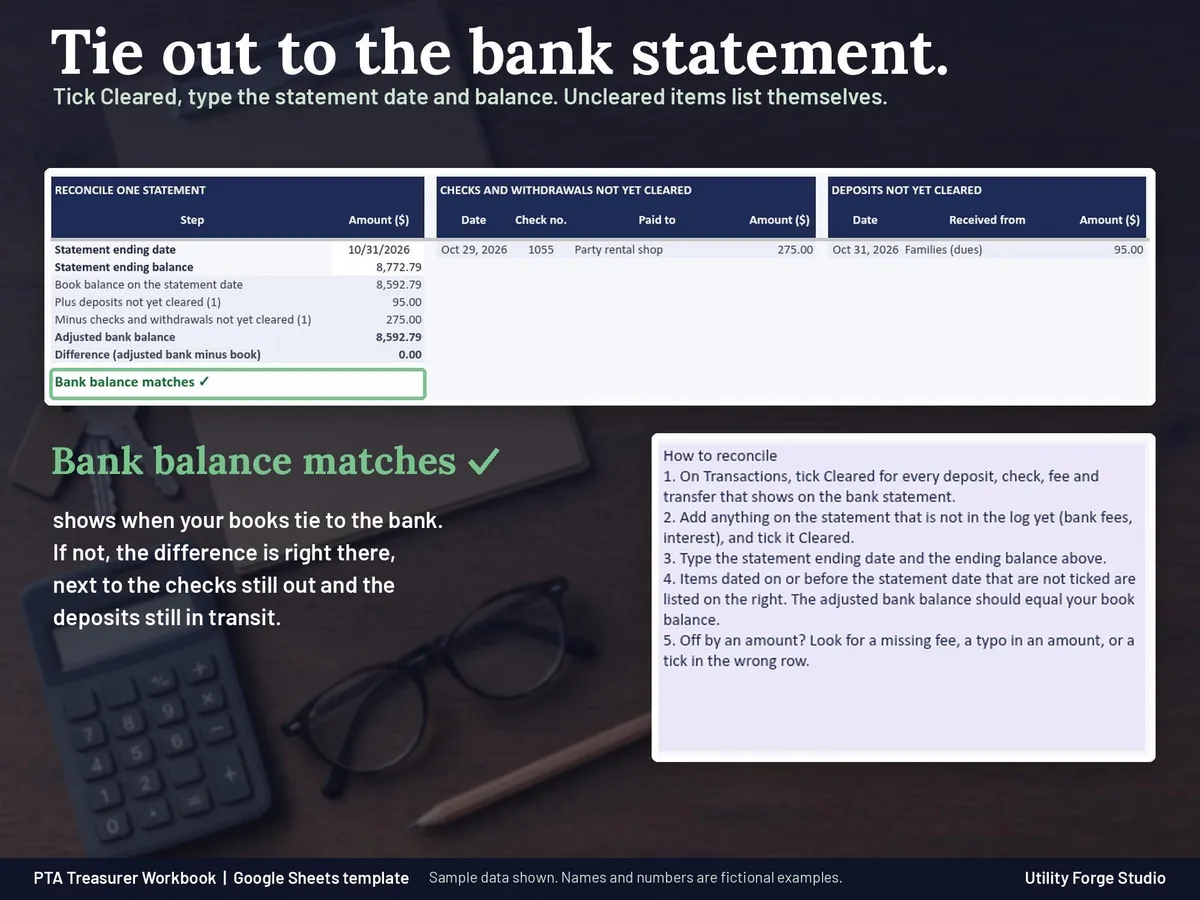
- Bank Reconciliation: type the statement ending date and balance; the checks and deposits not yet cleared are listed for you and the tab shows Bank balance matches when the books tie out.
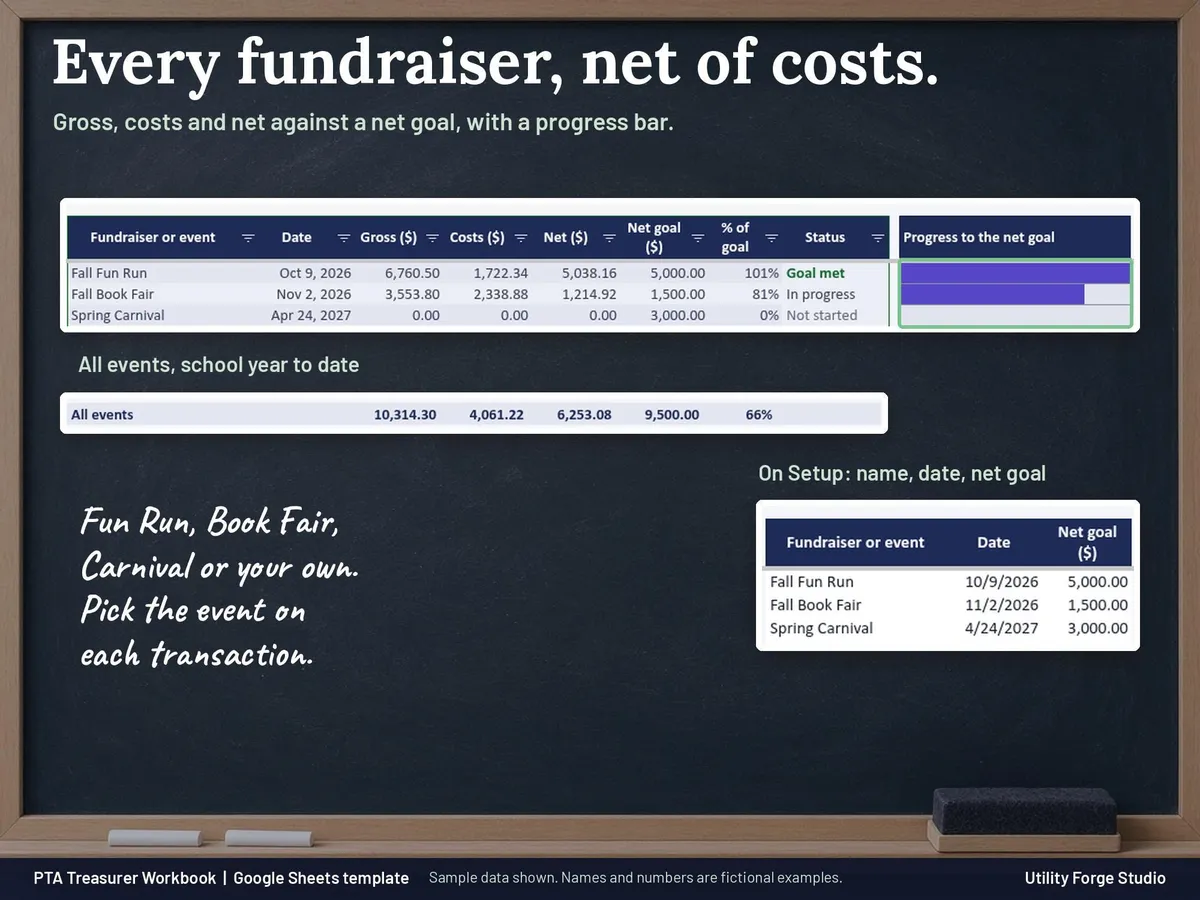
- Fundraisers: gross, costs and net for each event against its net goal, with a progress bar.
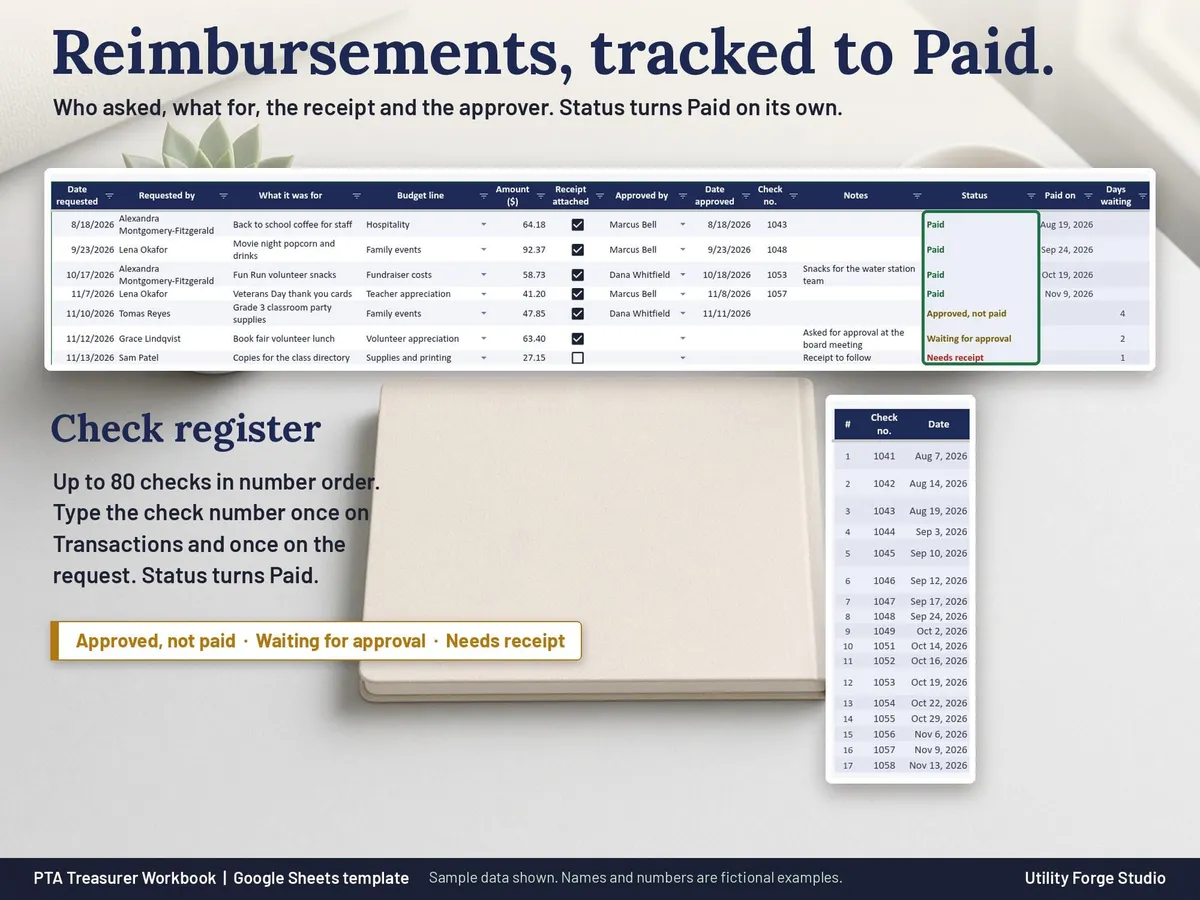
- Reimbursements: each request with receipt, approval and check number. The status turns to Paid when that check is in the log. A check register lists up to 80 checks in number order and notes any missing number among them; past 80 checks it says how many more are on Transactions.
- Petty Cash: the cash box log, cash on hand and a count check.
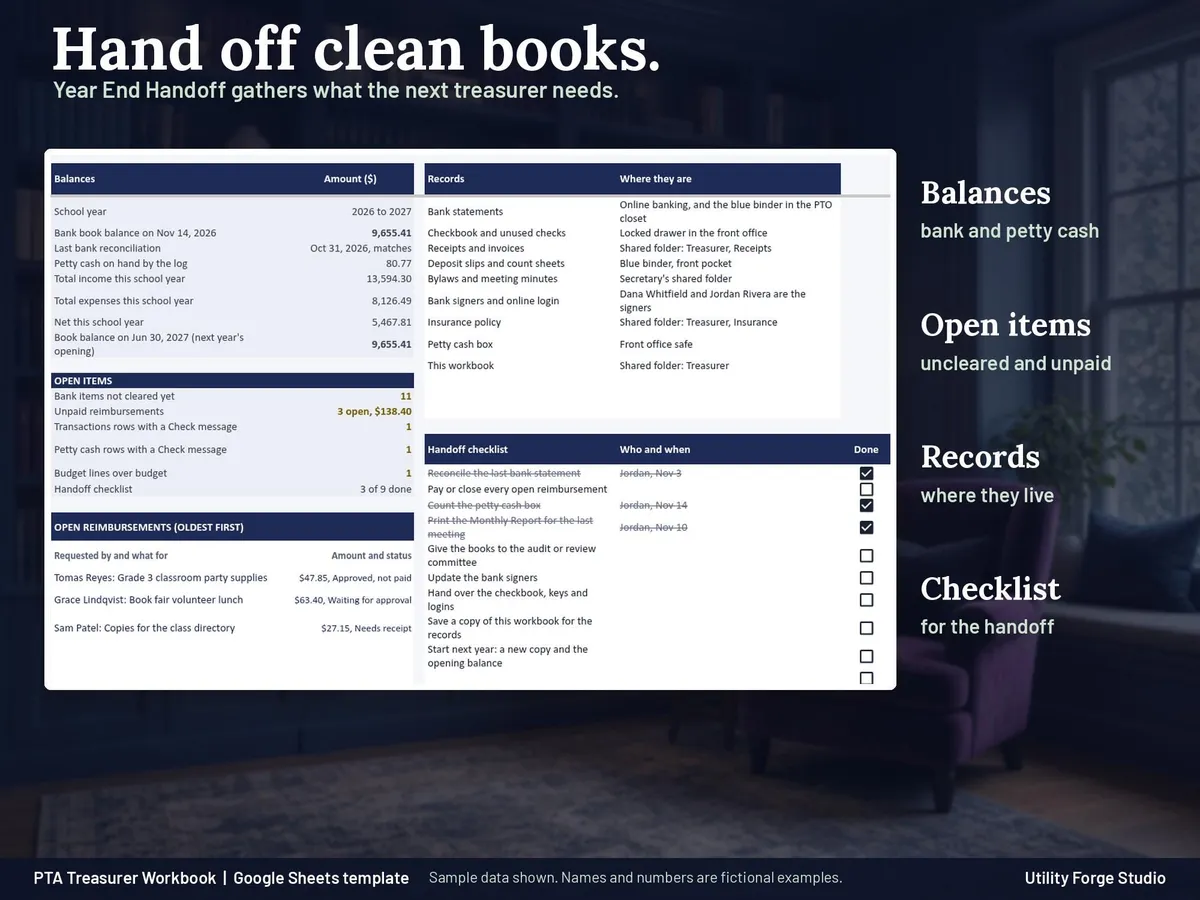
- Year End Handoff: balances, open items, where the records live and a checklist for the next treasurer.
- Setup: your organization name, the month your school year starts (July is the default), opening balances, budget lines with budgeted amounts, fundraisers with net goals and the people who approve spending. The school year comes from the start month, so there is no year to retype.
- Light and Dark mode in the same file: choose a theme on Setup and every tab switches. Charts and header art are designed to suit both.
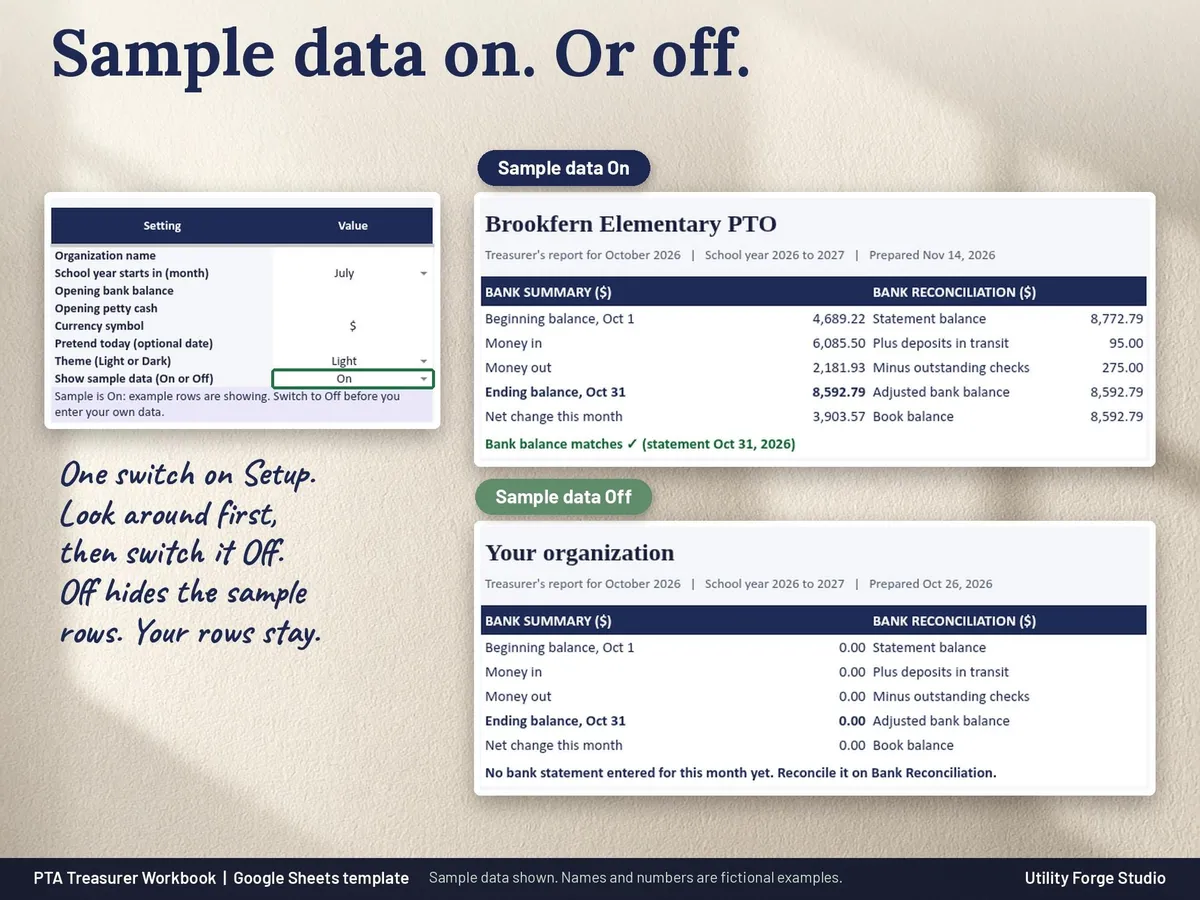
- Sample data switch: see the workbook filled with a fictional school parent group (46 transactions, 3 fundraisers and an October bank statement that ties out), then switch it Off and start your own books. The switch never changes anything you type.
- Start Here: the first month step by step, for a first time treasurer or someone taking over mid year.
WHAT YOU GET
- START-HERE-PTA-Treasurer-Workbook.pdf: your Google Sheets Make a copy link and the step by step guide.
⭐ 𝗗𝗘𝗠𝗢
On the fence? Watch our sample here:
https://youtu.be/7meAtzL8QOg
𝗜𝗠𝗣𝗢𝗥𝗧𝗔𝗡𝗧
Developed for Google Sheets. An Excel file is included for the latest Microsoft 365 (Office 365 Desktop App). Older Excel versions may not support all features.
ℹ 𝗚𝗢𝗢𝗗 𝗧𝗢 𝗞𝗡𝗢𝗪
- Formula cells are protected without a password. To sort, unprotect the sheet (Review > Unprotect Sheet, no password), sort the whole table, then protect it again.
- Rename the budget lines to match your group. Labels stay neutral, so it suits a PTA, PTO, booster club or parent group.
- This workbook keeps records and adds them up. It is not tax, legal or accounting advice.
Digital download only. No physical item will be shipped.
Utility Forge Studio is not affiliated with, sponsored by, or endorsed by Google or Microsoft.
Personal use only. Please do not resell, share or redistribute the files.
Designed by me, created using AI tools.
The Etsy listing is the final source for what is included. See it on Etsy.
More in Budget and money

Home Renovation Planner Spreadsheet
This is a digital spreadsheet for your own project.

Savings Challenge Tracker 2027
Make saving a game in 2027.

2027 Budget Planner Spreadsheet
This 2027 budget planner spreadsheet helps you plan every month of the year: log what you…

Net Worth Tracker Spreadsheet
Net worth tracker spreadsheet for Google Sheets: log your balances once a month and watch your…