
Savings Challenge Tracker 2027
Savings Challenge Tracker 2027, 100 Envelope Challenge, No Spend Tracker, Savings Game, Google Sheets Excel
$6.99
Buy on EtsyOpens the listing on Etsy in a new tab. Checkout happens on Etsy.
Made for Google Sheets. An Excel file is included, and it works best with current Excel (Excel 2021 or newer).
- Instant digital download
- Buy through Etsy checkout
- No subscription
- Made by Utility Forge Studio
- Questions? Email utilityforgestudio@gmail.com
See it in use
About this download
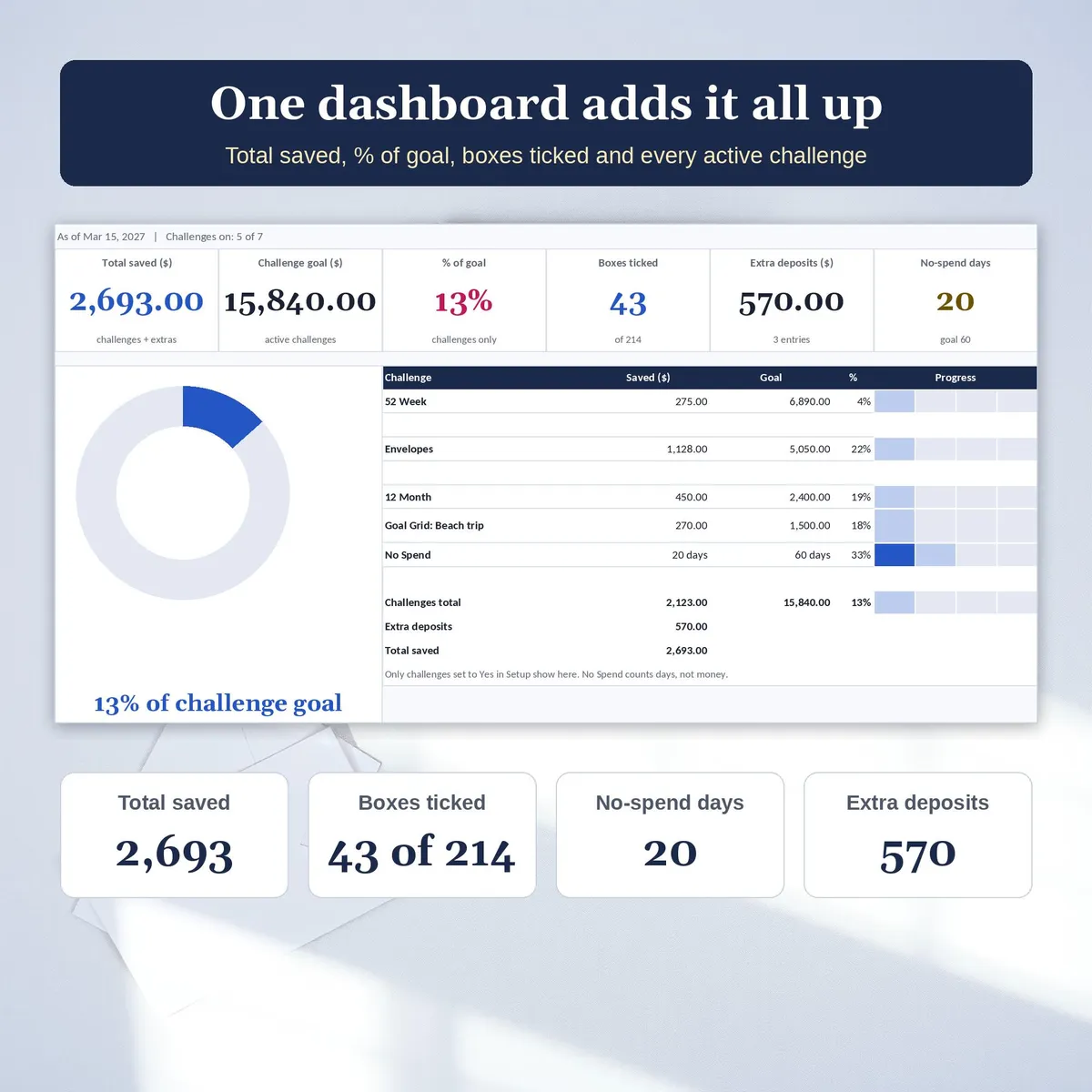
Make saving a game in 2027. Pick your challenges, tick a box each time you save and watch the boards fill with color while one dashboard adds up every challenge and every extra deposit.
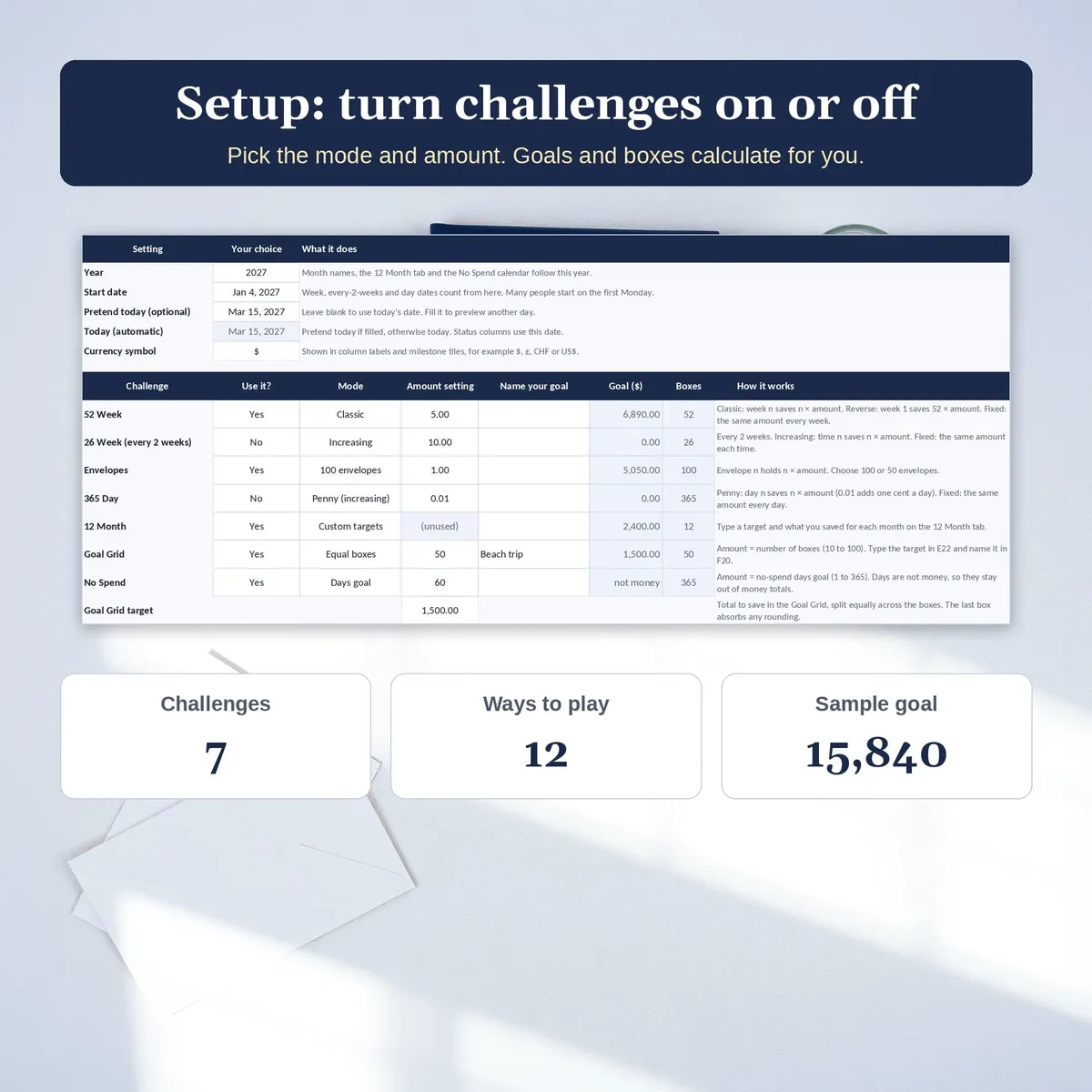
This savings challenge tracker has 7 color-fill challenge boards and 12 ways to play. Turn each challenge on or off in Setup, choose its mode and amount, and the goals, dates and totals calculate for you.
𝟏𝟐 𝗪𝗔𝗬𝗦 𝗧𝗢 𝗣𝗟𝗔𝗬
- 100 Envelope Challenge (or 50 envelopes): tick an envelope and it fills raspberry, in any order
- Goal Grid: name your own goal and split any target into 10 to 100 equal boxes
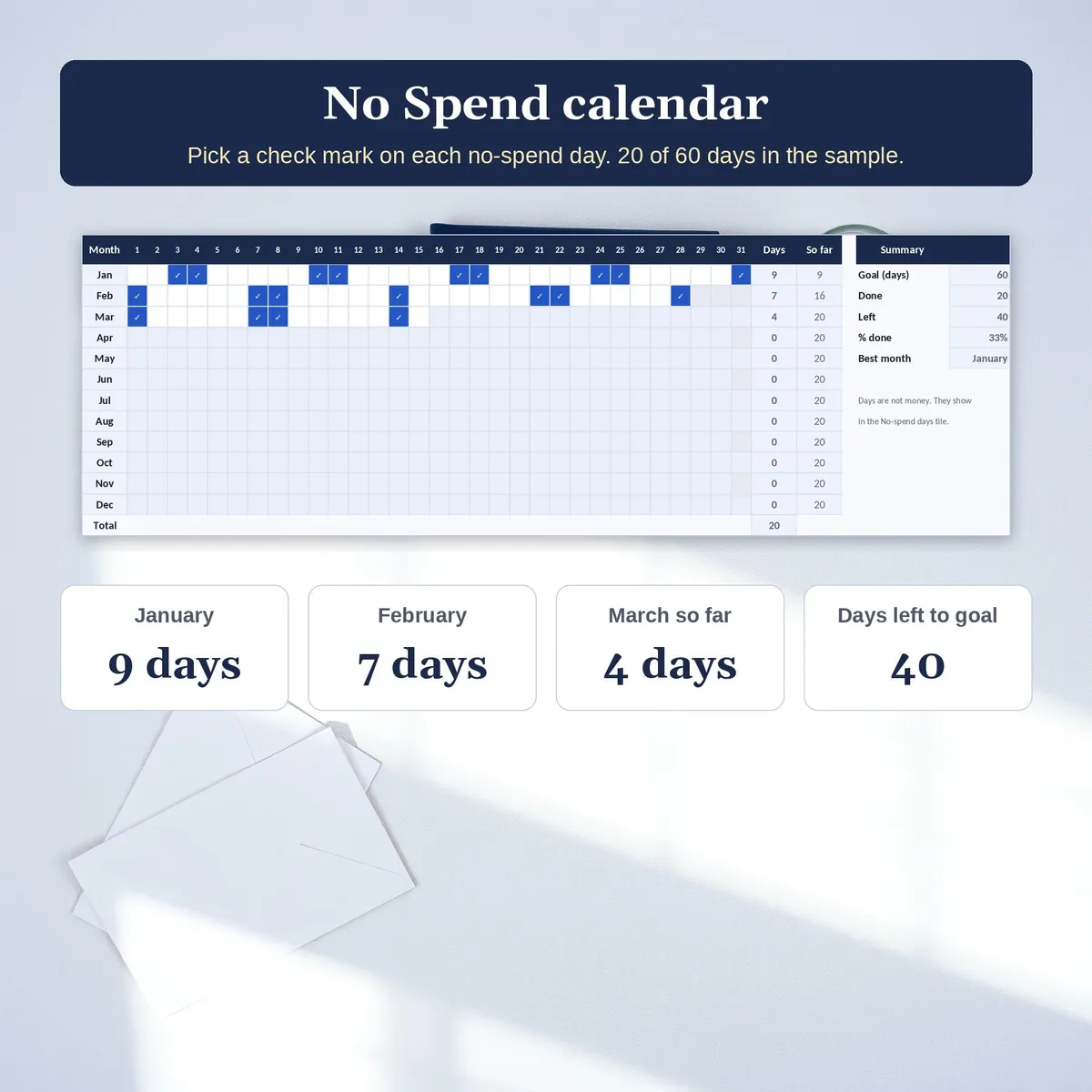
- No Spend calendar: mark every no-spend day of the year against your own days goal
- 52 Week: Classic, Reverse or Fixed, with week dates from your start date
- 26 Week, every 2 weeks: Increasing or Fixed
- 365 Day: Penny or Fixed, tick days in any order
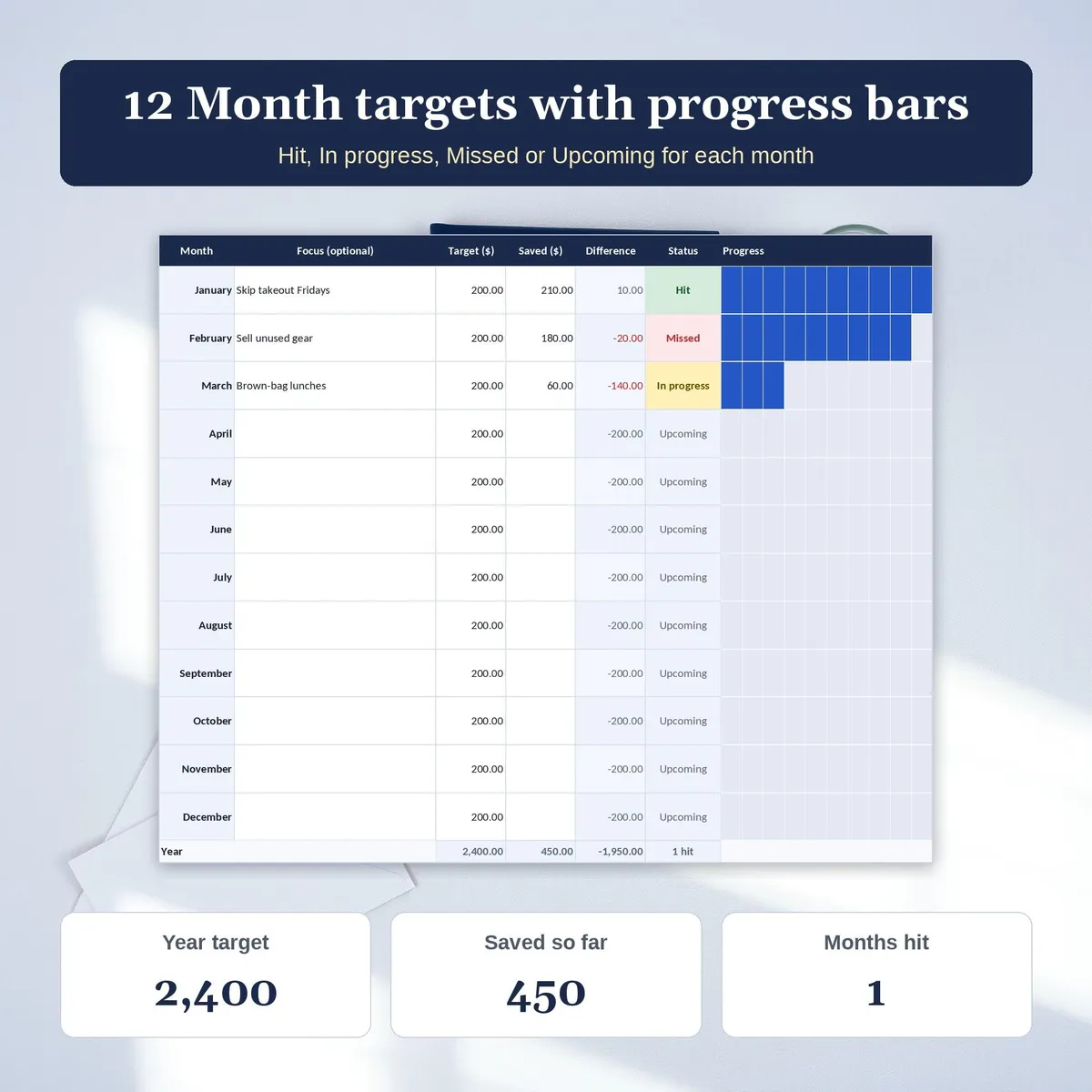
- 12 Month: your own target for each month with a 10-step progress bar
𝗪𝗛𝗔𝗧'𝗦 𝗜𝗡𝗦𝗜𝗗𝗘 (𝟏𝟏 𝗧𝗔𝗕𝗦)
- Start Here: quick guide, color key and Google Sheets copy links
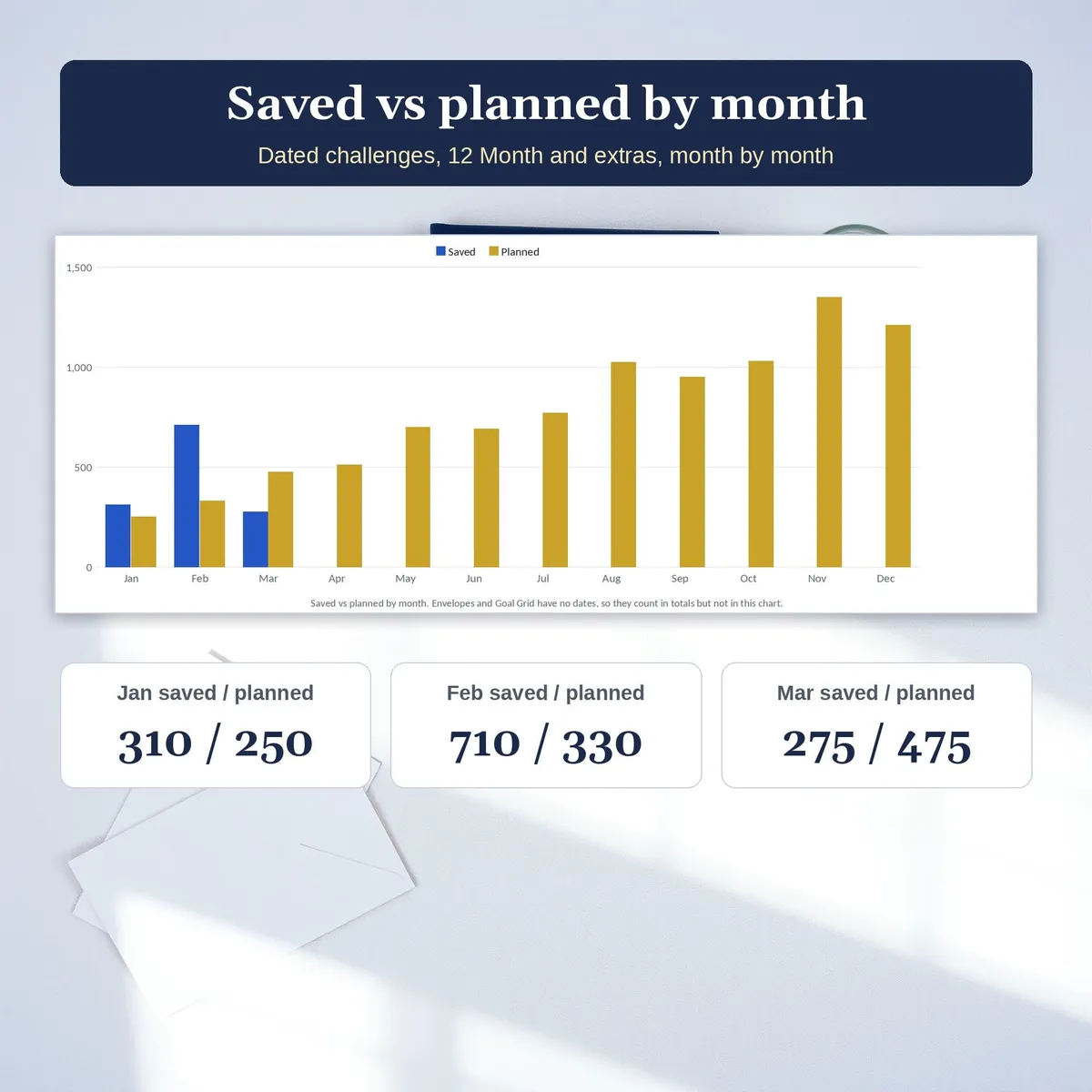
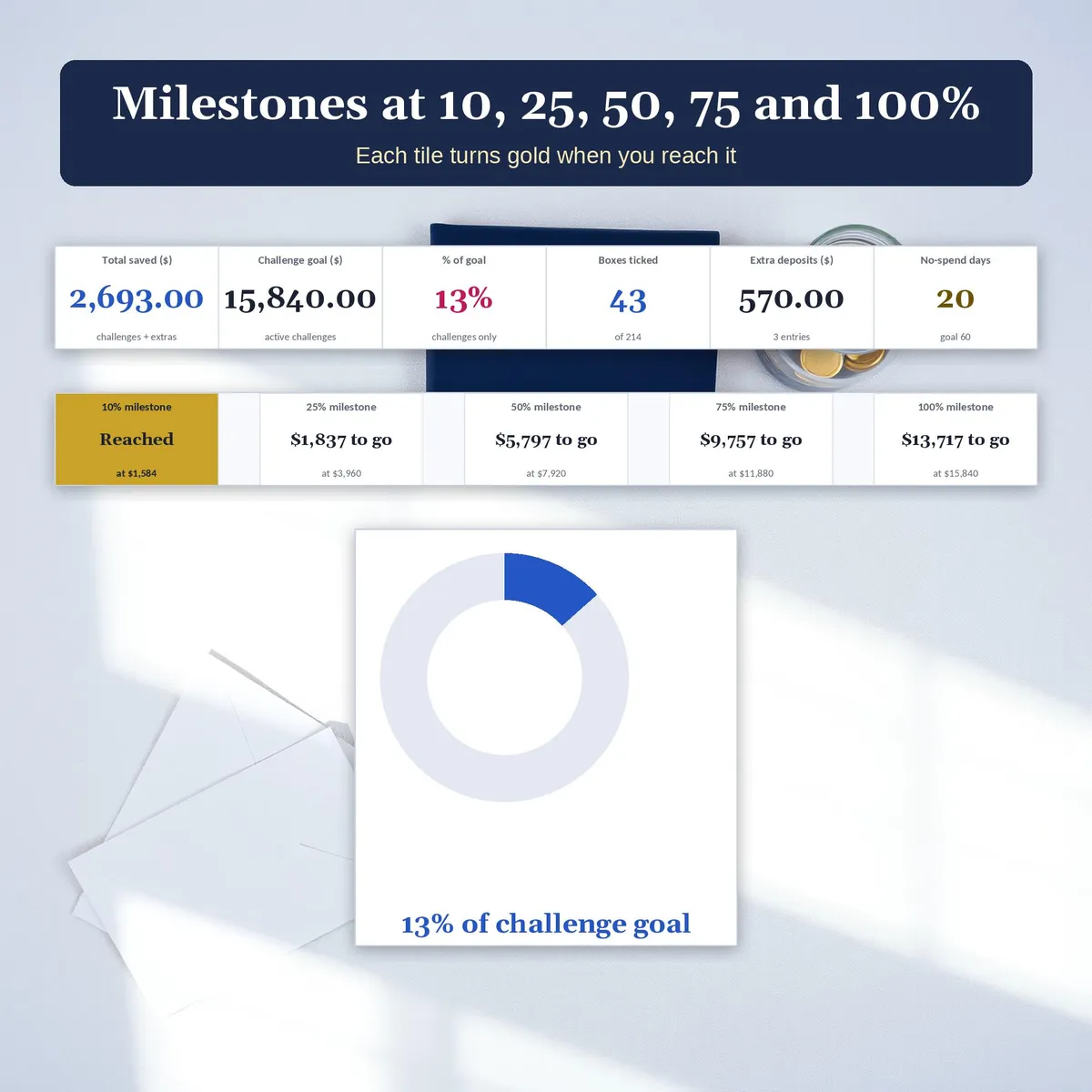
- Dashboard: total saved, challenge goal, % of goal, boxes ticked, extra deposits, no-spend days, a progress ring, each active challenge with a progress bar, saved vs planned by month and milestones at 10, 25, 50, 75 and 100%
- 52 Week, 26 Week, Envelopes, 365 Day, 12 Month, Goal Grid and No Spend boards
- Extras: log tax refunds, gift money or sold items; they count in Total saved
- Setup: year, start date, currency symbol, and Use it? mode and amount for each challenge
𝗛𝗢𝗪 𝗜𝗧 𝗪𝗢𝗥𝗞𝗦
- Formula cells calculate automatically and are locked without a password, so they are not overwritten by accident
- Status shows This week, Behind or Saved on the weekly boards, and Hit, In progress, Missed or Upcoming on 12 Month
- Ahead or behind compares what you saved with what your plan expected by today
- To sort a table, unprotect the sheet (no password), sort the whole table, then protect it again. Filtering works while protected.
𝗬𝗢𝗨 𝗥𝗘𝗖𝗘𝗜𝗩𝗘 𝟓 𝗙𝗜𝗟𝗘𝗦
- Start Here PDF with setup steps and the Google Sheets copy links
- Light workbook (blank) and Dark workbook (blank)
- Light sample and Dark sample filled with fictional amounts on 5 of the 7 boards. Turn on 26 Week and 365 Day from Setup to use the other 2.
𝗪𝗢𝗥𝗞𝗦 𝗪𝗜𝗧𝗛
Developed for Google Sheets. An Excel file is included for the latest Microsoft 365 (Office 365 Desktop App). Older Excel versions may not support all features. No macros and no scripts. In Excel, Done cells use a TRUE or FALSE drop-down; in the Google Sheets copy they are checkboxes.
Digital download only. No physical item will be shipped.
This is a general savings tracker, not financial advice.
Utility Forge Studio is not affiliated with, sponsored by, or endorsed by Google or Microsoft.
Personal use only. Please do not resell, share or redistribute the files.
Designed by me, created using AI tools.
The Etsy listing is the final source for what is included. See it on Etsy.
More in Budget and money

PTA Treasurer Spreadsheet
For volunteer treasurers of a PTA, PTO, booster club or parent group: enter each deposit and…

Home Renovation Planner Spreadsheet
This is a digital spreadsheet for your own project.

2027 Budget Planner Spreadsheet
This 2027 budget planner spreadsheet helps you plan every month of the year: log what you…

Net Worth Tracker Spreadsheet
Net worth tracker spreadsheet for Google Sheets: log your balances once a month and watch your…