
Bank Statement Budget Spreadsheet
Bank Statement Budget Spreadsheet, Paste Your CSV, Auto Categorize Expenses, Spending Tracker, Monthly Dashboard, Google Sheets Excel
$12.99
Buy on EtsyOpens the listing on Etsy in a new tab. Checkout happens on Etsy.
Made for Google Sheets. An Excel file is included, and it works best with current Excel (Excel 2021 or newer).
- Instant digital download
- Buy through Etsy checkout
- No subscription
- Made by Utility Forge Studio
- Questions? Email utilityforgestudio@gmail.com
See it in use
About this download
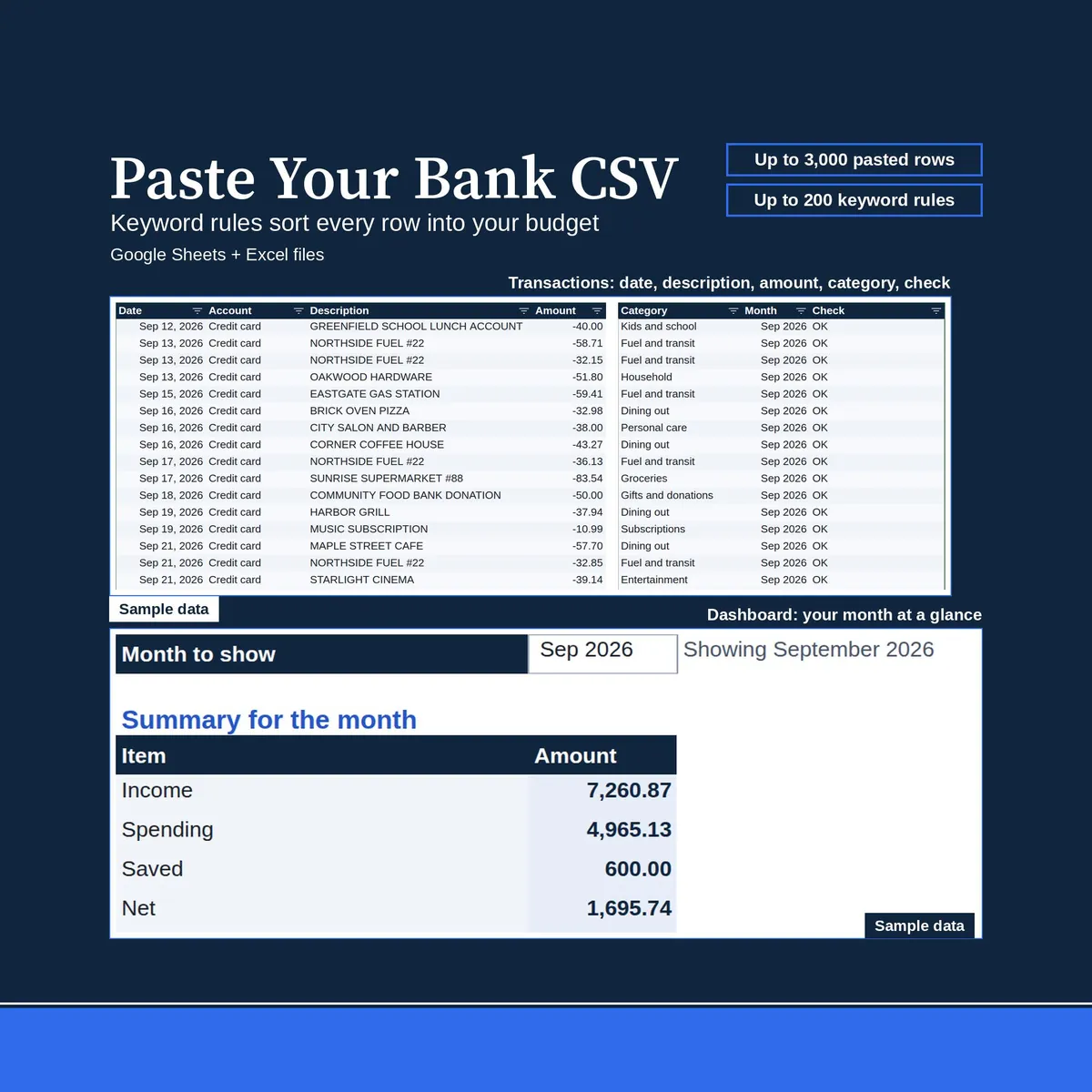
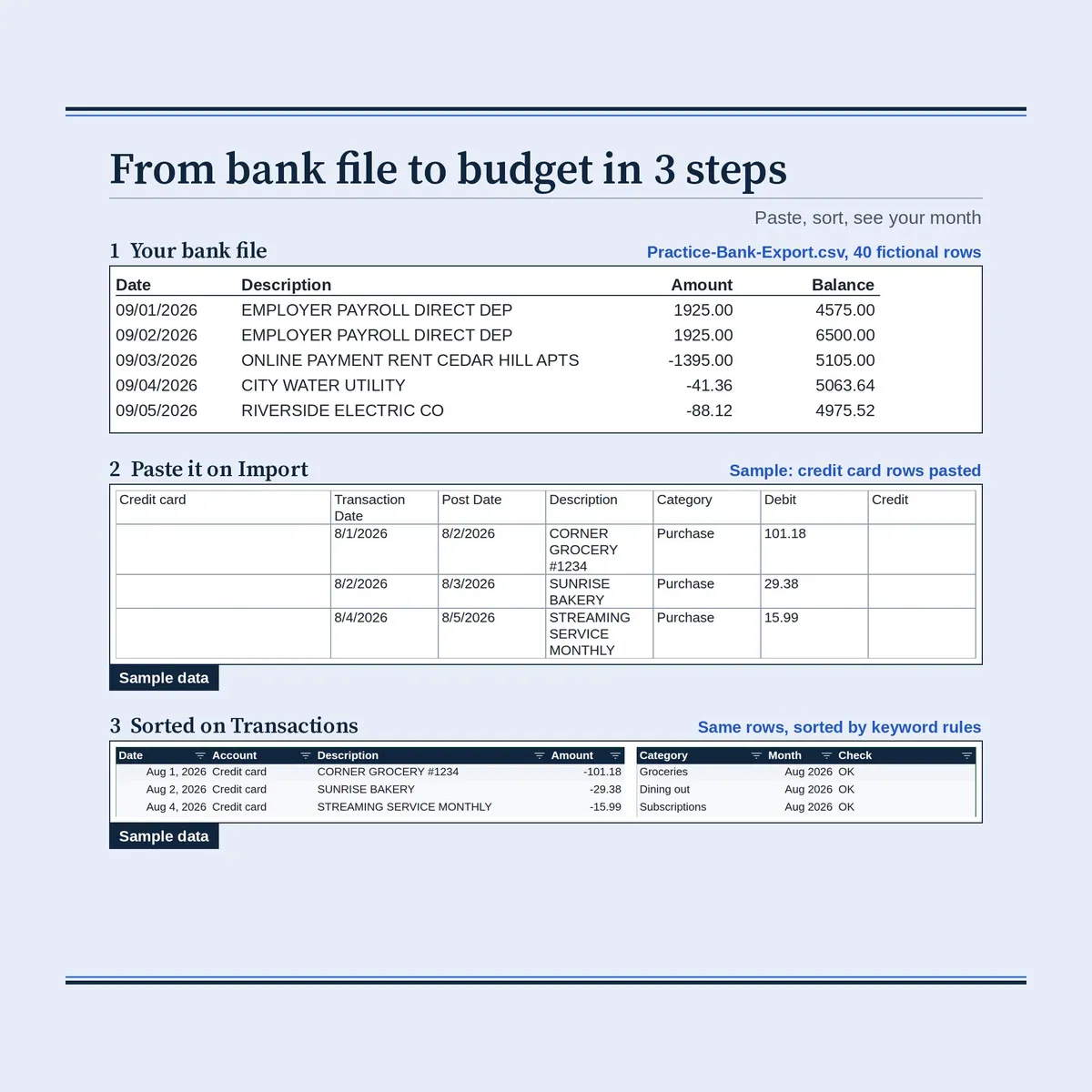
Paste the CSV export from your bank or card website into one Import tab, and keyword rules sort every transaction into a category.
Your monthly Dashboard and Year view fill themselves, so there is no typing transactions.
IMPORTANT
Developed for Google Sheets. An Excel file is included for the latest Microsoft 365 (Office 365 Desktop App). Older Excel versions may not support all features.
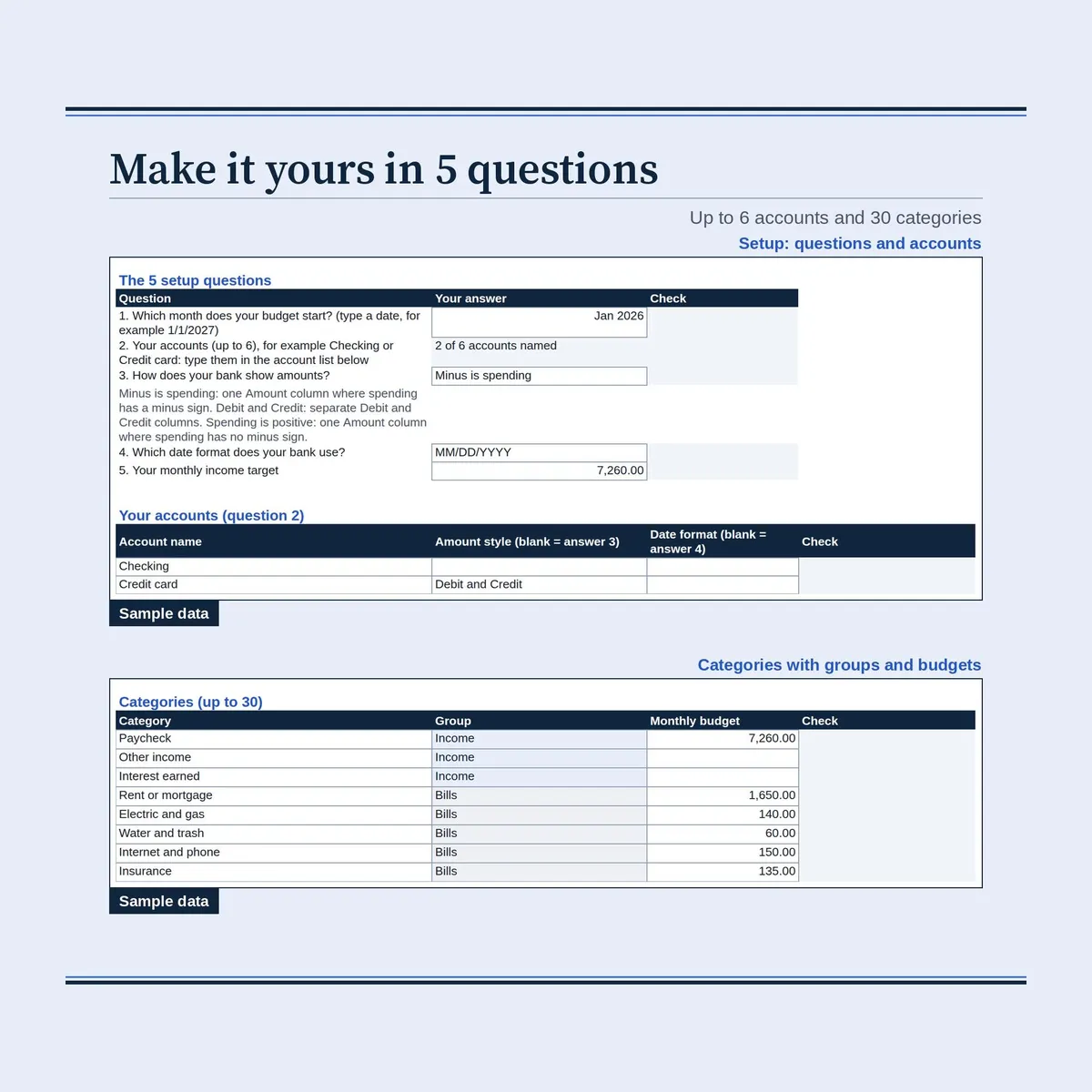
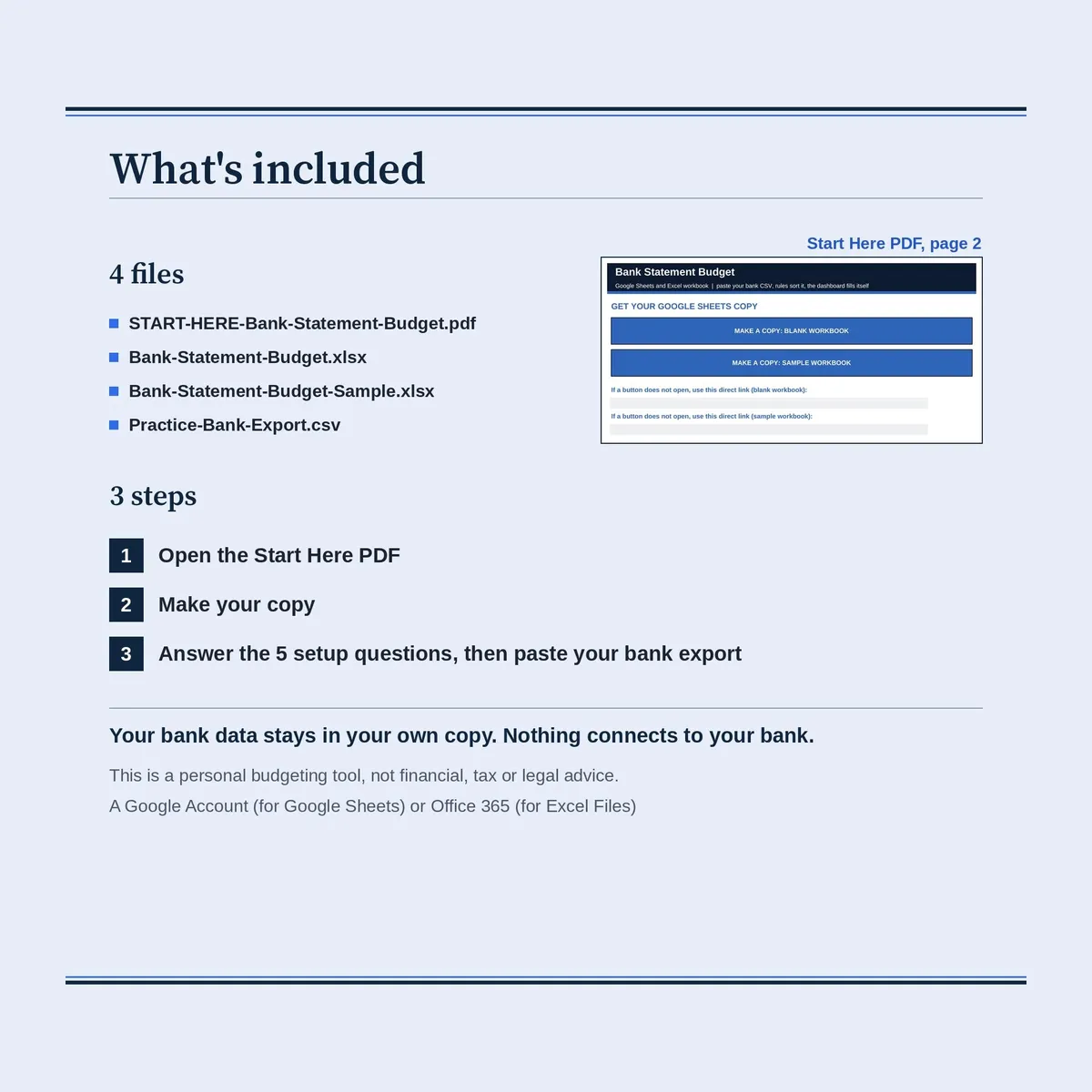
Quick setup: open the Start Here PDF, make your own copy, answer the 5 setup questions, then paste your bank export into the Import tab.
HOW IT WORKS
- Download a CSV from your bank or card website and paste its rows into the Import tab.
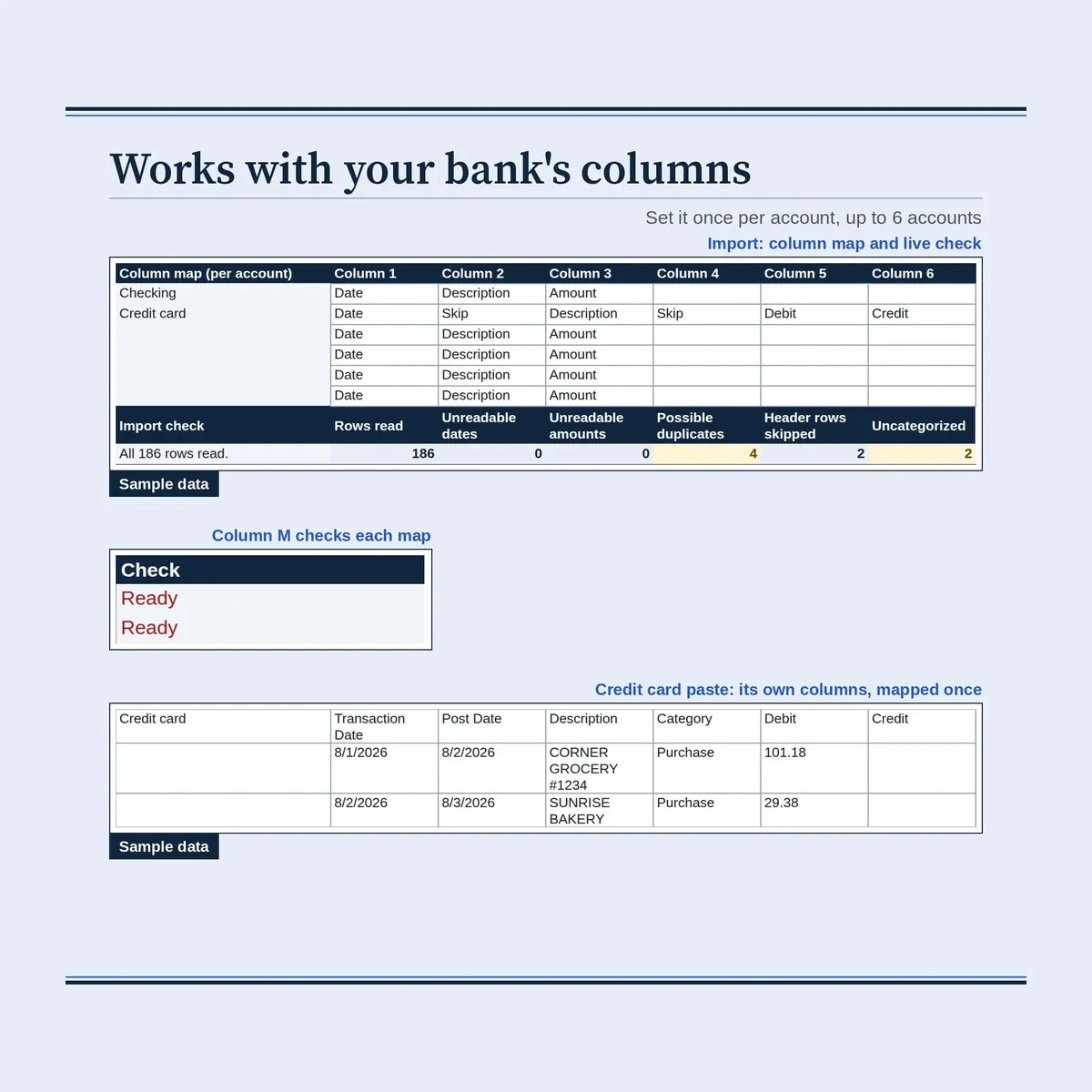
- Tell it once which pasted column holds the date, description and amount (or debit and credit).
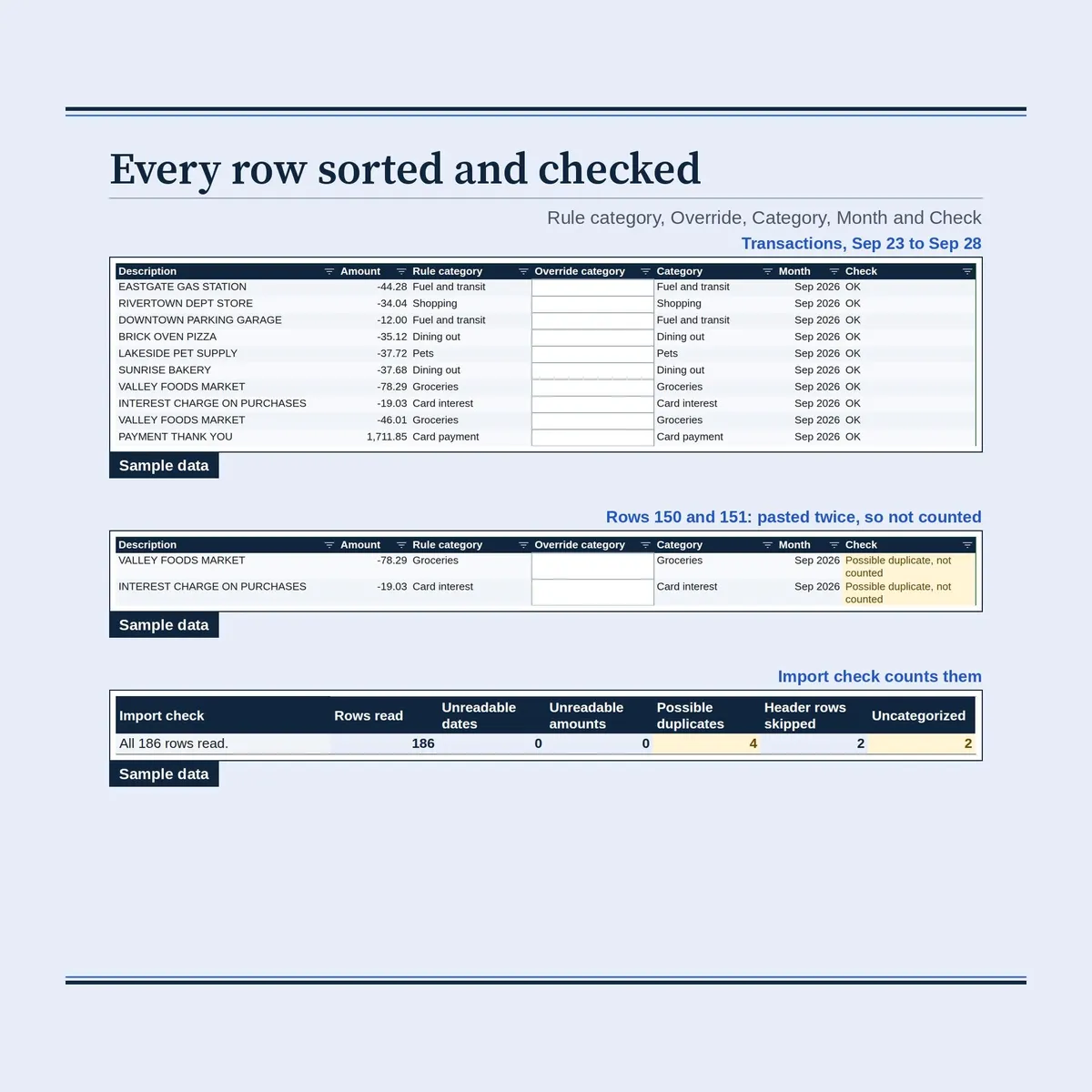
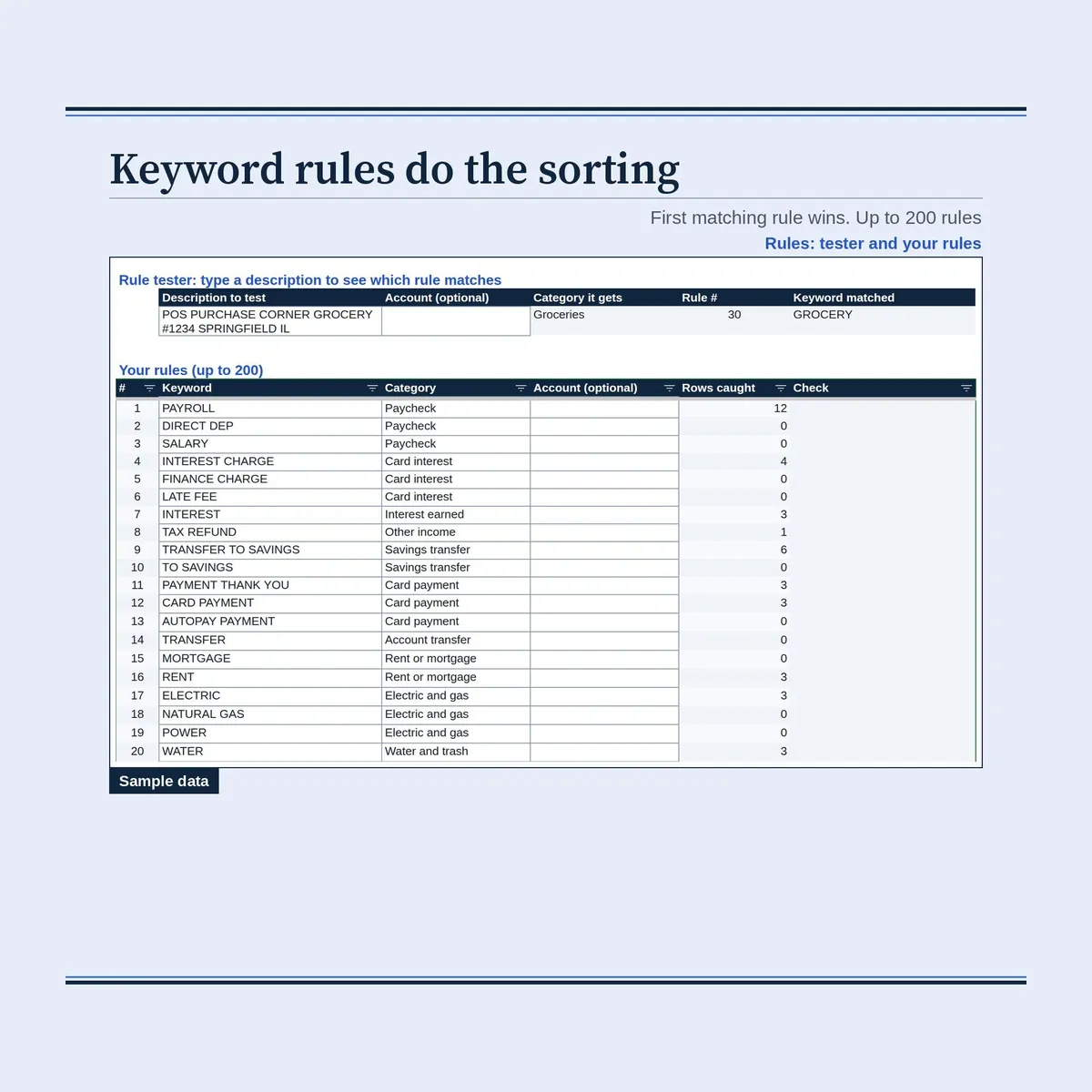
- Keyword rules sort each row into one of your categories; the first matching rule wins.
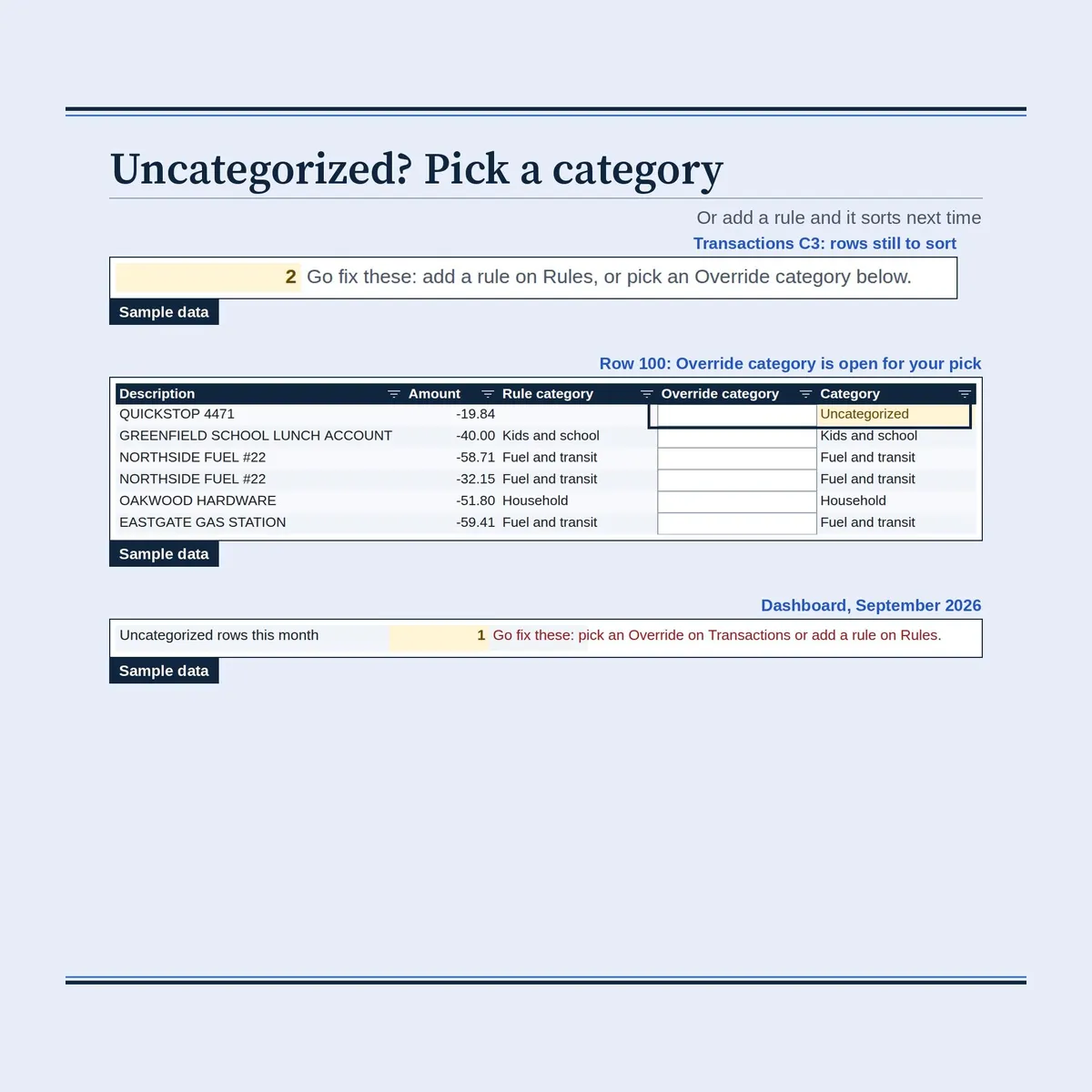
- Rows no rule catches show as Uncategorized: add a rule or pick an Override category.
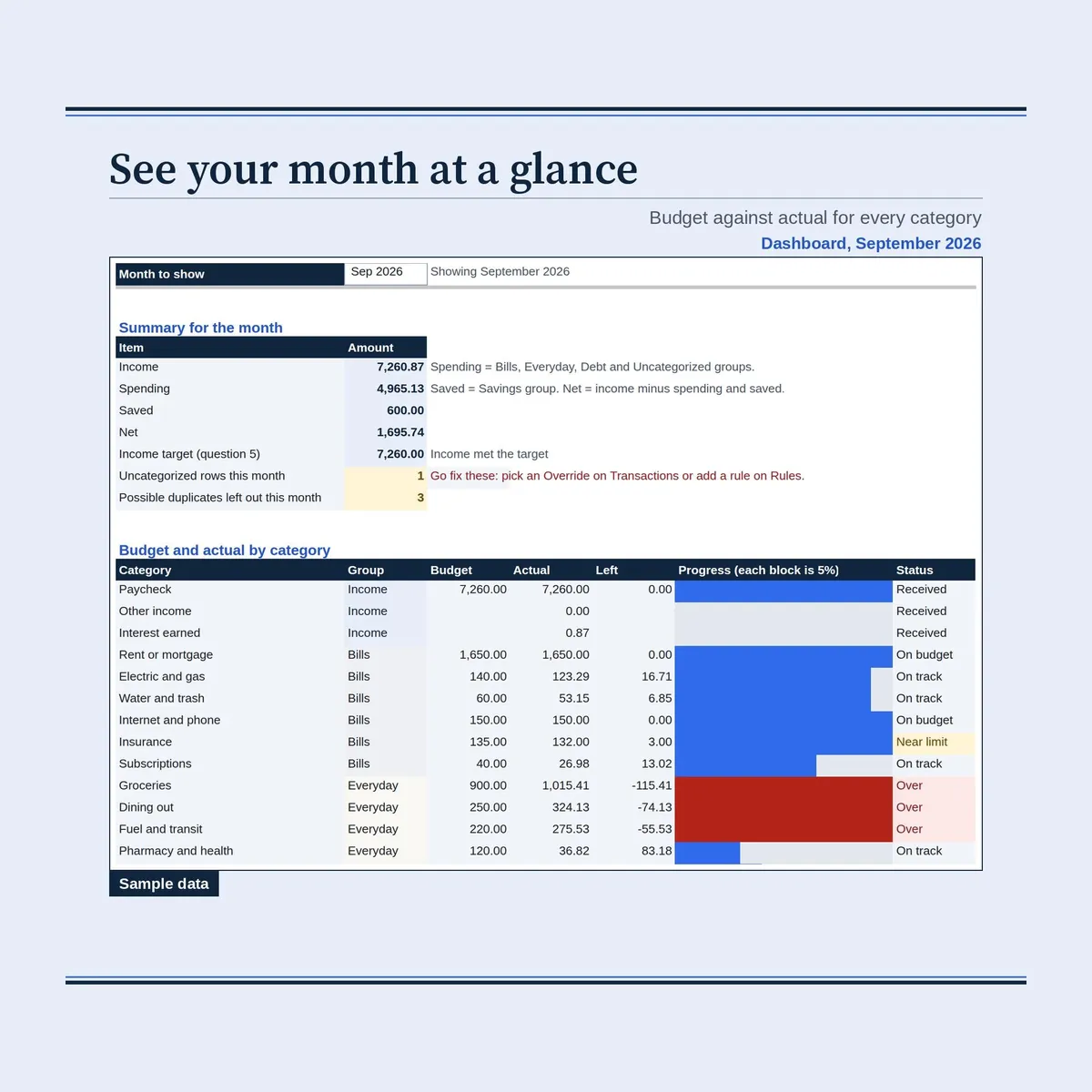
- Dashboard and Year update from the same rows.
WHAT'S INSIDE
- Start Here: what it does, the 4 steps, notes and both copy links.
- Setup: the 5 setup questions, up to 6 accounts, up to 30 categories with groups and budgets, Pretend today and Theme.
- Import: the column map, a live check (rows read, unreadable dates and amounts, possible duplicates) and the paste area for up to 3,000 rows.
- Transactions: one clean row per pasted row: date, account, description, signed amount, rule category, Override, final category, month and a check.
- Rules: up to 200 keyword rules (first match wins), how many rows each rule caught and a rule tester.
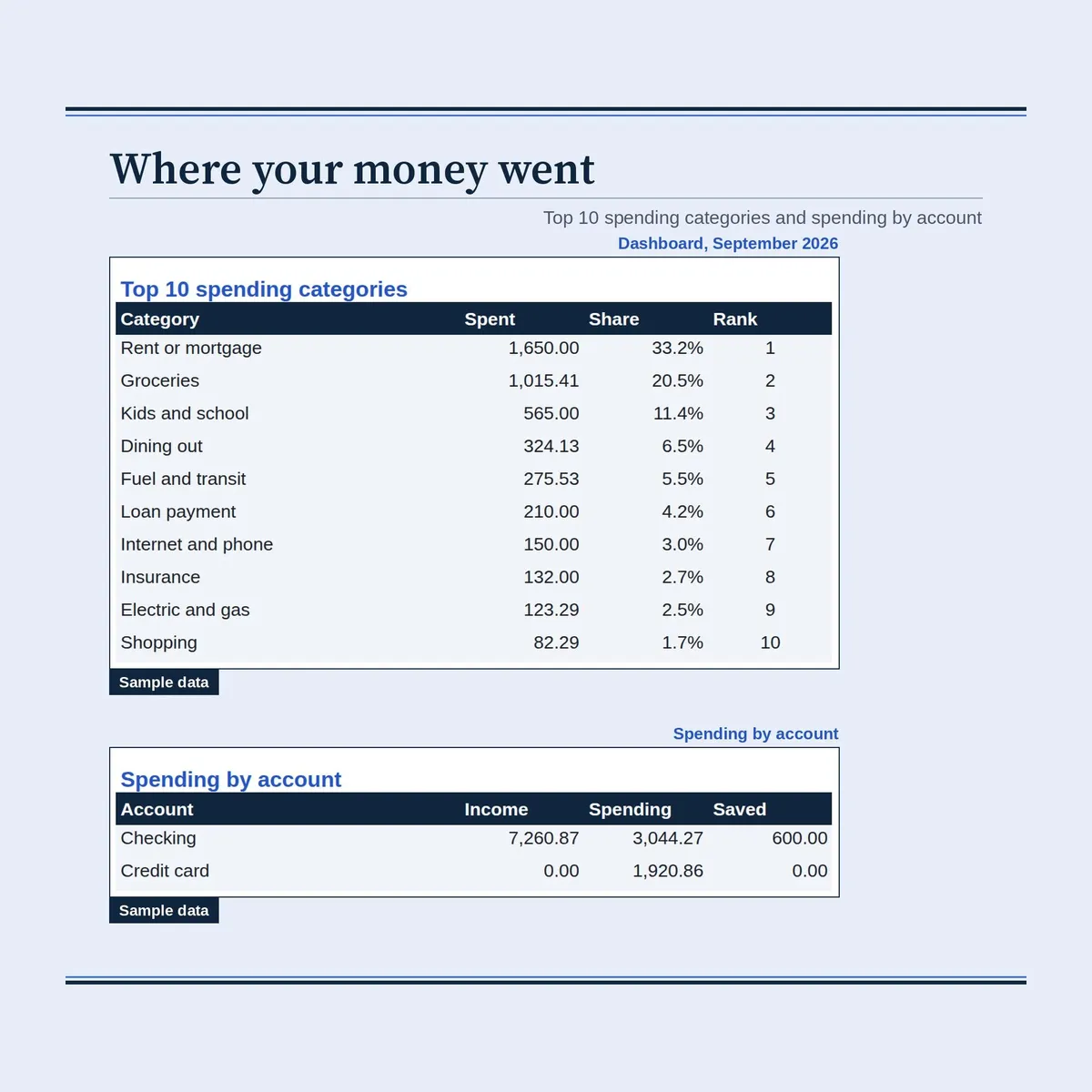
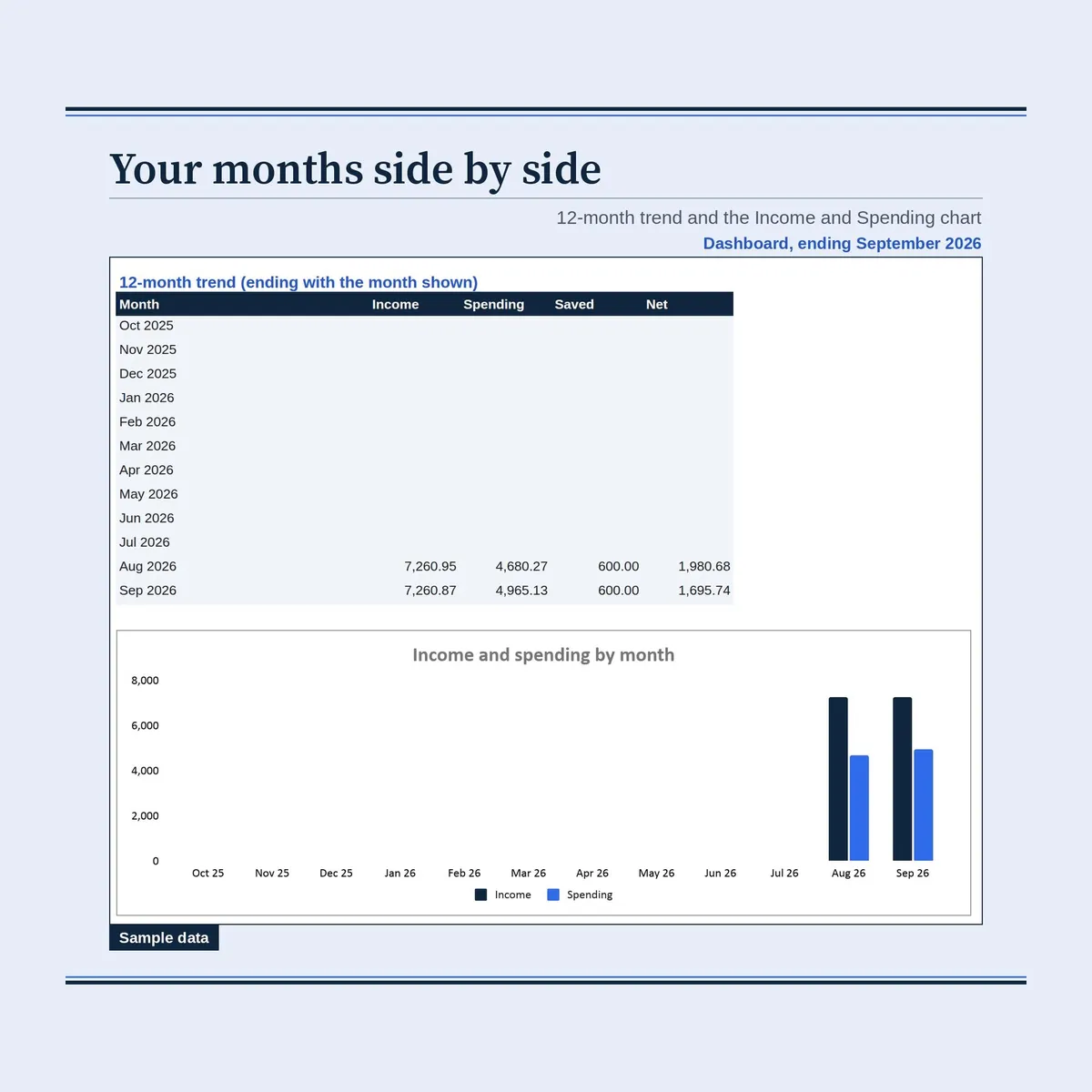
- Dashboard: month picker, income, spending, saved, net, budget against actual with progress bars, top 10 spending categories, spending by account, a 12-month trend table and chart.
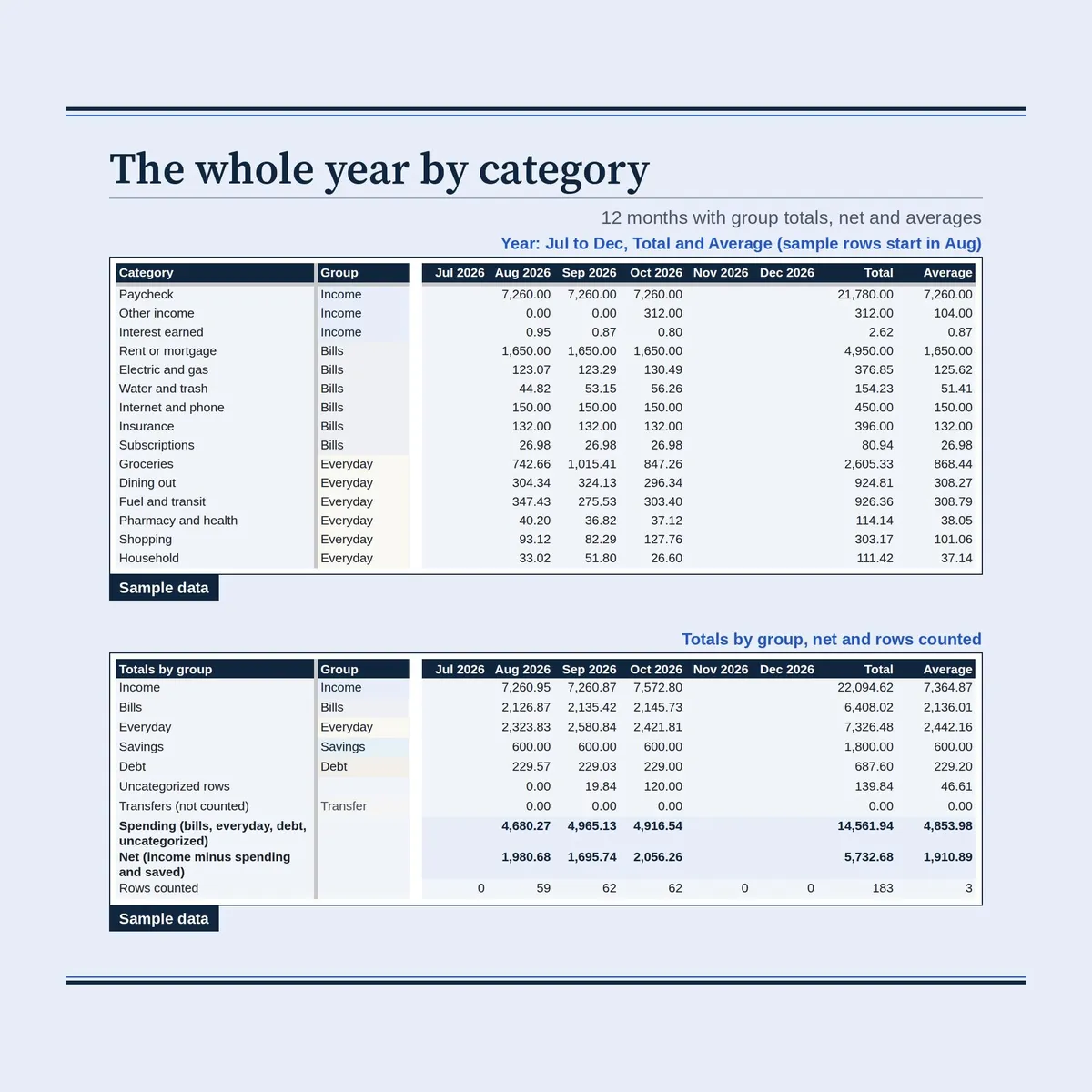
- Year: 12 months by category with totals and averages.
Your bank data stays in your own copy. Nothing connects to your bank.
This is a personal budgeting tool, not financial, tax or legal advice. Check numbers against your bank and lender statements.
FILES INCLUDED
- START-HERE-Bank-Statement-Budget.pdf: setup guide with both Google Sheets copy links
- Bank-Statement-Budget.xlsx: blank workbook with starting categories and rules
- Bank-Statement-Budget-Sample.xlsx: filled with a fictional household, 3 months of checking and credit card rows
- Practice-Bank-Export.csv: 40 fictional bank rows to practice the paste
Please note: this is a digital download; no physical item ships.
One-time purchase for personal use.
Questions? Message me through the shop.
Not affiliated with Google or Microsoft.
𝗦𝗘𝗘 𝗔𝗟𝗦𝗢
- Budget by paycheck: Budget Spreadsheet All in One: https://www.etsy.com/listing/4521537988
- Bills and due dates: Bill Tracker Spreadsheet: https://www.etsy.com/listing/4594908014
- Prefer an offline app: Ultimate Personal Finance Dashboard: https://www.etsy.com/listing/4605028162
Personal use only. Please do not resell, share or redistribute the files.
Designed by me, created using AI tools.
The Etsy listing is the final source for what is included. See it on Etsy.
More in Budget and money

2027 Annual Budget System
They share the same categories and months, and transactions move between the workbook and the…

Credit Card Tracker Spreadsheet
A credit card tracker for everyone with more than one card: keep up to 20 cards in one sheet…

PTA Treasurer Spreadsheet
For volunteer treasurers of a PTA, PTO, booster club or parent group: enter each deposit and…

Mortgage Payoff Tracker Spreadsheet for an Existing Loan
Already have a mortgage?