
Mortgage Payoff Tracker Spreadsheet for an Existing Loan
Mortgage Payoff Tracker Spreadsheet for an Existing Loan, Extra Payment Tracker, Amortization Schedule, Statement Check, Google Sheets Excel
$9.99
Buy on EtsyOpens the listing on Etsy in a new tab. Checkout happens on Etsy.
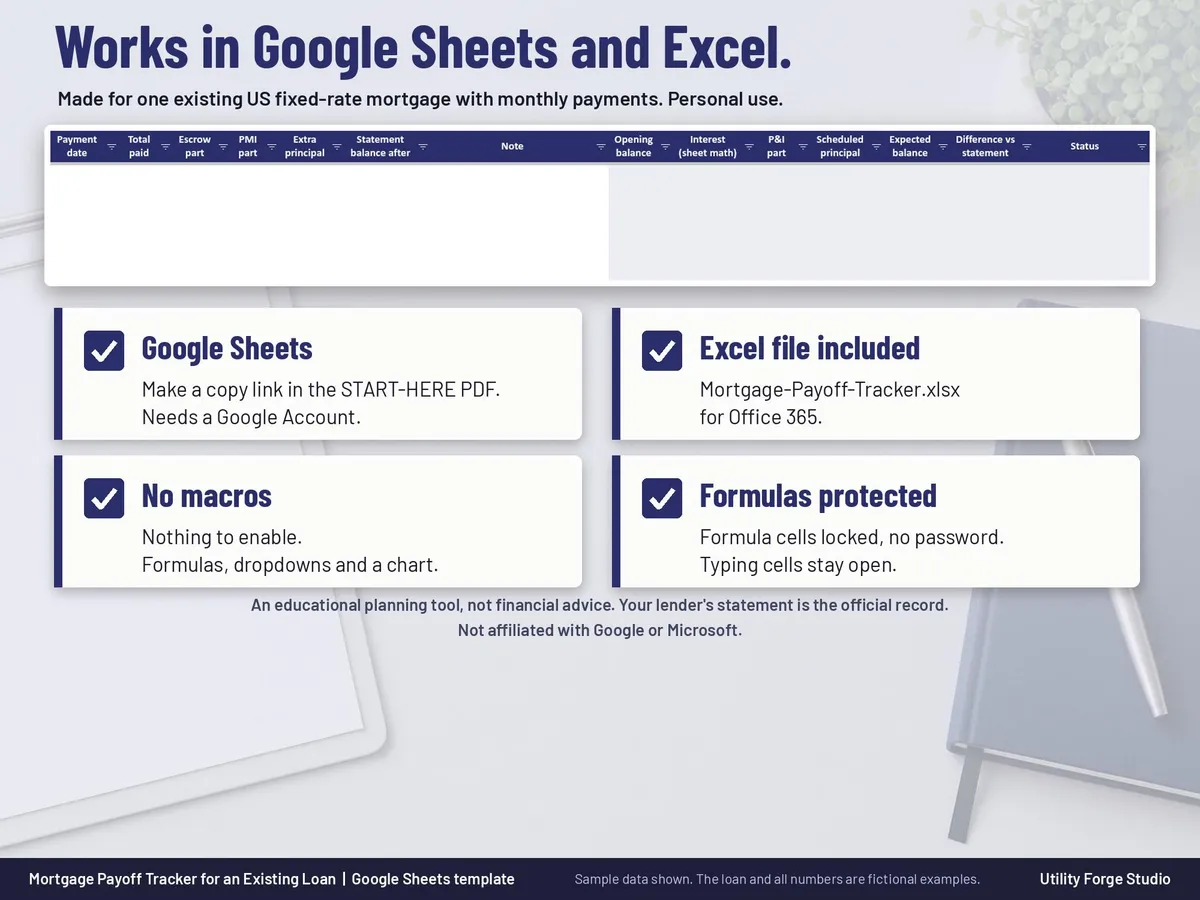
Made for Google Sheets. An Excel file is included, and it works best with current Excel (Excel 2021 or newer).
- Instant digital download
- Buy through Etsy checkout
- No subscription
- Made by Utility Forge Studio
- Questions? Email utilityforgestudio@gmail.com
See it in use
About this download
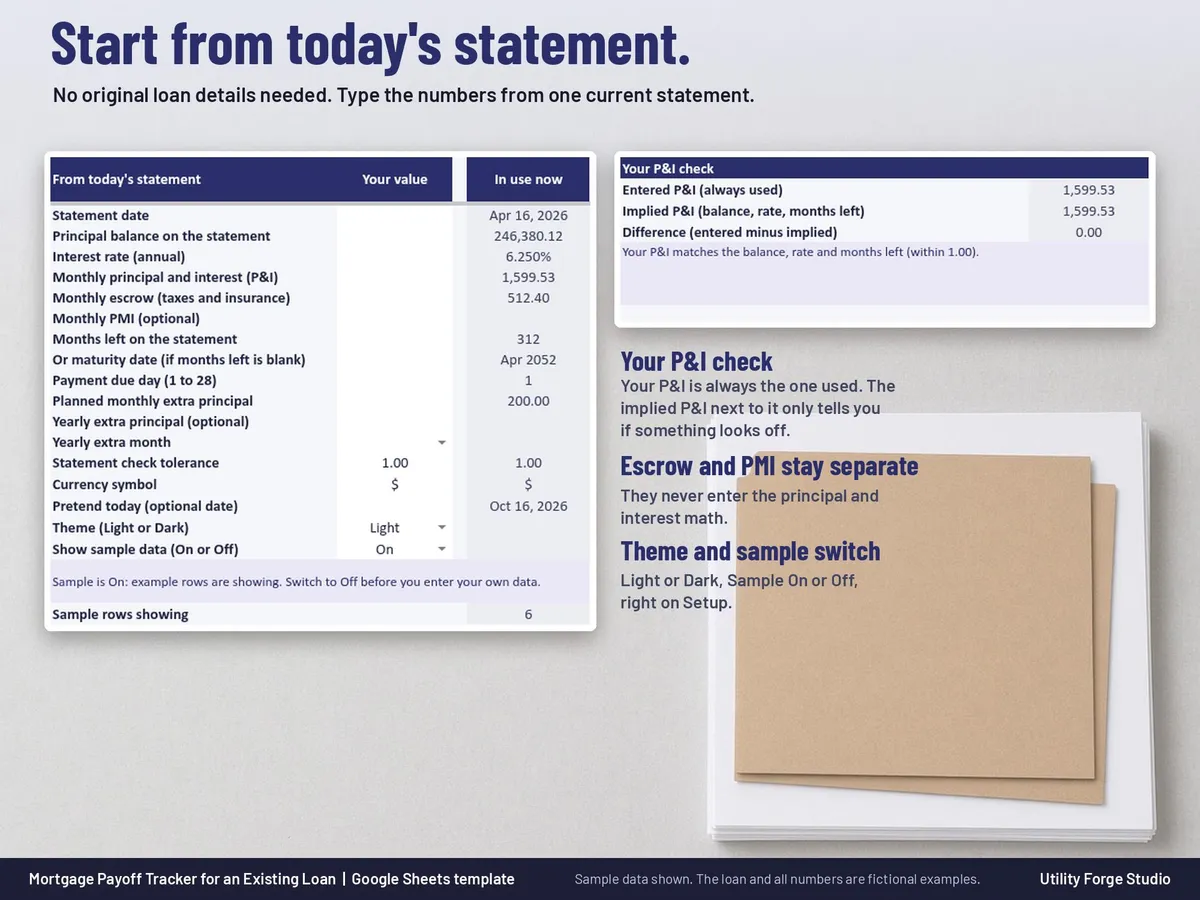
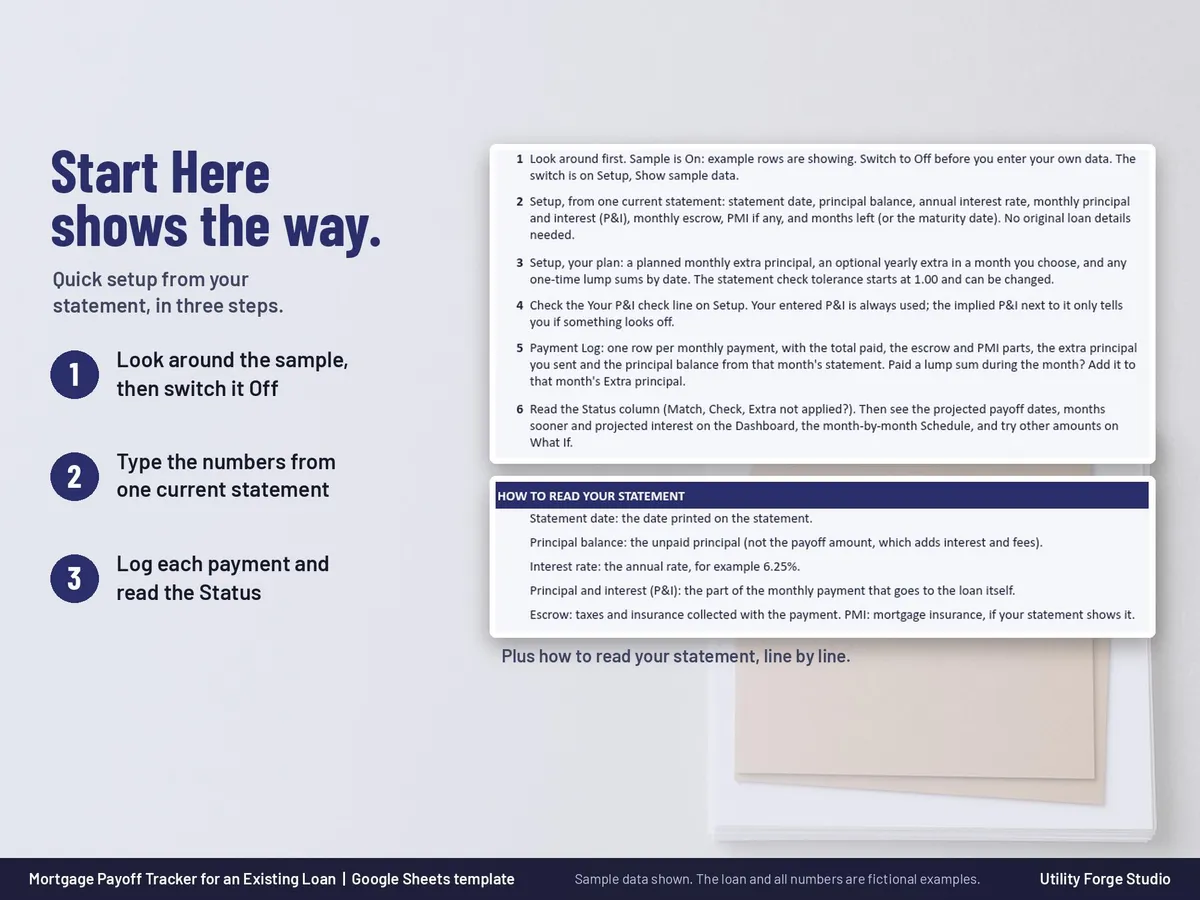
Already have a mortgage? Start from the numbers on today's statement, no original loan details needed. Log each payment, keep escrow separate, see your projected payoff date with and without extra payments, and check every month that your statement matches.
Type the numbers from one current statement and the formulas work out the rest.
⭐ 𝗗𝗘𝗠𝗢
On the fence? Watch our sample here:
https://youtu.be/gjFRCx1r4To
WHAT THE SPREADSHEET DOES
- Setup from today's statement: statement date, principal balance, annual interest rate, monthly principal and interest (P&I), monthly escrow, optional PMI, and months left or the maturity date.
- Your P&I check: the P&I you type is always the one used. Next to it the sheet shows the P&I implied by your balance, rate and months left, with a plain note if they differ (rounding, months left off by one, or a rate change). It never replaces your number.
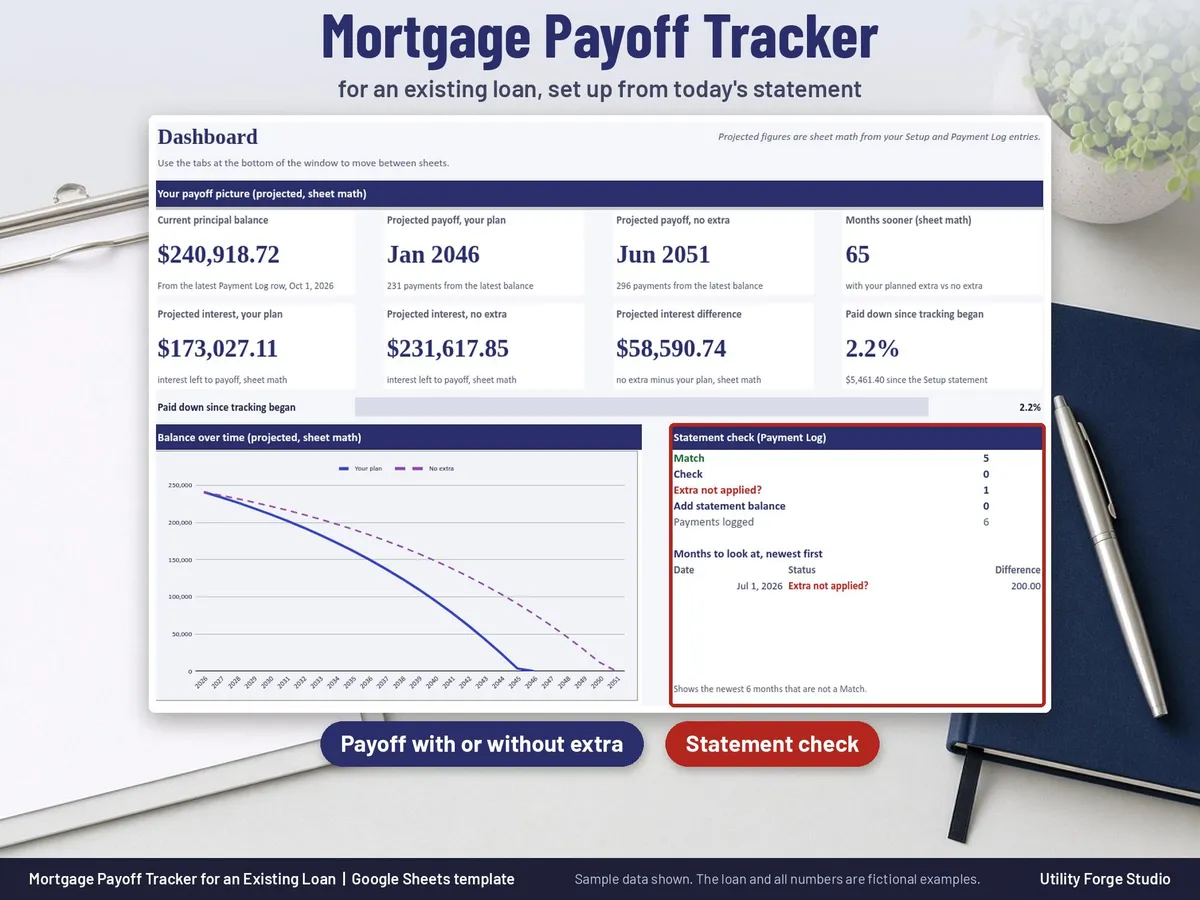
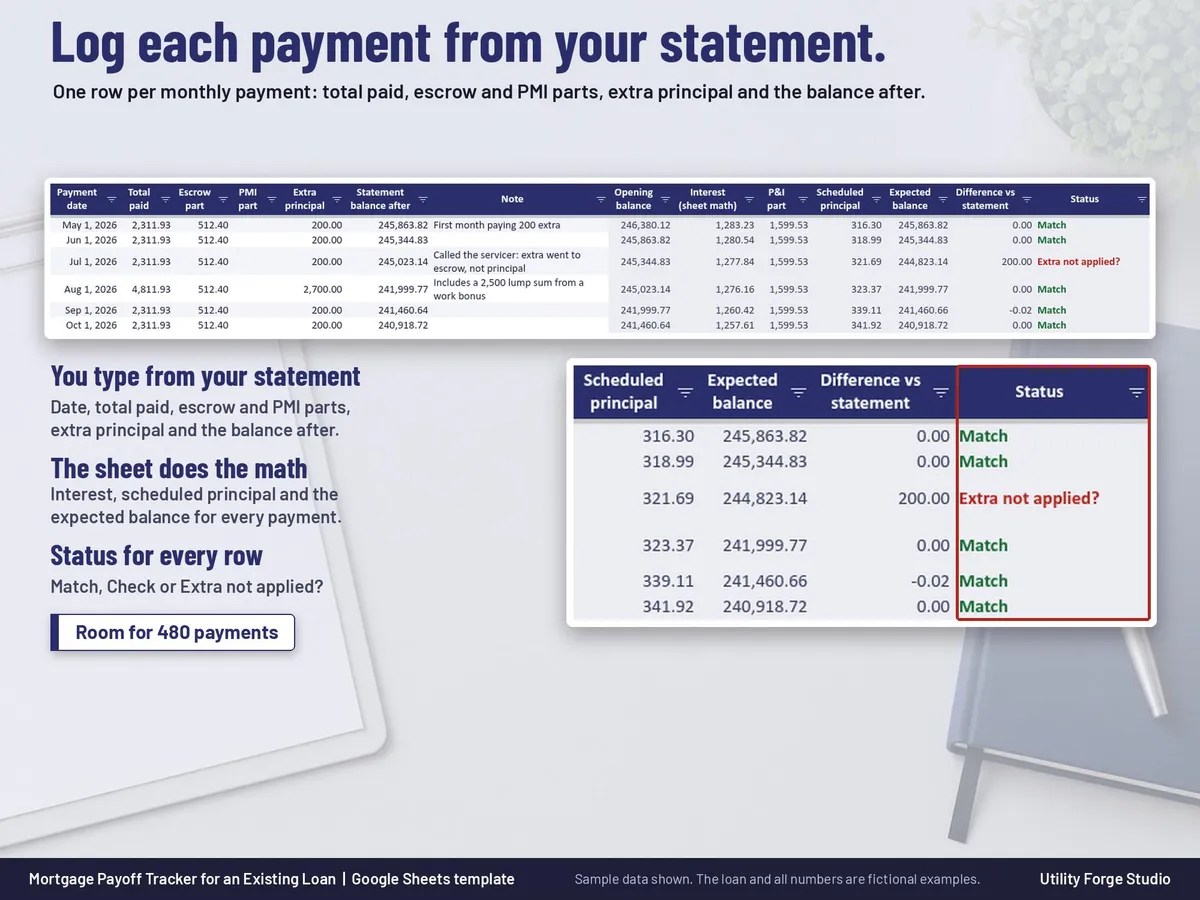
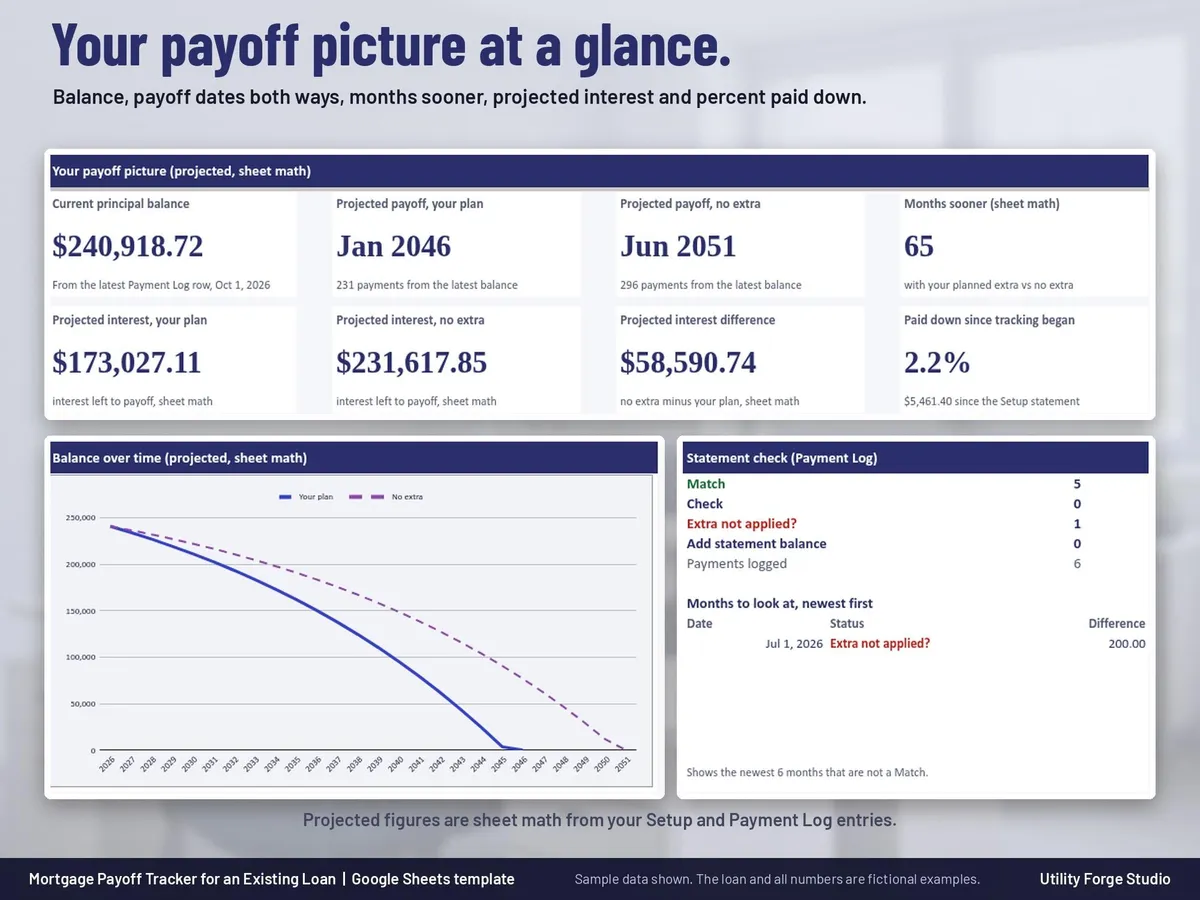
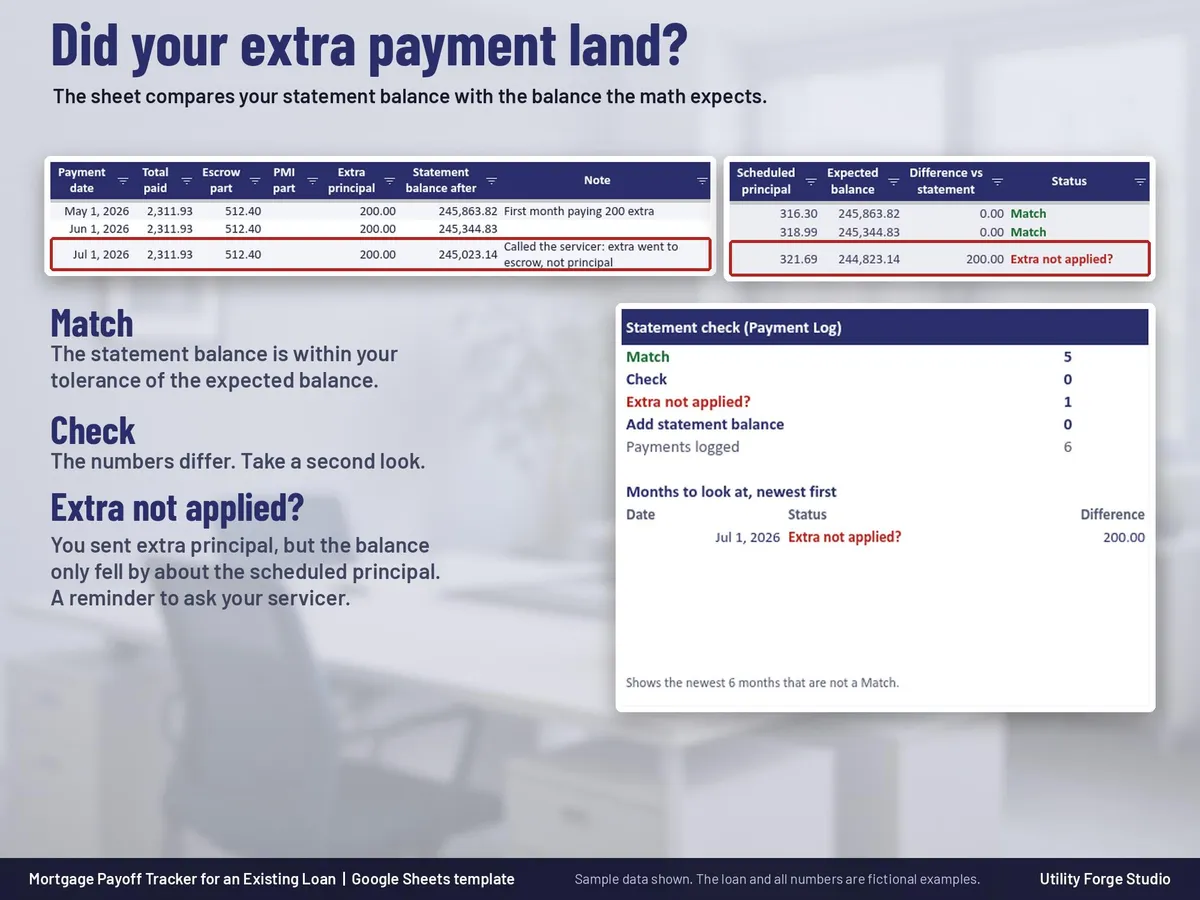
- Monthly statement check on the Payment Log: for each payment the sheet works out the interest, the scheduled principal and the expected balance, then compares it with your statement. Status shows Match, Check or Extra not applied? using a tolerance you can change (1.00 to start).
- Extra not applied? flag: when you sent extra principal but the statement balance only fell by about the scheduled principal, the row is flagged so you know to ask your servicer.
- Escrow and PMI stay separate and never enter the principal and interest math.
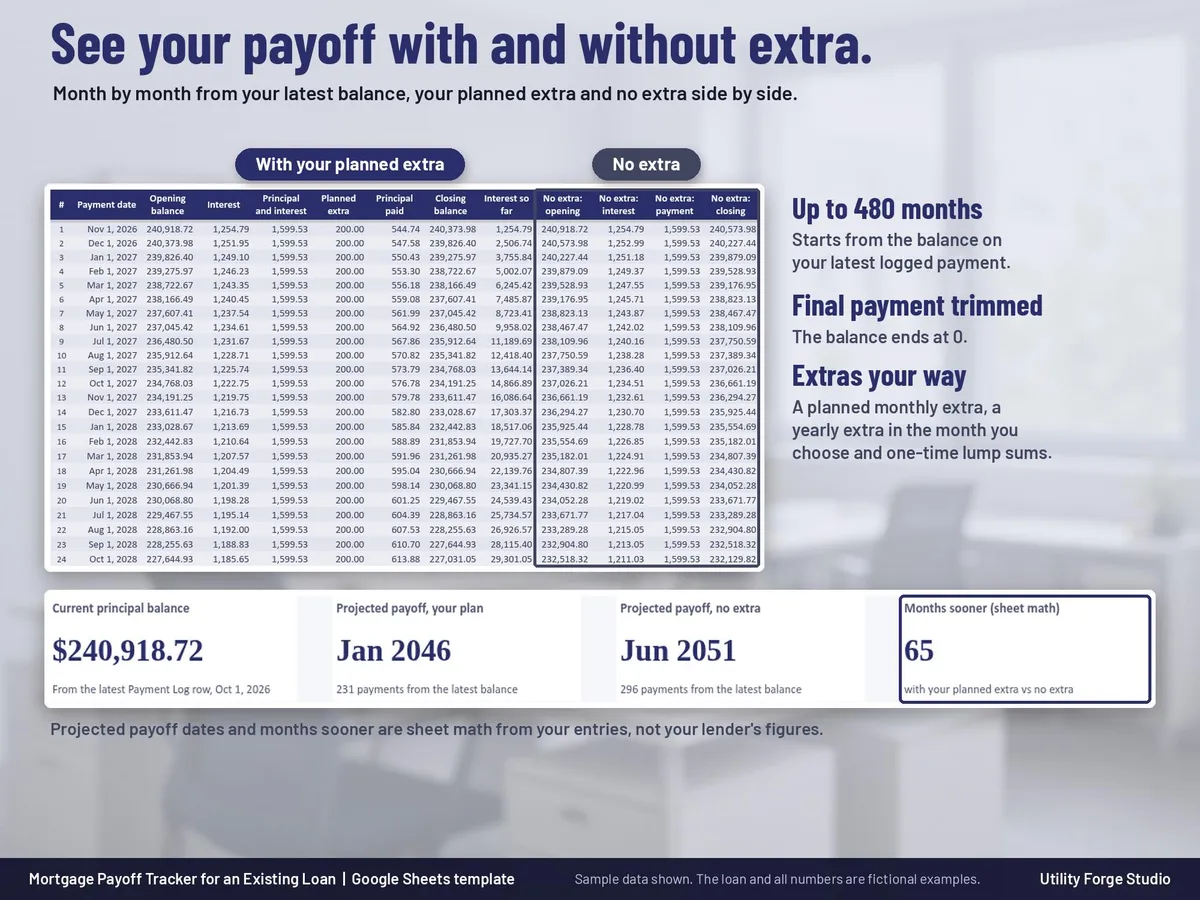
- Extra payments: a planned monthly extra, an optional yearly extra in the month you choose, and one-time lump sums by date.
- Schedule tab: month by month from your latest balance up to 480 months, with your planned extra and with no extra side by side. The final payment is trimmed so the balance ends at 0.
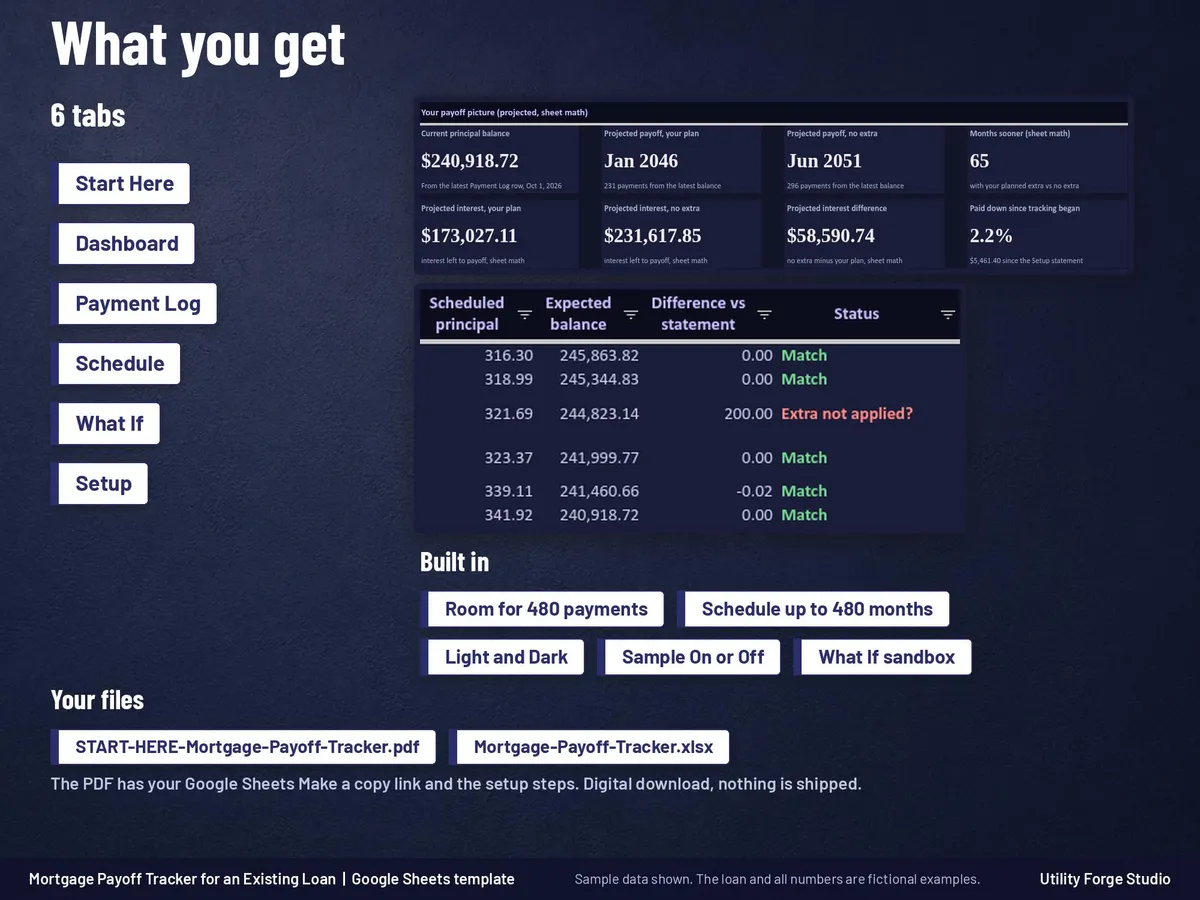
- Dashboard tab: current balance, projected payoff date with your plan and with no extra, months sooner, projected interest both ways (sheet math), percent paid down since you started tracking, a balance over time chart and the statement check summary with the months to look at.
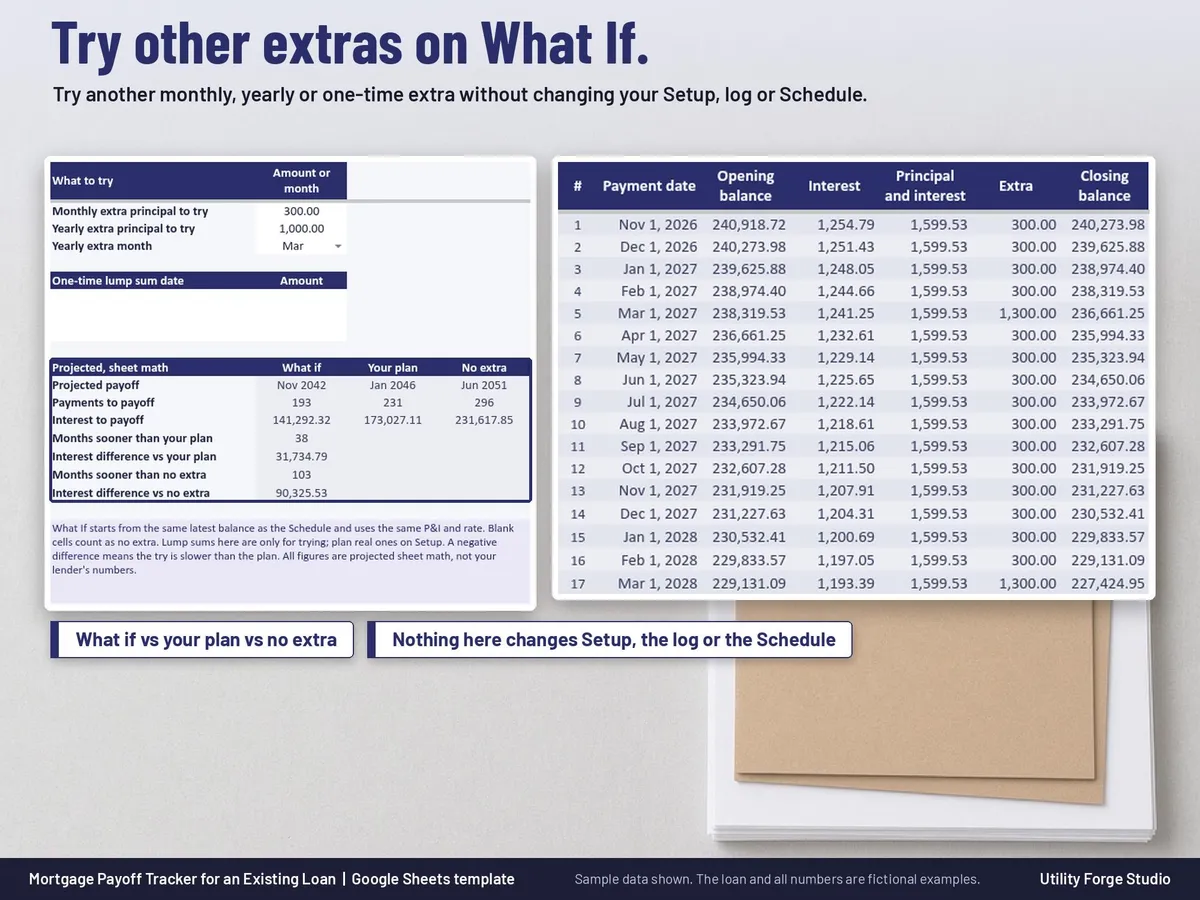
- What If tab: try another monthly, yearly or one-time extra without changing your Setup, log or Schedule.
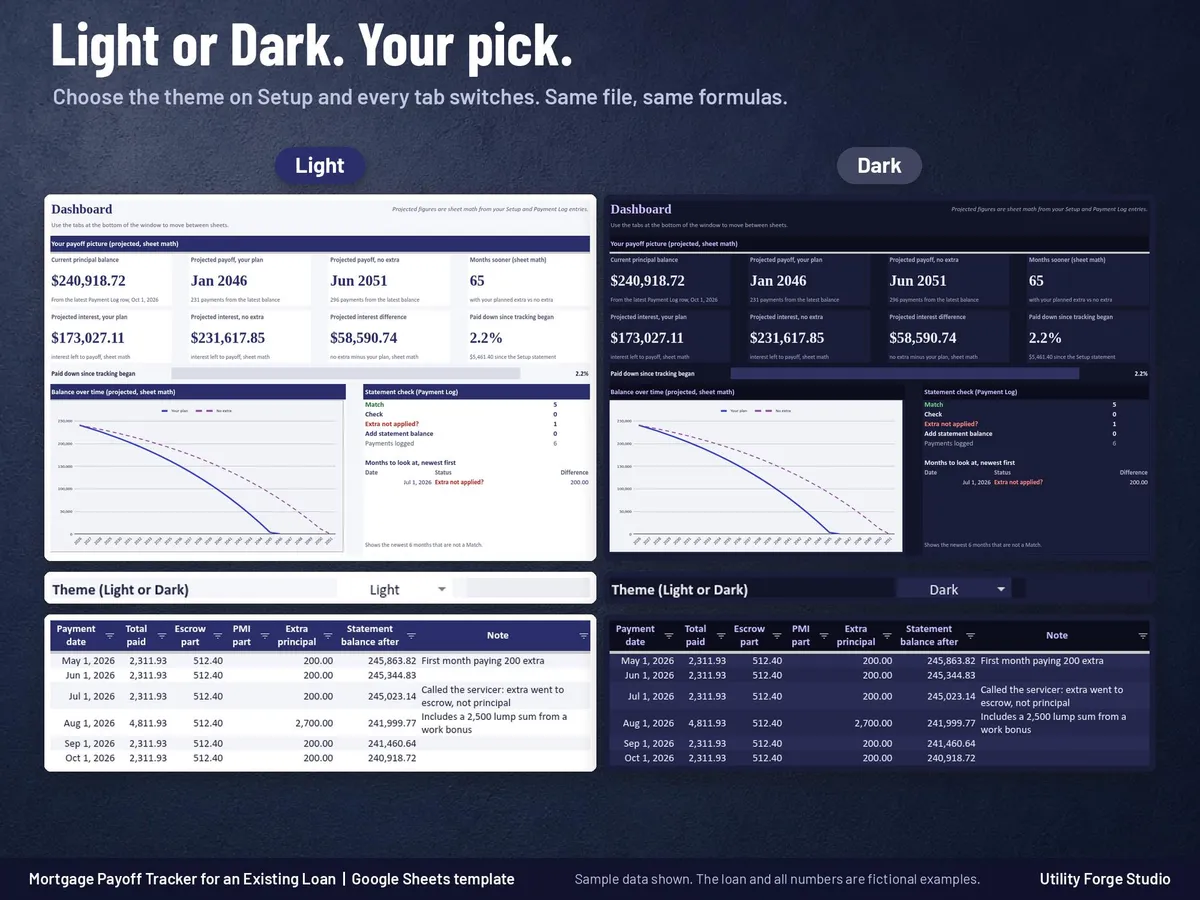
- Light and Dark mode in the same file: choose a theme on Setup and every tab switches. The chart and header art are designed to suit both.
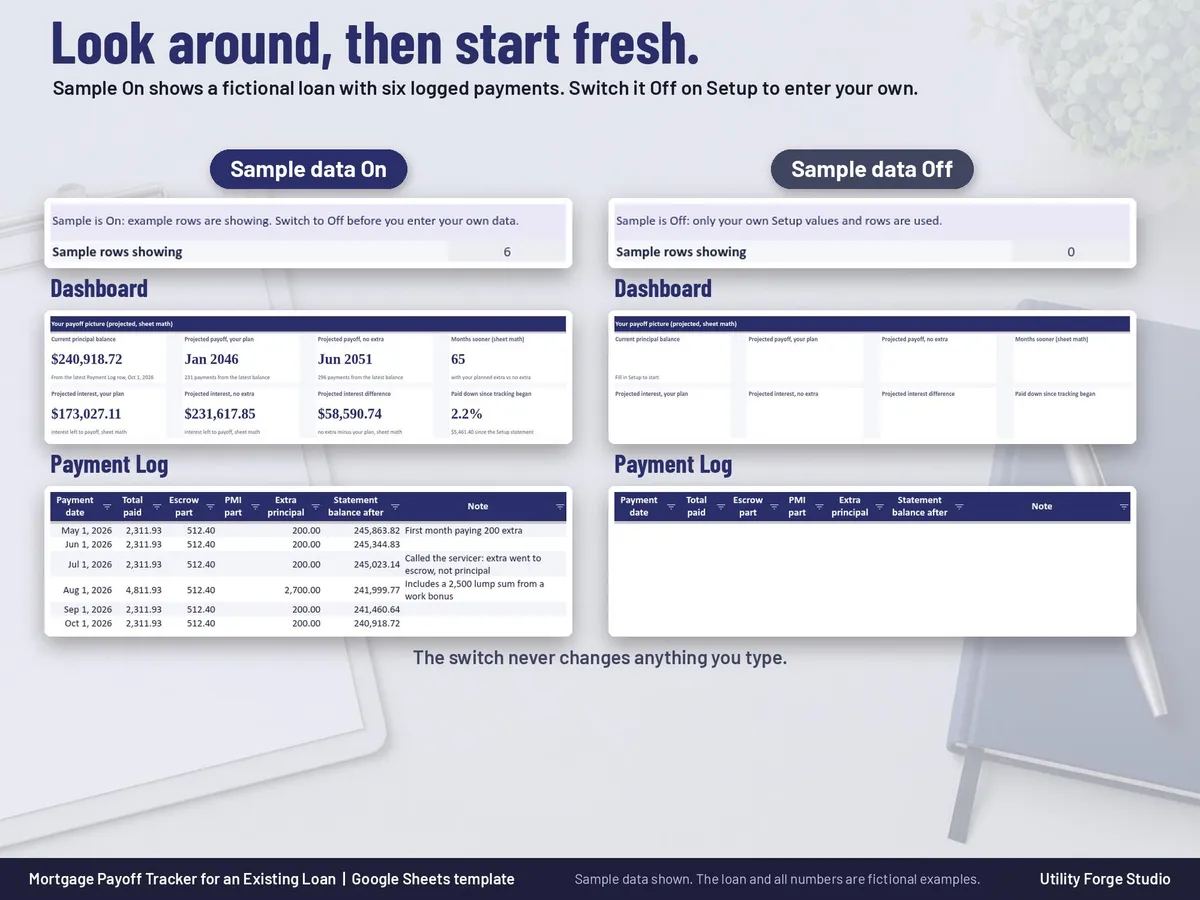
- Sample data switch: see a fictional loan with six logged payments first, then switch it Off and enter your own. The switch never changes anything you type.
THE SIX TABS
Start Here, Dashboard, Payment Log (room for 480 payments), Schedule, What If and Setup.
WHAT YOU GET
- START-HERE-Mortgage-Payoff-Tracker.pdf: your Google Sheets Make a copy link and the quick start steps, including how to read your statement.
IMPORTANT
Developed for Google Sheets. An Excel file is included for the latest Microsoft 365 (Office 365 Desktop App). Older Excel versions may not support all features.
GOOD TO KNOW
- This is an educational planning tool, not financial advice. Your lender's statement is the official record.
- Projected payoff dates and projected interest are sheet math from your entries, not your lender's figures.
- Made for US fixed-rate monthly loans. Other compounding methods (for example Canadian semi-annual compounding) are not covered, and adjustable-rate changes are not forecast.
- Formula cells are protected without a password. To sort, unprotect the sheet (Review > Unprotect Sheet, no password), sort the whole table, then protect it again.
Digital download only. No physical item will be shipped.
Utility Forge Studio is not affiliated with, sponsored by, or endorsed by Google or Microsoft.
Personal use only. Please do not resell, share or redistribute the files.
Designed by me, created using AI tools.
The Etsy listing is the final source for what is included. See it on Etsy.
More in Home and life planners

Maid of Honor Planner Spreadsheet
For the maid of honor (or the bridesmaid doing the planning): plan the bridal shower, the…

2027 Planner
A 2027 planner spreadsheet for Google Sheets where you type each event once and it appears on…

Book Club Planner Spreadsheet
Run your book club from one shared spreadsheet.

Homestead Ledger Spreadsheet
What it is not: not tax or accounting advice, not a vet or health guide, no tax calculator, and…