
Bill Tracker Spreadsheet
Bill Tracker Spreadsheet, Google Sheets Excel, Monthly Payment Calendar, Subscription Log
$5.99
Buy on EtsyOpens the listing on Etsy in a new tab. Checkout happens on Etsy.
Made for Google Sheets. An Excel file is included, and it works best with current Excel (Excel 2021 or newer).
- Instant digital download
- Buy through Etsy checkout
- No subscription
- Made by Utility Forge Studio
- Questions? Email utilityforgestudio@gmail.com
See it in use
About this download
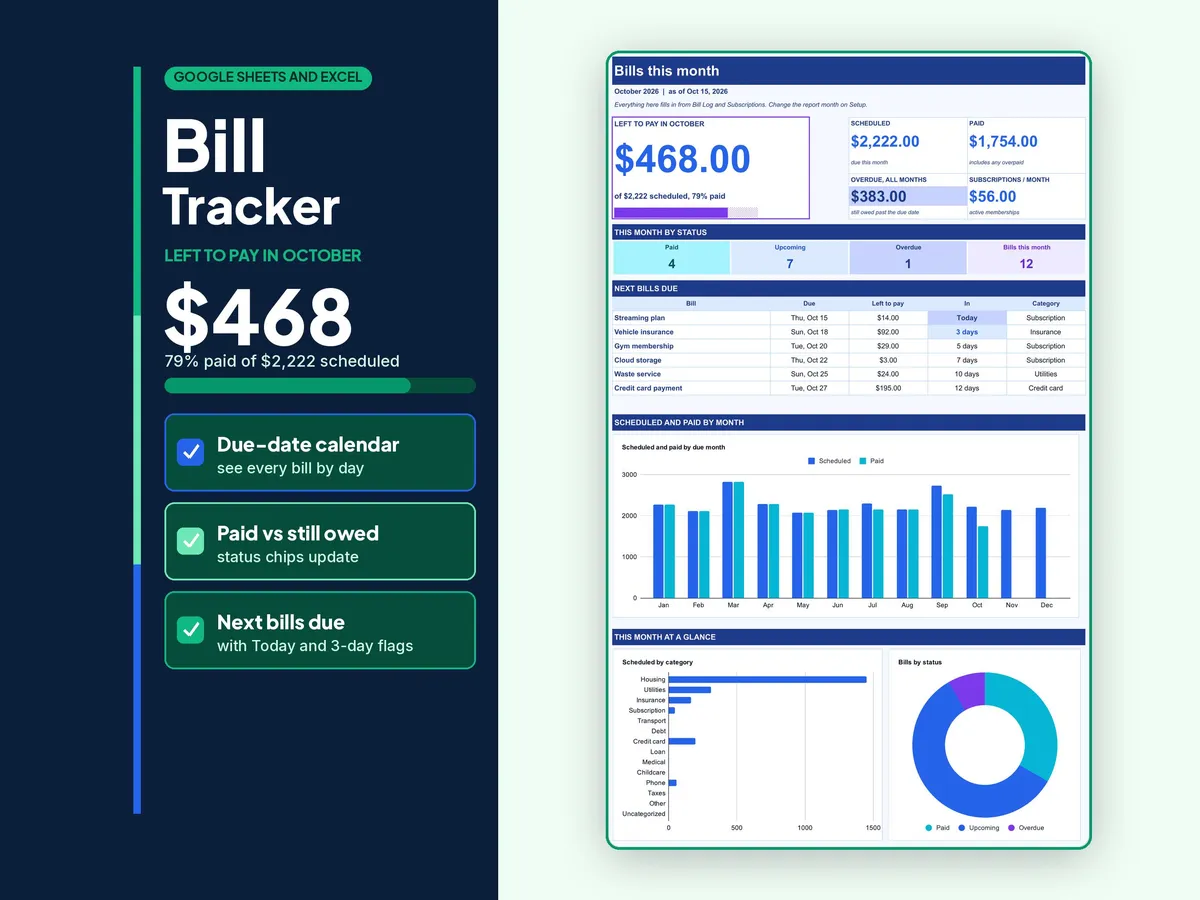
See every bill, due date and payment in one place, and know at a glance what is paid, what is partial and what is still to pay. Developed for Google Sheets. An Excel file is included for the latest Microsoft 365 (Office 365 Desktop App). Older Excel versions may not support all features.
𝗪𝗛𝗔𝗧 𝗬𝗢𝗨 𝗚𝗘𝗧
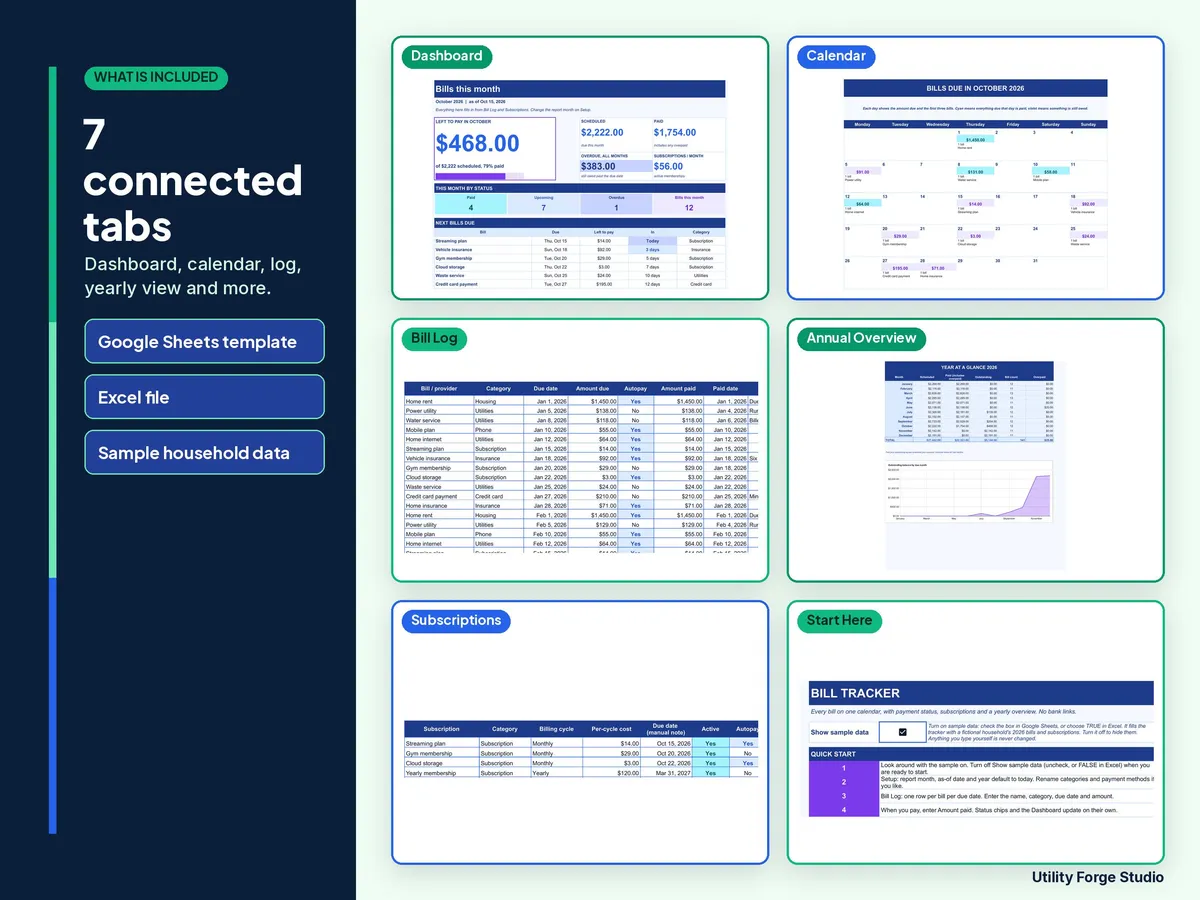
- Bill Tracker workbook with seven tabs: Start Here, Dashboard, Bill Log, Calendar, Annual Overview, Subscriptions and Setup.
- A three-page Start Here guide (PDF) with your Google Sheets copy button and first-use steps.
- Two downloads: a ZIP with the Excel workbook, the guide and a README, plus a separate copy of the same guide.
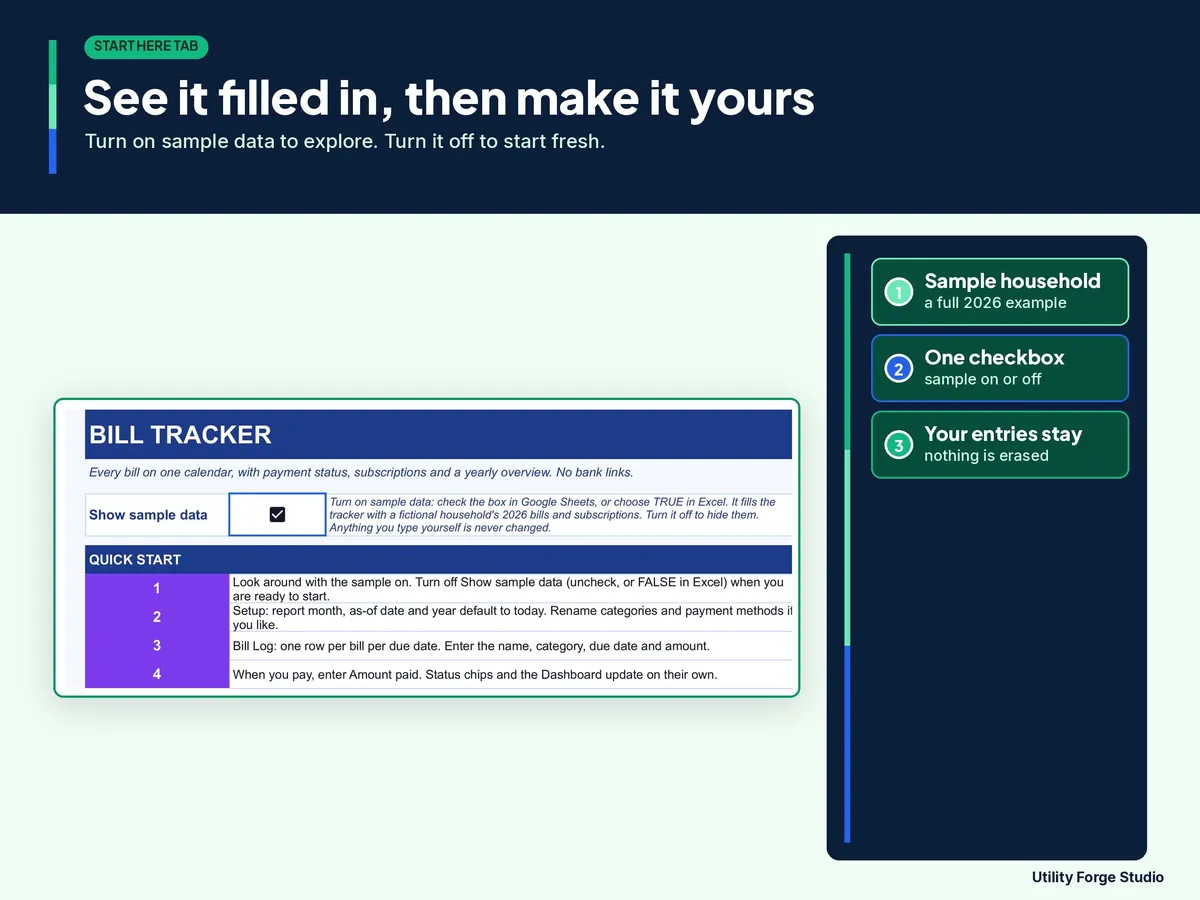
- The downloaded workbook opens with 141 fictional bills and four fictional subscriptions. Choose FALSE beside Show sample data to hide them and start in the first entry row. With examples visible, type a bill or subscription name in column A to replace that row. Your entries stay in place when you switch the toggle. No scripts or macros are used. Upload the Excel workbook to Google Sheets to use the same toggle.
𝗪𝗛𝗔𝗧 𝗜𝗧 𝗗𝗢𝗘𝗦 𝗙𝗢𝗥 𝗬𝗢𝗨
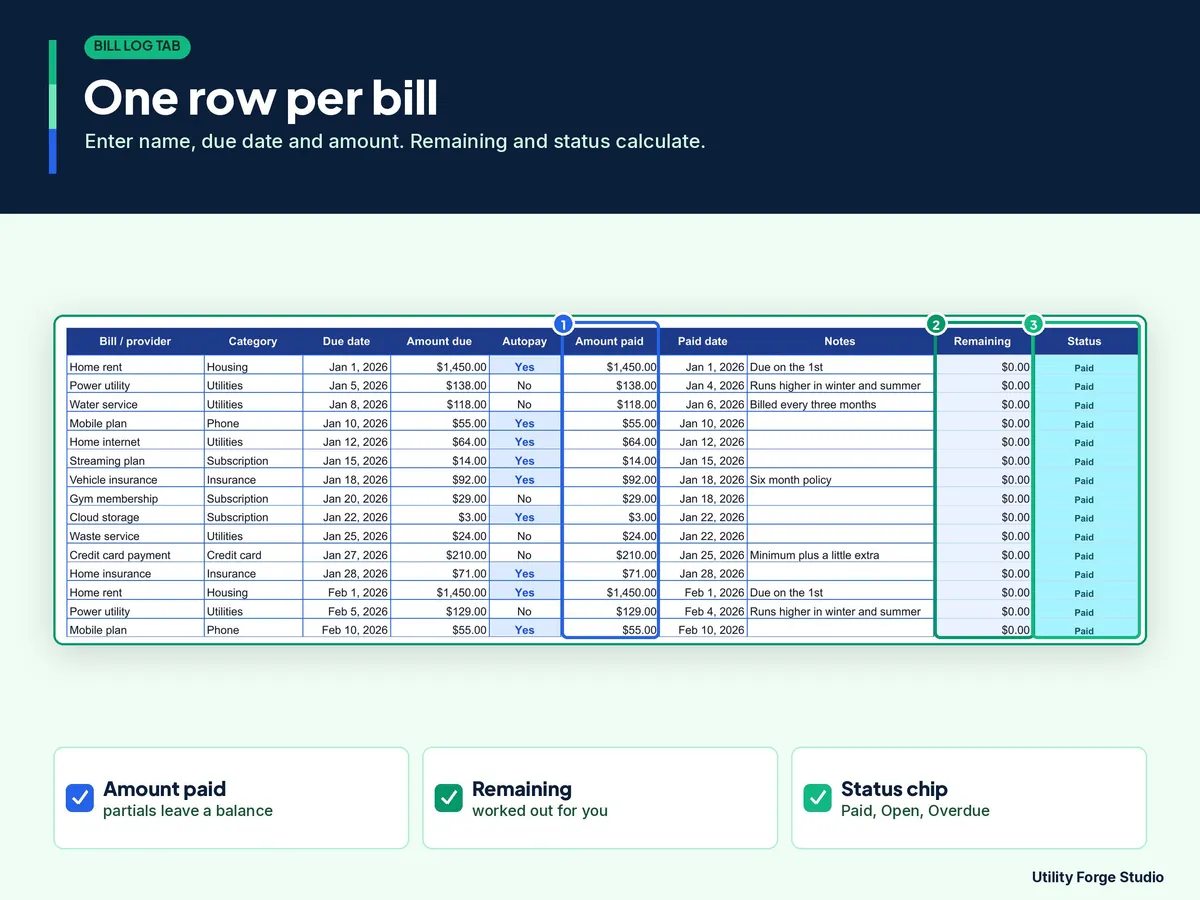
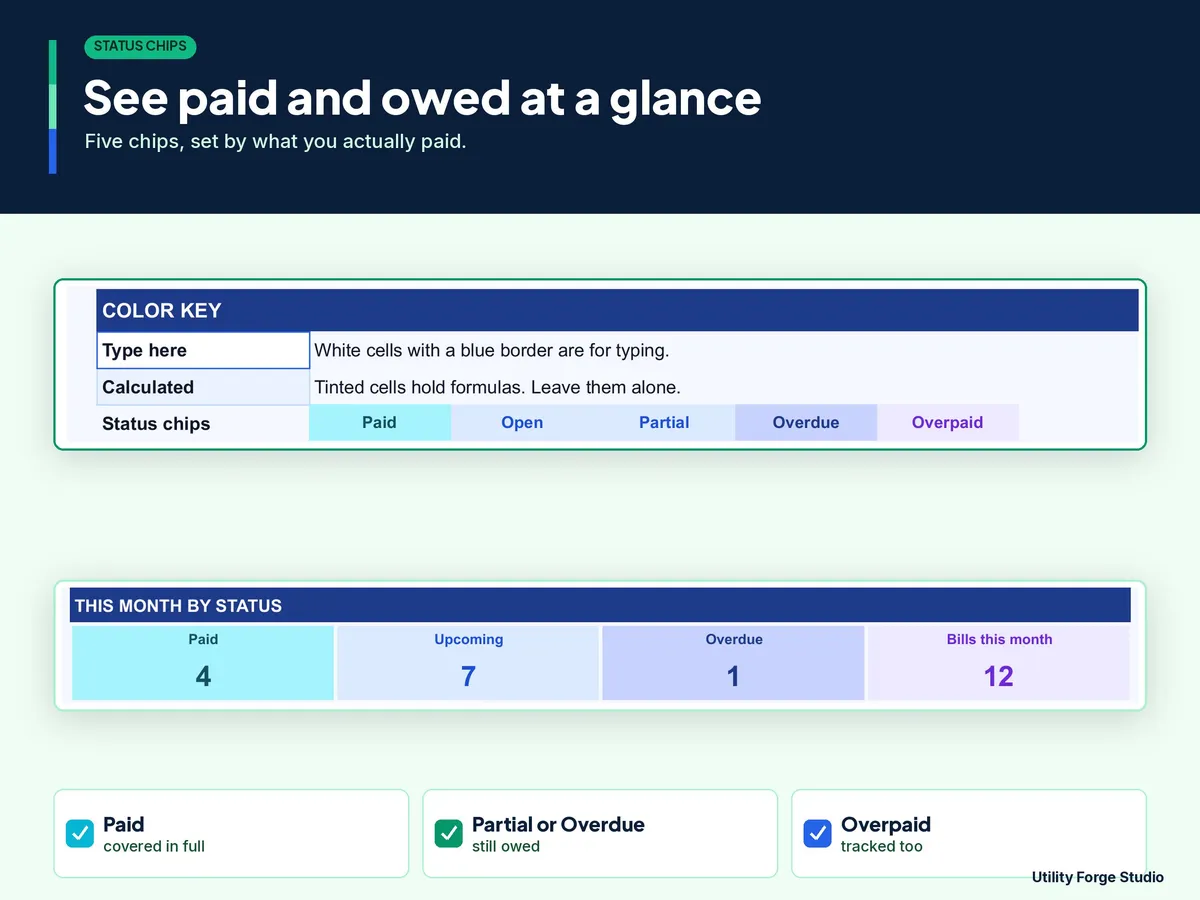
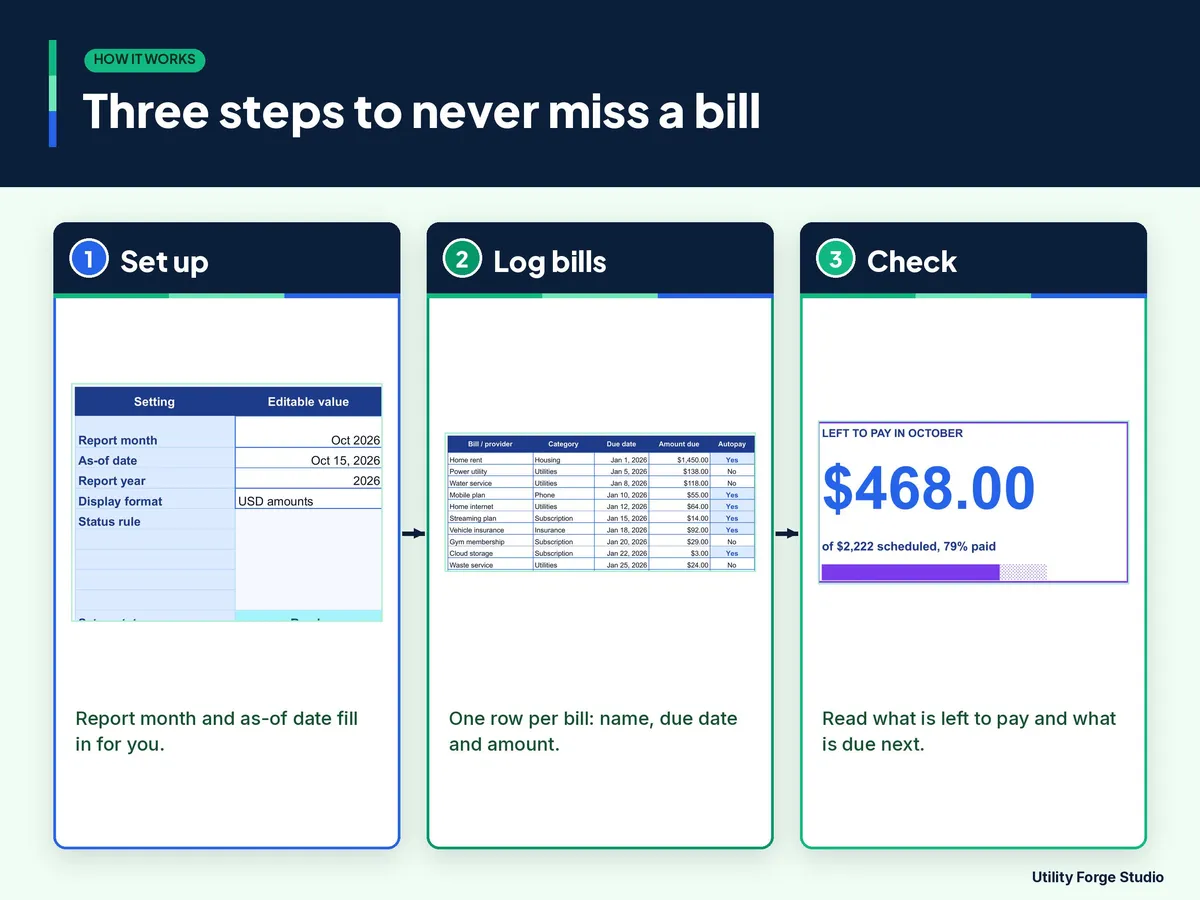
- Bill Log: room for 1,200 bills. Type the due date, amount and what you paid. Remaining, Status (Paid, Overpaid, Partial, Partial overdue, Overdue or Open) and Days to due fill in by themselves. Check inputs flags a row with a missing or invalid amount or date, and Check Setup flags an invalid date or year on Setup.
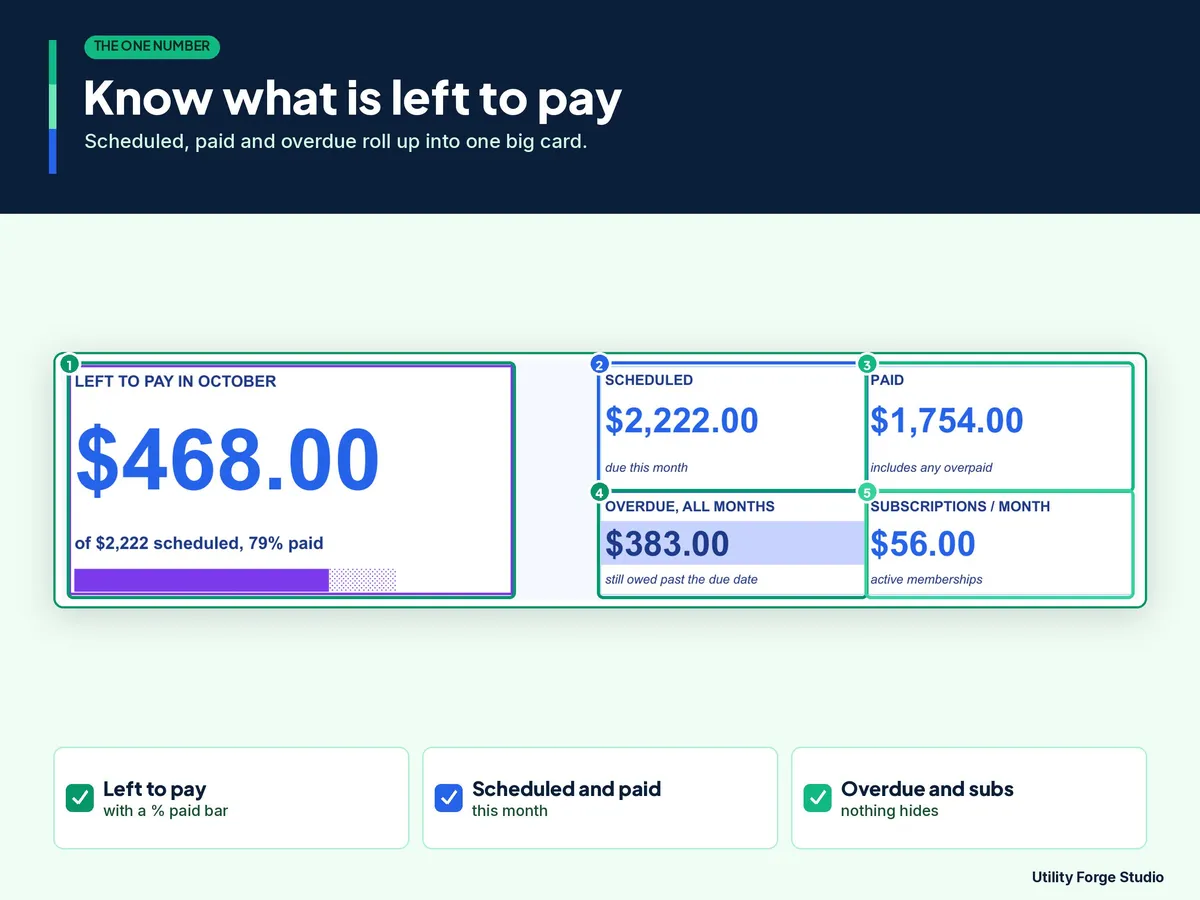
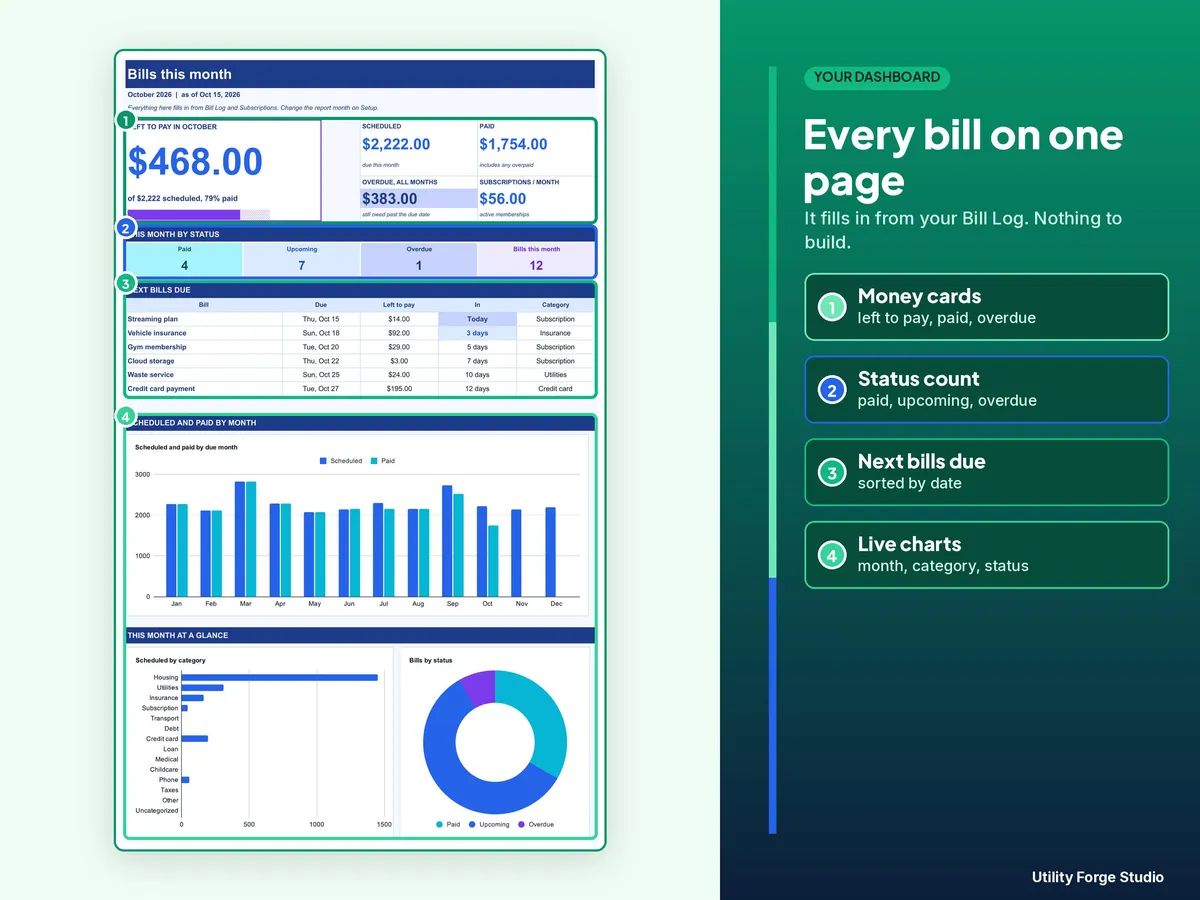
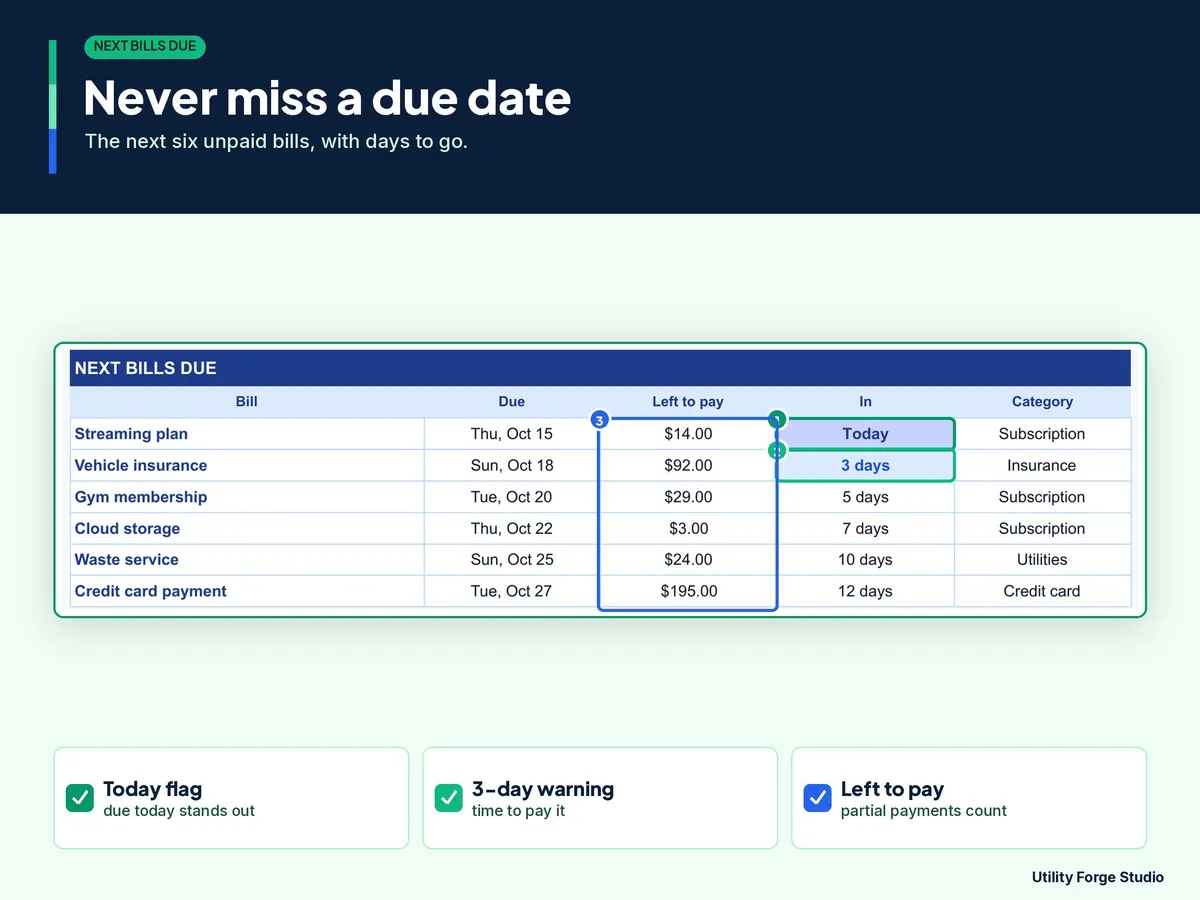
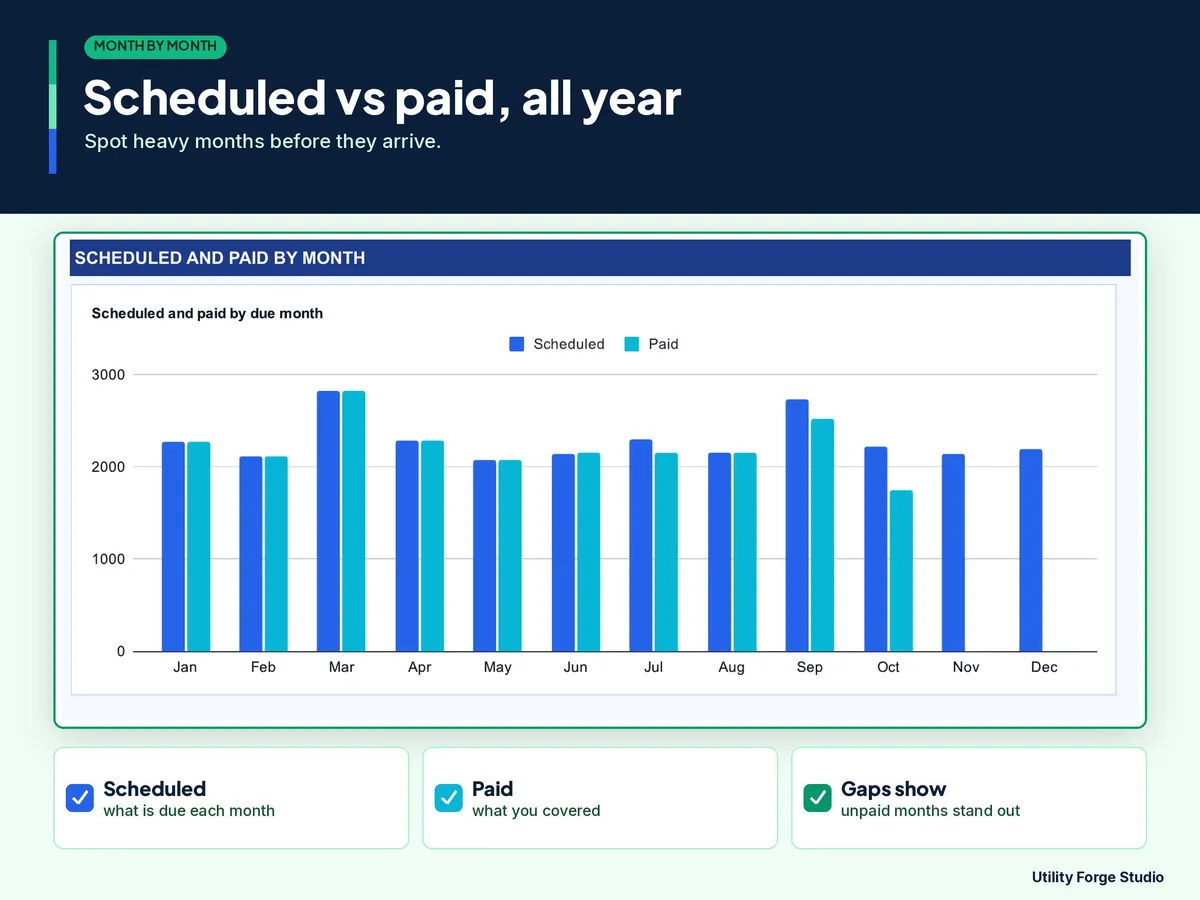
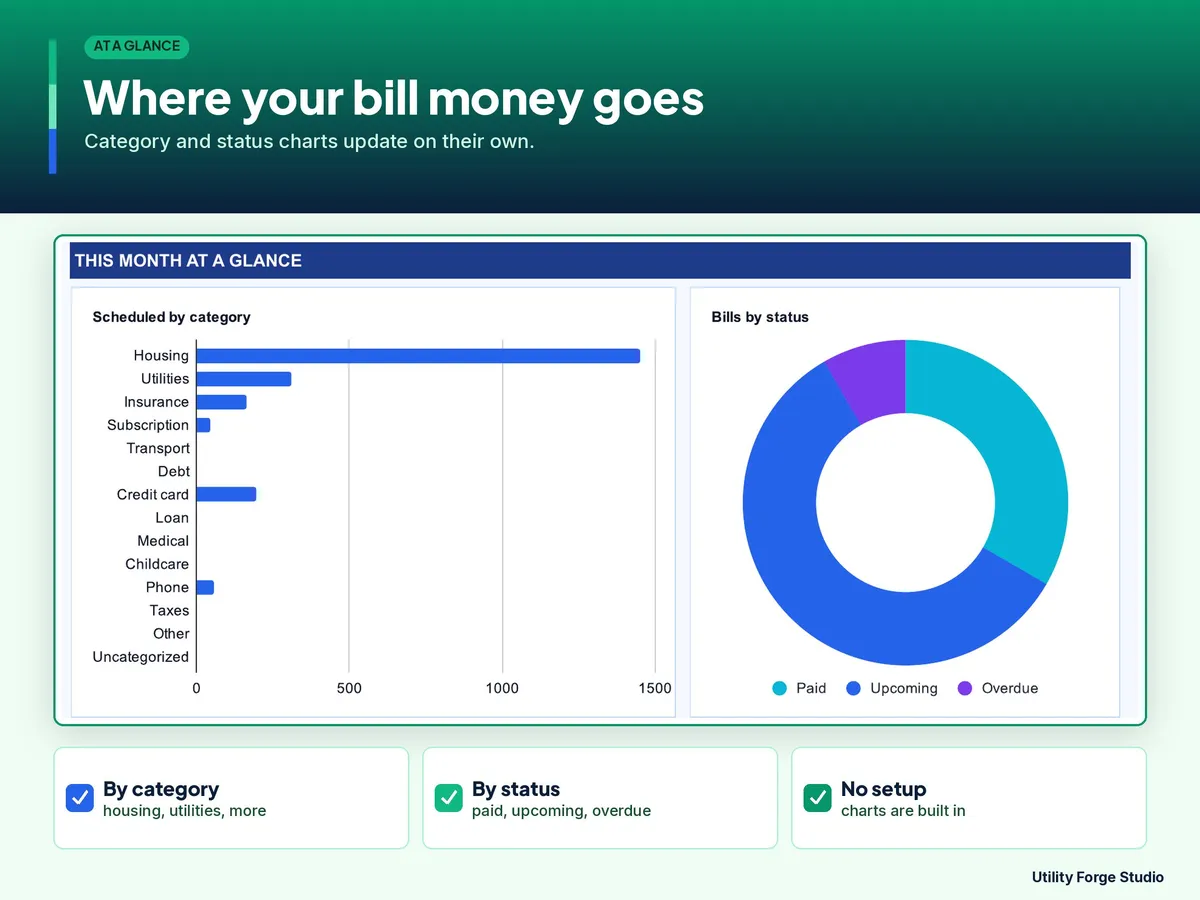
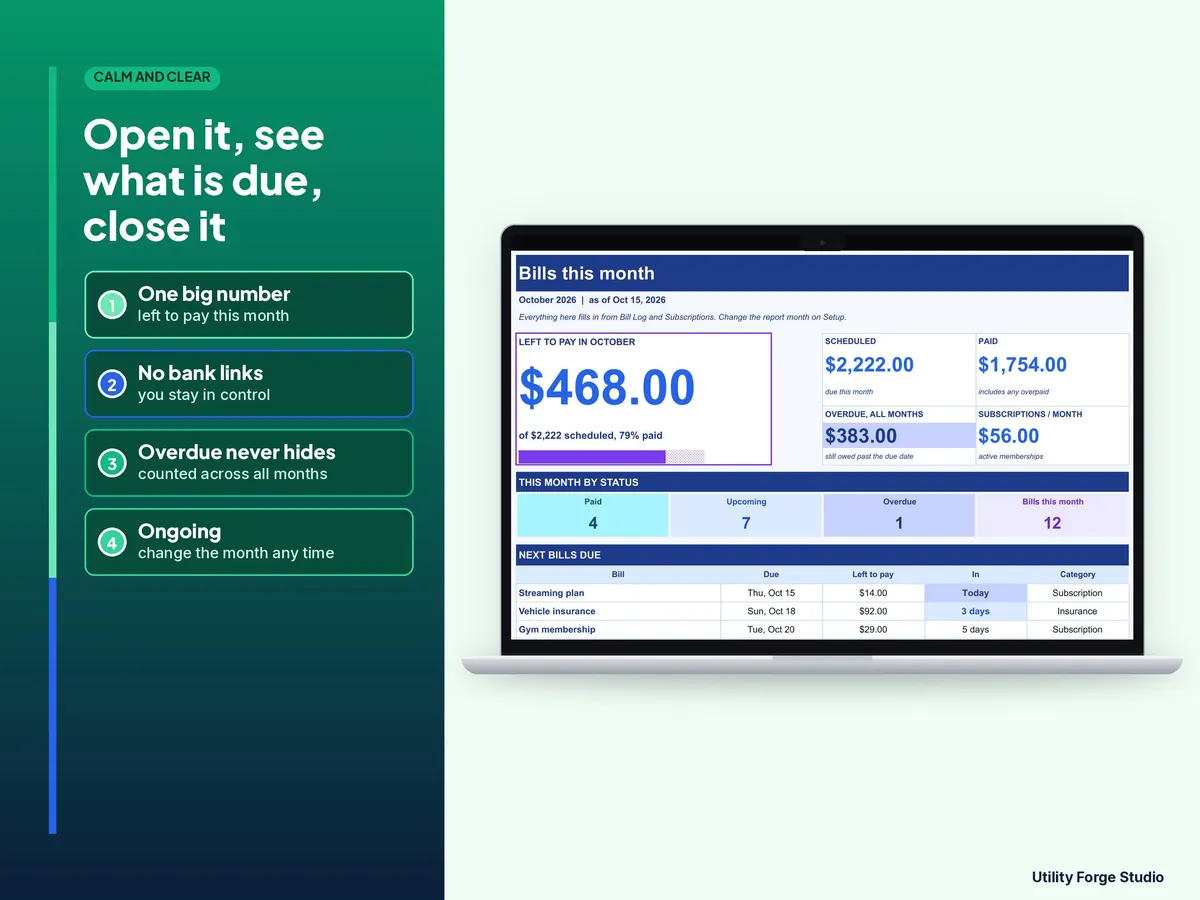
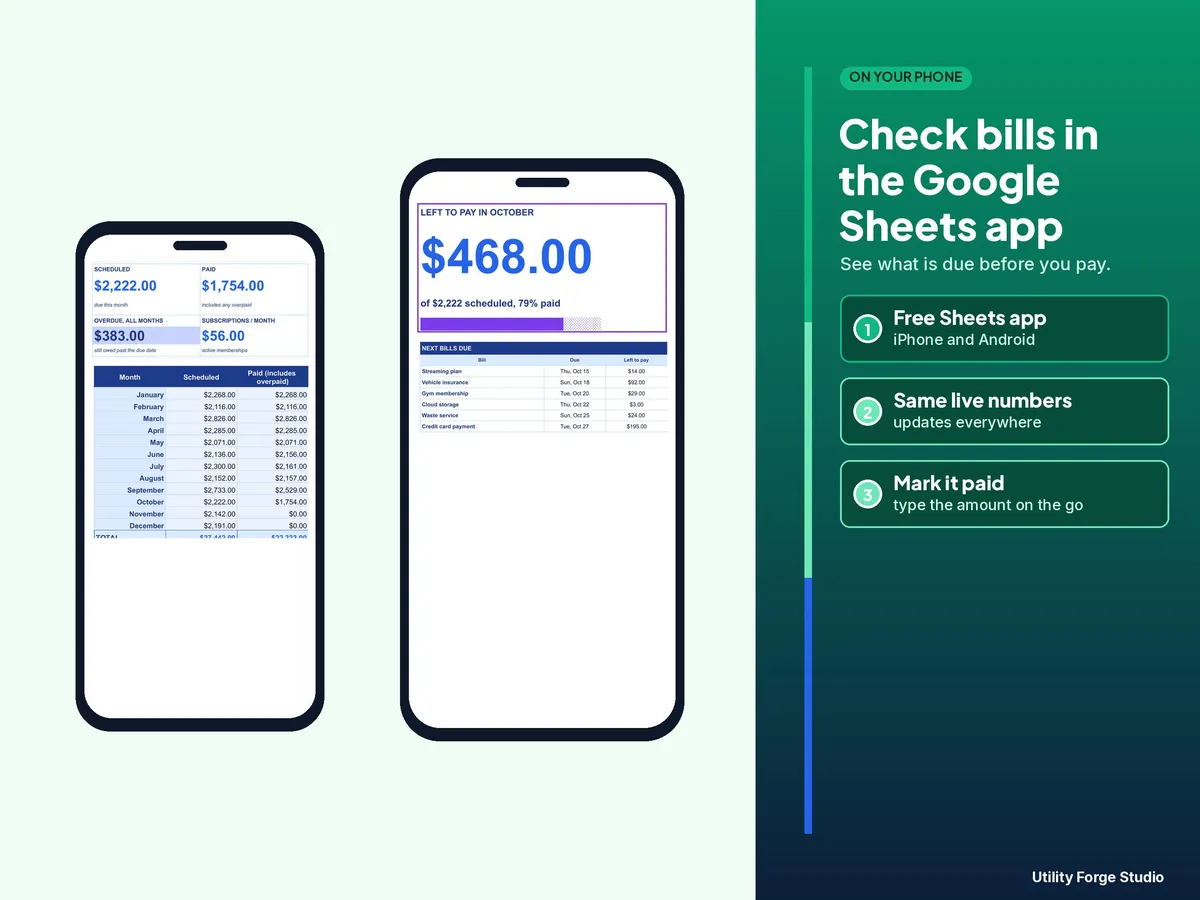
- Dashboard: the month you choose at a glance, with scheduled, paid and outstanding amounts, overdue bills, the next bills due and a twelve-month scheduled versus paid chart.
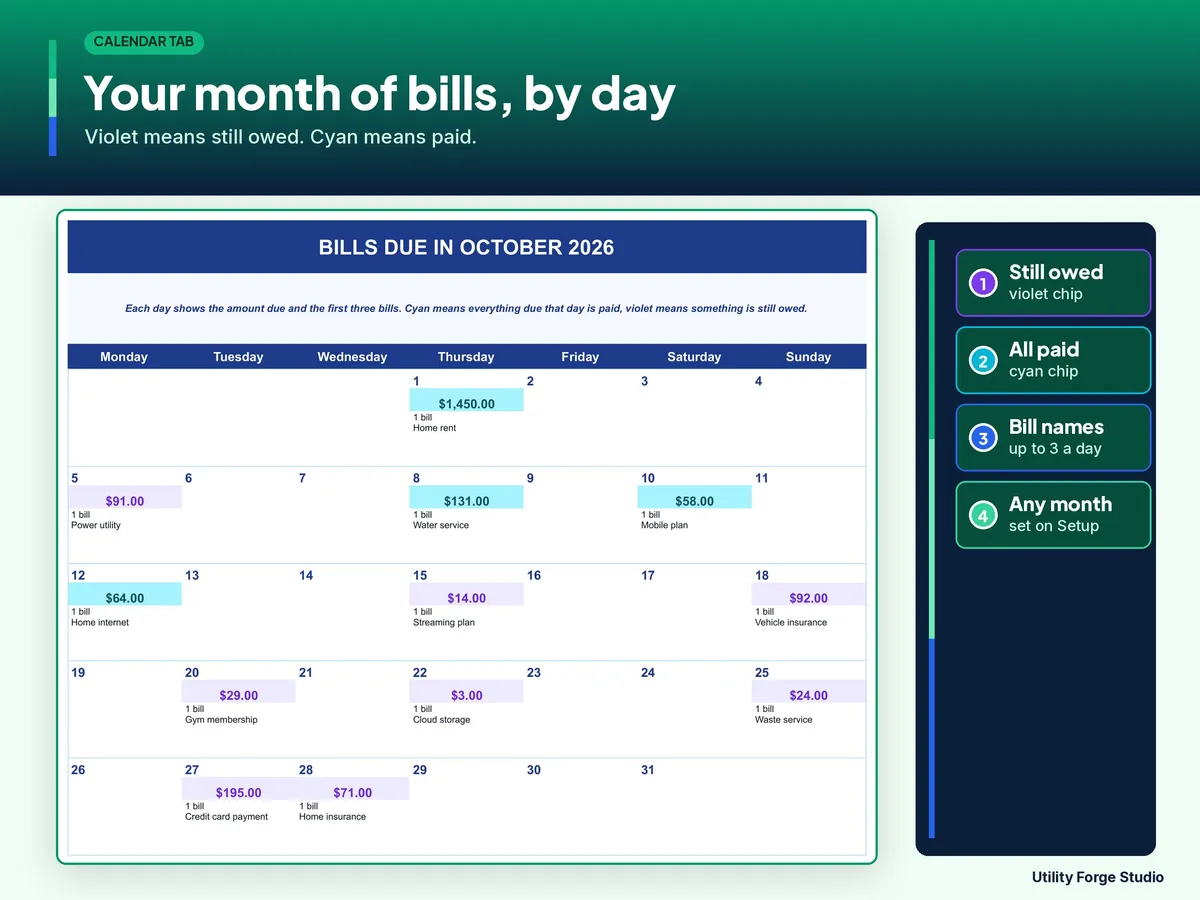
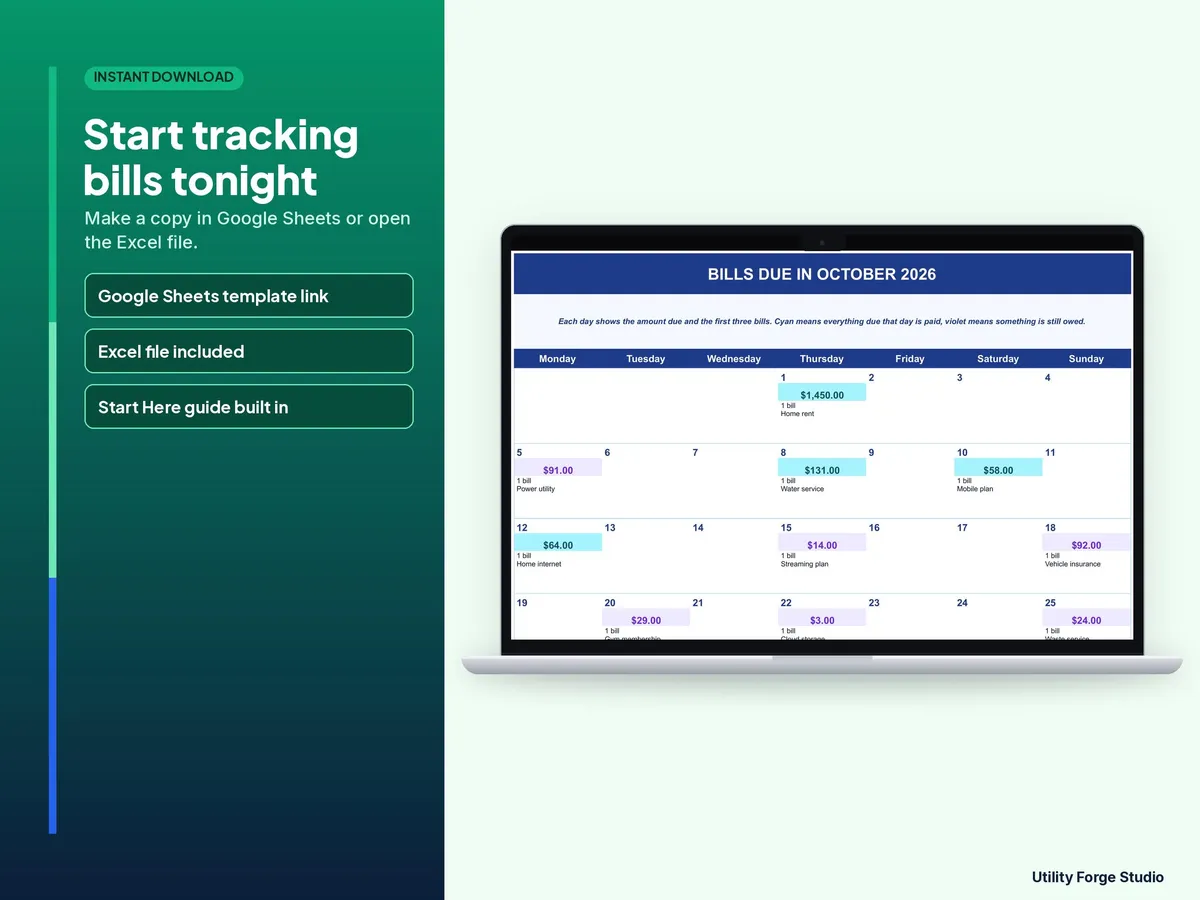
- Calendar: a month grid showing the amount due each day, the number of bills and the first three names.
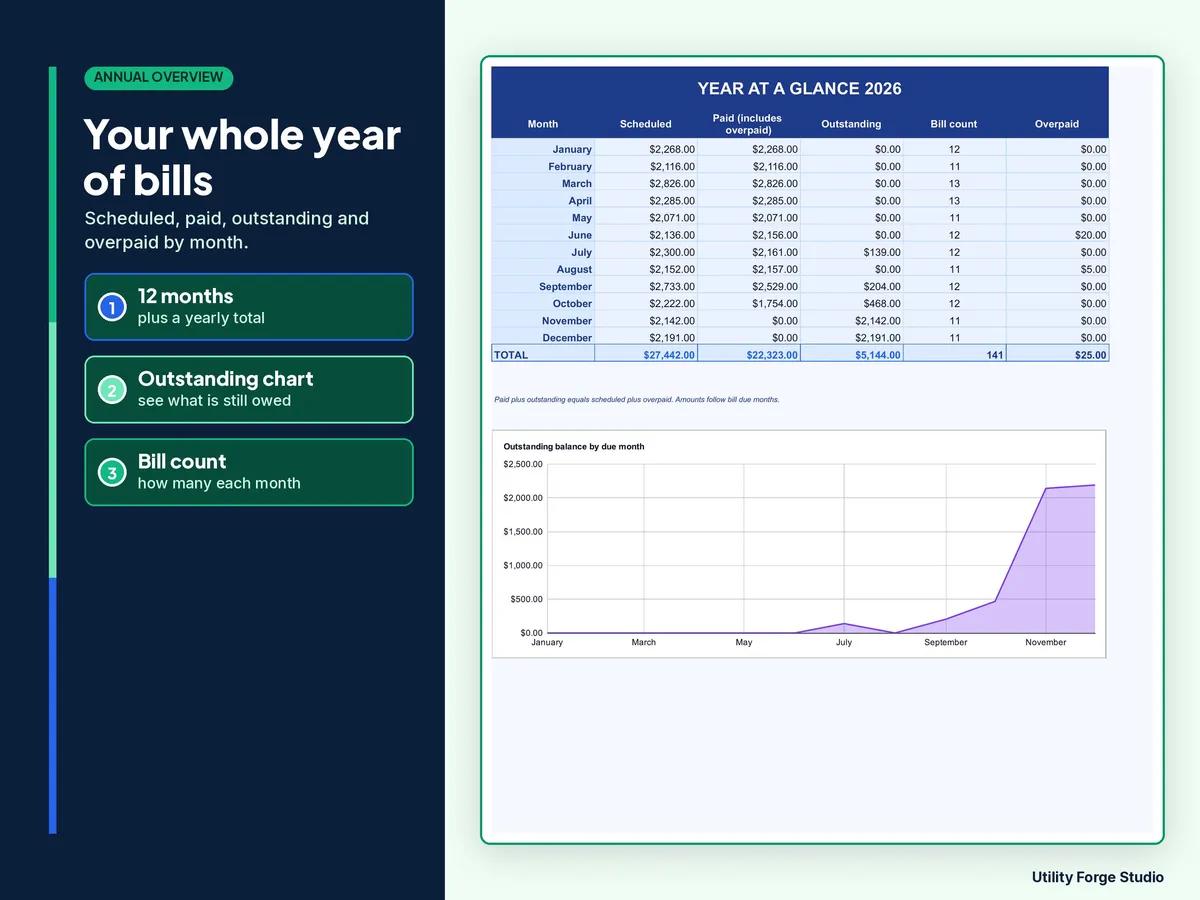
- Annual Overview: twelve months of scheduled, paid and outstanding totals with a yearly total.
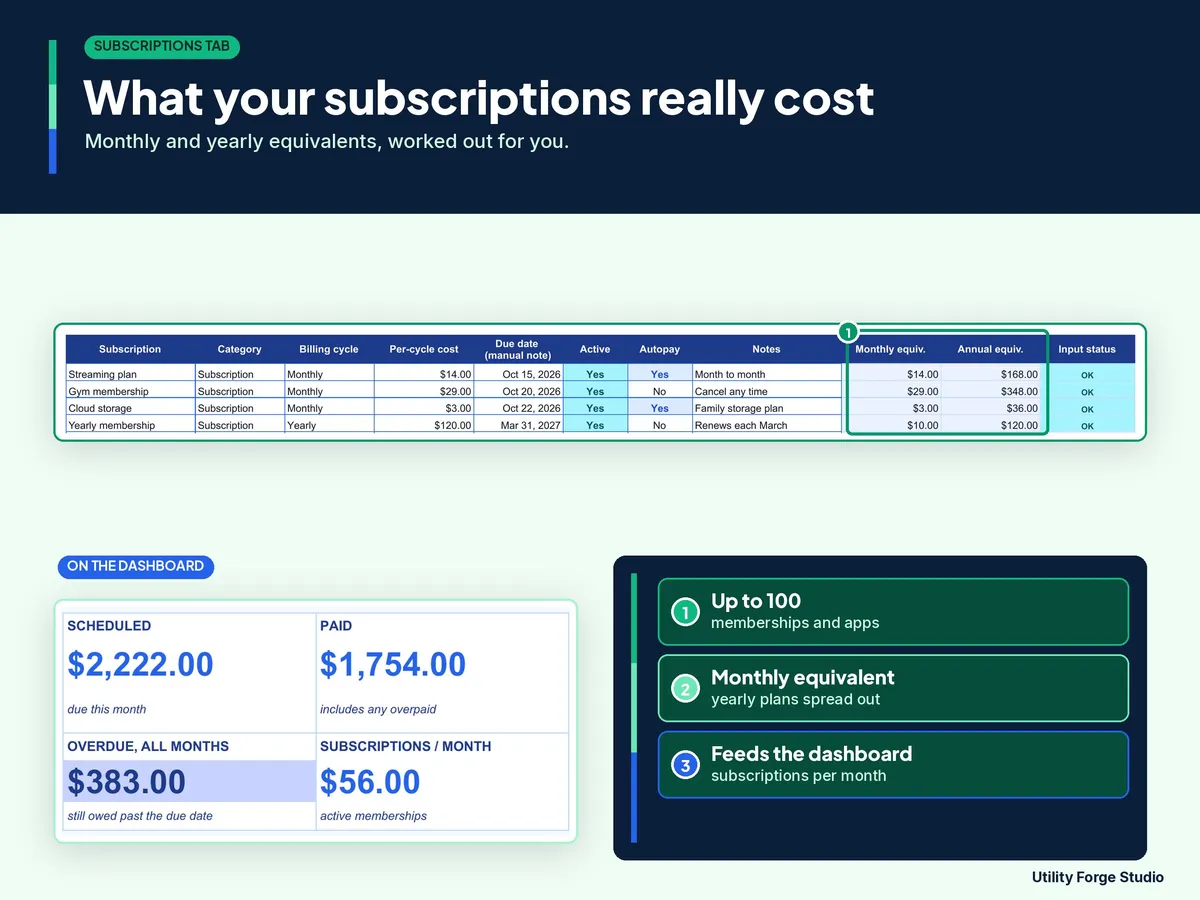
- Subscriptions: room for 100. Weekly, biweekly, monthly, quarterly, semi-annual and yearly charges are shown as a monthly and a yearly cost.
𝗛𝗢𝗪 𝗧𝗢 𝗦𝗧𝗔𝗥𝗧
- Open the Start Here PDF and choose Make your Google Sheets copy (or unzip the download and open Bill-Tracker.xlsx).
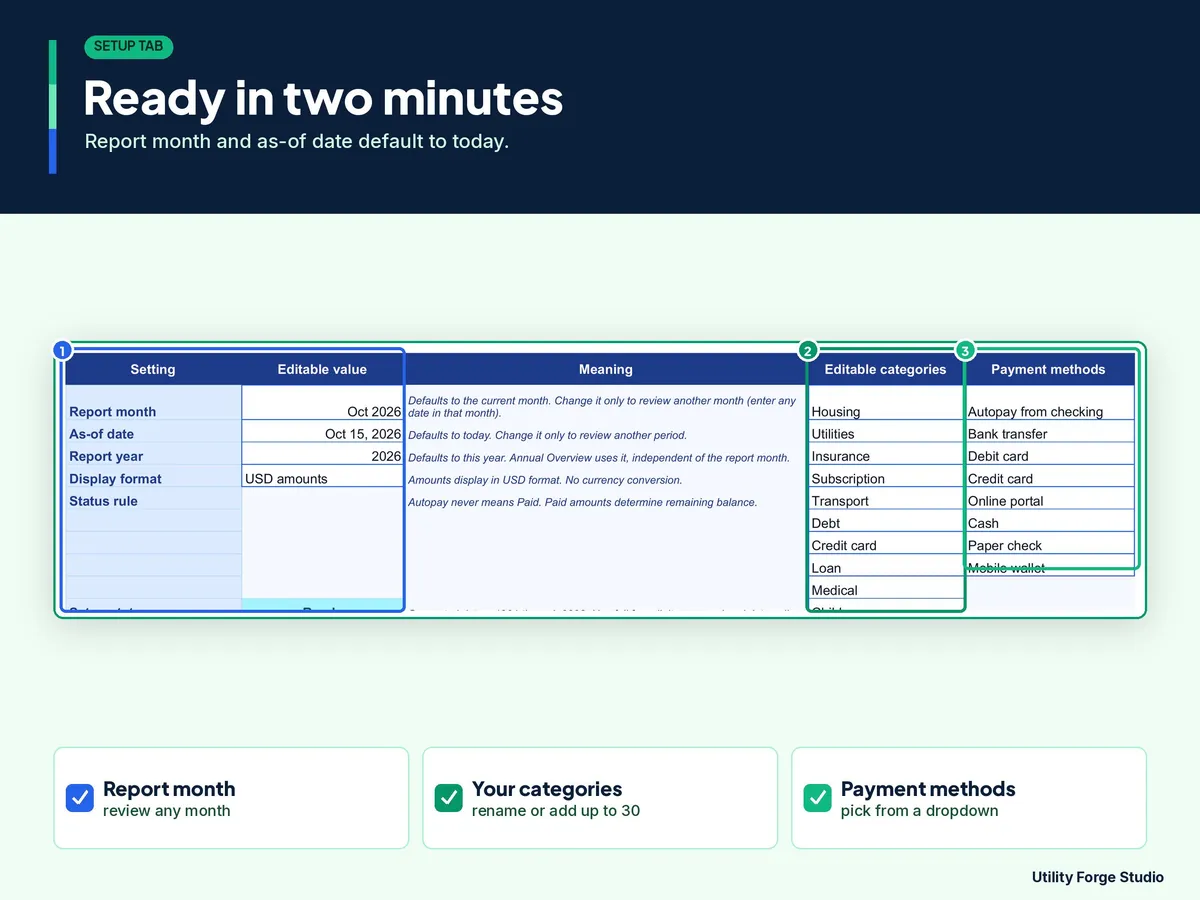
- The report month, as-of date and report year already default to today. Change them only to review another period.
- Set Show sample data to FALSE to hide the examples and enter bills from the first row. With examples visible, type a bill or subscription name in column A to replace that row.
- Your bills fill the Calendar, and the payments you record update the Dashboard and Annual Overview.
ℹ 𝗚𝗢𝗢𝗗 𝗧𝗢 𝗞𝗡𝗢𝗪
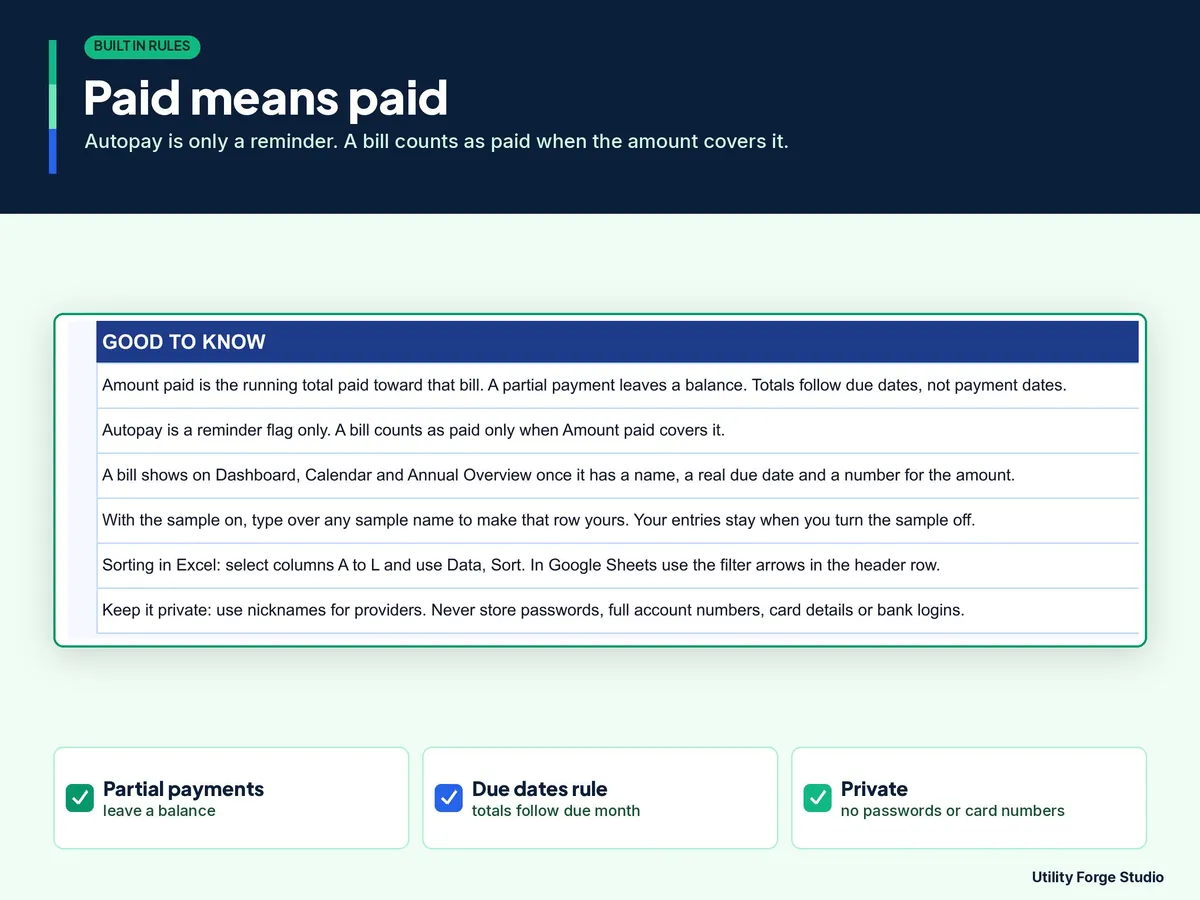
- Autopay is a manual note only. It never marks a bill paid. Totals follow the due date, not the date you paid.
- Recurring bills are entered as a row for each due date. There is no bank connection and no automatic repeat. No automatic reminders or notifications.
- All amounts are in one currency shown as dollars. The workbook counts the first 1,200 bill rows and 100 subscription rows.
- Google Sheets guidance: today's date follows your spreadsheet time zone (File, Settings). If overdue bills look wrong, set the time zone.
- Google Sheets needs a Google account and internet access. Not affiliated with, sponsored by, or endorsed by Google or Microsoft.
Digital download only. No physical item will be shipped.
For general bill tracking only; not financial advice. Amounts and due dates are user-entered records, not financial, credit, or debt advice.
Designed by me, created using AI tools.
Personal use only. Do not resell or redistribute. Do not enter passwords, full account numbers, card details, or credentials.
The Etsy listing is the final source for what is included. See it on Etsy.
More in Budget and money

PTA Treasurer Spreadsheet
For volunteer treasurers of a PTA, PTO, booster club or parent group: enter each deposit and…

Home Renovation Planner Spreadsheet
This is a digital spreadsheet for your own project.

Savings Challenge Tracker 2027
Make saving a game in 2027.

2027 Budget Planner Spreadsheet
This 2027 budget planner spreadsheet helps you plan every month of the year: log what you…