
Clinical Hours Tracker Spreadsheet
Clinical Hours Tracker Spreadsheet, Supervision Log, Counseling Practicum, Google Sheets
$9.99
Buy on EtsyOpens the listing on Etsy in a new tab. Checkout happens on Etsy.
Made for Google Sheets. An Excel file is included, and it works best with current Excel (Excel 2021 or newer).
- Instant digital download
- Buy through Etsy checkout
- No subscription
- Made by Utility Forge Studio
- Questions? Email utilityforgestudio@gmail.com
See it in use
About this download
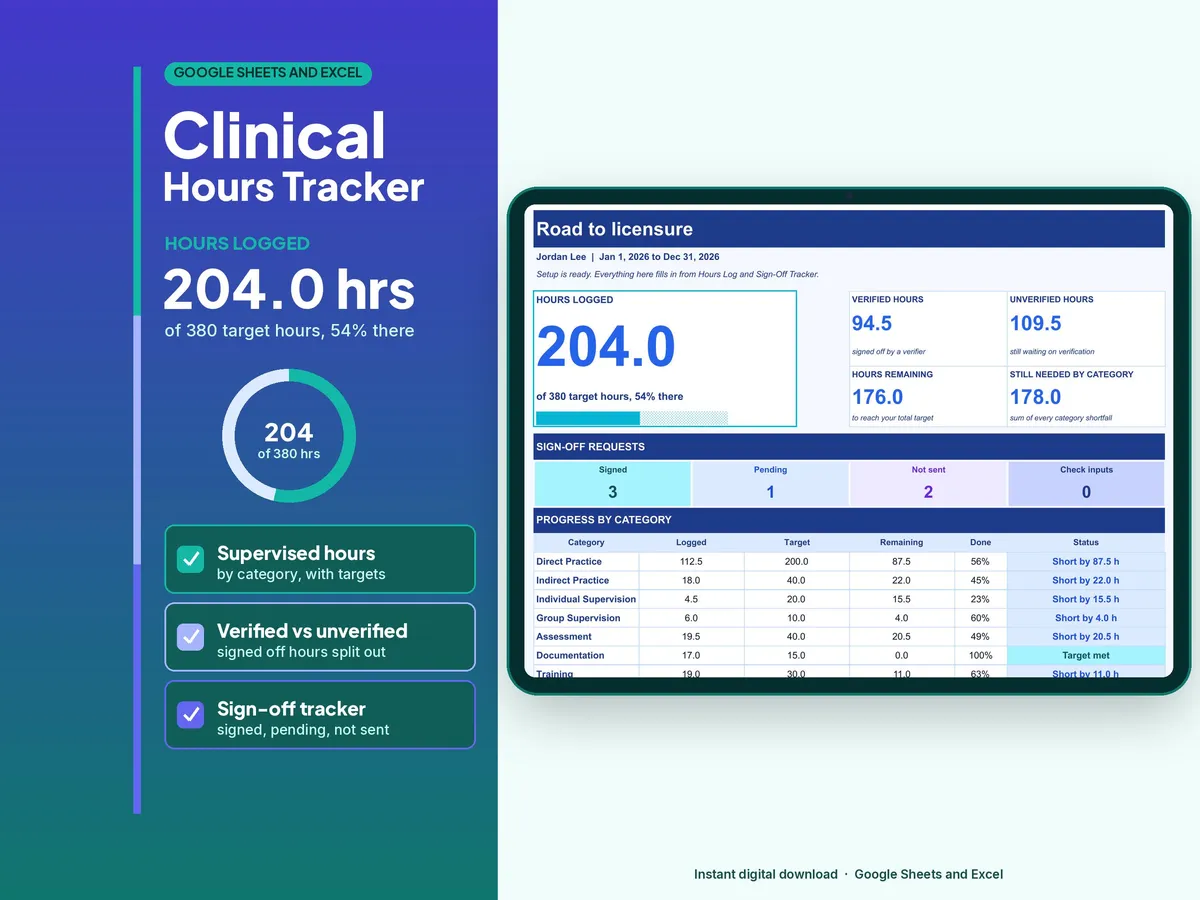
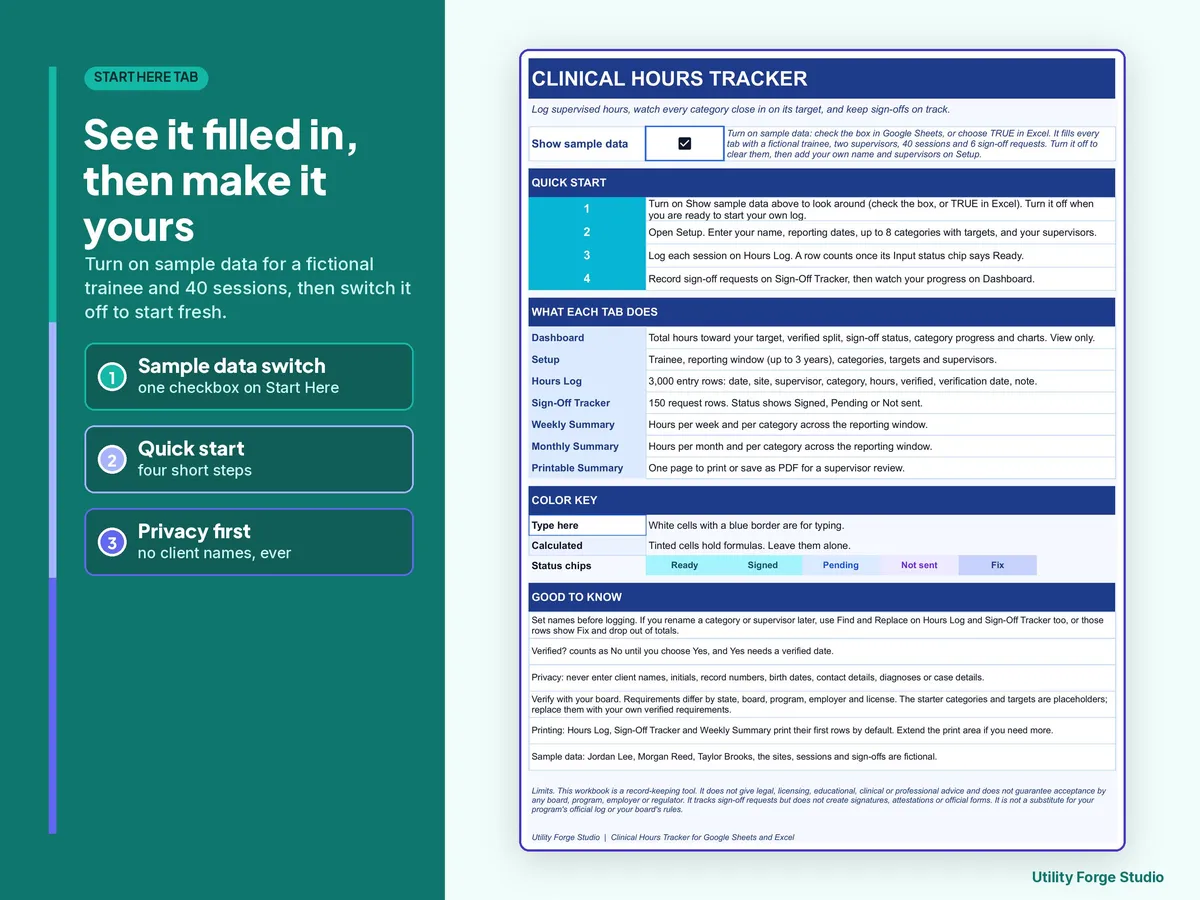
Track supervised practice hours, verification, sign-off requests, and progress toward user-configured targets in one connected spreadsheet.
𝗪𝗛𝗔𝗧 𝗜𝗦 𝗜𝗡𝗖𝗟𝗨𝗗𝗘𝗗
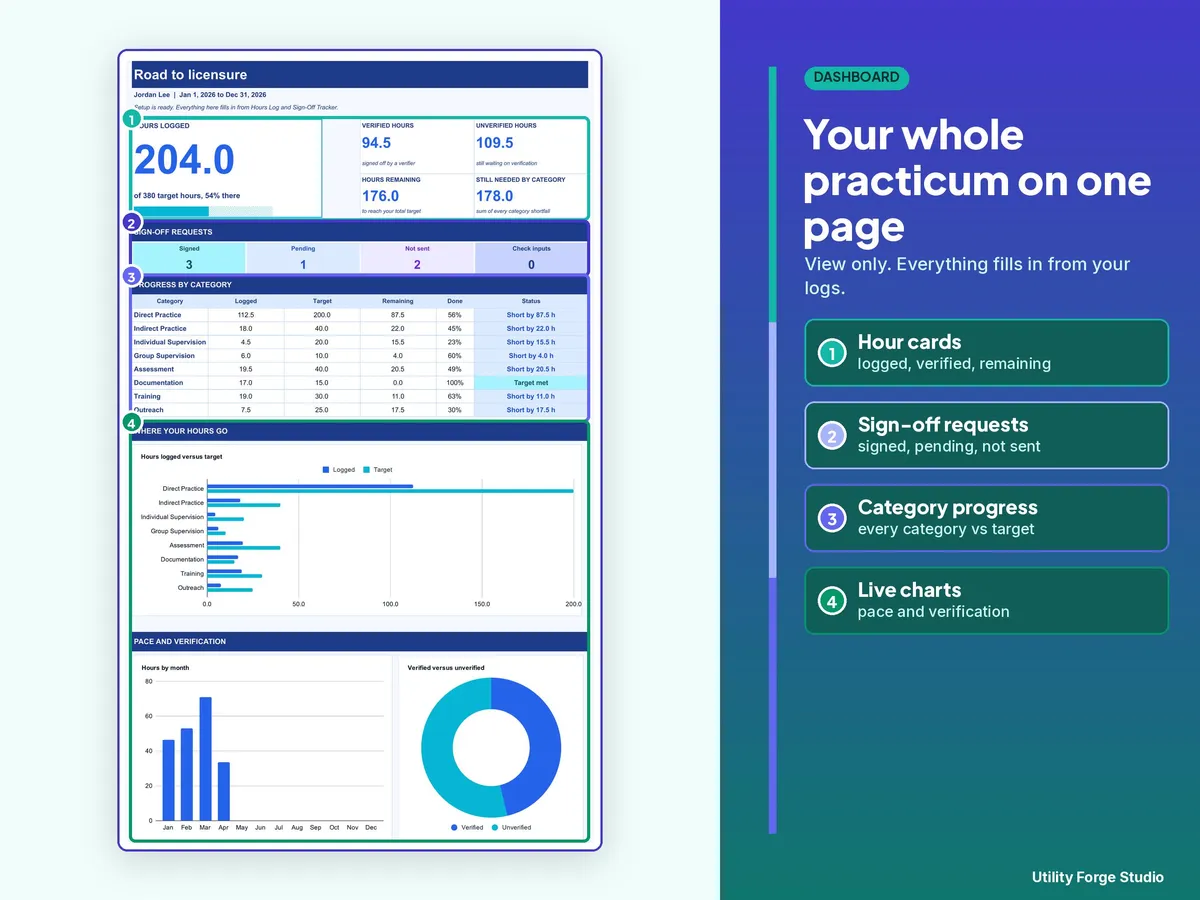
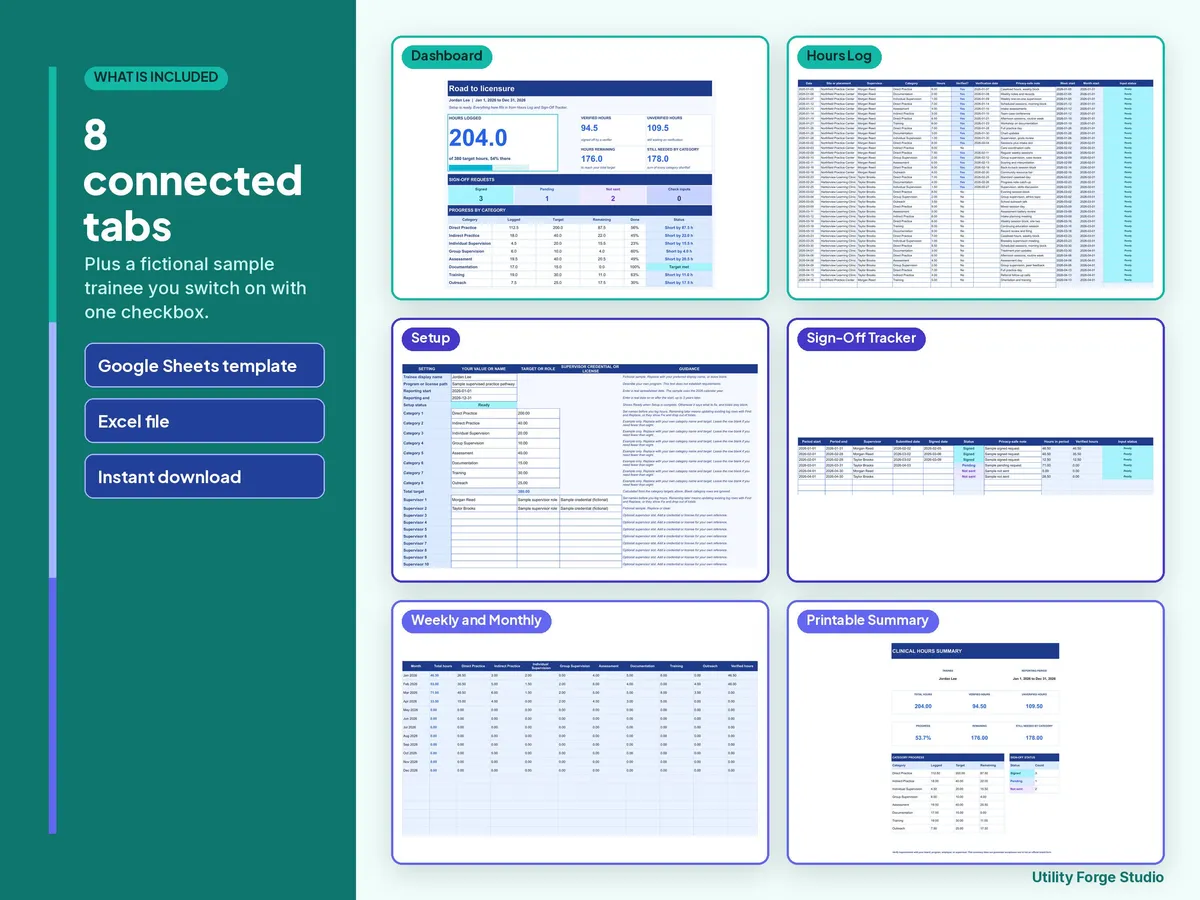
Eight tabs: Start Here, Dashboard, Setup, Hours Log, Sign-Off Tracker, Weekly Summary, Monthly Summary, and Printable Summary.
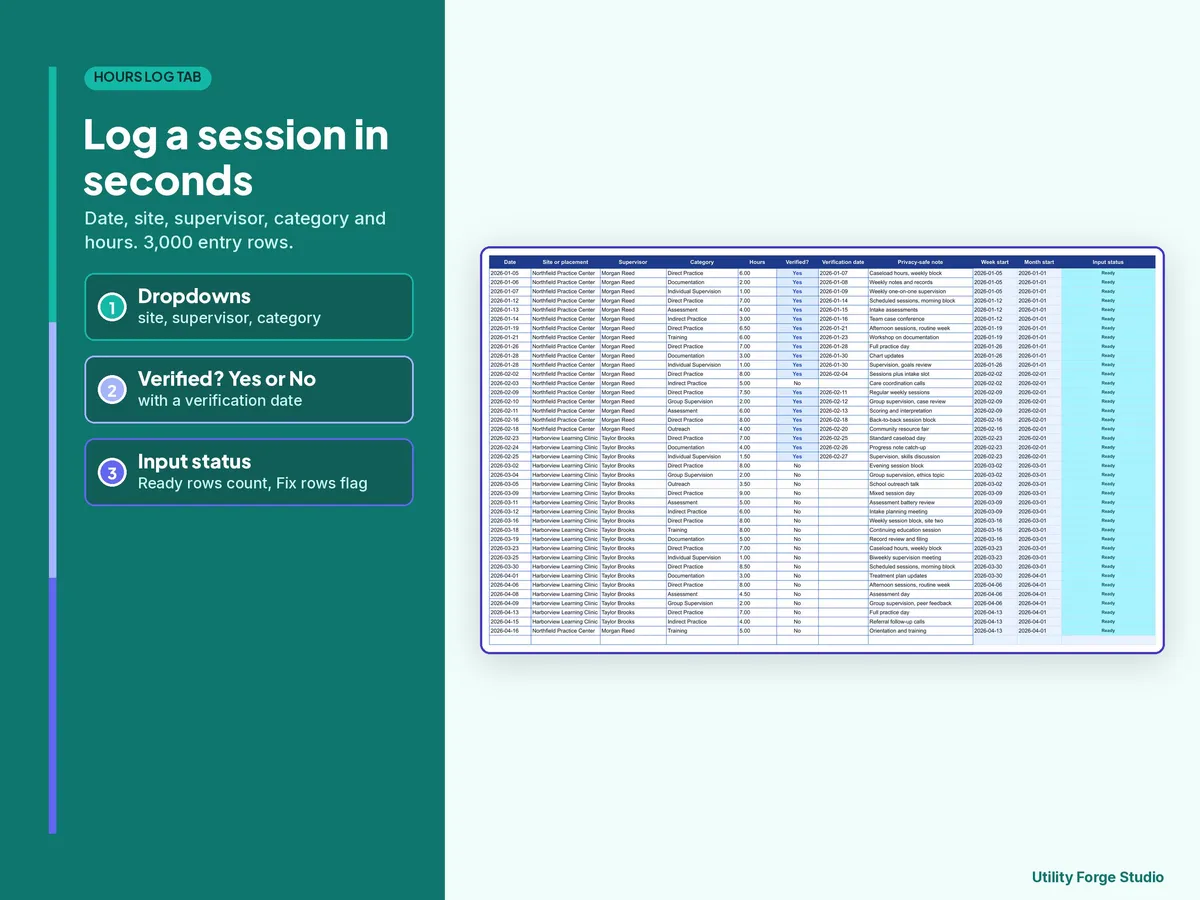
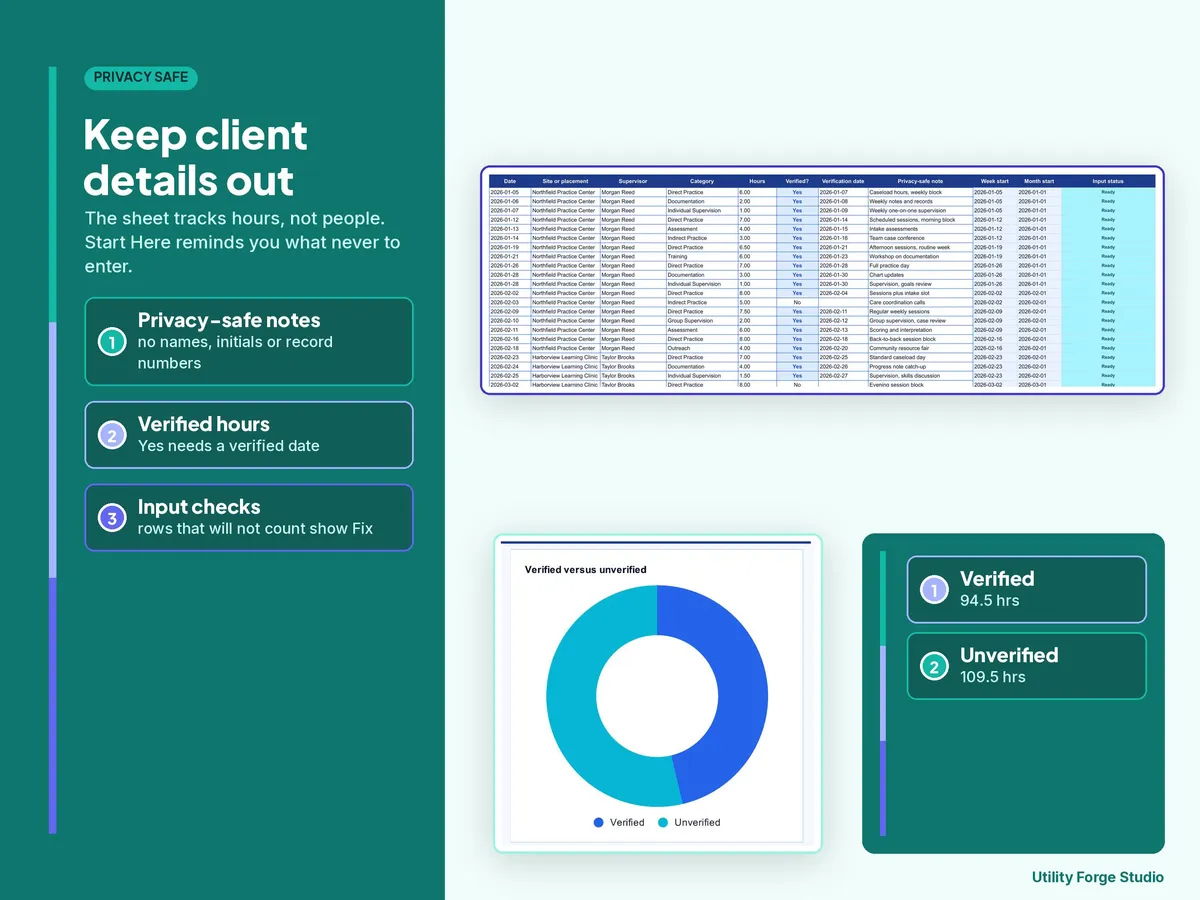
Hours Log includes 3,000 entry rows for date, site or placement, supervisor, category, hours, verification status, verification date, and a privacy-safe note.
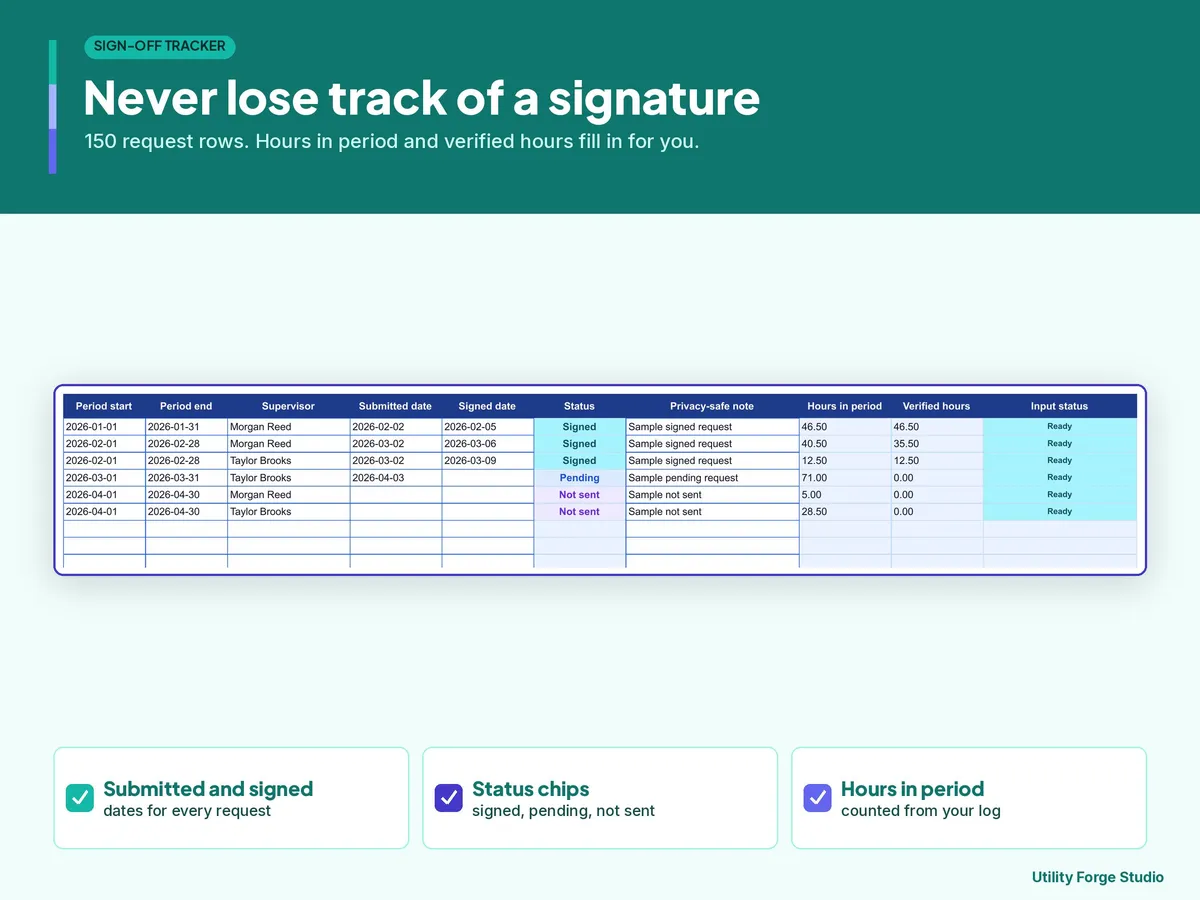
Sign-Off Tracker includes 150 rows for reporting periods, supervisors, submitted dates, signed dates, status, and calculated period totals.
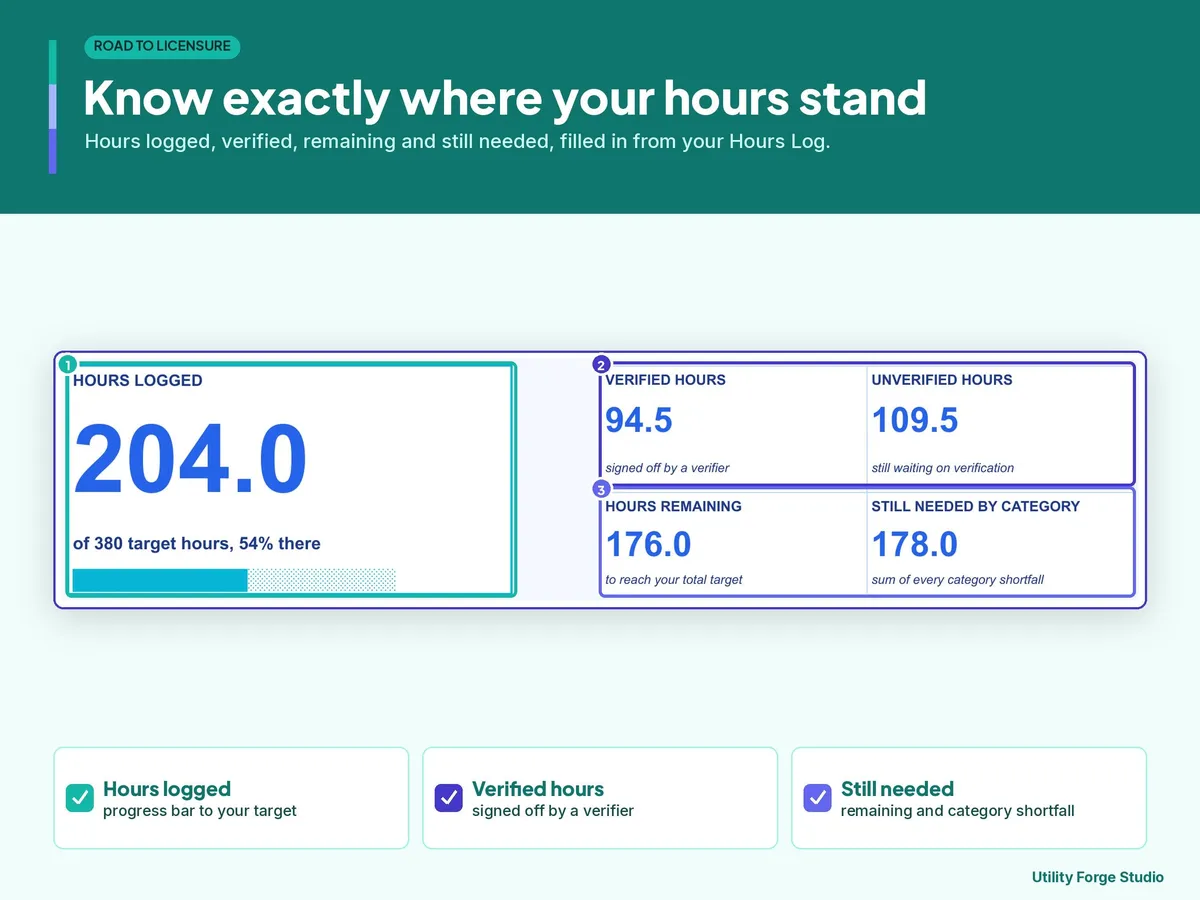
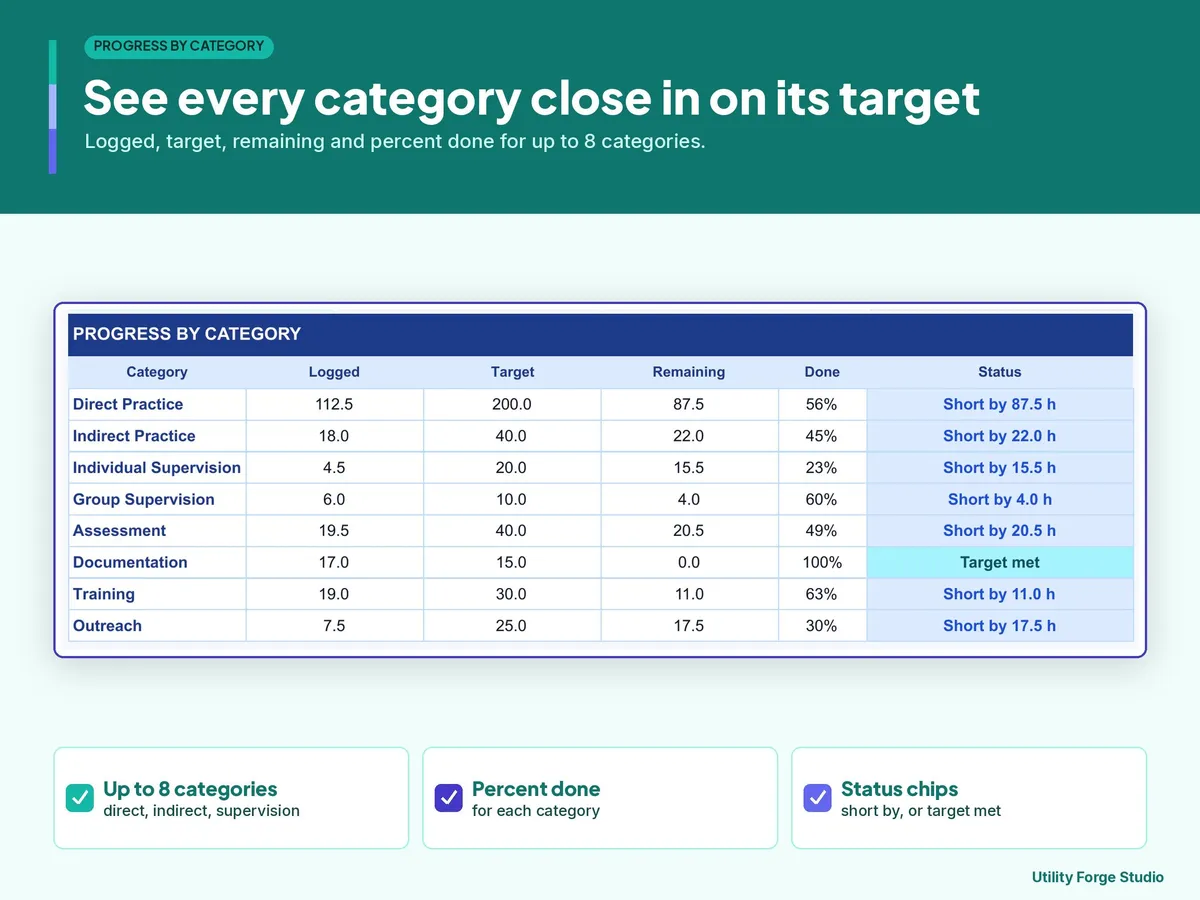
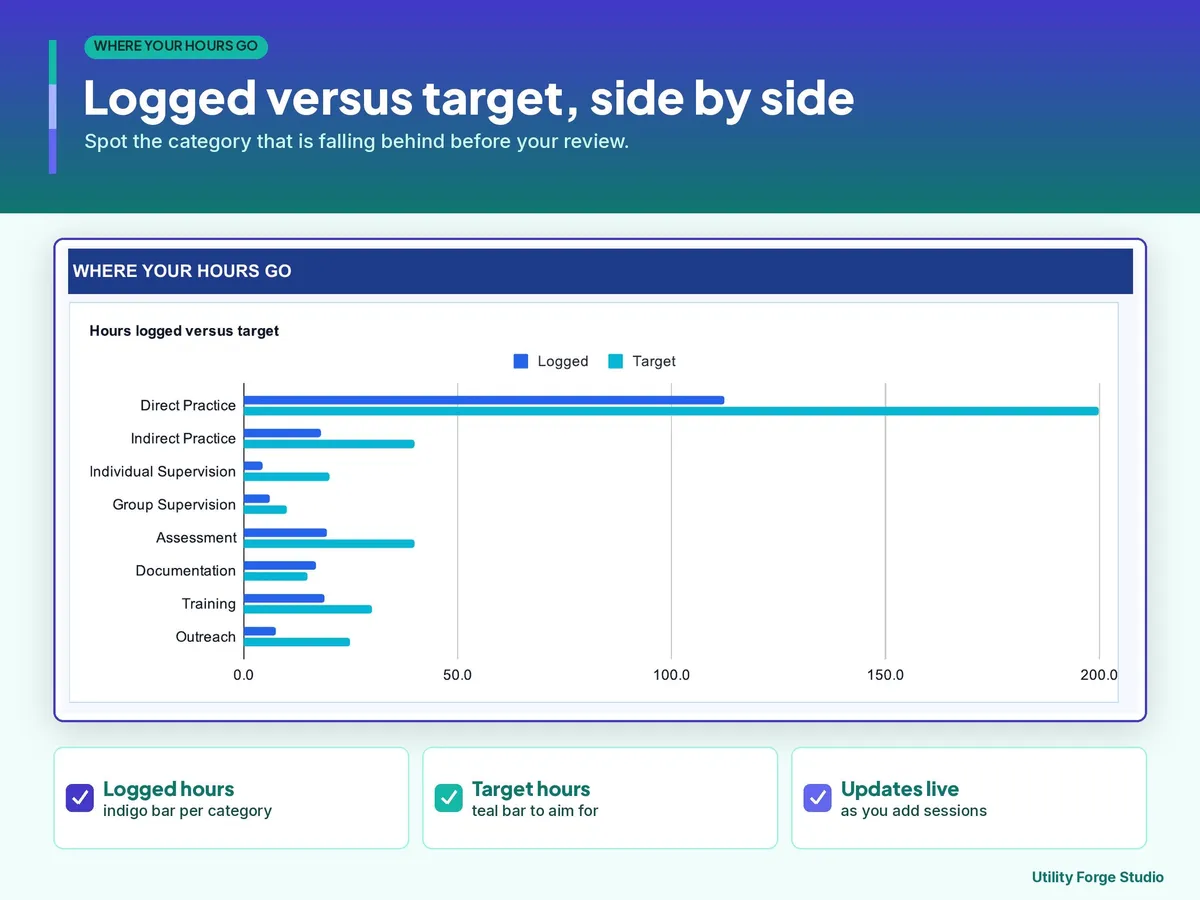
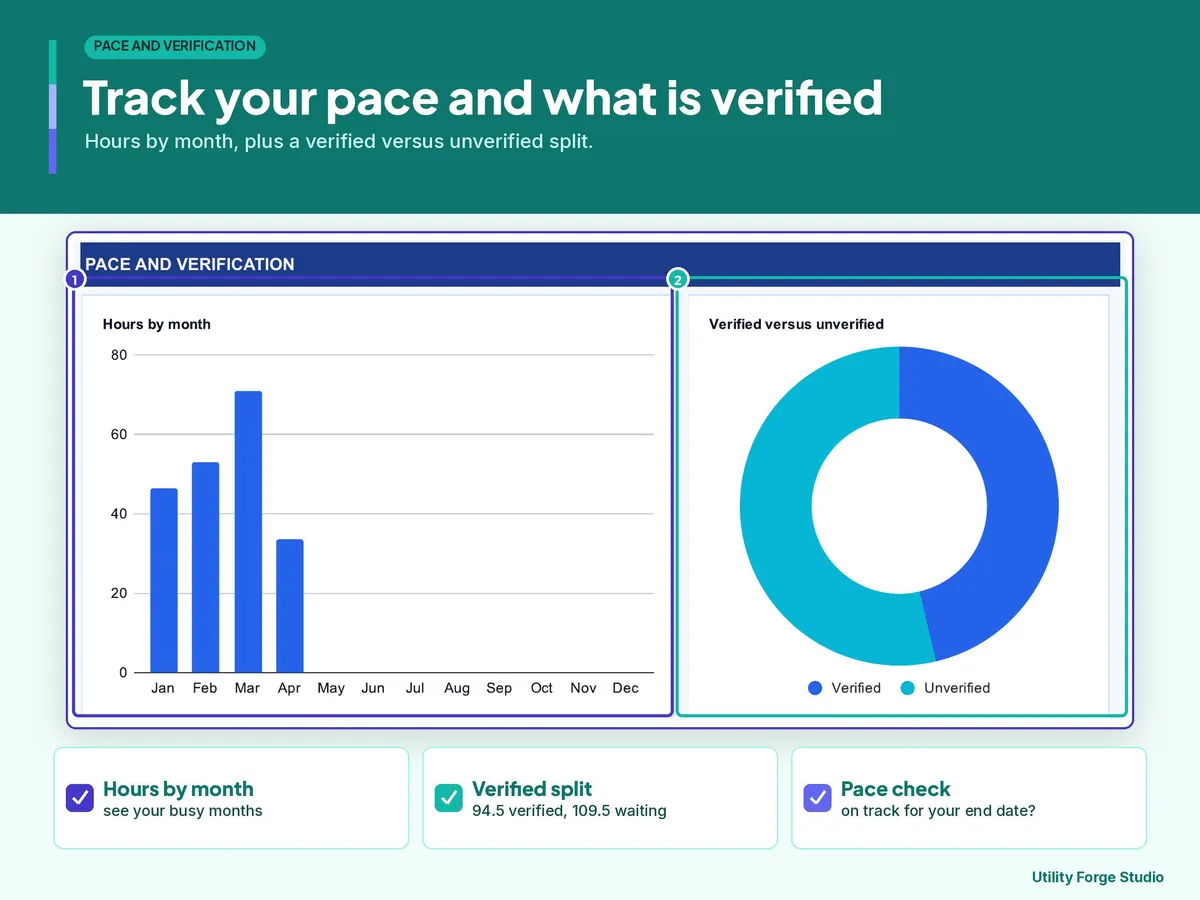
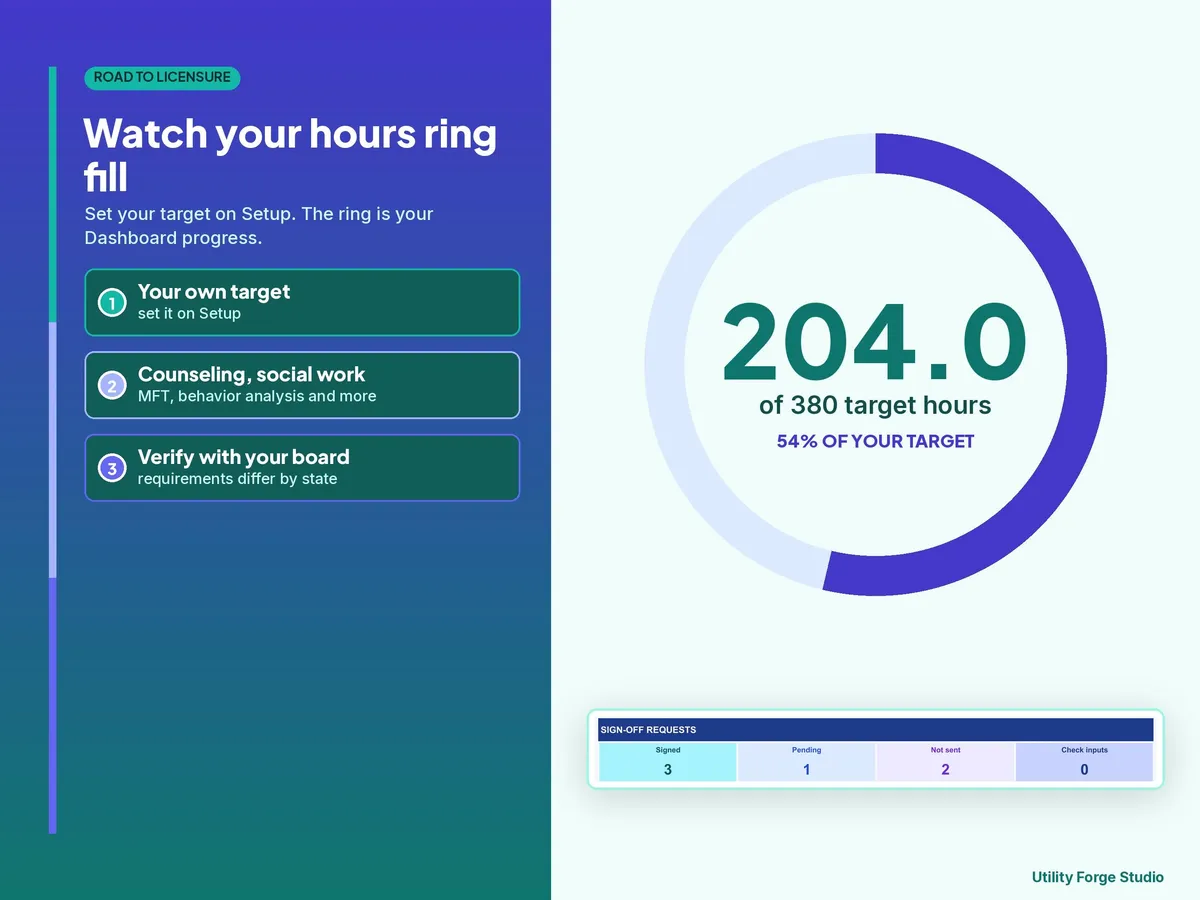
Dashboard shows total, verified, and unverified hours, hours remaining, hours still needed by category, an hours-versus-target chart, and sign-off status counts.
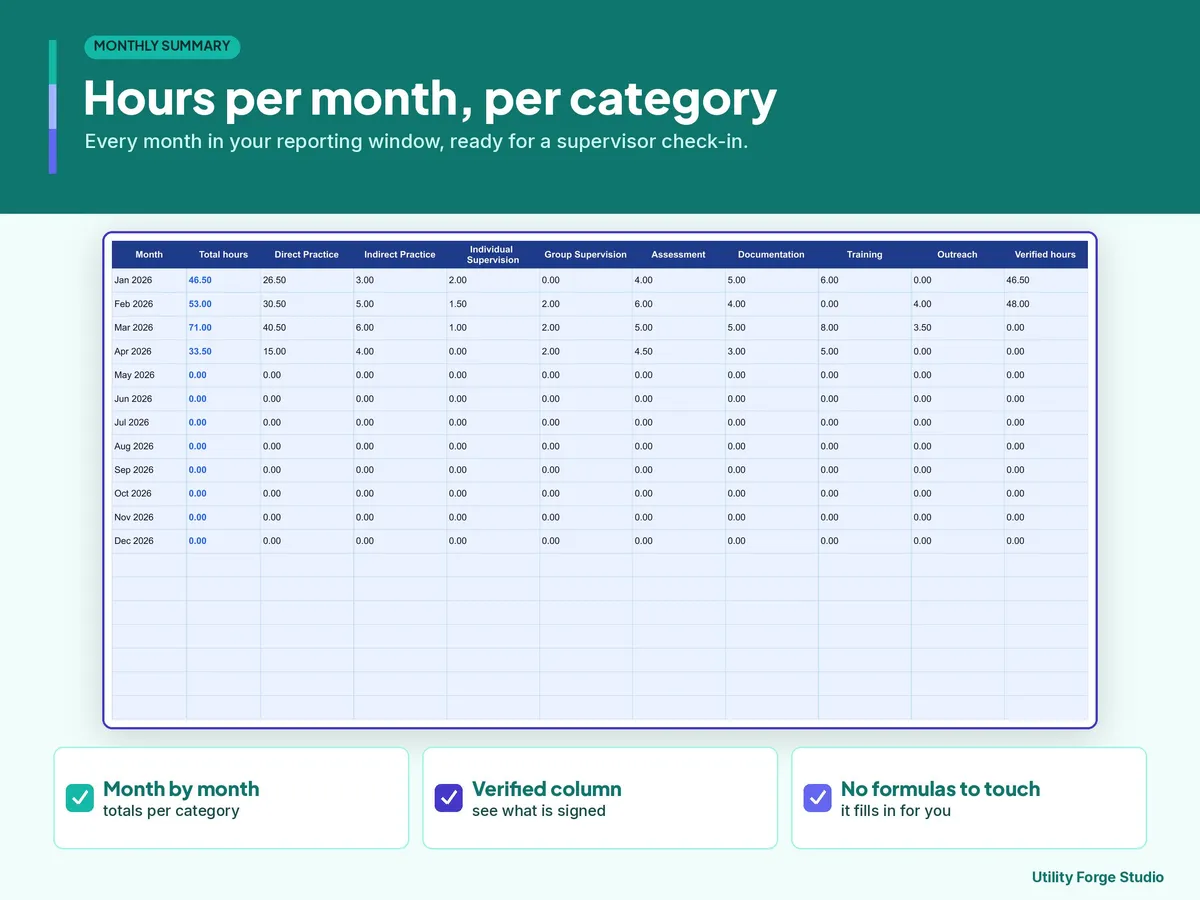
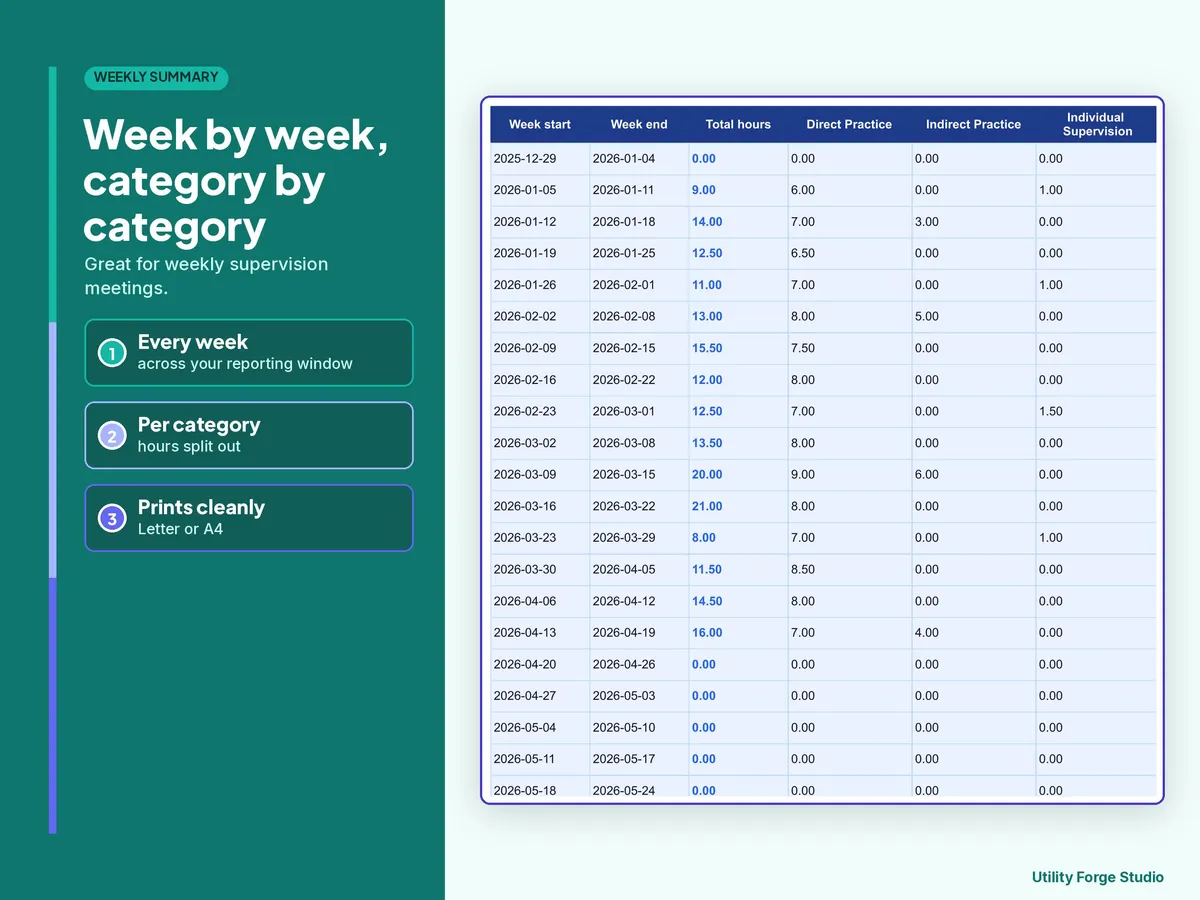
Weekly Summary includes 158 weekly rows and Monthly Summary includes 37 monthly rows, enough for a reporting window of up to 3 years.
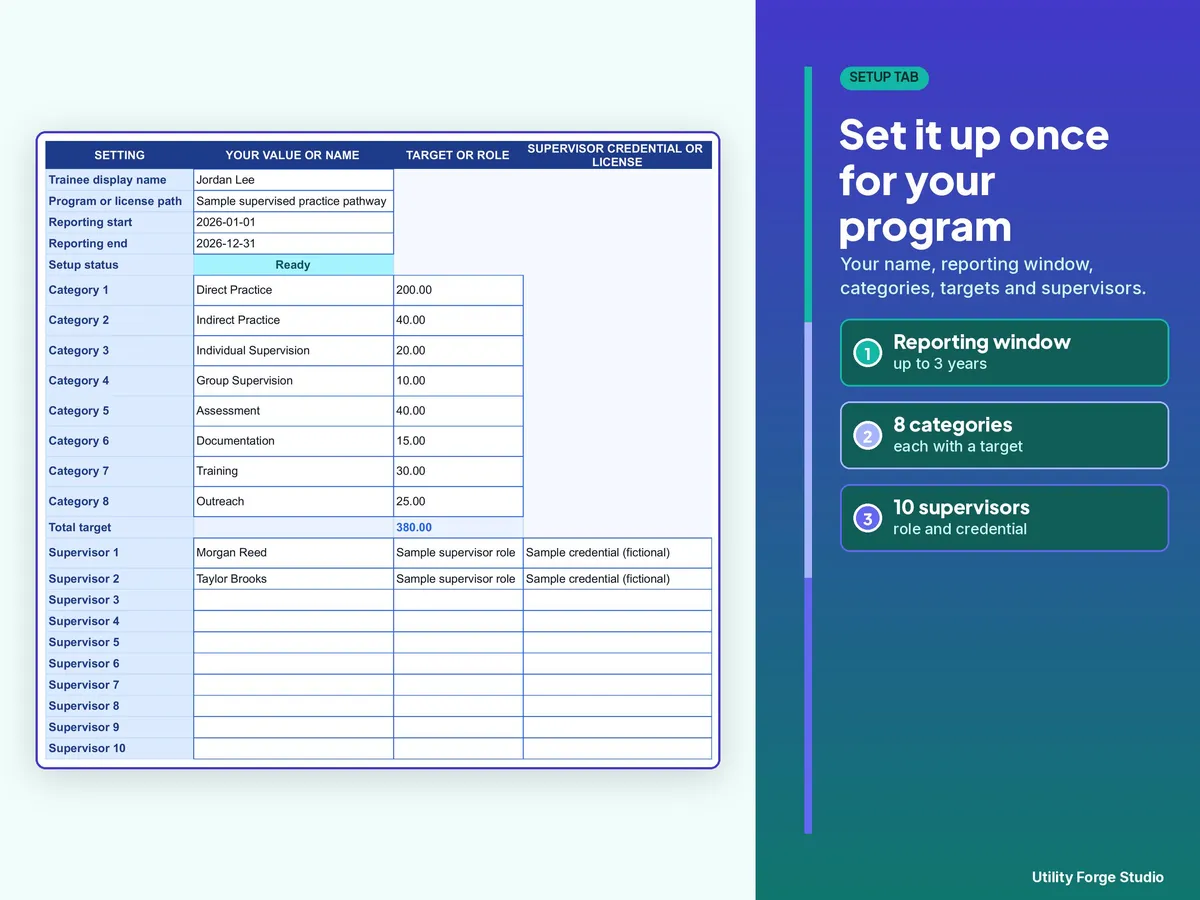
Setup includes up to 8 configurable categories (use fewer by leaving rows blank) and 10 supervisor directory slots with a credential or license column.
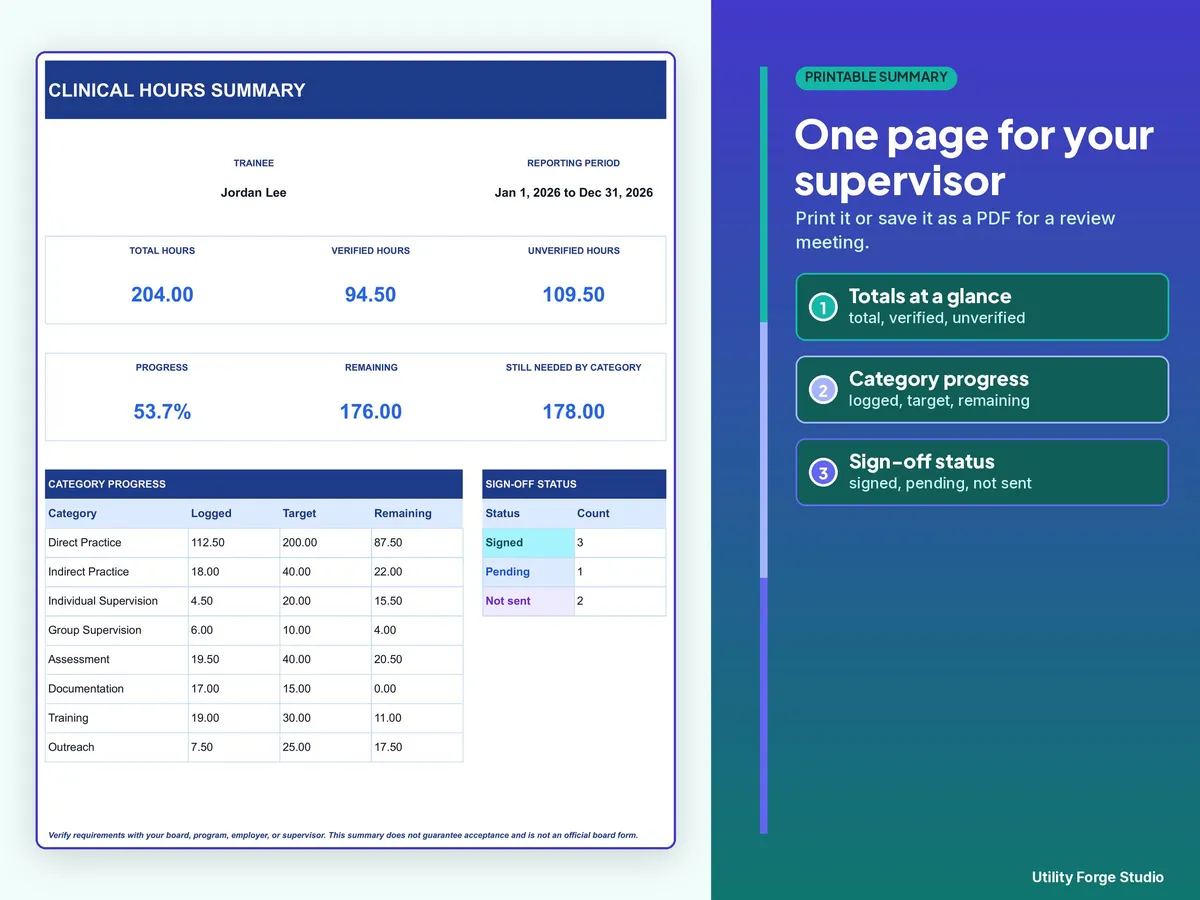
Printable Summary provides a compact progress snapshot with blank supervisor name, signature, and date lines for you to complete by hand after printing.
You receive the Excel workbook, Start Here guide, and README.
𝗛𝗢𝗪 𝗜𝗧 𝗪𝗢𝗥𝗞𝗦
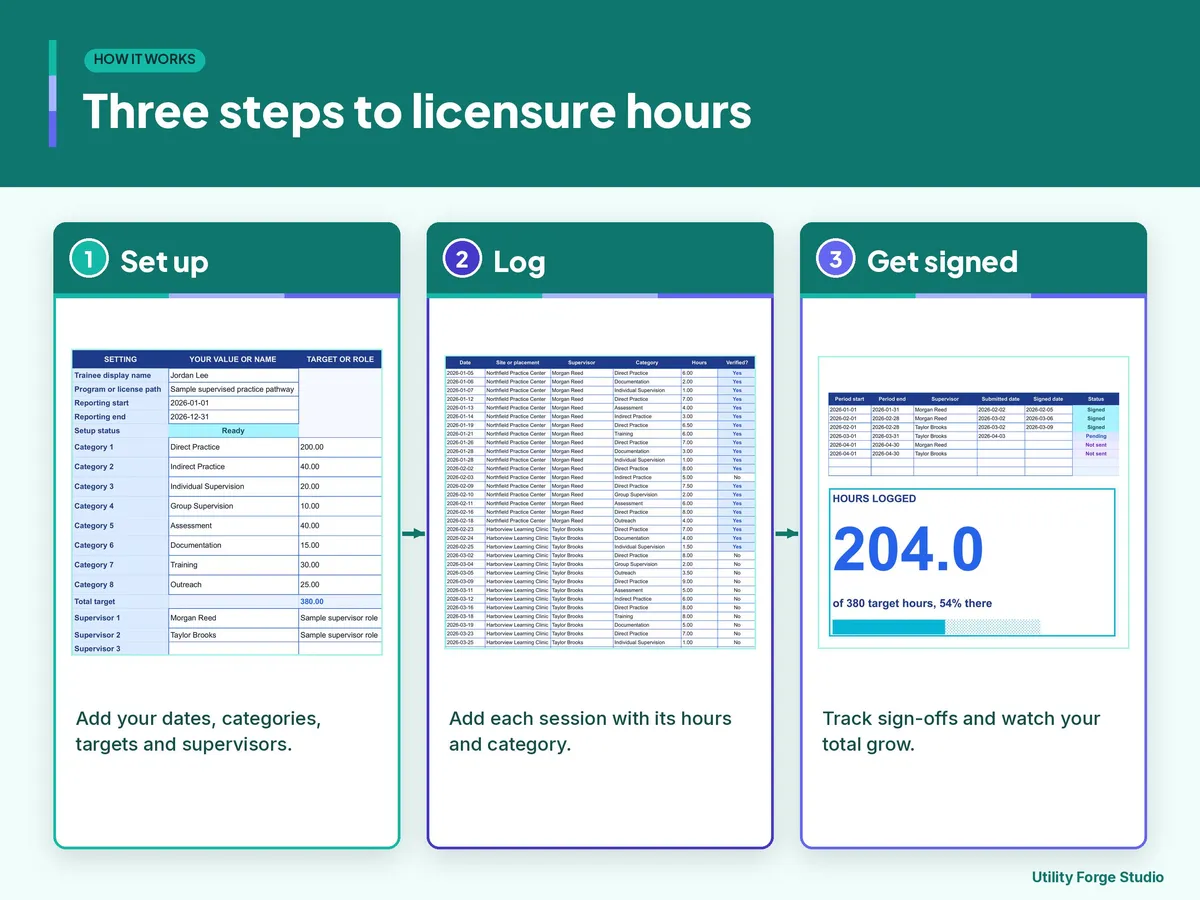
- Open the Start Here guide and make your own native Google Sheets copy. Or use the included .xlsx file.
- Replace the fictional trainee, dates, categories, targets, and supervisor names on Setup, and set the names before you log hours. Pale blue cells are the only cells you type in; gray cells calculate automatically.
- Clear the fictional inputs from Hours Log A2:H41 and Sign-Off Tracker A2:E7 and G2:G7 while keeping calculated columns.
- Enter privacy-safe practice records, plus submitted and signed dates; status updates automatically. A blank Verified? entry counts as No, and Yes needs a verified date; a Yes without a date shows Fix and drops out of every total. A No with a verification date also shows Fix and drops that row out of the totals, so leave the date blank on a No.
- Review Dashboard, weekly, monthly, and printable summaries.
𝗥𝗘𝗤𝗨𝗜𝗥𝗘𝗠𝗘𝗡𝗧𝗦 𝗔𝗡𝗗 𝗟𝗜𝗠𝗜𝗧𝗦
Hour categories and required totals are user-configured. Requirements differ by state, board, program, and license.
Verify all category definitions, required totals, supervision rules, and documentation requirements with your licensing board, program, employer, or supervisor.
This workbook is an organizational record-keeping tool. It does not provide legal, licensing, educational, clinical, or professional advice and does not guarantee that any board, program, employer, or regulator will accept the records. Not a substitute for your program's official log, your supervisor's records, or your licensing board's rules. Confirm requirements with your program and board.
Do not enter client names, initials, record numbers, dates of birth, contact information, diagnoses, case details, or any other client-identifying data.
The workbook tracks sign-off requests and their status. It does not create signatures, attestations, official forms, legal proof, or regulator-approved documentation.
All sample names, sites, placements, references, categories, targets, and hours are fictional.
𝗙𝗢𝗥𝗠𝗔𝗧 𝗔𝗡𝗗 𝗖𝗢𝗠𝗣𝗔𝗧𝗜𝗕𝗜𝗟𝗜𝗧𝗬
Google Sheets requires a Google account and internet access. The Excel workbook uses protection without a password to reduce accidental formula edits. Both files are included in the download: the Excel workbook directly, and a native Google Sheets copy made from the link in the Start Here guide.
Utility Forge Studio is not affiliated with, sponsored by, or endorsed by Google, Microsoft, The Document Foundation, or any licensing board.
Digital download only. No physical item will be shipped.
Designed by me, created using AI tools.
Personal use only. Do not resell or redistribute.
The Etsy listing is the final source for what is included. See it on Etsy.
More in School and work

SPED IEP Caseload Tracker for Teachers and Case Managers
What it is not: it does not write IEPs, it is not a behavior data system, it is not legal…

Task Tracker Spreadsheet
A task and project tracker for Google Sheets that turns one task list into a status board, a…

College Planner Spreadsheet
Know your GPA at a glance and always know what you need on the next exam.

IEP Tracker Spreadsheet for Parents
IEP tracker spreadsheet for parents, in Google Sheets.