
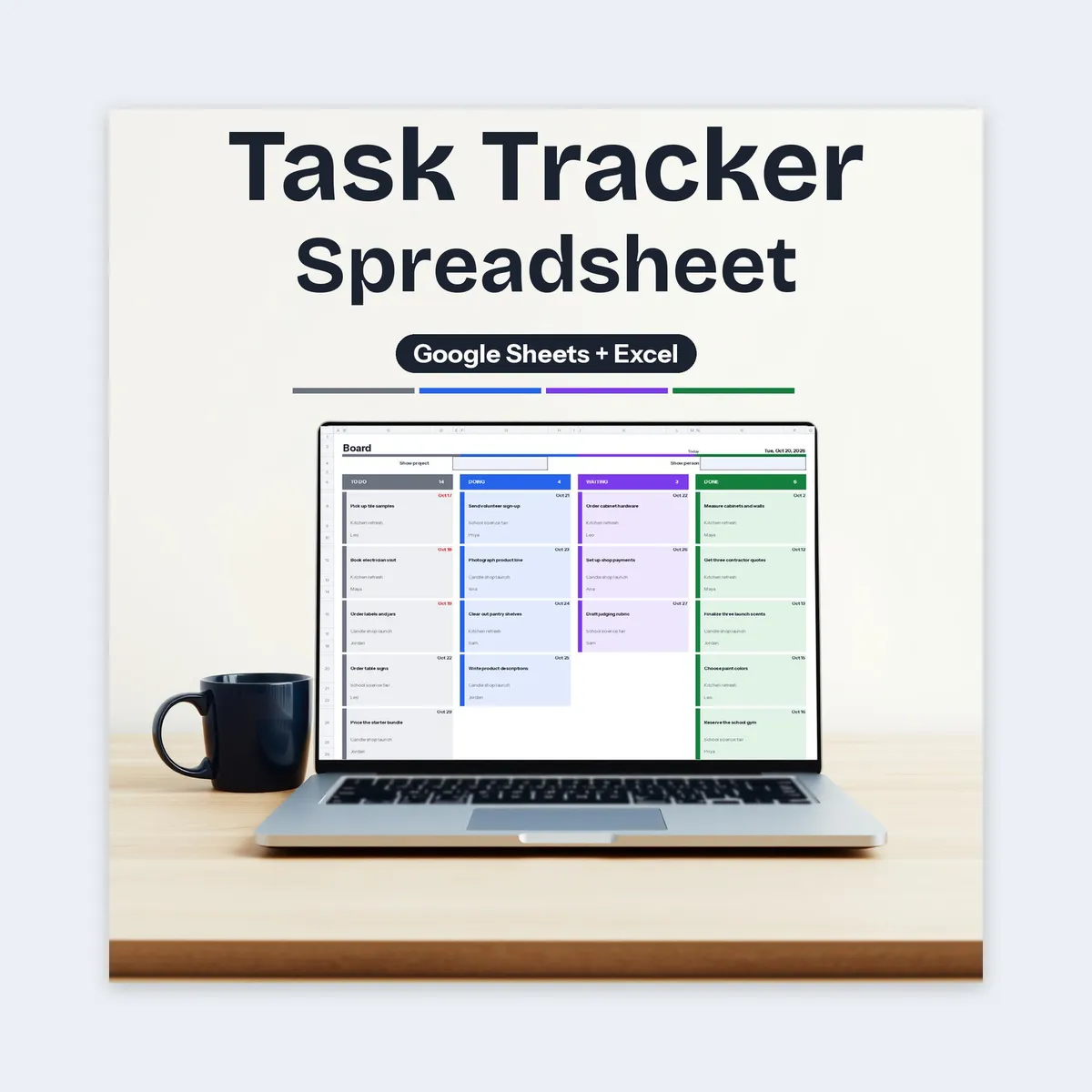
Task Tracker Spreadsheet
Task Tracker Spreadsheet, Google Sheets Excel, Project Planner, Kanban Board, Gantt Timeline
$5.99
Buy on EtsyOpens the listing on Etsy in a new tab. Checkout happens on Etsy.
Made for Google Sheets. An Excel file is included, and it works best with current Excel (Excel 2021 or newer).
- Instant digital download
- Buy through Etsy checkout
- No subscription
- Made by Utility Forge Studio
- Questions? Email utilityforgestudio@gmail.com
See it in use
About this download
A task and project tracker for Google Sheets that turns one task list into a status board, a week-by-week timeline and a dashboard. See what's overdue, who owns what, and how far each project has come.
𝗪𝗢𝗥𝗞𝗦 𝗜𝗡
Developed for Google Sheets. An Excel file is included for the latest Microsoft 365 (Office 365 Desktop App). Older Excel versions may not support all features. Live formulas only: no macros, no scripts, no add-ons.
𝗪𝗛𝗔𝗧'𝗦 𝗜𝗡𝗦𝗜𝗗𝗘 (𝟏𝟎 𝗧𝗔𝗕𝗦)
How To: steps, color key, recurring tasks, Google Sheets notes and Excel file notes
Settings: status names, priorities, project categories, up to 10 people, timeline start week
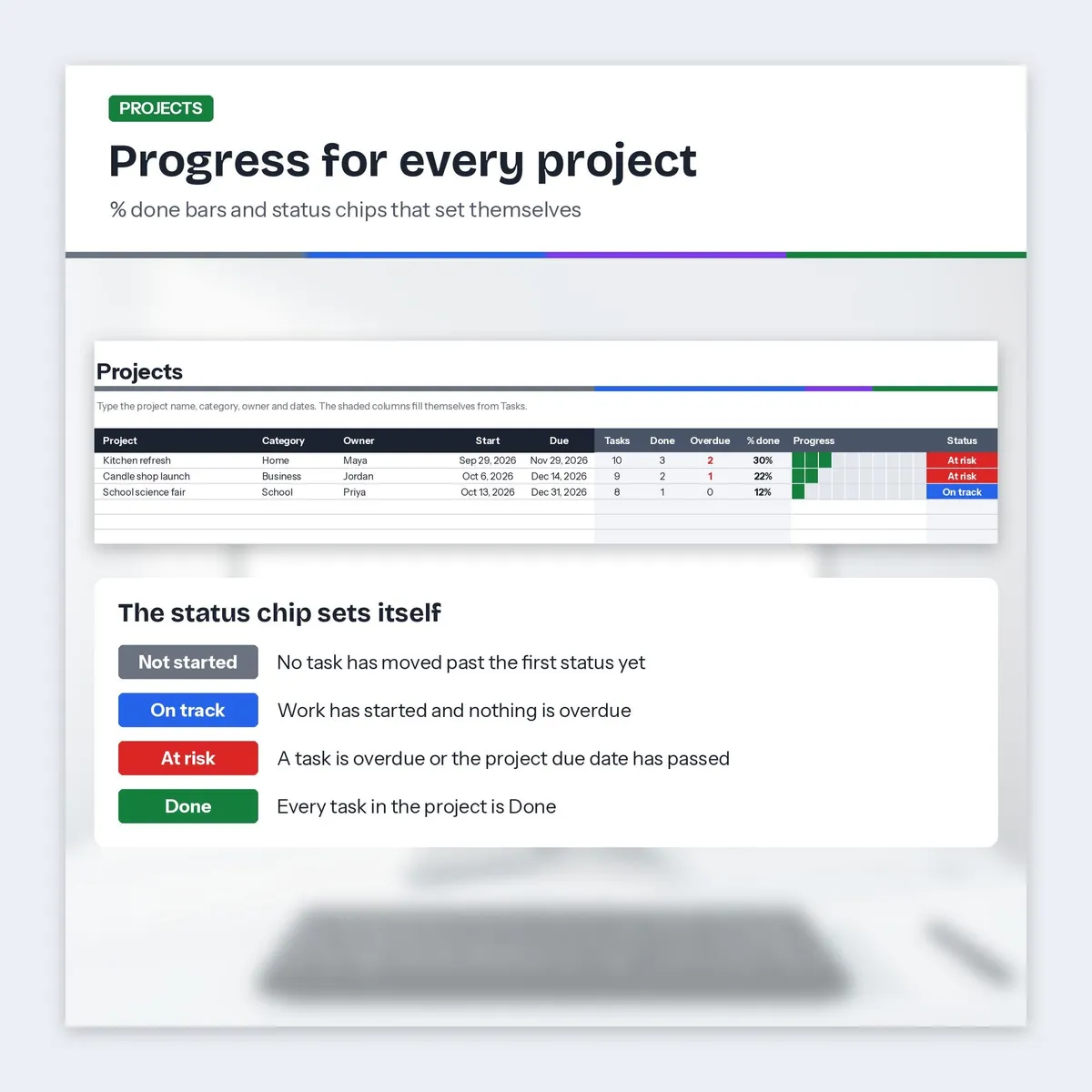
Projects: up to 30 projects with task counts, % done bar and a status chip that sets itself (Not started, On track, At risk, Done)
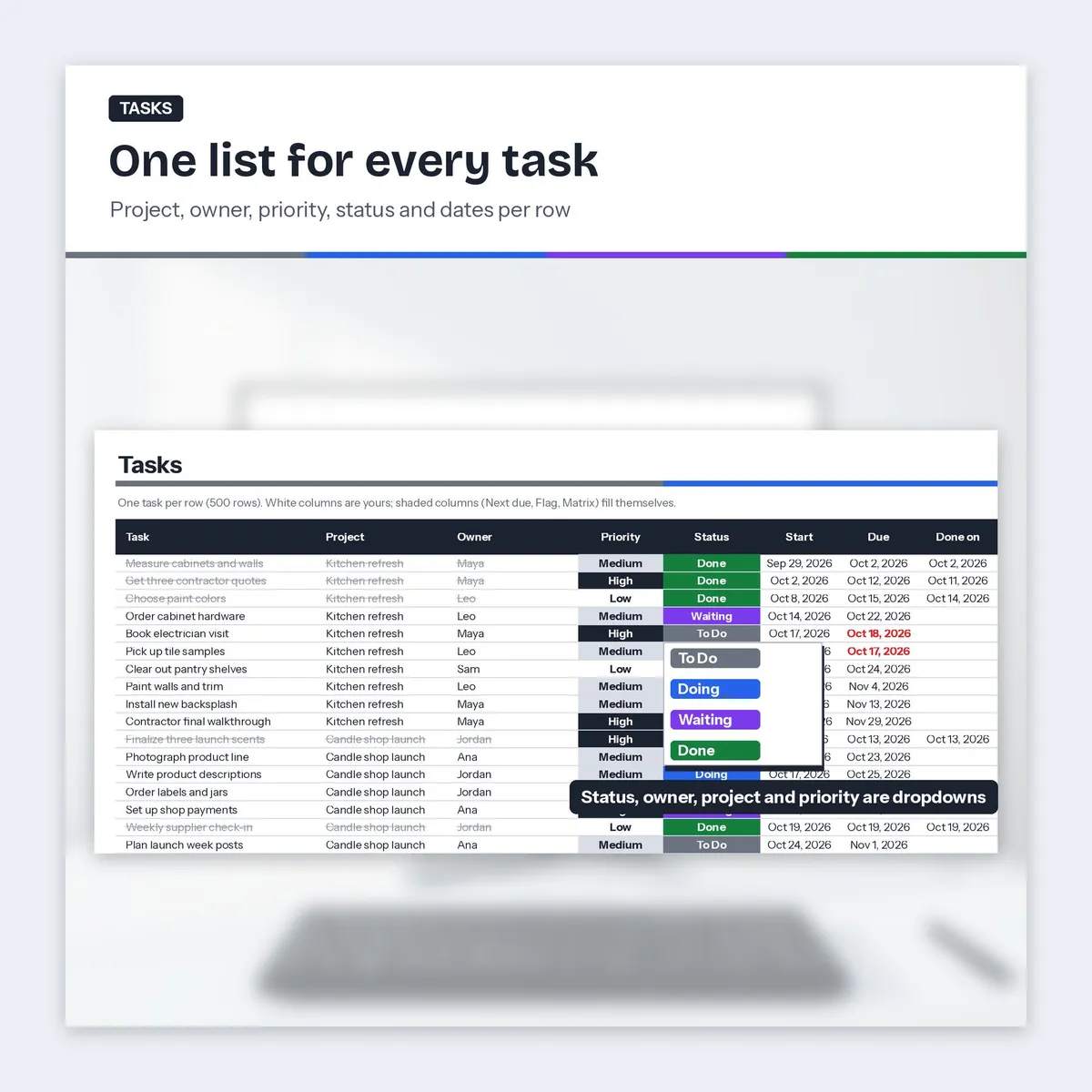
Tasks: 500 rows with dropdowns for project, owner, priority and status; start, due and done dates; overdue flag; Urgent and Important ticks; notes; an Add to Google Calendar link
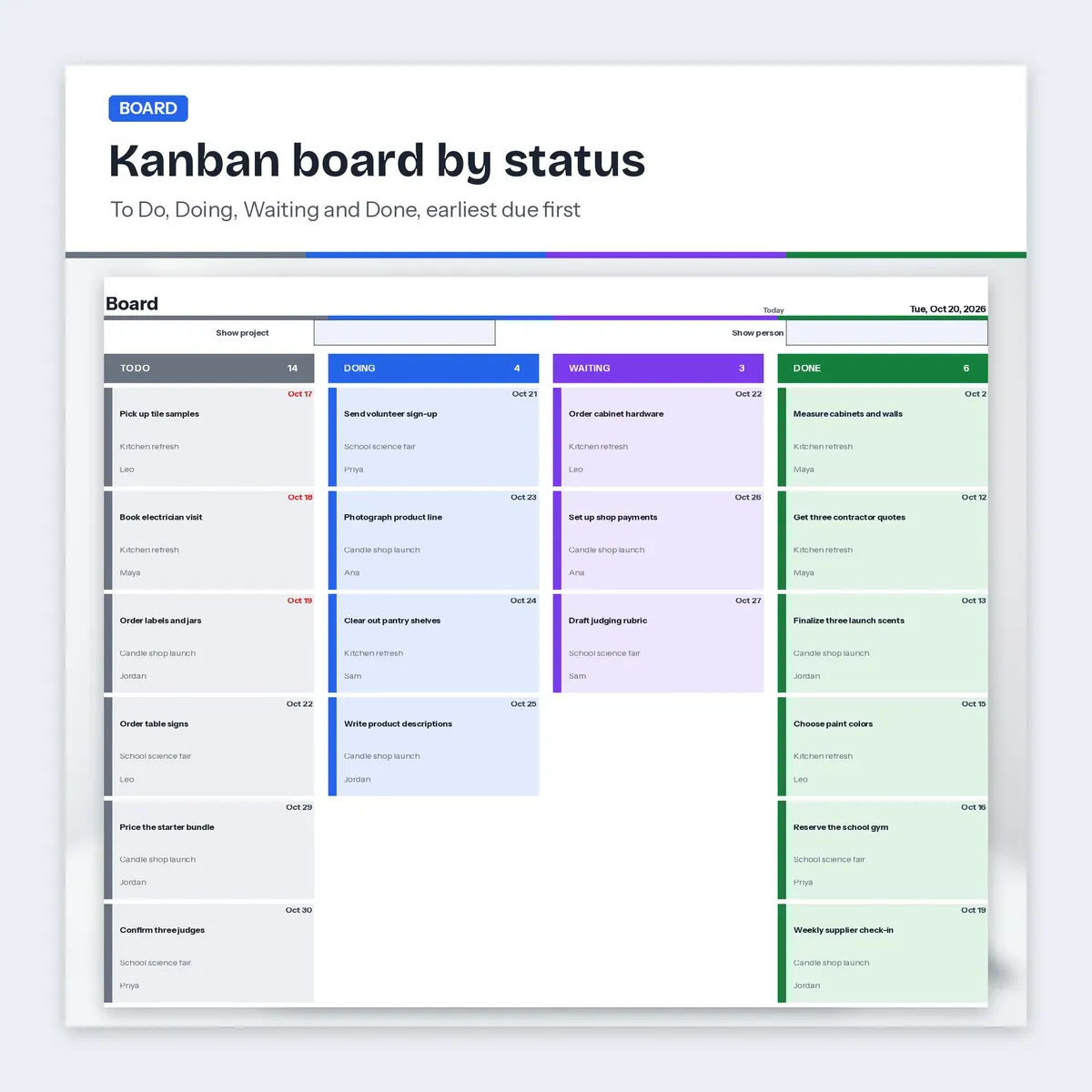
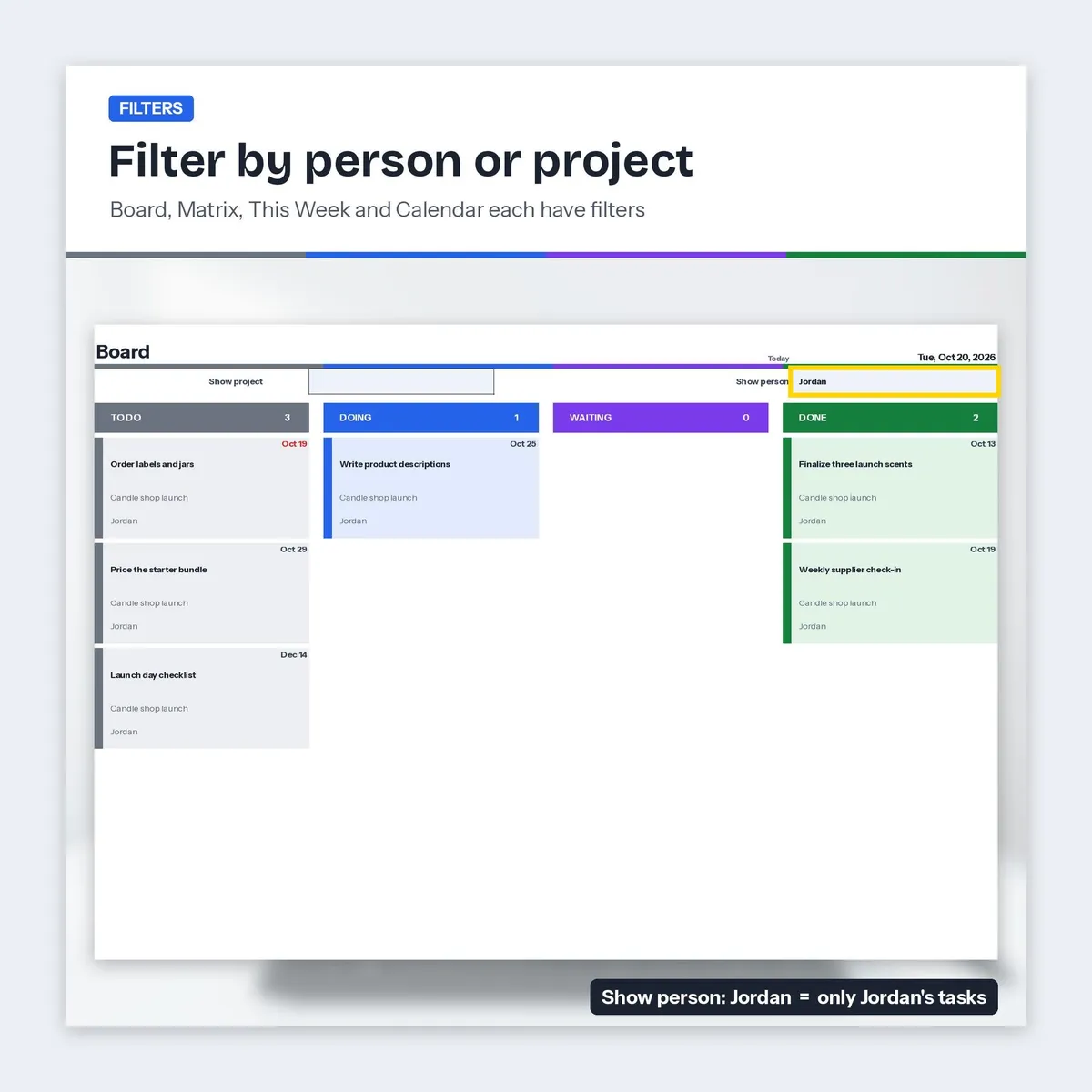
Board: kanban style columns for To Do, Doing, Waiting and Done (up to 20 cards each, earliest due first), filter by project or person
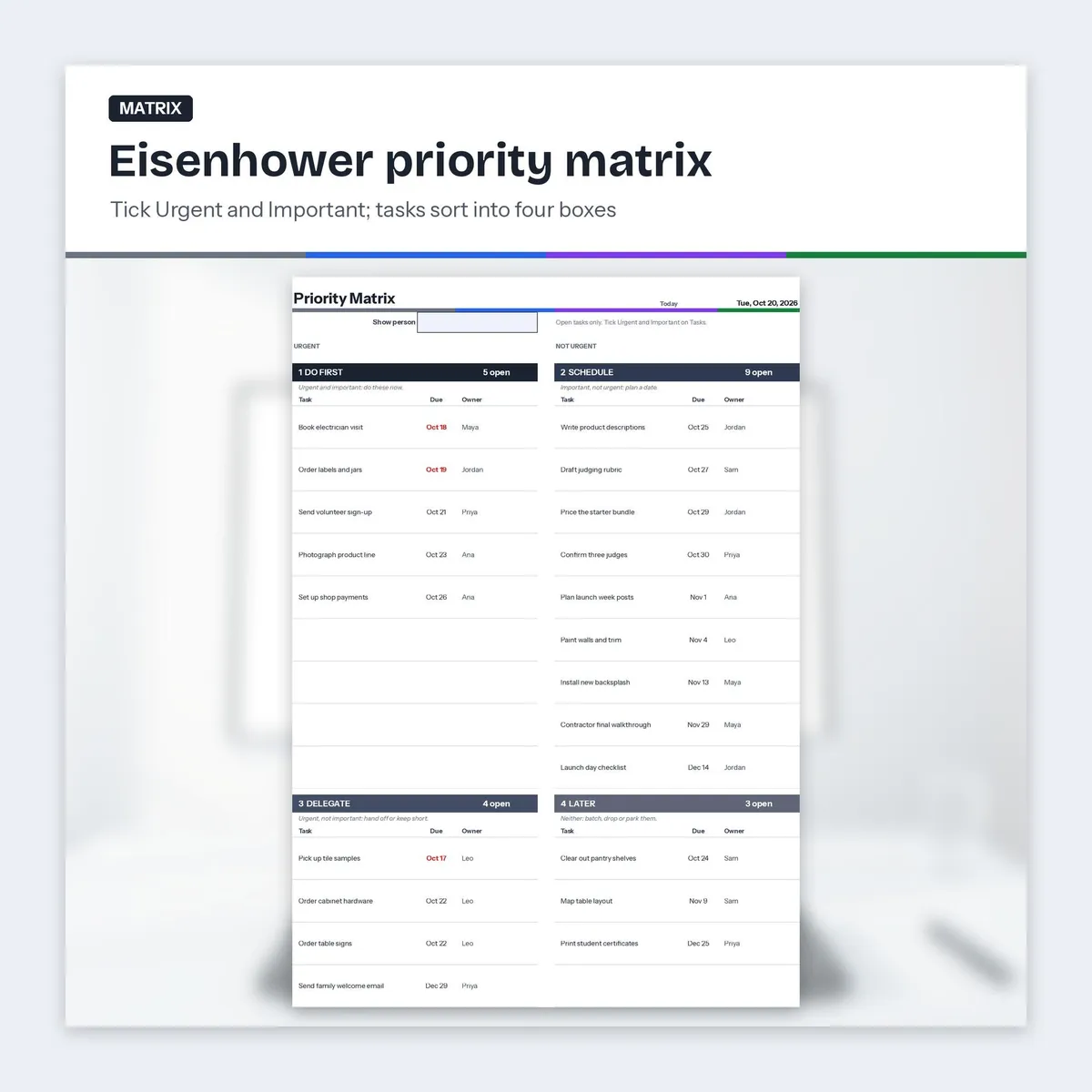
Matrix: Eisenhower priority matrix (Do first, Schedule, Delegate, Later) built from the Urgent and Important ticks
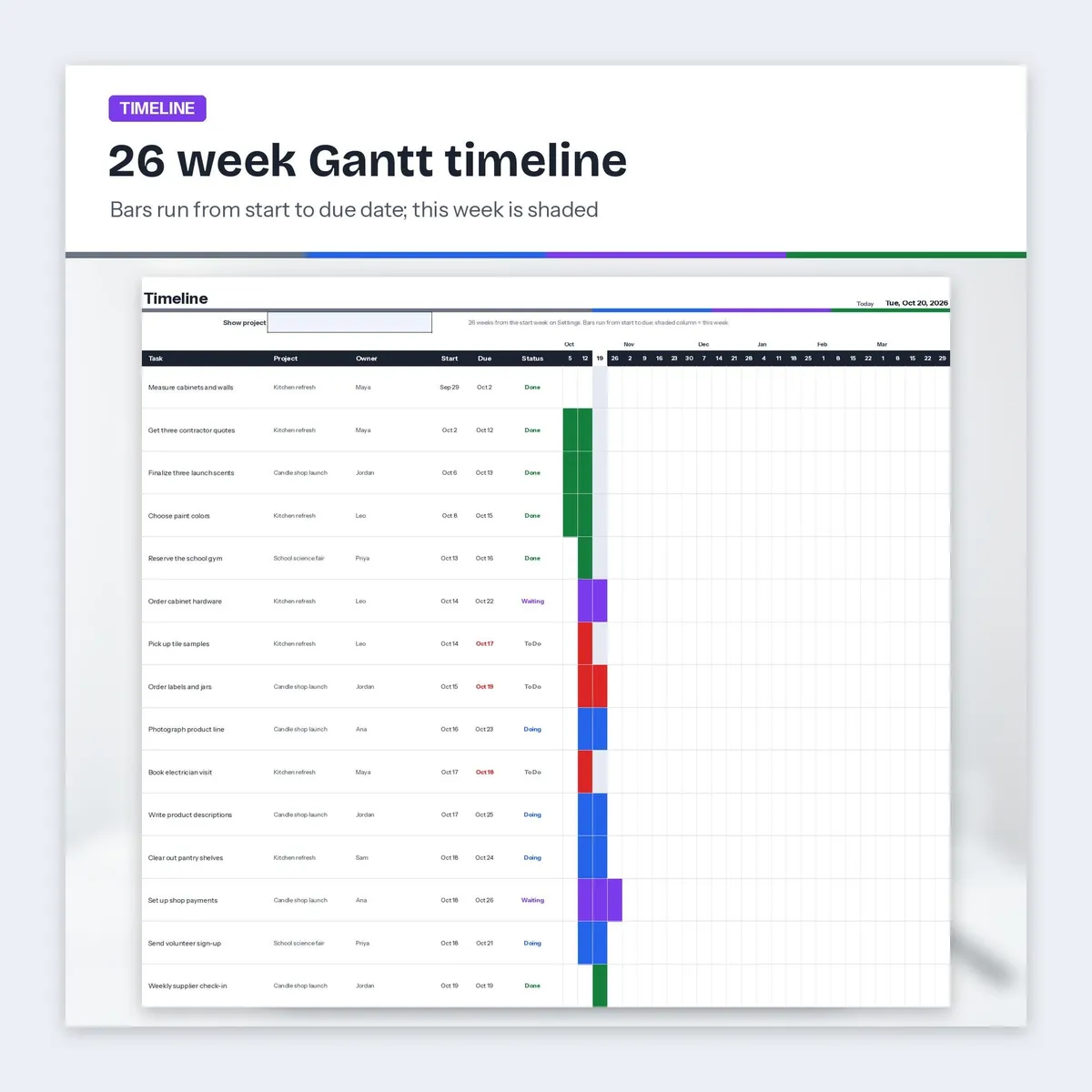
Timeline: 26 week Gantt style timeline, bars from start to due date colored by status, this week shaded, filter by project
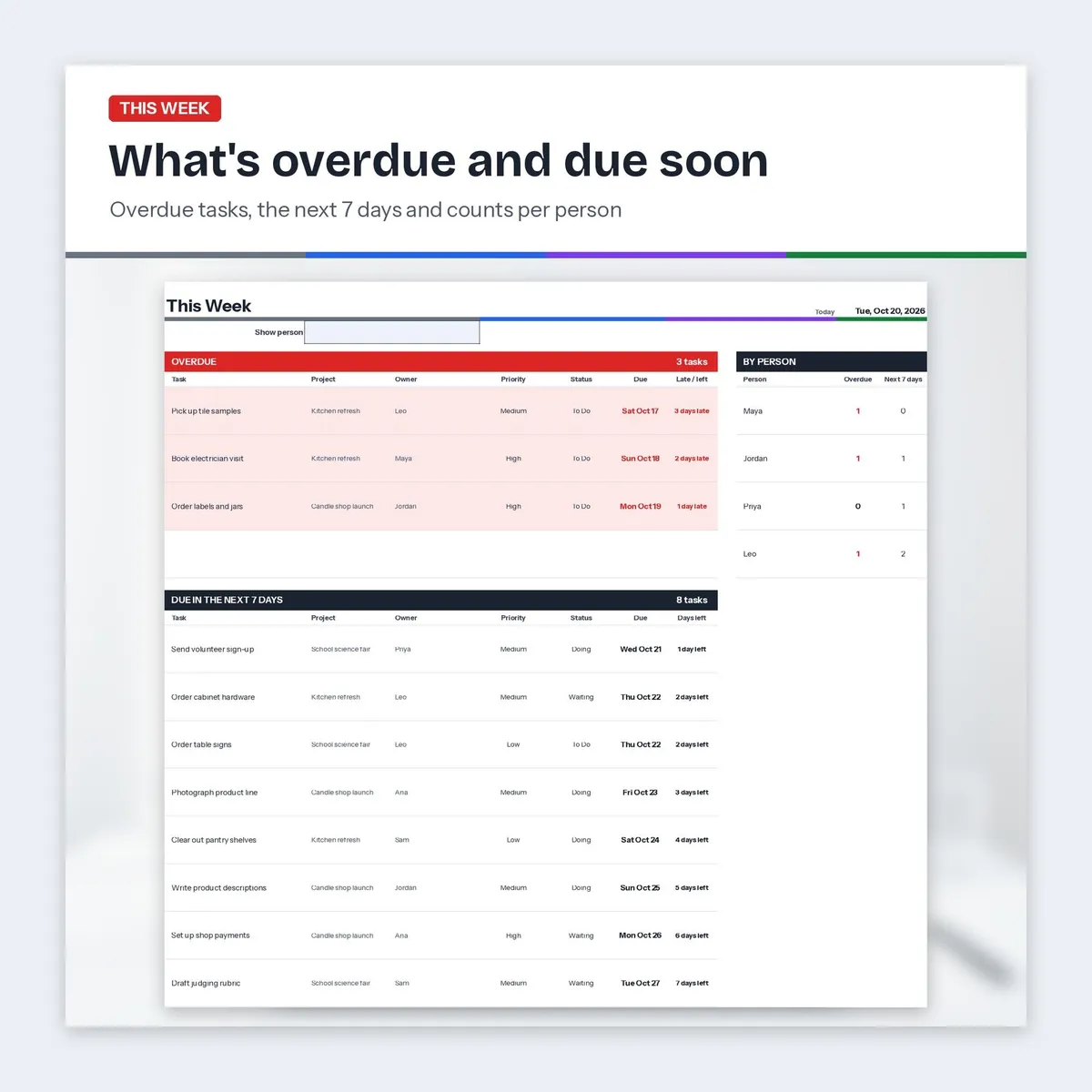
This Week: overdue tasks and tasks due in the next 7 days, with counts for each person
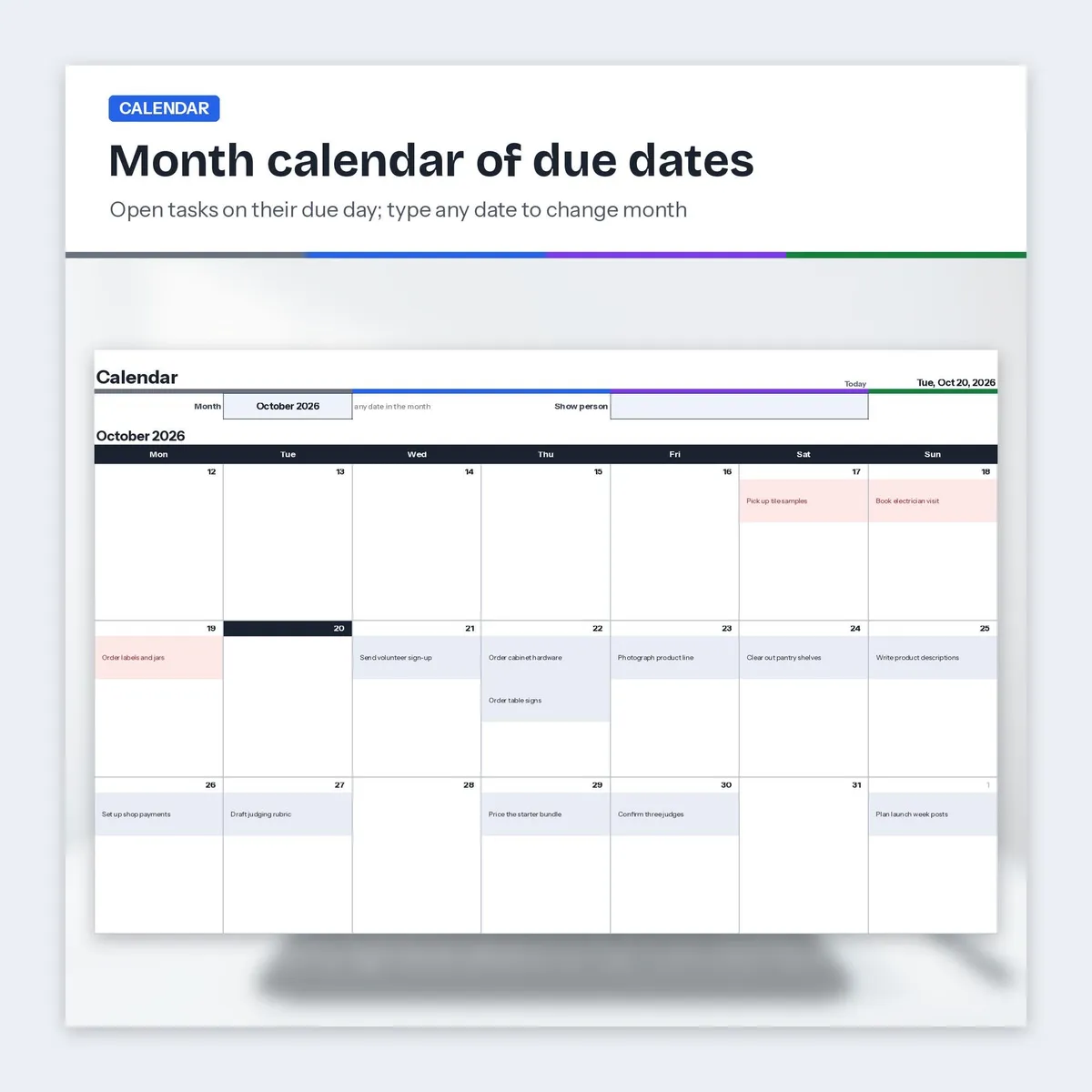
Calendar: month view of open tasks on their due dates; type any date to change the month
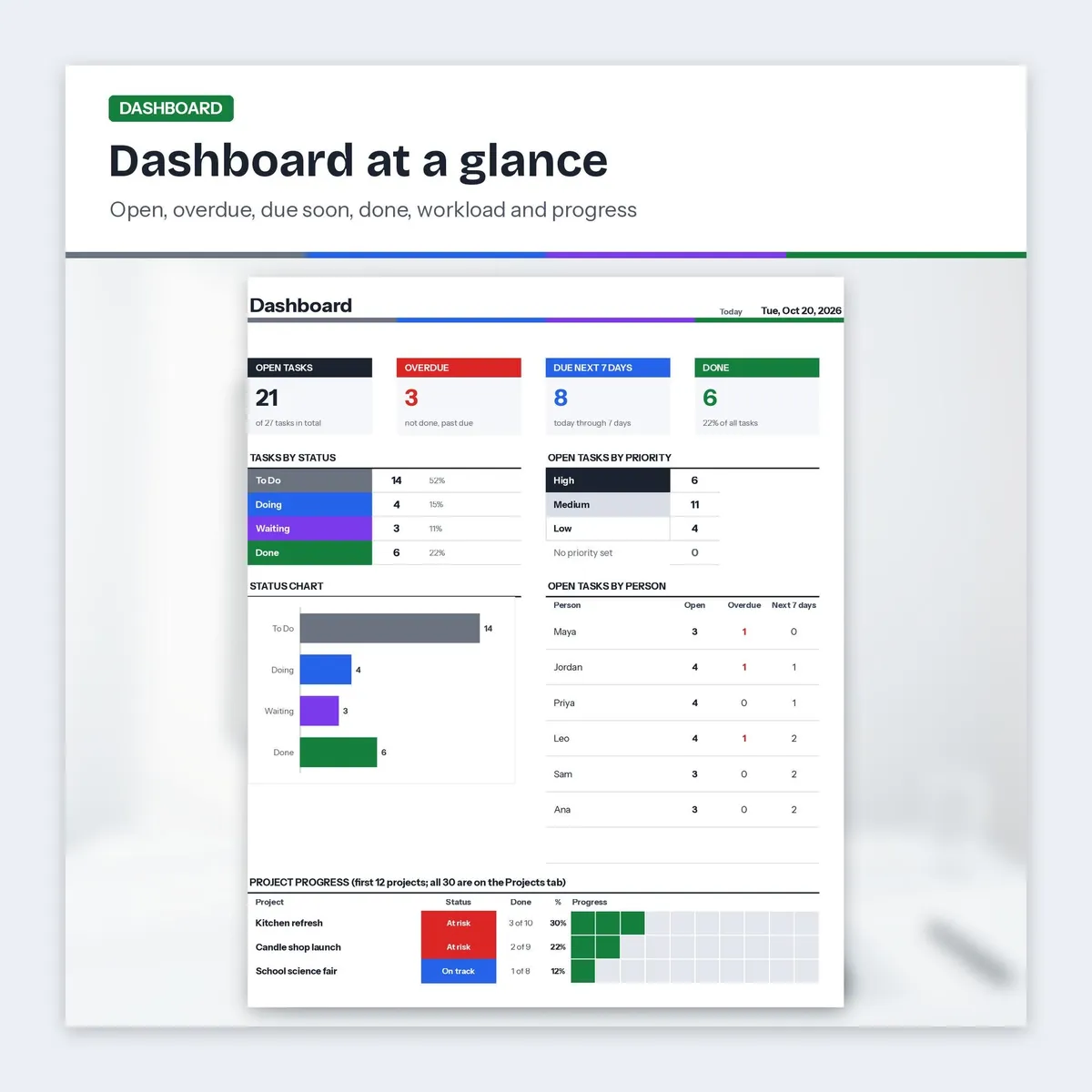
Dashboard: open, overdue, due next 7 days and done totals, open tasks by priority and by person, project progress bars and a status chart
𝗥𝗘𝗖𝗨𝗥𝗥𝗜𝗡𝗚 𝗧𝗔𝗦𝗞𝗦
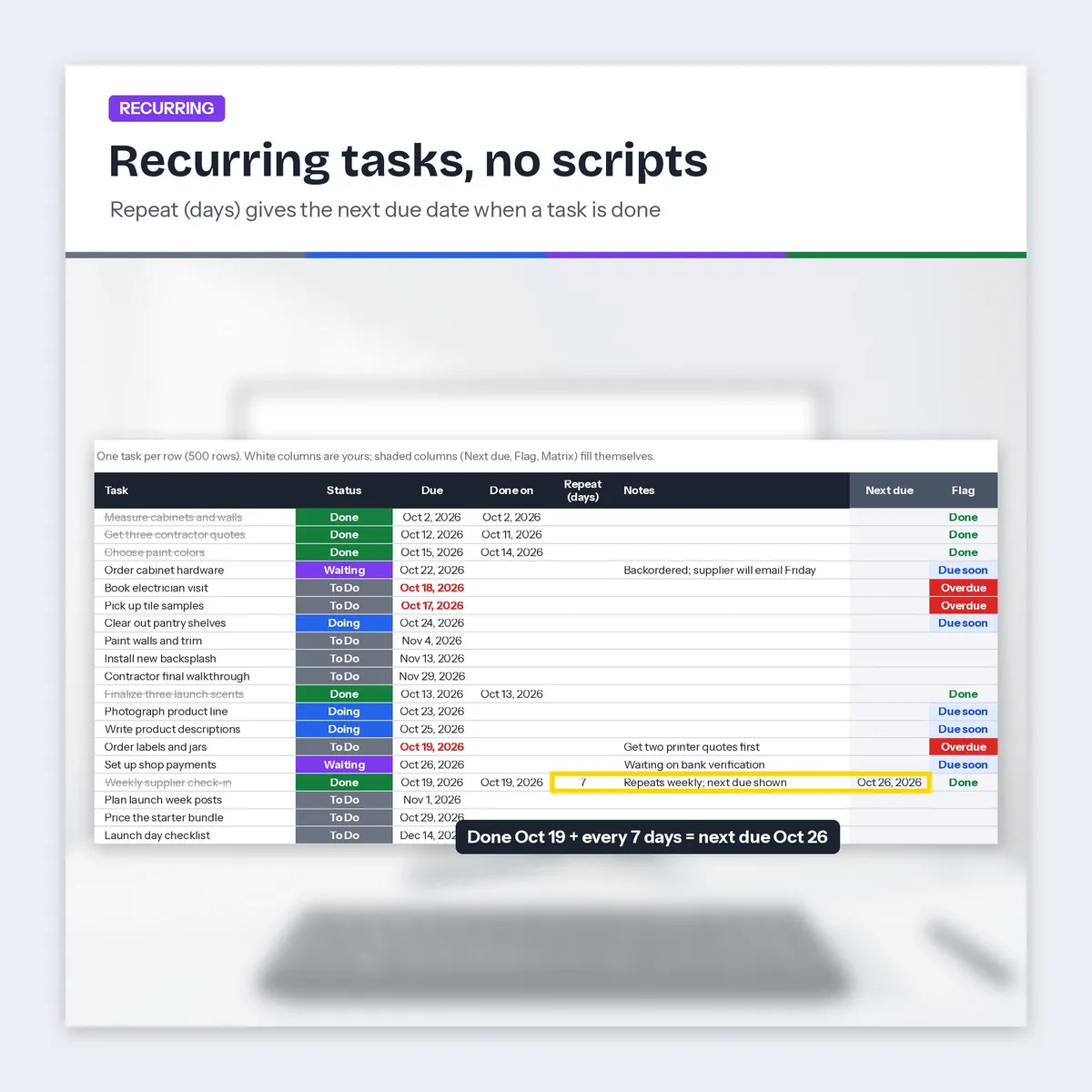
Type a number of days in Repeat (days). When the task is marked Done with its done date, Next due shows the next date. Copy the task to a new row for the next round; nothing runs on its own.
𝗔𝗗𝗗 𝗧𝗢 𝗚𝗢𝗢𝗚𝗟𝗘 𝗖𝗔𝗟𝗘𝗡𝗗𝗔𝗥 𝗟𝗜𝗡𝗞𝗦
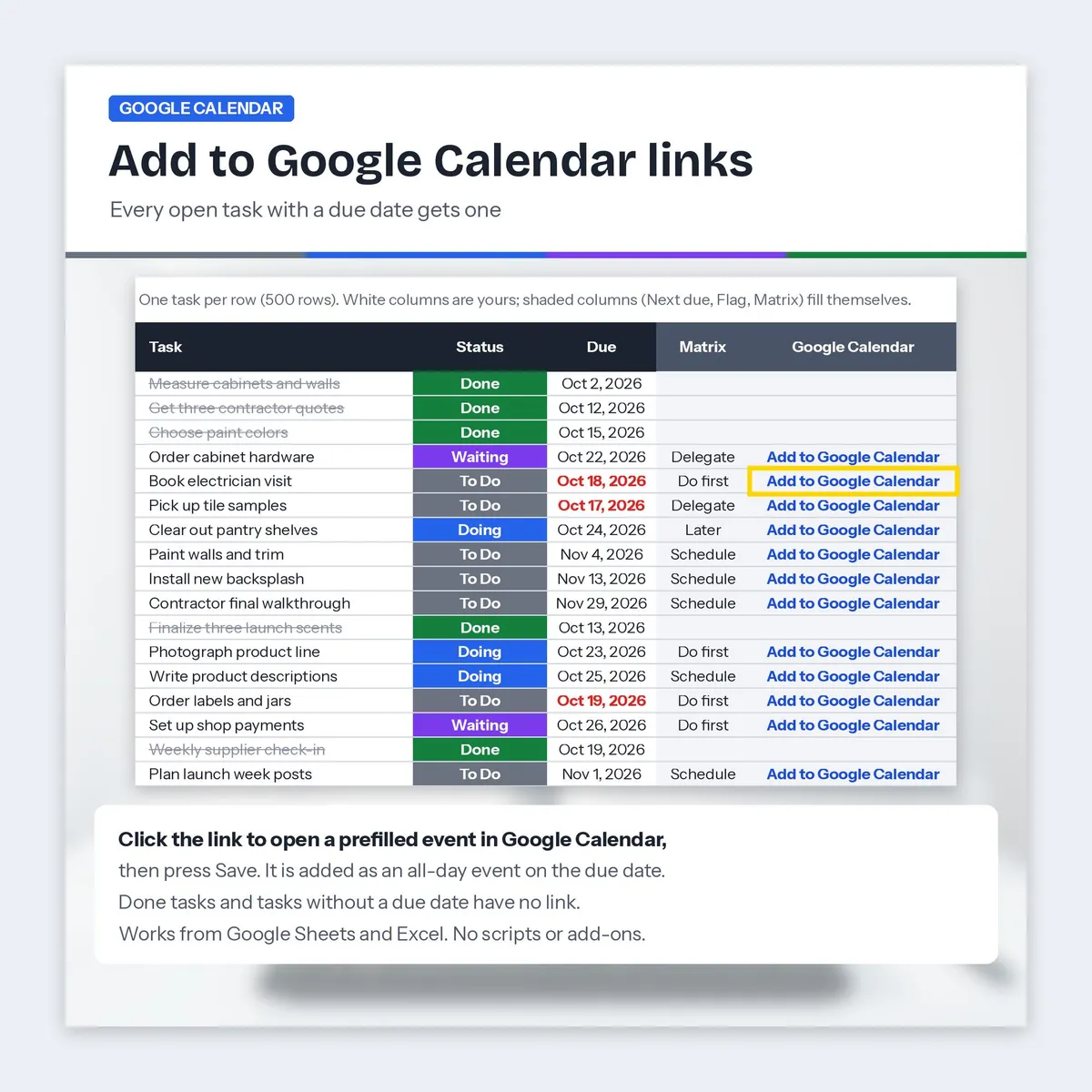
Every open task with a due date has an Add to Google Calendar link that opens a prefilled event in Google Calendar with the full task name and due date, plus the project, owner and the start of the notes in the event details. Calendar links are built for Google Sheets. Press Save and it's on your calendar as an all-day event. It is a one-click link: if you change the task later, click the link again for the new date. Done tasks and undated tasks have no link. Needs a Google account; no scripts or add-ons.
𝗙𝗜𝗟𝗘𝗦 (𝟑)
Task-Tracker.xlsx: blank tracker, 10 tabs
Task-Tracker_Sample.xlsx: the same tracker filled with three fictional projects (kitchen refresh, candle shop launch, school science fair) so you can see every tab working
Task-Tracker-Start-Here.pdf: 3 page quick start with your Google Sheets copy links and setup steps. Works in the free Adobe Acrobat Reader, Chrome or Edge.
𝗛𝗢𝗪 𝗧𝗢 𝗚𝗘𝗧 𝗦𝗧𝗔𝗥𝗧𝗘𝗗
- Download the files.
- Google Sheets: open the Start Here PDF and use a copy link, or upload the .xlsx to Google Drive and open it with Google Sheets. The .xlsx file is also included.
- Add your people on Settings, your projects on Projects, and your tasks on Tasks. The other tabs update on their own.
ℹ 𝗚𝗢𝗢𝗗 𝗧𝗢 𝗞𝗡𝗢𝗪
Up to 500 tasks, 30 projects and 10 people per workbook.
Task names up to 100 characters, project names up to 50, and people, status, priority and category names up to 40 show in full on every tab.
Colors carry meaning: gray To Do, blue Doing, purple Waiting, green Done, red only for overdue.
Spreadsheets have no drag and drop: you move a task on the Board by changing its status on the Tasks tab.
Digital download, nothing shipped. No physical item will be sent.
For personal use.
Designed by me, created using AI tools.
The Etsy listing is the final source for what is included. See it on Etsy.
More in School and work

SPED IEP Caseload Tracker for Teachers and Case Managers
What it is not: it does not write IEPs, it is not a behavior data system, it is not legal…

College Planner Spreadsheet
Know your GPA at a glance and always know what you need on the next exam.

IEP Tracker Spreadsheet for Parents
IEP tracker spreadsheet for parents, in Google Sheets.

Clinical Hours Tracker Spreadsheet
Track supervised practice hours, verification, sign-off requests, and progress toward…