
IEP Tracker Spreadsheet for Parents
IEP Tracker Spreadsheet for Parents, Goal Progress, Meetings, Google Sheets Excel
$6.99
Buy on EtsyOpens the listing on Etsy in a new tab. Checkout happens on Etsy.
Made for Google Sheets. An Excel file is included, and it works best with current Excel (Excel 2021 or newer).
- Instant digital download
- Buy through Etsy checkout
- No subscription
- Made by Utility Forge Studio
- Questions? Email utilityforgestudio@gmail.com
See it in use
About this download
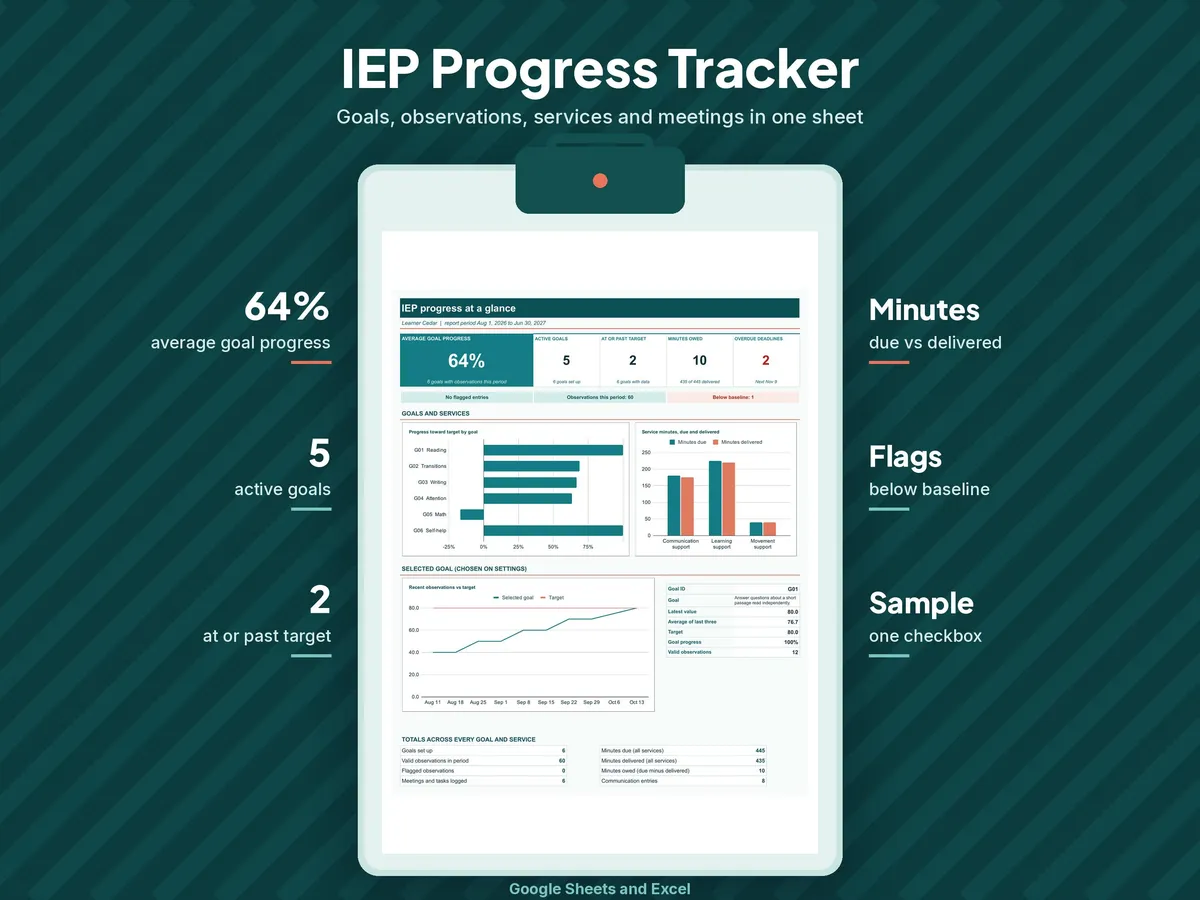
IEP tracker spreadsheet for parents, in Google Sheets. Keep your child's IEP goals, progress notes, meetings and school communication in one place, so you walk into every IEP meeting prepared.
Keep your child's IEP goals, observations, service minutes, deadlines and team contacts in an organized workbook. You write the goals and enter the data, and the workbook calculates progress from baseline toward target. Made as a Google Sheets template, with an .xlsx workbook included.
𝗪𝗛𝗔𝗧 𝗬𝗢𝗨 𝗚𝗘𝗧
- IEP Progress and Goal Tracker workbook with 12 connected tabs: Start Here, Dashboard, Settings, Goals, Observations, Progress, Services, Meetings, Team and Communication, Data Sheet, Goal Bank and Lists.
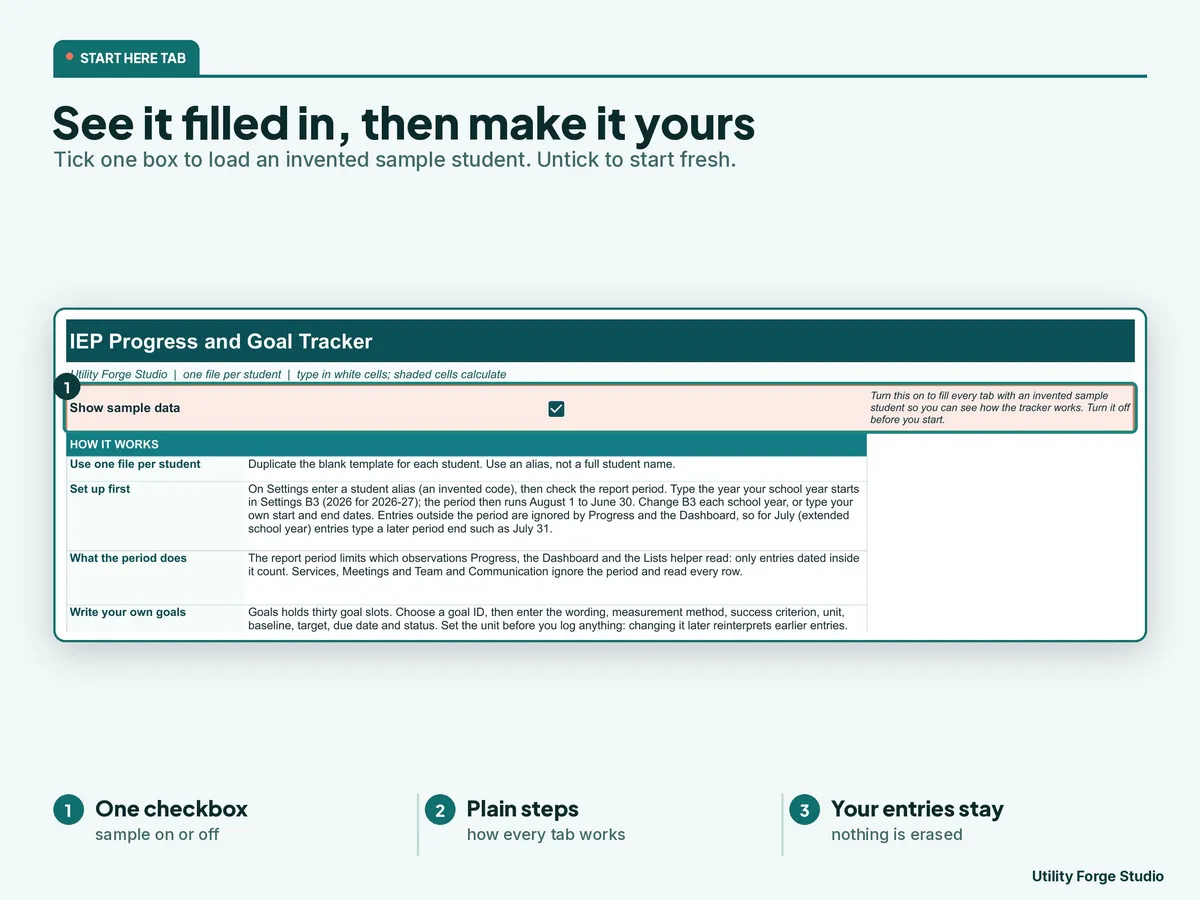
- A blank workbook for your own records, and a separate sample workbook filled with invented records so you can see every tab working.
- A Start Here guide (PDF) with your private Google Sheets copy button and first-use steps.
- The download is a ZIP with both Excel workbooks, the guide and a README, plus a separate copy of the same guide.
𝗪𝗛𝗔𝗧 𝗜𝗧 𝗗𝗢𝗘𝗦 𝗙𝗢𝗥 𝗬𝗢𝗨
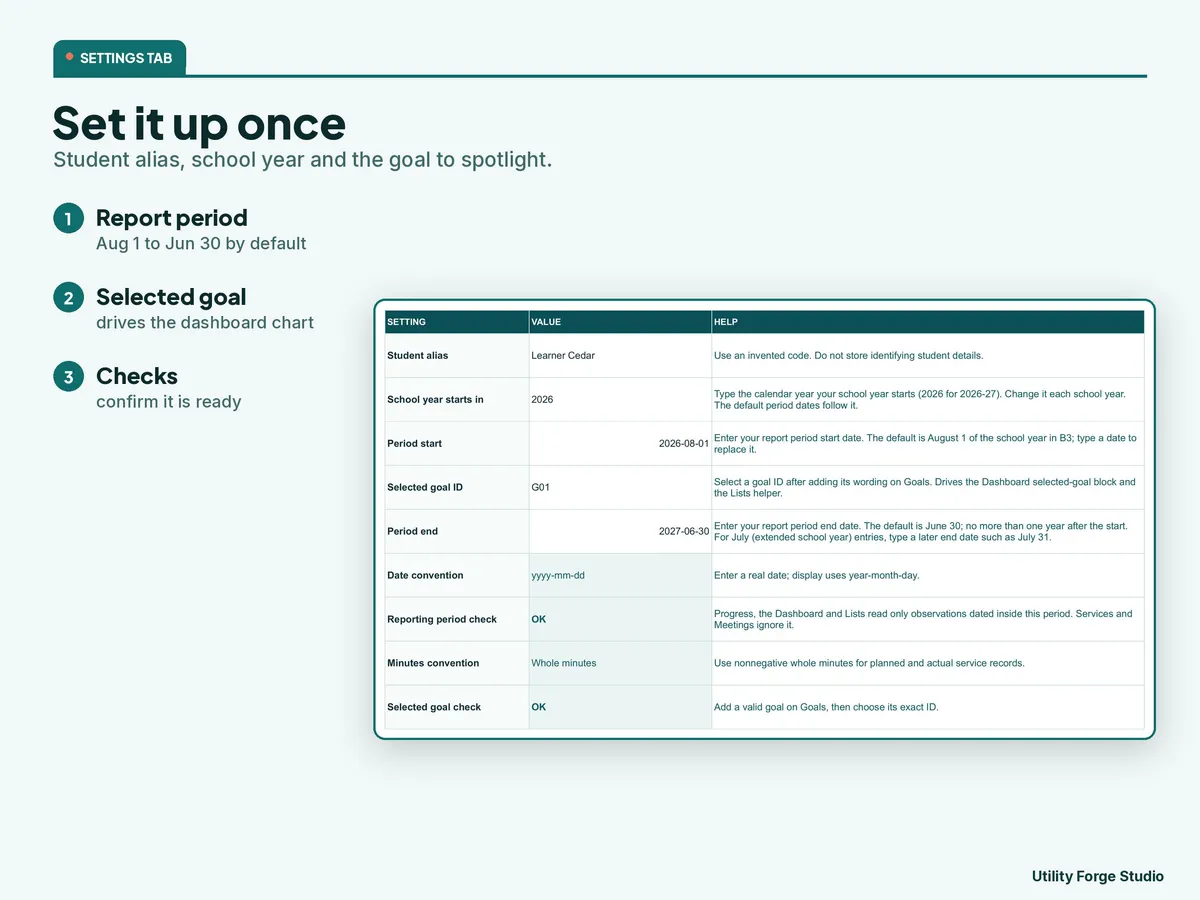
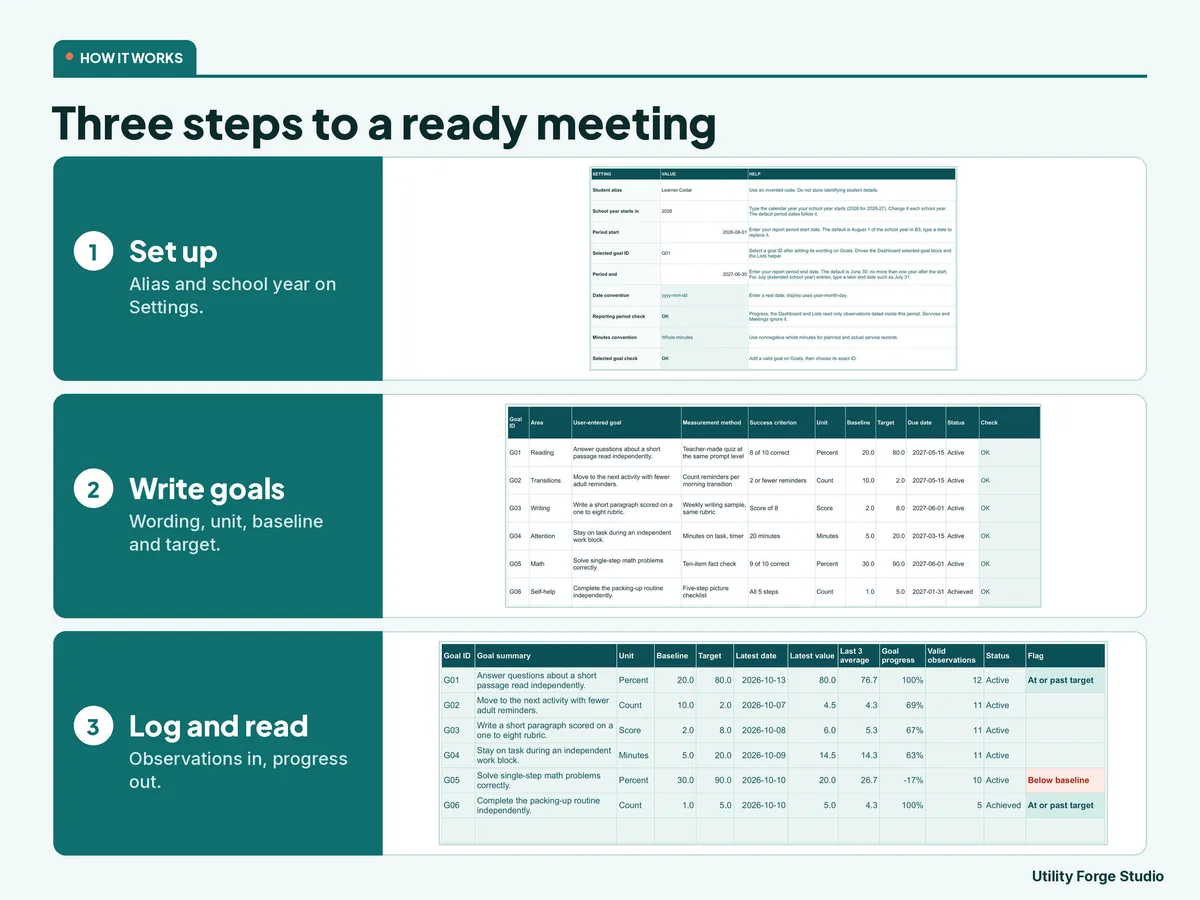
- Settings: an alias for your child and a school-year report period with start and end dates you can change. Only observations inside the period count in Progress and the Dashboard.
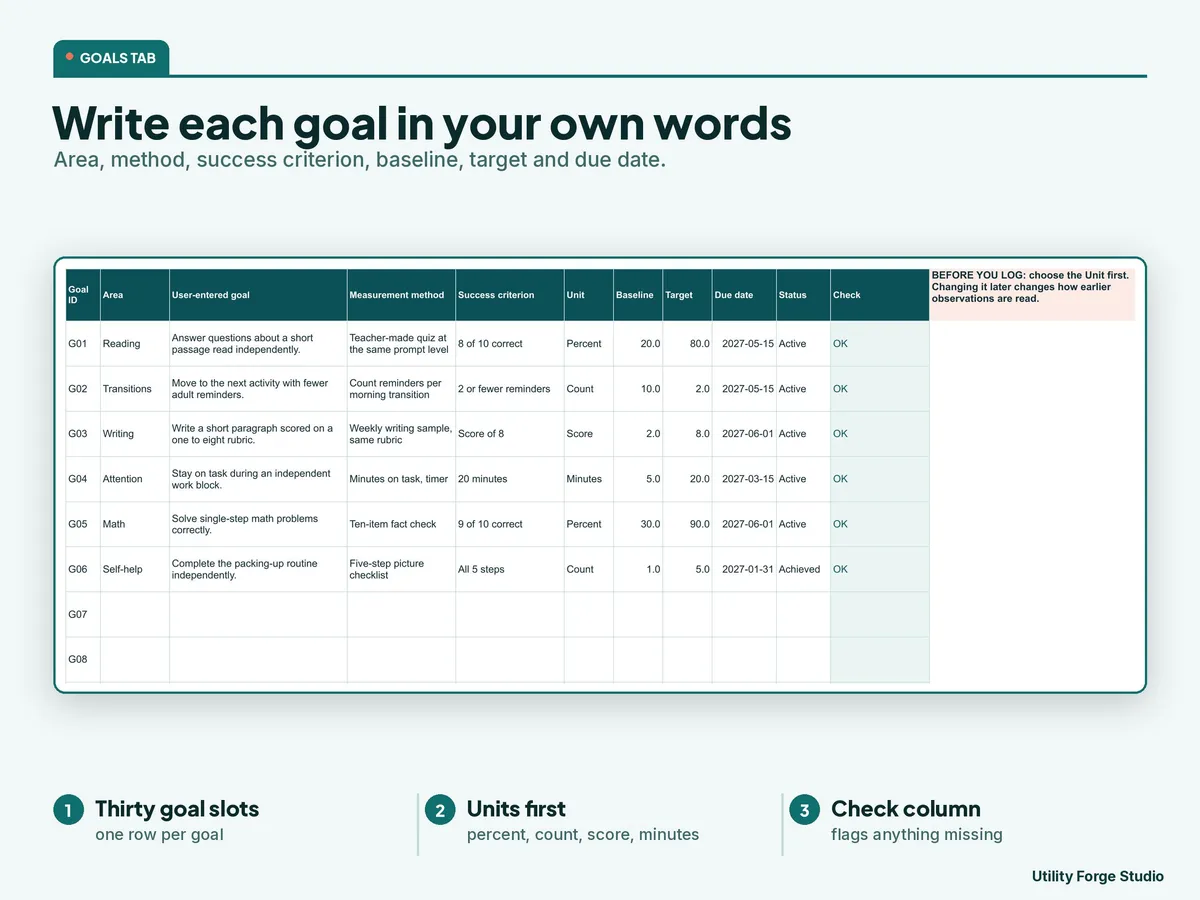
- Goals: room for 30 goals. Enter your own wording, measurement method, success criterion, unit, baseline, target, due date and status.
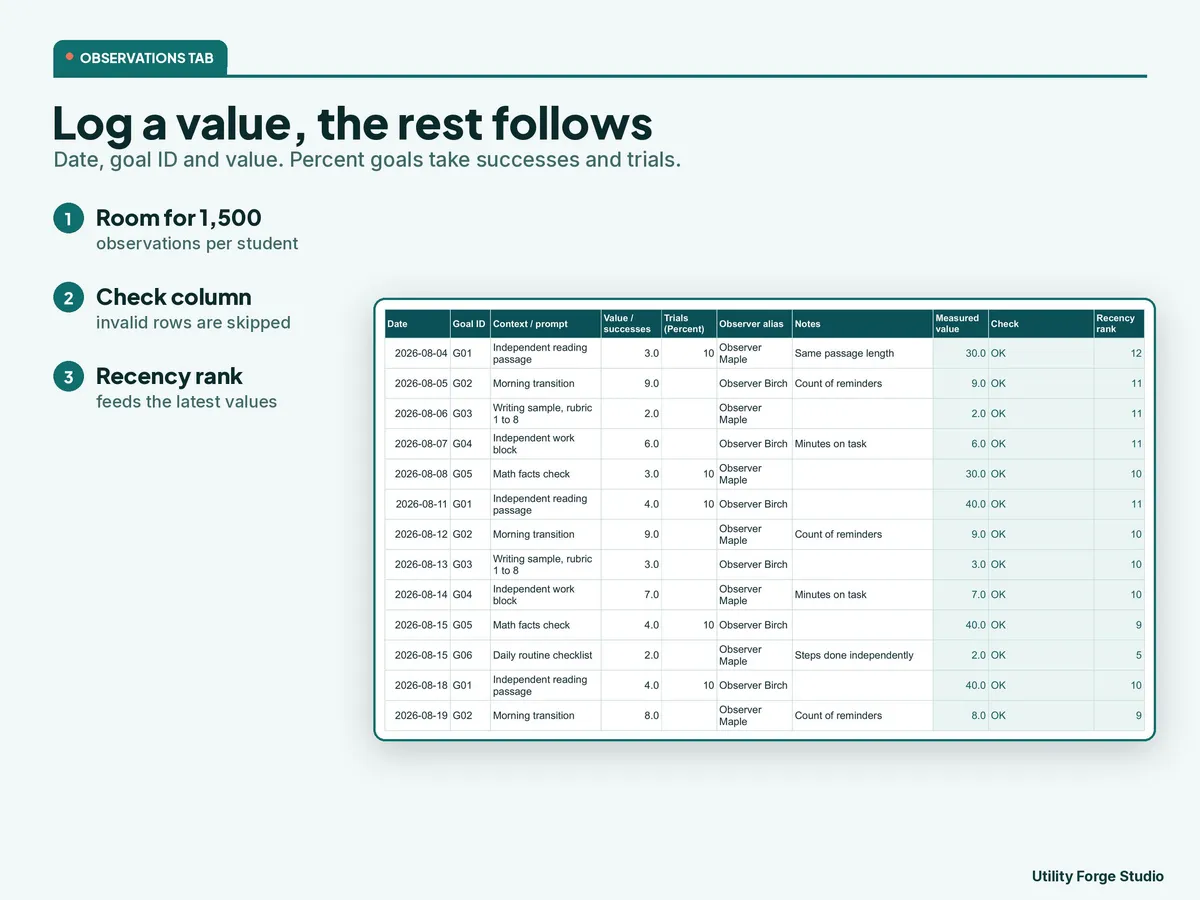
- Observations: room for 1,500 records. Enter the date, goal ID and value, or successes and trials for a percent goal. The measured value calculates, and a Check column flags an incomplete row.
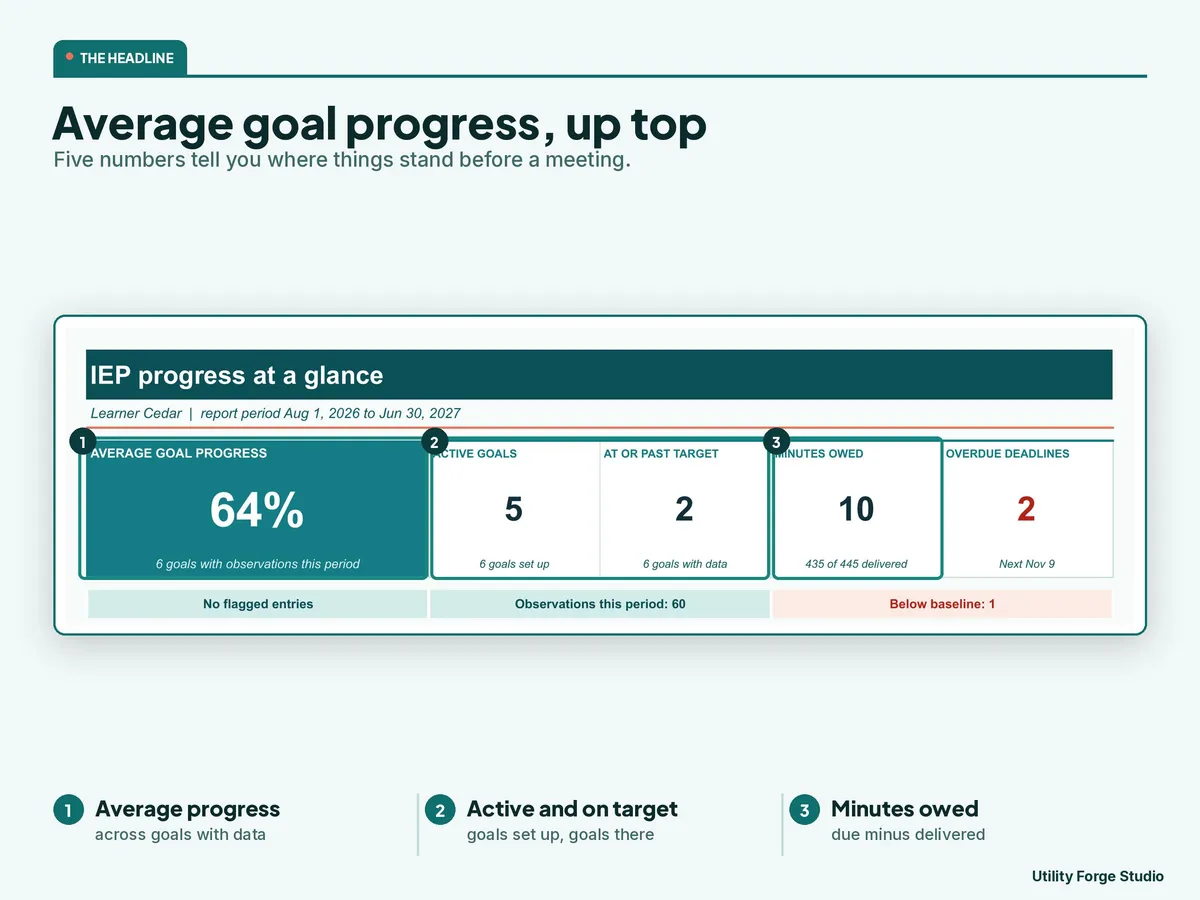
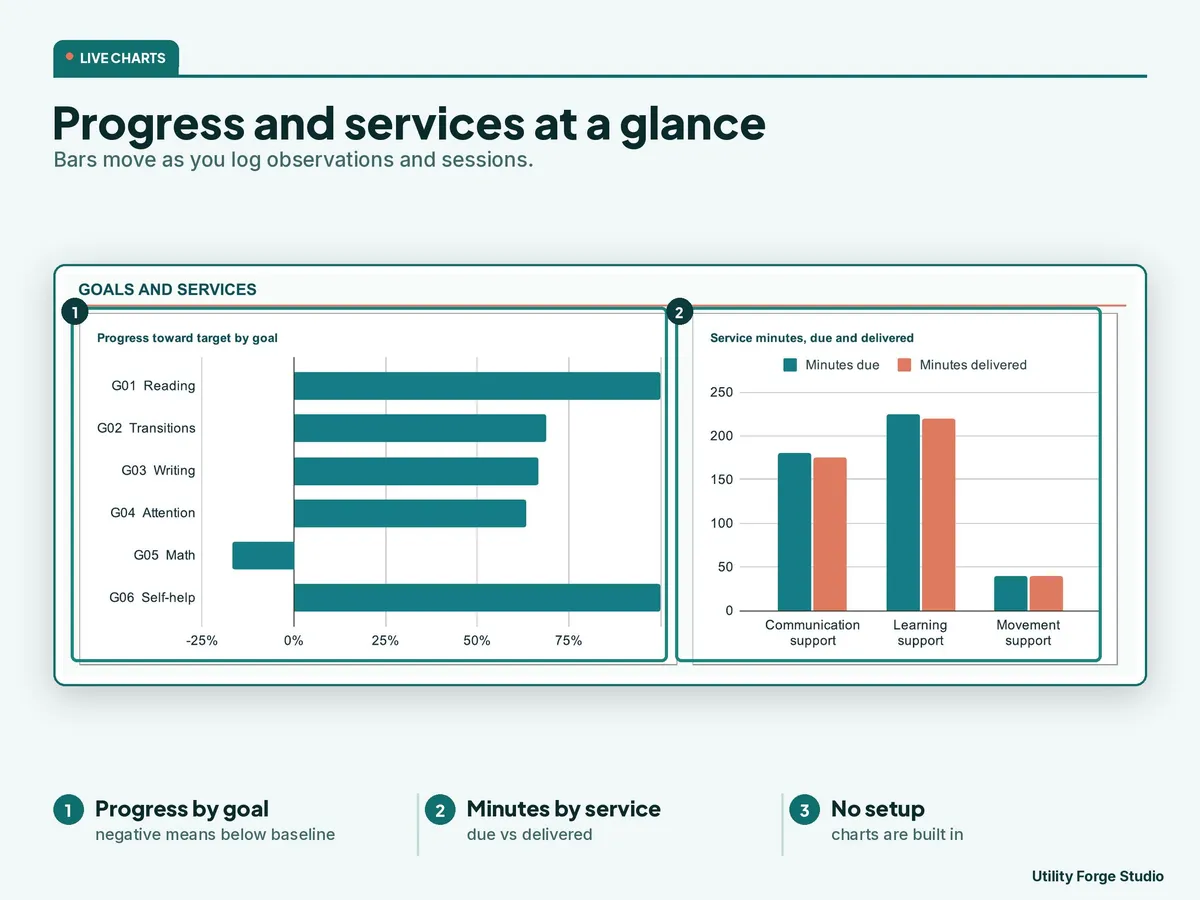
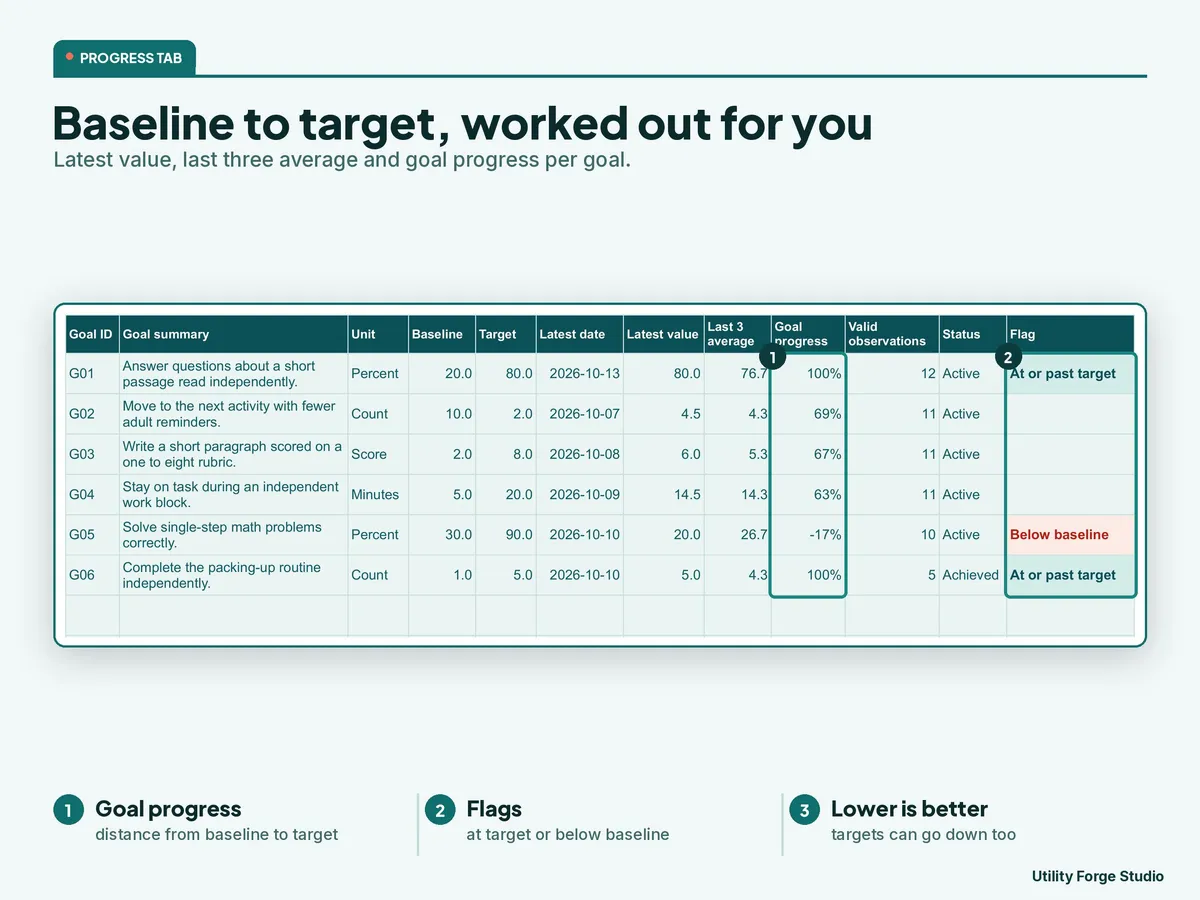
- Progress: the latest value, an average of recent observations, and progress from baseline toward target, with a plain flag when a goal is below its baseline.
- Services: room for 600 sessions with Scheduled, Delivered, Partial, Made up, Missed and Canceled statuses. Planned and actual minutes stay side by side, and minutes due, delivered and owed calculate for each service you list.
- Meetings: room for 80 deadlines that you enter yourself, with an organizational due flag.
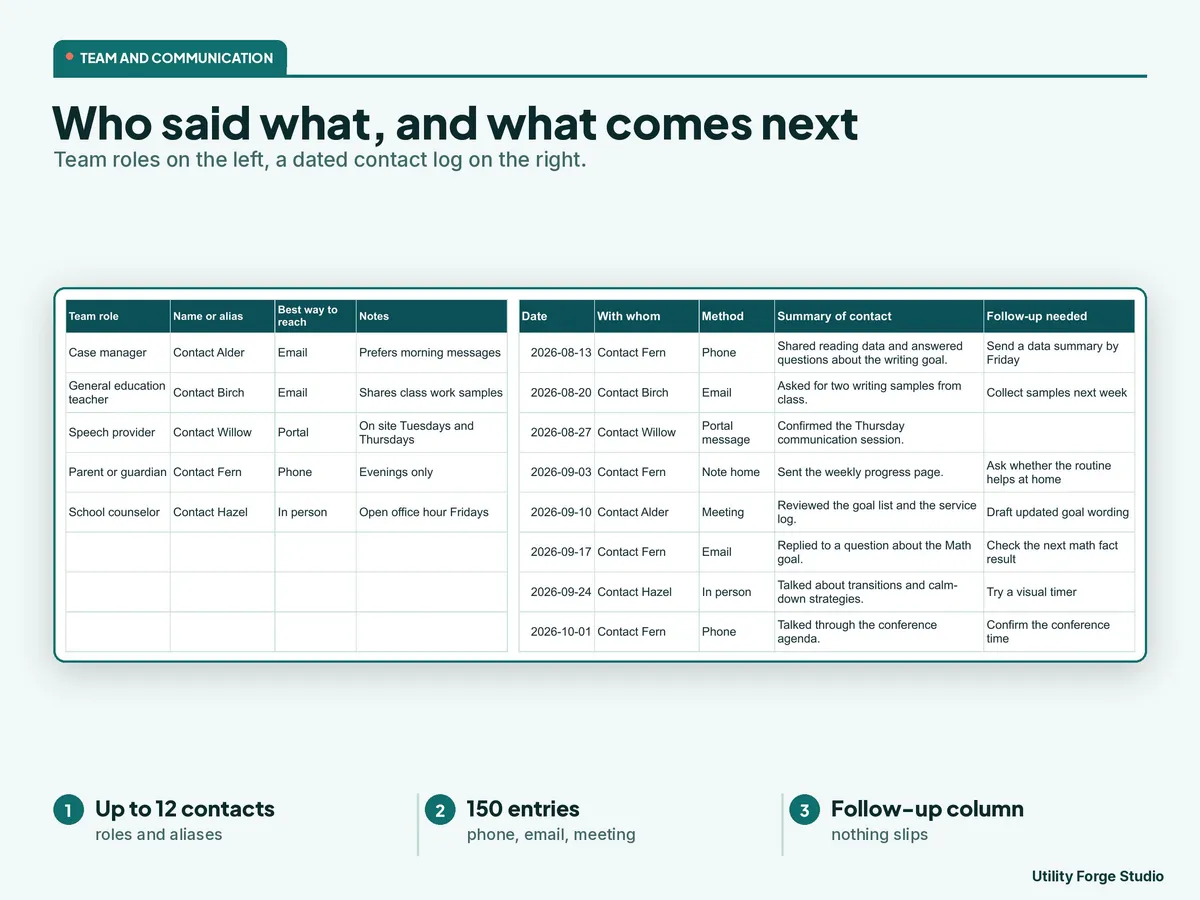
- Team and Communication: 12 team contacts and a 150-entry log of who you spoke with, when, how and what comes next.
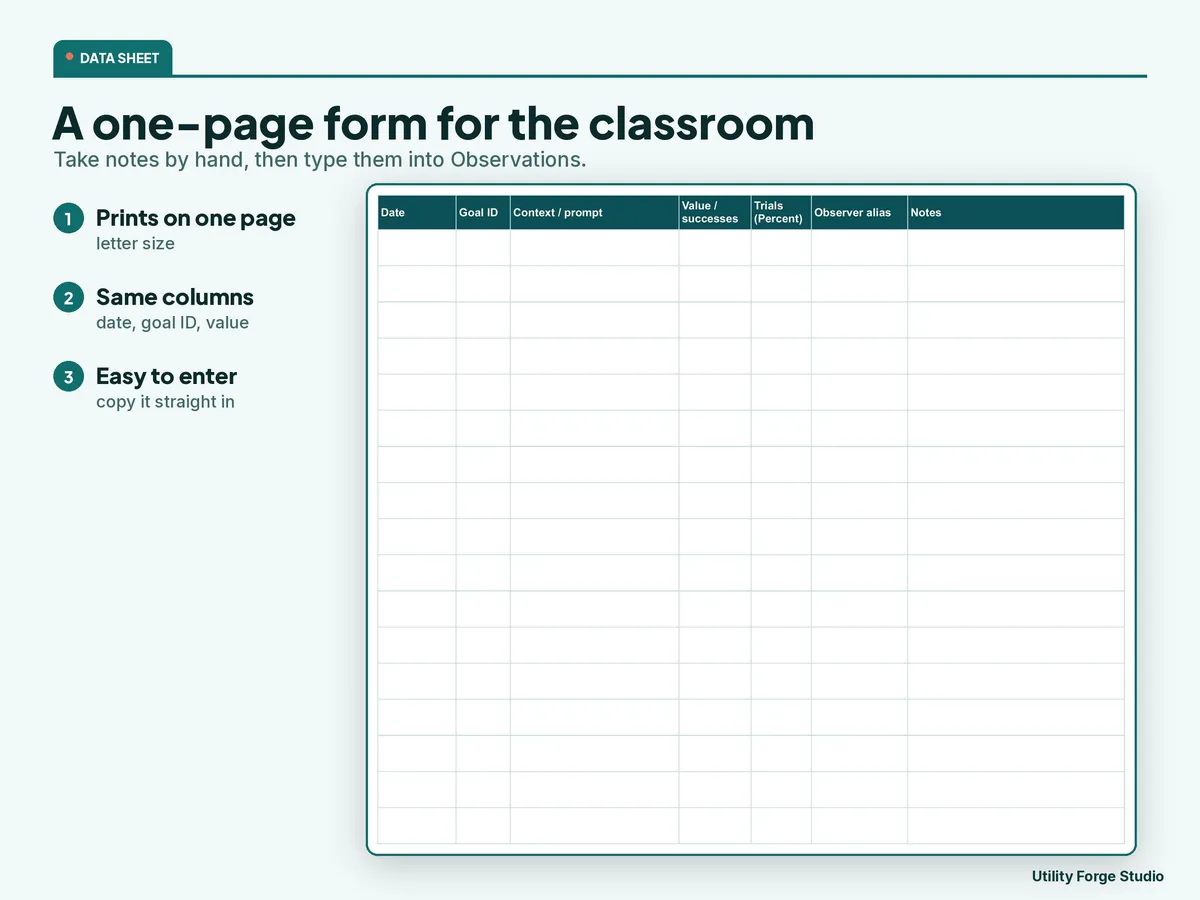
- Data Sheet: a blank collection form that prints on a single page for taking notes by hand.
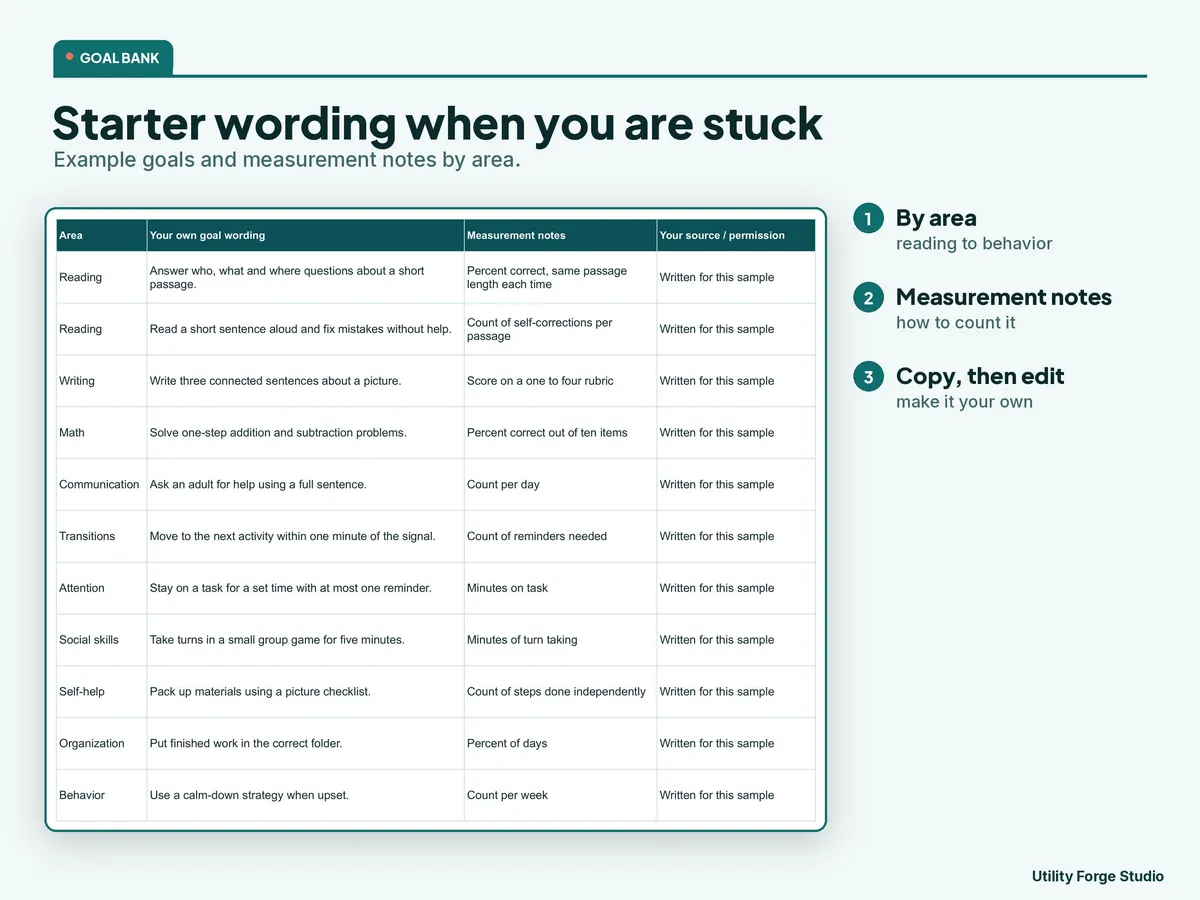
- Goal Bank: room for 60 entries of your own goal wording. It ships blank, and the sample file adds 12 invented starters.
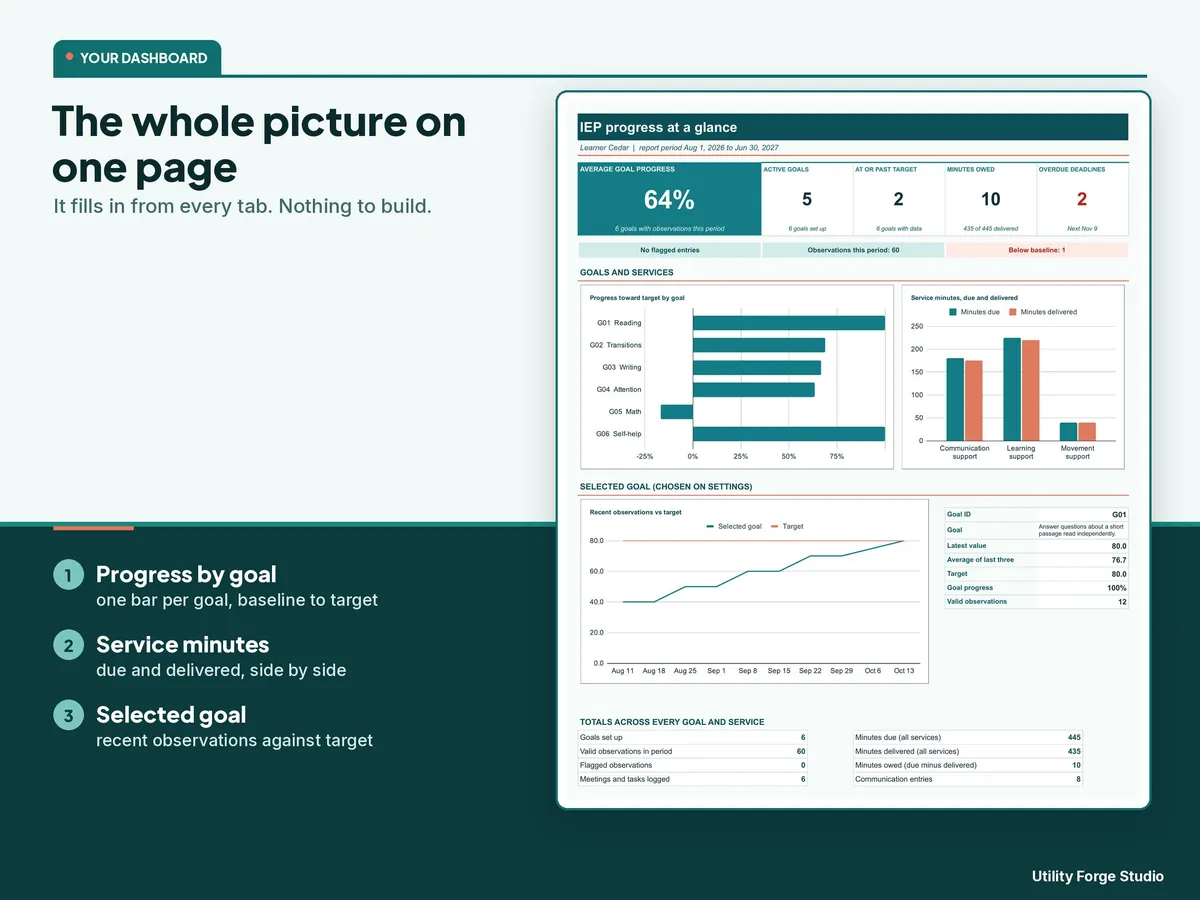
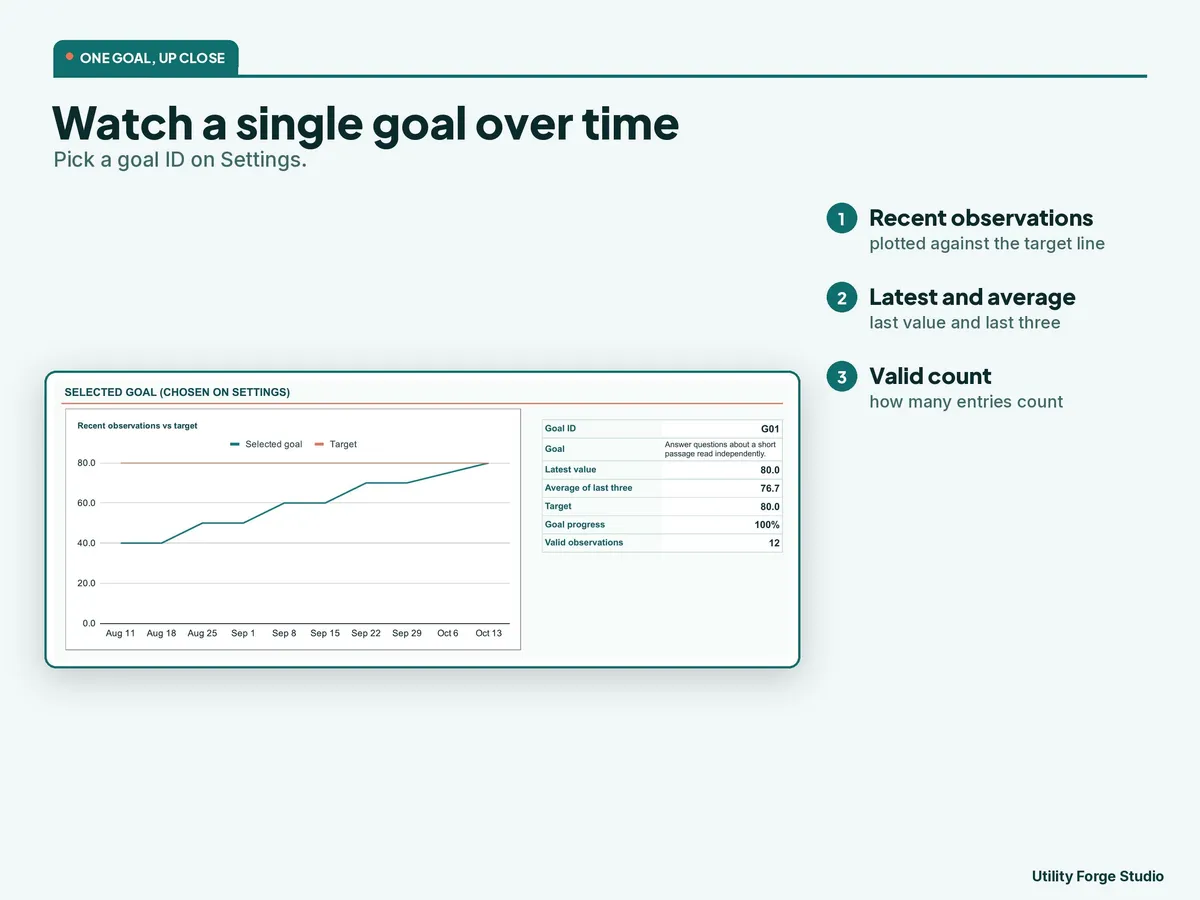
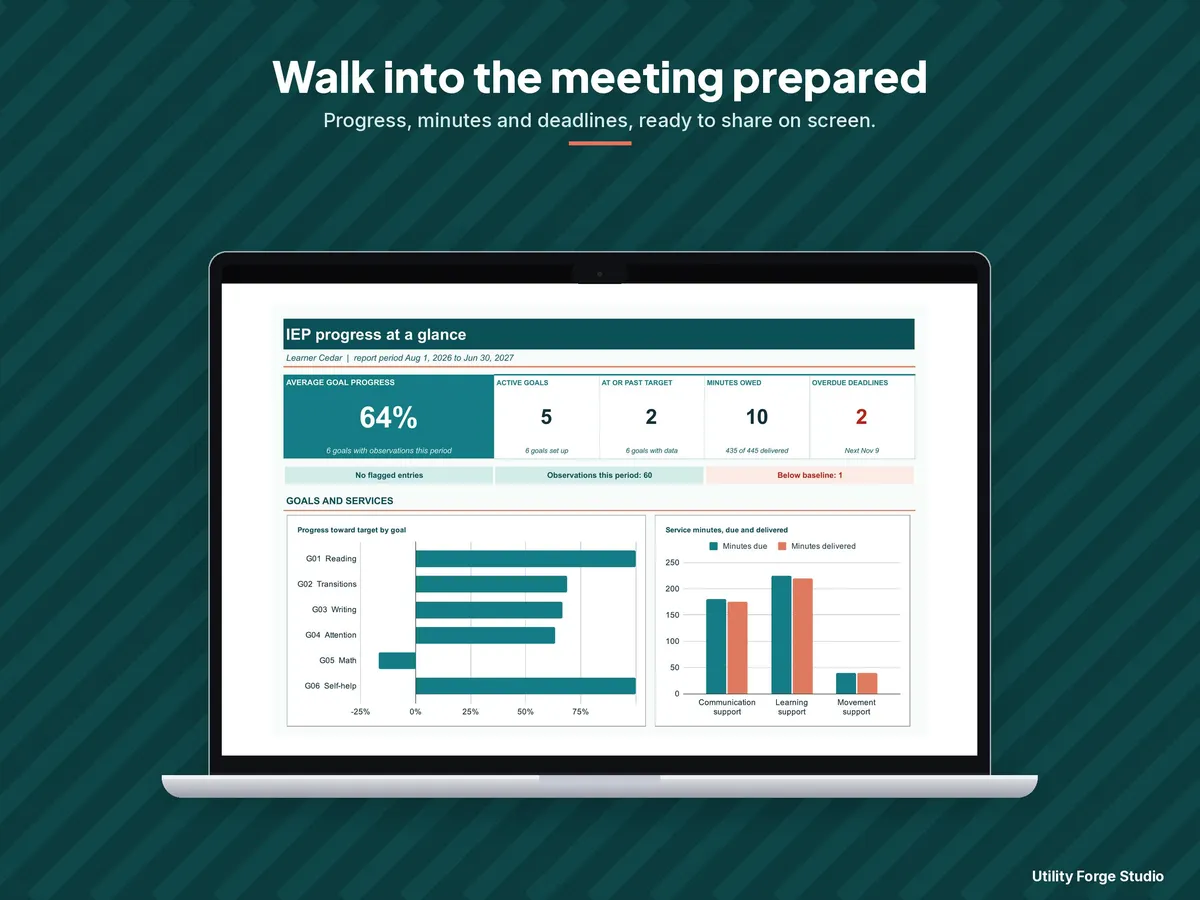
- Dashboard: a goal progress chart and totals for the selected goal and for all goals and services, calculated for you.
- Excel files: sheet protection (no password) locks the formulas while sorting, filtering and column widths stay available. Google Sheets copy: warning-only protection warns you before you type over a formula cell. Type only in the white cells.
𝗛𝗢𝗪 𝗧𝗢 𝗦𝗧𝗔𝗥𝗧
- Open the Start Here PDF and choose Make your private template copy, or unzip the download and open IEP-Progress-Goal-Tracker.xlsx.
- Keep a separate copy for each child. On Settings enter an alias (an invented code, not a name), your school-year start (change it each school year), the report period and a goal ID.
- Enter your own goals, then log observations, service minutes and deadlines.
- Read the Check column, repair any flagged row, and review the Dashboard.
ℹ 𝗚𝗢𝗢𝗗 𝗧𝗢 𝗞𝗡𝗢𝗪
- Check every goal, service minute and date against the actual IEP and with your school team; requirements vary by state and district.
- Everything in the sample file is invented. No real child, school or district appears anywhere.
- Formula ranges are fixed at the capacities above. Start another copy when a tab is full.
- No goals are supplied. You write your own wording, units and measurement decisions. Set a goal's unit before you log observations, because changing it later reinterprets earlier entries.
- Privacy: use aliases and the minimum detail you need, and follow your organization's rules for approved storage, access and sharing. The file does not provide secure storage or a privacy compliance certification.
- Compatibility: the Google Sheets copy needs a Google account and internet access. Not affiliated with, sponsored by, or endorsed by Google or Microsoft.
Independent organizational tool. Not affiliated with, sponsored by, or endorsed by any school, school district, or government agency. This tool does not provide educational, special-education, or legal advice and does not guarantee your child's progress.
Digital download only. No physical item will be shipped.
Designed by me, created using AI tools.
Personal use only. Do not resell or redistribute. Do not enter passwords or account credentials.
The Etsy listing is the final source for what is included. See it on Etsy.
More in School and work

SPED IEP Caseload Tracker for Teachers and Case Managers
What it is not: it does not write IEPs, it is not a behavior data system, it is not legal…

Task Tracker Spreadsheet
A task and project tracker for Google Sheets that turns one task list into a status board, a…

College Planner Spreadsheet
Know your GPA at a glance and always know what you need on the next exam.

Clinical Hours Tracker Spreadsheet
Track supervised practice hours, verification, sign-off requests, and progress toward…