
SPED IEP Caseload Tracker for Teachers and Case Managers
SPED IEP Caseload Tracker for Teachers and Case Managers, IEP Due Dates, Service Minutes, Goal Data, Google Sheets Excel
$14.99
Buy on EtsyOpens the listing on Etsy in a new tab. Checkout happens on Etsy.
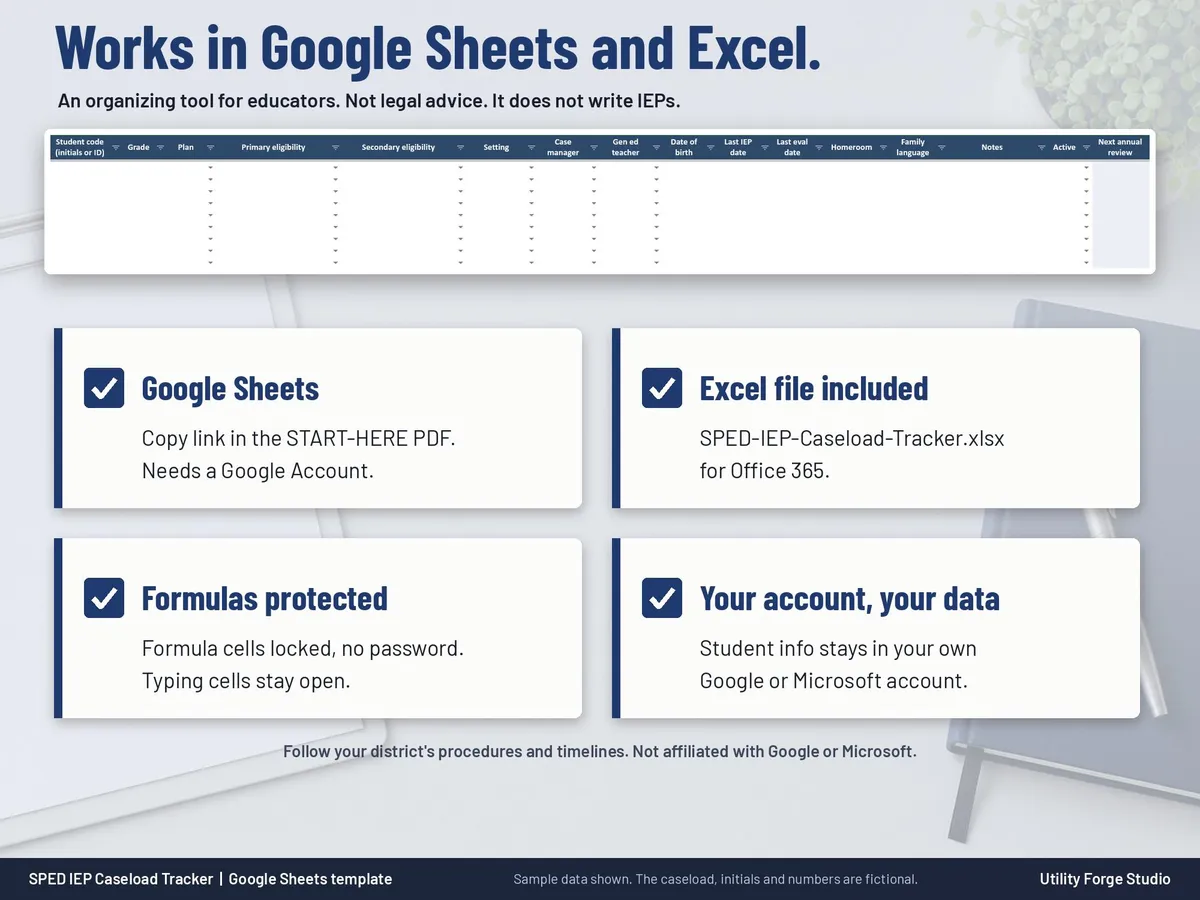
Made for Google Sheets. An Excel file is included, and it works best with current Excel (Excel 2021 or newer).
- Instant digital download
- Buy through Etsy checkout
- No subscription
- Made by Utility Forge Studio
- Questions? Email utilityforgestudio@gmail.com
See it in use
About this download
What it is not: it does not write IEPs, it is not a behavior data system, it is not legal advice, and it does not make IEPs compliant. It is an organizing tool for the dates, minutes, goals and notes you already keep.
⭐ 𝗗𝗘𝗠𝗢
On the fence? Watch our sample video in the listing photos above (it shows the real spreadsheet, tab by tab).
WHAT YOU GET
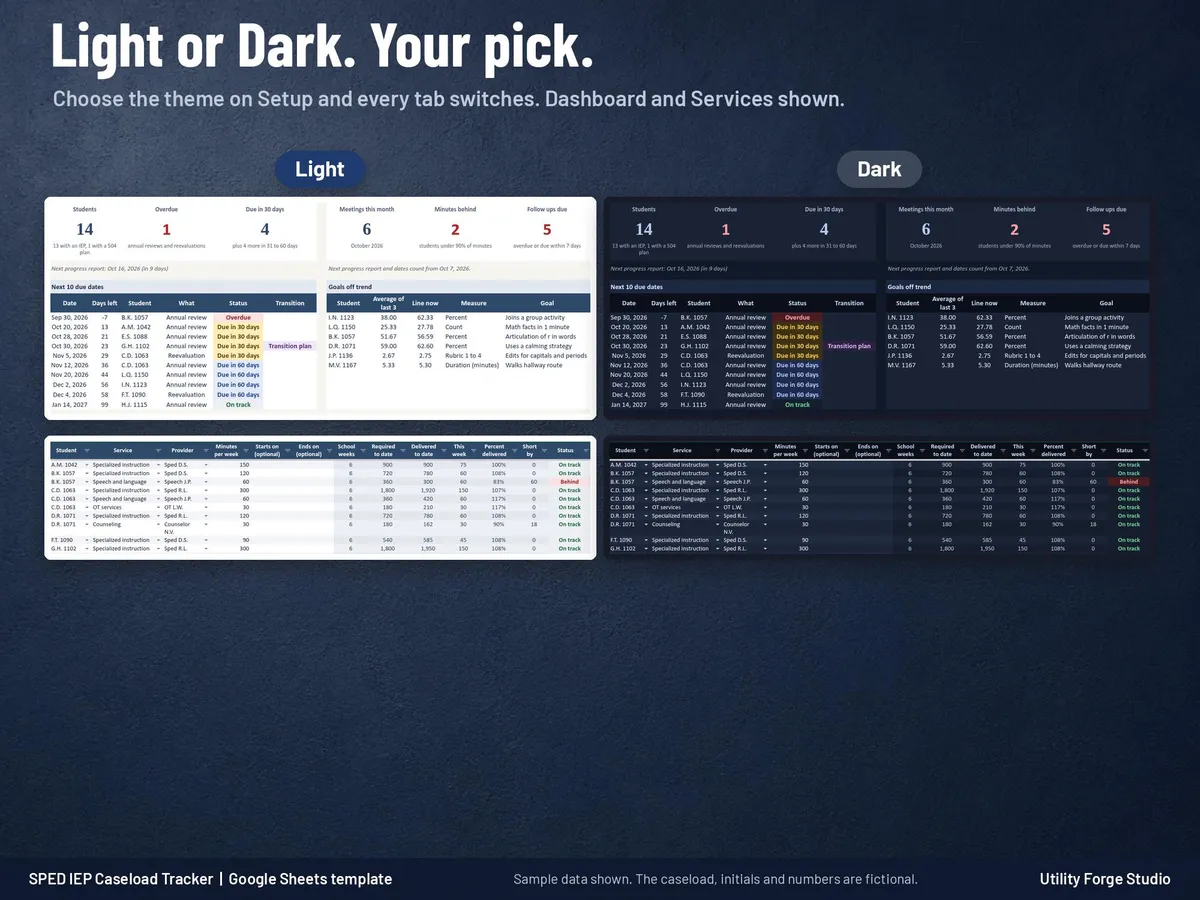
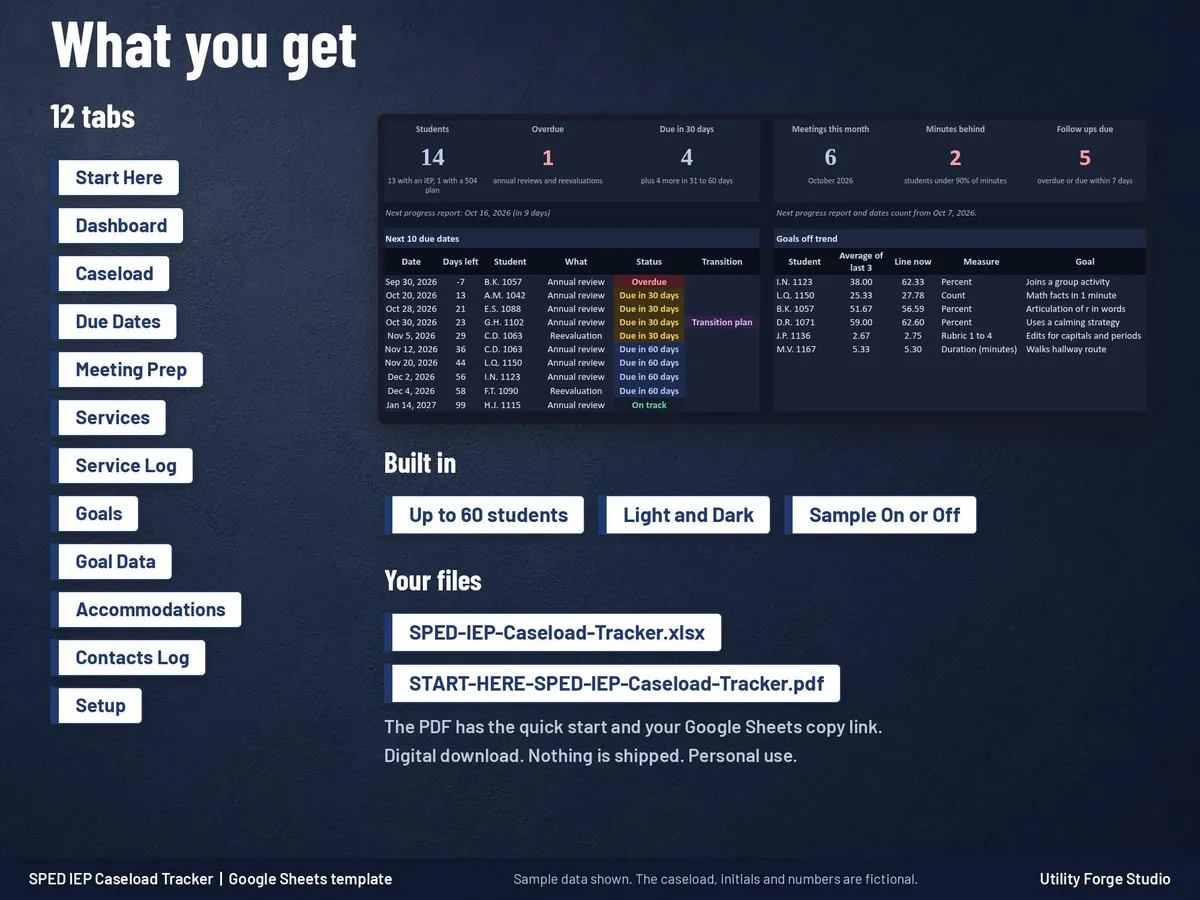
One workbook with 12 tabs and a Start Here guide, as a one-time digital download. Light and Dark mode are in the same file: choose a theme on Setup and every tab switches. Charts and header art are designed to suit both.
THE TABS
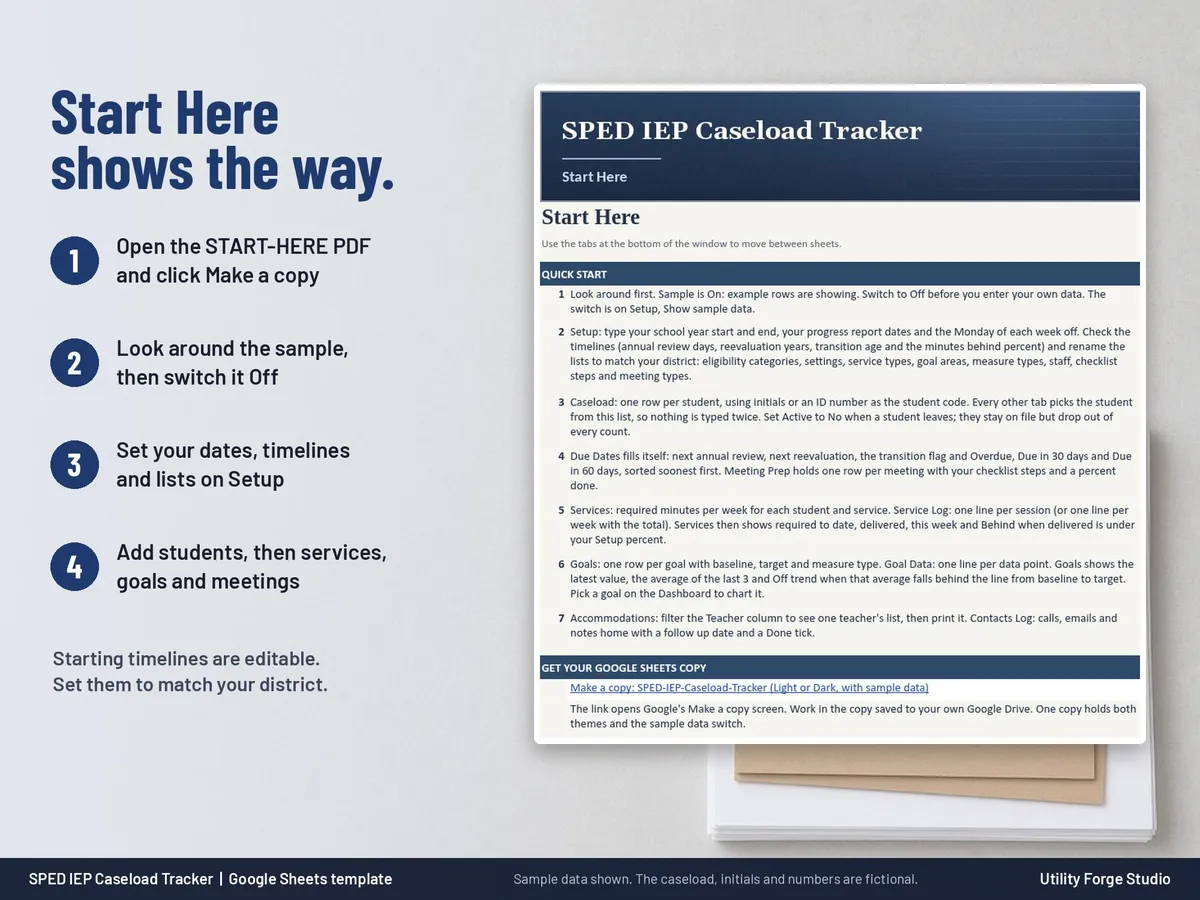
Start Here: quick start steps, color key and notes.
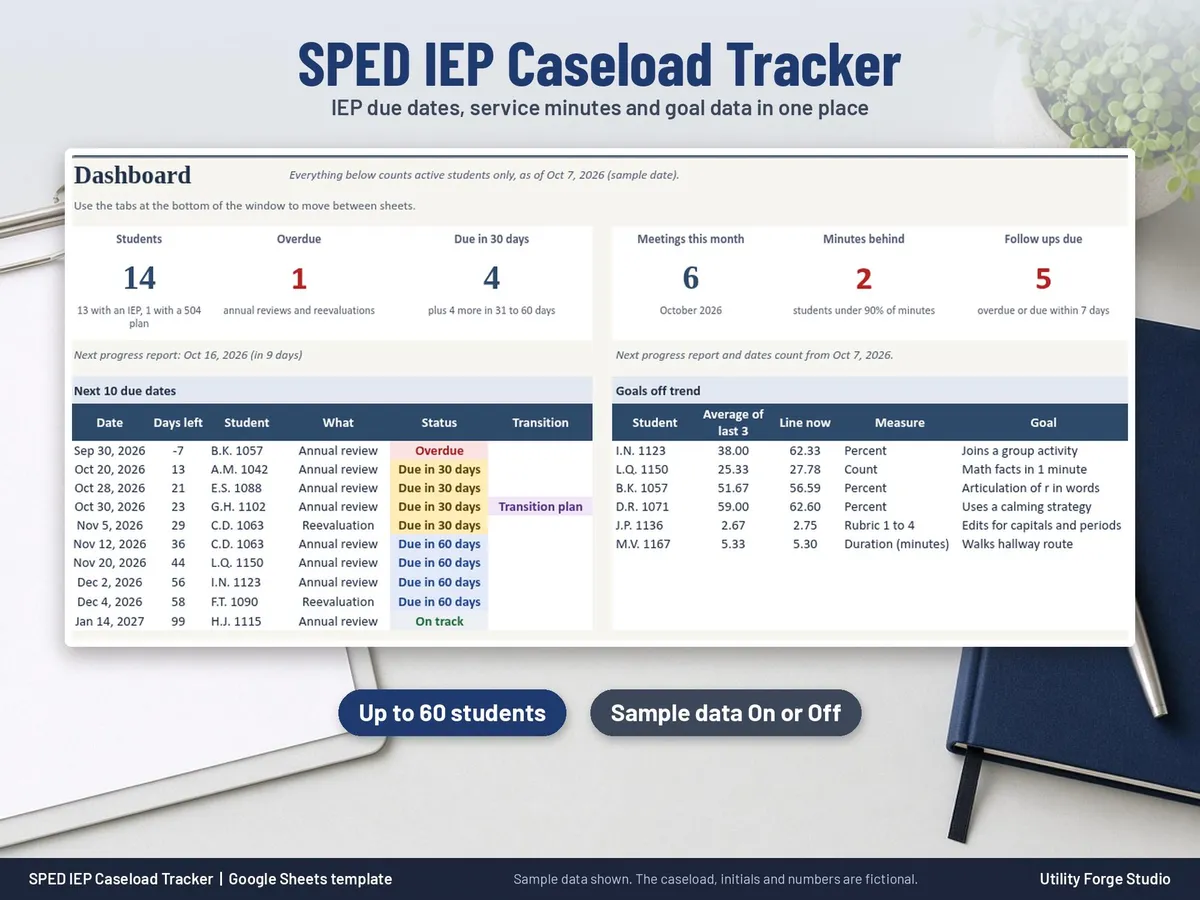
Dashboard: tiles for Students, Overdue, Due in 30 days, Meetings this month, Minutes behind and Follow ups due; the next 10 due dates; goals off trend; meetings to prep; an eligibility chart where primary and secondary eligibility both count; a goal trend chart for the goal you pick; minutes behind; follow ups due.
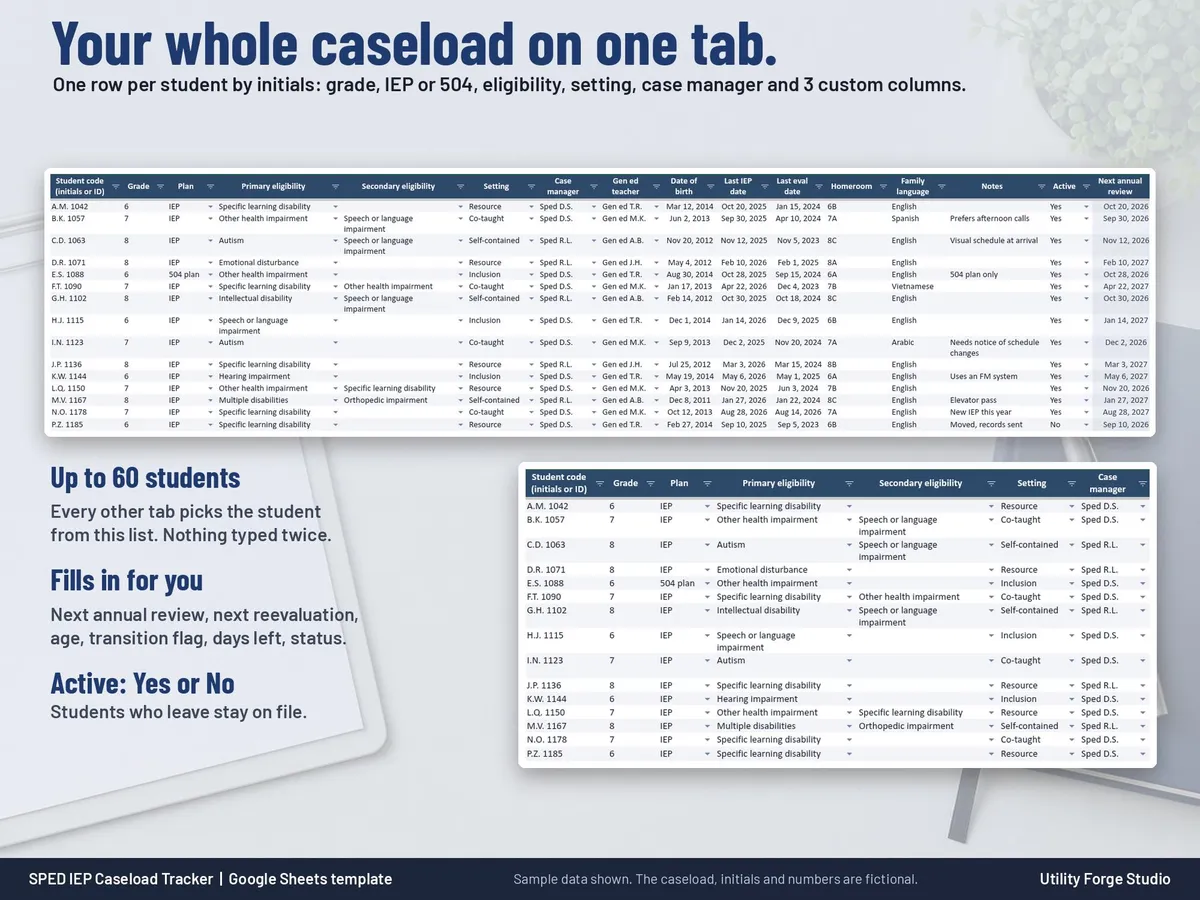
Caseload: up to 60 students by initials or ID number, grade, IEP or 504 plan, primary and secondary eligibility, setting, case manager, gen ed teacher, three custom columns and Active. Next annual review, next reevaluation, age, transition flag, days left and status fill in automatically.
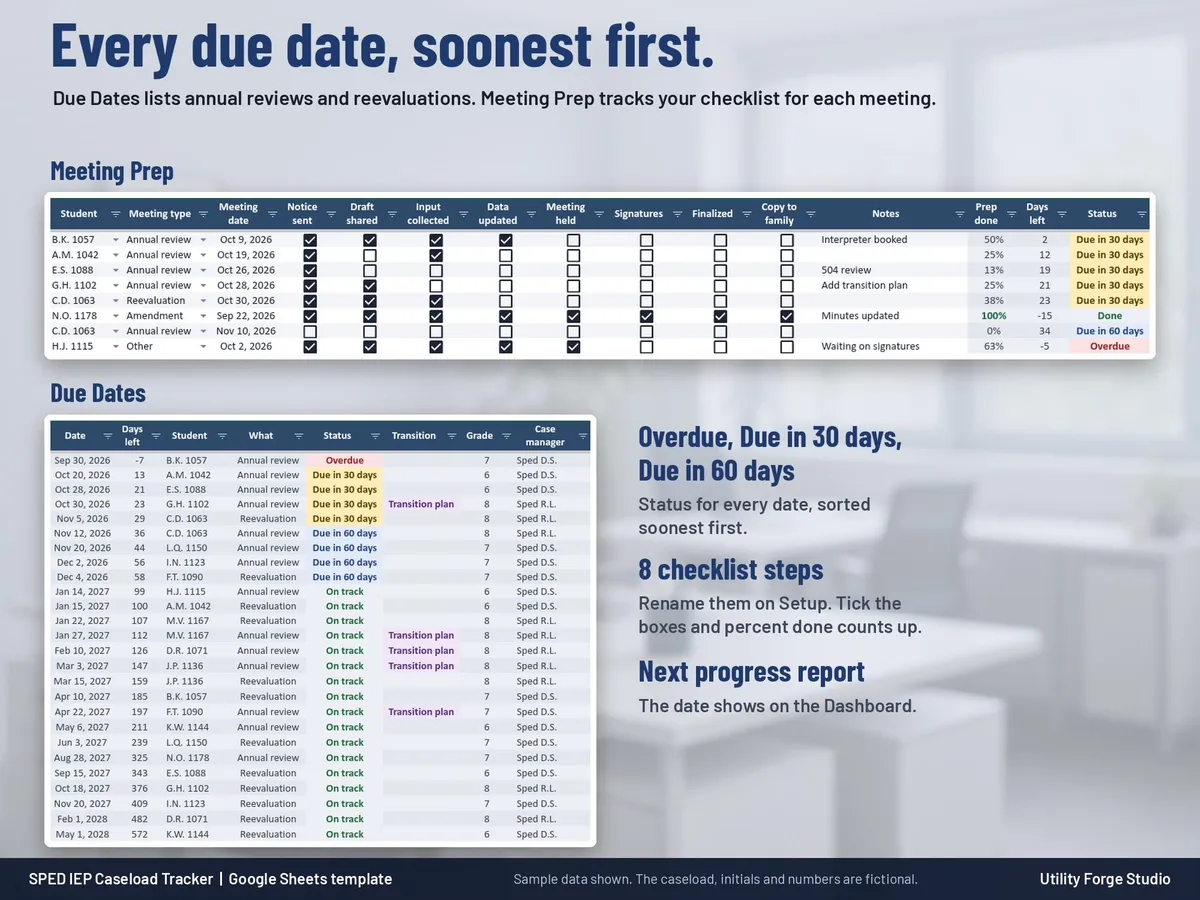
Due Dates: every annual review and reevaluation sorted soonest first, with Overdue, Due in 30 days and Due in 60 days, plus your next progress report date.
Meeting Prep: one row per meeting with 8 checklist steps you can rename and an automatic percent done.
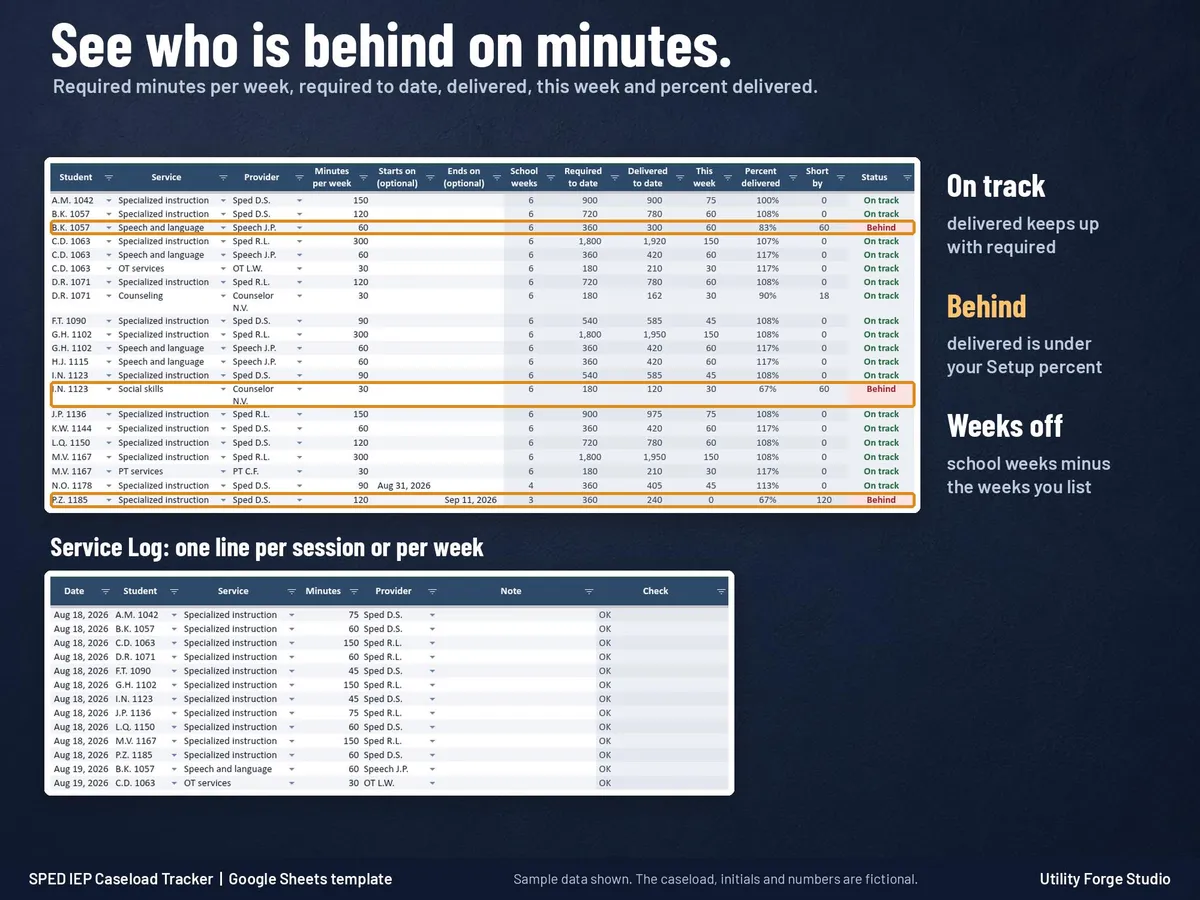
Services and Service Log: required minutes per week for each student and service, a log of sessions, and automatic school weeks (minus your weeks off), required to date, delivered, this week, percent delivered and a Behind flag under the percent you choose.
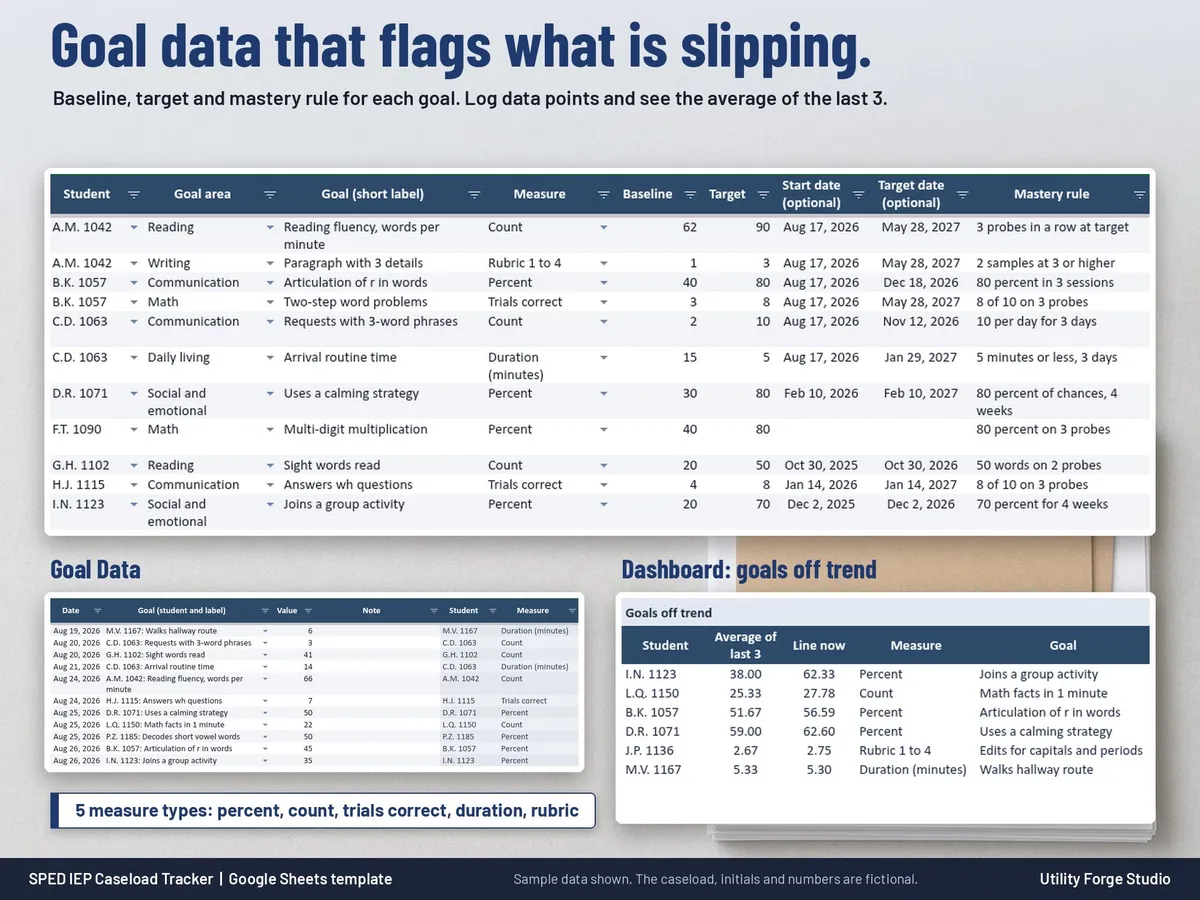
Goals and Goal Data: goal area, measure type (percent, count, trials correct, duration or rubric), baseline, target and mastery rule; data points by date; the latest value, the average of the last 3 and an Off trend flag against the line from baseline to target.
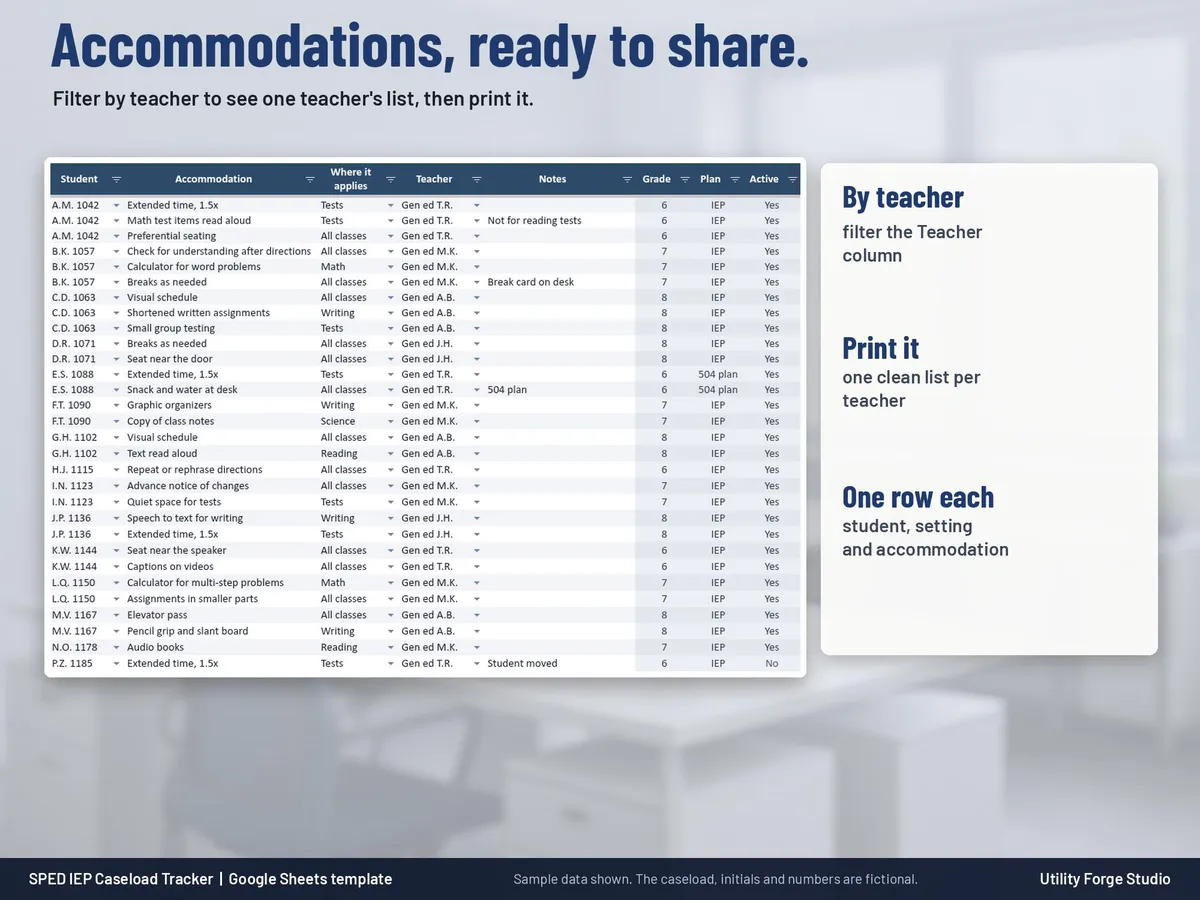
Accommodations: accommodations at a glance by student, where they apply and teacher. Filter by teacher and print.
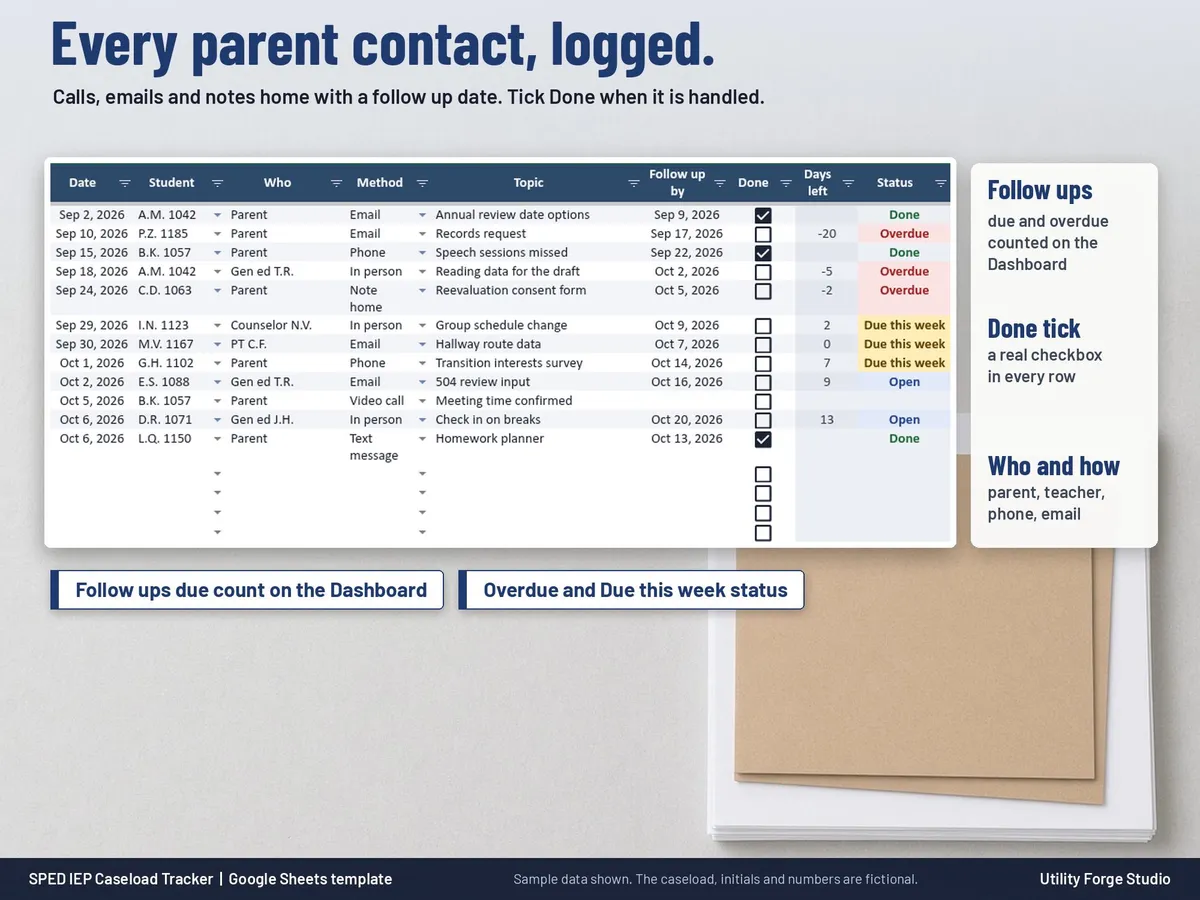
Contacts Log: calls, emails, meetings and notes home with a follow up date and a Done tick.
Setup: school year dates, progress report dates, weeks off, timelines and every dropdown list (eligibility categories, settings, service types, goal areas, measure types, staff, checklist steps and more), all editable.
TIMELINES ARE YOURS TO SET
Annual review every 365 days, reevaluation every 3 years, a transition flag at age 14 and minutes behind under 90 percent are starting values on Setup. Change them to match your district.
SAMPLE CASELOAD
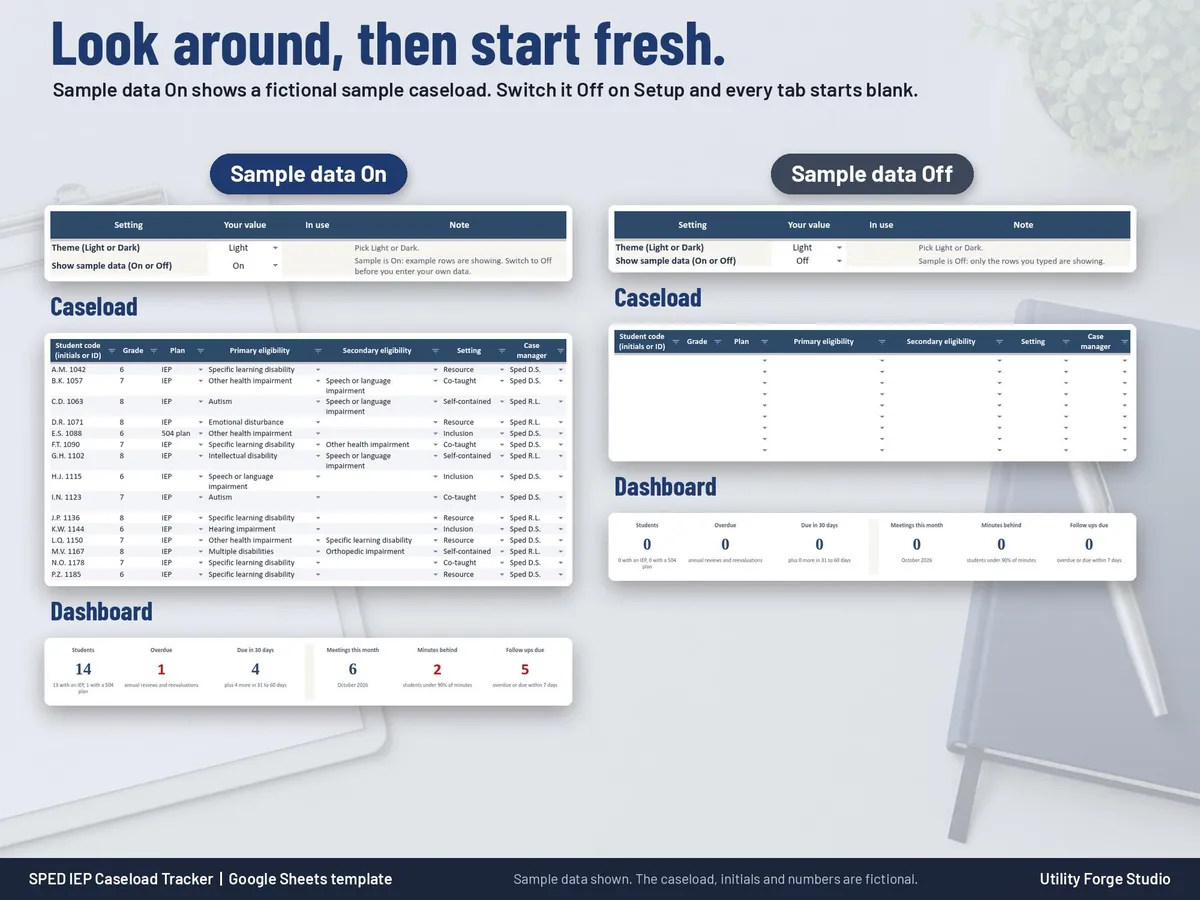
A fictional caseload of 15 students (initials and made-up ID numbers only) shows how every tab works. Switch Show sample data to Off on Setup and the sample rows disappear; your own rows are never changed by the switch.
FILES
- START-HERE-SPED-IEP-Caseload-Tracker.pdf: the Start Here guide with your Google Sheets copy link.
- SPED-IEP-Caseload-Tracker.xlsx: the Excel workbook.
GOOD TO KNOW
Typing cells are unlocked and formula cells are protected without a password. To sort, unprotect the sheet (no password), sort the whole table, then protect it again.
Digital download only. No physical item will be shipped.
Utility Forge Studio is not affiliated with, sponsored by, or endorsed by Google or Microsoft.
Are you a parent? See our IEP Tracker for Parents.
This is an organizing tool for educators. It is not legal advice and does not make your IEPs compliant; follow your district's procedures and your state's timelines.
Student information stays in your own Google or Microsoft account. Use the account and naming your district allows (initials or student ID numbers are a good habit).
Personal use only. Please do not resell, share or redistribute the files.
Designed by me, created using AI tools.
𝗜𝗠𝗣𝗢𝗥𝗧𝗔𝗡𝗧
Developed for Google Sheets. An Excel file is included for the latest Microsoft 365 (Office 365 Desktop App). Older Excel versions may not support all features.
The Etsy listing is the final source for what is included. See it on Etsy.
More in School and work

Task Tracker Spreadsheet
A task and project tracker for Google Sheets that turns one task list into a status board, a…

College Planner Spreadsheet
Know your GPA at a glance and always know what you need on the next exam.

IEP Tracker Spreadsheet for Parents
IEP tracker spreadsheet for parents, in Google Sheets.

Clinical Hours Tracker Spreadsheet
Track supervised practice hours, verification, sign-off requests, and progress toward…