
Contractor Job Costing Spreadsheet
Contractor Job Costing Spreadsheet, Estimate vs Actual Tracker, Construction Estimate Template, Change Order Log, Google Sheets Excel
$24.99
Buy on EtsyOpens the listing on Etsy in a new tab. Checkout happens on Etsy.
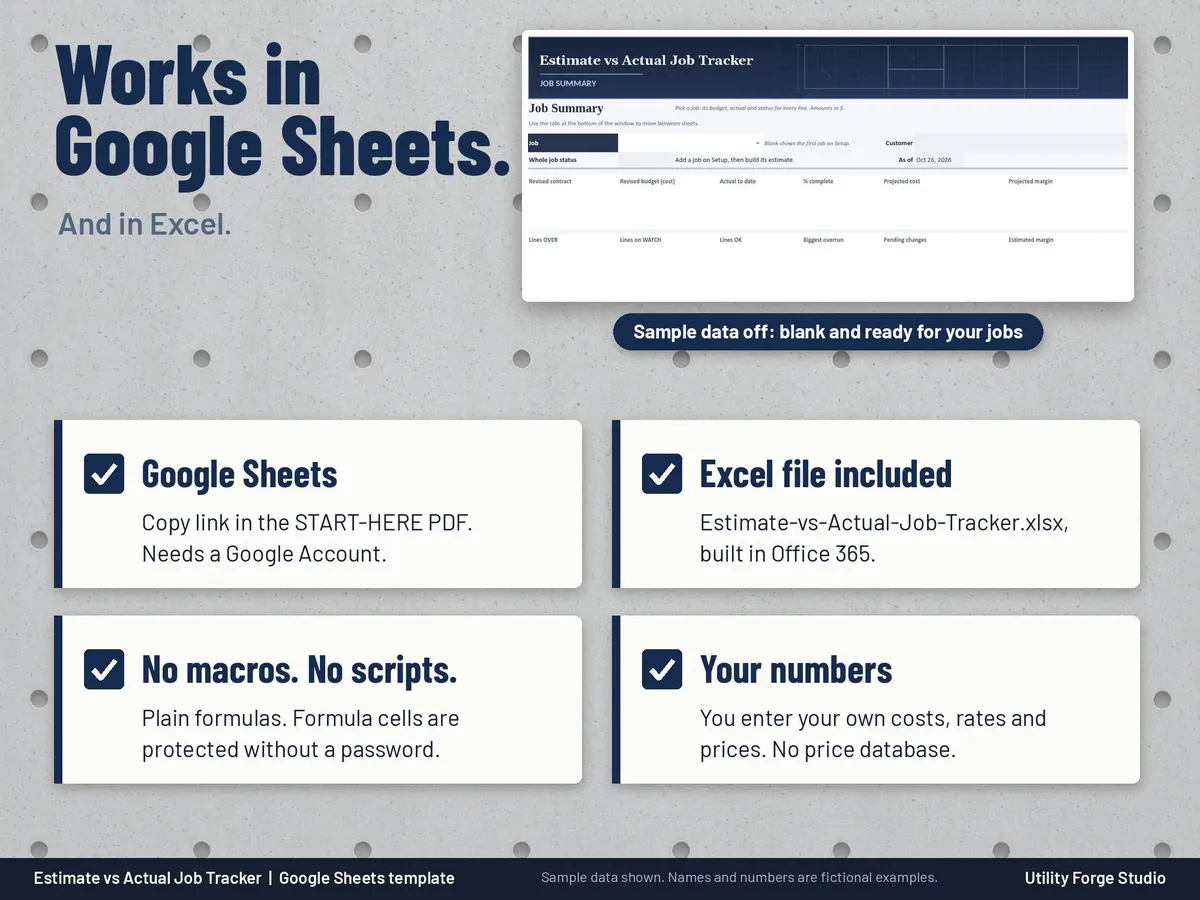
Made for Google Sheets. An Excel file is included, and it works best with current Excel (Excel 2021 or newer).
- Instant digital download
- Buy through Etsy checkout
- No subscription
- Made by Utility Forge Studio
- Questions? Email utilityforgestudio@gmail.com
See it in use
About this download
You enter your own costs, rates and prices. There is no price database and no profit promise: the tracker shows your numbers clearly so you can act while there is still time.
⭐ 𝗗𝗘𝗠𝗢
On the fence? Watch our sample video in the listing photos above (it shows the real spreadsheet, tab by tab).
HOW IT WORKS
- Setup: your company name, currency, default markup, cost codes with categories, crew roles with hourly rates, and your jobs.
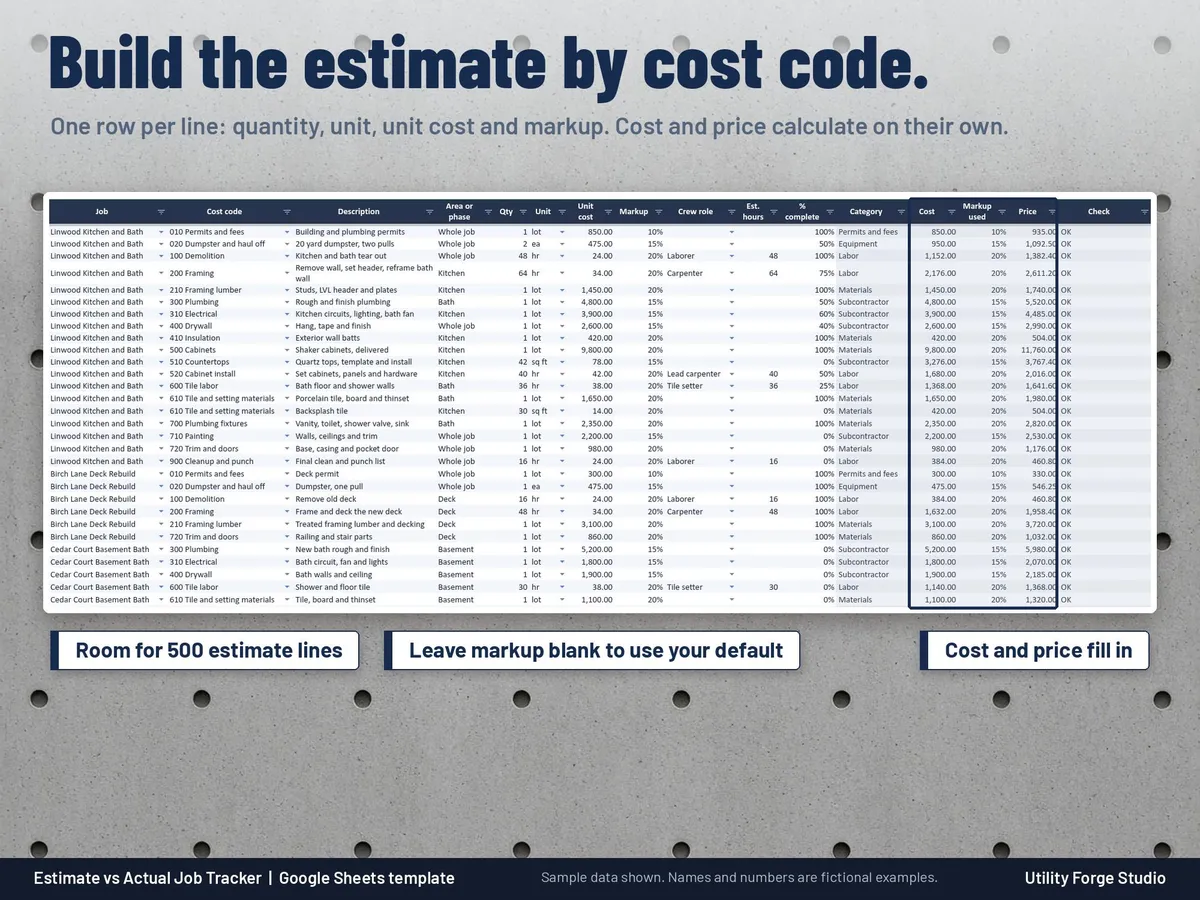
- Estimate: one row per line of work with cost code, description, area or phase, quantity, unit, unit cost and markup. Cost and price calculate on their own.
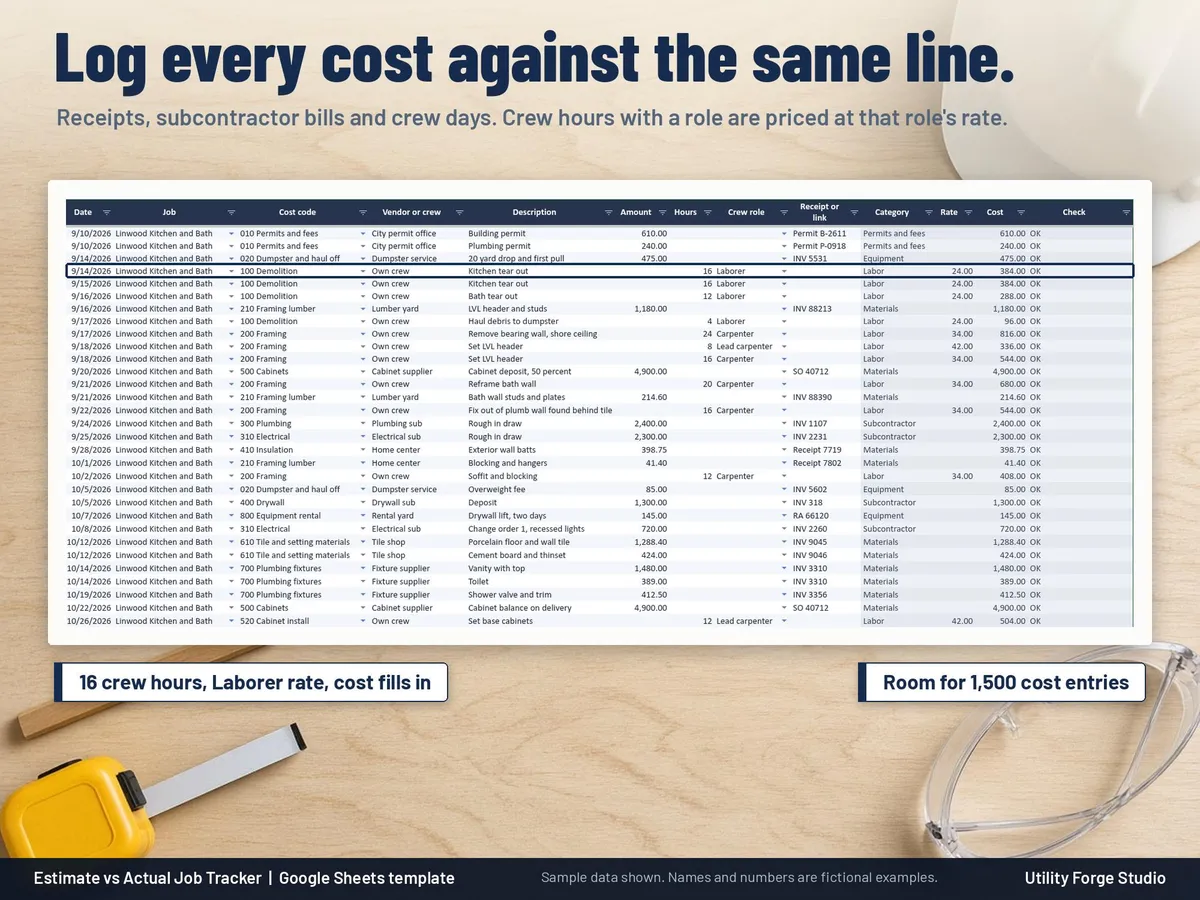
- Actuals Log: log every receipt, sub invoice or crew day against the same job and cost code. Type crew hours with a role and the cost is priced at that role's rate.
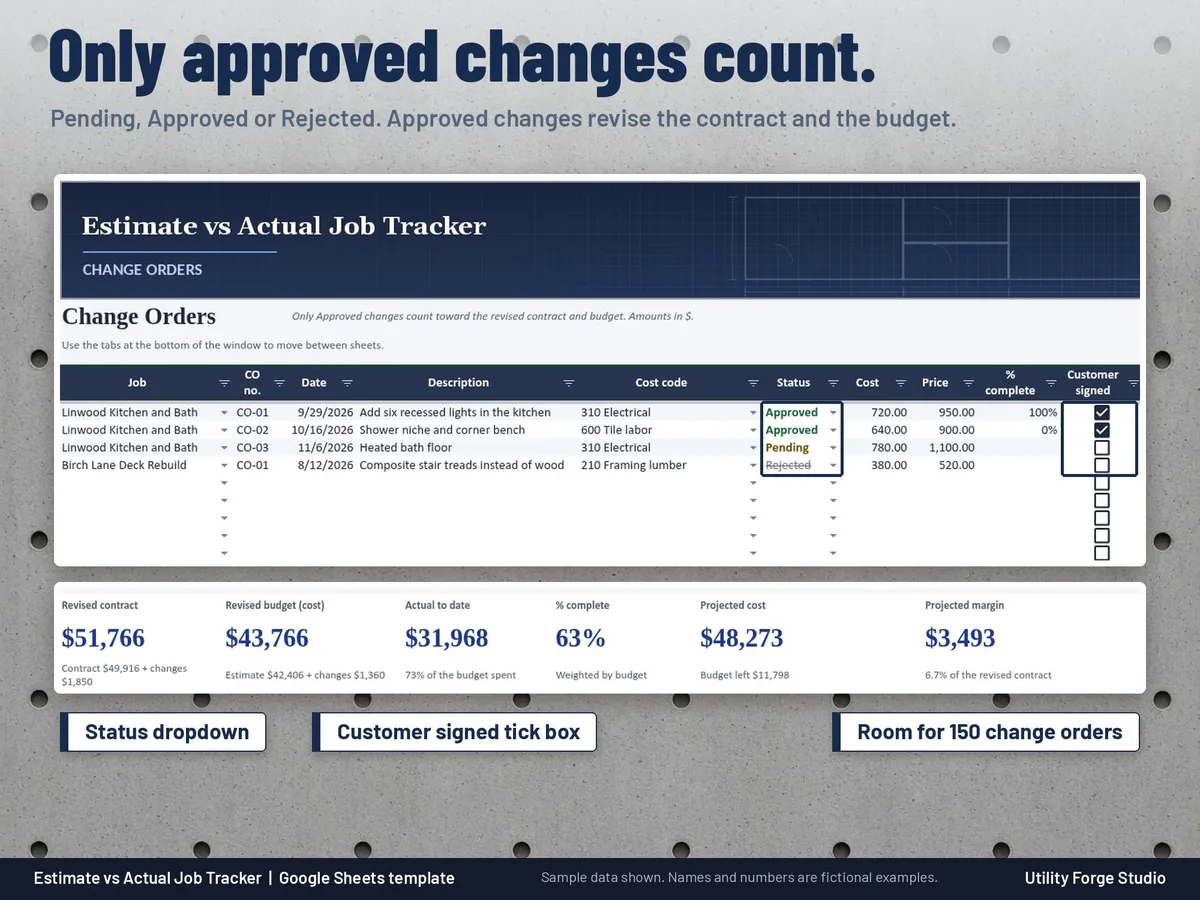
- Change Orders: Pending, Approved or Rejected. Only approved changes revise the contract and the budget.
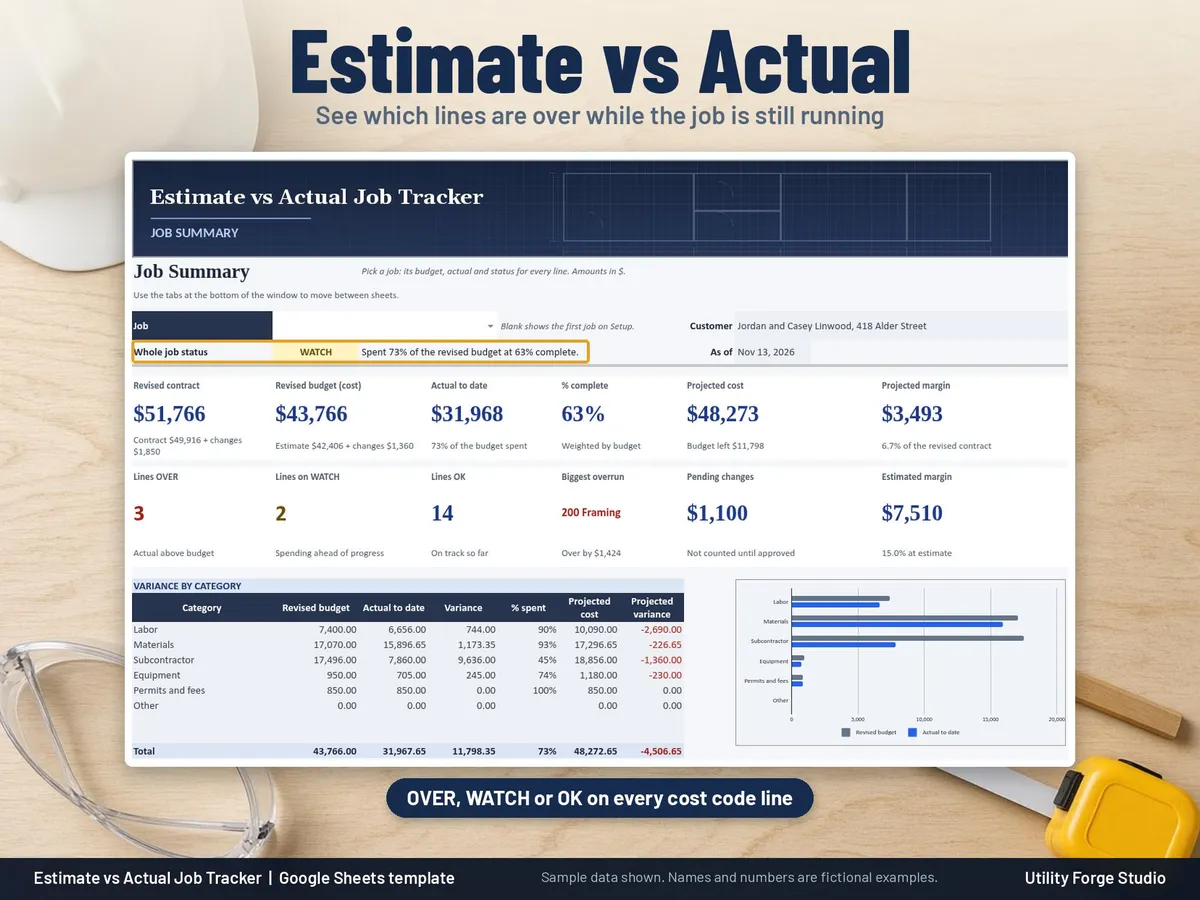
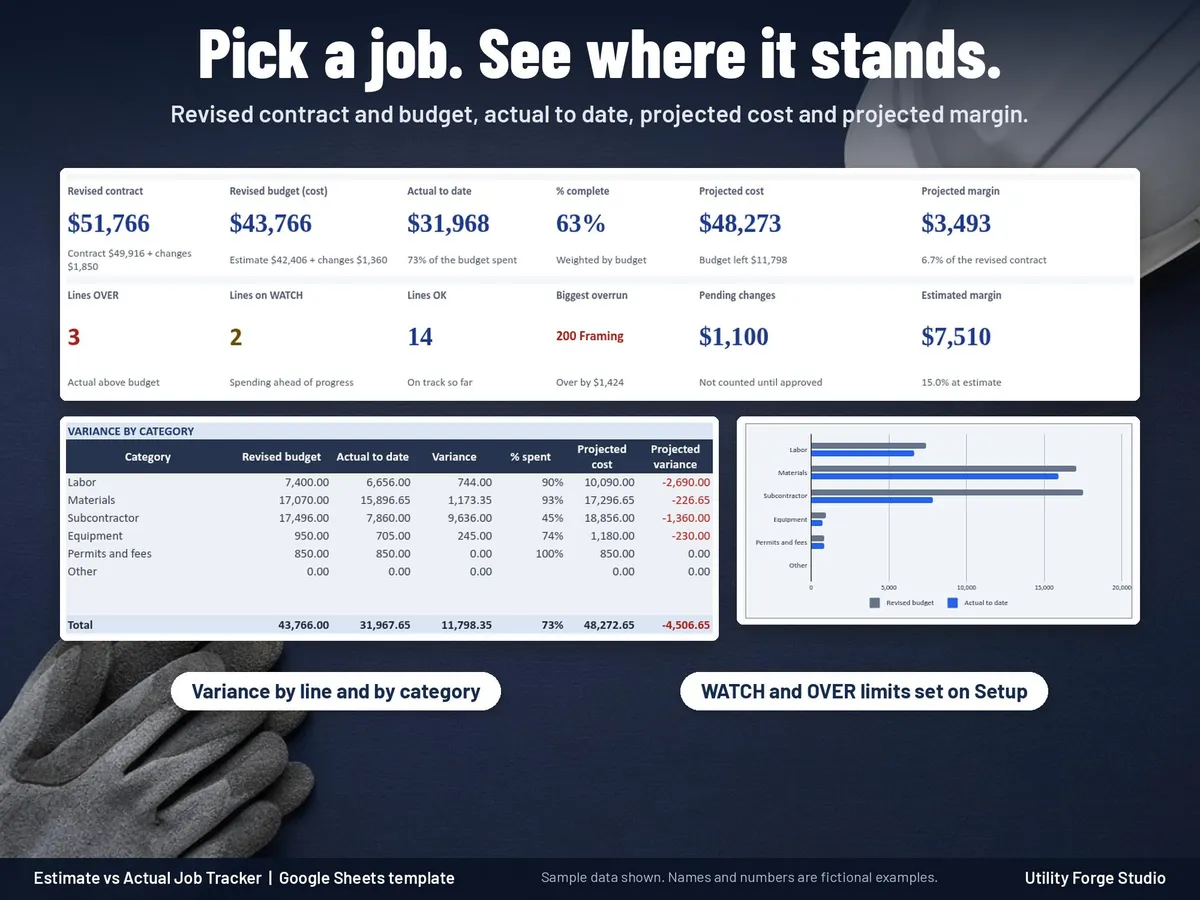
- Job Summary: pick a job and see revised contract, revised budget, actual to date, percent complete (you enter it), projected cost and projected margin, plus every cost code line marked OK, WATCH or OVER.
WHAT'S INCLUDED (8 tabs)
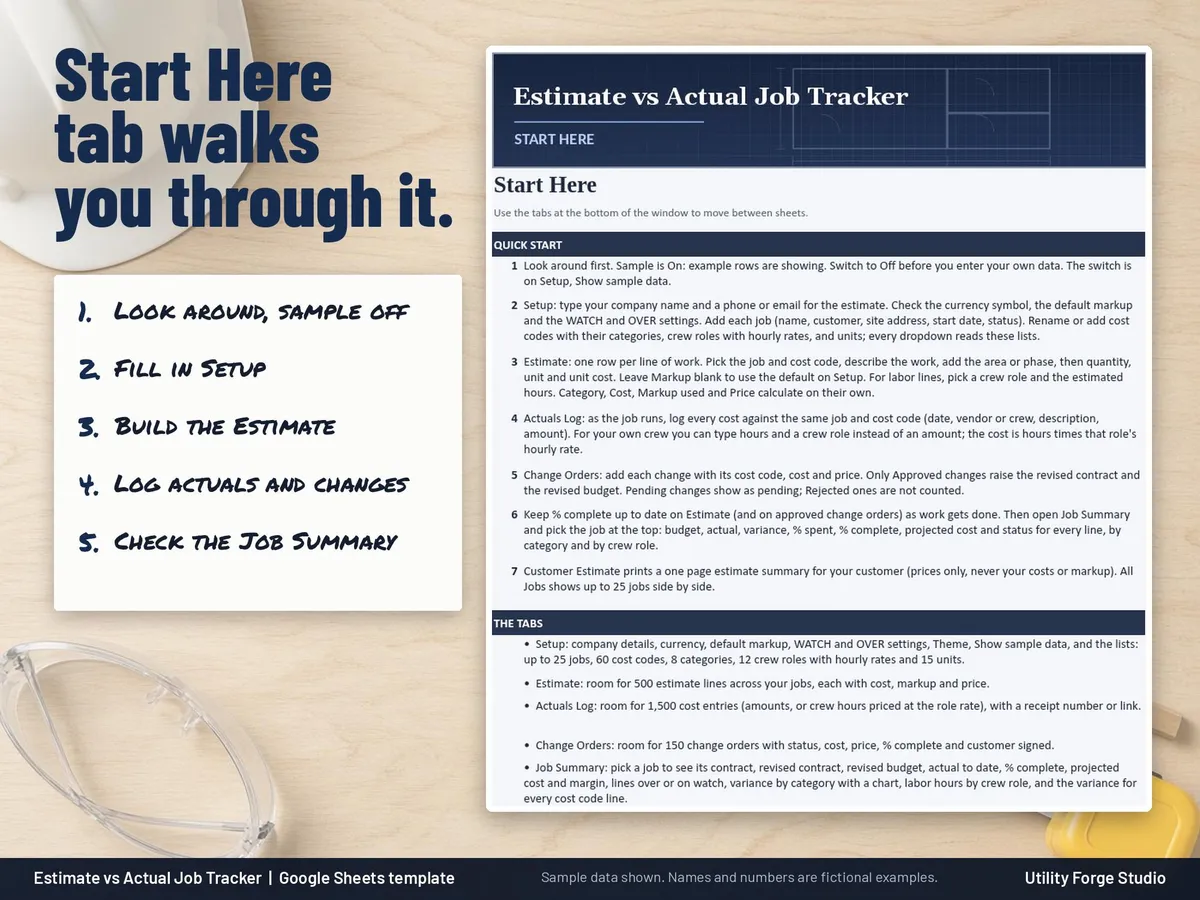
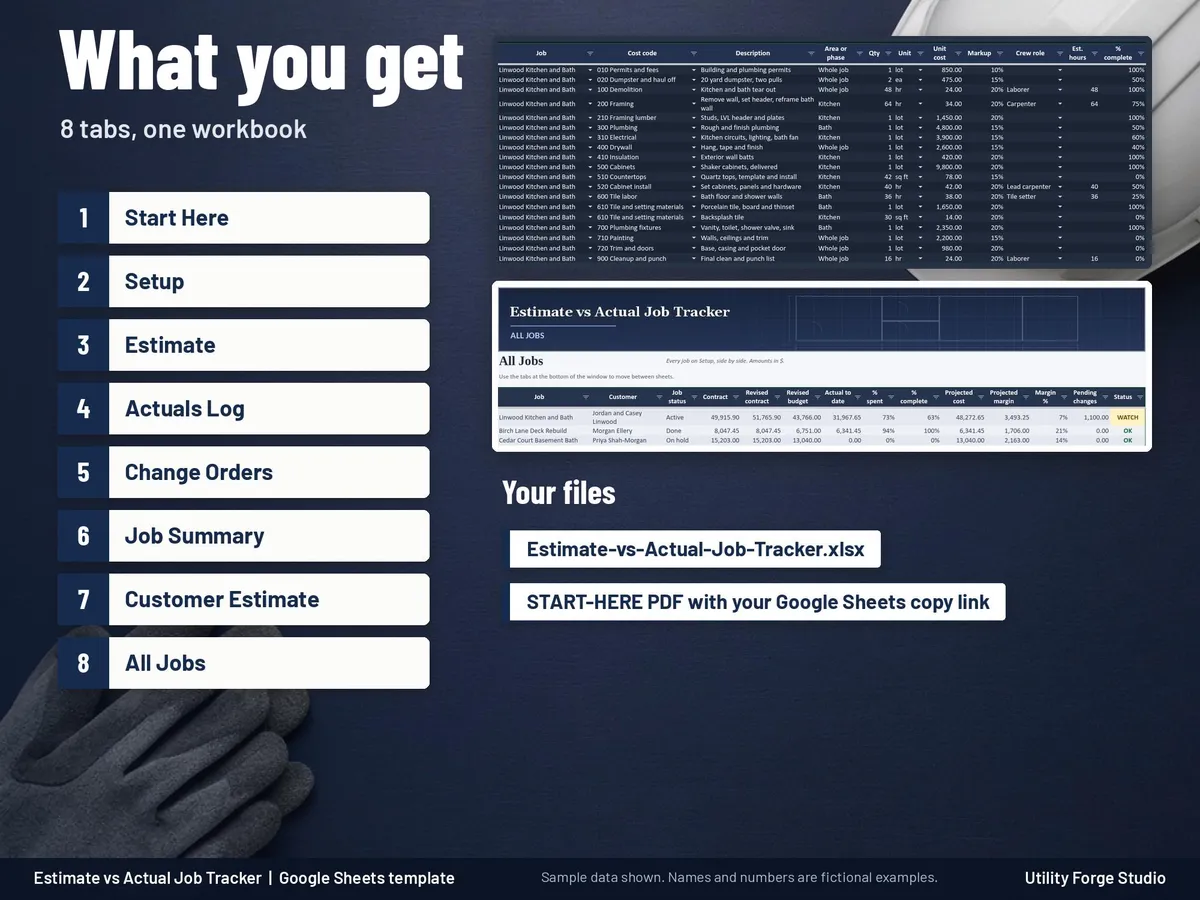
Start Here: quick start, color key and notes.
Setup: settings, Theme (Light or Dark), Show sample data (On or Off) and your lists (up to 25 jobs, 60 cost codes, 12 crew roles).
Estimate: room for 500 estimate lines.
Actuals Log: room for 1,500 cost entries, with a receipt number or link.
Change Orders: room for 150 change orders, with a customer signed tick box in Google Sheets.
Job Summary: variance by line and by category with a budget vs actual chart, lines over or on watch, and labor hours by crew role (estimated vs actual).
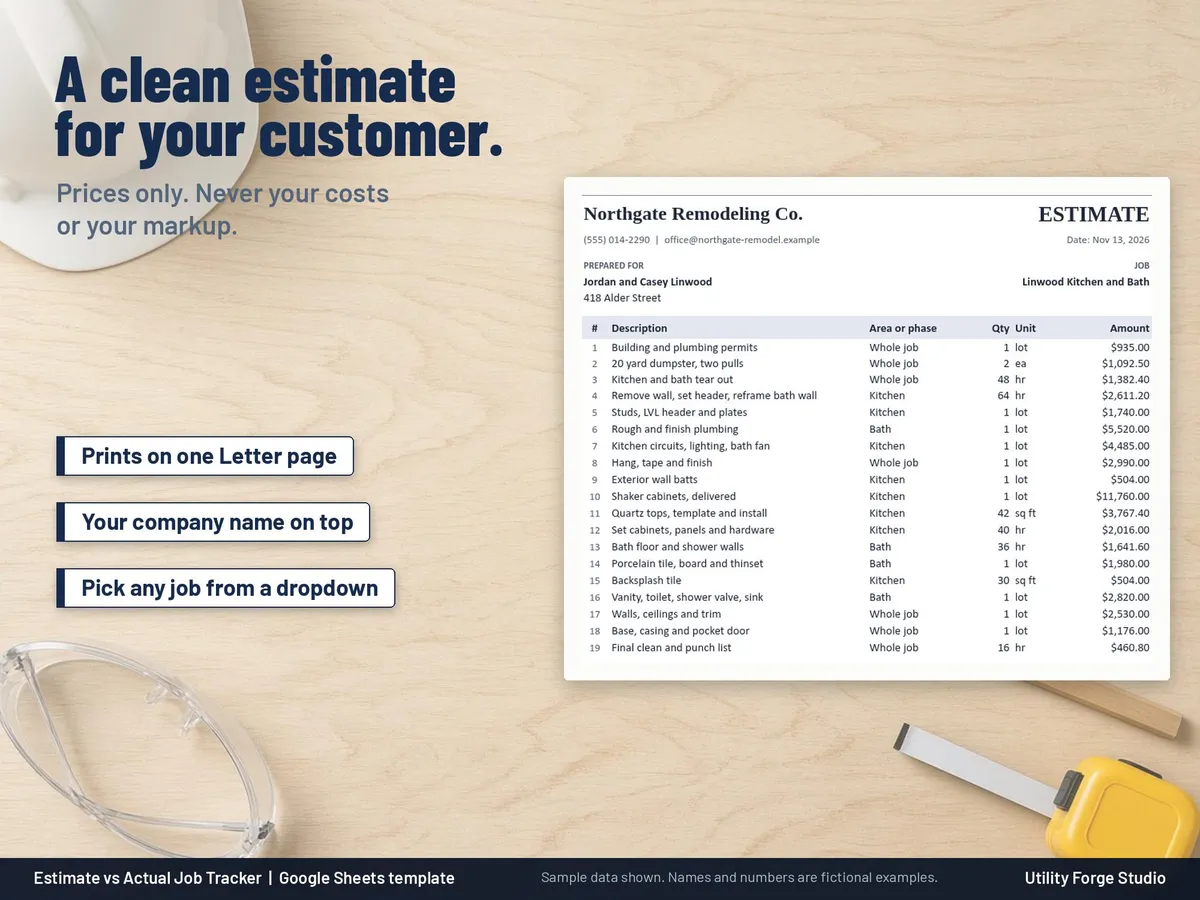
Customer Estimate: a one page printable estimate summary for your customer, showing prices only (never your costs or markup).
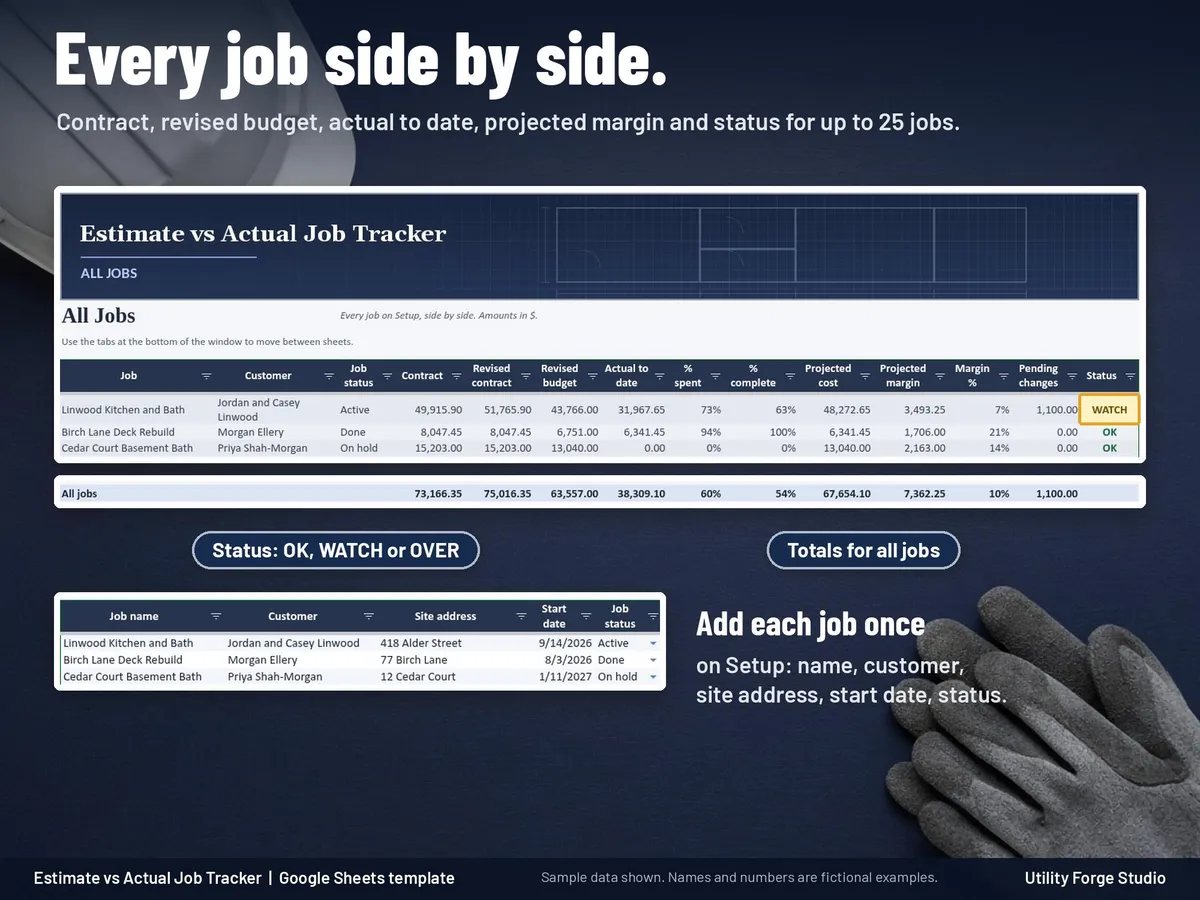
All Jobs: every job side by side with its status.
The variance math is in plain columns you can follow: revised budget, actual to date, variance, % spent, % complete, cost to complete, projected cost and projected variance. WATCH and OVER thresholds are yours to set on Setup.
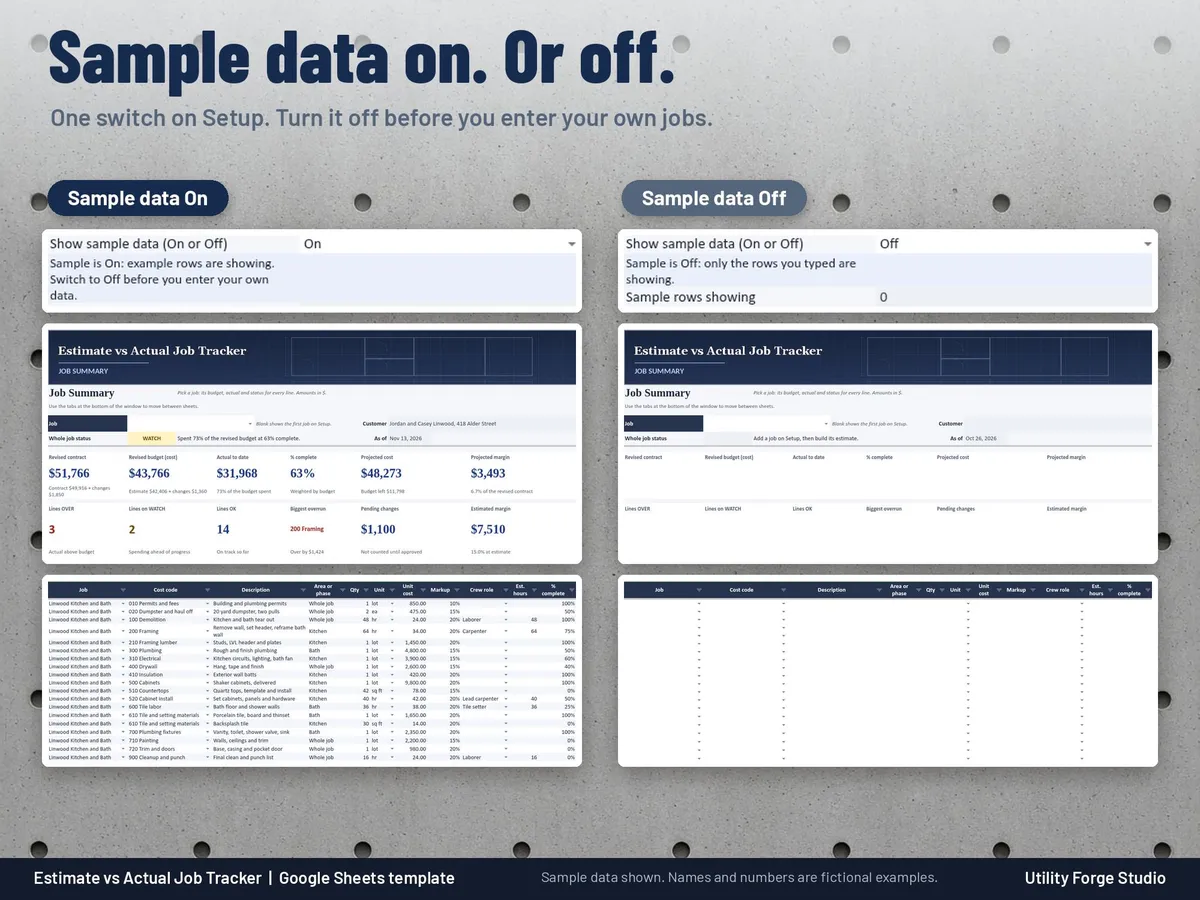
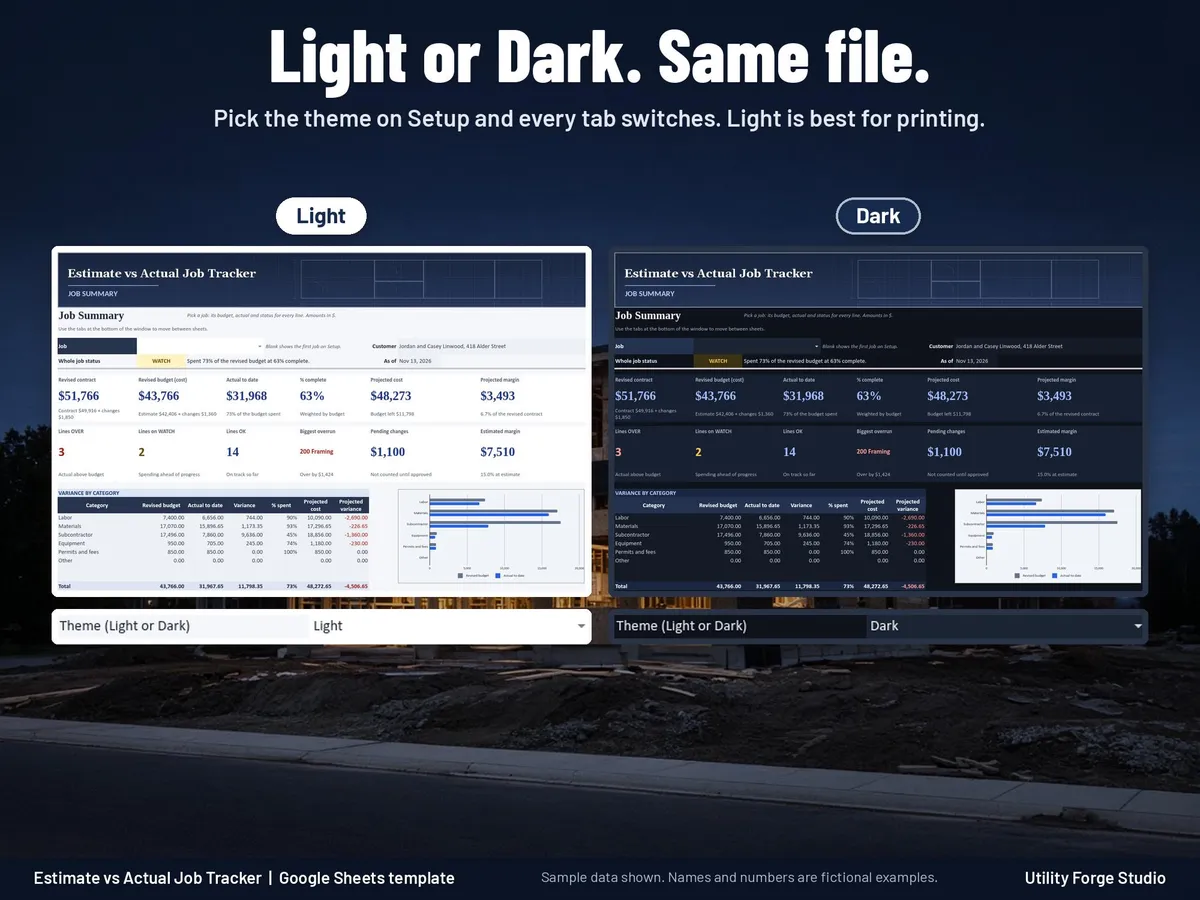
Light and Dark themes in one file: switch with one dropdown on Setup. The sample data (three fictional jobs) turns on or off with a second dropdown and never touches anything you type.
FILES
- START-HERE-Estimate-vs-Actual-Job-Tracker.pdf with your Google Sheets Make a copy link
𝗜𝗠𝗣𝗢𝗥𝗧𝗔𝗡𝗧
Developed for Google Sheets. An Excel file is included for the latest Microsoft 365 (Office 365 Desktop App). Older Excel versions may not support all features.
Formula cells are protected without a password. To sort, unprotect the sheet (no password), sort the whole table, then protect it again.
Need invoices or business bookkeeping? See our Invoice and Bookkeeping spreadsheets in the shop.
Digital download only. No physical item will be shipped.
Utility Forge Studio is not affiliated with, sponsored by, or endorsed by Google or Microsoft.
Personal use only. Please do not resell, share or redistribute the files.
Designed by me, created using AI tools.
The Etsy listing is the final source for what is included. See it on Etsy.
More in Home and life planners

Maid of Honor Planner Spreadsheet
For the maid of honor (or the bridesmaid doing the planning): plan the bridal shower, the…

2027 Planner
A 2027 planner spreadsheet for Google Sheets where you type each event once and it appears on…

Book Club Planner Spreadsheet
Run your book club from one shared spreadsheet.

Homestead Ledger Spreadsheet
What it is not: not tax or accounting advice, not a vet or health guide, no tax calculator, and…