
Couple Budget Spreadsheet
Couple Budget Spreadsheet, Google Sheets Excel, Shared Dashboard, Paycheck Bill Planner
$10.00
Buy on EtsyOpens the listing on Etsy in a new tab. Checkout happens on Etsy.
Made for Google Sheets. An Excel file is included, and it works best with current Excel (Excel 2021 or newer).
- Instant digital download
- Buy through Etsy checkout
- No subscription
- Made by Utility Forge Studio
- Questions? Email utilityforgestudio@gmail.com
See it in use
About this download
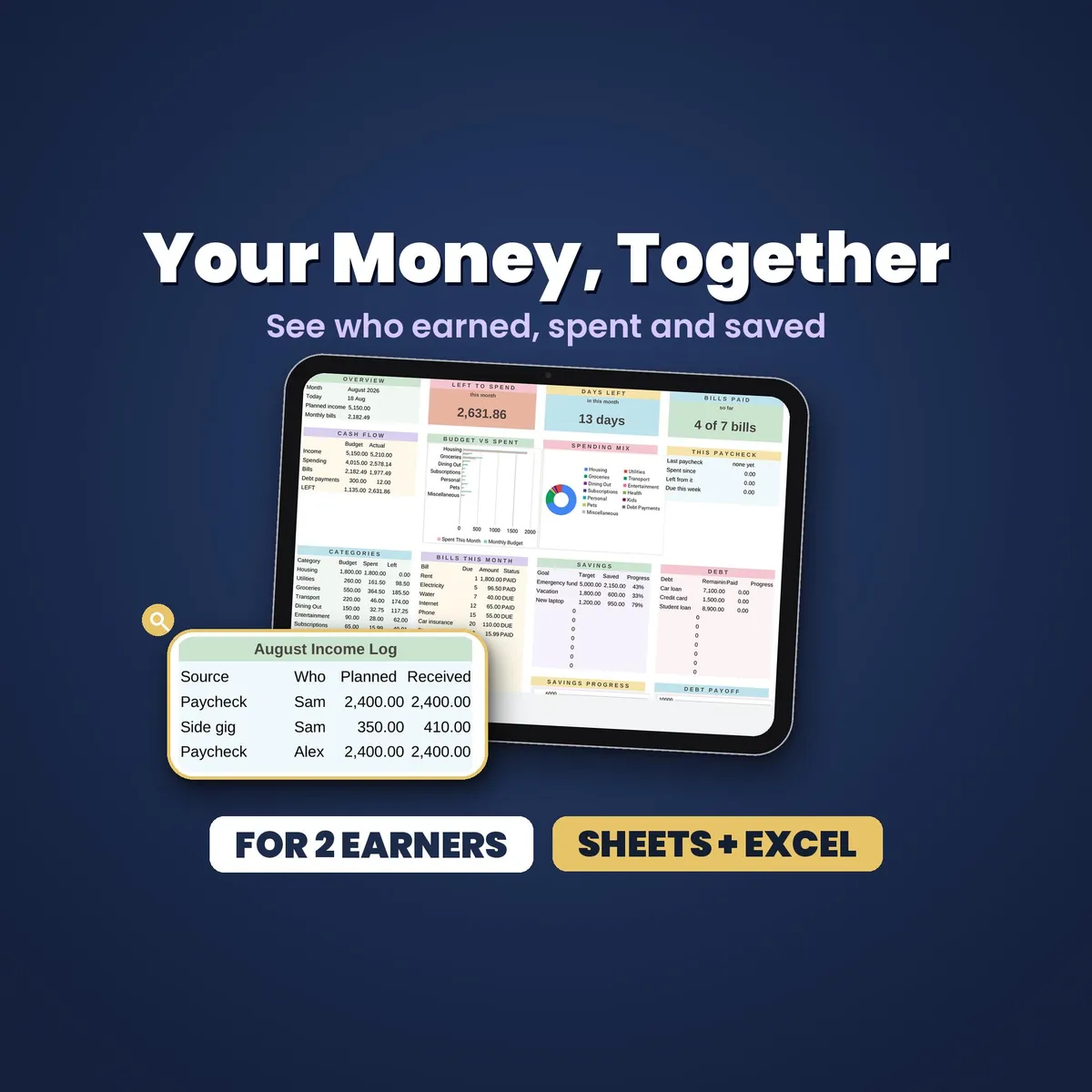
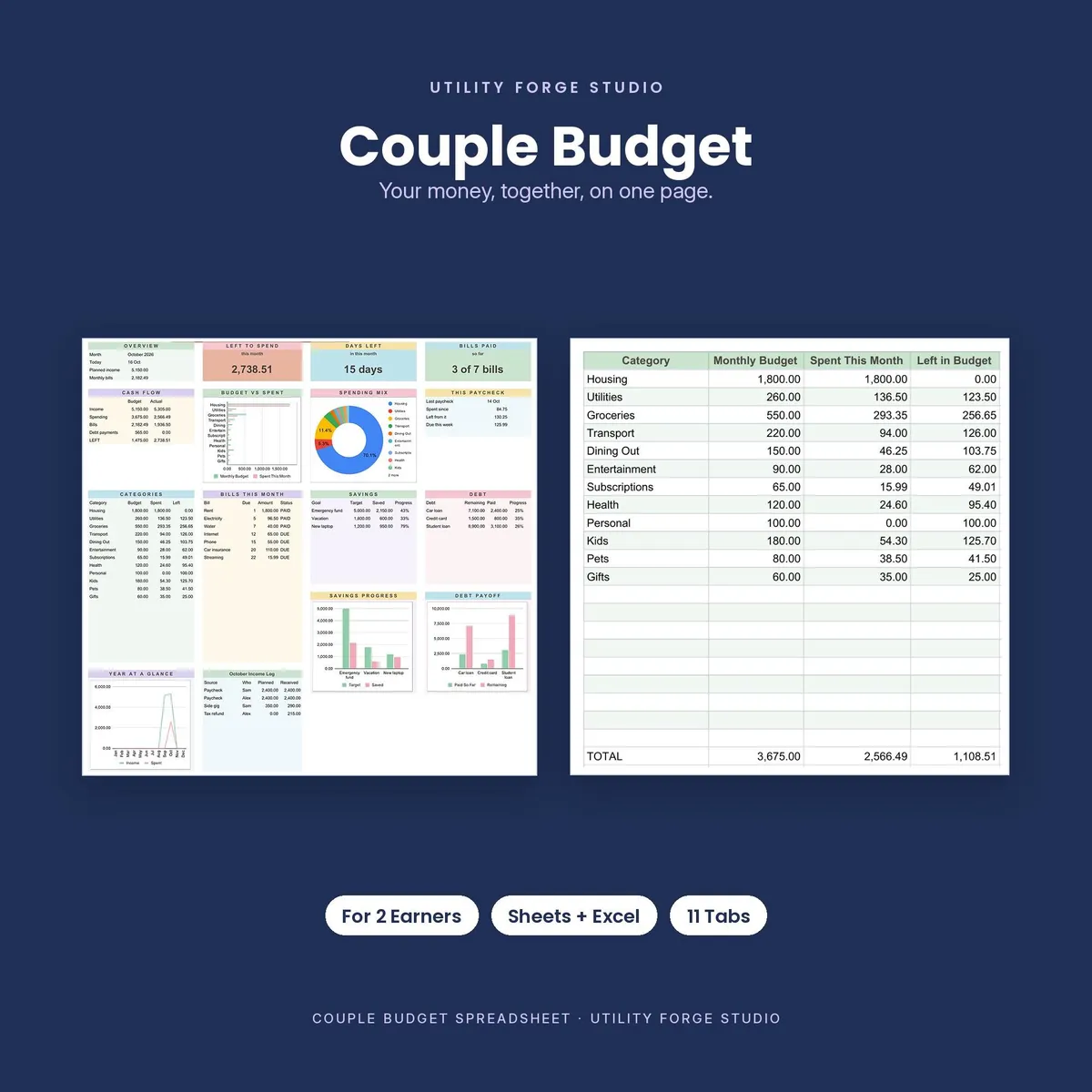
Build one clear picture of shared money with this couple budget spreadsheet for Google Sheets. Monthly budgets, paychecks, bills, spending, debt and savings feed one live dashboard, so you can see what is planned, paid and left without rebuilding your budget every month.
𝗪𝗛𝗔𝗧 𝗬𝗢𝗨 𝗚𝗘𝗧
You receive two editions built from the same workbook design: a Google Sheets edition, accessed through the included Start Here PDF, and a Microsoft Excel .xlsx edition. The Google Sheets link opens a Make a copy screen, so the working workbook is saved privately in your own Google Drive.
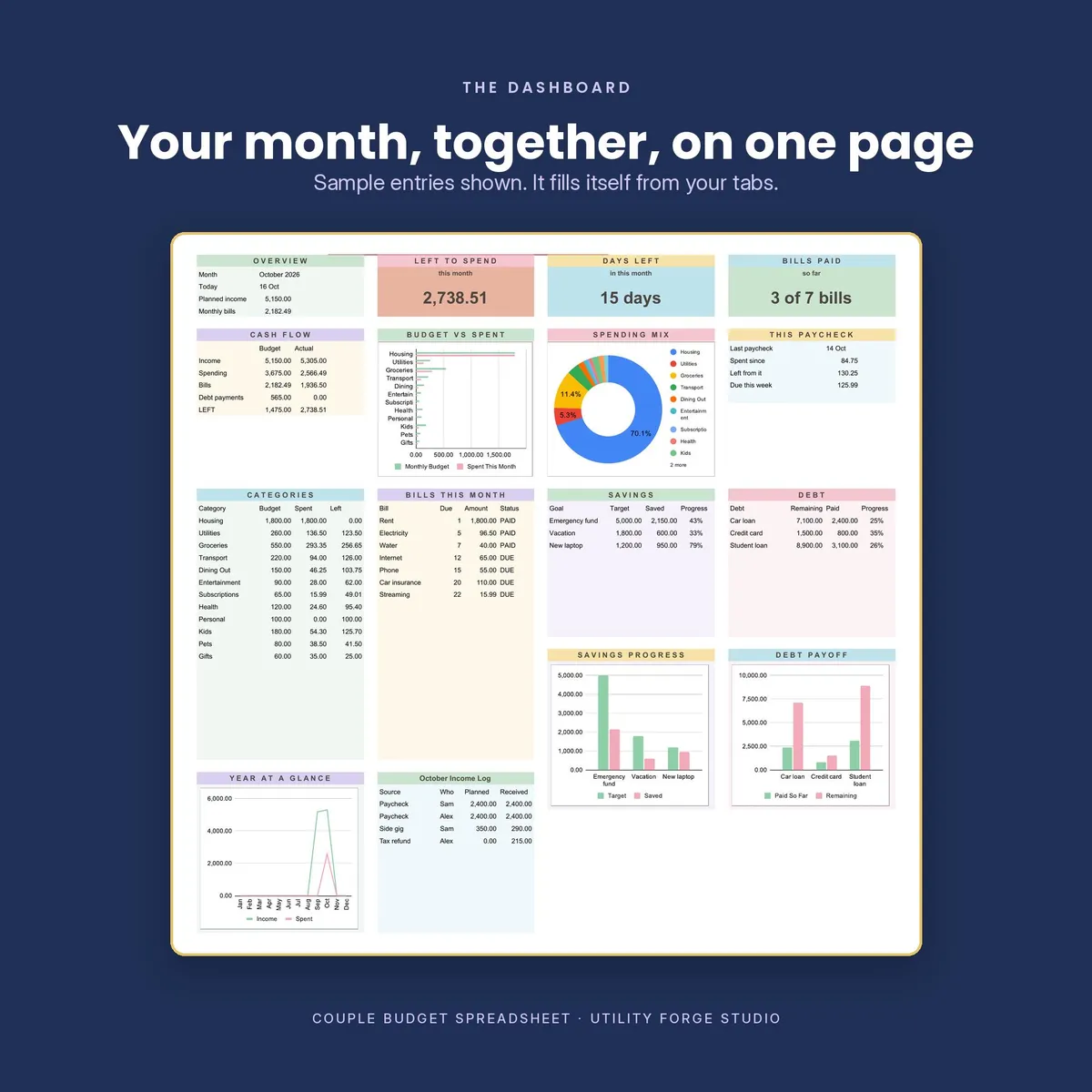
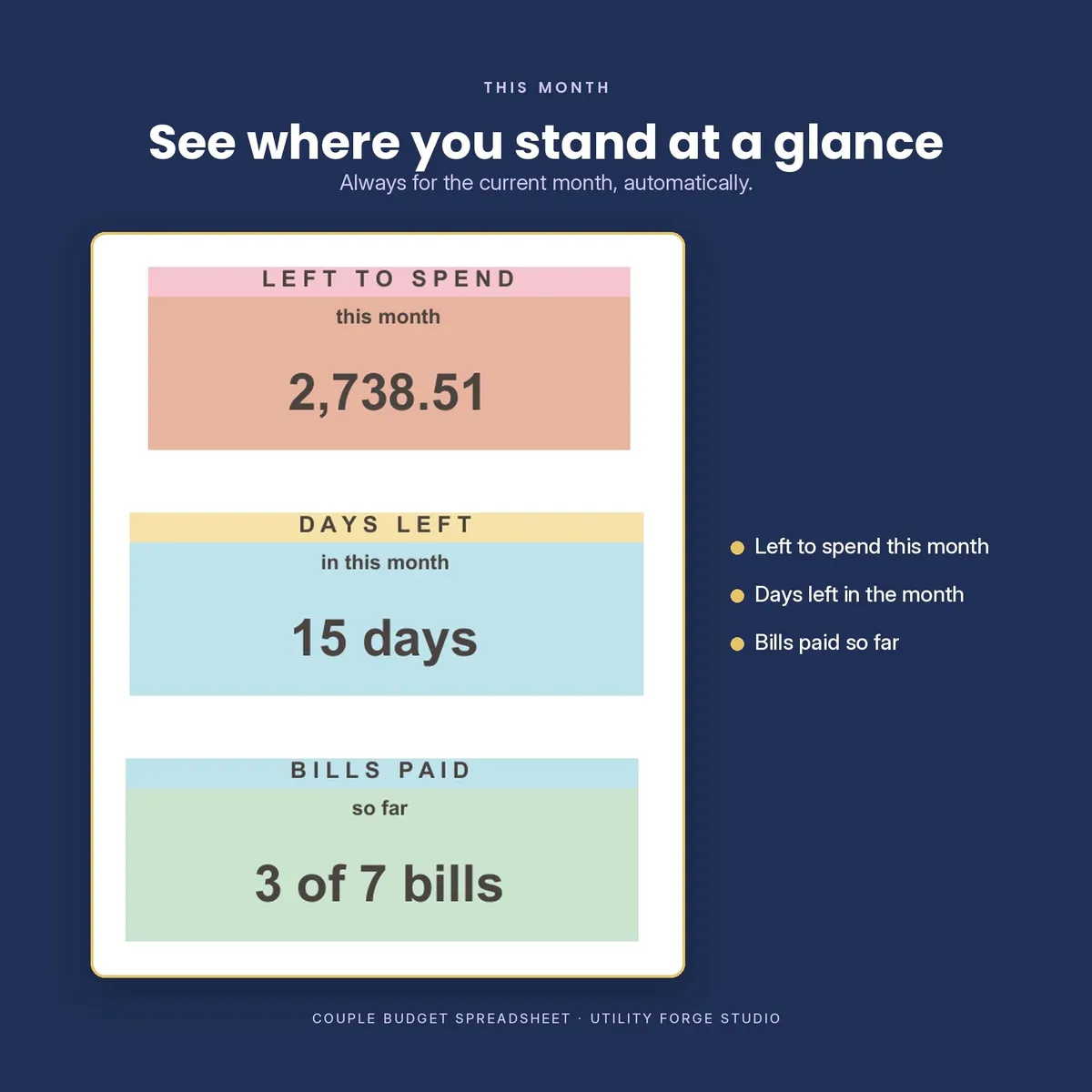
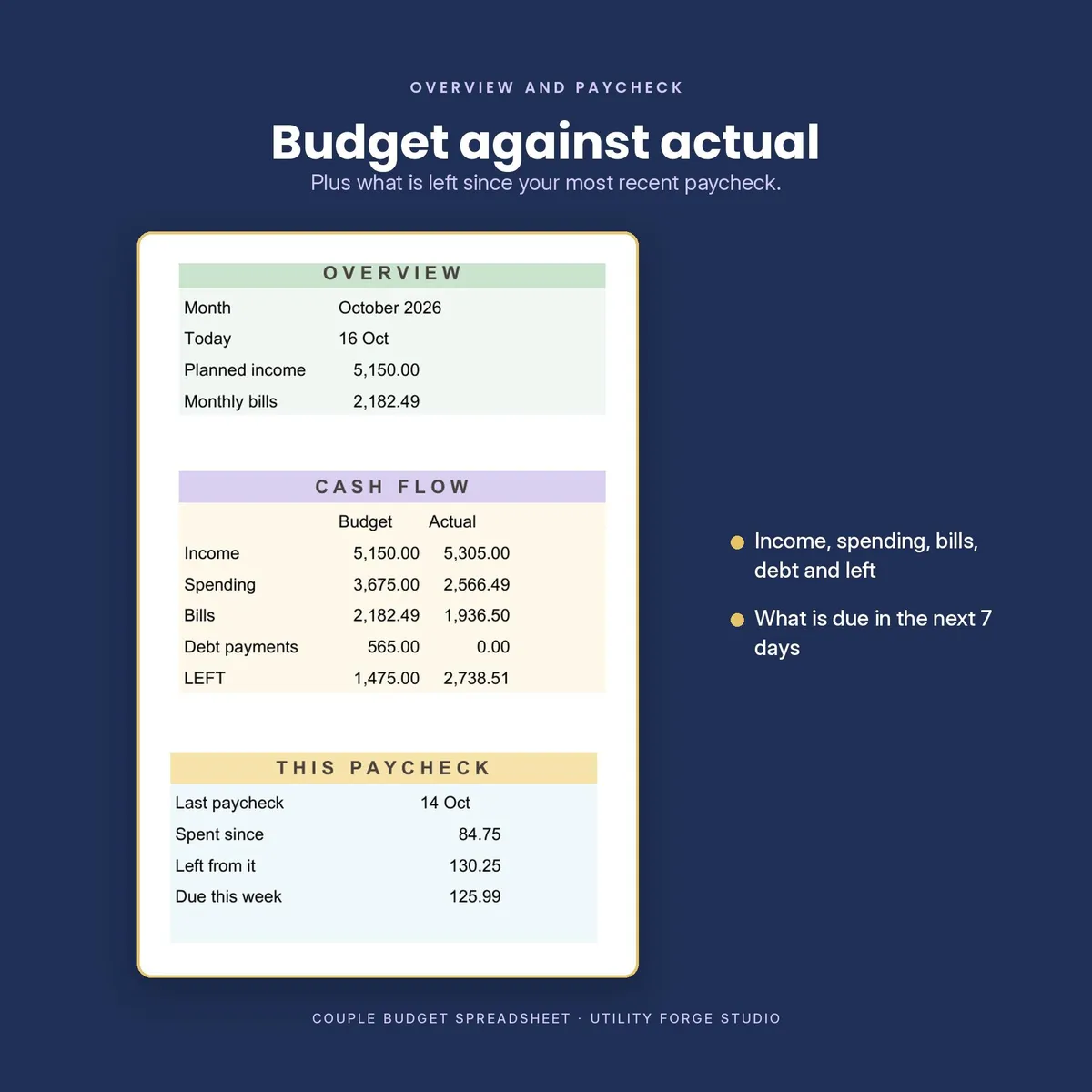
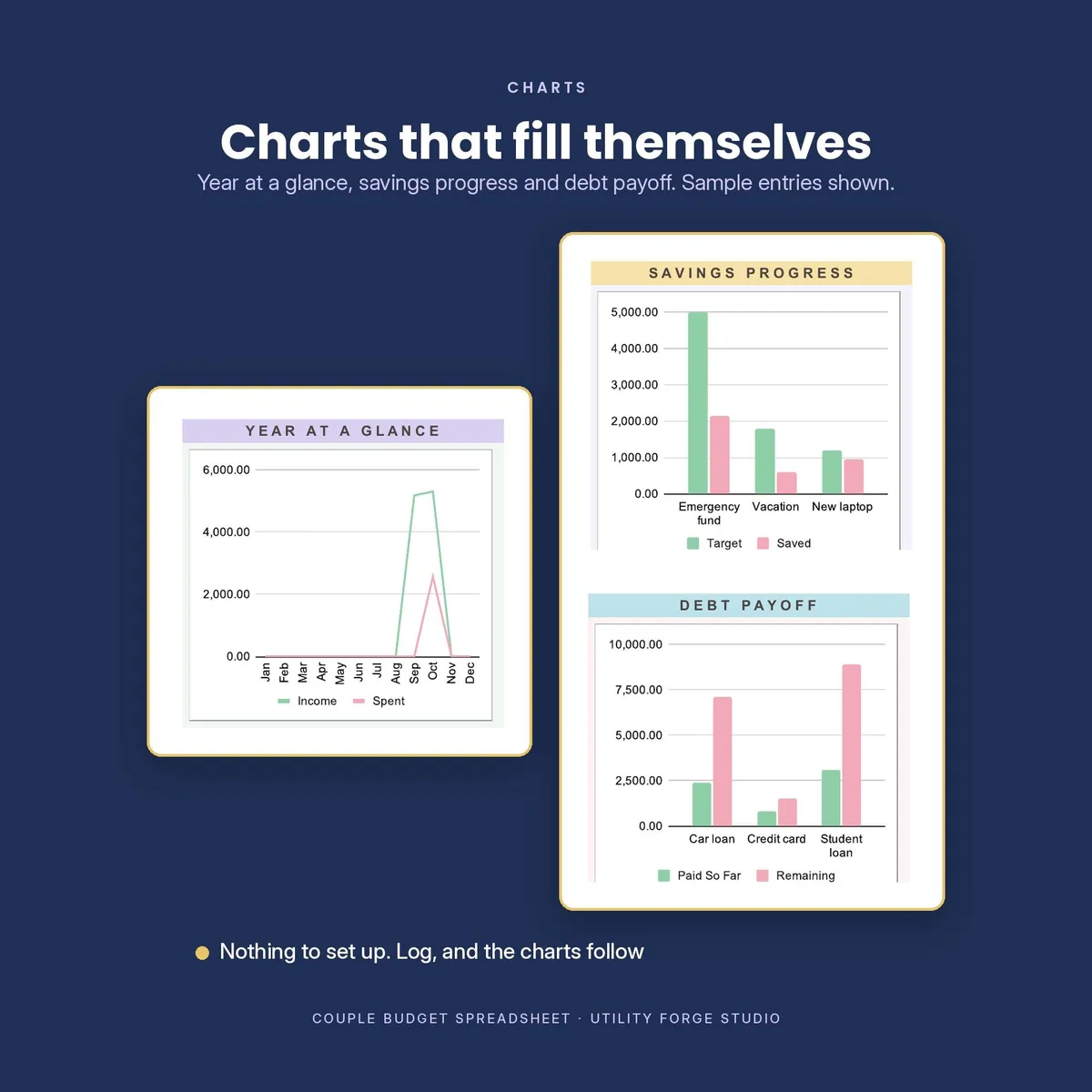
The dashboard shows This Month and This Paycheck summaries, five live charts, and connected tables for categories, bills, savings, debt and income. Log a paycheck, a purchase or a paid bill, and the current month updates from the date you entered.
𝗪𝗛𝗬 𝗧𝗛𝗜𝗦 𝗪𝗢𝗥𝗞𝗕𝗢𝗢𝗞 𝗜𝗦 𝗗𝗜𝗙𝗙𝗘𝗥𝗘𝗡𝗧
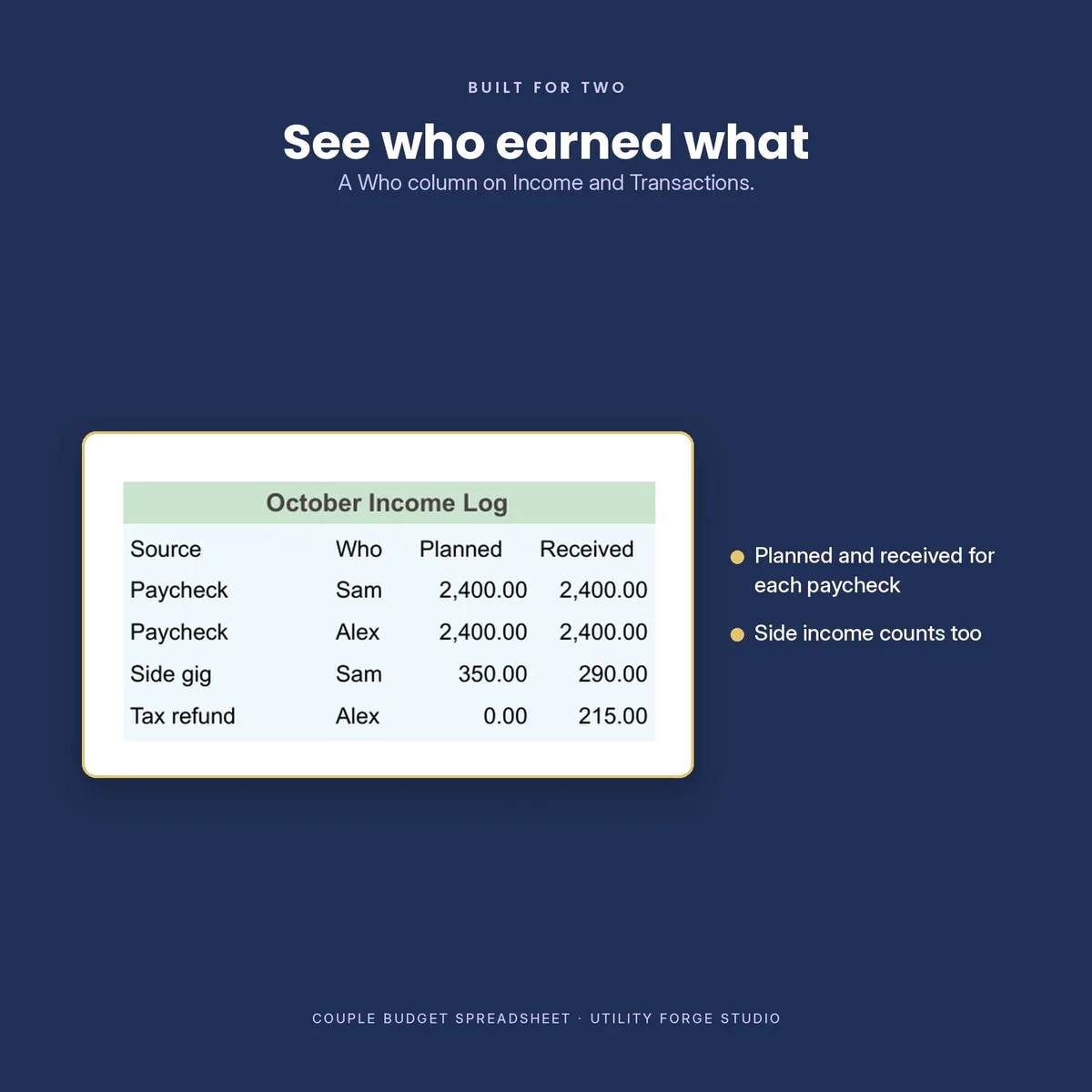
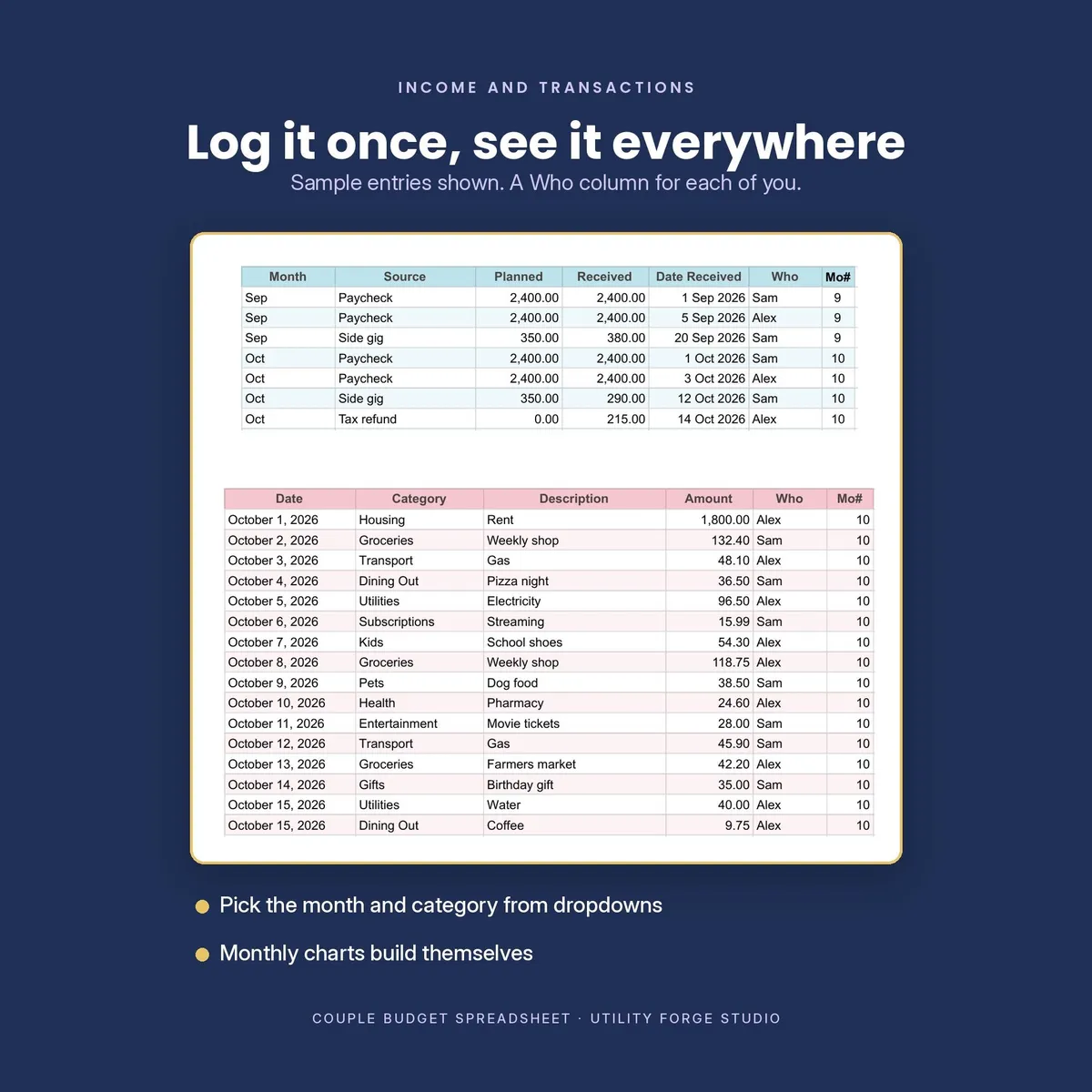
The shared Who column on both Income and Transactions keeps shared money in one connected workbook while still showing who earned or spent it. You do not need separate copies or a manual split after the fact.
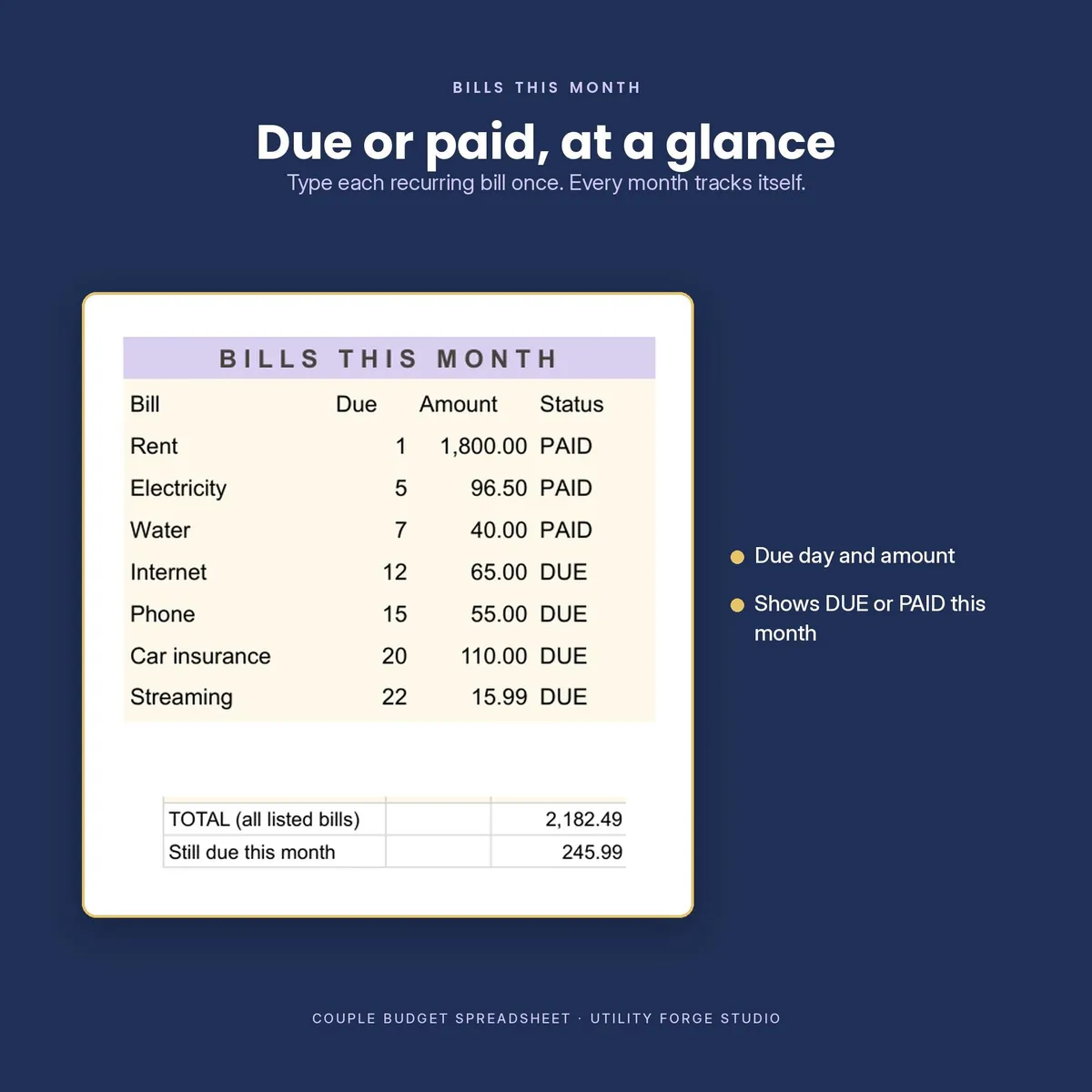
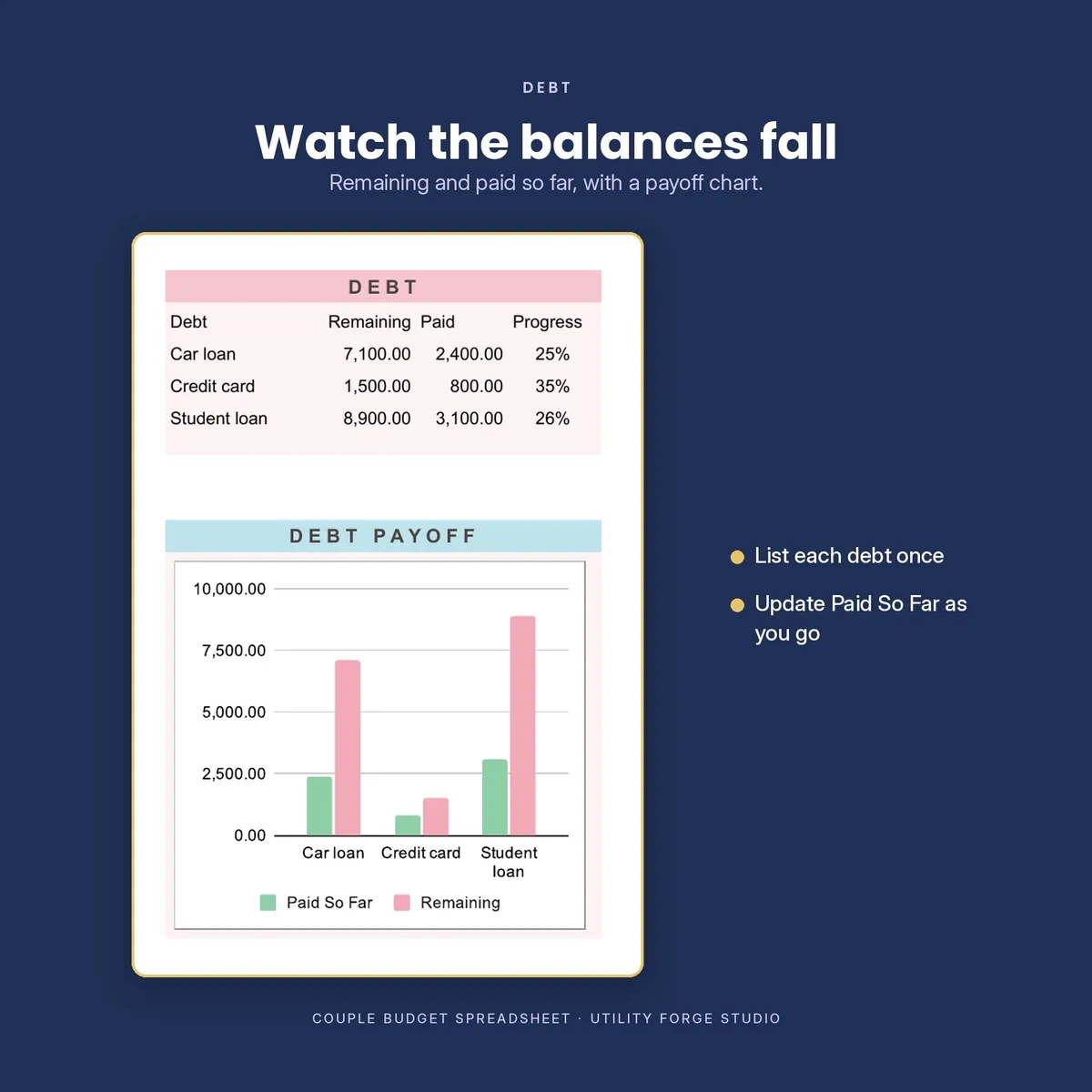
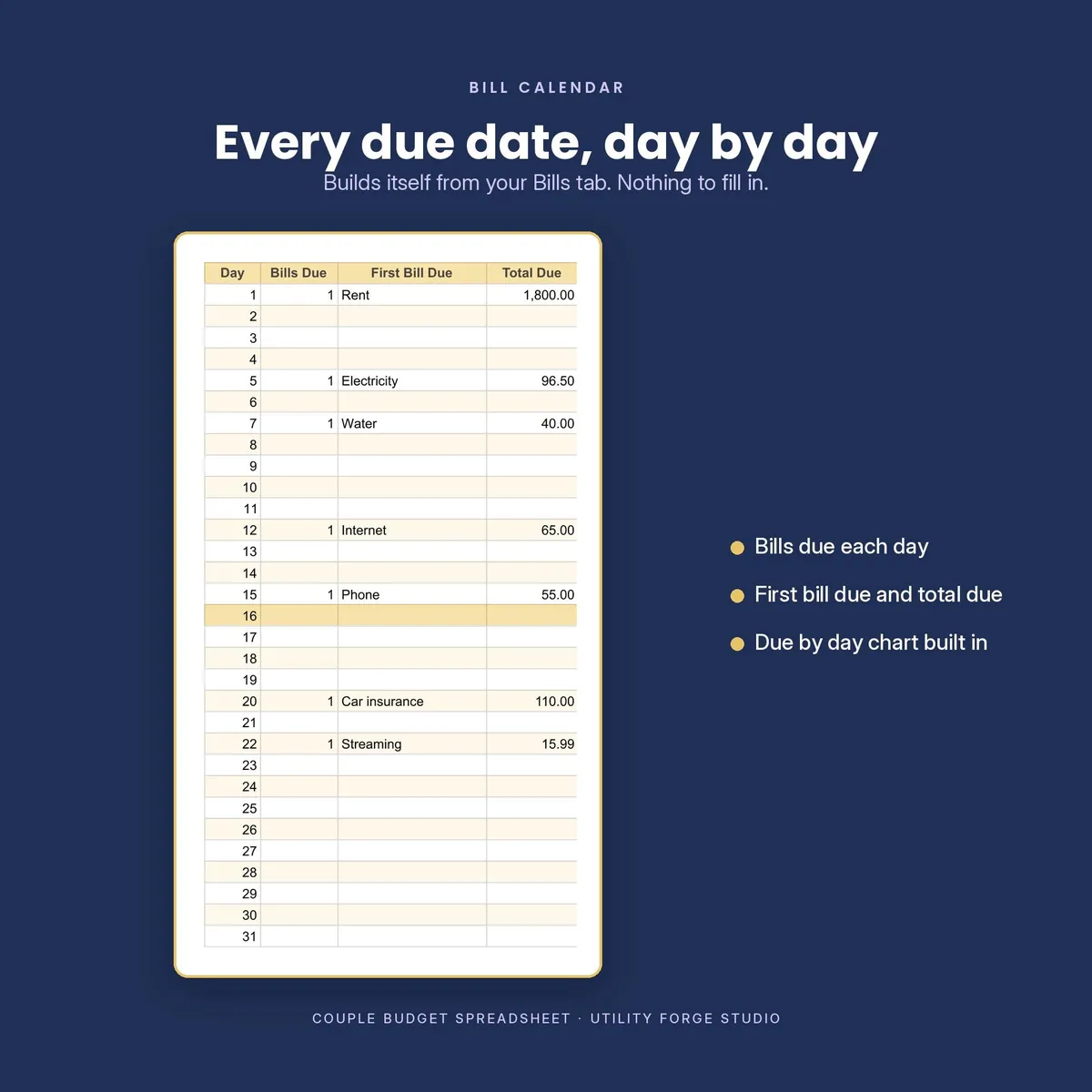
A Bill Calendar builds from the recurring bills you enter once. The dedicated Debt tab tracks balance, APR, minimum payment and progress with its own payoff chart. The This Paycheck panel shows spending since the latest paycheck and bills due in the next seven days.
Before you enter anything, the Example Dashboard provides a completed month to study. It is frozen in place, so it always remains a reference while your working tabs stay ready for your own numbers.
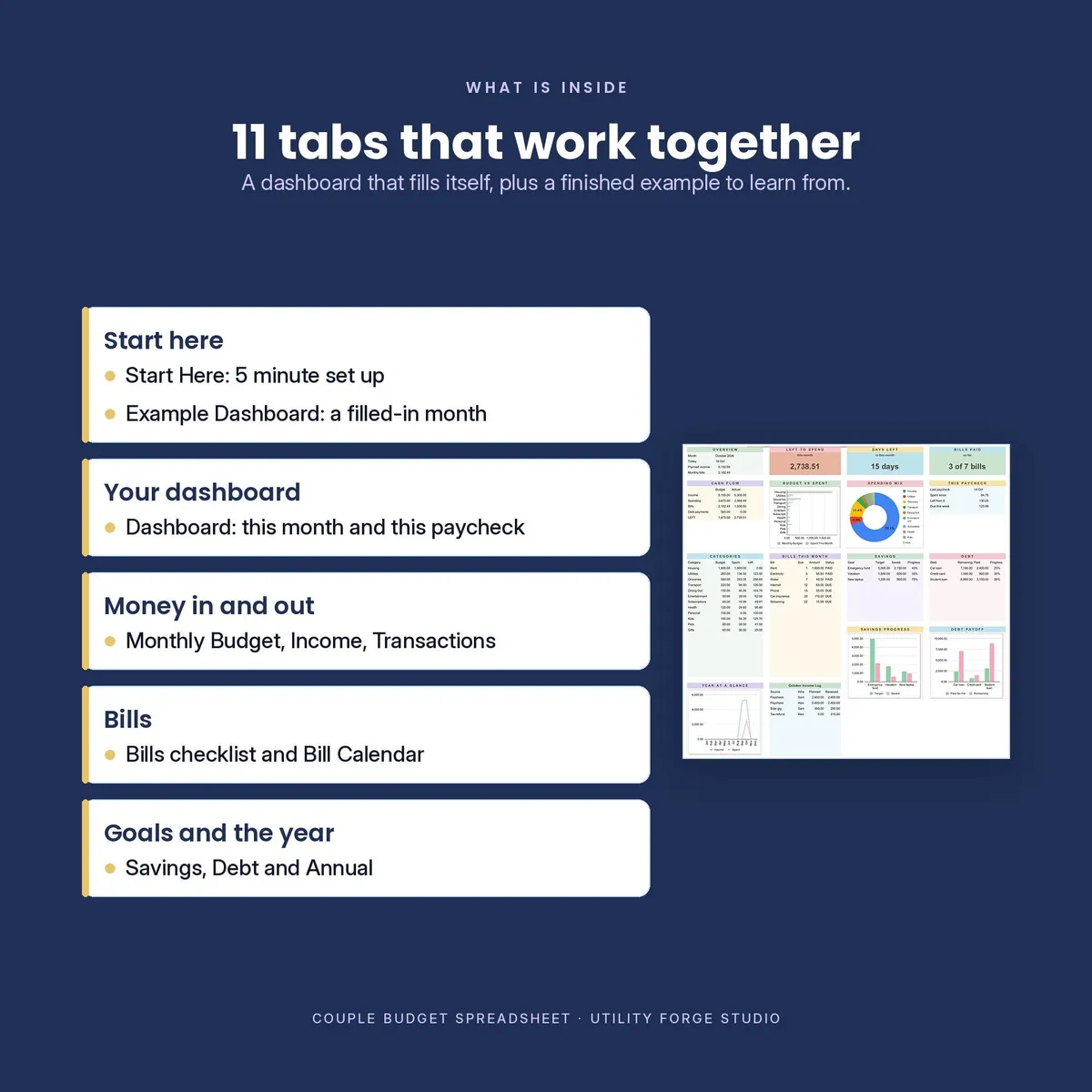
𝗧𝗛𝗘 𝟏𝟏 𝗧𝗔𝗕𝗦
Start Here: A five minute setup walkthrough and an explanation of what updates automatically.
Example Dashboard: A completed, fixed example month that lets you study the workbook before entering your own data.
Dashboard: This Month and This Paycheck summaries, five charts, plus category, bill, savings, debt and income tables.
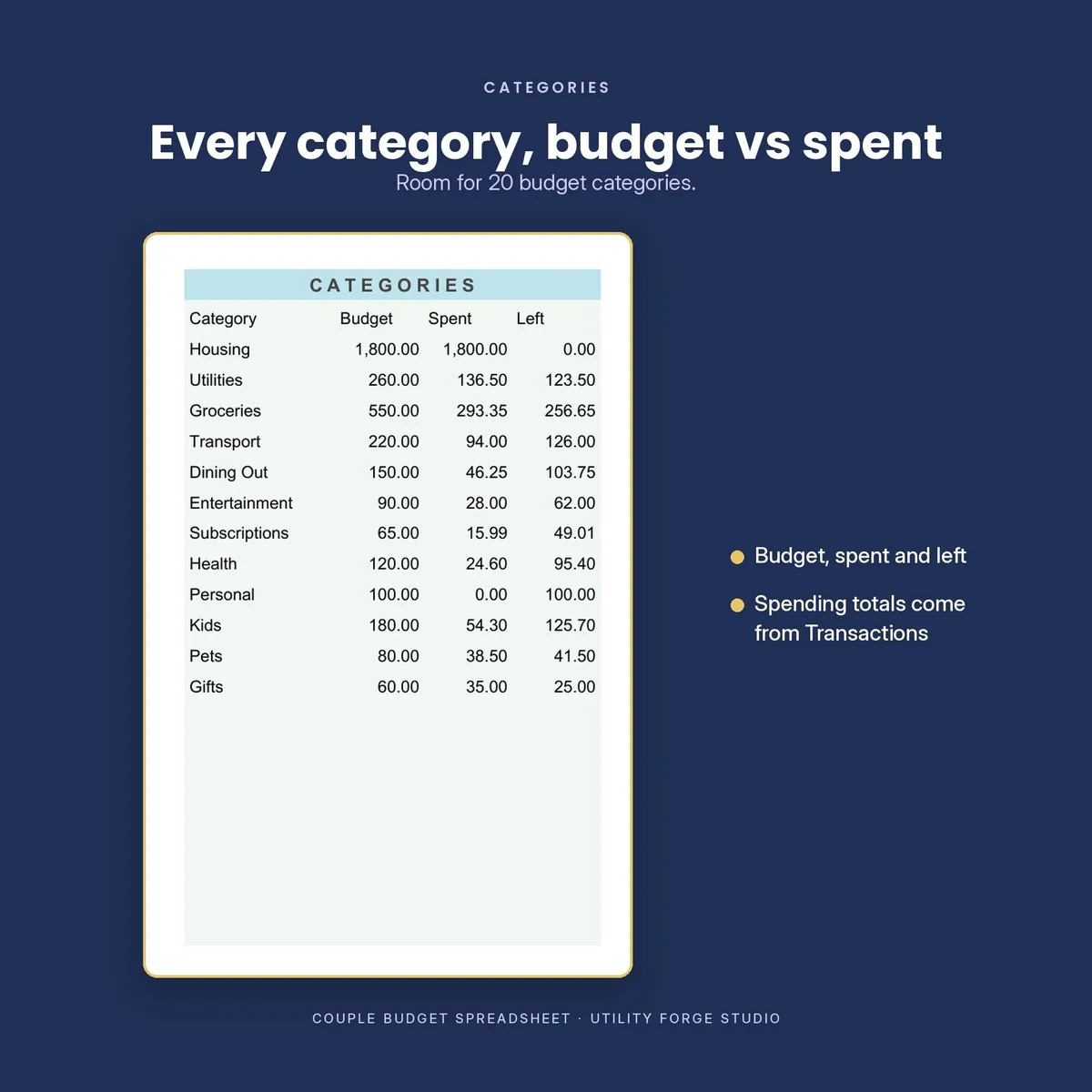
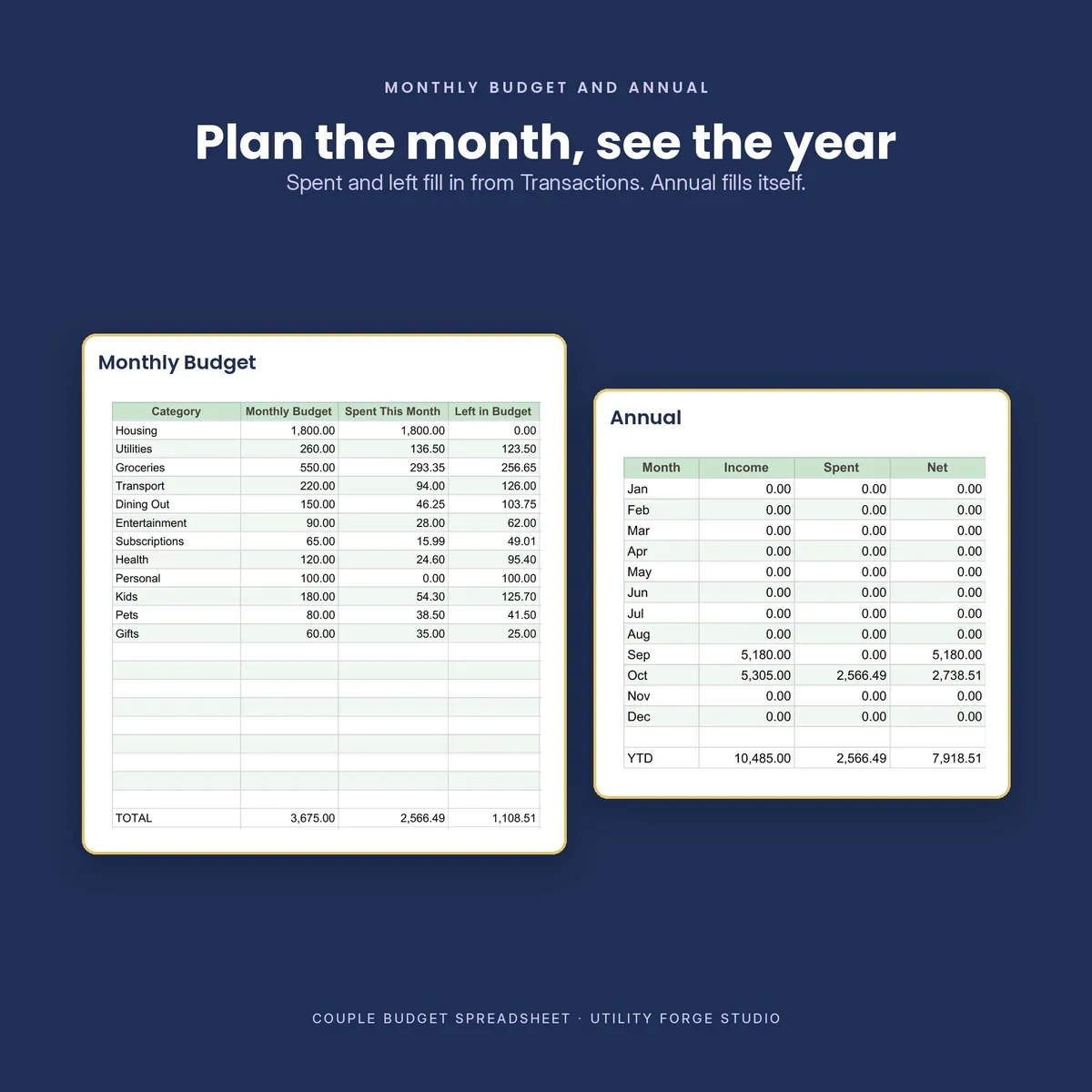
Monthly Budget: Up to 20 categories and their monthly budgets. Spent and Left calculate from Transactions.
Income: Up to 150 payments with source, planned and received amounts, date received and Who.
Transactions: Up to 1,000 spending entries with date, category, description, amount and Who. The month fills from the date.
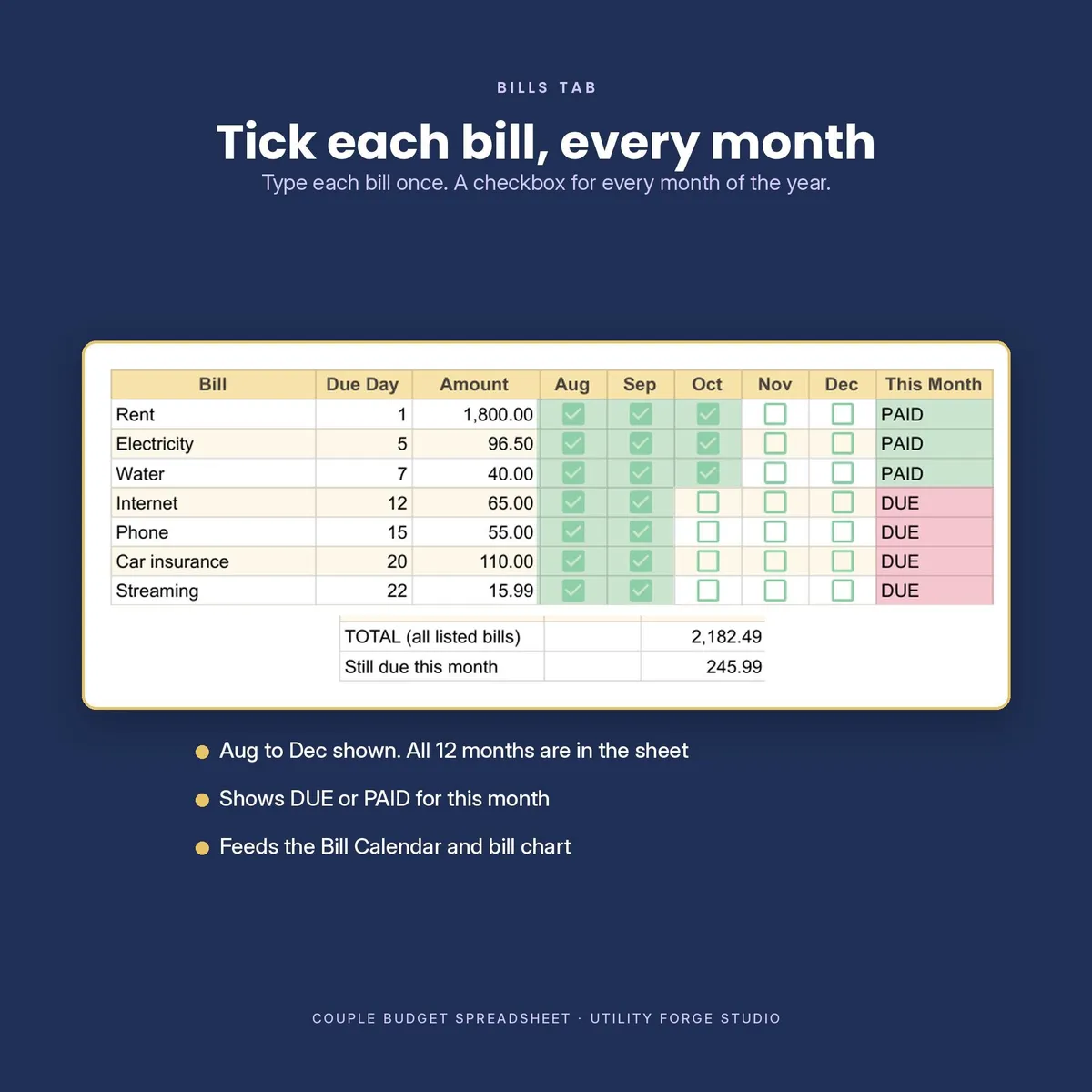
Bills: Up to 25 recurring bills. Enter each due day and amount once, then mark the month paid.
Bill Calendar: Builds from the due days on Bills. Nothing to duplicate or maintain here.
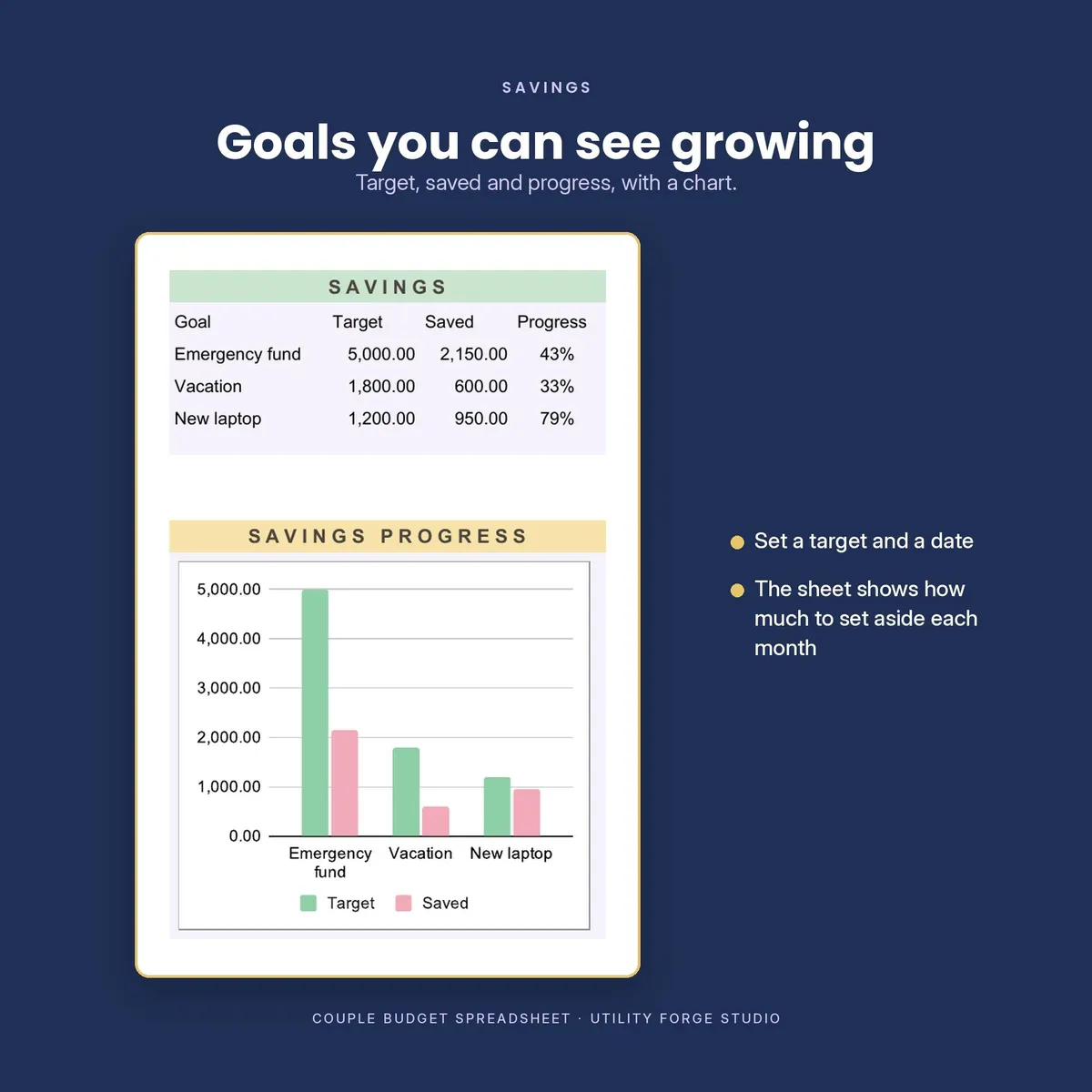
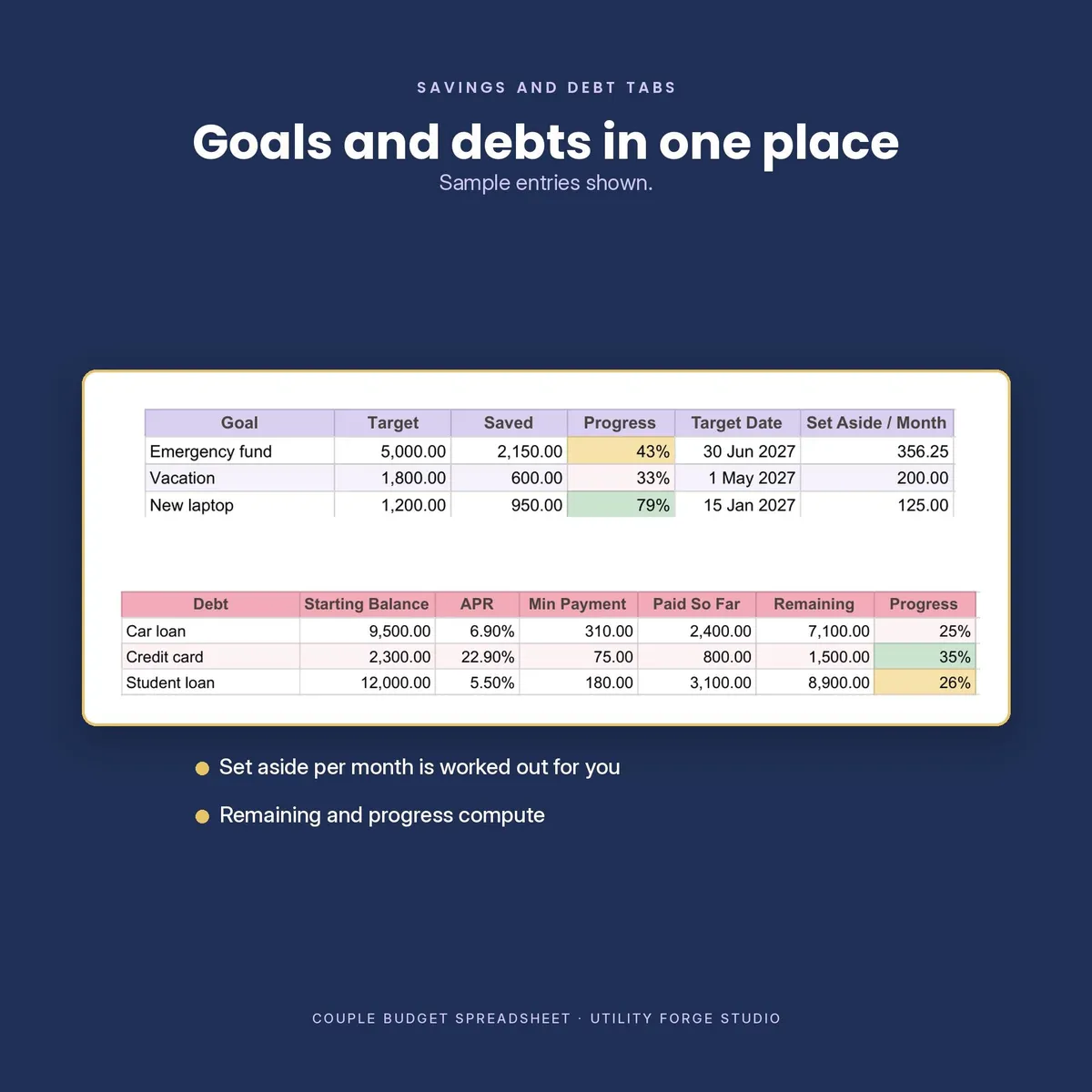
Savings: Up to 10 goals with target amount, amount saved and an optional target date.
Debt: Up to 10 debts with balance, APR, minimum payment and paid amount.
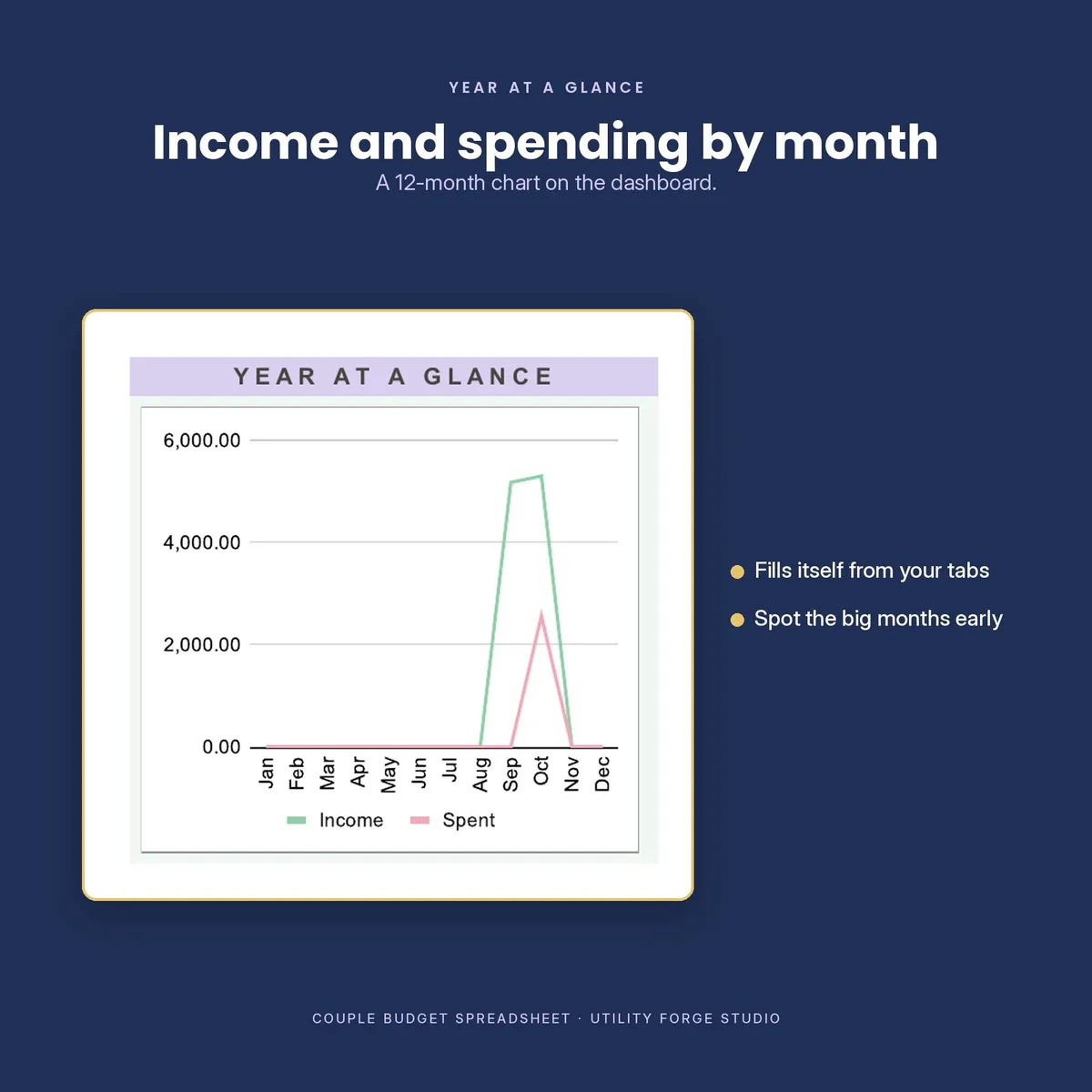
Annual: Monthly income, spending and net totals that fill automatically and power the year at a glance chart.
𝗛𝗢𝗪 𝗜𝗧 𝗪𝗢𝗥𝗞𝗦
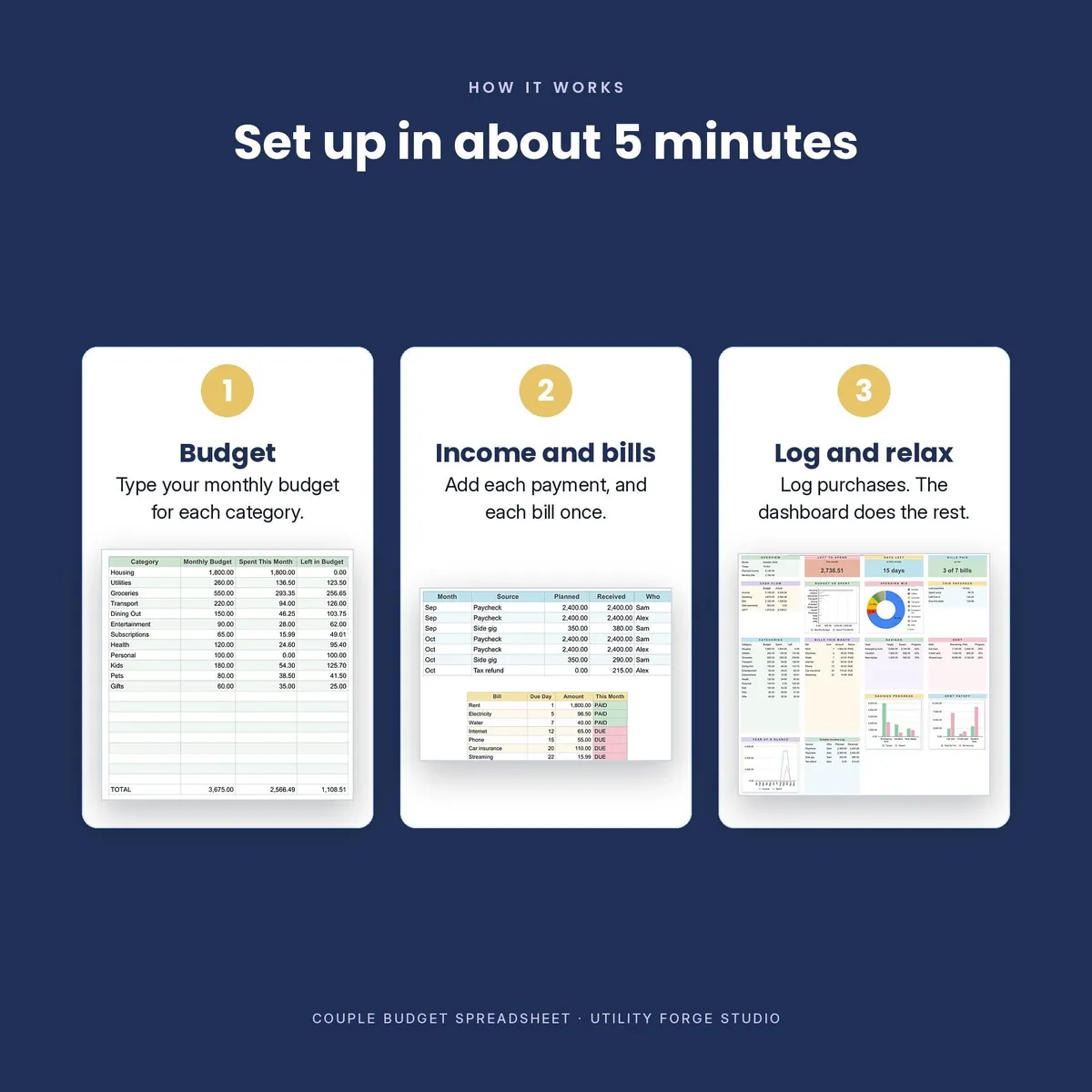
- Download the files after purchase.
- Open the included Start Here PDF and select the Google Sheets link to make your own copy. Or use the included .xlsx file.
- Set up Monthly Budget, Income and Bills, then record purchases on Transactions as they happen.
- Use Dashboard to review your current month, your current paycheck period, bills, debt and savings progress.
𝗪𝗢𝗥𝗞𝗦 𝗪𝗜𝗧𝗛
Google Sheets in a browser on computer, tablet or phone.
No add ons are required. Google Sheets uses clickable bill checkboxes. In Excel, use the supplied tick marks instead. The totals and DUE or PAID status work either way.
𝗙𝗢𝗥𝗠𝗨𝗟𝗔𝗦 𝗔𝗥𝗘 𝗣𝗥𝗢𝗧𝗘𝗖𝗧𝗘𝗗, 𝗡𝗢𝗧 𝗟𝗢𝗖𝗞𝗘𝗗 𝗔𝗪𝗔𝗬
Formula cells are protected to help prevent accidental overwrites. Google Sheets warns before an edit. Excel refuses the edit. Neither edition has a password, so you can still change a formula intentionally when needed.
𝗜𝗠𝗣𝗢𝗥𝗧𝗔𝗡𝗧 𝗗𝗘𝗧𝗔𝗜𝗟𝗦
This is a digital download. No physical item will be shipped. Your numbers stay in your own copy. No subscription, add on or account with this shop is required.
This workbook is a general budgeting and recordkeeping tool. It is not financial, tax or legal advice.
Google Sheets is a trademark of Google LLC. Excel is a trademark of Microsoft Corporation. This product is not affiliated with, sponsored by or endorsed by either company. The names are used only to identify compatible software.
Designed by me, created using AI tools.
The Etsy listing is the final source for what is included. See it on Etsy.
More in Budget and money

PTA Treasurer Spreadsheet
For volunteer treasurers of a PTA, PTO, booster club or parent group: enter each deposit and…

Home Renovation Planner Spreadsheet
This is a digital spreadsheet for your own project.

Savings Challenge Tracker 2027
Make saving a game in 2027.

2027 Budget Planner Spreadsheet
This 2027 budget planner spreadsheet helps you plan every month of the year: log what you…