
Employee Training Matrix Spreadsheet
Employee Training Matrix Spreadsheet, Training Tracker, Certification Tracker, Renewal Due Dates, Employee Report, Google Sheets Excel
$14.99
Buy on EtsyOpens the listing on Etsy in a new tab. Checkout happens on Etsy.
Made for Google Sheets. An Excel file is included, and it works best with current Excel (Excel 2021 or newer).
- Instant digital download
- Buy through Etsy checkout
- No subscription
- Made by Utility Forge Studio
- Questions? Email utilityforgestudio@gmail.com
See it in use
About this download
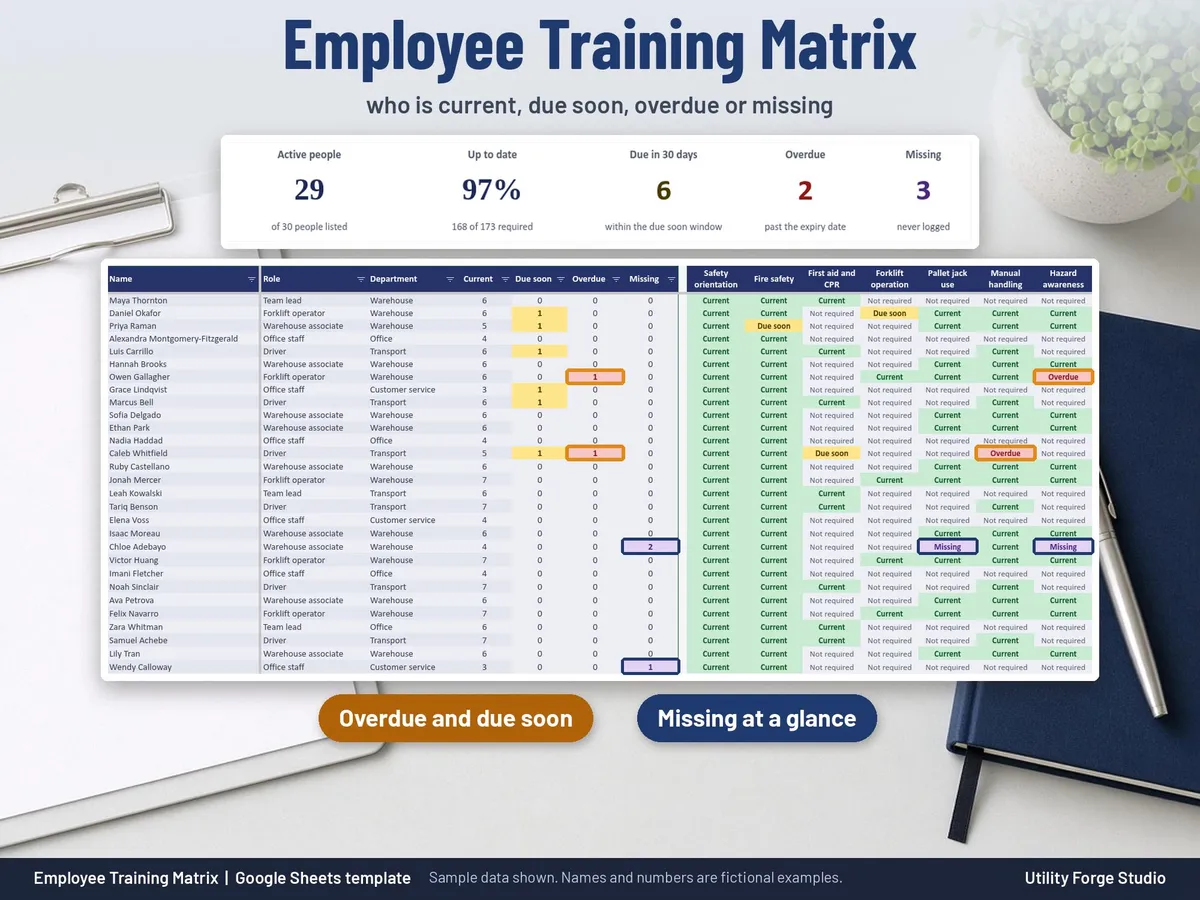
Built for office managers and supervisors who need one clear answer: who is due, who is overdue, who is missing a training, and what one person's record looks like on paper.
⭐ 𝗗𝗘𝗠𝗢
On the fence? Watch our sample video in the listing photos above (it shows the real spreadsheet, tab by tab).
WHAT IT DOES
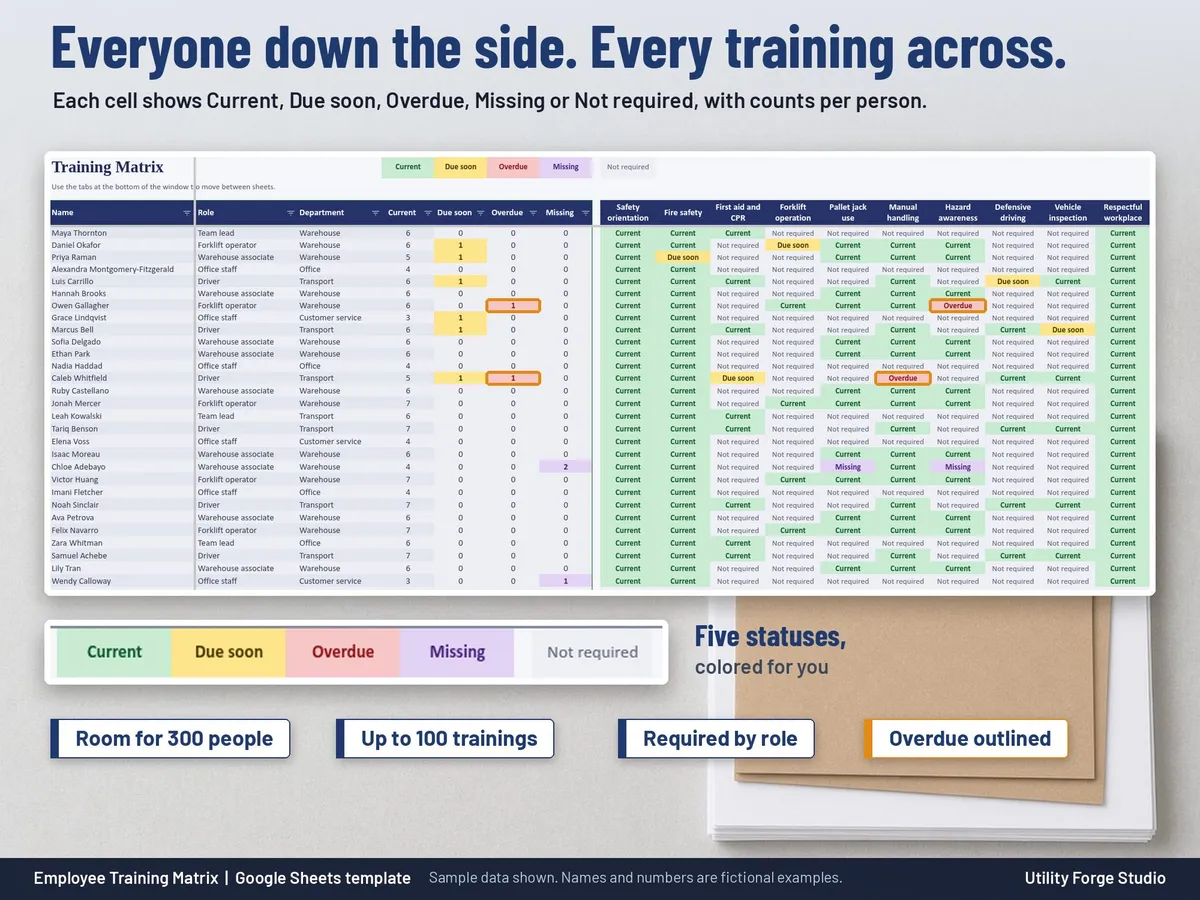
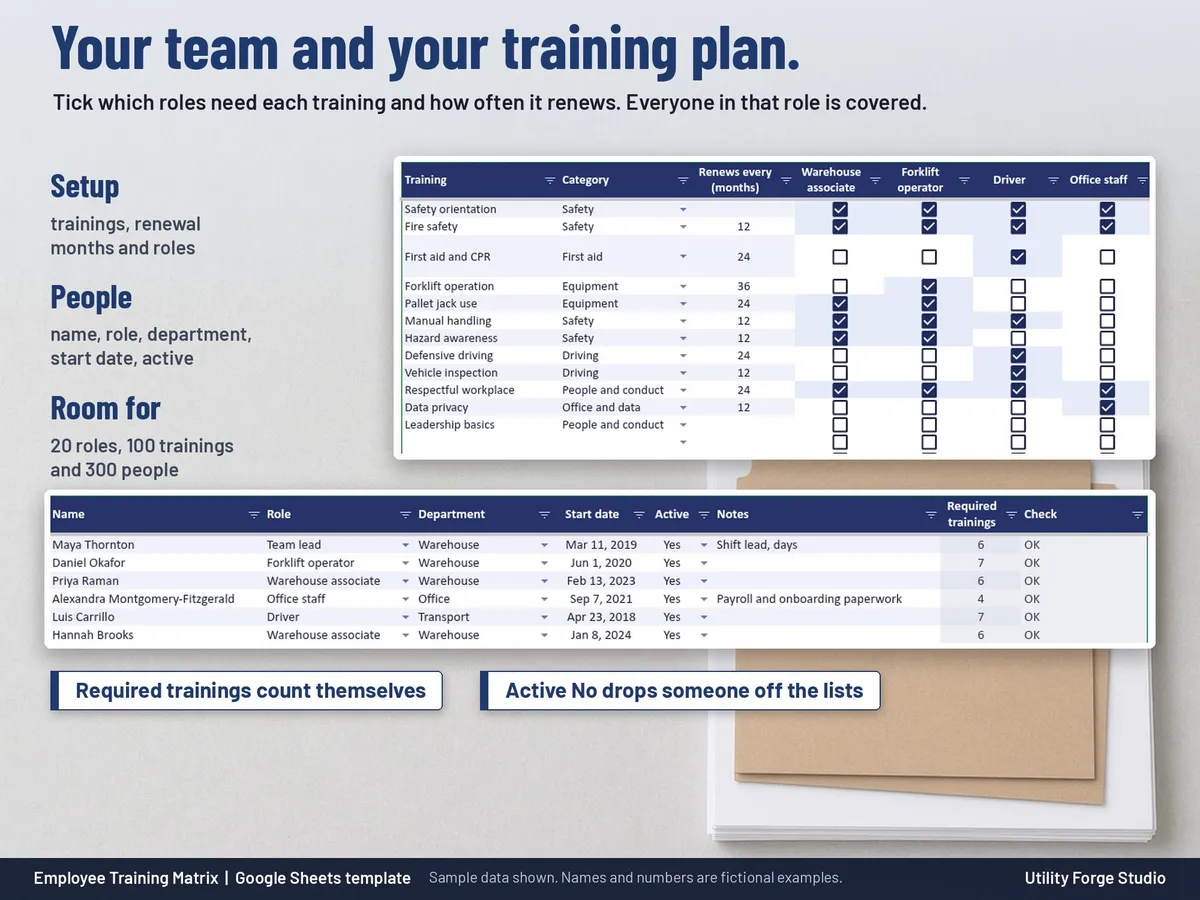
Set each training's renewal in months (or none) and tick the roles that need it.
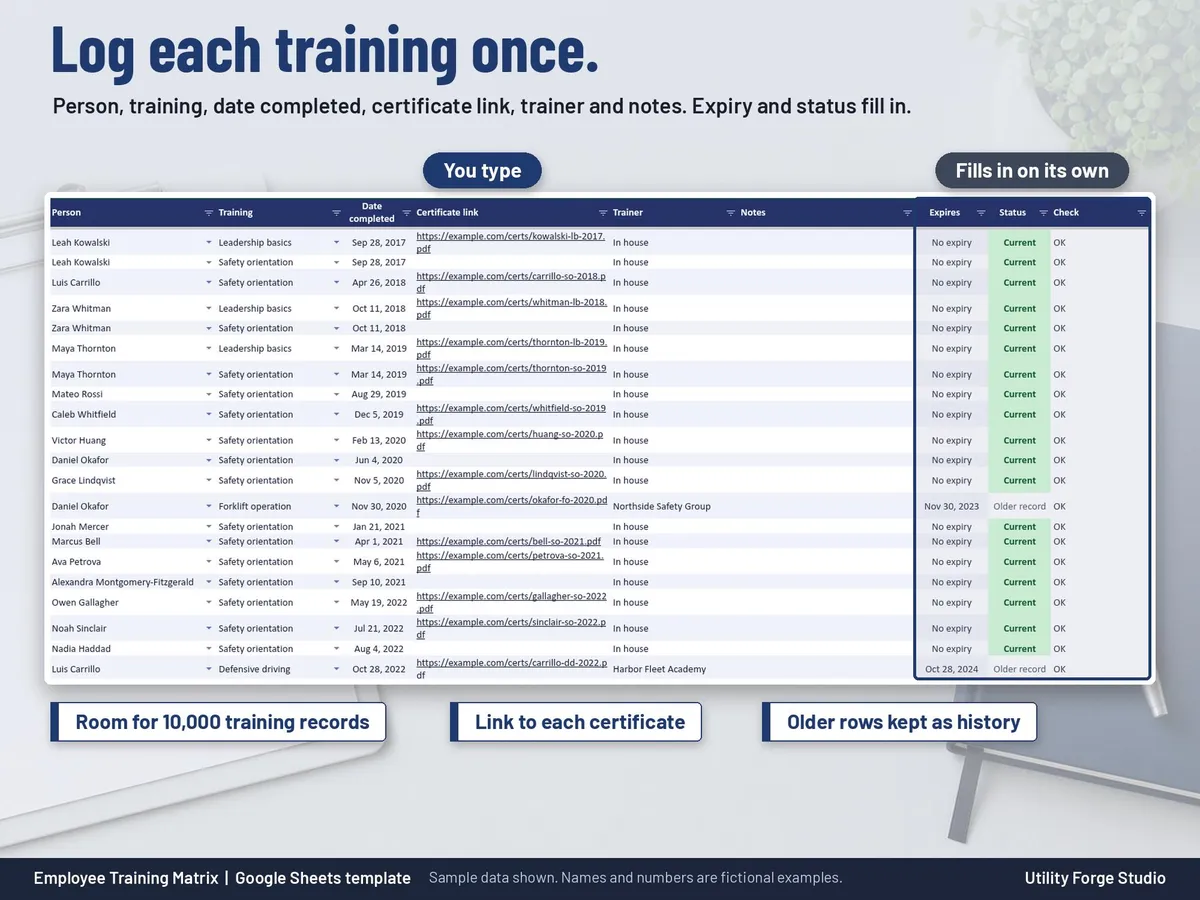
Log a completion once: person, training, date completed, certificate link, trainer and notes.
Expiry dates and statuses calculate automatically from the dates you enter.
The latest completion for a person and training always counts; older rows stay as history.
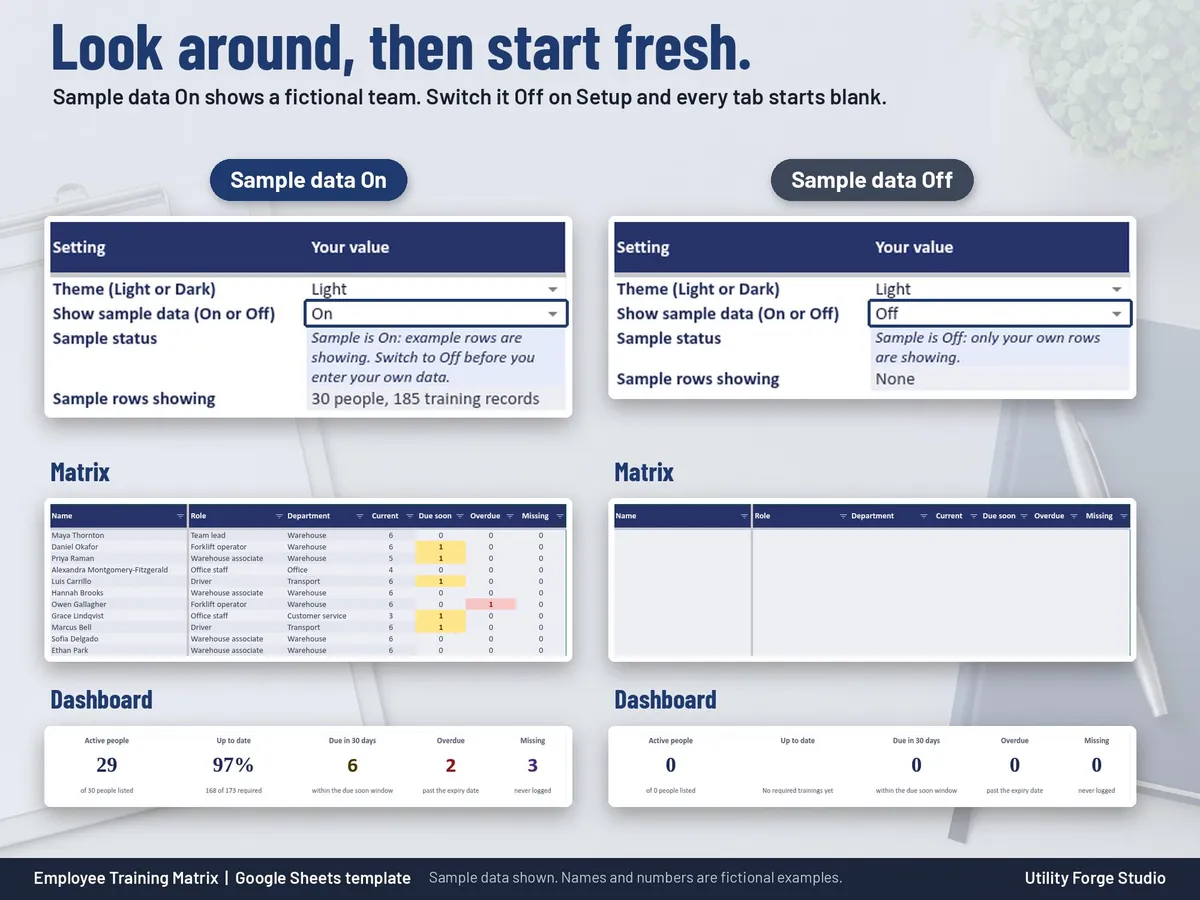
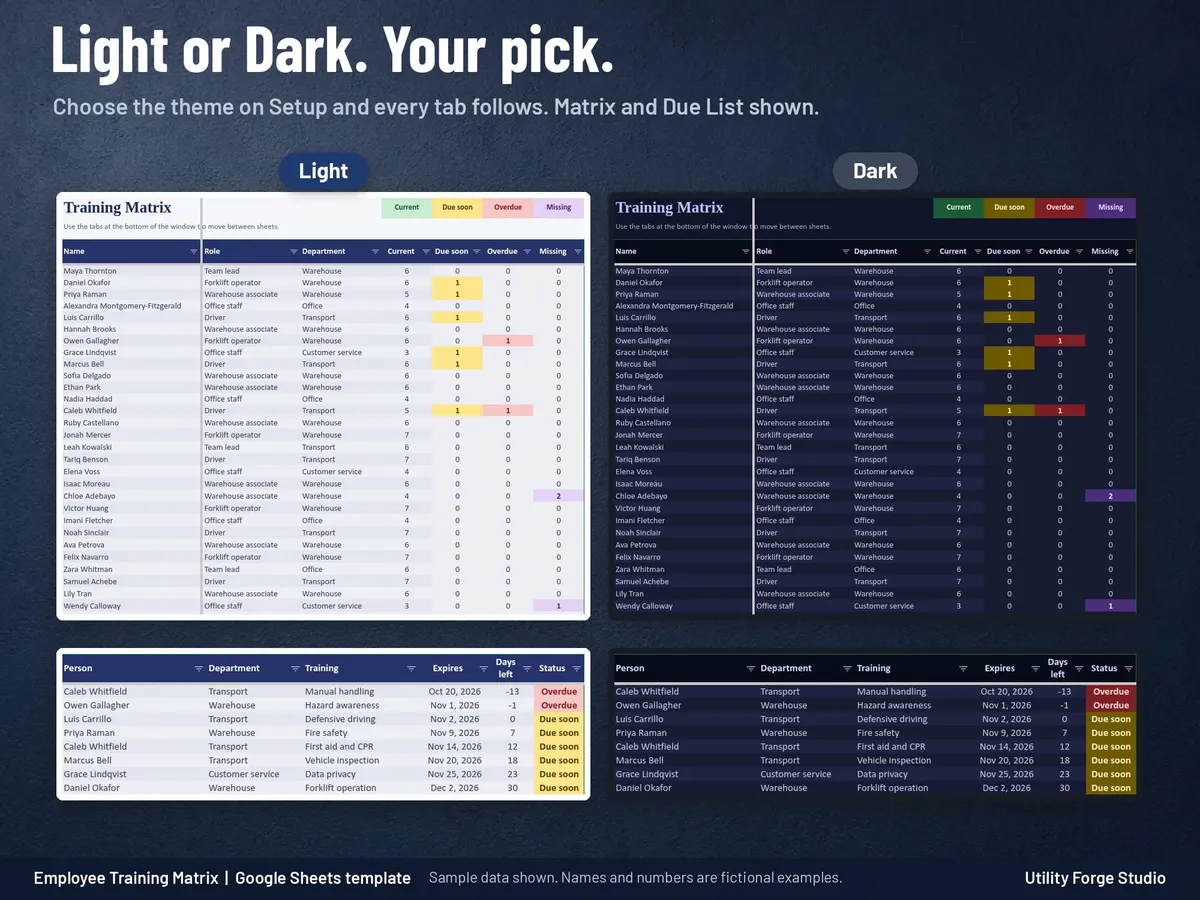
The Matrix shows everyone down the side and every training across the top: Current, Due soon, Overdue, Missing or Not required.
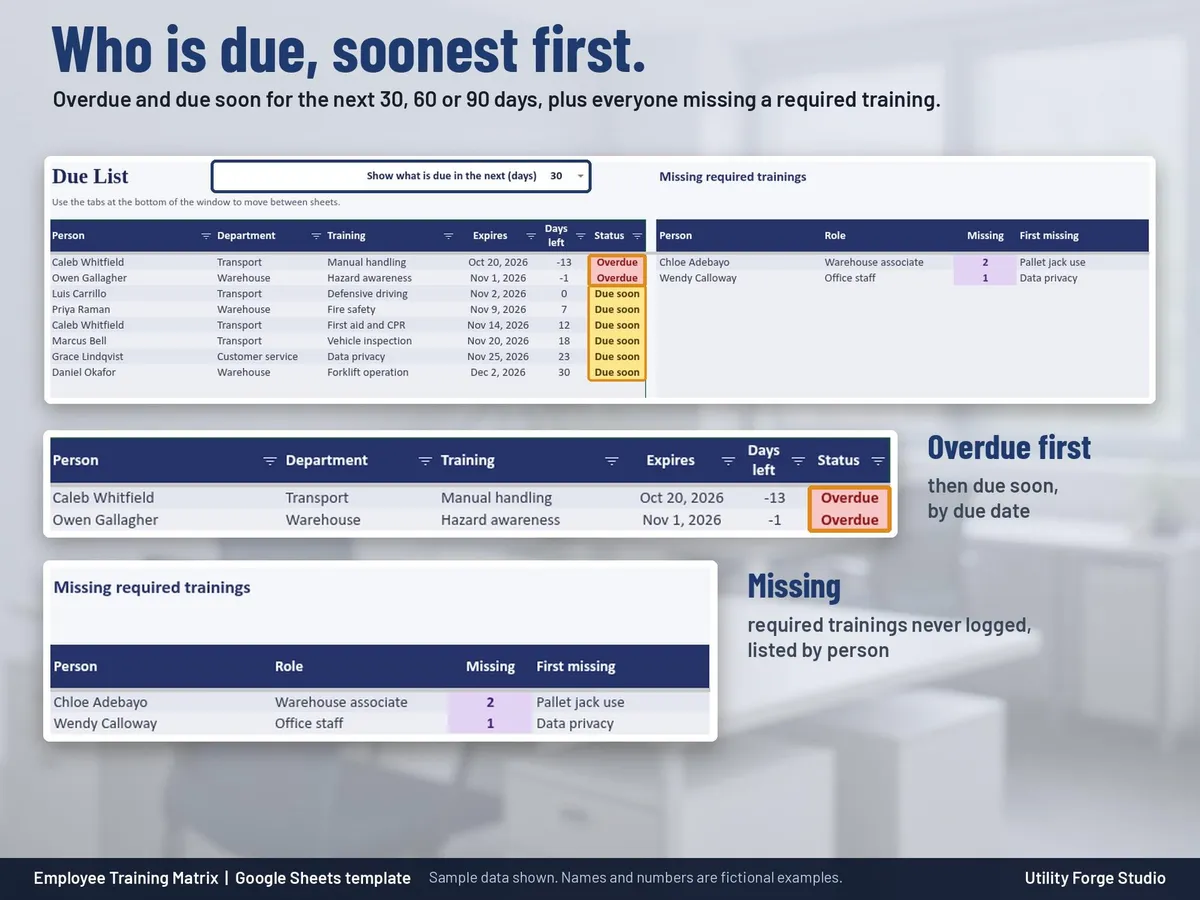
The Due List shows overdue and upcoming renewals, soonest first, for the next 30, 60 or 90 days, plus everyone missing a required training.
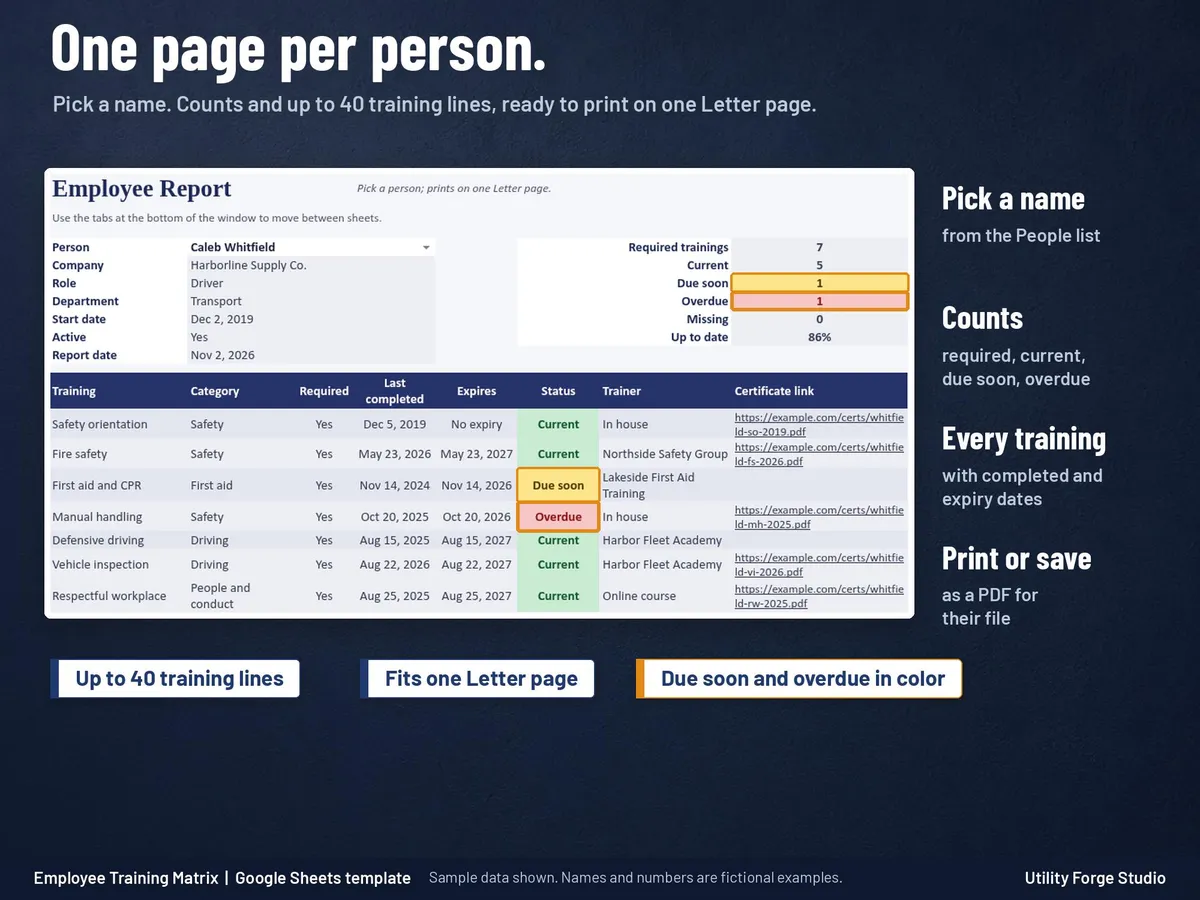
The Employee Report shows one person's training summary with complete counts and up to 40 lines, printed on one Letter page.
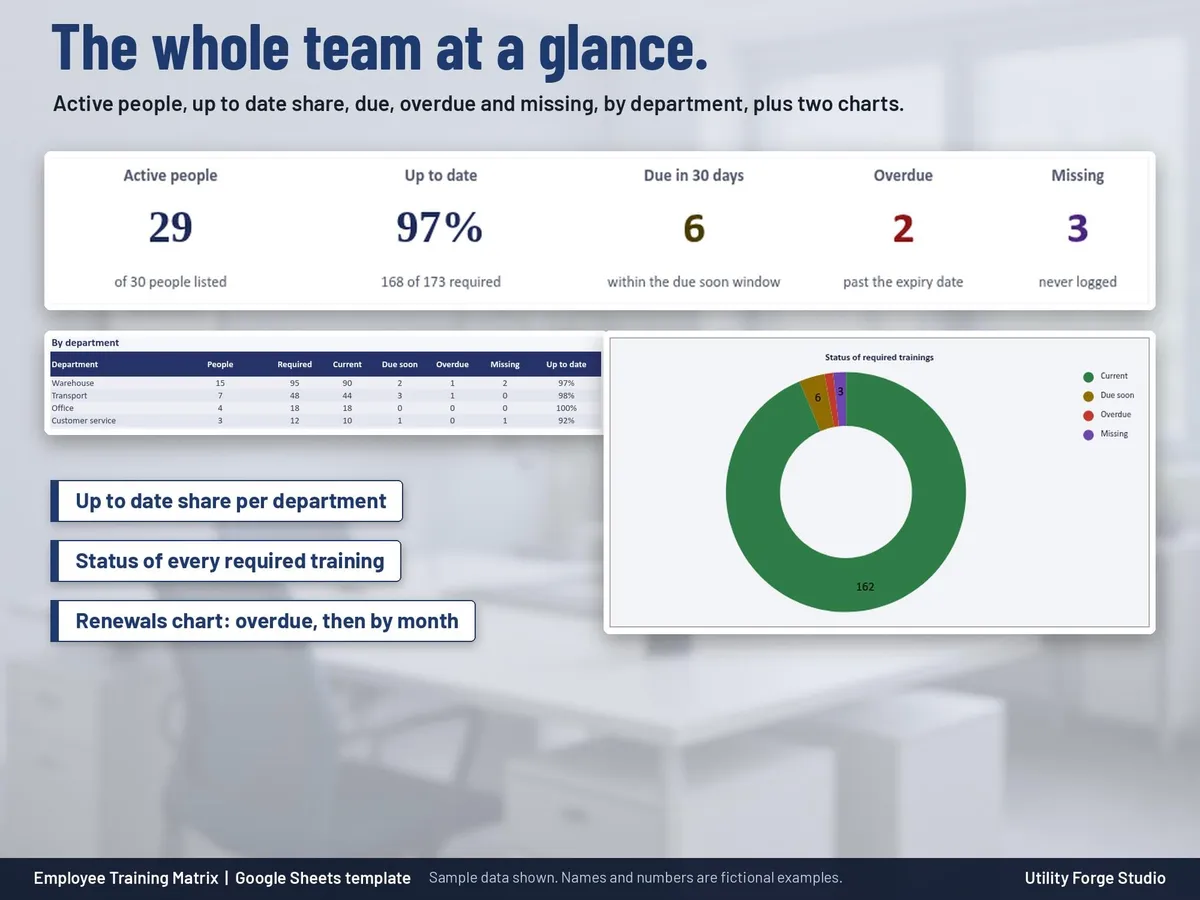
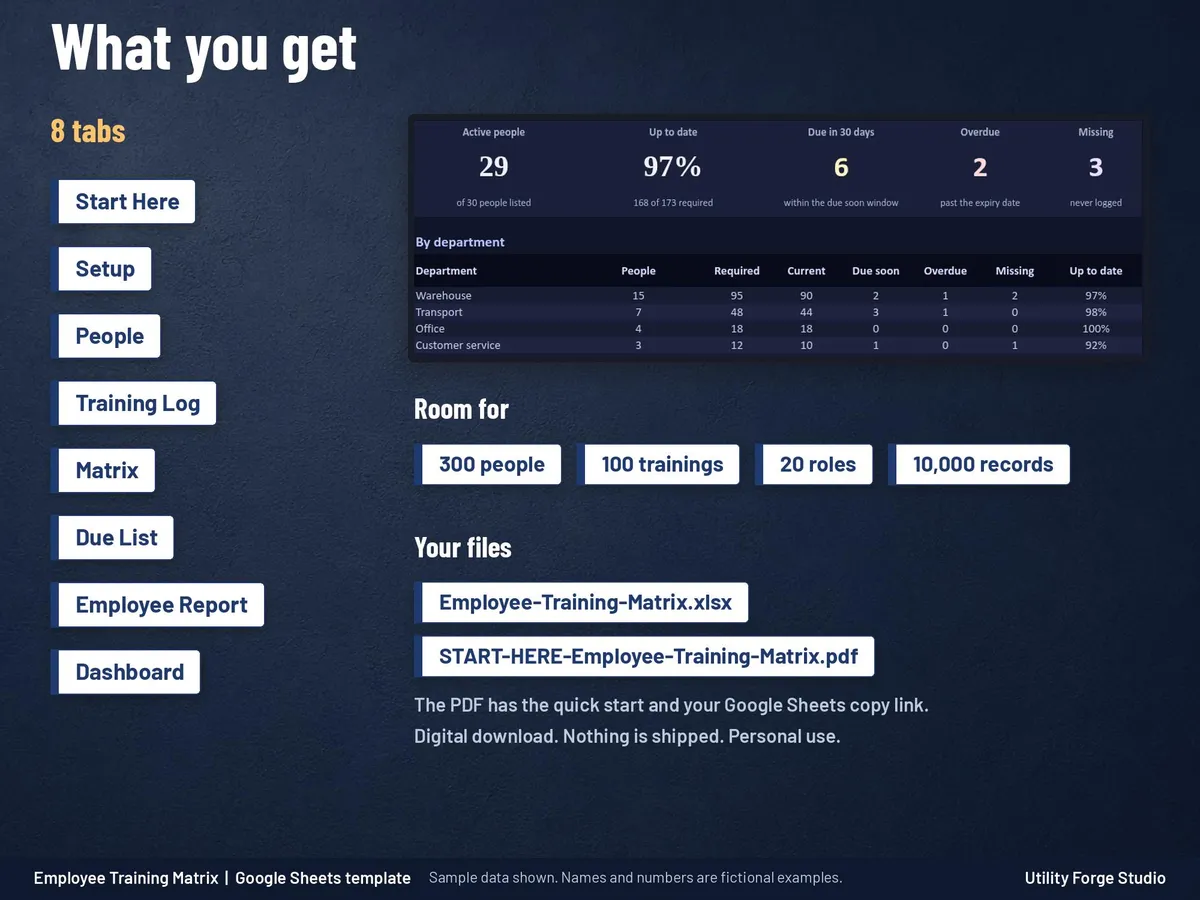
The Dashboard shows active people, the up to date share, due, overdue and missing counts, totals by department and by training, and two charts.
TABS
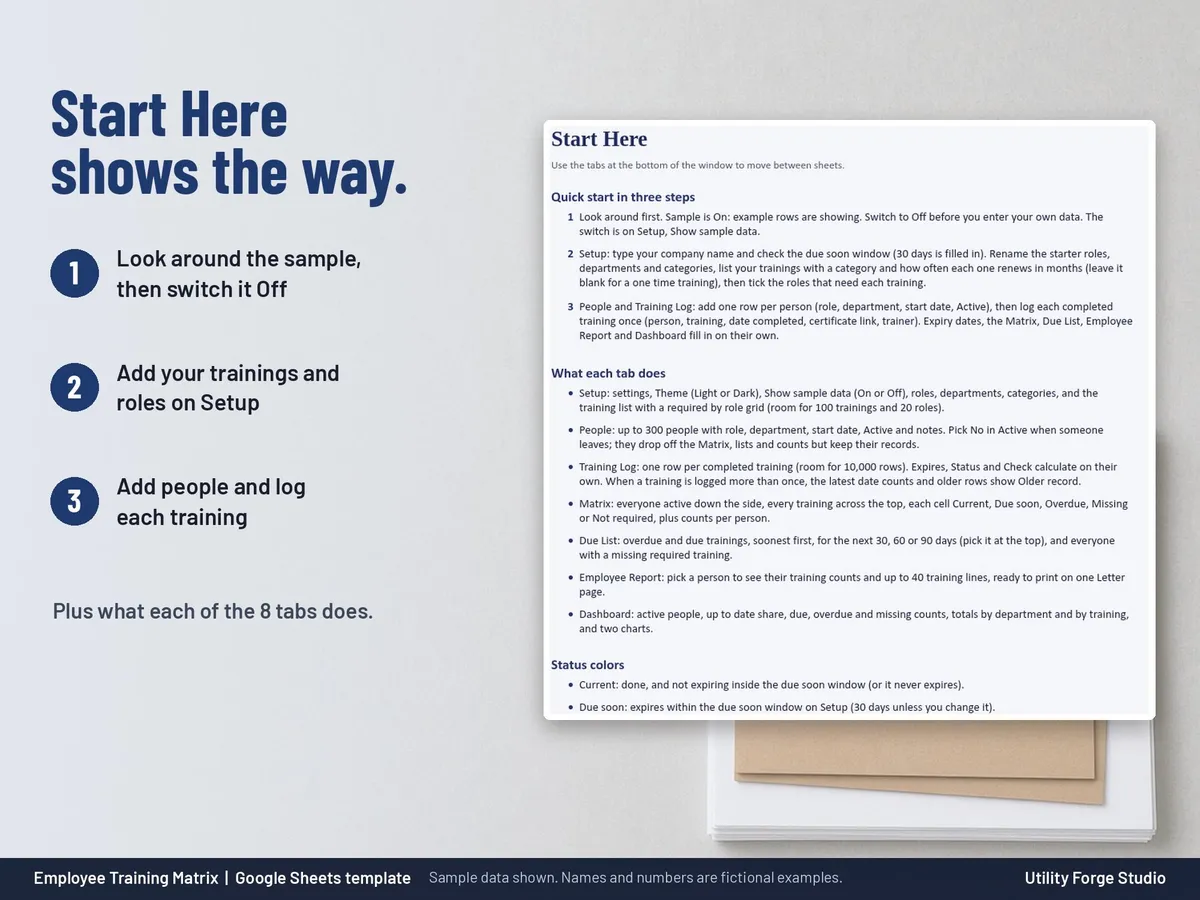
Start Here, Setup, People, Training Log, Matrix, Due List, Employee Report, Dashboard
ROOM TO GROW
Up to 300 people, 100 trainings, 20 roles and 10,000 training records.
Each training has its own category and renewal period.
EASY TO TRUST
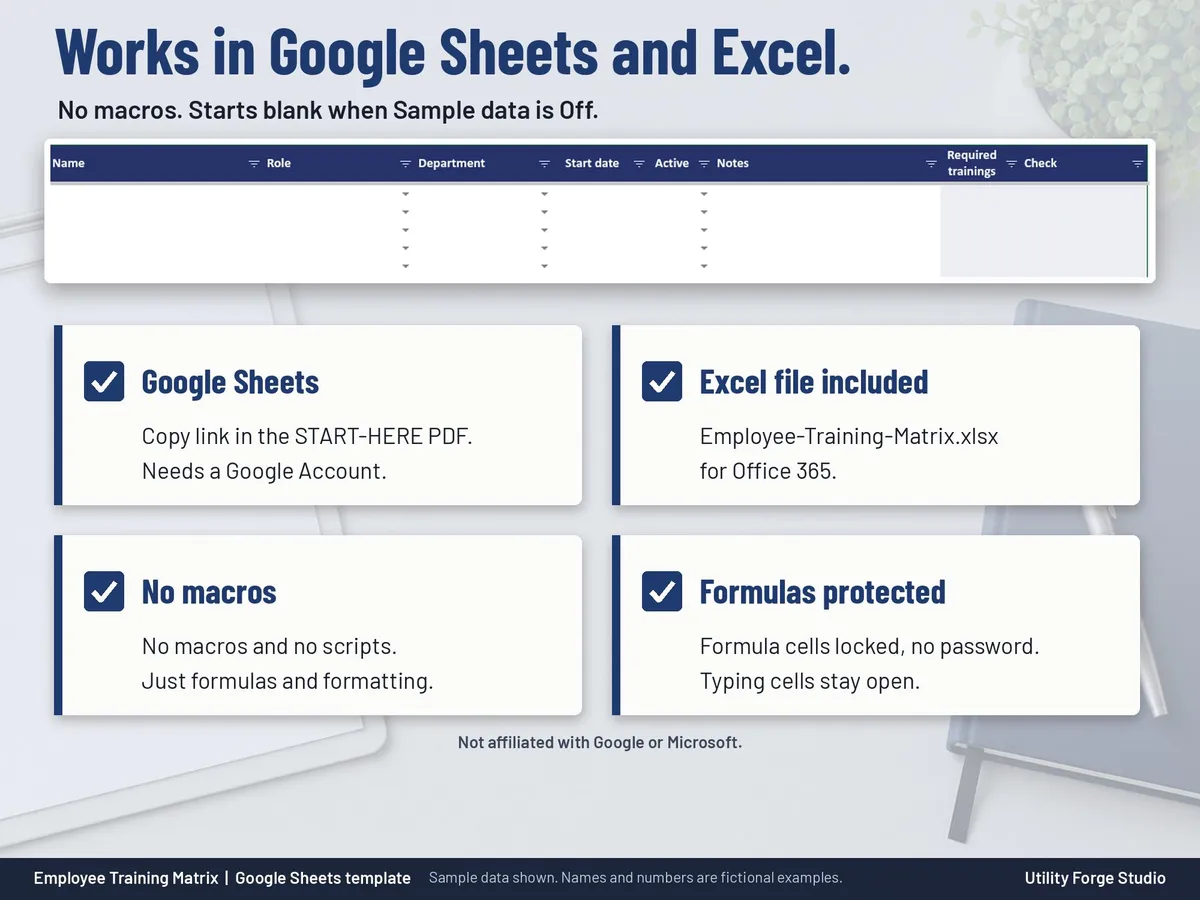
One plain spreadsheet file with no macros and no scripts.
Typing cells are unlocked; only the formula cells are protected, with no password.
Sorting People or the Training Log never mixes up results. To sort, unprotect the sheet (Review > Unprotect Sheet, no password), sort the whole table, then protect it again.
Light and Dark mode in the same file: choose a theme on Setup and every tab switches.
A Show sample data switch on Setup shows a fictional team of 30 people with 185 training records, then hides it when you are ready for your own.
WHAT'S INCLUDED
START-HERE-Employee-Training-Matrix.pdf: quick start and your Google Sheets copy link.
𝗜𝗠𝗣𝗢𝗥𝗧𝗔𝗡𝗧
Developed for Google Sheets. An Excel file is included for the latest Microsoft 365 (Office 365 Desktop App). Older Excel versions may not support all features.
Digital download only. No physical item will be shipped.
Utility Forge Studio is not affiliated with, sponsored by, or endorsed by Google or Microsoft.
Statuses come from the dates and renewal months you enter; keep your own certificates and records too.
Personal use only. Please do not resell, share or redistribute the files.
Designed by me, created using AI tools.
The Etsy listing is the final source for what is included. See it on Etsy.
More in Home and life planners

Maid of Honor Planner Spreadsheet
For the maid of honor (or the bridesmaid doing the planning): plan the bridal shower, the…

2027 Planner
A 2027 planner spreadsheet for Google Sheets where you type each event once and it appears on…

Book Club Planner Spreadsheet
Run your book club from one shared spreadsheet.

Homestead Ledger Spreadsheet
What it is not: not tax or accounting advice, not a vet or health guide, no tax calculator, and…