
Etsy Seller Tools
Etsy Seller Tools, Profit Dashboard, Fee Calculator, Listing Tracker, Google Sheets
$14.99
Buy on EtsyOpens the listing on Etsy in a new tab. Checkout happens on Etsy.
Made for Google Sheets.
- Instant digital download
- Buy through Etsy checkout
- No subscription
- Made by Utility Forge Studio
- Questions? Email utilityforgestudio@gmail.com
See it in use
About this download
Know which listings actually make you money after Etsy's cut.
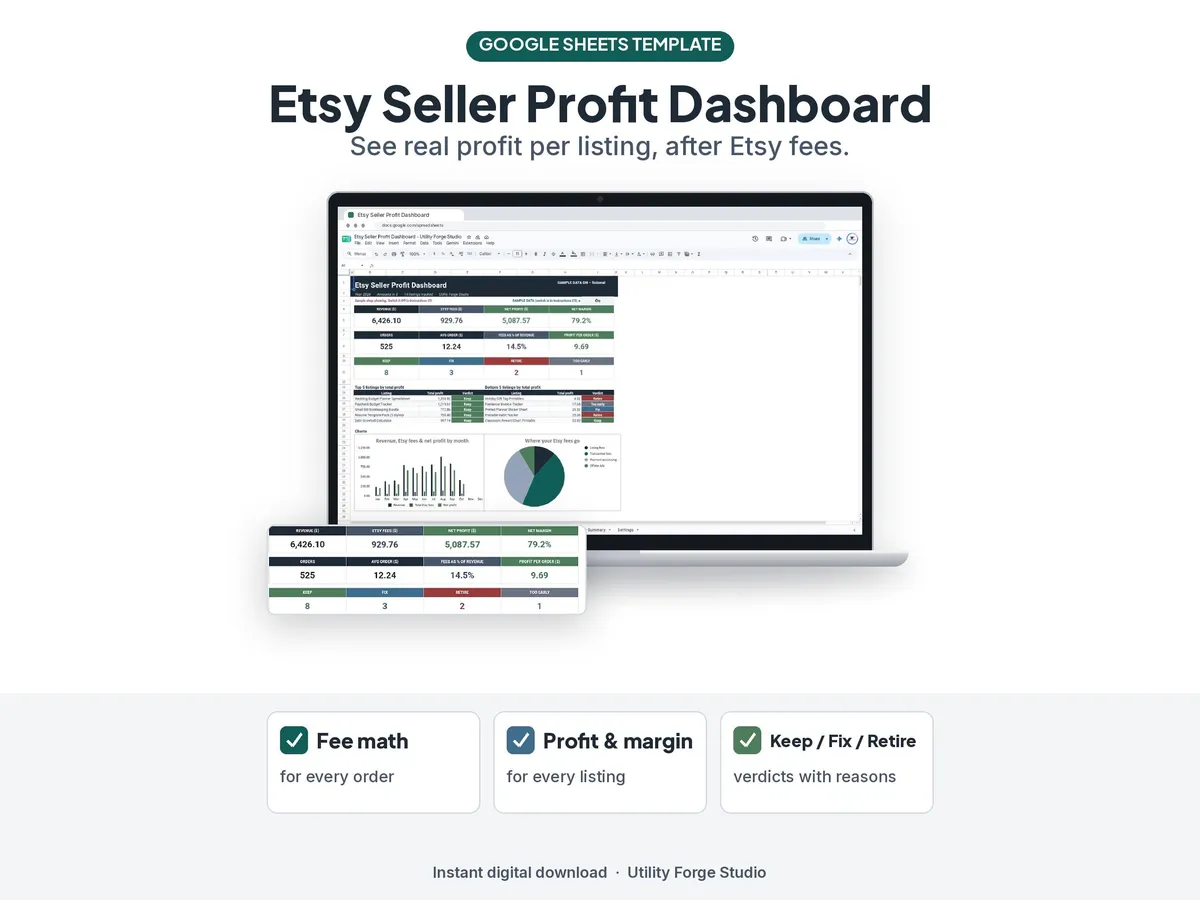
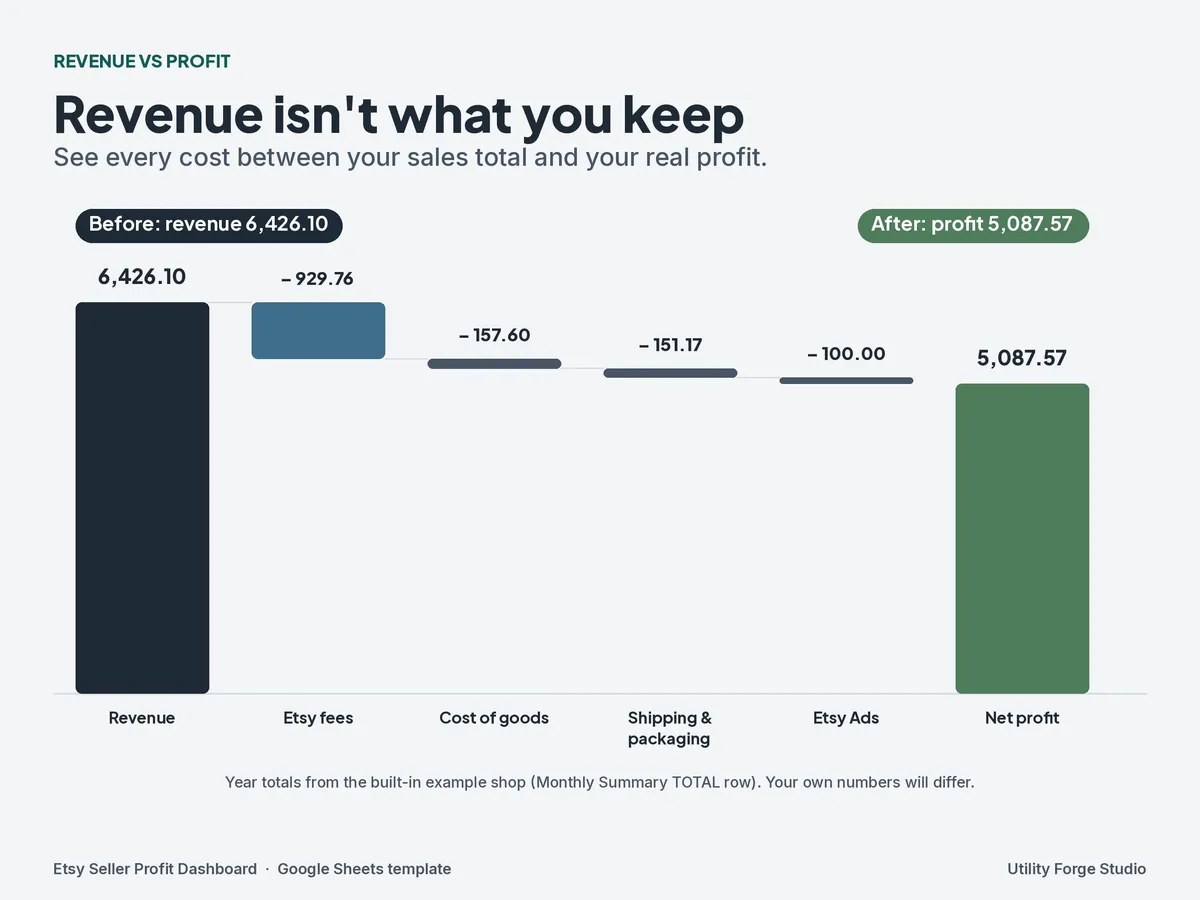
Revenue isn't profit. Between listing fees, transaction fees, payment processing, Etsy Ads, and Offsite Ads, a $20 sale can leave you with a lot less than $20. This Google Sheets dashboard does the fee math for every order, shows profit and margin for every listing, and gives each listing a plain verdict: Keep, Fix, Retire, or Too early, with the reason why.
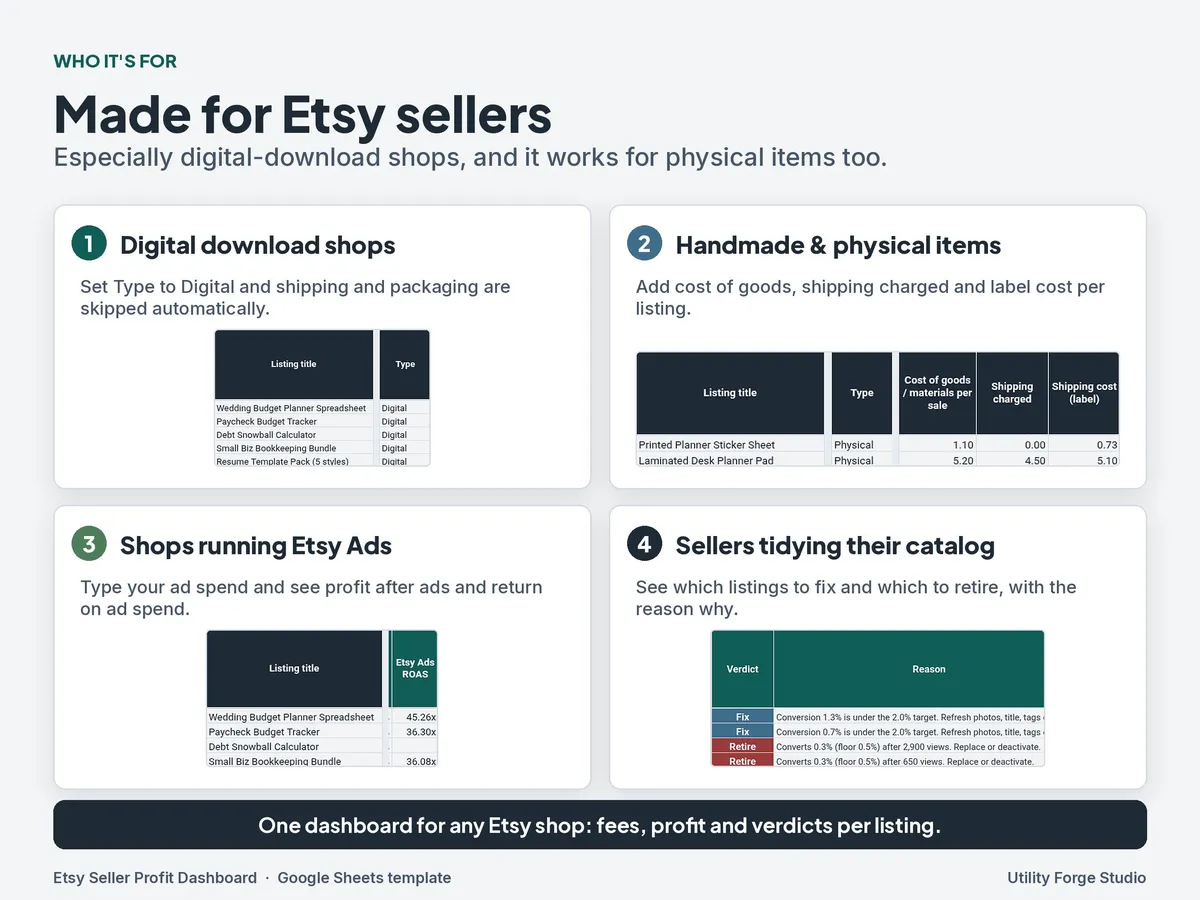
It's built for Etsy sellers, and it works especially well for digital-download shops.
WHAT'S INCLUDED (8 tabs)
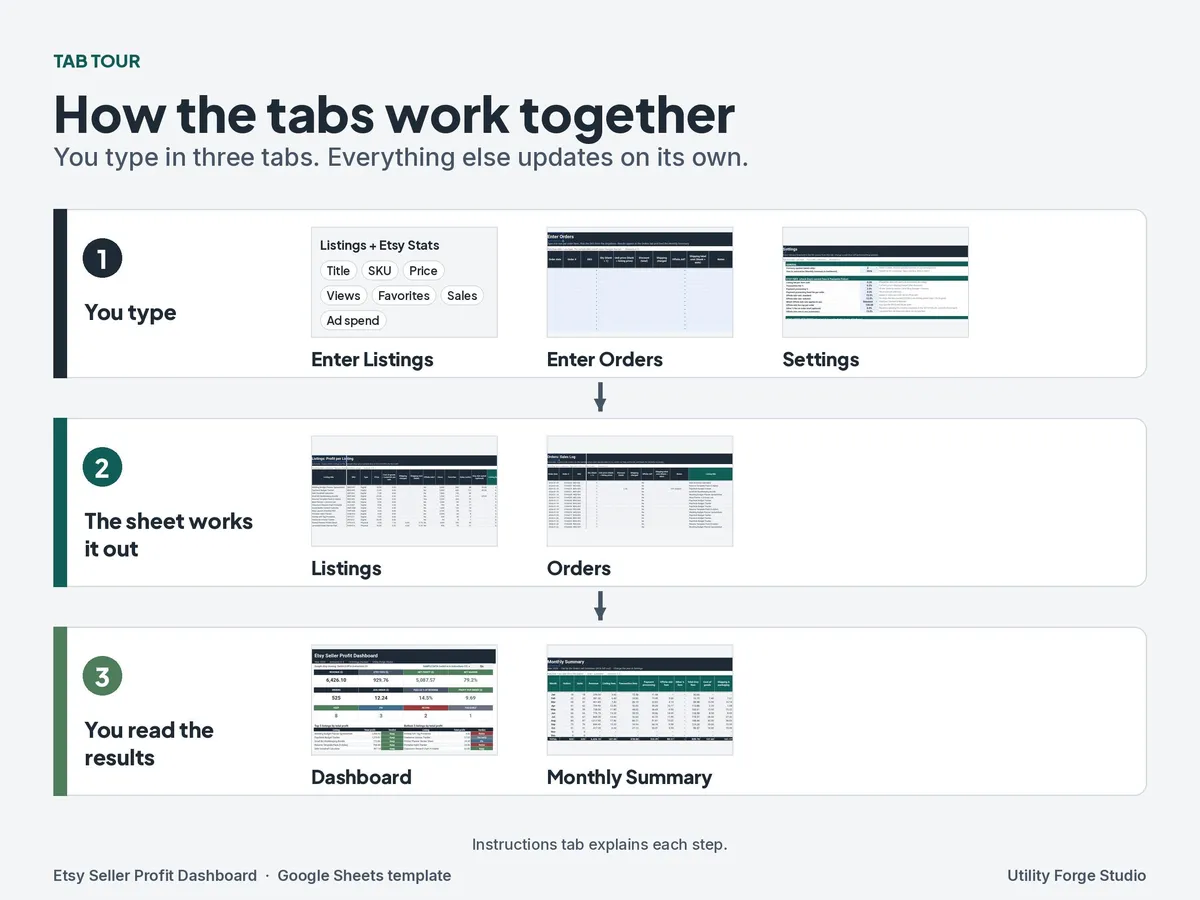
- Instructions: a step-by-step setup guide.
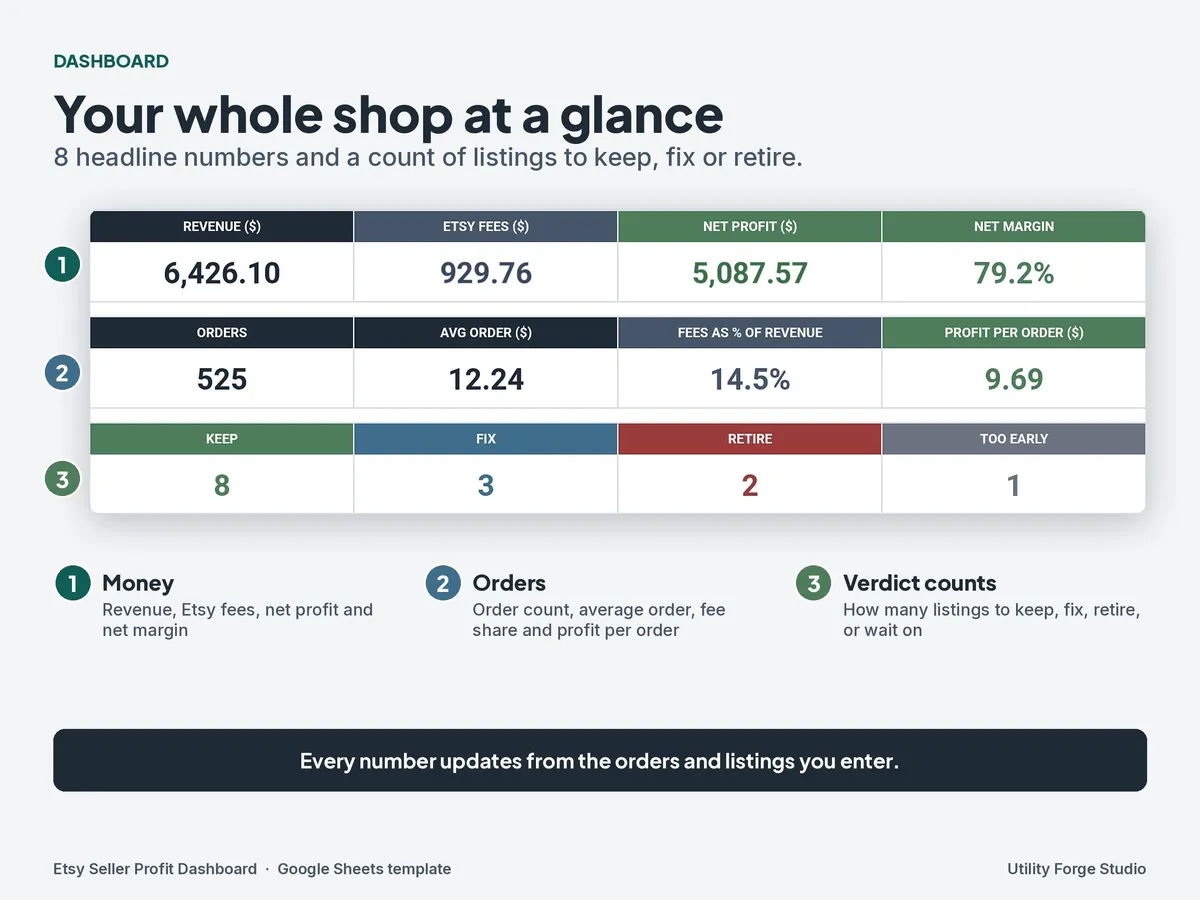
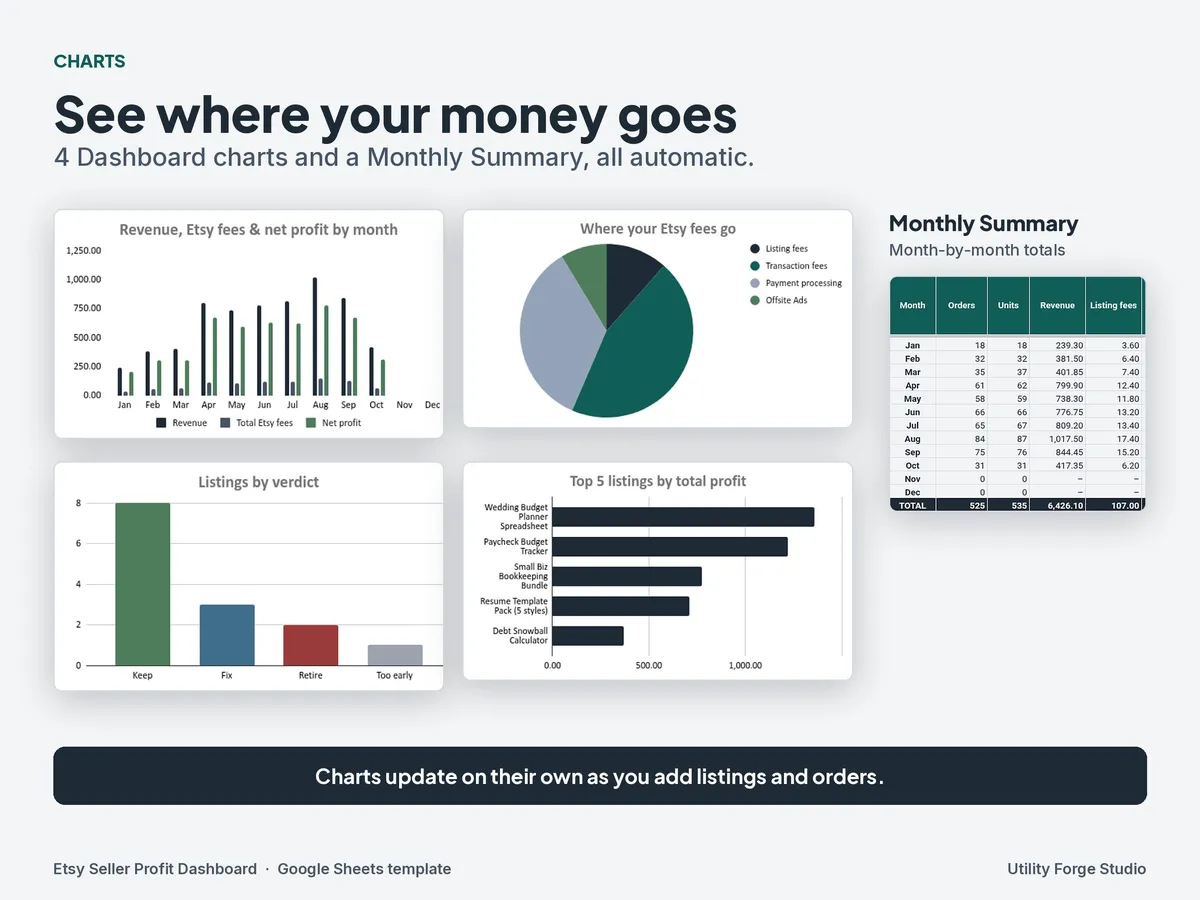
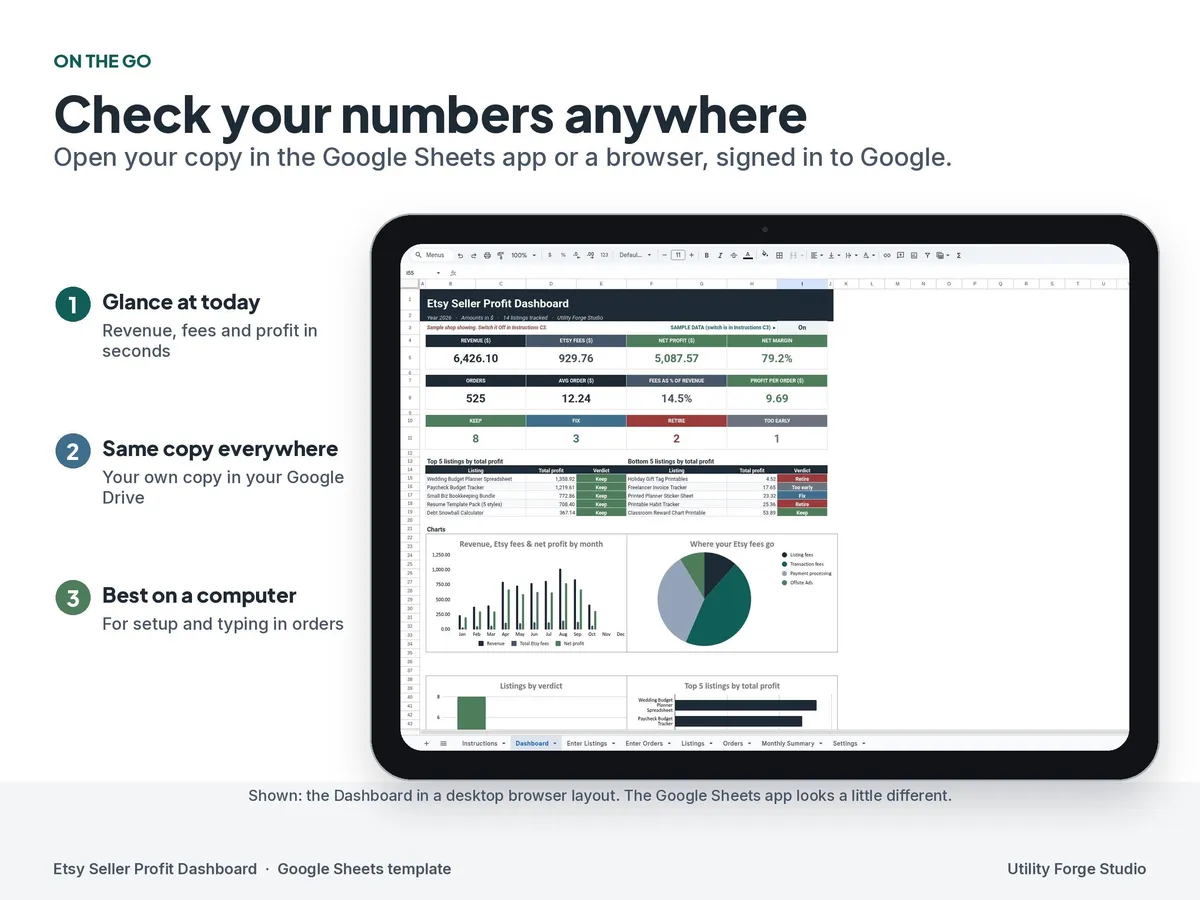
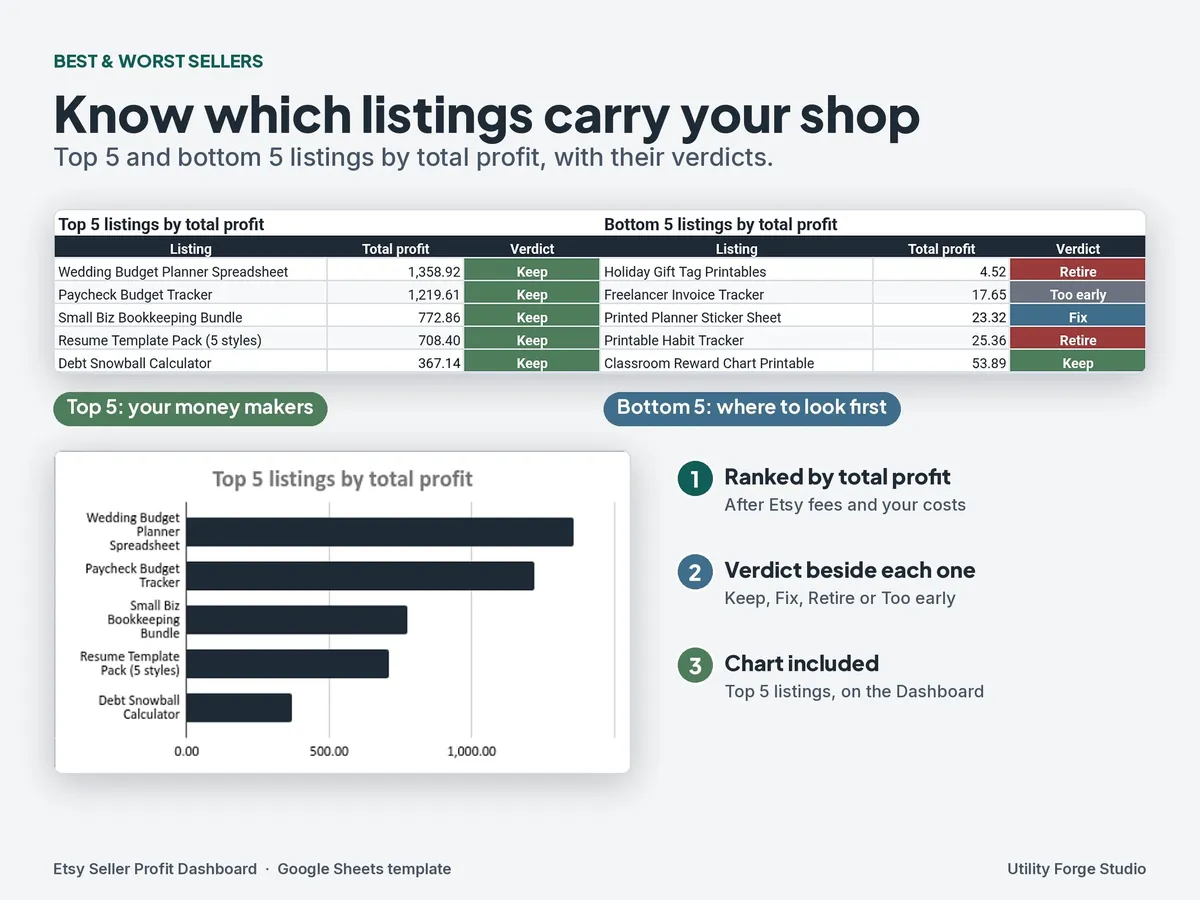
- Dashboard: 8 headline numbers, your top 5 and bottom 5 listings, and 4 charts.
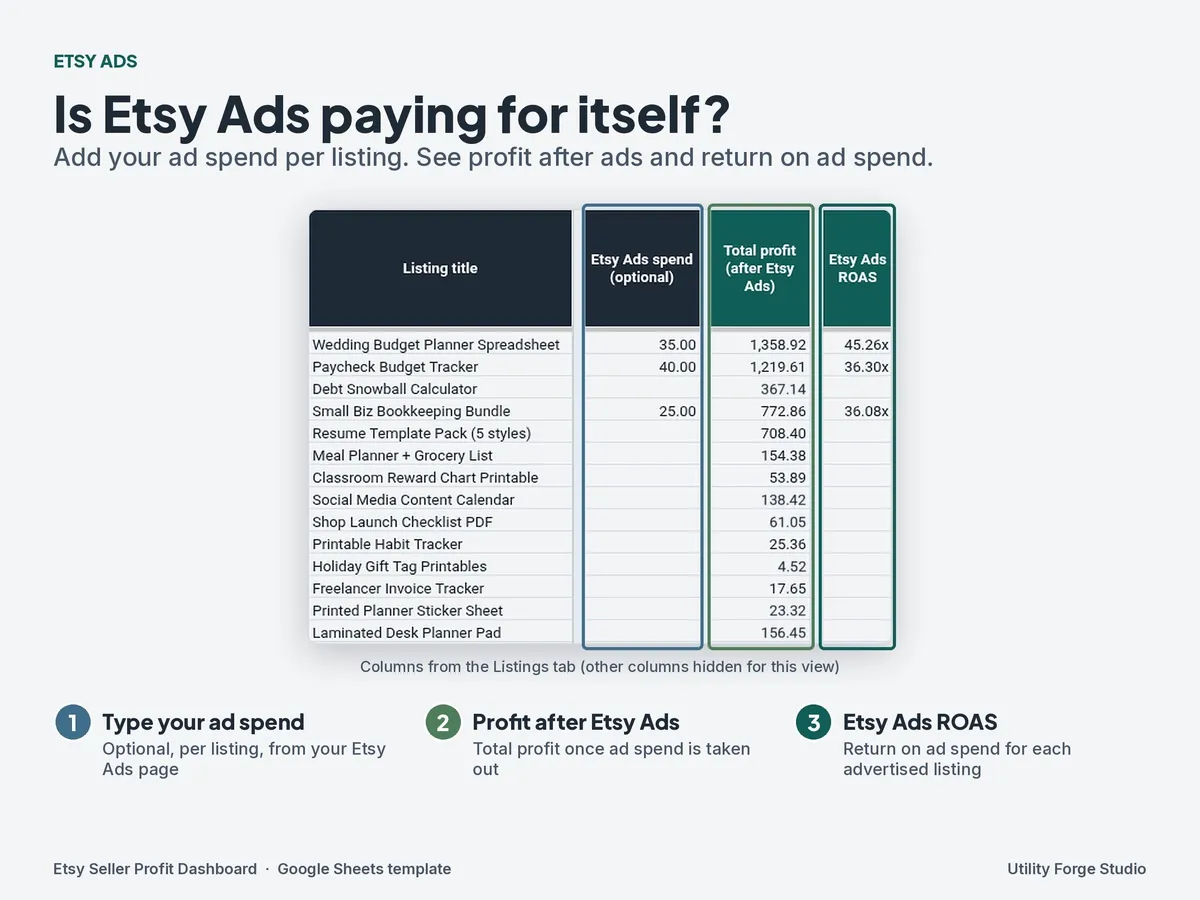
- Enter Listings: add each listing and the stats you copy from your Etsy Stats page (views, favorites, and so on) plus your Etsy Ads spend.
- Enter Orders: log sales in 1,000 ready-made rows.
- Listings: calculated results per listing: profit, margin, conversion rate, favorite rate, Etsy Ads spend and return, and the Keep / Fix / Retire / Too early verdict with its reason.
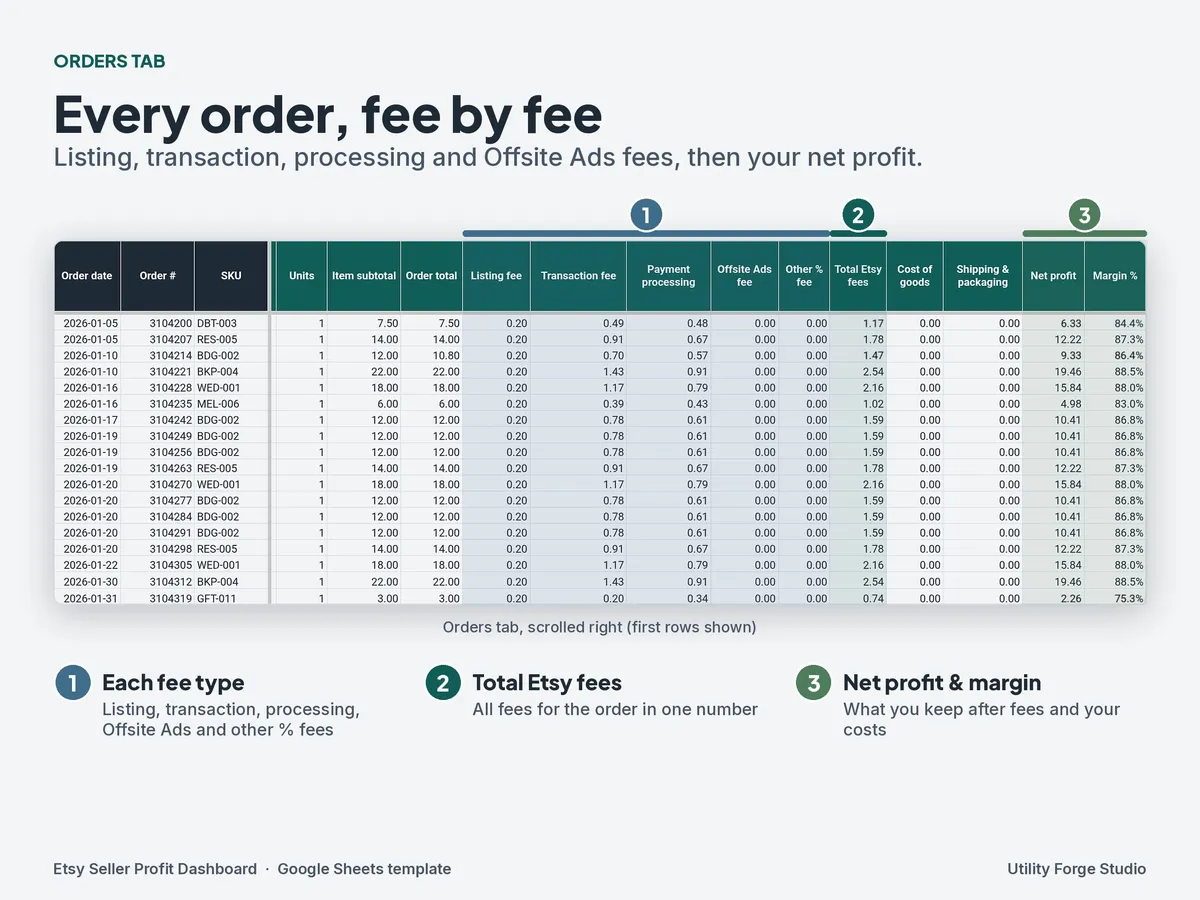
- Orders: calculated fees and net for each order.
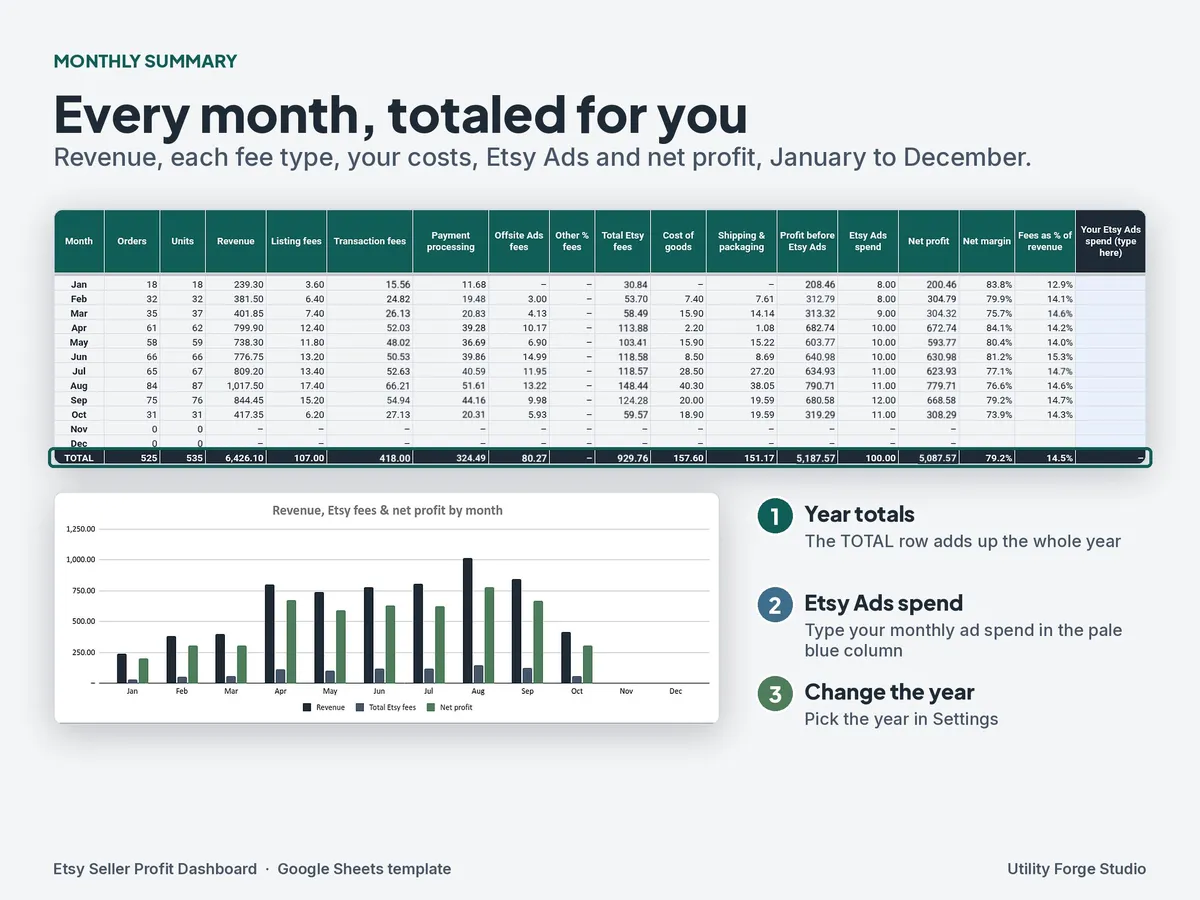
- Monthly Summary: month-by-month totals with a chart.
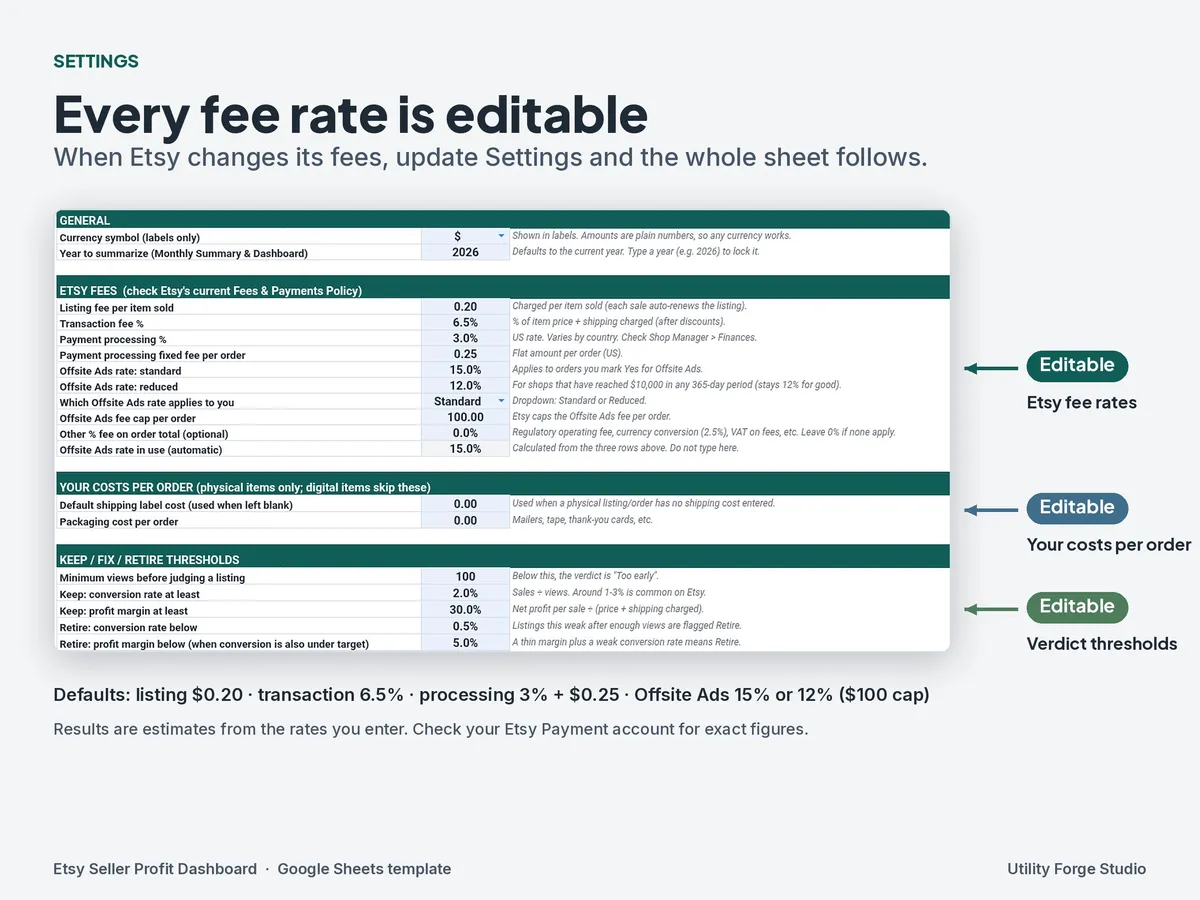
- Settings: every fee rate and verdict threshold in one place, all editable.
𝗙𝗘𝗘 𝗠𝗔𝗧𝗛 (𝗘𝗗𝗜𝗧𝗔𝗕𝗟𝗘 𝗗𝗘𝗙𝗔𝗨𝗟𝗧𝗦)
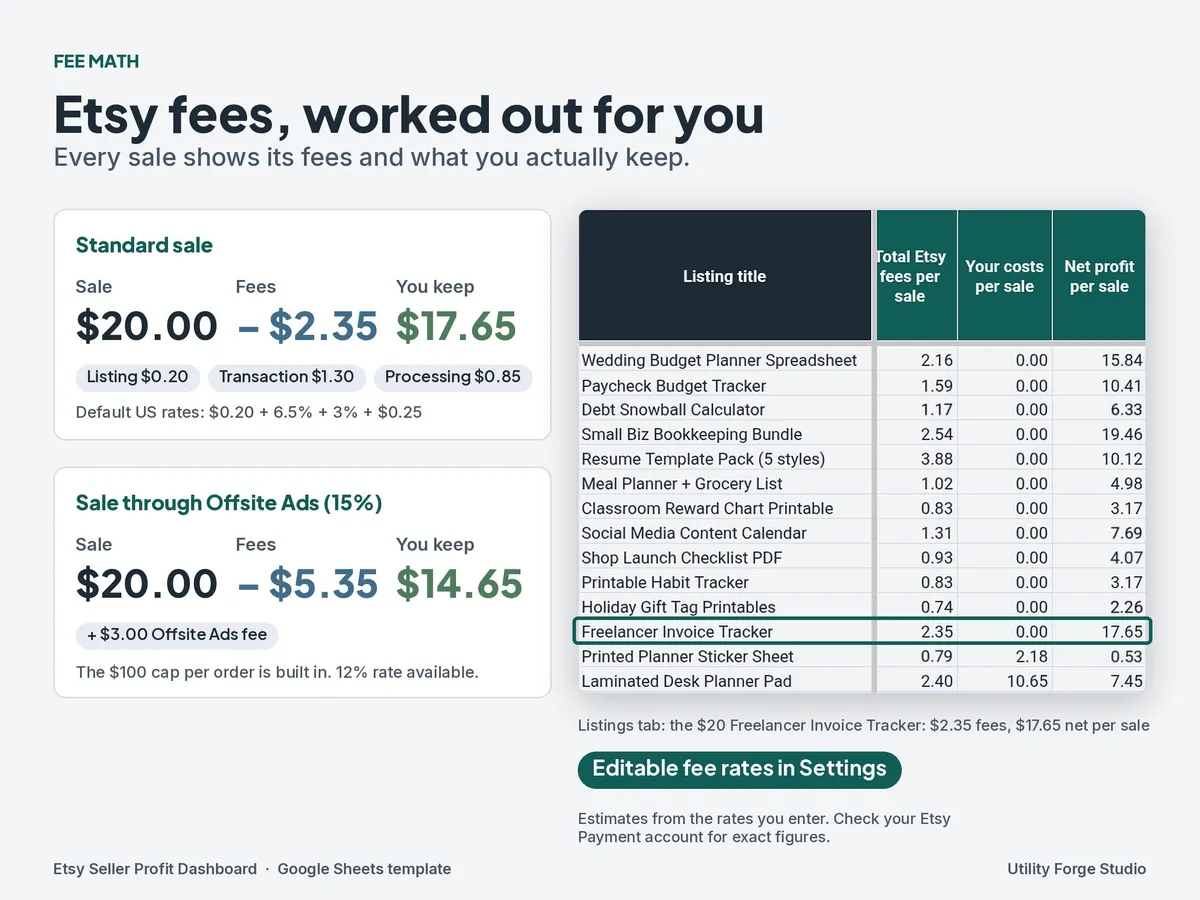
The Settings tab comes pre-filled with these default rates. You can change any of them:
- Listing fee: $0.20
- Transaction fee: 6.5%
- Payment processing: 3% + $0.25
- Offsite Ads: 15% or 12%, with the $100 cap per order
Worked example with the defaults: a $20 sale has $2.35 in fees ($17.65 net). If that sale came through Offsite Ads at 15%, fees are $5.35 ($14.65 net).
Etsy changes its fees from time to time, and rates vary by country, currency, and account. That's why every rate is editable. The sheet gives you estimates based on the rates you enter. It is not an exact match to your Etsy statement, so check your Payment account for the real figures and update Settings when Etsy updates its fees.
𝗟𝗜𝗦𝗧𝗜𝗡𝗚 𝗩𝗘𝗥𝗗𝗜𝗖𝗧𝗦
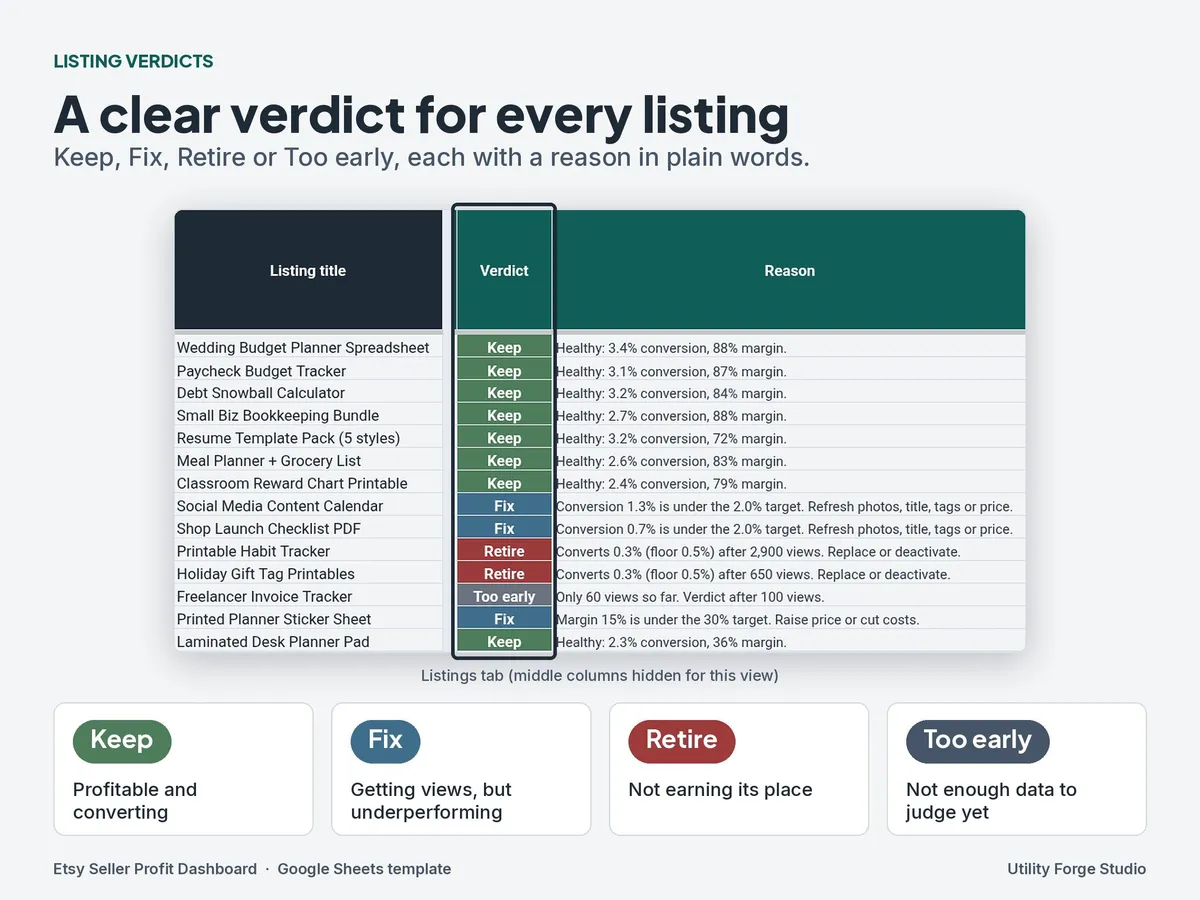
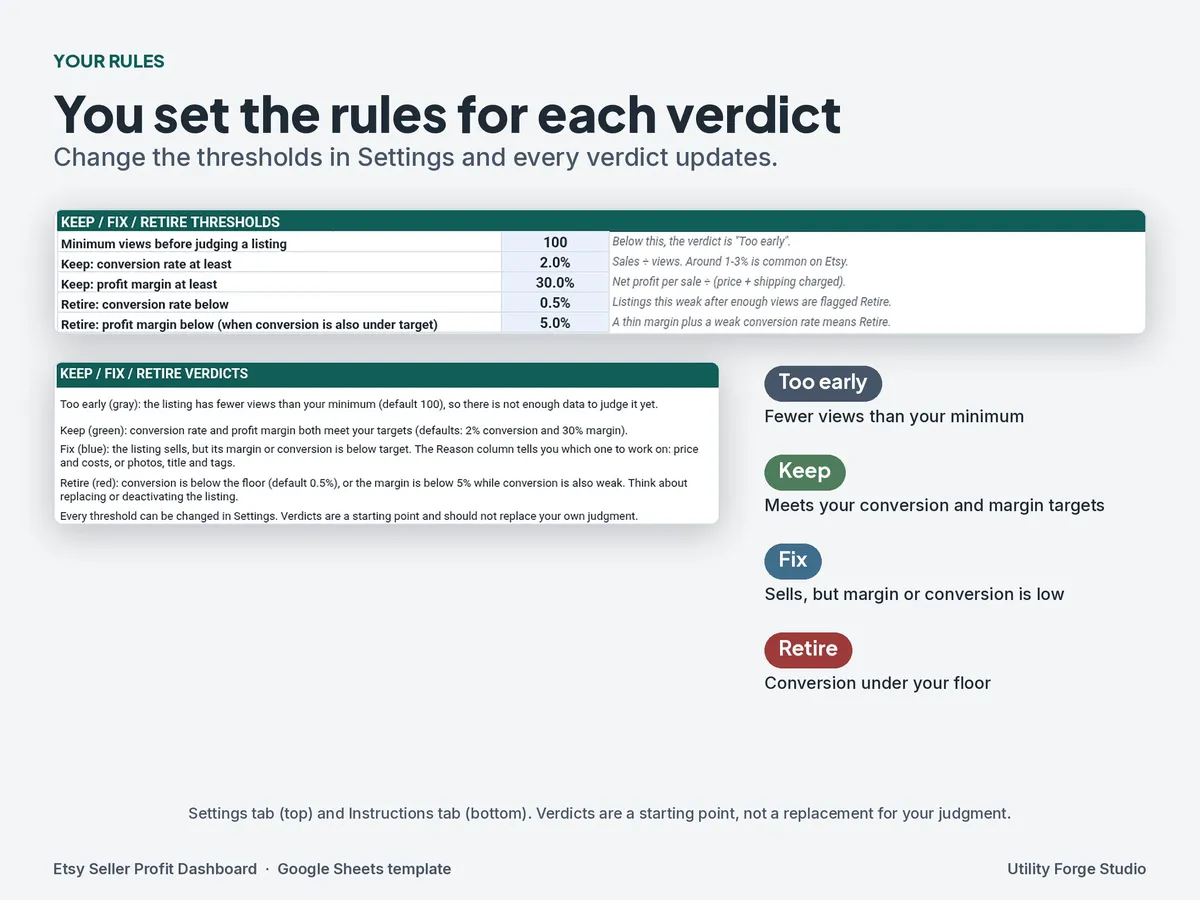
Each listing gets one of four verdicts, with a reason in plain words:
- Keep: profitable and converting.
- Fix: getting attention but underperforming (for example, views but low conversion, or a thin margin).
- Retire: not earning its place.
- Too early: not enough data yet to judge.
The thresholds behind each verdict live in Settings, so you can make them stricter or looser to fit your shop.
𝗦𝗔𝗠𝗣𝗟𝗘 𝗗𝗔𝗧𝗔 𝗦𝗪𝗜𝗧𝗖𝗛
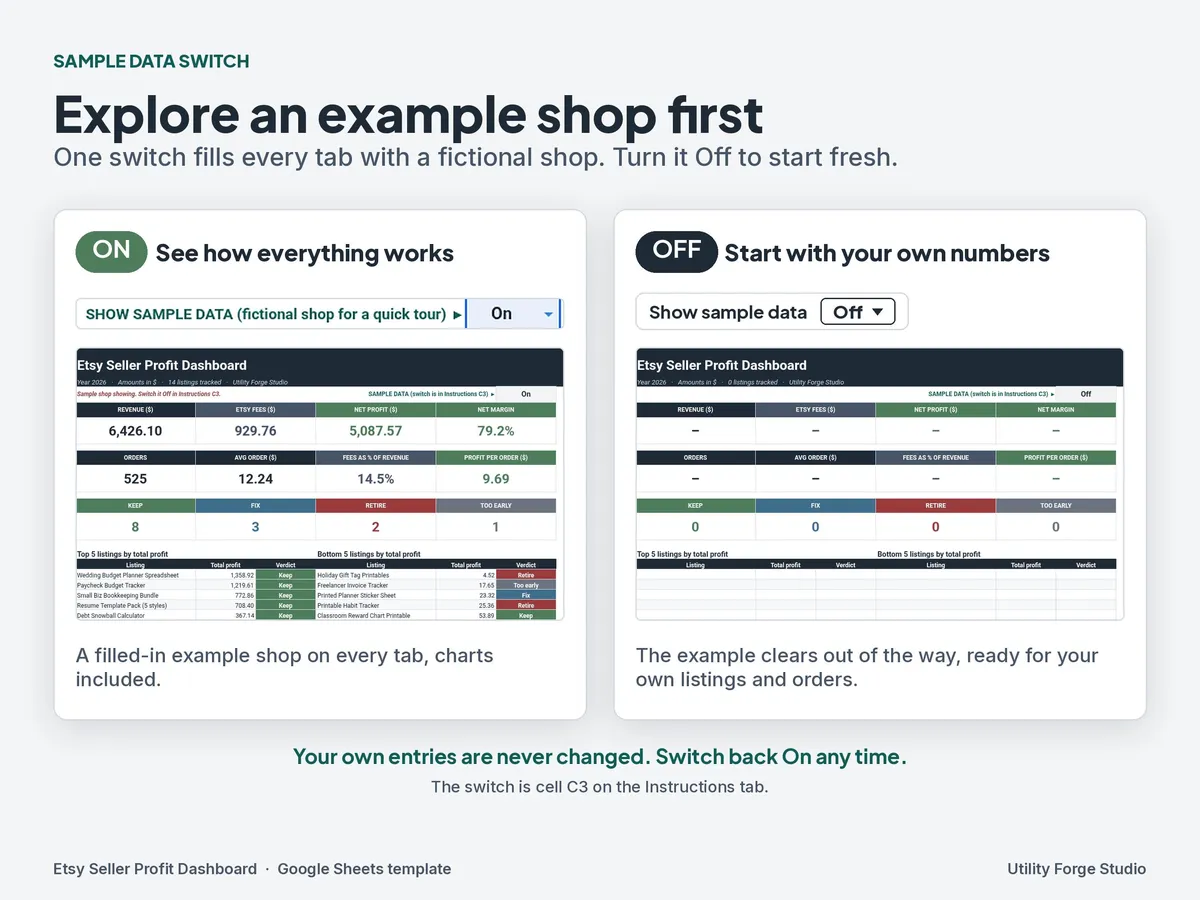
The sheet opens with a filled-in example shop so you can see how everything works before you add anything. When you're ready, set the "Show sample data" dropdown to Off and the example data clears out of the way so you can start with your own numbers. Switch it back to On any time you want to see the example again.
Where to find it: the switch is the "Show sample data" dropdown on the Instructions tab, cell C3. It's the only switch. The Dashboard just shows which setting it's on.
𝗛𝗢𝗪 𝗗𝗘𝗟𝗜𝗩𝗘𝗥𝗬 𝗪𝗢𝗥𝗞𝗦
- This is a digital download. Nothing is shipped.
- After purchase, you download a PDF from Etsy. The PDF has a "Make a copy" link.
- Click the link while signed in to your Google account, and Google Sheets saves your own editable copy to your Google Drive.
- Your copy is private to you. Your data isn't shared with me or anyone else.
𝗥𝗘𝗤𝗨𝗜𝗥𝗘𝗠𝗘𝗡𝗧𝗦
- This template is built for Google Sheets only; Excel isn't supported.
- A computer is best for setup and data entry. You can view your copy in the Google Sheets mobile app.
- Your own shop numbers. You type or paste them in from Etsy (orders, Stats, ad spend). The sheet doesn't connect to Etsy and doesn't import anything automatically.
𝗛𝗢𝗪 𝗜𝗧'𝗦 𝗗𝗜𝗙𝗙𝗘𝗥𝗘𝗡𝗧 𝗙𝗥𝗢𝗠 𝗢𝗨𝗥 𝗢𝗧𝗛𝗘𝗥 𝗦𝗛𝗘𝗘𝗧𝗦
This dashboard is only about Etsy fees and listing profitability. It has no inventory tracking and no bookkeeping. If you need those, see our Reseller Inventory Tracker and Small Business Bookkeeping sheets.
ℹ 𝗙𝗔𝗤
Does it connect to my Etsy shop or update automatically?
No. There's no live syncing and no automatic import. You enter or paste your numbers yourself, and the formulas do the rest.
Are the fees exact?
They're estimates based on the rates in Settings. Etsy can change its fees, and some fees (such as regional or currency conversion fees) aren't in the defaults. Always check your Etsy Payment account for the real numbers.
Is there an Excel version?
No. Use the Google Sheets copy.
Does it work for physical products?
Yes, the fee math and verdicts work for any Etsy listing. It doesn't track stock or materials inventory.
Can I change the Offsite Ads rate?
Yes. Choose 15% or 12% in Settings to match your shop. The $100 cap per order is built in.
Is this tax or accounting advice?
No. It's a planning and tracking tool, not tax, legal, or financial advice. Talk to a qualified professional about taxes.
Can I share or resell it?
It's for your own personal or business use. Please don't resell, share, or redistribute the file or the link.
Can I get a refund?
Because this is a digital download, I can't accept returns. If something isn't working, message me and I'll help.
Utility Forge Studio is not affiliated with, endorsed by, or sponsored by Etsy, Inc. "Etsy" is a trademark of Etsy, Inc. Google Sheets is a trademark of Google LLC.
Designed by me, created using AI tools.
The Etsy listing is the final source for what is included. See it on Etsy.
More in Small business

Travel Agent Planner Spreadsheet
What it is not: no sales prospect tracking, no itineraries or packing lists, no invoices or…

Pricing Calculator Spreadsheet
Build each product's cost from supplies and recipes, then review a suggested selling price…

Bookkeeping Template
This is a done-for-you bookkeeping spreadsheet: just type your numbers and every total…

Content Calendar
Plan social posts, content pillars, hashtags and monthly analytics in one navy dashboard…