
Job Search Tracker
Job Search Tracker Google Sheets, Application Log, Interview Planner, Offer Comparison
$8.00
Buy on EtsyOpens the listing on Etsy in a new tab. Checkout happens on Etsy.
Made for Google Sheets.
- Instant digital download
- Buy through Etsy checkout
- No subscription
- Made by Utility Forge Studio
- Questions? Email utilityforgestudio@gmail.com
See it in use
About this download
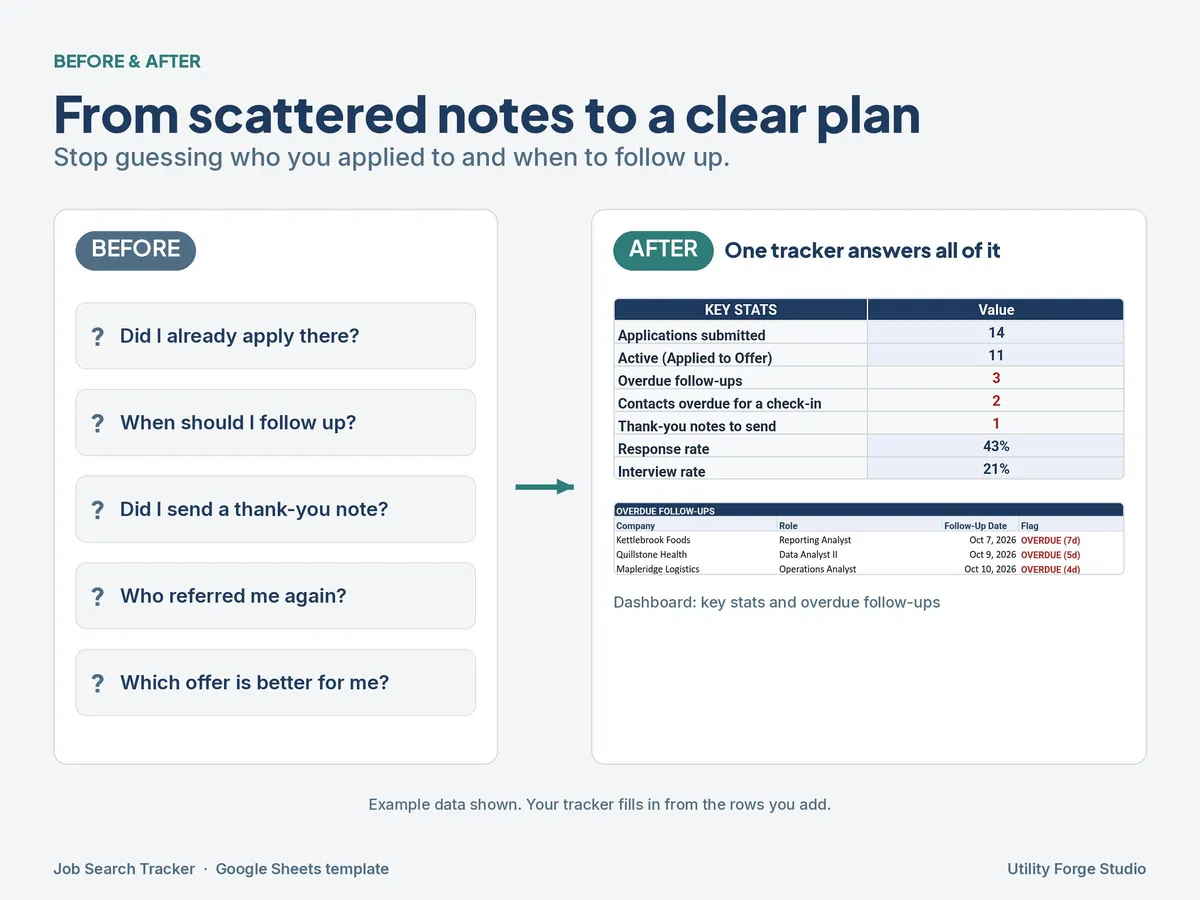
Stop losing track of applications, follow-ups, and recruiter names.
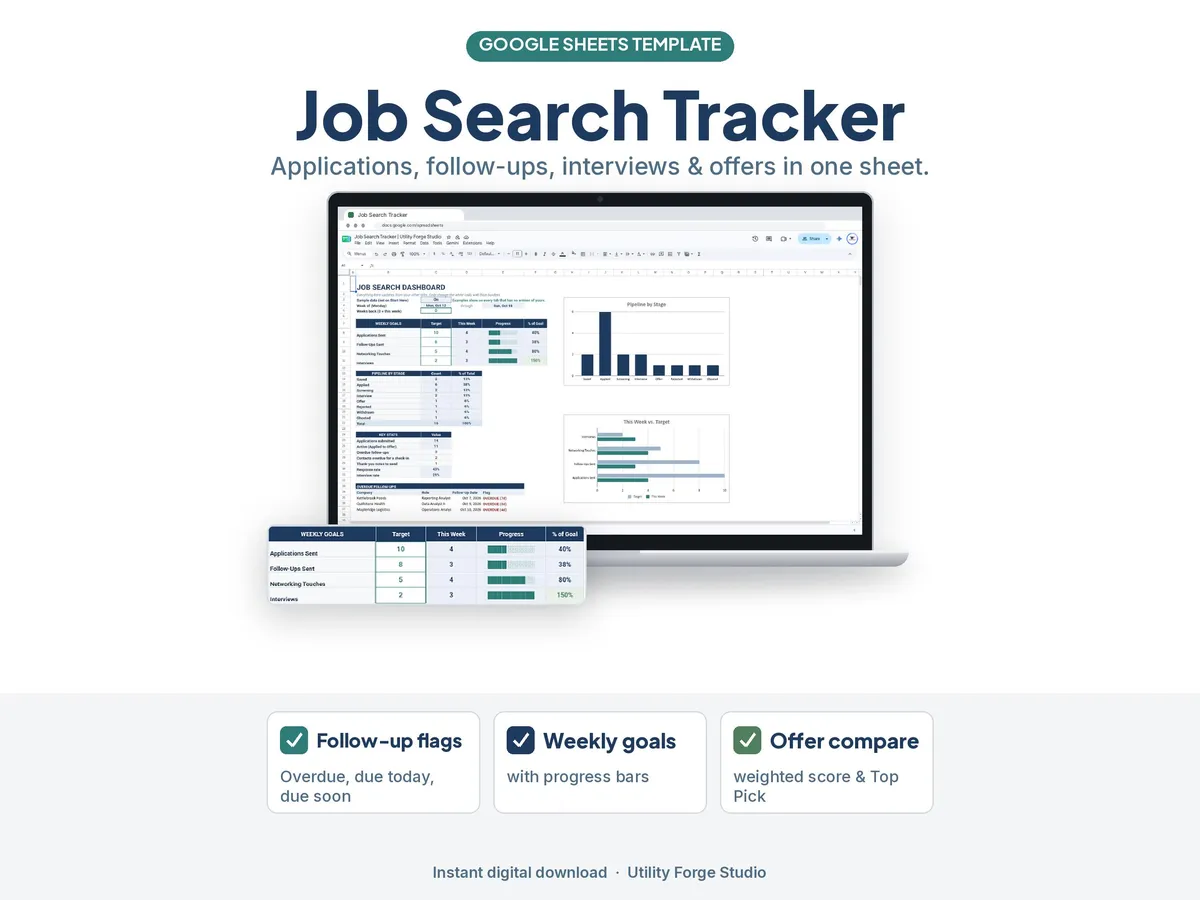
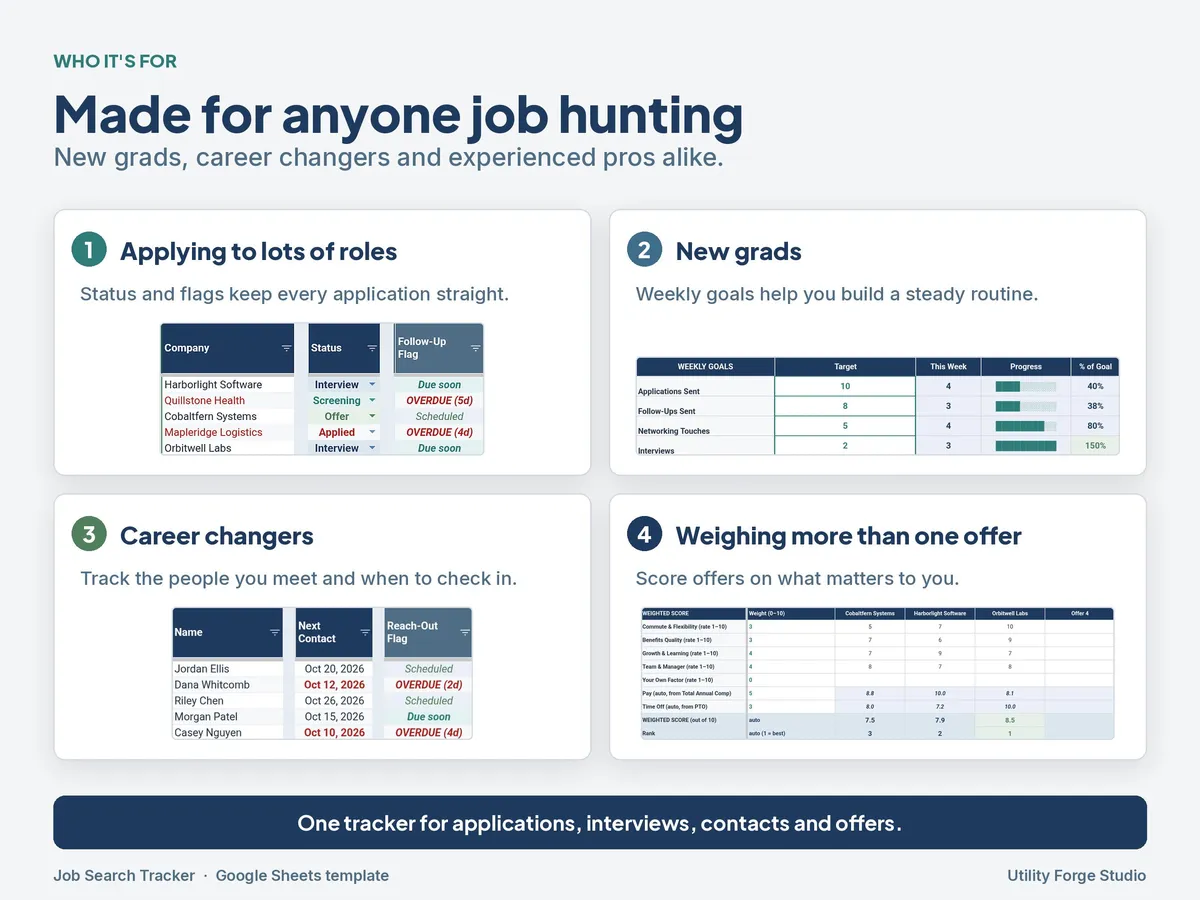
A job search has many moving parts: dozens of applications, interview preparation, thank-you notes and contact check-ins. This Google Sheets tracker keeps it all in one place. It flags what's overdue, shows how your week is going against your goals, and helps you compare offers side by side when they come in.
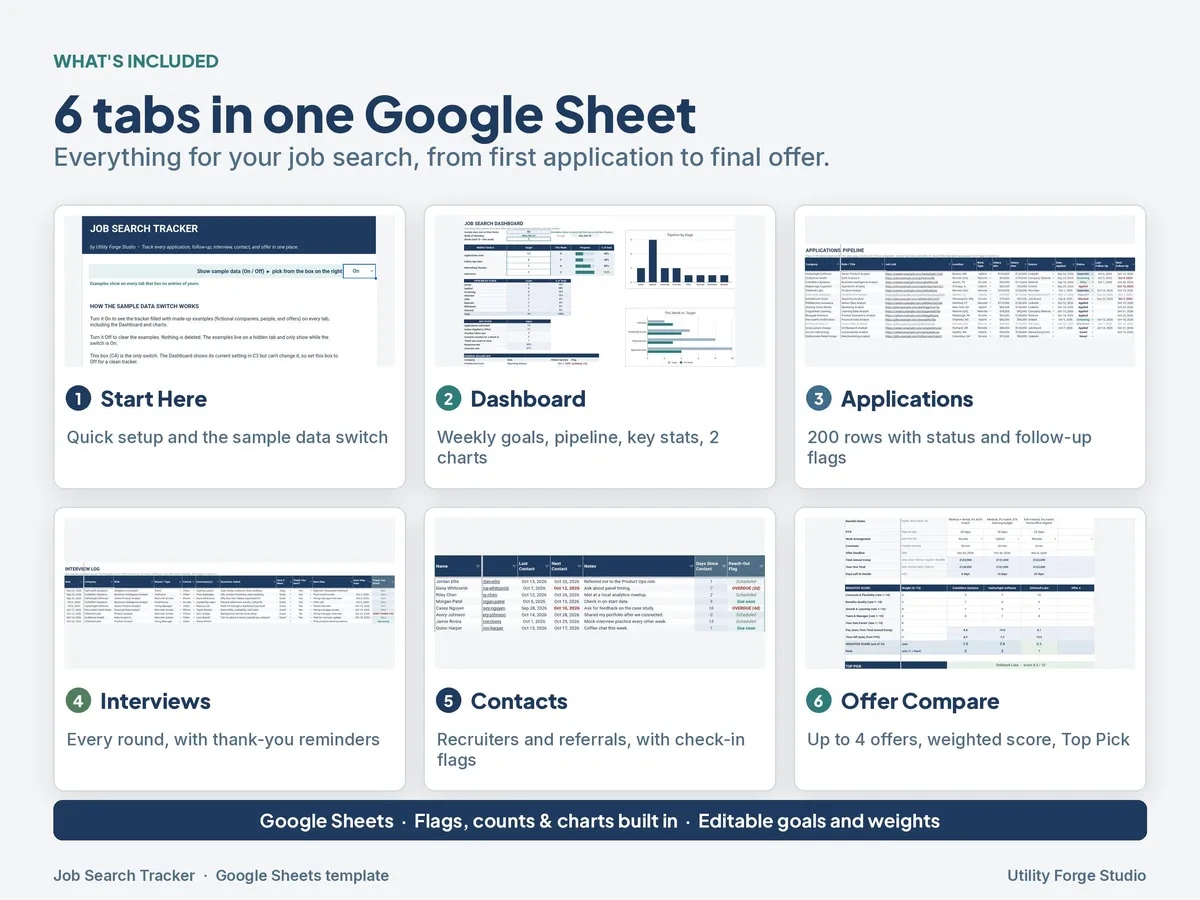
WHAT'S INCLUDED (6 tabs)
- Start Here: quick setup instructions.
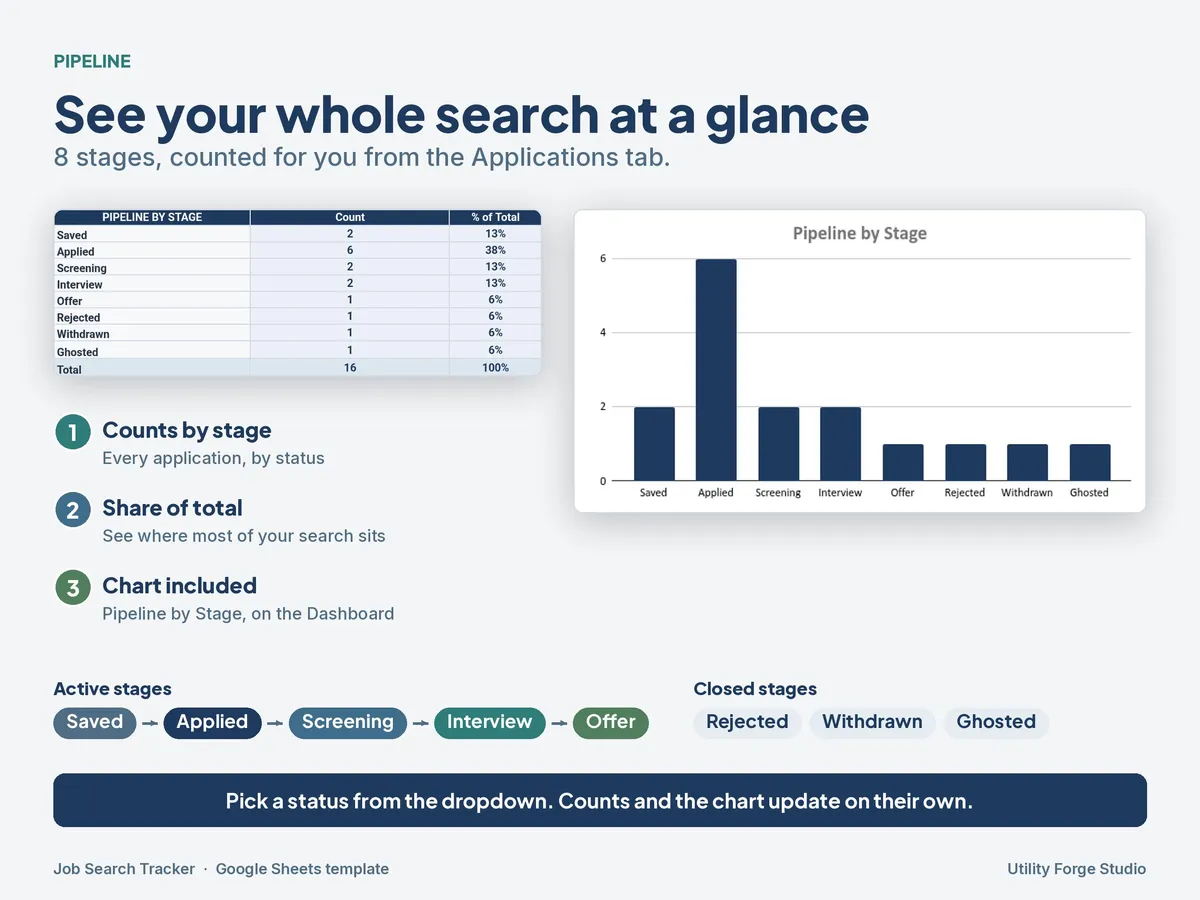
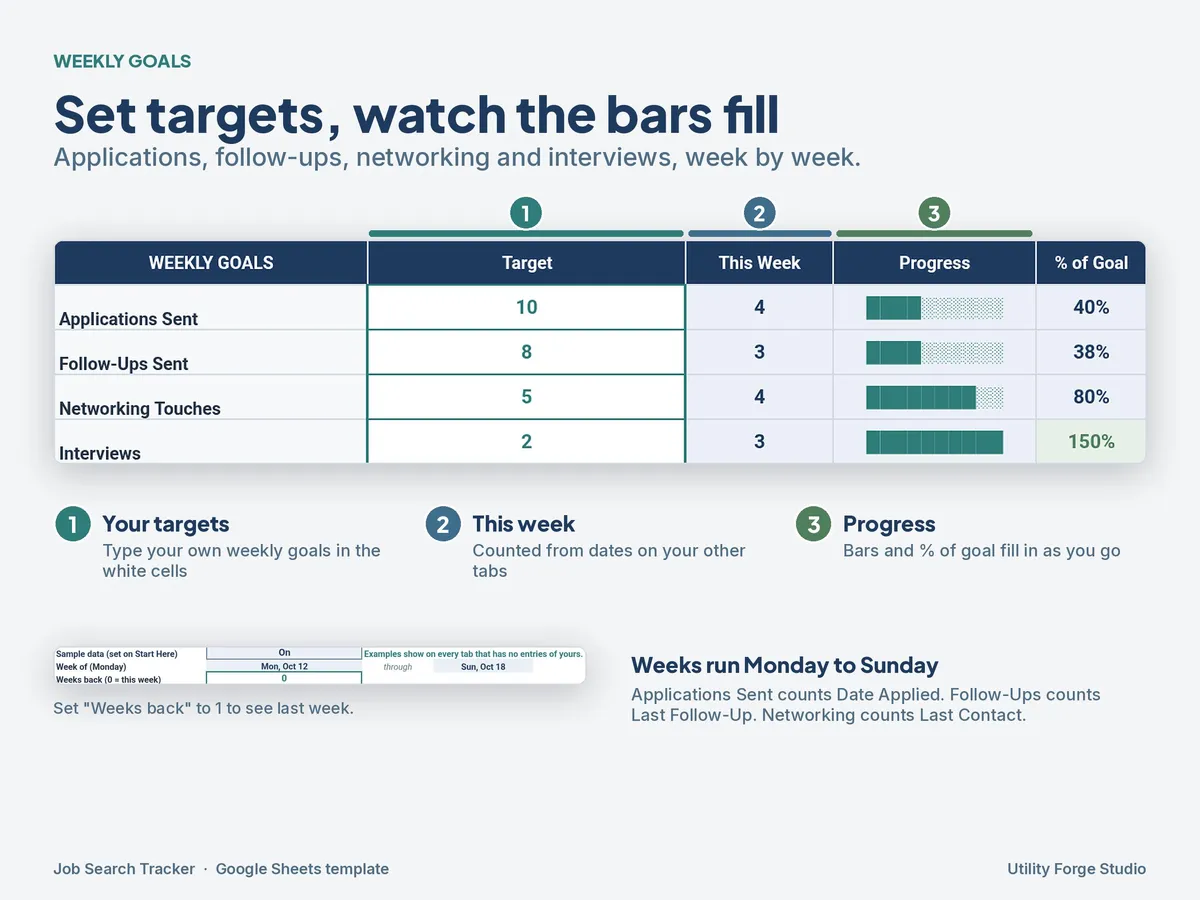
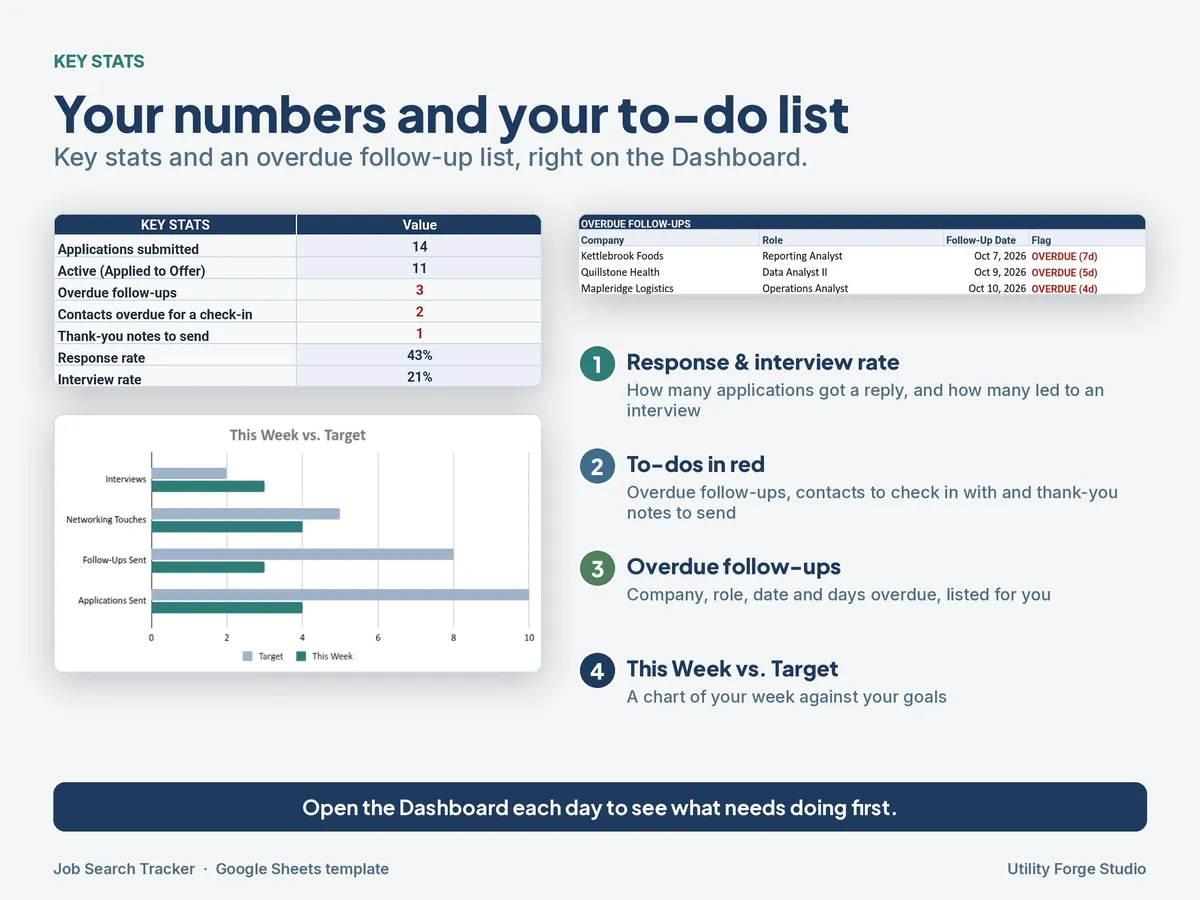
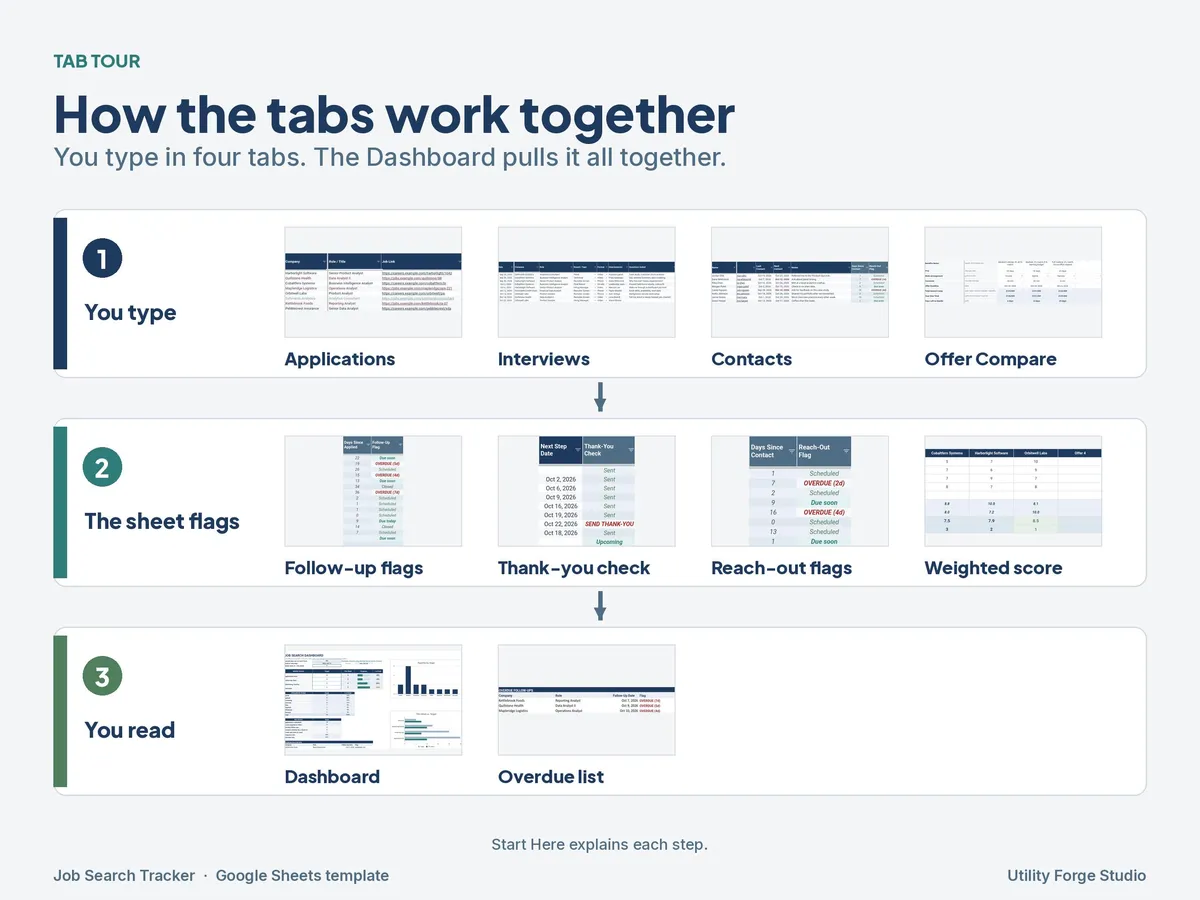
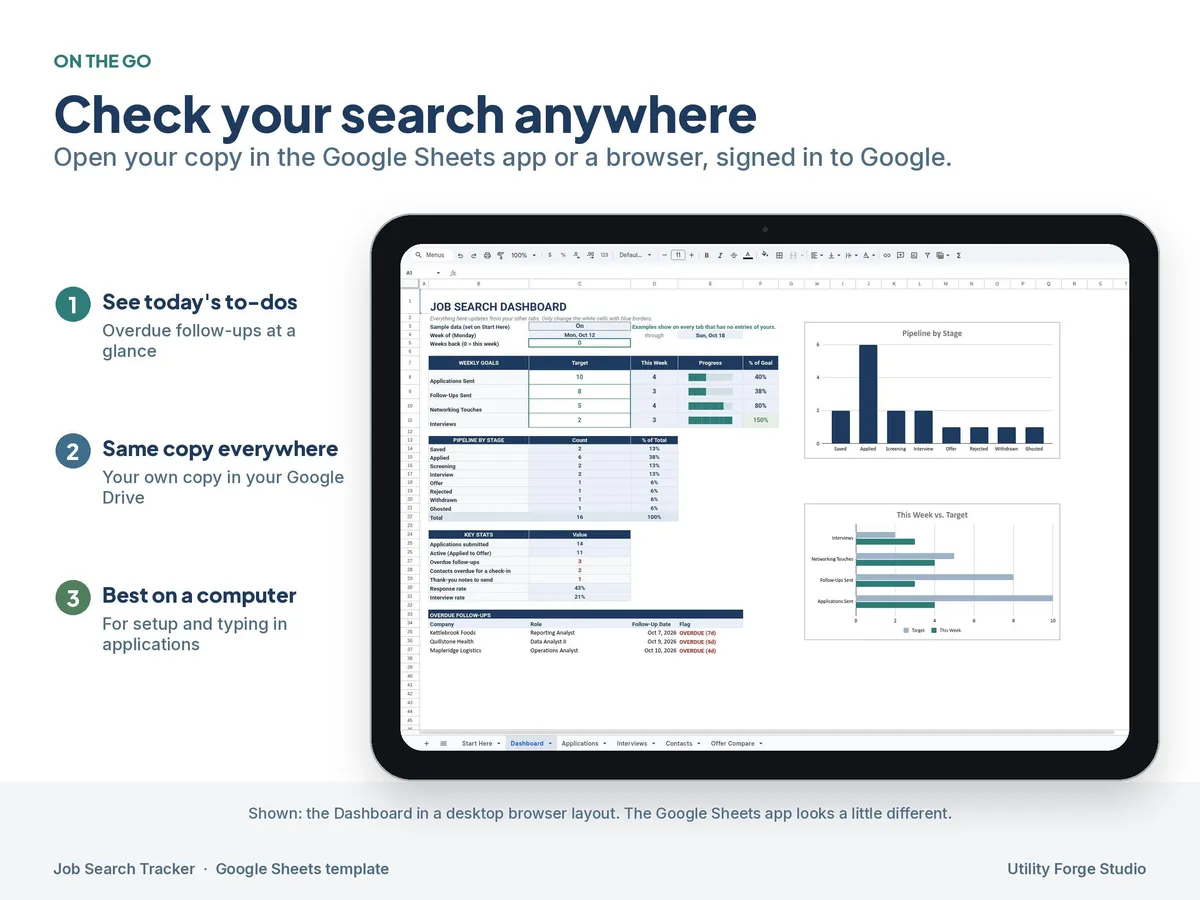
- Dashboard: weekly goals with editable targets and progress bars, pipeline counts by stage, 2 charts, and a list of overdue follow-ups.
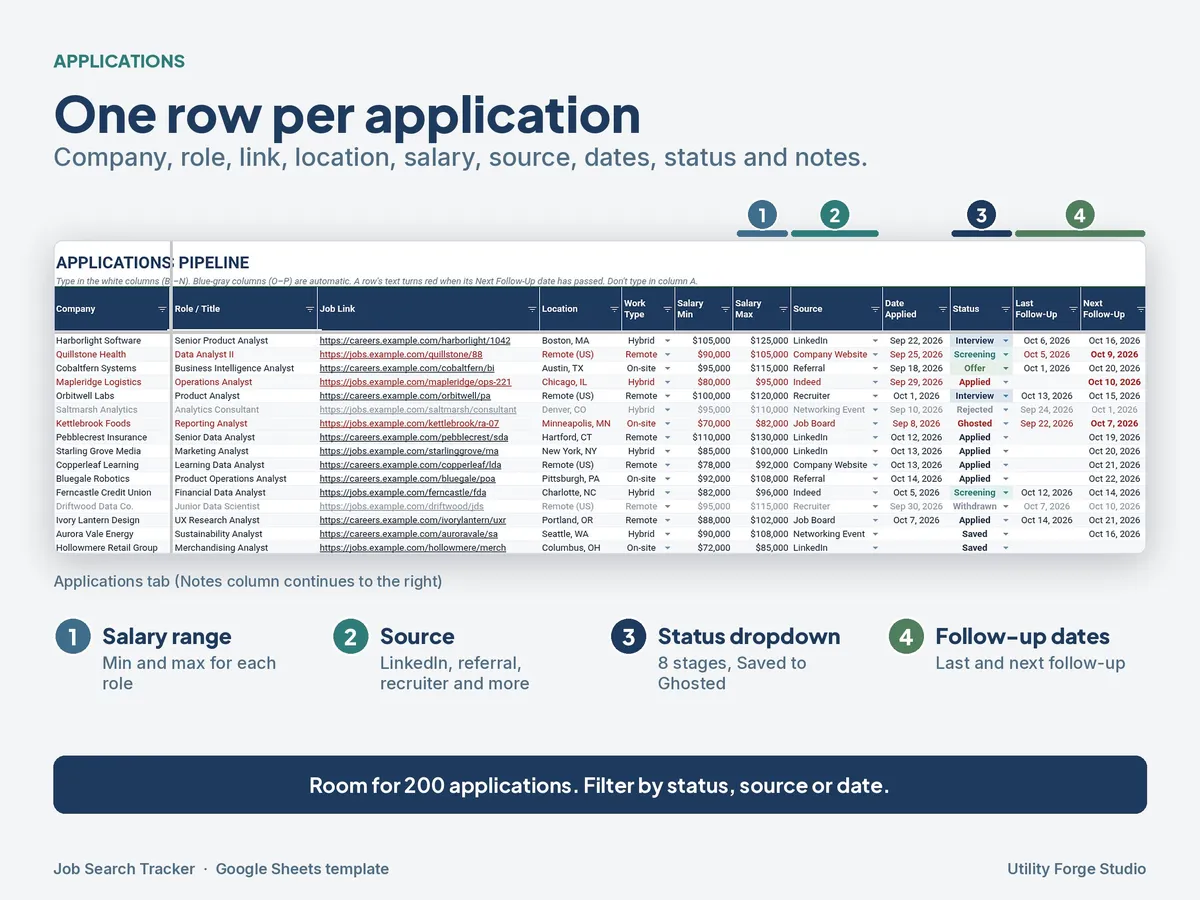
- Applications: 200 rows to track each role, with a status dropdown and follow-up dates.
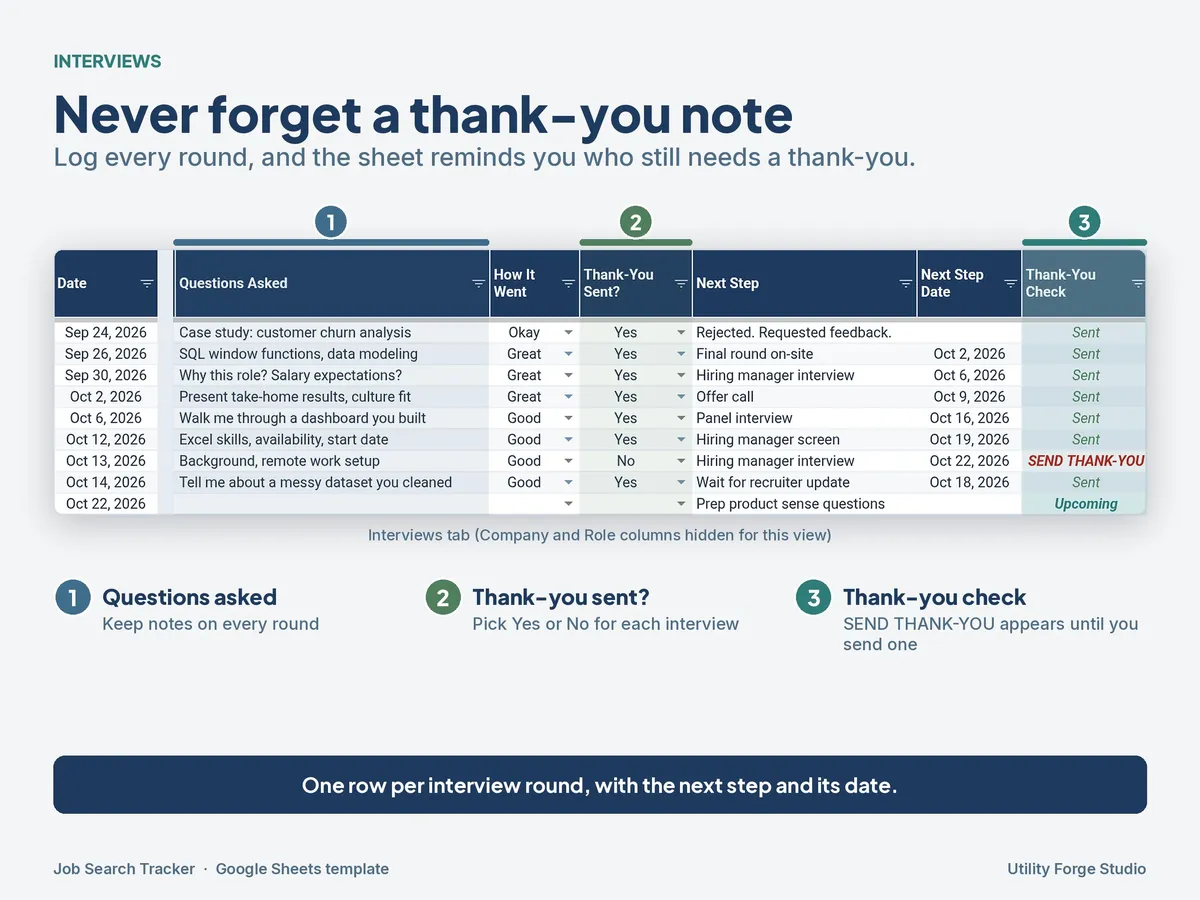
- Interviews: log each interview, with thank-you note reminders.
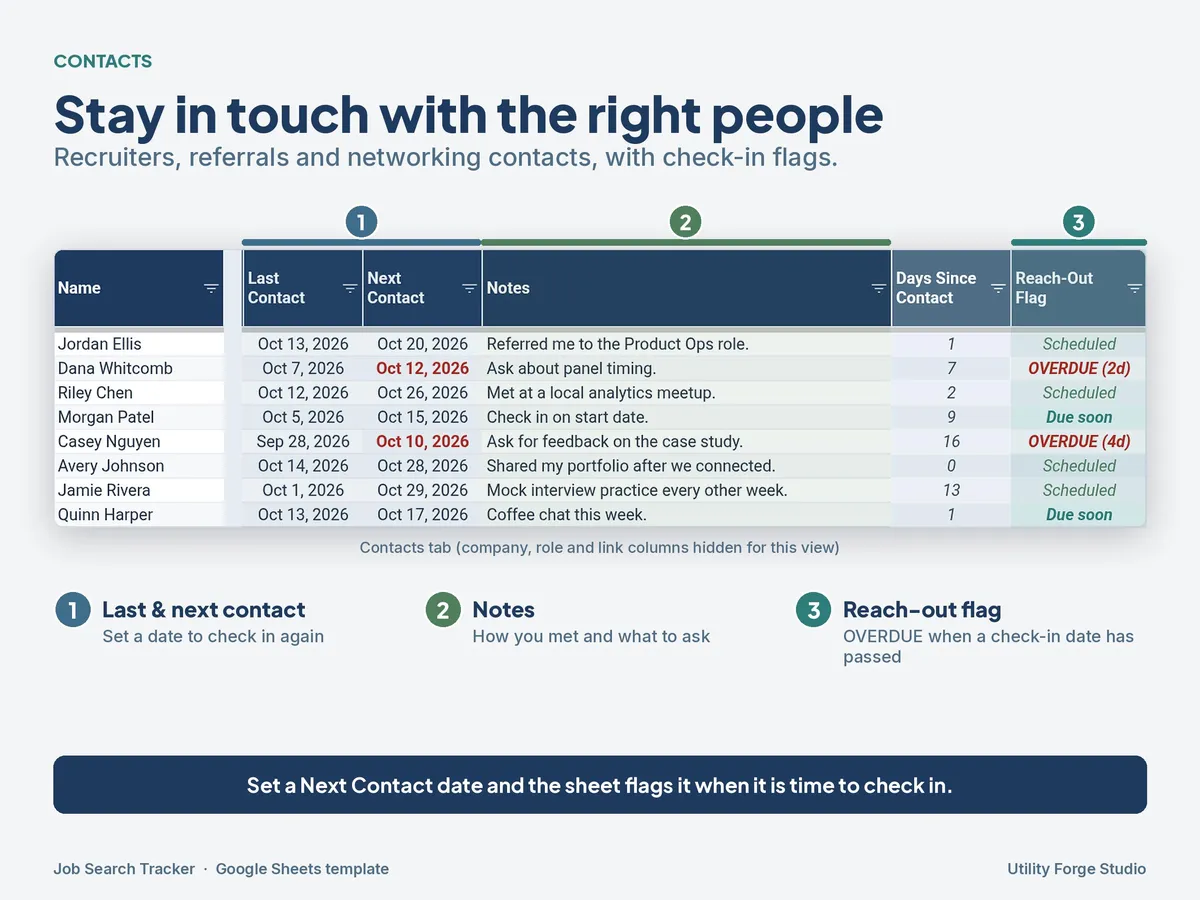
- Contacts: recruiters, referrals, and networking contacts, with overdue check-in flags.
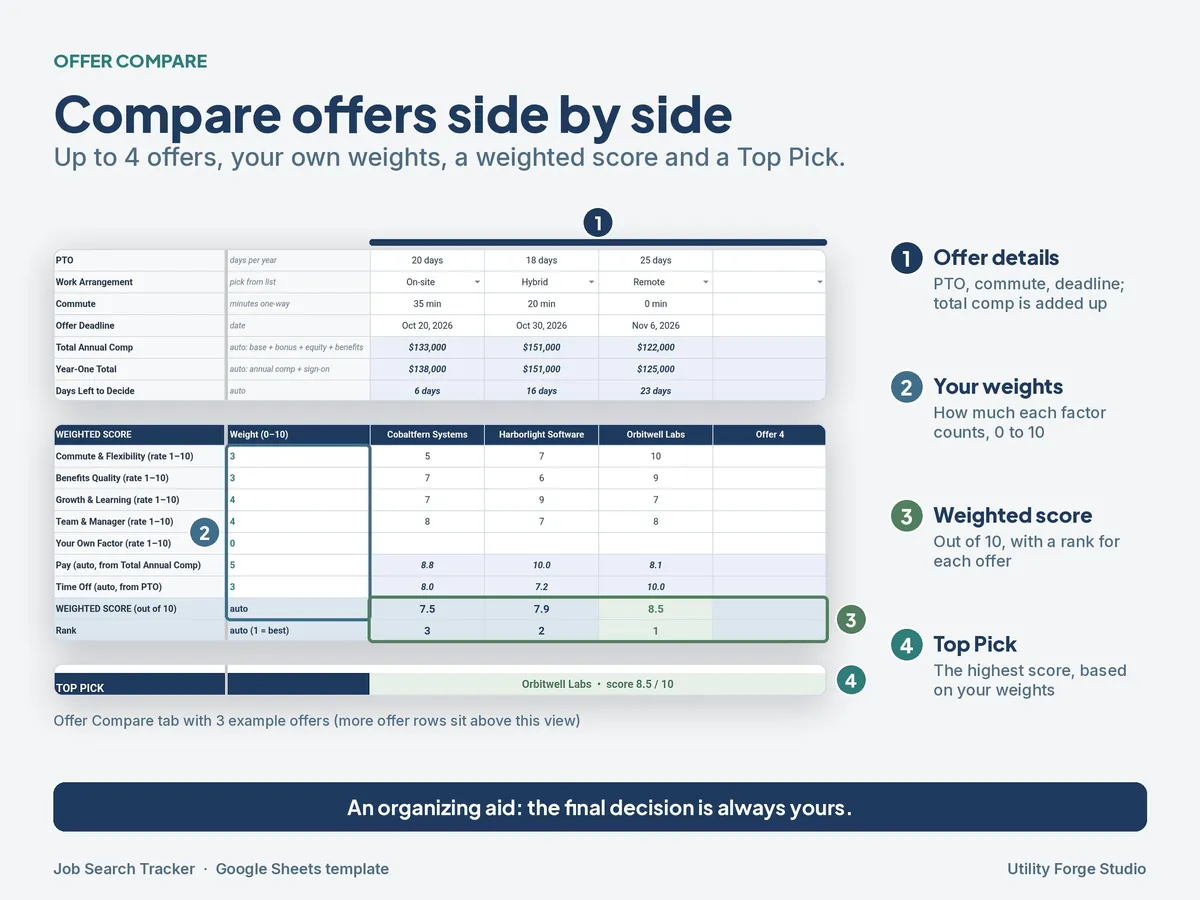
- Offer Compare: compare up to 4 offers with editable weights, a weighted score, and a Top Pick.
𝗞𝗘𝗬 𝗙𝗘𝗔𝗧𝗨𝗥𝗘𝗦
- 8 status stages: Saved, Applied, Screening, Interview, Offer, Rejected, Withdrawn, and Ghosted.
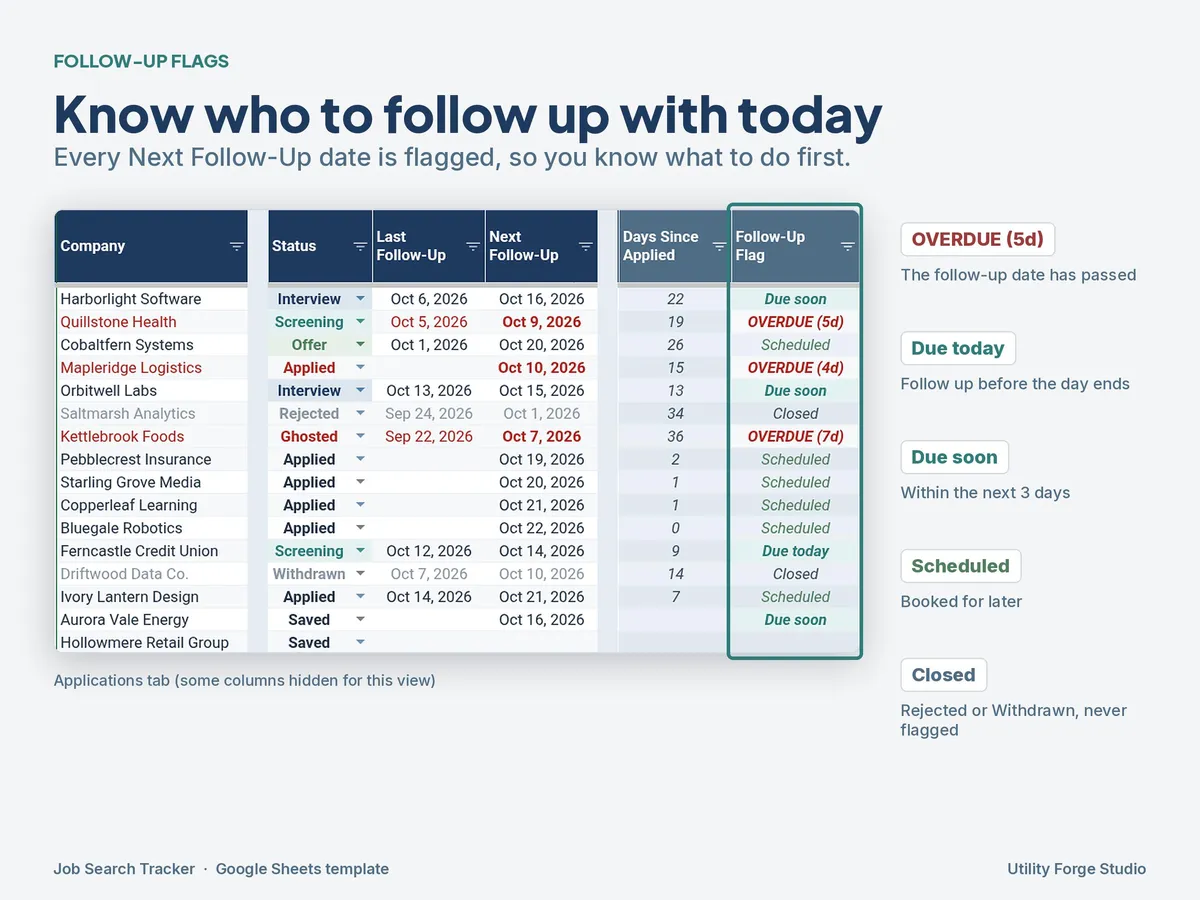
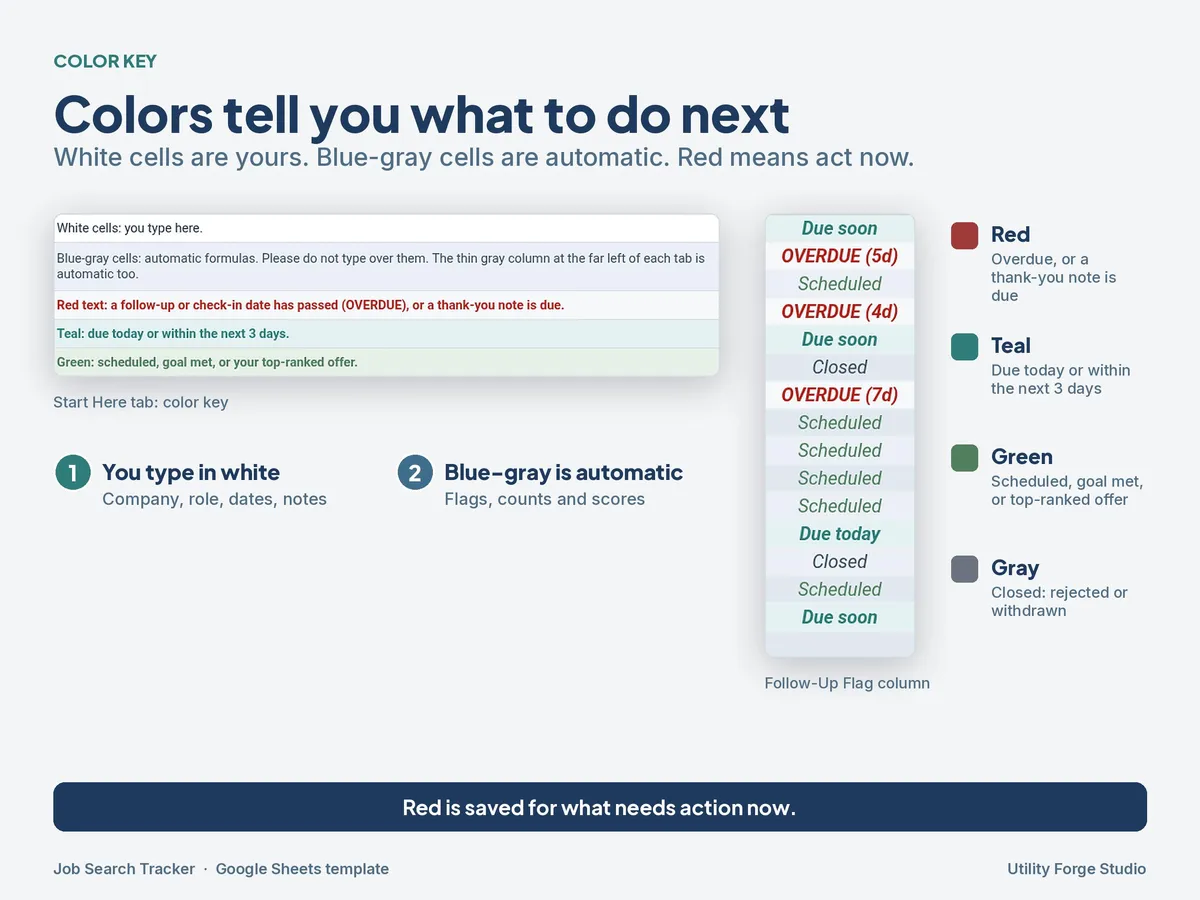
- Follow-up flags: each follow-up date shows OVERDUE, Due today, or Due soon, so you know what to do first.
- Thank-you reminders after each interview.
- Contact check-ins: see which contacts are overdue for a message.
- Weekly goals: set your own targets (for example, applications per week) and watch the progress bars fill.
- Offer comparison: set editable weights for what matters most to you, and the sheet scores each offer and marks a Top Pick. The final decision is always yours.
𝗦𝗔𝗠𝗣𝗟𝗘 𝗗𝗔𝗧𝗔 𝗦𝗪𝗜𝗧𝗖𝗛
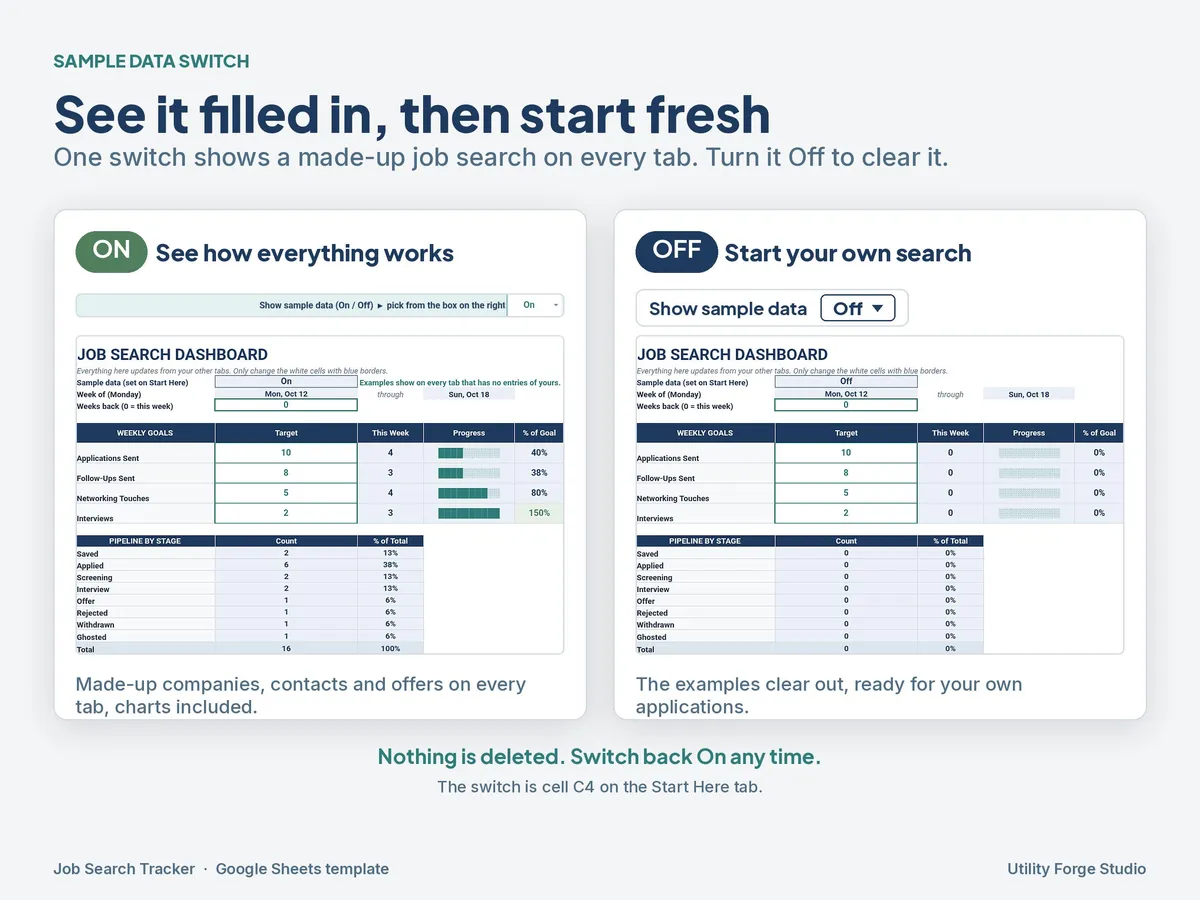
The tracker opens with a filled-in example so you can see how every tab works. When you're ready, set the "Show sample data" dropdown to Off to clear the example and start your own search. Switch it back to On any time to look at the example again.
Where to find it: the switch is the "Show sample data" dropdown on the Start Here tab, cell C4. It's the only switch. The Dashboard just shows which setting it's on.
𝗛𝗢𝗪 𝗗𝗘𝗟𝗜𝗩𝗘𝗥𝗬 𝗪𝗢𝗥𝗞𝗦
- This is a digital download. Nothing is shipped.
- After purchase, you download a PDF from Etsy. The PDF has a "Make a copy" link.
- Click the link while signed in to your Google account, and Google Sheets saves your own editable copy to your Google Drive.
- Your copy is private to you. Your data isn't shared with me or anyone else.
𝗥𝗘𝗤𝗨𝗜𝗥𝗘𝗠𝗘𝗡𝗧𝗦
- This template is built for Google Sheets only; Excel isn't supported.
- Works best on a computer. You can check and update it in the Google Sheets mobile app.
- You enter your applications yourself. It doesn't connect to LinkedIn, Indeed, job boards, or your email, and it doesn't import anything automatically.
𝗣𝗔𝗜𝗥𝗦 𝗪𝗘𝗟𝗟 𝗪𝗜𝗧𝗛
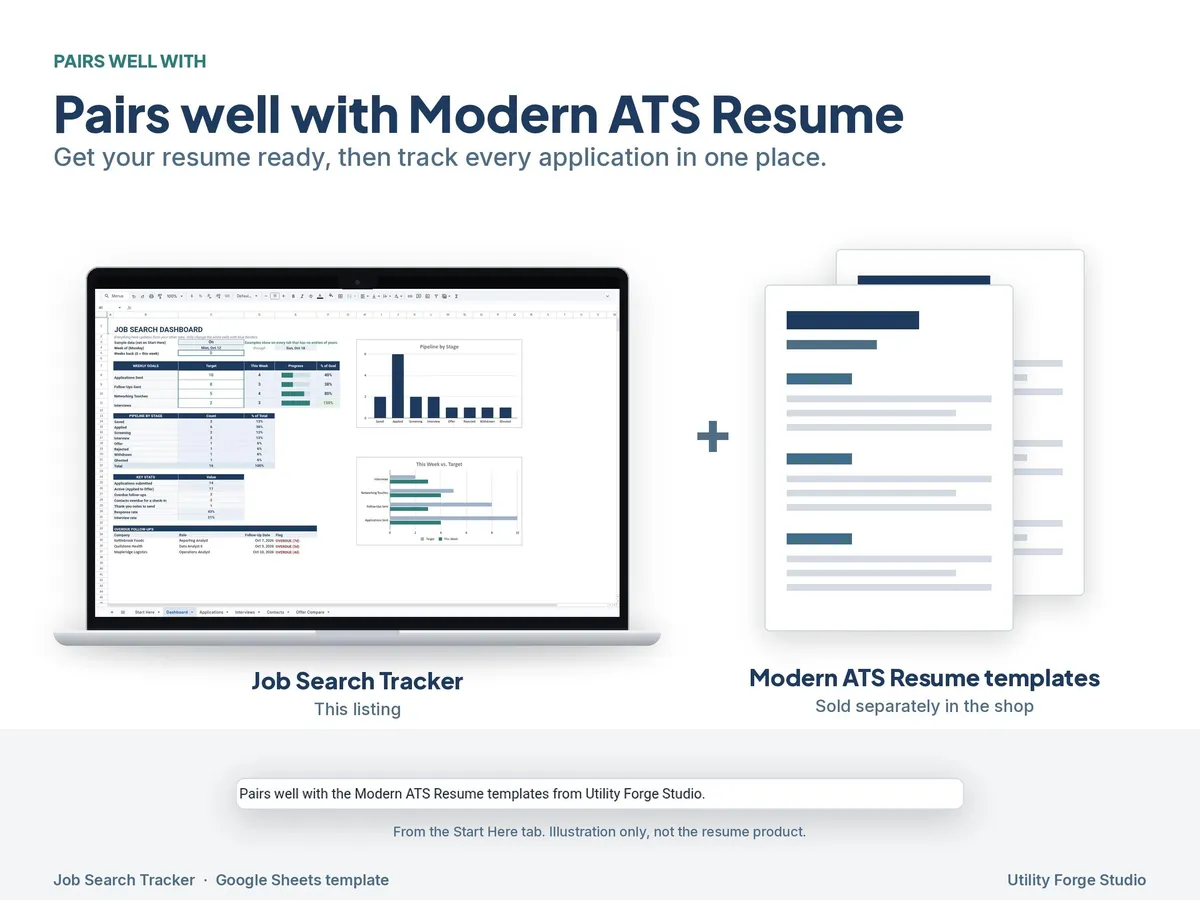
Updating your resume too? This tracker pairs well with our Modern ATS Resume bundle. Get your resume ready, then track every application in one place.
ℹ 𝗙𝗔𝗤
Does it send me email or phone reminders?
No. Flags and reminders show up inside the sheet (OVERDUE, Due today, Due soon). Open it each day to see what's next.
Can I add more than 200 applications?
Yes. The Applications, Interviews, and Contacts tabs each come with 200 entry rows (rows 4 to 203). To add more, insert new rows above the last row so the formulas stretch to include them:
- On the tab you want to extend, select a block of rows just above the last row. For example, select rows 154 to 203 to add 50.
- Right-click the selection and choose Insert 50 rows above (Google Sheets shows the number you selected).
- Repeat on Interviews or Contacts if you need more rows there too.
The automatic columns, follow-up flags, dropdowns, Dashboard counts, overdue list, and charts all pick up the new rows. Don't add rows with the "Add more rows" button at the very bottom, and don't type below the last row. Rows added that way sit outside the formulas, so they won't get flags or show up on the Dashboard.
Can I change how offers are scored?
Yes. The weights in Offer Compare are editable, so you can decide how much each factor counts. The weighted score and Top Pick update to match.
Is there an Excel version?
No. Use the Google Sheets copy.
Does it guarantee I'll get a job, or tell me which offer to take?
No. It's an organizing tool. The Top Pick is based on the weights you choose, and the decision is yours.
Can I share or resell it?
It's for your own personal use. Please don't resell, share, or redistribute the file or the link.
Can I get a refund?
Because this is a digital download, I can't accept returns. If something isn't working, message me and I'll help.
Google Sheets is a trademark of Google LLC. Utility Forge Studio is not affiliated with Google, LinkedIn, Indeed, or any job board.
Designed by me, created using AI tools.
The Etsy listing is the final source for what is included. See it on Etsy.
More in School and work

SPED IEP Caseload Tracker for Teachers and Case Managers
What it is not: it does not write IEPs, it is not a behavior data system, it is not legal…

Task Tracker Spreadsheet
A task and project tracker for Google Sheets that turns one task list into a status board, a…

College Planner Spreadsheet
Know your GPA at a glance and always know what you need on the next exam.

IEP Tracker Spreadsheet for Parents
IEP tracker spreadsheet for parents, in Google Sheets.