
Simple Budget Spreadsheet
Simple Budget Spreadsheet, Google Sheets Excel, Paycheck Planner, Left to Spend
$1.43
Buy on EtsyOpens the listing on Etsy in a new tab. Checkout happens on Etsy.
Made for Google Sheets. An Excel file is included, and it works best with current Excel (Excel 2021 or newer).
- Instant digital download
- Buy through Etsy checkout
- No subscription
- Made by Utility Forge Studio
- Questions? Email utilityforgestudio@gmail.com
See it in use
About this download
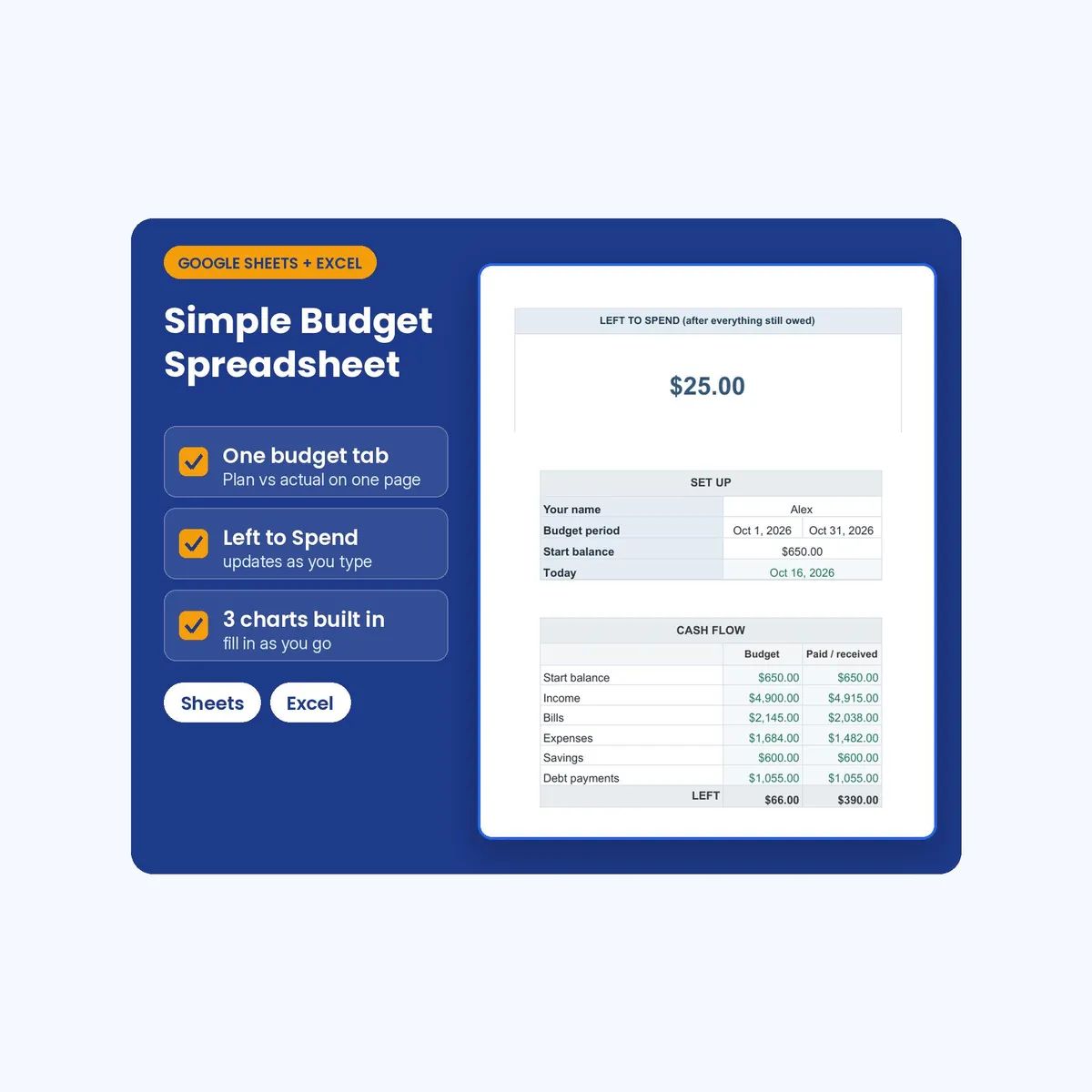
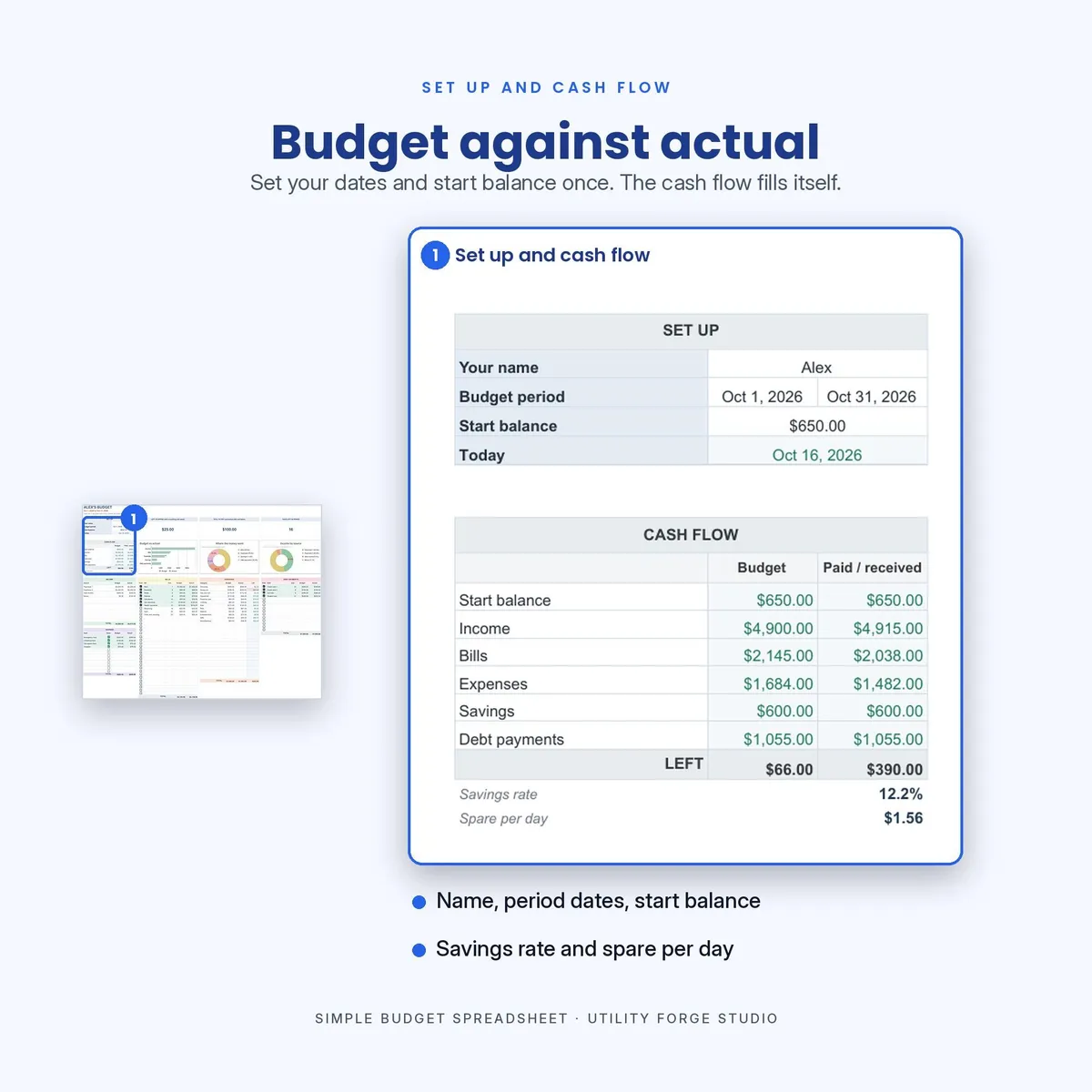
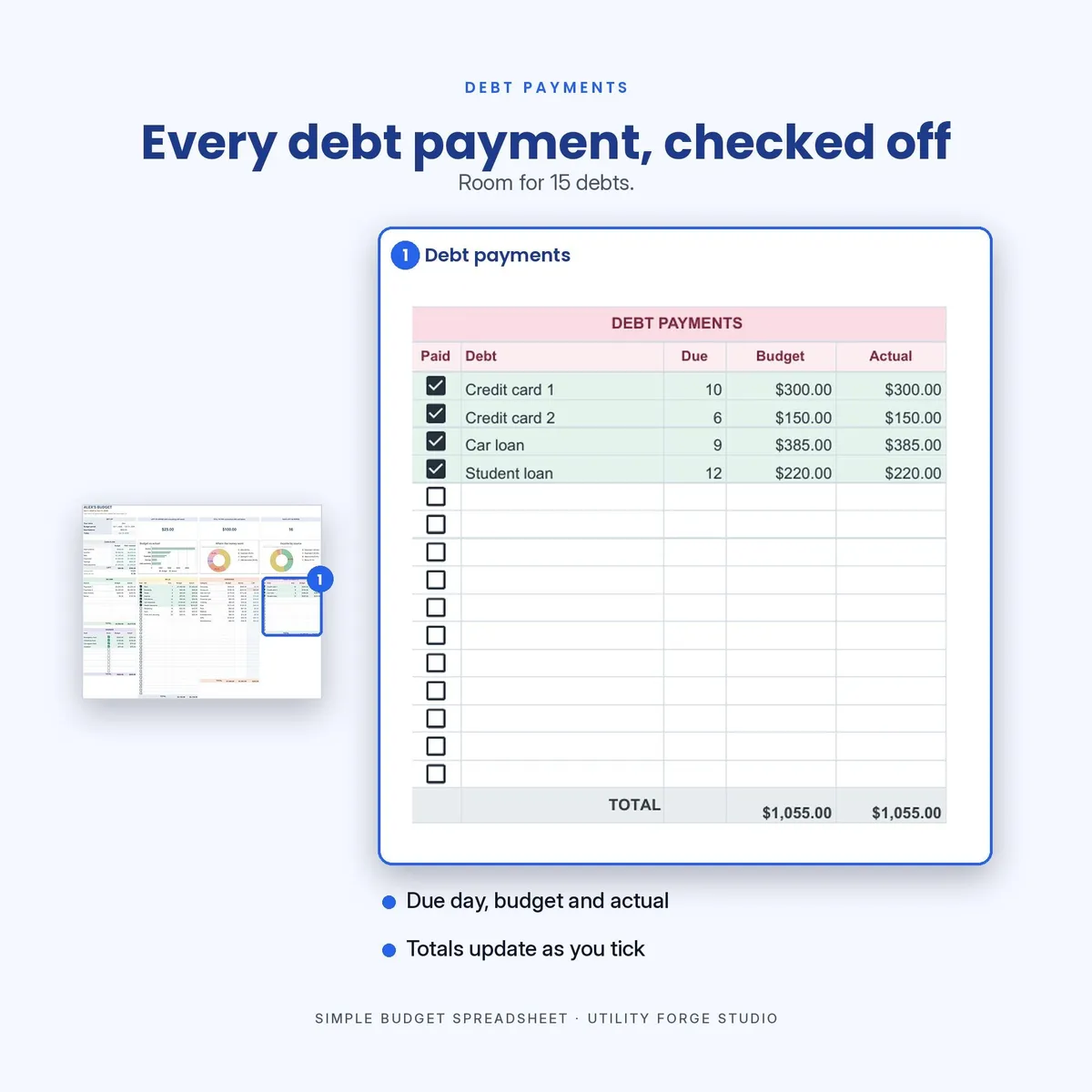
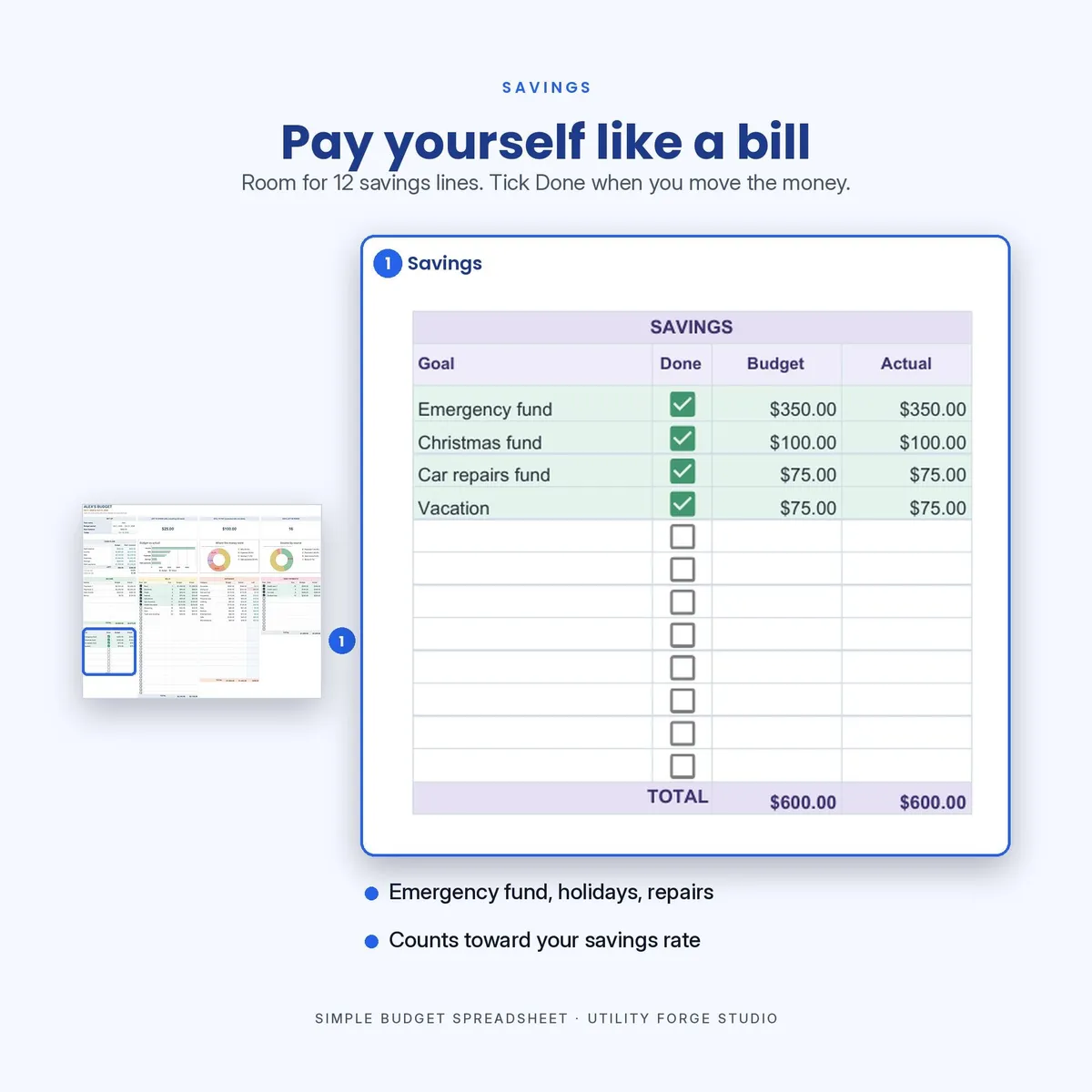
Simple monthly budget spreadsheet that keeps your whole month on one tab. Plan each paycheck, bills, expenses, savings and debt payments side by side, then see what is actually left to spend. Includes a Google Sheets version and an Excel file, with no subscription and nothing to install.
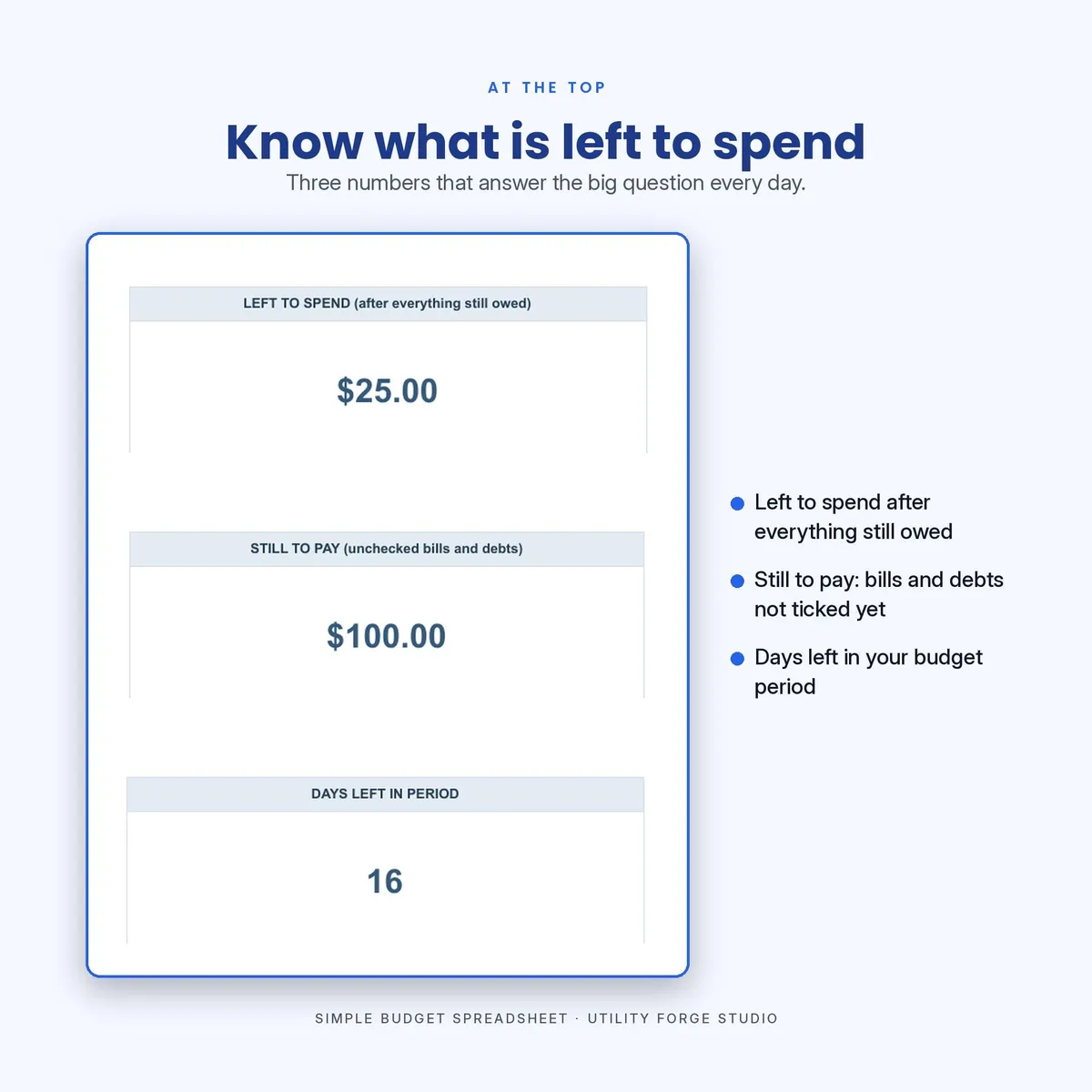
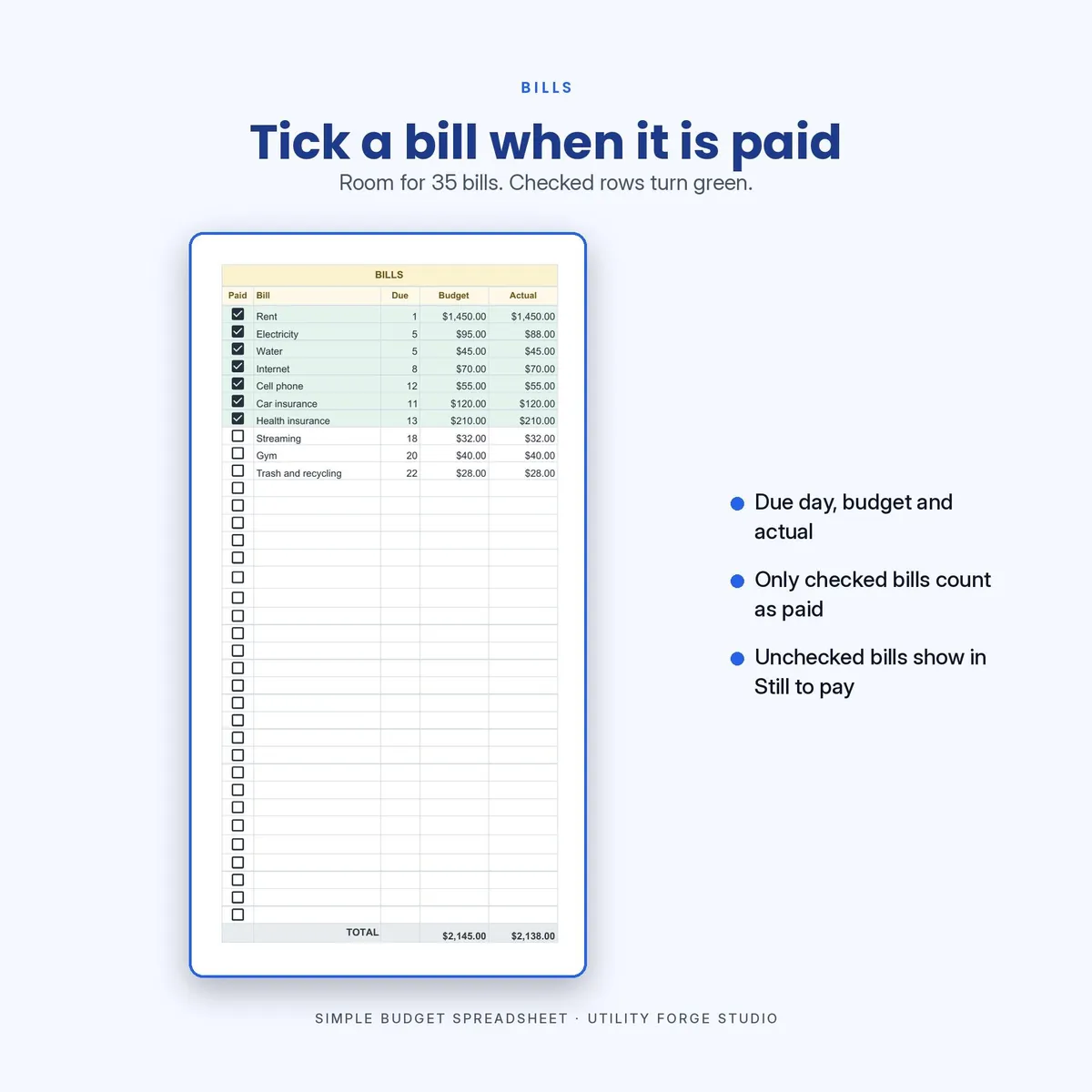
Made for anyone who wants a straightforward budget planner instead of a maze of tabs. Check a bill off as paid and the row turns green: what you owe moves out of STILL TO PAY, and LEFT TO SPEND does not budge, because that money was never counted as spendable. Type a real cost and both figures update as you go.
𝗪𝗛𝗔𝗧 𝗠𝗔𝗞𝗘𝗦 𝗧𝗛𝗜𝗦 𝗢𝗡𝗘 𝗗𝗜𝗙𝗙𝗘𝗥𝗘𝗡𝗧
LEFT TO SPEND is honest. Plenty of budget sheets show cash on hand, which counts money you still owe as money you can spend. Open one on the 2nd of the month and it cheerfully tells you your rent is available. This one takes off the bills and debt payments you have not checked off yet, whatever is still left in each expense category that is under budget, and any planned saving you have not moved yet. Categories you have already overspent are not credited back. The number on screen is what is actually free, as long as the income you have typed in has actually landed. There is no Received box on income, so enter a paycheck when it arrives, not when it is due.
Type a bill's real cost the day it arrives, or leave your planned figure in place. The checkmark is what tells the sheet the money has actually left your account, so the math stays right either way.
𝗪𝗛𝗔𝗧 𝗬𝗢𝗨 𝗚𝗘𝗧
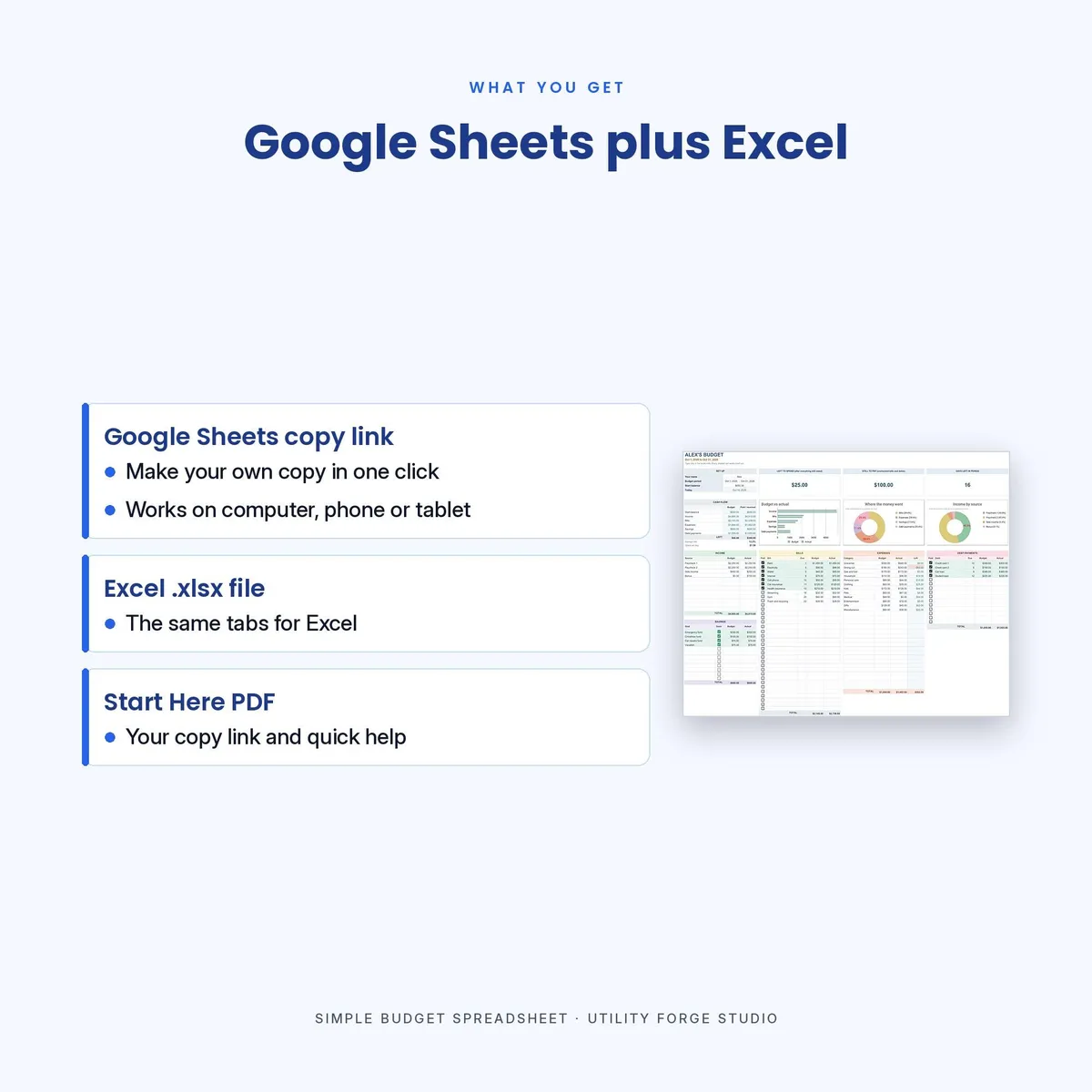
- A Google Sheets version. Open the link and click Make a copy, and it is yours. Works on phone, tablet and computer, and needs a Google account.
- An Excel version (.xlsx). One other difference: the spend by category chart in the Excel file is drawn from the categories the file ships with, so if you rename extra category slots later they will show in the breakdown table but not in that one chart. The Google Sheets version redraws itself and has no such limit. Everything else matches.
- A PDF with your Google Sheets link and the setup notes.
Two files download instantly. The Google Sheets version opens from the link inside the PDF.
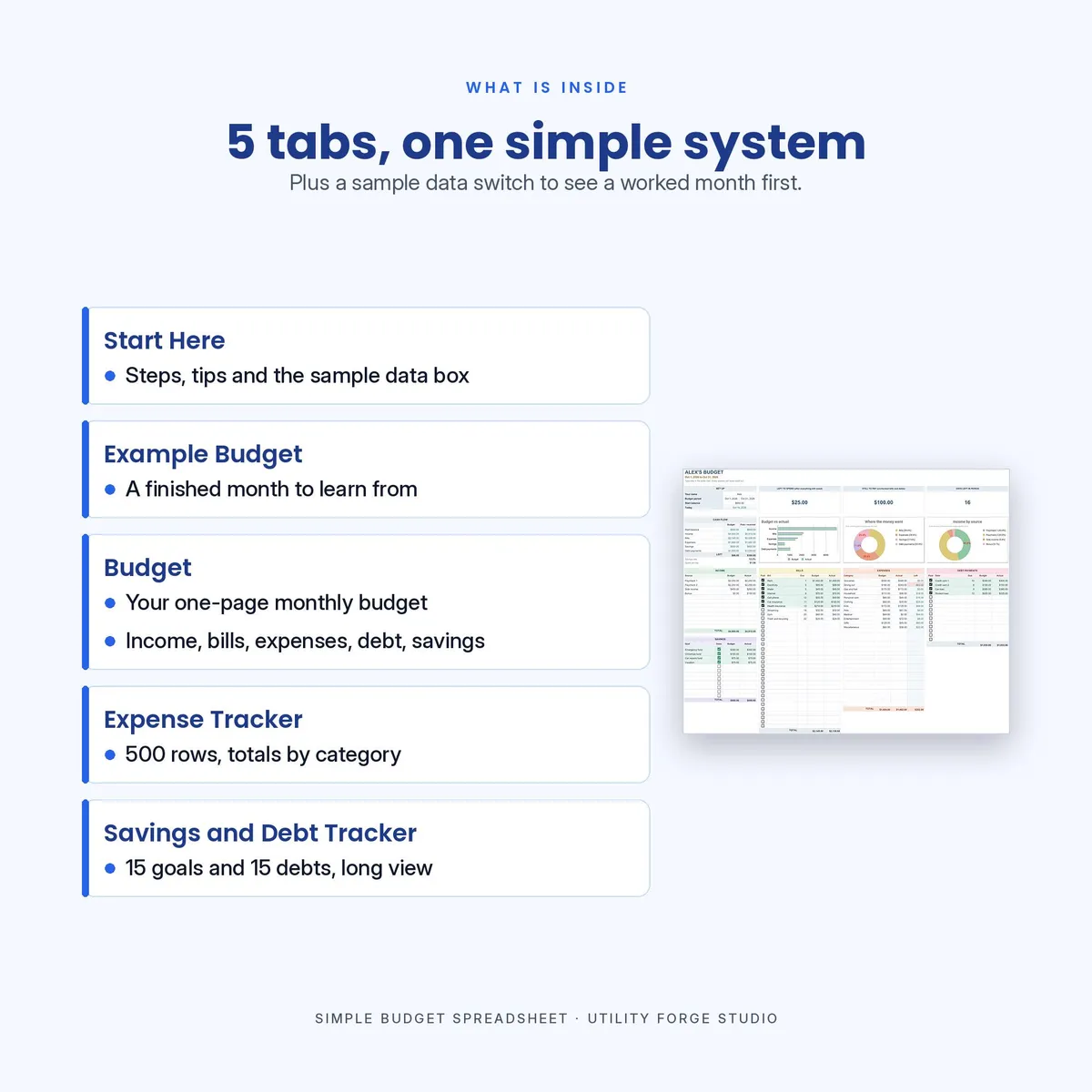
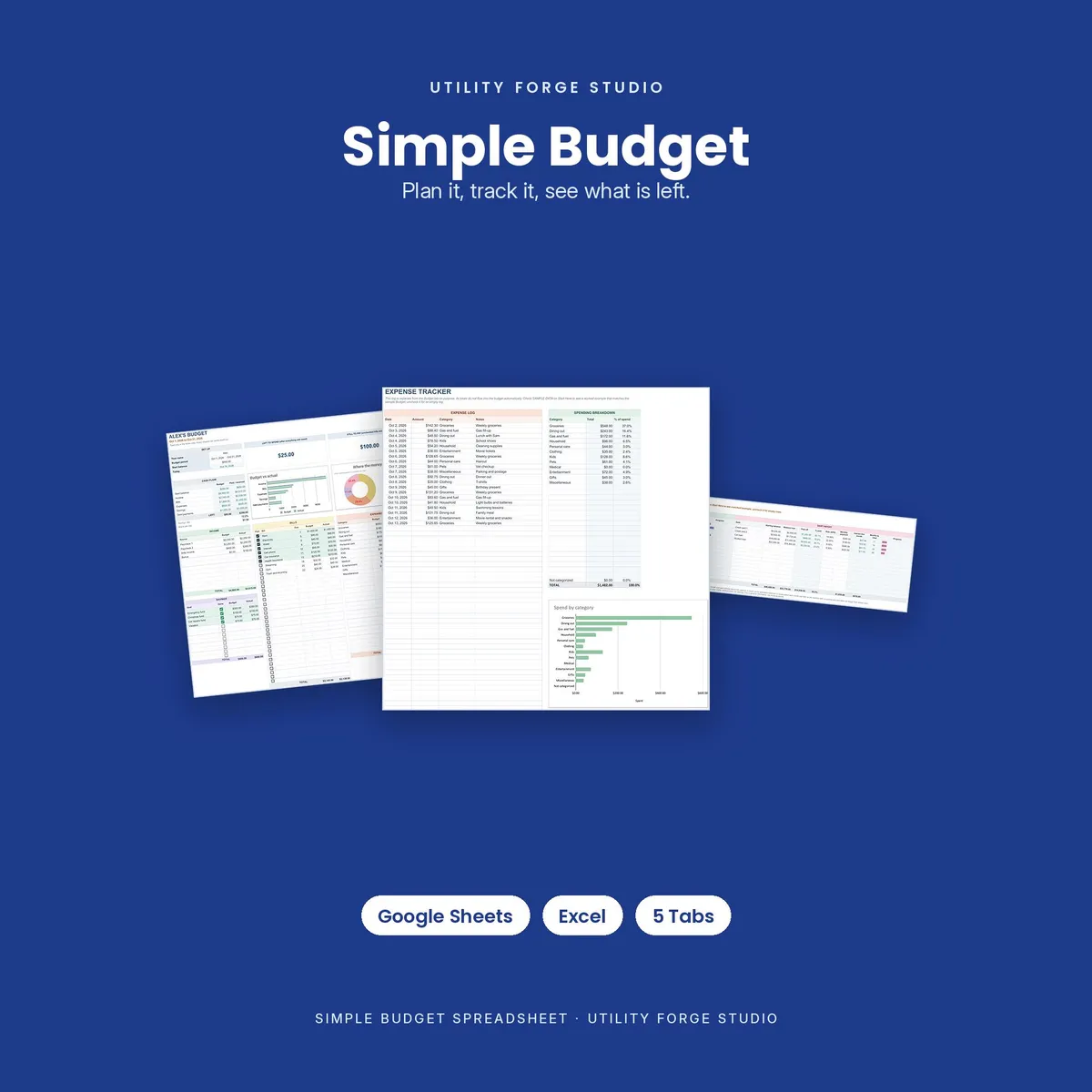
𝗧𝗛𝗘 𝗙𝗜𝗩𝗘 𝗧𝗔𝗕𝗦
Start Here. Short setup notes and how to roll the sheet forward each month.
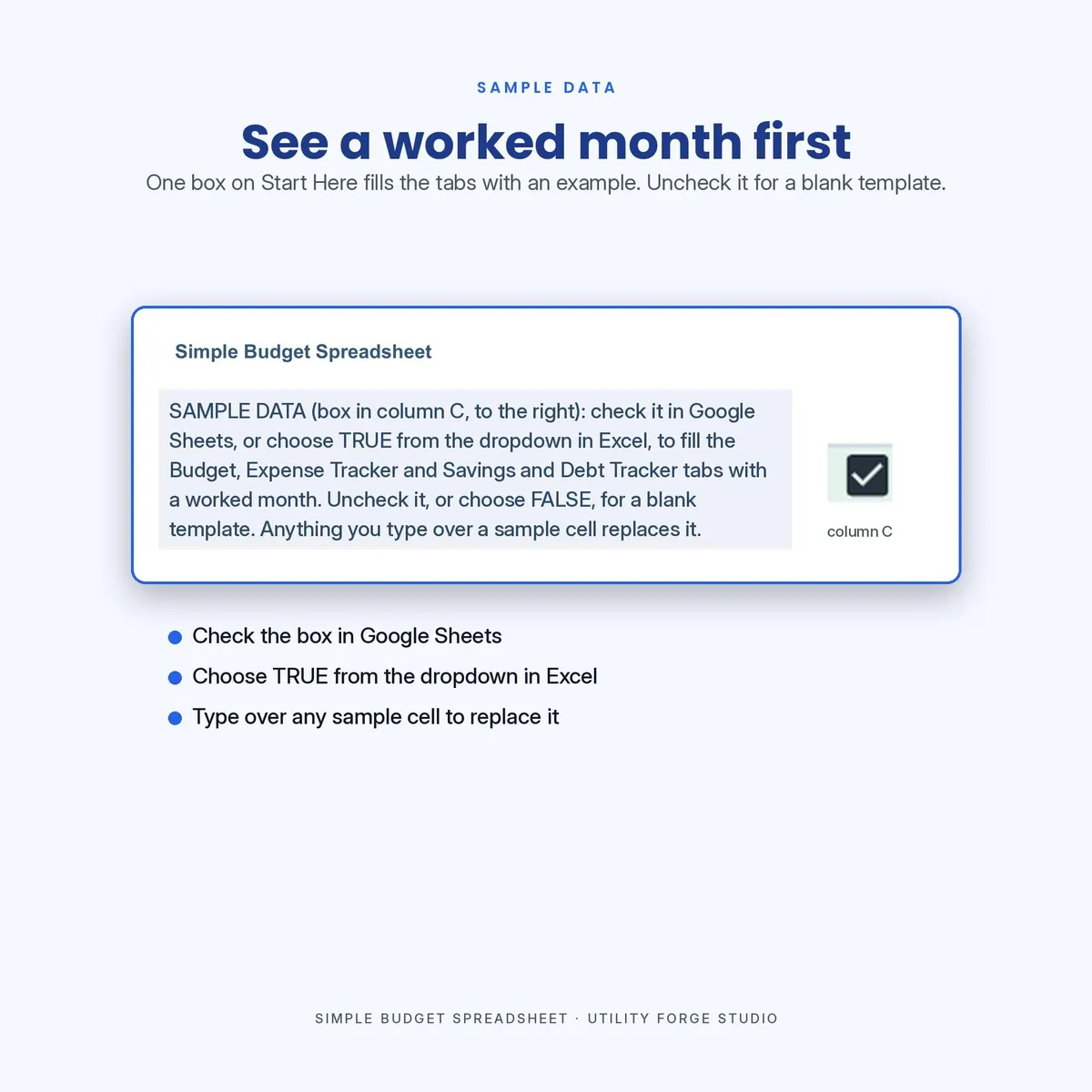
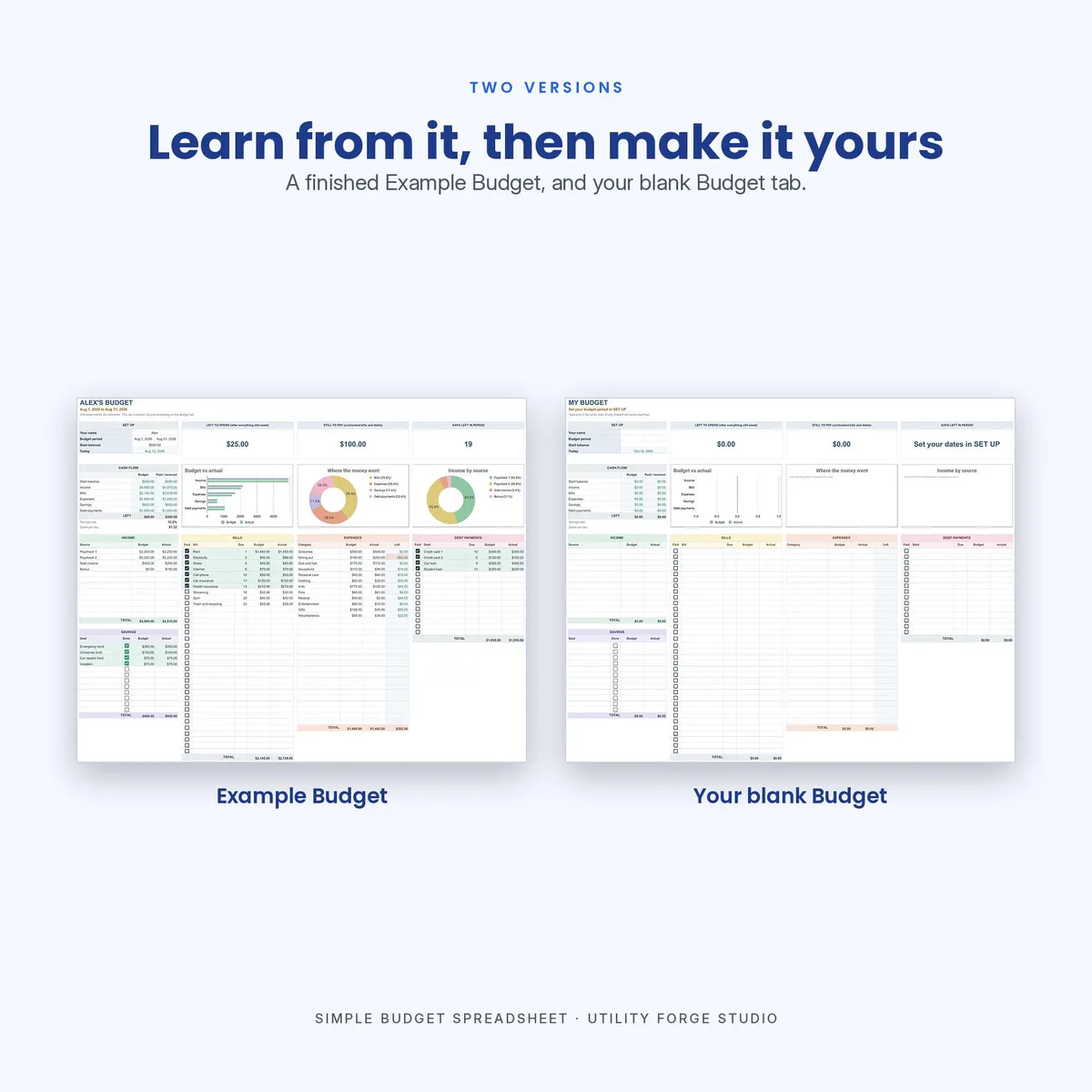
Example Budget. A full month already filled in, so you can see how it behaves before you touch your own. It is locked, because it is the copy you repair a formula from.
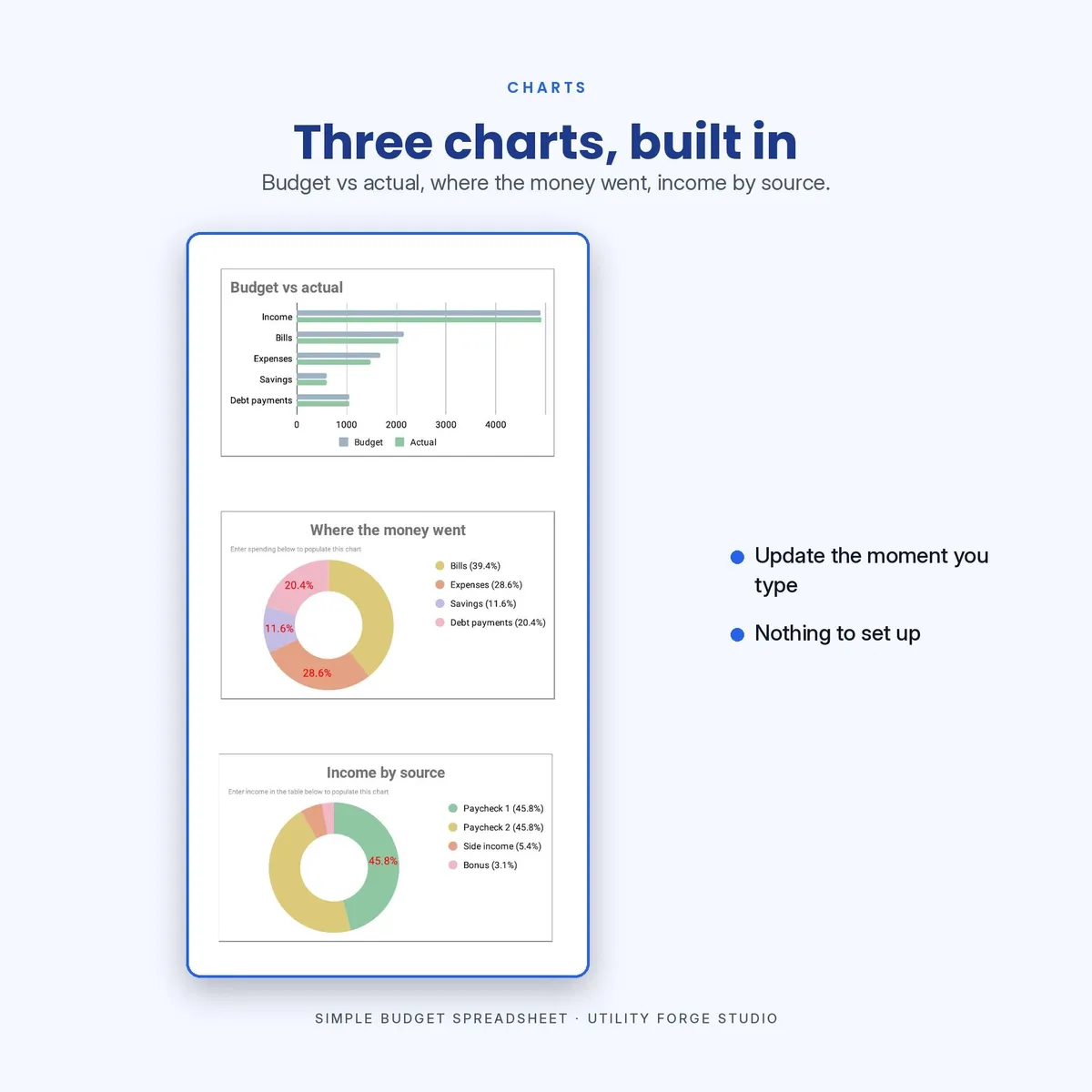
Budget. Your working month. Income, bills, expenses, debt payments and savings, with three live charts that redraw as you type.
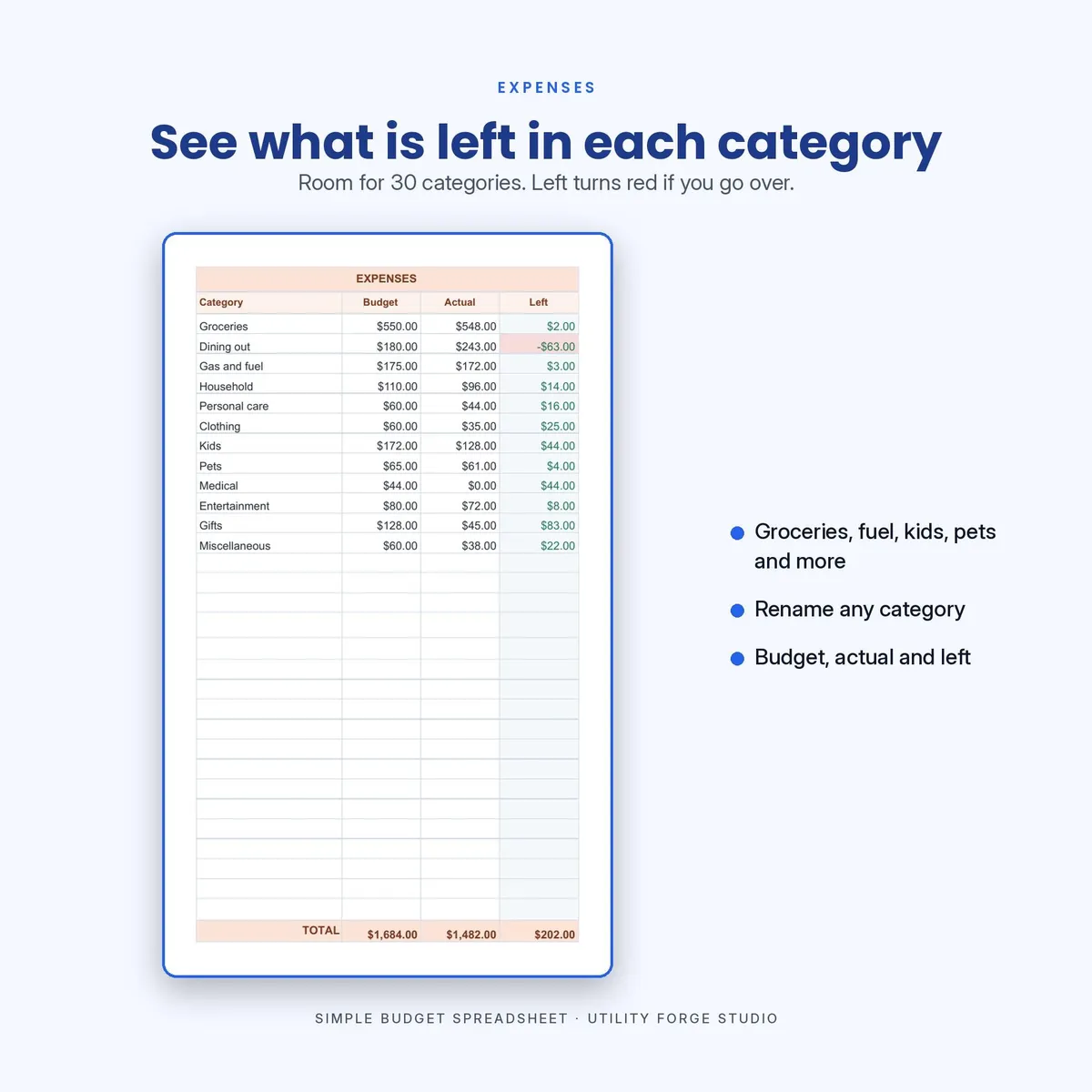
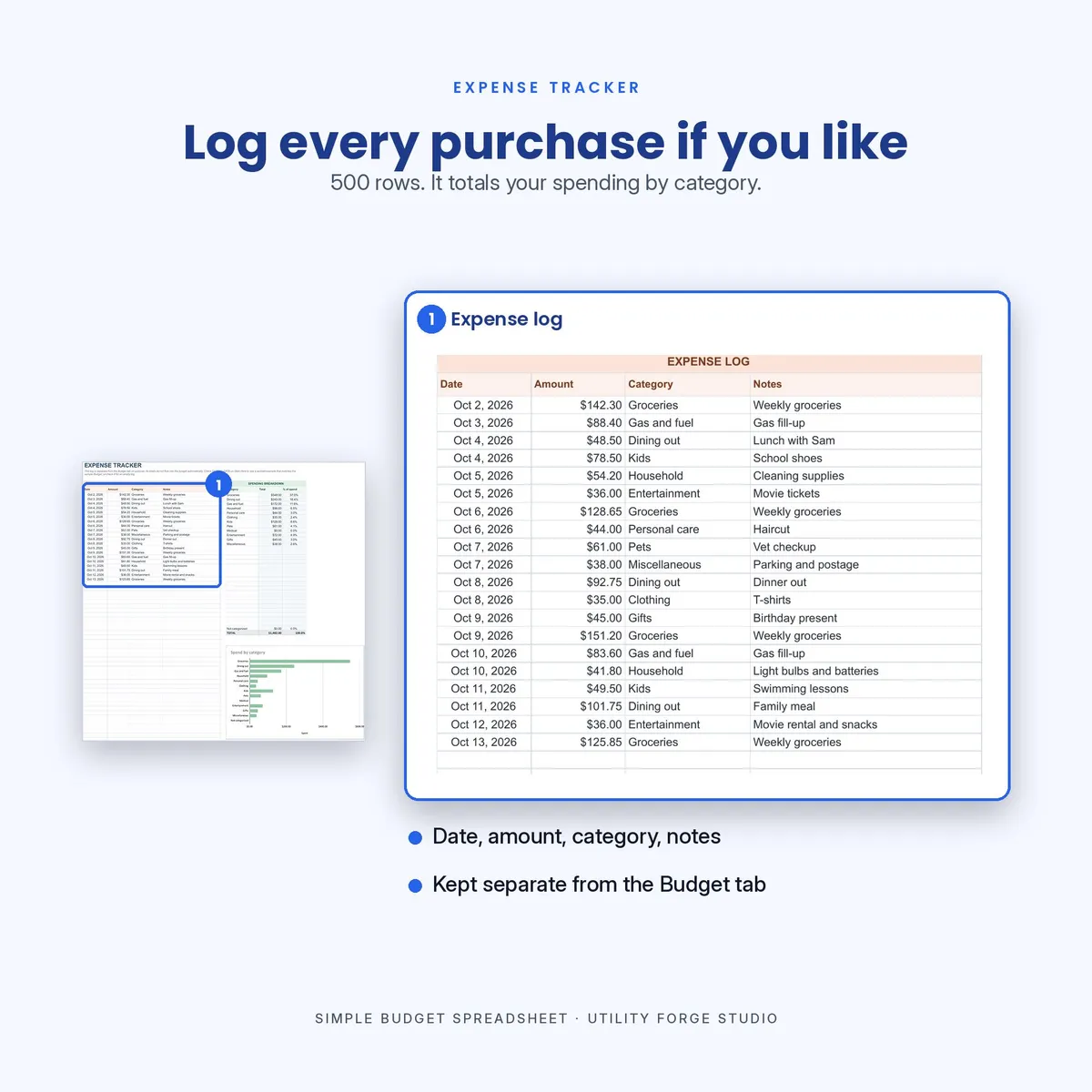
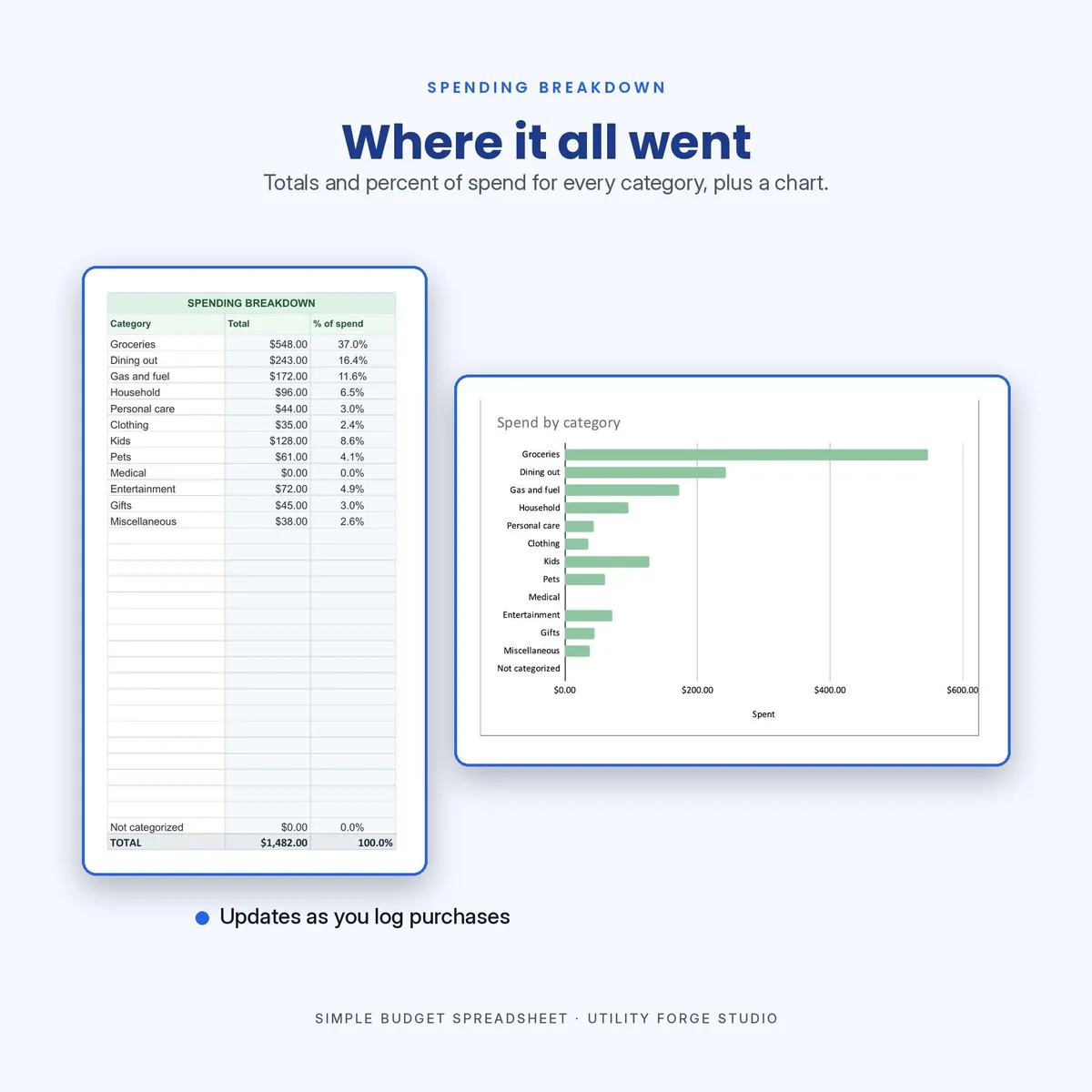
Expense Tracker. 500 rows for day-to-day spending, with 30 category slots you can rename, a Not categorized catch-all so nothing goes missing, and a spend by category bar chart. The log is cumulative rather than monthly.
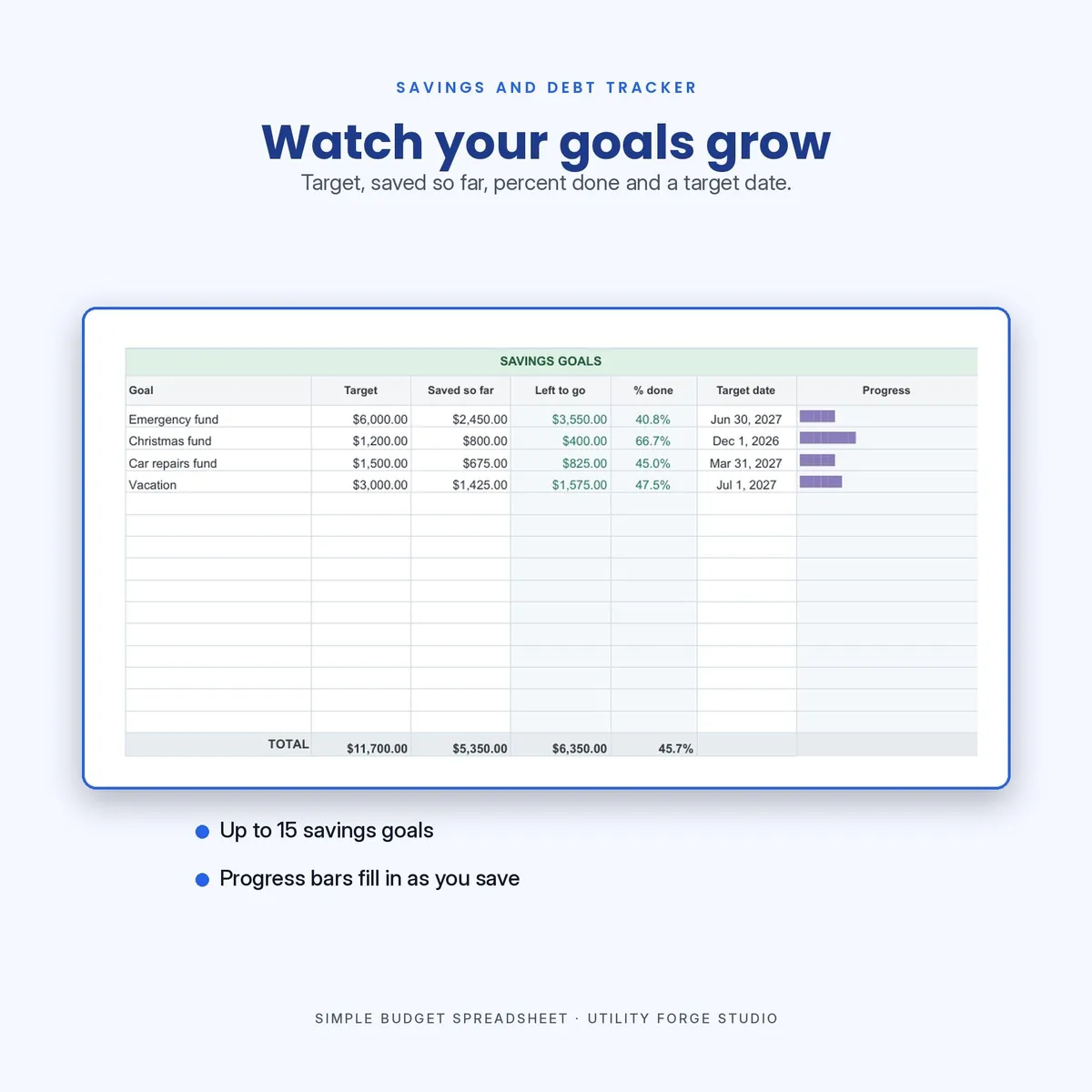
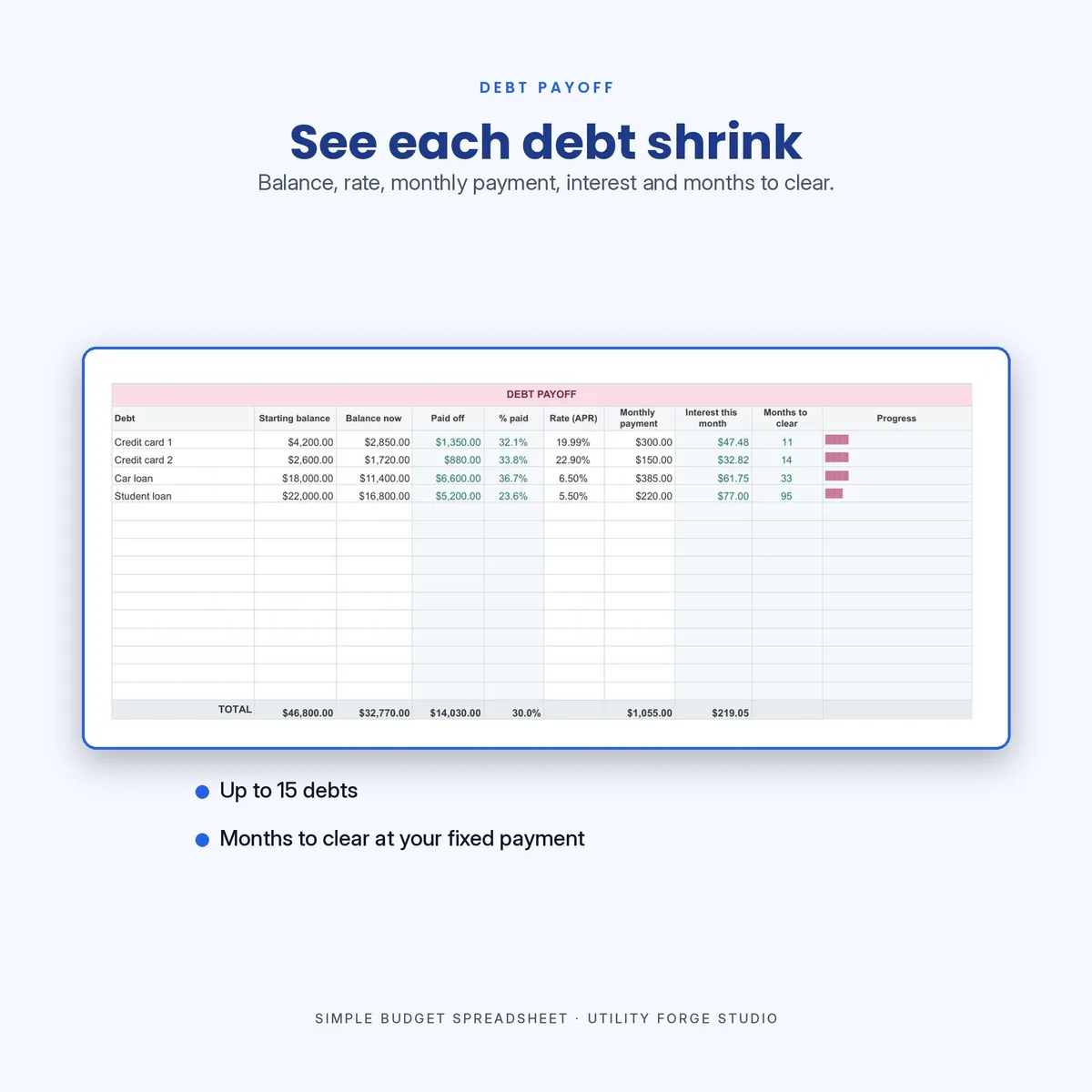
Savings and Debt Tracker. Goals, balances, payoff months and progress bars.
The two tracker tabs are deliberately standalone. Their totals do not flow into the Budget tab, so you can use them as much or as little as you like.
𝗛𝗢𝗪 𝗔 𝗡𝗘𝗪 𝗠𝗢𝗡𝗧𝗛 𝗪𝗢𝗥𝗞𝗦
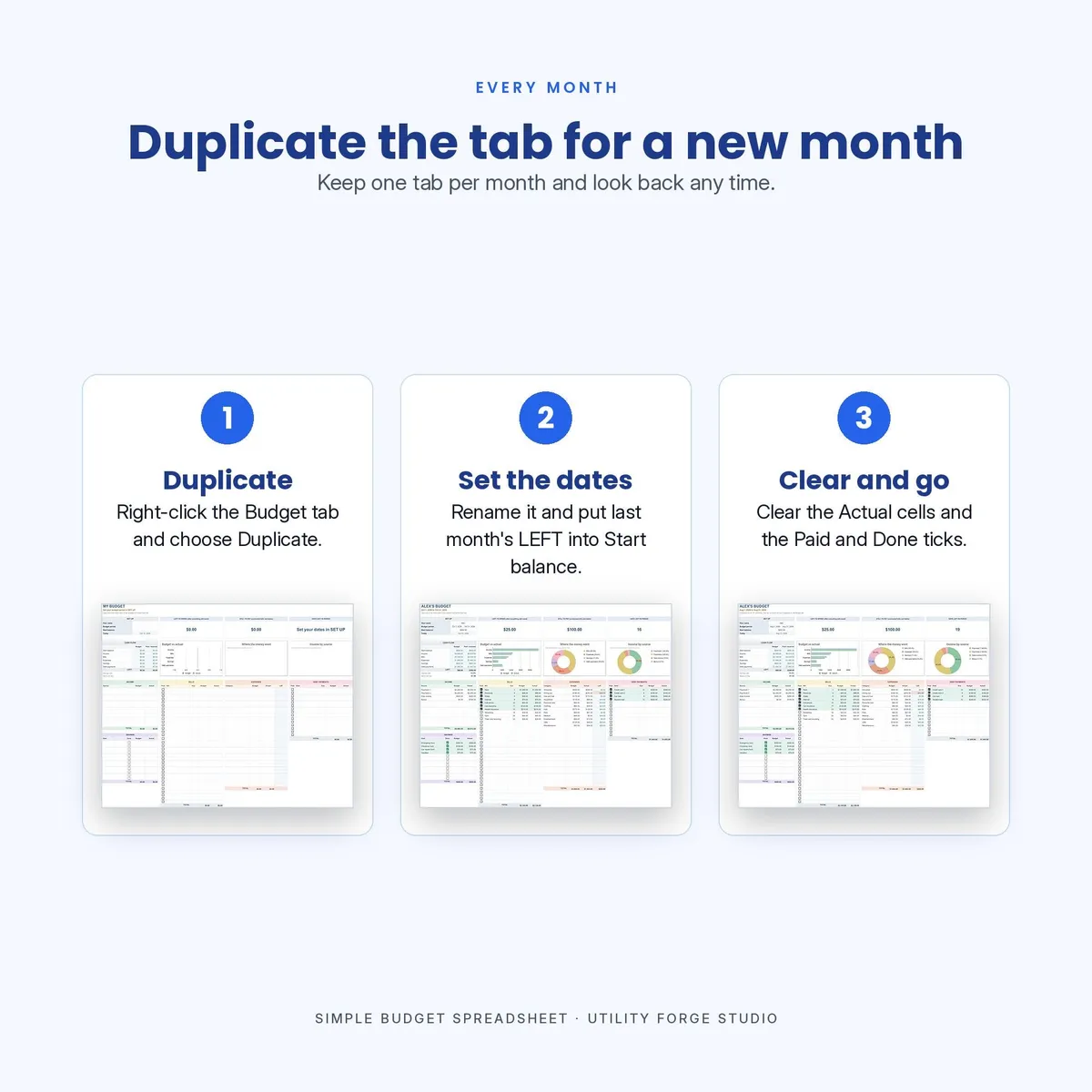
Right-click the Budget tab and duplicate it. On a phone or tablet, tap the tab and choose Duplicate. In the Excel file, right-click the tab, choose Move or Copy, then check Create a copy. Rename it, set the new dates and your start balance, then clear the Actual columns and the Paid and Done checkmarks. Start Here walks you through it. The charts and formulas follow the copy, so last month stays exactly as you left it in its own tab.
𝗥𝗢𝗢𝗠 𝗔𝗟𝗥𝗘𝗔𝗗𝗬 𝗕𝗨𝗜𝗟𝗧 𝗜𝗡
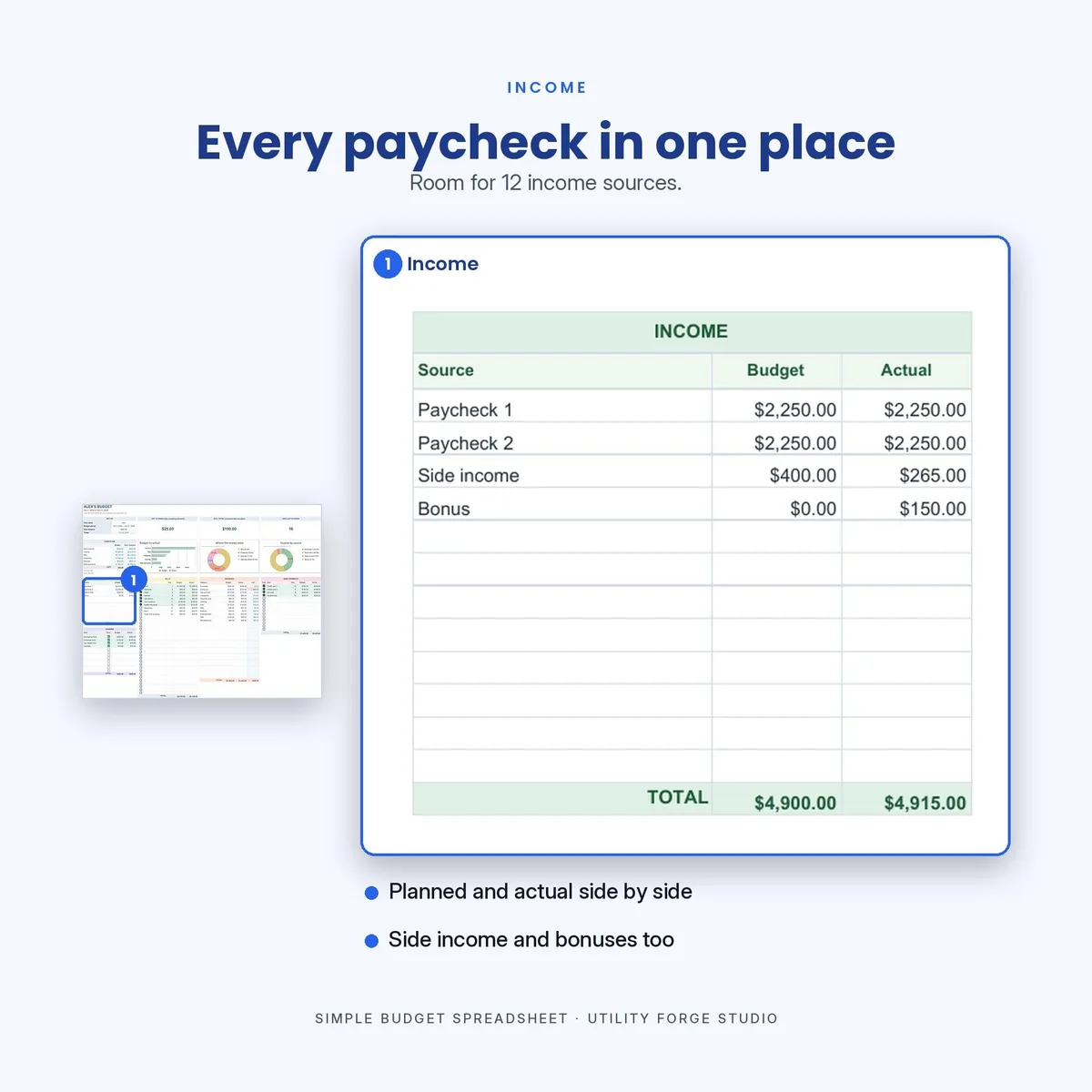
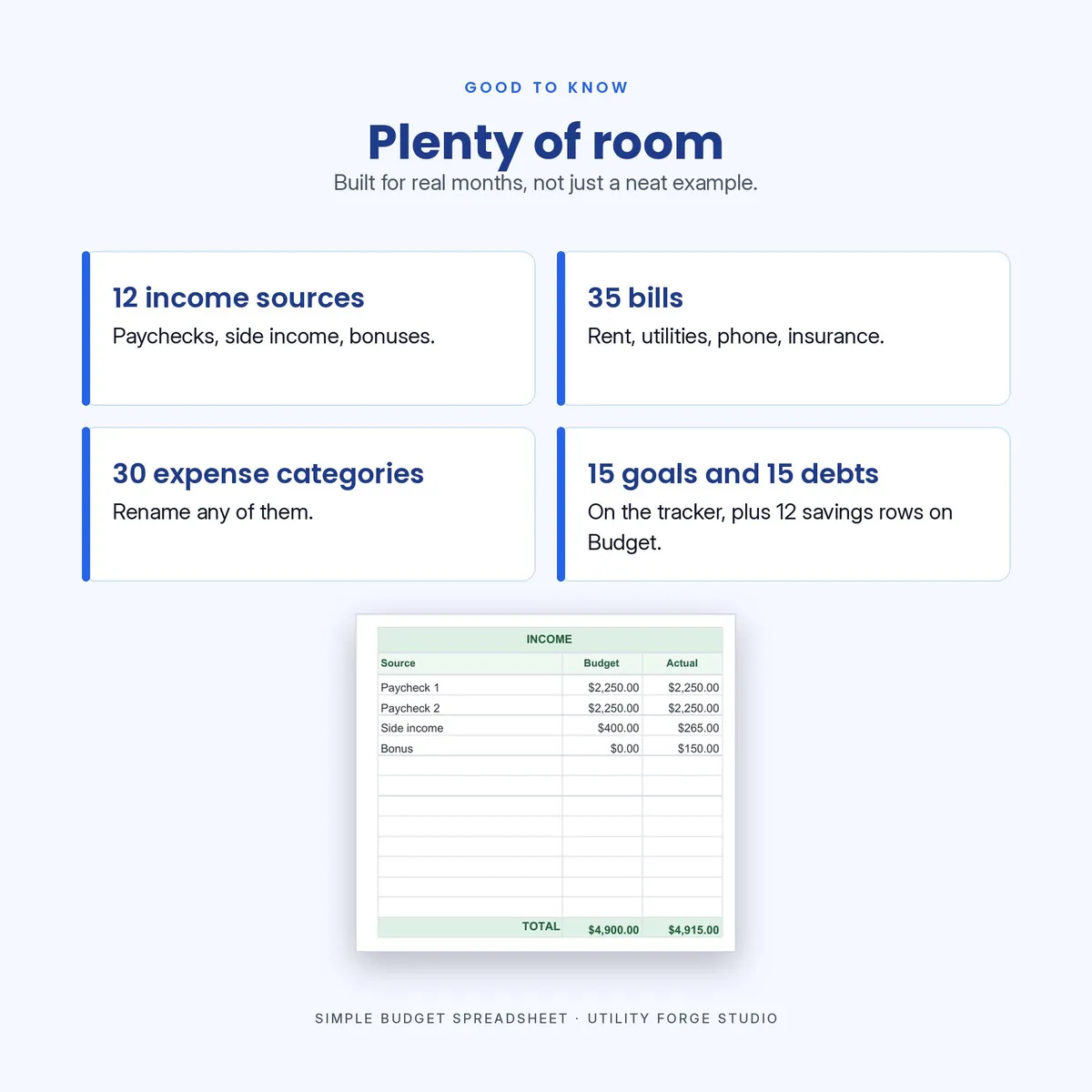
The spare rows are already there: 12 income sources, 35 bills, 30 expense categories, 15 debts and 12 savings goals, plus 15 goals and 15 debts on the tracker. For almost every household you will not need to insert one. The formula cells are protected so you cannot wipe a total by accident: Google Sheets warns you first, Excel refuses the edit, and there is no password on either. Row insert and delete are switched off, because the tables sit side by side and one new row would cut through several at once.
𝗖𝗢𝗟𝗢𝗥-𝗖𝗢𝗗𝗘𝗗 𝗦𝗢 𝗬𝗢𝗨 𝗖𝗔𝗡 𝗙𝗜𝗡𝗗 𝗧𝗛𝗜𝗡𝗚𝗦
Every section has its own soft color: income green, bills yellow, expenses peach, debt pink, savings lilac. The same color carries through to the where-the-money-went chart.
𝗪𝗢𝗥𝗞𝗦 𝗪𝗜𝗧𝗛
Google Sheets, free, in any browser.
𝗡𝗢 𝗦𝗨𝗕𝗦𝗖𝗥𝗜𝗣𝗧𝗜𝗢𝗡 𝗔𝗡𝗗 𝗡𝗢𝗧𝗛𝗜𝗡𝗚 𝗧𝗢 𝗜𝗡𝗦𝗧𝗔𝗟𝗟
No subscription, no add-ons and no app to download. Your numbers stay in your own copy. Nothing is shared back, and there is nothing to cancel later.
𝗜𝗡𝗦𝗧𝗔𝗡𝗧 𝗗𝗜𝗚𝗜𝗧𝗔𝗟 𝗗𝗢𝗪𝗡𝗟𝗢𝗔𝗗
This is a digital download. No physical item will be shipped. Your files are available immediately after purchase, so all sales are final and this listing is not returnable.
ℹ 𝗔 𝗡𝗢𝗧𝗘 𝗢𝗡 𝗔𝗗𝗩𝗜𝗖𝗘
This is a budgeting tool, not financial advice. It does the arithmetic on the numbers you enter. It does not know your circumstances, and it is not a substitute for a qualified financial professional.
Questions before or after you buy? Message the shop and I will help.
Google Sheets is a trademark of Google LLC, and Excel is a trademark of Microsoft Corporation. This product is not affiliated with, sponsored by or endorsed by any of them. The brand names appear only to say which apps the product is made for.
Designed by me, created using AI tools.
The Etsy listing is the final source for what is included. See it on Etsy.
More in Budget and money

PTA Treasurer Spreadsheet
For volunteer treasurers of a PTA, PTO, booster club or parent group: enter each deposit and…

Home Renovation Planner Spreadsheet
This is a digital spreadsheet for your own project.

Savings Challenge Tracker 2027
Make saving a game in 2027.

2027 Budget Planner Spreadsheet
This 2027 budget planner spreadsheet helps you plan every month of the year: log what you…